config-control-kiro
Health Pass
- License — License: Apache-2.0
- Description — Repository has a description
- Active repo — Last push 0 days ago
- Community trust — 10 GitHub stars
Code Fail
- rm -rf — Recursive force deletion command in .github/workflows/notarize-macos.yml
- rm -rf — Recursive force deletion command in build/build-binaries.sh
- rm -rf — Recursive force deletion command in build/sign-binaries.sh
- network request — Outbound network request in client/package.json
Permissions Pass
- Permissions — No dangerous permissions requested
No AI report is available for this listing yet.
GUI configuration manager for Kiro CLI — agents, MCP servers, steering, skills, and workspaces
Config Control for Kiro
Unleash the full potential of Kiro CLI. Explore, build, and configure agents, MCP servers, steering files, and skills — all at your fingertips through an interactive UI.
https://github.com/user-attachments/assets/1e74c248-07f1-482a-a6d5-6c0ecb9c7bec
What It Does
Click each feature below to see it in action.
- Dashboard — See your setup at a glance — how many agents, servers, steering files, and skills you have configured, with a feature adoption checklist.
https://github.com/user-attachments/assets/b432c09c-114e-4592-a5ca-d8d0682b71b8
- Agents — Create and configure Kiro agents with a visual editor. Set prompts, tools, models, hooks, keyboard shortcuts, and MCP server bindings. Edit the JSON directly or use the config cards — both stay in sync.
https://github.com/user-attachments/assets/4706368a-ea93-40e3-80da-98c831724b57
- MCP Servers — Add, remove, enable/disable MCP servers. Test tool connectivity. Toggle individual tools on/off per server.
https://github.com/user-attachments/assets/e6c504da-0c8f-460c-8419-7d5b0ce071fd
- Steering — Create and edit steering markdown files with a built-in file tree and editor.
https://github.com/user-attachments/assets/84dcbf27-8648-4d4c-b8cd-5f66dc7dc6c7
- Skills — Browse, create, and edit skill folders and SKILL.md files.
https://github.com/user-attachments/assets/34d5417c-158a-406d-aa74-9260d408ac57
- Workspaces — Switch between global (
~/.kiro) and project-level (.kiro/) configurations.
https://github.com/user-attachments/assets/15224882-37d4-4b60-9d99-df68b8b3fe9f
- Changelog — View Kiro CLI release history and check for updates.
https://github.com/user-attachments/assets/557014c1-45ad-49aa-bbcd-658ca4f69cb3
Quick Start
Download a Release
Download, extract, and run on your OS:
| Platform | Download |
|---|---|
| Linux | cckiro-linux-amd64.tar.gz |
| macOS (Intel) | cckiro-mac-intel.zip |
| macOS (Apple Silicon) | cckiro-mac-arm.zip |
| Windows | cckiro-windows-amd64.zip |
Or install from the terminal — select your OS below:
🐧 Linuxcurl -L -o cckiro-linux-amd64.tar.gz https://github.com/kirodotdev-labs/config-control-kiro/releases/latest/download/cckiro-linux-amd64.tar.gz
tar xzf cckiro-linux-amd64.tar.gz
chmod +x cckiro
./cckiro
curl -L -o cckiro-mac-arm.zip https://github.com/kirodotdev-labs/config-control-kiro/releases/latest/download/cckiro-mac-arm.zip
unzip cckiro-mac-arm.zip
open cckiro.app
curl -L -o cckiro-mac-intel.zip https://github.com/kirodotdev-labs/config-control-kiro/releases/latest/download/cckiro-mac-intel.zip
unzip cckiro-mac-intel.zip
open cckiro.app
Download cckiro-windows-amd64.zip, extract the zip, then run:
cckiro.exe
The app opens in your browser automatically at http://127.0.0.1:3030. It only listens on localhost — nothing is exposed to the network.
⚠️ Security alerts when opening the app — this is normal.
Your OS may show a security warning on first run. Select your OS below for the fix:
🍎 macOS — Security warningsError 1: "cckiro" Not Opened — Apple could not verify "cckiro" is free of malware that may harm your Mac or compromise your privacy.
Error 2: "cckiro" can't be opened because Apple cannot verify it is free from malware.
This is macOS blocking apps that haven't been notarized by Apple. It does not mean the app contains malware.
Fix (choose one):
- Right-click
cckiro→ Open → click Open in the dialog- Go to System Settings → Privacy & Security → scroll to Security → click Open Anyway
- Run in terminal:
xattr -d com.apple.quarantine cckiroOnce allowed, macOS remembers your choice and won't ask again.
Managed devices: If your Mac is managed by your organization and the above options are unavailable, ask your IT admin to whitelist
cckirovia MDM or add it to the approved applications list.📖 Apple — Safely open apps on your Mac
🪟 Windows — SmartScreen and Firewall warningsError 1 — SmartScreen: "Windows protected your PC — Microsoft Defender SmartScreen prevented an unrecognized app from starting."
- Click More info → click Run anyway — the app will start normally
Error 2 — Firewall: "Do you want to allow public and private networks to access this app?"
- Click Cancel — cckiro runs on localhost only and does not need network access. The app will continue to work.
To permanently trust cckiro (optional):
- Windows Security → Virus & threat protection → Manage settings → Exclusions → add
cckiro.exe- Start → type "Allow an app through Windows Firewall" → Change settings → Allow another app → browse to
cckiro.exeManaged devices: If you see "This setting is managed by your organization", contact your IT admin to whitelist
cckiro.exe.📖 Microsoft — Add an exclusion to Windows Security
🐧 Linux
📖 Microsoft — Allow an app through Windows FirewallIf you get "Permission denied":
chmod +x cckiro
Use --no-browser to start without opening a browser.
Build From Source
Requires Go 1.22+ and Node.js 18+.
make build    # builds frontend + Go binary
./cckiro       # run it
Other commands:
make dev      # frontend hot-reload + Go backend (for development)
make test     # run all Go tests
make clean    # remove all build artifacts
make release  # full pipeline: security checks + all platform binaries
How It Works
The app is a single Go binary that embeds a React frontend. When you run it, it starts an HTTP server on localhost and serves the UI. All configuration reads and writes go to your local .kiro/ directories — nothing leaves your machine.
It supports two modes: Global (~/.kiro/) for user-wide settings, and Workspace (<project>/.kiro/) for project-specific overrides.
graph LR
    A["🌐 Browser UI<br/>(React)"] <--> B["⚙️ Go Server<br/>(localhost:3030)"]
    B <--> C["📁 ~/.kiro/<br/>Global Config"]
    B <--> D["📁 project/.kiro/<br/>Workspace Config"]
Project Structure
├── main.go                 # Entry point — HTTP server, routing, middleware
├── internal/
│   ├── system/             # Core config, workspace switching, system info
│   ├── agent/              # Agent CRUD (reads/writes .kiro/agents/*.json)
│   ├── mcp/                # MCP server config + stdio/HTTP tool clients
│   ├── dashboard/          # Aggregated stats and setup status
│   ├── steering/           # Steering file CRUD (.kiro/steering/*.md)
│   ├── skills/             # Skills management (.kiro/skills/)
│   ├── fileexplorer/       # File browser with copy/cut/paste/rename/delete
│   ├── file/               # Simple file browsing and URI generation
│   ├── launcher/           # Cross-platform terminal launcher
│   ├── changelog/          # Kiro CLI changelog parser
│   ├── models/             # Shared data structures
│   └── shared/utils/       # Logger, errors, validation, file operations
├── client/                 # React frontend (Vite + MUI)
│   ├── src/pages/          # Dashboard, Agents, MCP, Steering, Skills, Changelog
│   ├── src/components/     # Reusable UI components
│   ├── src/services/       # API client (centralized axios)
│   ├── src/hooks/          # Custom React hooks
│   └── src/contexts/       # Workspace, clipboard, unsaved changes
├── build/                  # Build scripts and pipeline
└── Makefile                # Build commands
Resources
⚡ Create an Agent in 30 Seconds
https://github.com/user-attachments/assets/78b4de1d-4b1d-4f04-a65b-3b75facc1795
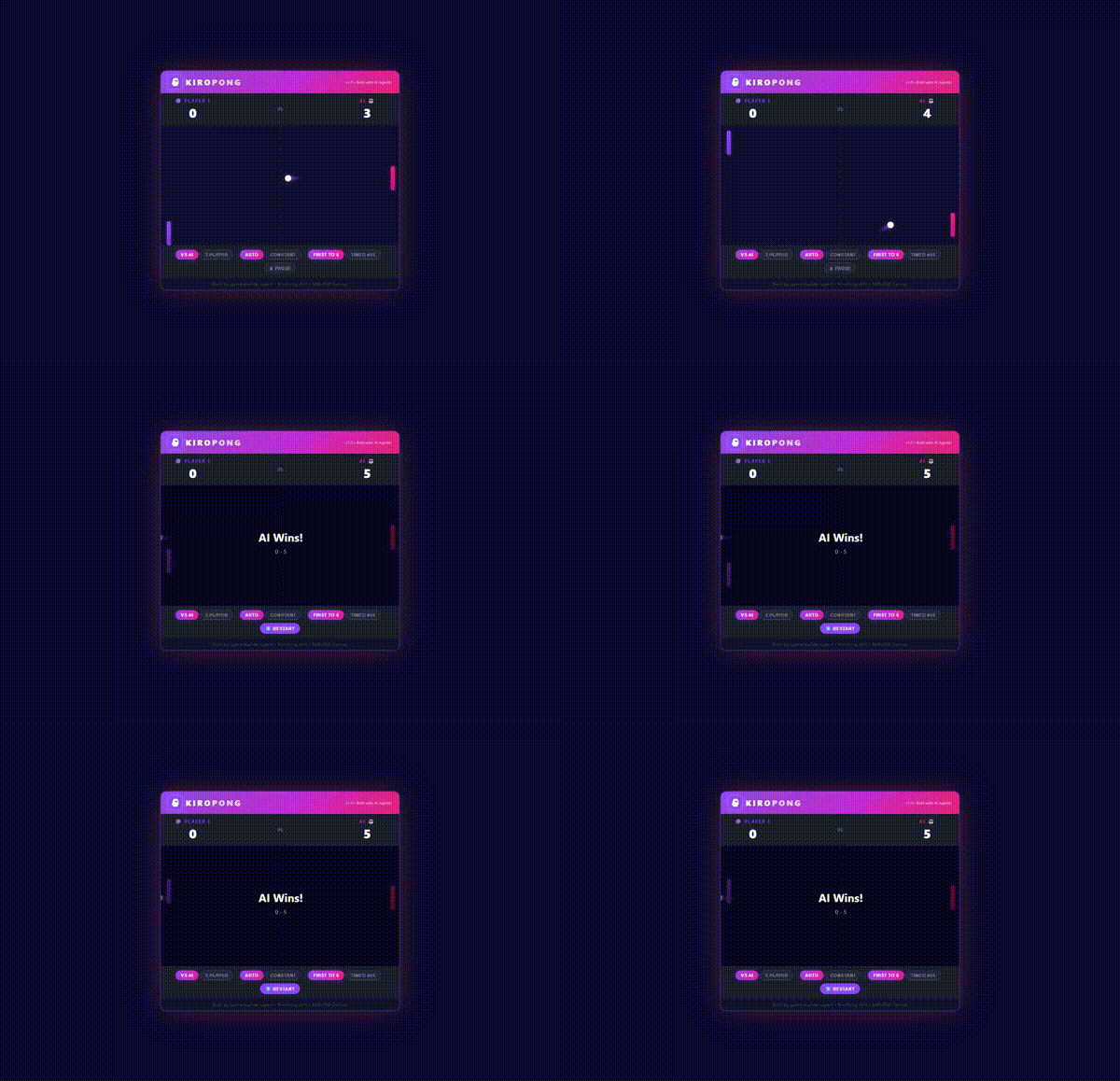
🎮 KiroPong
Run this workshop in your organization to explore Config Control for Kiro and Kiro CLI features — 45 minutes, no AWS account required.
- 📖 Workshop Deck — Multi-Agent Configuration with Config Control for Kiro (interactive slides)
- 🔗 Workshop — Hands-on workshop (45 minutes, no AWS account required)
🎮 KiroPong — Built with a governed multi-agent system in cckiro
https://github.com/user-attachments/assets/28d21030-2e19-4b66-b0a8-96dfa4a48055
Contributing
We welcome contributions! Report bugs and feature requests via GitHub Issues. See CONTRIBUTING.md for the full guide.
The short version: fork the repo → create a branch → make your changes → open a PR to main.
Platform Support
Works on Linux, macOS, and Windows (via WSL). The app detects your environment automatically:
- Linux — Native support
- macOS — Native support (Intel + Apple Silicon)
- WSL — Detects WSL, handles path translation, launches PowerShell terminals
- Windows — Run the
.exedirectly or through WSL
Reviews (0)
Sign in to leave a review.
Leave a reviewNo results found