sessionly
Health Pass
- License — License: Apache-2.0
- Description — Repository has a description
- Active repo — Last push 0 days ago
- Community trust — 57 GitHub stars
Code Fail
- rm -rf — Recursive force deletion command in .sessionly/hook.sh
- network request — Outbound network request in .sessionly/hook.sh
- network request — Outbound network request in action/src/github.mjs
Permissions Pass
- Permissions — No dangerous permissions requested
No AI report is available for this listing yet.
Lab-neutral, local-first ledger for Claude Code, Codex, Cursor and Grok sessions: what they did, what it cost, what survived.
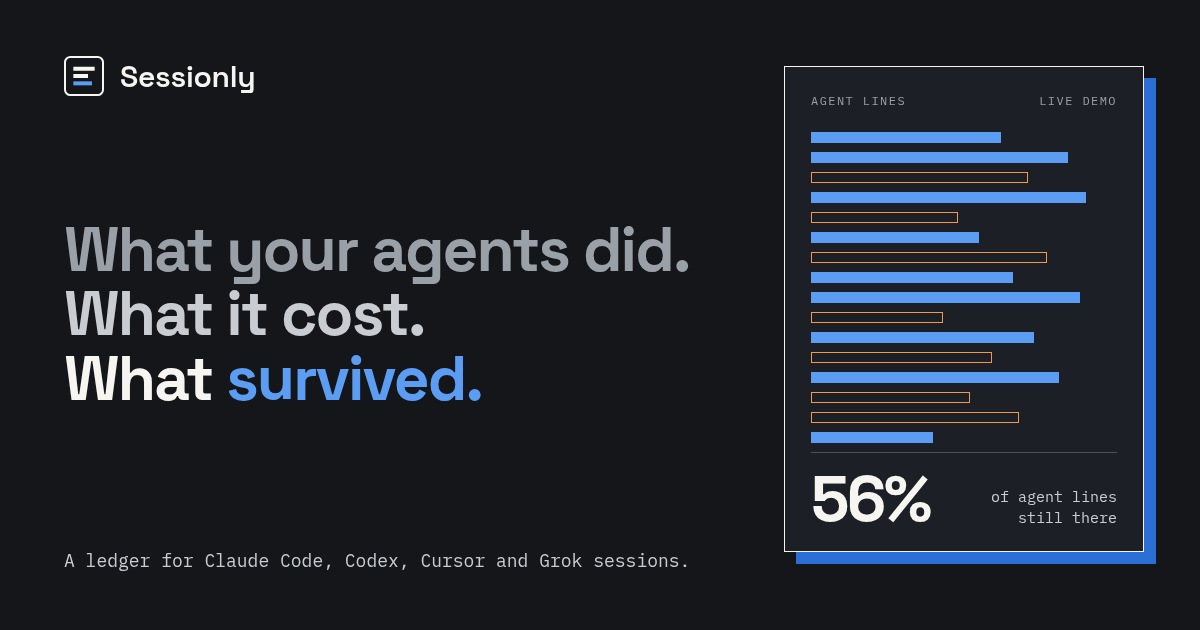
What your agents did. What it cost. What survived.
A lab-neutral, local-first ledger for Claude Code, Codex, Cursor and Grok sessions.






Try the live demo · Install · Docs · Website
https://github.com/user-attachments/assets/2ff085fc-7731-4bae-9d10-5ec33f0f5eea
Sessionly keeps a ledger of your Claude Code, Codex, Cursor and Grok sessions, on your own
machine: which tools ran, which files changed and what it cost. Then it counts how many of the
agent's lines are still in the file later, and still in the pull request after review.
You decide whether anything is shared. Nothing leaves your machine until you
connect it to a server, and source code never does.
The live demo
The demo is Sessionly's own repository, built with the agents
it measures. Sign in with Google or GitHub to open it; it is read-only. As of 22 Nov 2026:
| Agent | Sessions | Cost | Lines still there |
|---|---|---|---|
| Claude Code | 16 | $888.06 | 73% |
| Grok | 8 | $40.65 | 17% |
| Codex | 2 | no cost | 89% |
| Cursor | 1 | no cost | 100% |
| Total | 27 | $928.71 | 63% |
27 sessions, 37h 12m active, 688 files changed. 5 of the 27 costs are estimates, and 4 sessions
have no cost figure: the Codex ones were imported before Sessionly estimated Codex costs from
their tokens, and the Cursor session and one Grok session reported none. One repository and
one developer over nine days: a record of this work, not a benchmark of the agents. The demo is
brought up to date every day, so its figures have moved on since.
Why Sessionly
- Four agents, one record. Claude Code, Codex, Cursor and Grok, on a machine or in the cloud,
mapped to the same tool names and the same session record. A row means the same thing whichever
agent produced it. - Survival, not volume. Lines written is easy to inflate. Sessionly counts how many of an
agent's lines are still there later, and still in the pull request after review. - Lab-neutral. Sessionly is not any agent maker's tool. It reads every agent's sessions the
same way and says where one records less, so a comparison isn't scored by one of the players. - A ledger, not marks in your repo. Nothing is written into your commits: no notes, no
trailers. Pull requests are matched to sessions by hashes of the lines, on your server. - Private by default. Capture, parsing and redaction happen locally. Uploads are opt-in, the
default upload has no text from prompts, commands or files, and source code is never sent.
Install
Each release has a binary for Linux and macOS.
Unpack it and put sessionly on your PATH, or install it from crates.io with Rust 1.89 or
later:
cargo install sessionly
Then:
sessionly install     # adds the capture hooks for Claude Code, Codex, Cursor and Grok
sessionly status      # hooks installed? how many sessions captured?
sessionly import      # bring in sessions from before the hooks were installed
sessionly update moves to a newer release. More: Install.
Use
sessionly list                   # sessions, newest first, with filters and text search
sessionly summary                # totals per user, repo, model, tool or day
sessionly show <session>         # one session: cost, prompts, files changed, tools, subagents
$ sessionly list
ID        TOOL         STARTED (UTC)      ACTIVE      COST  FILES         LINES  REWRITTEN  REPO      PROMPT
2b02c8f5  Claude Code  2026-11-13 18:29      14s     $0.17      2        +24 -0        1/2  e2e2      Do these steps in order, one tool call each: 1. Write a …
6c6a61b0  Claude Code  2026-11-13 18:10      15s     $0.29      1         +1 -0        0/1  e2e2      Do these steps in order, one tool call each, and keep go…
More: Command line, the rewrite rate, and what
is known of each agent's sessions.
How it works
A small local program does the work. A server is optional.
- Capture. A hook appends each agent event to a local file in 2–4 ms. It only observes: it
can't block or change a session. - Read. Tokens, models and cost come from the transcripts and session files the agents keep
themselves. - Normalize. Both become one record per session in a local SQLite ledger at
~/.sessionly:
prompts, tool calls, files, subagents, cost. - Measure. On every sync, the lines each session added are counted again in the files as they
are now. - Upload. Only if you connect a server. Paths are made relative and the content level you
chose is applied first.
Claude Code, Codex ──hooks───────┐
Cursor, Grok ──────their files───┼──▶ sessionly (local Rust binary) ──▶ ~/.sessionly/ledger.db
cloud agents ──────repo hooks────┘                 │
                                                   └── upload, if connected ──▶ Sessionly server ──▶ team dashboard
The ledger is derived data: delete it and sessionly sync --force rebuilds it.
Cloud agents
Claude Code's cloud sessions, Cursor's cloud agents and Codex's cloud tasks are captured through
hooks the repository carries:
sessionly install --repo          # in the repository's root
git add .sessionly .claude/settings.json .cursor/hooks.json AGENTS.md
git commit -m "Capture cloud agent sessions"
More: Cloud sessions.
Pull requests
A GitHub Action reports each pull request to the server, which works out how much of
it coding agents wrote, with which models, and how those lines fared in review. Both sides send
hashes, never source code. More: Pull requests.
Team server
The server receives uploads and serves the team dashboard. Use the hosted one at
app.sessionly.dev (free during early access), or run your own:
SESSIONLY_ADMIN_TOKEN=choose-a-long-secret docker compose up -d
sessionly connect http://127.0.0.1:8080
sessionly upload
Owners can export everything as JSONL or delete the organisation at any time. More:
Server, Uploading,
Data and privacy and the API reference.
Documentation
Everything is at docs.sessionly.dev, built fromdocs-site/, where each page also reads well on GitHub:
Install ·
Command line ·
Commands ·
Agents ·
Cloud sessions ·
Data and privacy ·
Uploading ·
Server ·
Configuration ·
API ·
Pull requests ·
Editions
Editions and license
Everything outside ee/ is Apache-2.0 (LICENSE): the sessionly binary, the server
and the dashboard. It never needs a license key. ee/ (LICENSE-EE) holds the
Business and Enterprise features. More: Editions and license.
Contributing
Issues and pull requests are welcome. Contributions use DCO sign-off (git commit -s); see
CONTRIBUTING.md.
cargo test
cargo clippy --all-targets
pnpm typecheck && pnpm test   # the TypeScript side and the GitHub Action
scripts/dummy-session.sh      # runs a short real Claude Code session that exercises most hooks
The website (sessionly.dev) is the static pages in website/,
with no build step and one analytics script; python3 -m http.server -d website previews it. The docs are
the Jekyll site in docs-site/; its README says how to
preview them.
If Sessionly is useful to you, a ⭐ helps other people find it.
Reviews (0)
Sign in to leave a review.
Leave a reviewNo results found