docx-cli
Health Warn
- License — License: MIT
- Description — Repository has a description
- Active repo — Last push 0 days ago
- Low visibility — Only 7 GitHub stars
Code Fail
- rm -rf — Recursive force deletion command in .claude/skills/weak-agent-test/scripts/stage-competitor.sh
Permissions Pass
- Permissions — No dangerous permissions requested
No AI report is available for this listing yet.
CLI for AI agents (Claude, Codex) to read, edit, and comment on .docx files with full format fidelity.
docx-cli
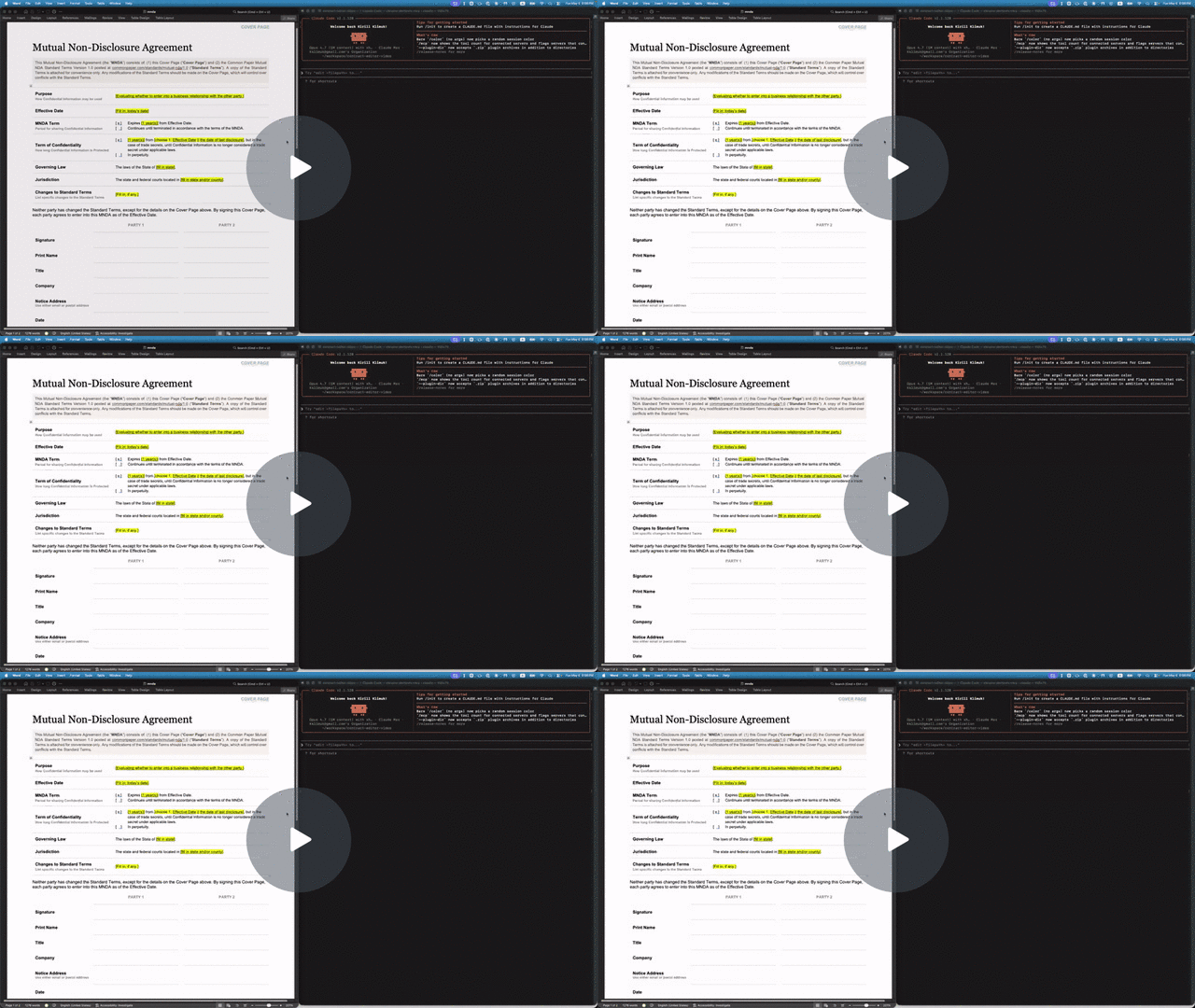
A .docx CLI built for AI agents. Leave comments, suggest redlines, and edit Word documents without breaking the formatting or losing content — a human accepts or rejects in Word afterward.
- Hand a
.docxto Claude or Codex and get back a redlined copy with comments — open it in Word, accept or reject as usual. - Agents address text by stable locators with character offsets (
p3:5-20); humans see normal Word formatting on disk. - Custom styles, theme colors, embedded objects — all of it survives. The CLI mutates XML in place rather than re-emitting from a lossy model.
Install
Standalone binary (no Bun required):
curl -fsSL https://raw.githubusercontent.com/kklimuk/docx-cli/main/install.sh | sh
Honors PREFIX (default $HOME/.local/bin) and VERSION (default latest):
PREFIX=/usr/local sh -c "$(curl -fsSL https://raw.githubusercontent.com/kklimuk/docx-cli/main/install.sh)"
VERSION=v0.2.0 sh -c "$(curl -fsSL https://raw.githubusercontent.com/kklimuk/docx-cli/main/install.sh)"
Pre-built binaries are published for linux/x64, linux/arm64, darwin/x64, darwin/arm64, windows/x64.
npm (requires Bun >= 1.3):
bun add -g bun-docx
# or
bunx bun-docx read doc.docx
Quick example: filling out an NDA
The repo includes a Common Paper Mutual NDA template at tests/fixtures/mnda.docx. Below are the primitives an agent would compose to fill in the cover page and leave redline edits — the same flow shown in the video above. Every command was verified end-to-end against the fixture:
# Make a copy first — there's no undo (git is the history; the CLI overwrites in place)
cp tests/fixtures/mnda.docx mnda-filled.docx

# Read the cover-page table so the agent knows what placeholders exist
docx read mnda-filled.docx --from t1 --to t1

# Fill the yellow-highlighted bracketed placeholders
docx replace mnda-filled.docx "Fill in: today's date" "May 6, 2026"
docx replace mnda-filled.docx "fill in state and/or county" "California"
docx replace mnda-filled.docx "fill in state" "California"
docx replace mnda-filled.docx "Fill in, if any." "None."

# Verify nothing's left to fill (bare locator lines, one per match; nothing → exit 0)
docx find mnda-filled.docx '\[(Fill|fill)[^]]*\]' --regex --all

# Flip on tracked changes for the redline pass
docx track-changes mnda-filled.docx on

# Tighten "having a reasonable need to know" in the Use & Protection clause
docx replace mnda-filled.docx \
    "having a reasonable need to know" \
    "with a documented need to know"

# Leave a comment for the human reviewer — addresses an existing span with --at
docx comments add mnda-filled.docx --at p7:0-30 \
    --text "Should we narrow 'representatives' to a named list?"
Open mnda-filled.docx in Word: tracked changes and comments appear in the review pane, ready to accept, reject, or reply. Or run docx track-changes accept mnda-filled.docx --all to bake them in from the CLI.
Use as an agent skill
docx-cli ships as an Agent Skill — one SKILL.md that works across Claude Code, Codex, Pi, and the other harnesses that read the open skill format. The skill teaches the locator model and the redline / comment / fill workflows, then defers to docx <command> --help at runtime, so it can't go stale.
Why a skill? docx-cli is built for the weakest, cheapest agents. In our weak-agent benchmark — 6 real document tasks (fill a contract, redline, comment, restyle, author from scratch), graded against Word renders, 3 runs each — Haiku driving docx-cli completed 4.3/6 tasks versus 0.7/6 for the default Claude skill, at roughly 2.5× fewer tokens; with Sonnet it's 6/6 vs 4/6, with roughly 2x fewer tokens. And every docx-cli output opened cleanly in Word on the first try — it never emits a file the renderer rejects. (Methodology and harness: .claude/skills/weak-agent-test.)
Install
Claude Code — one-line plugin install:
/plugin marketplace add kklimuk/docx-cli
/plugin install docx-cli@docx-cli
Codex — add the marketplace (the plugin's skills auto-discover):
codex plugin marketplace add kklimuk/docx-cli
Pi — one-command install (the pi manifest in package.json pulls in the skill), then invoke /skill:docx-cli:
pi install git:github.com/kklimuk/docx-cli      # global; add -l for a project (team-shared) install
# manual alternative: pi --skill /path/to/docx-cli/skills/docx-cli
Any harness / manual — drop skills/docx-cli/ into your agent's skills directory (e.g. ~/.claude/skills/ or the cross-tool ~/.agents/skills/). On first activation the skill's scripts/bootstrap.sh installs the docx binary (and self-updates a stale one).
Keeping the skill current
The binary is the source of truth: docx info skill prints the canonical SKILL.md for the installed version, and a CI test fails if the committed copy drifts. Regenerate after any change with:
docx info skill > skills/docx-cli/SKILL.md
docx <command> --help is the authoritative contract
Agents: run
docx <command> --helpbefore composing a call. Every command's--helpis the source of truth for its flags, locator forms, and exact output shape — this README is a map, not the territory. Two more must-reads:
docx info locators— the canonical locator grammar (--jsonfor a machine-readable form). The top-leveldocx --helpsays it outright: "It is highly recommended to agents to rundocx info locatorsto understand their capabilities."docx info schema— the AST type definitions (--tsfor TypeScript source) thatread --astemits.
Command reference
docx <verb> and docx <noun> <verb>. Every command has --help. Two groups: read/query commands print data to stdout; mutate commands change the file (and accept --dry-run, -o/--output PATH, -v/--verbose).
Read & query (print to stdout, never write the file)
docx read    FILE [--from LOC] [--to LOC] [--accepted | --baseline | --current] [--comments]
docx read    FILE --ast                  # JSON-AST instead of Markdown (disables the markdown-only flags)
docx find    FILE QUERY [--regex] [--ignore-case] [--all] [--nth N] [--current | --baseline] [--exact] [--json]
docx find    FILE (--highlight COLOR|any | --color HEX | --bold | --italic | --underline) [--all] [--json]   # find by formatting (no QUERY)
docx wc      FILE [LOCATOR] [--accepted | --baseline | --current] [--json]
docx outline FILE [--style-prefix S] [--json]
docx styles  FILE [--used] [--at STYLEID] [--json]   # the style catalog (not in the body) — what --style NAMEs exist
docx styles  --catalog [--json]                      # built-in styles you can apply on demand (Title, Heading1–9, Quote, …), no FILE needed
docx styles  set    FILE --at STYLEID [--bold --color HEX --size PT --font NAME --space-before PT --indent-left IN …]   # restyle every paragraph/run that uses the style
docx styles  create FILE STYLEID [--type paragraph|character] [--name "…"] [--based-on STYLEID] [--next STYLEID] [formatting]   # define a new custom style
docx render  FILE [--out DIR] [--engine word|libreoffice|auto] [--dpi N] [--pages 1-N] [--format png|jpg]

docx comments      list FILE [--include-resolved] [--thread cN]
docx footnotes     list FILE
docx endnotes      list FILE
docx headers       list FILE
docx footers       list FILE
docx images        list FILE
docx hyperlinks    list FILE
docx track-changes list FILE

docx info schema   [--ts]
docx info locators [--json]
docx read surfaces structural facts the Markdown body can't show as HTML-comment
annotations (<!-- docx:TYPE … -->). These are read-time visibility hints — the
agent can SEE the structure, but the importer drops them (the structure survives
normal edits in place, read --ast is the lossless view, and docx sections /docx tables … manage it). They're emitted deviation-only
(only when a value differs from the document default, so a plain document stays
clean):
- Per-paragraph style/spacing/indent — the most common annotation — rides a
<!-- docx:p pN style="Caption" align="center" space-after="6pt" line-spacing="1" indent-left="0.25in" -->
note, emitted deviation-only (only the attrs that differ from the style/document
default). Each attribute maps to the matchingedit/insertflag (--style,--alignment,--space-before/--space-after,--line-spacing,--indent-left/--indent-right/--first-line/--hanging), so an agent reads a
value and re-applies it. The paragraph's locator rides this note as its leadingpN
token, so an annotated paragraph does NOT also get a bare<!-- pN -->(only
undeviating paragraphs get the bare locator). Full properties are inread --ast. - Section breaks render as
<!-- docx:section sN cols="2" type="continuous" -->
on their own line — never a bare---(that's a thematic break, and emitting it
for a section silently turned layout into border paragraphs). A hand-authored---now unambiguously means a thematic break. - Page geometry rides a leading
<!-- docx:page sN orientation="landscape" size="…in" margins="…in" text-width="…in" -->note when the page deviates from
US-Letter-portrait-1″ —text-widthis the usable column width, and the leadingsNis the section to re-apply against. Avaries="by-section"attribute is added
when a later section's page setup differs from the leading one — and in that case
the note fires even if page 1 is plain default Letter-portrait-1″ (it then shows
justtext-width+varies="by-section"), warning that the geometry shown describes
only the leading section; useread --astfor every section's exact geometry.
Exact twips are inread --ast(on each
section break:pageWidth/pageHeight/pageOrientation/margin*). Set it for the
WHOLE document withdocx sections --orientation/--size/--margins(no--at→
every section gets it, so a multi-section doc doesn't leave the trailing section
behind), one section withdocx sections --at sN …, or atcreatetime; under
track-changes it records as one<w:sectPrChange>per section (accept/reject in Word).
Changing margins/size also auto-realigns right-edge tab columns (résumé
dates/locations): a LEFT tab calibrated to the old margins would overflow and wrap
at the new width, so page setup converts each to a RIGHT tab flush at the new
margin and reports how many it fixed — no second--tabs rightstep needed. - Tables carry a leading
<!-- docx:table t0 widths="1,2,3in" borders="double" -->
when columns are uneven or borders deviate from the default, plus a per-cell<!-- docx:cell t0:r0c0 gridSpan="2" vMerge="continue" shading="FFE699" -->
note on merged/shaded cells — so structure invisible in GFM is visible
(Table.borders/TableCell.shadinginread --ast). - Images trail a
<!-- docx:image img0 size="6.2x4.1in" float="yes" wrap="square" align="center" overflow="yes" -->
note:sizealways (thealone doesn't say "6in wide"), andfloat/wrap/align/overflowonly when they deviate (an inline, in-bounds
image shows just its size).overflowflags an image wider than the usable text
column (ImageRun.floating/wrap/align+ EMU extents inread --ast). - Headers / footers surface as
<!-- docx:header text="Quarterly Report" -->
/<!-- docx:footer text="Page {page} of {pages}" -->notes (thetypeattr
appears only forfirst/even). Fields read as tokens —{page}{pages}{date}{time}{styleref:NAME}{filename}{title}{author}({time}
read-only). A marginal that's
the same on every section rides the top; one that differs by section renders at
that section's start (alongside thedocx:sectionnote, which also renders at
the section's start withapplies-to="… (below)"), so each hint reads right before
the content it governs. The text lives in the comment attribute
so the importer drops it (it can't re-inject into the body); full entries are inread --astunderheaders/footers(Marginal[]). Set withdocx headers/docx footers. - Track-changes state rides a head
<!-- docx:track-changes on -->line when the
document's tracking toggle is enabled (deviation-only — off emits nothing), so an
agent sees that subsequent edits will be redlined without inspectingsettings.xml.
Toggle it withdocx track-changes FILE on|off; the three tracked-change read views
(--accepted/--current/--baseline) are covered under the review loop below.
Mutate (change FILE in place; --dry-run, -v everywhere; -o PATH on every mutator except create, whose positional FILE is already the output)
docx create FILE [--title T] [--author A] [--text "..." | --text-file PATH | --from PATH.md | --from -] [--orientation O] [--size SIZE] [--margins M] [--header "..."] [--footer "..." | --page-numbers] [--force]
docx insert FILE (--after | --before) LOCATOR <content>   # LOCATOR = pN | tN | sN | tN:rRcC:pK
docx insert FILE (--at-start | --at-end) <content>        # no locator — prepend / append to the document
docx edit   FILE --at LOCATOR <content>                   # LOCATOR = pN | pN:S-E | pN-pM | sN | eqN | tN:rRcC:pK[:S-E]
docx delete FILE --at LOCATOR                             # LOCATOR = pN | pN-pM | tN | sN | tN:rRcC:pK (cell paragraph)
docx sections FILE [--at LOCATOR] [--columns N] [--type T] [--orientation O] [--size SIZE] [--margins M]   # LOCATOR = pN-pM | pN (wrap a range in N columns) | sN (edit one section's columns/type/page geometry). Multi-column layout AND page setup live HERE. PAGE GEOMETRY (margins/orientation/size) with NO --at applies to the WHOLE document (every section); --at sN targets one. Columns/type need --at.
docx styles set-default-font FILE "Font Name" [--size N] [--all]   # document-wide font: sets styles.xml docDefaults + theme major/minor; --all also repoints styles/runs that pin their own font
docx replace FILE PATTERN REPLACEMENT [--at pN] [--regex] [--ignore-case] [--all] [--limit N] [--current | --baseline] [--exact] [--track] [--dry-run]
#   Keeps the run's formatting (bold/font) and any tabs — the no-rebuild way to fill a
#   formatted/tabbed template line (e.g. "**Org Name**⇥Date"); don't hand-build --runs to refill it.
#   --at pN (or a cell paragraph tT:rRcC:pN) CONFINES the replace to one paragraph — use it when the
#   SAME placeholder repeats across the doc (a résumé's "City, State" in every entry) and you want THE
#   one in a specific paragraph, instead of find → edit --at pN:S-E span surgery. Batch entries take "at" too.

# Batch — apply many changes from ONE read (no re-reading between edits). Keys
# on each JSONL line mirror the command's flags; all locators address the doc as
# read. insert/edit also accept --batch - to read JSONL from stdin.
docx edit    FILE --batch fills.jsonl       # { at, <one of: text|clear|markdown|runs|code|task>, style?, … }
docx insert  FILE --batch additions.jsonl   # { after|before, <content>, style?, color?, … }
docx replace FILE --batch script.jsonl      # { pattern, replacement, at?, regex?, all?, limit?, … } applied in order ("at" scopes that entry to one paragraph)
docx delete  FILE --batch drop.jsonl        # { at } per line — whole blocks (pN/tN/cell), resolved live-first

# All four of insert/edit/delete/replace accept --track to record that one
# invocation as a tracked change even when the doc's track-changes toggle is off.
#
# insert/edit content selectors (run "docx insert --help" / "docx edit --help" for the full list):
#   --text "..." [--style NAME] [--alignment A] [--color HEX] [--bold] [--italic] [--url URL]
#       (a newline in --text becomes a line break <w:br/>, a tab becomes <w:tab/> — verse/addresses stay line-per-line)
#   paragraph spacing/indent (insert + edit, alone or with content, per-entry in --batch, across a range):
#       --space-before PT --space-after PT --line-spacing N(=1|1.5|2|single|double, or 15pt / "15pt atLeast")
#       --indent-left IN --indent-right IN --first-line IN --hanging IN  (points / inches; first-line ⊥ hanging;
#       left/right/first-line accept a negative value to outdent into the margin; hanging stays non-negative)
#       Under track-changes these record a tracked <w:pPrChange> (accept/reject in Word) — even when they ride
#       along with --text; read surfaces them as a deviation-only <!-- docx:p … space-after="6pt" --> hint.
#   edit --tabs right   fix a line whose tabbed-over content WRAPS (read flags it as `docx:layout … warn`,
#       and prints ONE consolidated fix-all summary at the top): swaps the fragile LEFT tab for a RIGHT tab
#       flush at the margin so a long value (e.g. a city) never wraps. Rides along with --text, works
#       per-entry in --batch, and on a RANGE (edit --at pN-pM --tabs right) cures every tab line at once.
#   edit --text ""      REMOVES the line (same as `delete`; a table cell's last paragraph is blanked, not
#       deleted, so the cell stays valid). In --batch, `{"at":"pN","text":""}` or `{"at":"pN","delete":true}`
#       removes a line — so a form-fill is ONE sweep: fill the cells with values, drop the leftover
#       placeholder lines. Use `--runs '[]'` to blank a paragraph but keep an empty spacer. (Empty
#       `--text` can't ride along with --clear/run-formatting/--style/--alignment/--tabs — those exit
#       with a USAGE error; use `--runs '[]'` to keep a formatted empty spacer instead.) A SPAN's
#       `--text ""` (pN:S-E) still deletes just those characters.
#   --runs '[{"type":"text","text":"X","bold":true}]'
#   --text-file PATH                               # (insert/create) LITERAL multi-paragraph text, NOT parsed — every char verbatim,
#       each newline = a new paragraph. For prose GFM would corrupt: "3. note" stays "3.", *x* / [t](u) / bare URLs / {++x++} untouched.
#   --markdown "..." | --markdown-file PATH        # GFM + math + CriticMarkup + inline HTML formatting → blocks
#   --code "..." | --code-file PATH [--language LANG]
#   --equation "x^2 + y^2" [--display]   (insert; edit also accepts --inline)
#   --clear bold,italic,highlight,color,size,font,…|all   (edit; strip run formatting, keep text)
#   --bold --italic --underline --strike --color HEX --highlight NAME --shade HEX --font NAME --size PT
#       --caps --smallcaps --superscript --subscript   (edit; SET run formatting on EXISTING text —
#       the inverse of --clear. Alone they format a span/paragraph/range in place; with --text they
#       fill AND format. Like --clear, applied directly — not recorded as a tracked change.)
#       NOTE: in a single no-content call (or one --batch entry) these run-format SET flags and the
#       paragraph properties (--style/--alignment/--space-*/--line-spacing/--indent-*/--first-line/
#       --hanging/--tabs) can't ride together — use separate calls/entries, or add --text to set both.
#   --task checked|unchecked | --list bullet|ordered [--list-level N]   (insert)
#   --task checked|unchecked                                            (edit, flip in place)
#   --table --rows N --cols N [--widths "A,B,C"] [--table-width V] [--borders S] [--layout L]   (insert)
#   --image SRC [--alt T] [--width IN] [--height IN] [--caption "Figure 1: …"]   (insert; SRC = path, data: URI, or http(s) URL; --caption adds a Word "Caption"-styled line under the figure)
#   --page-break | --column-break | --section [--columns N] [--type T]   (insert)

docx comments add     FILE --at LOCATOR --text "..." [--author NAME] [--current | --baseline]
docx comments add     FILE --anchor "phrase" --text "..." [--occurrence N]
docx comments add     FILE --batch reviews.jsonl                    # JSONL: { at | anchor (+occurrence), text, author? }
docx comments reply   FILE --at cN --text "..."
docx comments resolve FILE --at cN [--at cM ...] [--unset] | --batch resolutions.jsonl
docx comments delete  FILE --at cN [--at cM ...]          | --batch removals.jsonl

docx footnotes add    FILE --at pN[:offset] (--text "..." | --runs JSON | --markdown TEXT)
docx footnotes edit   FILE --at fnN (--text "..." | --runs JSON | --markdown TEXT)
docx footnotes delete FILE --at fnN
docx endnotes  add    FILE --at pN[:offset] (--text "..." | --runs JSON | --markdown TEXT)
docx endnotes  edit   FILE --at enN (--text "..." | --runs JSON | --markdown TEXT)
docx endnotes  delete FILE --at enN

# Headers & footers (one shared impl — "marginals"). Default placement is every
# page, all sections (--at sN targets one). Content: ONE primary source, except
# --text + one field = two-zone (text left, field right at a content-edge tab).
docx headers set   FILE [--at sN] [--type default|first|even | --first-page | --even | --odd] \
                        [--text "..."] [--align left|center|right] \
                        [--page-number [--of-pages] | --date [--date-format FMT] | --style-ref STYLE | --field filename|title|author] \
                        [--track] [--author NAME]
docx headers clear FILE [--at sN] [--type T | --first-page | --even | --odd]
docx footers set   FILE …   # identical flags, kind=footer (e.g. --page-number --of-pages → "Page X of Y")
docx footers clear FILE …

docx images extract FILE --to DIR [--at imgN]            # --to = output directory; --at picks one image
docx images replace FILE --at imgN --with ./new.png
docx images delete  FILE --at imgN

docx hyperlinks add     FILE --at pN:S-E --url URL
docx hyperlinks replace FILE --at linkN --with URL
docx hyperlinks delete  FILE --at linkN

docx tables insert-row    FILE --at tN [--position INDEX] [--cells "a,b,c"]
docx tables delete-row    FILE --at tN:rR
docx tables insert-column FILE --at tN [--position INDEX] [--width TWIPS]
docx tables delete-column FILE --at tN:cC
docx tables set-widths    FILE --at tN --widths "25%,25%,50%" | "1440,..." | auto
docx tables merge         FILE --at tN:rR1cC1-rR2cC2
docx tables unmerge       FILE --at tN:rRcC
docx tables borders       FILE --at tN [--style single|double|none] [--size N] [--color HEX]
docx tables format        FILE --at LOCATOR [--shade HEX|NAME] [--valign top|center|bottom]
                          [--halign left|center|right|justify] [--cell-borders SIDES]
                          [--align left|center|right] [--style ID] [--row-height M] [--repeat-header]

docx lists set            FILE --at pN [--start N] [--format FMT] [--restart] [--continue]
                          # renumber a NUMBERED list (--at = any item; applies to the whole list).
                          # FMT = decimal | lower-alpha | upper-alpha | lower-roman | upper-roman.
                          # --restart splits a fresh list off here; --continue picks up the previous
                          # list's numbering instead of restarting. Untracked (Word records no revision).

docx track-changes on|off FILE
docx track-changes list   FILE [--json]
docx track-changes accept FILE (--at tcN [--at tcM ...] | --at revN | --all)
docx track-changes reject FILE (--at tcN [--at tcM ...] | --at revN | --all)
docx track-changes apply  FILE [--accept H ...] [--reject H ...]
# `list` defaults to a text table, one LOGICAL change per line (revN collapses a del+ins
# pair onto one line); `--json` for the raw array. A del+ins REPLACE pair shares a
# "group": "revN"; `--at revN` accepts/rejects both halves in one call.
# To FINALIZE a review (accept some, reject the rest), use `apply` — it takes both decision
# lists in ONE call, resolved against the original ids, so nothing renumbers mid-operation
# and the file is never left half-finalized. Doing it as separate accept then reject calls
# renumbers the ids between them. After a subset accept/reject/apply, the confirmation
# re-lists what remains with its renumbered handles.
One rule to memorize: addressing an existing thing is always
--at.comments reply/resolve/delete,footnotes/endnotes edit/delete,images extract/replace/delete,hyperlinks replace/delete,tables *,track-changes accept/reject,edit, anddeleteall take--at LOCATOR. The exceptions are positional or directional by nature:insertuses--after/--before LOCATOR(or--at-start/--at-endfor the document boundaries, no locator);readslices with--from/--to LOCATOR;wctakes a positional[LOCATOR];find/replacetake a positionalQUERY/PATTERN(andreplaceaccepts an optional--at pNto confine the substitution to one paragraph).images extract --to DIRis an output directory, not a locator.
Output contract
The CLI is built for non-interactive agents. Exit code is the success signal, output is data:
| Exit | Meaning | Error codes |
|---|---|---|
0 |
success | — |
2 |
usage / bad locator | USAGE, INVALID_LOCATOR |
3 |
addressed thing not found | FILE_NOT_FOUND, PART_NOT_FOUND, BLOCK_NOT_FOUND, COMMENT_NOT_FOUND, IMAGE_NOT_FOUND, HYPERLINK_NOT_FOUND, TRACKED_CHANGE_NOT_FOUND, MATCH_NOT_FOUND |
1 |
general failure | NOT_A_ZIP, TRACKED_CHANGE_CONFLICT, TABLE_STRUCTURE, IMAGE_SOURCE, RENDER_ENGINE, RENDER_FAILED, UNHANDLED |
Errors print {code, error, hint?} JSON to stdout with a nonzero exit — note there is no ok field; the exit code plus code are the unambiguous signal.
The ok field appears in exactly one place: the --verbose success ack ({ok:true, operation, path, …}). Without -v, success output is shaped for the next command:
| Command class | Default stdout on success | --verbose |
|---|---|---|
Mutator that mints a new handle — comments add→cN, comments reply→cN, footnotes/endnotes add→fnN/enN, hyperlinks add→linkN, insert→the new pN |
the bare locator(s), one per line (a multi-block --markdown insert prints several) |
full {ok:true,…} ack |
Mutator with no new handle — edit, delete, replace, create, comments resolve/delete, images replace/delete, hyperlinks replace/delete, footnotes/endnotes edit/delete, headers/footers set/clear, tables *, track-changes accept/reject & toggle |
one-line confirmation — <operation> <target> (e.g. edit t1:r0c1:p0, edit 7 changes, replace 0 occurrences replaced) (exit 0) |
full {ok:true,…} ack |
find |
matched span locators, one per line (no matches → nothing, exit 0) |
--json → { totalMatches, query, view, matches:[…], normalizedQuery? } |
wc |
the bare count (whole-doc adds a tab-separated sections column, like wc) |
--json → { words, scope, view, sections? } |
outline |
indented LOCATOR⇥TEXT tree (two spaces per level) |
--json → nested [{ id, locator, level, style, text, children }] |
read |
GFM Markdown; each paragraph carries its pN locator once — a trailing bare <!-- pN --> on plain paragraphs, or the leading token of its <!-- docx:p pN … --> note when one is emitted |
--ast → the JSON AST body (docx info schema) |
render |
image paths, one per line | --verbose → {ok, operation, path, engine, output, pages} |
* list (all eight list verbs) |
a bare JSON array; each item's id is its --at handle |
— |
--dry-run always prints a preview object (no ok) and writes nothing; it wins over -o/--output.
Discovering ids
Locators come in two flavors. Positional block ids (pN, tN, sN) are derived from document order and shift after structural edits — re-read between non-trivial mutations. Entity ids (cN, imgN, linkN, fnN, enN, tcN, eqN) are surfaced by a list verb (or read --ast) and are what you pass to --at:
| Id | Discover with | Used by |
|---|---|---|
pN / tN / sN (block ids) |
docx read FILE (the <!-- pN --> trailers), docx read FILE --ast, docx outline FILE (heading pNs), or docx render page images |
read, edit, insert, delete, wc, find results |
cN (comment) |
docx comments list FILE |
comments reply/resolve/delete --at |
fnN / enN (foot/endnote) |
docx footnotes list FILE / docx endnotes list FILE |
footnotes/endnotes edit/delete --at |
hdrN / ftrN (header/footer) |
docx headers list FILE / docx footers list FILE (or read --ast) |
addressed by section+type, not the id: headers/footers set --at sN --type T |
imgN (image) |
docx images list FILE |
images extract/replace/delete --at |
linkN (hyperlink) |
docx hyperlinks list FILE |
hyperlinks replace/delete --at |
tcN (tracked change) |
docx track-changes list FILE |
track-changes accept/reject --at |
eqN (equation) |
docx read FILE --ast (run latex field) |
edit --at eqN --equation |
Each list verb prints a bare JSON array where every item's id is exactly the handle you feed back to --at — pipe through jq to filter (docx comments list doc.docx | jq '.[] | select(.author=="Jane")').
Locators
docx info locators (--json for machine-readable) is the canonical reference. The grammar in brief:
pN              paragraph N                  pN:S-E          chars S..E within paragraph N
pN-pM           whole-paragraph range        pN:S-pM:E       cross-paragraph character range
sN              section break N              tN              table N
tN:rRcC         cell at row R, col C         tN:rRcC:pK      paragraph K of that cell (chainable)
tN:rR / tN:cC   table row R / column C       tN:rR1cC1-rR2cC2  rectangular cell region (merge)
cN  imgN  linkN  fnN  enN  tcN  eqN          entity ids (comment / image / hyperlink /
                                             footnote / endnote / tracked-change / equation)
Offset semantics: character offsets are 0-based, start-inclusive, end-exclusive — p3:5-20 is the 15 characters at indices 5..19 of paragraph 3. Offsets count the visible text of the paragraph in the selected view (accepted by default).
Nested tables chain the same syntax arbitrarily deep — t0:r2c1:t0:r0c0:p0 is the first paragraph of the (0,0) cell of the first table nested inside the (2,1) cell of the document's first table.
Not every command accepts every form — each command's --at/--from/positional help lists exactly what it takes. The shapes:
| Form | Accepted by |
|---|---|
pN, tN, sN, tN:rRcC:pK (blocks) |
read --from/--to, insert --after/--before, wc, comments add |
pN, pN:S-E, pN-pM, sN, eqN, tN:rRcC:pK, tN:rRcC:pK:S-E |
edit --at (span/cell forms strip or replace just that range) |
pN, pN-pM, tN, sN, tN:rRcC:pK |
delete --at |
pN:S-E, pN:S-pM:E, tN:rRcC:pK:S-E (spans) |
comments add --at, hyperlinks add --at (single paragraph), find/wc results |
pN[:offset] (point) |
footnotes/endnotes add --at |
cN / fnN / enN / imgN / linkN / tcN (entities) |
the matching noun's --at (the c/fn/en/img/link/tc prefix is optional) |
tN, tN:rR, tN:cC, tN:rRcC, tN:rR1cC1-rR2cC2 |
the tables verbs |
Common workflows
find → comment. find emits bare locators that drop straight into comments add --at (same default view, so offsets line up — no coordinate translation):
docx comments add doc.docx --at "$(docx find doc.docx 'fatally flawed' | head -1)" \
    --text "Cite a source here?"
# or anchor by phrase directly:
docx comments add doc.docx --anchor "fatally flawed" --text "Cite a source here?"
read → edit markdown round-trip. read emits a markdown dialect that edit --markdown re-parses, so render → LLM-rewrite → splice-back is lossless for paragraphs/lists/quotes:
docx read doc.docx --from p3 --to p3              # → markdown (with <!-- p3 --> trailer)
# … hand to an LLM, get a revised block back …
docx edit doc.docx --at p3 --markdown-file revised.md   # multi-block source expands naturally
Use --markdown-file (not --markdown TEXT) when the source starts with - — Node's parseArgs rejects leading-dash flag values.
track-changes review loop. Toggle tracking on, make edits (they auto-emit <w:ins>/<w:del>), then inventory and resolve:
docx track-changes doc.docx on
docx replace doc.docx "old phrasing" "new phrasing" --all
docx track-changes list doc.docx                  # → JSON array of { id:tcN, kind, author, text, … }
docx read doc.docx --current                       # → CriticMarkup {++ins++}[^tcN] / {--del--}[^tcN]
docx track-changes accept doc.docx --at tc0 --at tc2   # or --all
read has three tracked-change views: default --accepted renders clean text — drops subtractive edits and inlines additive ones (the post-accept document); --current shows CriticMarkup with [^tcN] footnotes; --baseline does the reverse of accepted (the pre-change document). find, replace, wc, and comments add honor the same --accepted/--baseline/--current flags so offsets stay consistent across commands. Add --comments to read to append [^cN] footnotes for comment spans.
How It Works
In-place XML mutation. The AST returned by read is a view over the parsed XML tree, not a separate model. When you edit or comments add, the CLI mutates the underlying XML nodes directly and serializes back. Anything not modeled in the AST (custom styles, theme colors, schema extensions) survives because untouched regions are never re-emitted. Never delete a relationship something still references — that corrupts the file — so part/relationship pruning is gated on a reference scan; unreferenced orphans are left in place.
JSX for emitters. Constructing OOXML fragments imperatively (<w:rPr> → <w:b/> → <w:color w:val="800080"/>) is verbose, so fresh XML is authored in JSX with a custom factory: <w.rPr><w.b/><w.color w-val="800080"/></w.rPr> becomes the right XmlNode tree.
Span-aware comments & hyperlinks. comments add --at p3:5-20 (and hyperlinks add) find the runs containing offsets 5 and 20, split them at the boundaries (preserving <w:rPr> on both halves), and insert markers between the slices. Comments authored by older tools that lack w14:paraId (required by commentsExtended.xml) get a fresh paraId injected automatically on resolve/reply.
Tracked changes. With <w:trackChanges/> set, insert/edit/delete/replace emit native <w:ins>/<w:del> (attributed via --author, $DOCX_AUTHOR, or Reviewer); pass --track to one of those commands (or the tables verbs / images delete) to track just that invocation even when the doc toggle is off. edit --at pN --text runs a word-level diff so unchanged words keep their formatting and only changed words are wrapped — the same shape Word produces mid-tracking. accept/reject handle run-level ins/del/moveFrom/moveTo, sectPrChange, paragraph-mark ins/del, and the table-structural revisions (rowIns/rowDel, cellIns/cellDel, tblGridChange, tcPrChange). OOXML has no tracked-change construct for hyperlink edits or image swaps, so under tracking those emit a [docx-cli] audit comment instead of a fake revision (image deletion is honest removal — it wraps a real <w:del>).
Rich content. Images insert from a path, data: URI, or http(s) URL (bounded fetch; HEIC→JPEG transcode; SVG sanitized; non-public/metadata addresses refused at every redirect hop). Equations round-trip OOXML <m:oMath> ↔ LaTeX (reconstructed, not legacy plaintext) — authored via temml (LaTeX→MathML) plus an in-house MathML→OMML adapter, no LGPL deps. Code blocks emit one CodeBlock-styled paragraph per line with optional lowlight syntax highlighting (37 bundled languages); they collapse back to a GFM fenced block on read. GFM task lists round-trip Word's checkbox content control (and the Word-for-Web Wingdings-glyph variant), surfacing as taskState in the AST. Tables operate on a merge-aware logical grid so gridSpan/vMerge cells map onto physical <w:tc>, and structural edits refuse to bisect an existing merge.
Markdown dialect. create --from, insert/edit --markdown, and the note bodies all parse the same GFM + math + CriticMarkup + inline-HTML-formatting dialect (remark + remark-gfm + remark-math + an in-house inline-surgery transform), composing the existing OOXML emitters. read emits a compatible dialect, so the read → edit → write loop round-trips (lossless for paragraphs, lists, and nested blockquotes; code/tables/math/headings inside a blockquote intentionally escape to top level on import). read --ast is the fully lossless JSON form.
Literal text — the parser-free channel. When you want prose inserted exactly — reviewer notes, quoted excerpts, anything where Markdown would misfire — use create --text-file PATH / insert --text-file PATH (or - for stdin). Every character lands verbatim and each newline starts a new paragraph; nothing is interpreted, so 3. note stays 3. (no ordered-list renumber), and *x*, [t](u), bare URLs, and {++x++} are kept as written. This exists because GFM corruption isn't always escapable: bare URLs autolink with no escape sequence at all, and CriticMarkup eats {++…++} regardless of backslashes — so a literal path is the only safe way to author untouched prose.
Document-wide font. docx styles set-default-font FILE "Times New Roman" sets the font in the two places a font actually lives — word/styles.xml <w:docDefaults> (the formal default) and the theme font scheme (word/theme/theme1.xml, major + minor <a:latin>), since real Word docs resolve their fonts through the theme and touching only one silently loses to the other. Body text and theme-following headings both adopt it; styles or runs that pin their own font (a code block's monospace, a deliberately-Arial run) are preserved and named in the ack, with --all to repoint even those. --size N sets the default size on the same write.
Edit & create styles. docx styles set FILE --at Heading1 --color 1F4E79 --size 16 --bold rewrites the style definition in word/styles.xml, so every paragraph or run that uses the style picks up the change at once ("make all Heading 1s green") — the same run-/paragraph-formatting flags as edit (color/font/size/highlight/underline/caps + alignment/spacing/indentation for paragraph styles). docx styles create FILE Callout --color C00000 --bold mints a new paragraph or character style that insert/edit --style Callout can then apply. Editing an un-materialized built-in (--at Heading3 on a doc that never used it) provisions it first; a paragraph with its own direct formatting keeps it (the override wins — the definition edit never touches the body). Style edits are not tracked changes even under track-changes — matching Word, which applies style-definition edits to styles.xml directly with no redline.
List numbering. docx lists set FILE --at p12 --start 5 makes a numbered list begin at 5; --format upper-roman (or lower-alpha/upper-alpha/lower-roman) switches the glyph; --restart splits a fresh list off at that item; --continue makes a list pick up the previous list's numbering instead of restarting. --at names any item — the change applies to the whole list. The start round-trips through the markdown ordinal (the body reads 5. 6. 7.); the glyph and any continue link, which GFM can't express, surface as a deviation-only <!-- docx:list p12 format="upper-roman" --> / <!-- docx:list p20 continues --> hint (dropped on import, like every docx: note — read --ast carries list.start/list.format losslessly). Untracked, matching Word, which records no revision for a list-numbering change.
Run formatting beyond bold/italic. Properties markdown has no native syntax for — text color, theme color, highlight, shading, underline (all 18 styles + color), super/subscript, small/all caps, font, and size — are emitted as the HTML a markdown reader actually renders, so the output looks right in GitHub, VS Code, Obsidian, and browsers (Pandoc [text]{…} spans render as literal brackets in all of those). read emits semantic tags where they exist — <mark>overdue</mark>, <sup>x</sup>, <sub>2</sub> — a <span style="color:#C00000">…</span> for the CSS-expressible properties, and data-* attributes for the OOXML-only ones CSS can't express (theme colors, underline styles); insert/edit --markdown parses them back losslessly, and a leading <!-- docx:base font="Arial" size="8pt" --> note declares the document's dominant font/size once so the body isn't buried in per-run repetition. Bold/italic/strike/code/links stay native (**/*/~~/`/[](…)). Because the inline-surgery transform scans whole sibling sequences, a CriticMarkup marker or span can straddle other formatting — {++**bold insertion**++} is tracked correctly. An invalid enum value (e.g. a bogus highlight name) fails with a clear error rather than silently vanishing. Inserted plain content inherits the surrounding paragraph's font/size so it blends in.
Visual verification. docx render is the only command that needs an external runtime: it drives Microsoft Word (macOS via osascript, Windows via PowerShell COM — the ground-truth renderer) or LibreOffice (soffice, cross-platform) to produce a PDF, then rasterizes in-process via the bundled @hyzyla/pdfium WASM package — no poppler/pdftoppm/ImageMagick needed. Agents that consume PNGs use this to verify edits, diff accept/reject before-vs-after, or generate screenshots.
Stack
- Runtime: Bun (
node:utilparseArgs, JSX with custom factory, native zlib) - Parser:
jszip+fast-xml-parser+fast-xml-builder - Markdown:
unified+remark-parse+remark-gfm+remark-math - Math:
temml(MIT) compiles LaTeX → MathML; an in-house MathML → OMML adapter handles the OOXML side bidirectionally - Render:
@hyzyla/pdfium(MIT wrapper + Apache-2.0 PDFium-as-WASM) for the PDF → PNG/JPG step, pluspngjs/jpeg-jsfor image encoding - Images:
heic-convert(wasm libheif) transcodes HEIC/HEIF input to JPEG on insert - Quality: Biome + Knip + tsc; LibreOffice headless for round-trip integration tests
- Standard: ECMA-376 Part 1 §17 (WordprocessingML), Transitional profile
Contributing
See CONTRIBUTING.md for development setup, architecture overview, and CI.
Reviews (0)
Sign in to leave a review.
Leave a reviewNo results found