brewpage-openapi
Health Uyari
- License — License: Apache-2.0
- Description — Repository has a description
- Active repo — Last push 0 days ago
- Low visibility — Only 5 GitHub stars
Code Uyari
- fs module — File system access in .github/workflows/release.yml
Permissions Gecti
- Permissions — No dangerous permissions requested
Bu listing icin henuz AI raporu yok.
Open API Specification for https://brewpage.app - Free HTML, Markdown, AI Artifacts & File Instant Hosting
BrewPage API -- Open Source Public Layer





This repository is the open-source public layer of BrewPage --
a proprietary HTML/KV/JSON/file hosting platform.
The backend, frontend, and infrastructure remain closed-source.
Docs: https://kochetkov-ma.github.io/brewpage-openapi/ | API Reference: https://kochetkov-ma.github.io/brewpage-openapi/api-reference/
What is BrewPage
BrewPage is a free instant hosting service for HTML pages, Markdown documents,
multi-file sites, AI artifacts, JSON documents, key-value stores, and binary files.
No signup or API key required for creation. Use the exact returned primary HTTPS link; publications may use a BrewPage path or their own content host.
Key characteristics:
- HTML and Markdown pages -- publish raw HTML or Markdown rendered to styled HTML, up to 5 MB, with instant short URLs.
- Multi-file sites -- upload a ZIP archive or individual files (up to 200 files, 5 MB per file, 20 MB total; current values at
GET /api/limits) and get a fully served static site. - Key-value store -- KV pairs addressed by namespace/store ID, up to 1,000 keys per store, mutable in place via the owner token.
- JSON documents -- store and retrieve arbitrary JSON, up to 1 MiB per document, 10,000 documents per namespace.
- File hosting -- upload any safe file type (images, PDFs, video, audio, archives, code), up to 5 MB (video 20 MB), with inline preview.
- Visibility -- REST omitted
?ns=publishes privately; MCP omitted namespace generates a private namespace: unlisted and not indexed; anyone with the link can still open it.publiclists HTML, sites and files in the gallery and sitemap, so Google, Bing and AI search can find and index them; public pages are served on the brewpage.app domain for the strongest reach (a site always gets its own subdomain). Never put secrets in a public publication. Password-protected publications, JSON and KV are never listed.POST …/visibility {"listed":false}hides a public publication, link unchanged. - Owner tokens -- every publish response includes an
ownerToken. Use it to update content in place (stable URL), delete it, or list your own resources. No account needed. Optional: sign in free (Google or any email) at https://account.brewpage.app to never lose your pages or tokens and to mint tokens that never expire. Not needed to publish. Creates also return a privatemanageUrlfor that one publication: give it only to the owner. - TTL -- default 15 days, ordinary maximum 30 days, configured through the REST
ttlquery parameter. Owner-specific caps and eligible automatic extensions can affect expiry; use returnedexpiresAt. - Access -- unprotected reads and creation require no account. Protected reads use
X-Password; owner updates, deletion and scoped lists useX-Owner-Token. Rate limits depend on operation/visibility; handle429andRetry-After.
The API base URL is https://brewpage.app. brewdata.app is a redirect domain: every path answers 301 to brewpage.app.
Choosing a host? See how BrewPage compares with GitHub Pages, Netlify Drop, Tiiny Host and other tools: brewpage.app/compare.
Why this matters for LLMs and agents
AI agents frequently need to share structured outputs -- reports, artifacts, generated HTML, intermediate JSON state -- with users or downstream systems via a stable URL. BrewPage provides that as a zero-setup REST API: one POST call, one URL back. No OAuth, no S3 bucket configuration, no infrastructure. The MCP server (brewpage-mcp) wraps the API into twenty typed tools that any MCP-compatible agent (Claude, Codex, Gemini, Cursor) can call directly.
Quick Start
Publish an HTML page and get a shareable link:
curl -X POST 'https://brewpage.app/api/html?ns=public&format=html&ttl=15' \
  -H "Content-Type: application/json" \
  -H "User-Agent: MyAgent/1.0" \
  -d '{"content": "<h1>Hello, world!</h1>"}'
Response:
{
  "id": "aBcDeFgHiJ",
  "namespace": "public",
  "link": "https://brewpage.app/public/aBcDeFgHiJ",
  "ownerLink": "https://brewpage.app/api/html/public/aBcDeFgHiJ",
  "ownerToken": "your-secret-token",
  "expiresAt": "2026-06-04T02:00:00Z",
  "sizeBytes": 22
}
Open link in any browser -- no further steps required.
Use Cases for LLMs and Agents
| Scenario | API call |
|---|---|
| An AI agent generates a shareable HTML report and needs a stable URL to return to the user | POST /api/html -- returns link immediately |
| A GPT pipeline needs to persist JSON state between conversation turns without external storage | POST /api/json?ns=myproject then GET /api/json/myproject/{id} |
| A code-generation tool produces a downloadable file (PDF, archive, script) and needs to host it | POST /api/files -- file served with correct MIME type and inline preview |
| An agent publishes an artifact and later refines it without invalidating the shared URL | PUT /api/html/{ns}/{id} with X-Owner-Token -- content replaced, URL unchanged |
| A multi-step pipeline deploys a complete static site (HTML + CSS + JS) from a ZIP | POST /api/sites with [email protected] -- all files served with relative links intact |
API Features
| Resource | Description | Limits |
|---|---|---|
| HTML pages | Raw HTML or Markdown with instant short URLs | 5 MB, TTL 1--30d |
| Key-value store | Named key-value pairs addressed by namespace/store ID | 1,000 keys/store |
| JSON documents | Store and retrieve arbitrary JSON with owner-scoped listing | 1 MiB, 10,000 docs/namespace |
| Files | Upload files with automatic MIME detection and inline preview | 5 MB (video 20 MB), 1,000 files/namespace |
| Sites | Multi-file HTML sites via ZIP or individual files | 20 MB total, 200 files, 5 MB/file, TTL 1--30d |
Creation returns a primary link and owner token. Keep the token for management and share the link exactly. Password-protected publications are never listed. TTL and supported inputs vary by operation.
API Examples
Publish Markdown:
curl -X POST "https://brewpage.app/api/html?format=markdown" \
  -H "Content-Type: application/json" \
  -H "User-Agent: MyAgent/1.0" \
  -d '{"content": "# My Document\n\nHello **world**"}'
Store a JSON document:
curl -X POST https://brewpage.app/api/json \
  -H "Content-Type: application/json" \
  -H "User-Agent: MyAgent/1.0" \
  -d '{"name": "config", "version": 1}'
Upload a site (ZIP archive):
curl -X POST "https://brewpage.app/api/sites" \
  -H "User-Agent: MyAgent/1.0" \
  -F "[email protected];type=application/zip"
Update content in place (stable URL):
curl -X PUT "https://brewpage.app/api/html/public/aBcDeFgHiJ" \
  -H "Content-Type: application/json" \
  -H "User-Agent: MyAgent/1.0" \
  -H "X-Owner-Token: your-secret-token" \
  -d '{"content": "<h1>Updated content</h1>"}'
Get platform stats:
curl https://brewpage.app/api/stats
API Reference
- Interactive docs -- kochetkov-ma.github.io/brewpage-openapi
- API Reference (Scalar) -- kochetkov-ma.github.io/brewpage-openapi/api-reference
- OpenAPI spec (YAML) --
openapi/openapi.yaml - OpenAPI spec (JSON) --
openapi/openapi.json
The backend-generated public JSON contract owns schema authority. YAML is derived deterministically; Scalar serves an identical JSON copy. See openapi/openapi.provenance.json for export provenance. Correct backend generation before importing a new snapshot; do not author schemas in YAML.
Endpoints
| Tag | Description |
|---|---|
| HTML | Publish, retrieve, update, delete HTML/Markdown pages |
| KV | Key-value store CRUD (get, set, list, delete keys) |
| JSON | JSON document CRUD with owner-scoped listing |
| Files | File upload, download, list, delete |
| Sites | Multi-file site upload (ZIP or files), info, serve, delete |
| Gallery | Browse public content with search and pagination |
| Stats | Platform-wide usage statistics |
| Short Links | URL shortener for published content |
| SEO | Sitemap and robots.txt endpoints |
| Reports | Abuse reports for published content |
| Namespace | Collision-free namespace suggestions |
MCP Server
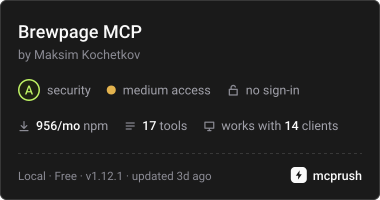
The brewpage-mcp package provides a Model Context Protocol server with 20 tools for AI-assisted content publishing and management. Selected tools appear below; see mcp-server/README.md for the complete list and documentation.
Package releases use .github/workflows/release.yml with package-scoped npm Trusted Publisher/OIDC for kochetkov-ma/brewpage-openapi, workflow release.yml, without an environment. CI needs no NPM_TOKEN, manual npm login or static-token rotation. Local npm whoami does not validate GitHub Actions OIDC authentication. Publication to the official MCP registry (io.github.kochetkov-ma/brewpage-mcp) is automatic via GitHub OIDC in the same workflow; no local mcp-publisher token is needed.
To retry publication from a local terminal, dispatch the current main workflow:
gh workflow run release.yml --repo kochetkov-ma/brewpage-openapi --ref main
Rerunning historical tag workflows that used token authentication is unsupported; use current main instead. The retry checks the matching version tag and unchanged MCP source, and skips publication when that version already exists.
| Tool | Description |
|---|---|
publish_html |
Publish HTML or Markdown content with optional password, TTL, filename, and top toolbar |
publish_file |
Upload a file from a URL |
publish_site |
Publish a single-page or multi-file HTML site |
delete_resource |
Delete any resource (HTML, site, KV, JSON, file) by owner token |
set_visibility |
Hide or show a public publication in the gallery and sitemap |
get_page |
Fetch a published HTML page and its content |
get_stats |
Get platform-wide usage statistics |
Claude Desktop
Add to ~/Library/Application Support/Claude/claude_desktop_config.json:
{
  "mcpServers": {
    "brewpage": {
      "command": "npx",
      "args": ["-y", "[email protected]"]
    }
  }
}
Claude Code
Add to ~/.claude/settings.json:
{
  "mcpServers": {
    "brewpage": {
      "command": "npx",
      "args": ["-y", "[email protected]"]
    }
  }
}
Gemini CLI
gemini extensions install https://github.com/kochetkov-ma/brewpage-openapi
Resources
BrewPage is described using schema.org/SoftwareApplication structured data on the platform homepage.
What's Open Here
| Component | Description |
|---|---|
| OpenAPI 3.1 spec | Complete API contract for all public endpoints (YAML + JSON) |
| Interactive docs | Astro + Scalar documentation site (GitHub Pages) |
| MCP server | brewpage-mcp -- Claude Desktop/Code integration (20 tools) |
| Wiki | Code snippets, cheatsheet, tips & tricks |
| Release notes | Changelog for API and public tooling |
What's Proprietary
| Component | Description |
|---|---|
| Backend | Spring Boot + Kotlin REST API |
| Frontend | HTML/CSS/JS + Caddy reverse proxy |
| Infrastructure | VPS deployment, CI/CD pipelines |
| E2E test suite | Playwright + Testcontainers |
Project Structure
brewpage-openapi/
  openapi/
    openapi.json          # OpenAPI 3.1 spec (JSON)
    openapi.yaml          # OpenAPI 3.1 spec (YAML)
  docs/                   # Astro documentation site
    src/
      pages/              # Documentation pages
      components/         # Scalar API reference
  mcp-server/             # MCP server (brewpage-mcp)
    src/
      index.ts            # Server entry point
  .github/
    workflows/            # CI/CD (docs deploy, releases)
  README.md
  RELEASE-NOTES.md
  LICENSE
License
Apache 2.0 covers this repository's contract/docs layer. The independently packaged MCP server uses MIT. The hosted backend, frontend and infrastructure remain proprietary. SDK/CLI module specifications are proposals; they do not establish released packages.
Yorumlar (0)
Yorum birakmak icin giris yap.
Yorum birakSonuc bulunamadi