kolo
Health Uyari
- License — License: AGPL-3.0
- Description — Repository has a description
- Active repo — Last push 0 days ago
- Low visibility — Only 8 GitHub stars
Code Uyari
- process.env — Environment variable access in brand/build.mjs
- process.env — Environment variable access in brand/favicon.mjs
Permissions Gecti
- Permissions — No dangerous permissions requested
Bu listing icin henuz AI raporu yok.
share a live Claude Code session with a link
 Kolo
Kolo
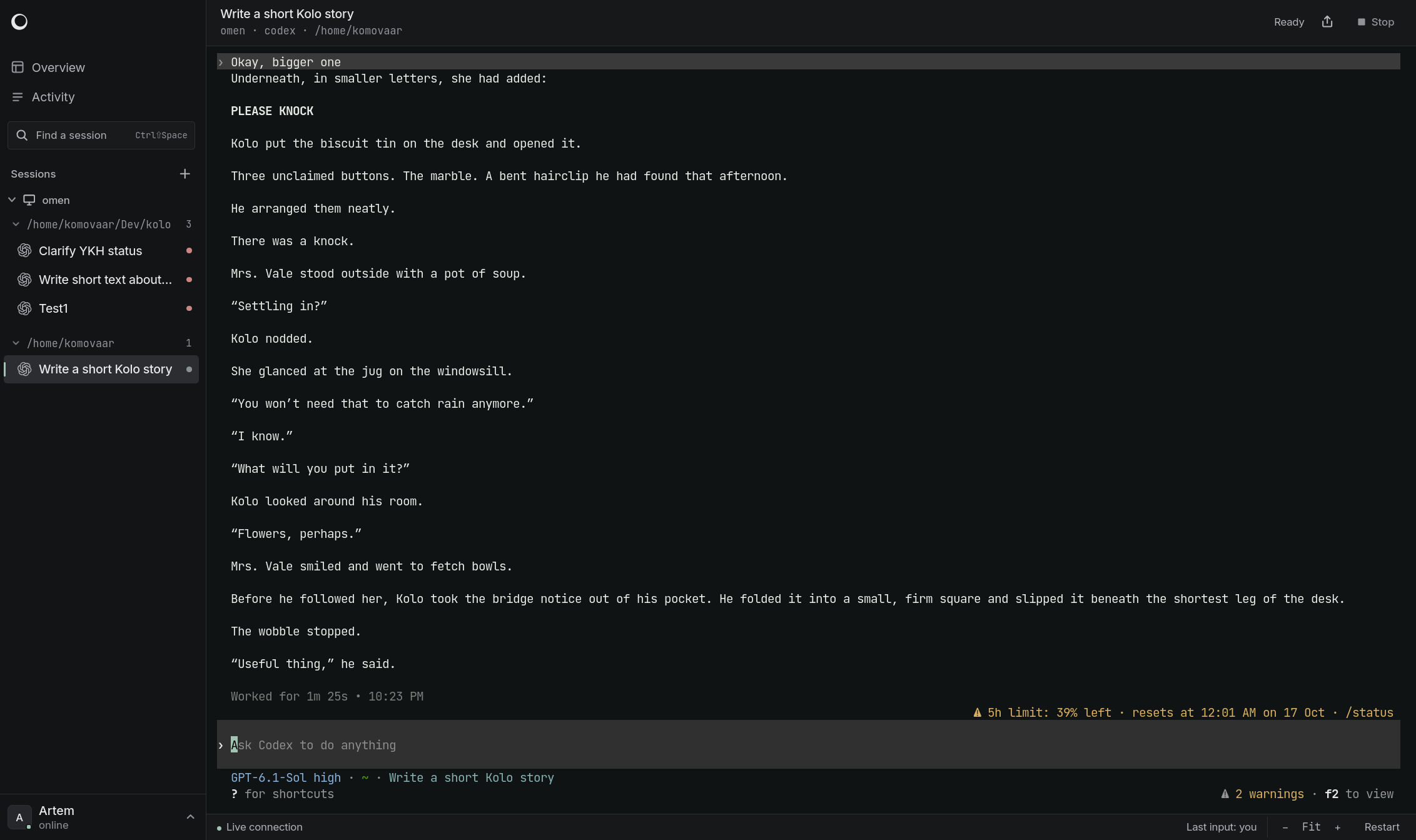
Share live AI coding sessions with a link.
Run Claude Code, Codex, or OpenCode anywhere. Invite anyone into your session instantly, right from their browser.



Why Kolo
- Work in the same session. Everyone sees the same terminal. Type a prompt,
approve a step, or pick up where a teammate left off. - Bring your terminal agents. Built-in adapters for Claude Code, Codex CLI,
and opencode, with custom agent descriptions for other tools. - Give observers a seat. Read-only members can follow along while the host
decides who can control sessions.
Quick start
Kolo is an experimental alpha for trusted teams. Agents run with the host user's
permissions. Start in a dedicated VM with only the projects and credentials you
intend to share; see the isolation setup.
Install on the machine that will run the agents:
curl -fsSL https://raw.githubusercontent.com/komovaar/kolo/main/install | KOLO_VERSION=v0.1.0 sh
Then open a project and start Kolo:
cd /path/to/project
kolo up
Send your team the invitation link printed in the terminal. They open it in a
browser, choose a name, and join. No install or token to paste.
Hosts support Linux and macOS on amd64 and arm64. Use WSL2 on Windows.
For rolling development builds, replace v0.1.0 with nightly.
How it works
One Go binary runs the hub your team opens and the host that starts agents.kolo up runs both together. Use kolo serve and kolo host to run them on
separate machines. Hosts connect out to the hub; the hub needs to be reachable
from your team's browsers.
Kolo detects agent status from terminal output, so CLI updates can affect status
and resume behavior. Run kolo doctor to check your setup, and see
tested versions and limits for current compatibility.
Documentation
Start with kolo help or kolo help <command>.
Reference · Security ·
Contributing · Releases
License
Yorumlar (0)
Yorum birakmak icin giris yap.
Yorum birakSonuc bulunamadi