rounds
Health Gecti
- License — License: MIT
- Description — Repository has a description
- Active repo — Last push 0 days ago
- Community trust — 10 GitHub stars
Code Basarisiz
- fs.rmSync — Destructive file system operation in bin/rounds.mjs
- os.homedir — User home directory access in bin/rounds.mjs
- process.env — Environment variable access in bin/rounds.mjs
Permissions Gecti
- Permissions — No dangerous permissions requested
Bu listing icin henuz AI raporu yok.
A local canvas of everything your Claude Code sessions make.

Rounds
Everything your Claude Code sessions make, on one canvas.
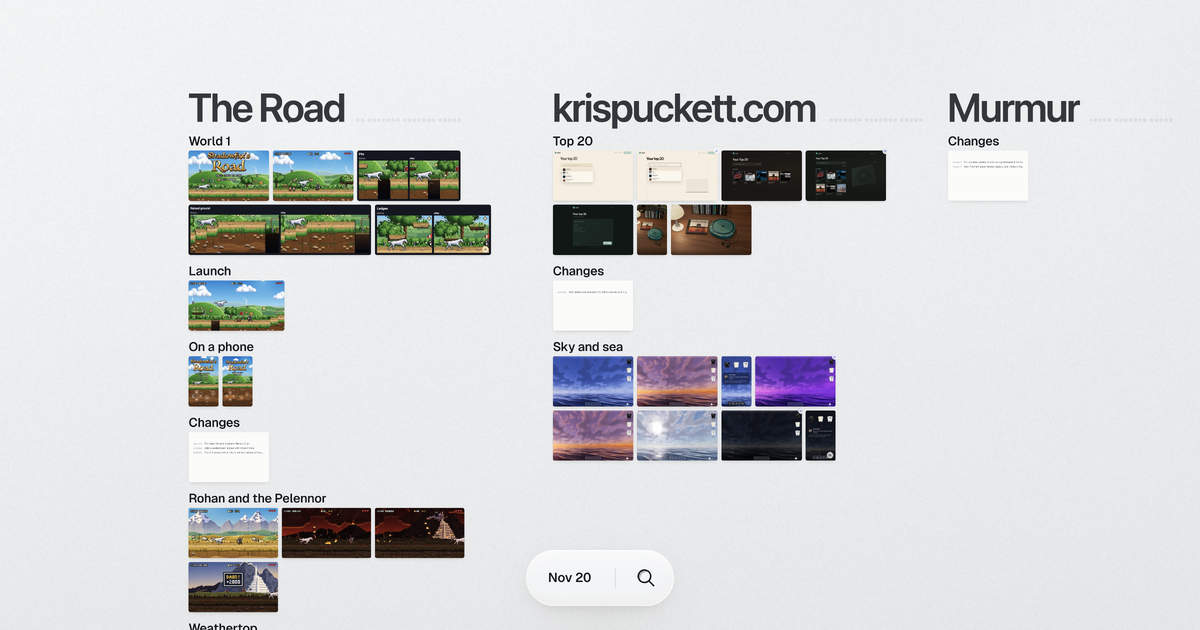
I run a lot of Claude Code sessions at once and kept losing track of what each one made. Now it
all lands in one place, and I can leave notes on it.
Try it
npx github:krispuckett/rounds --demo
The demo is six of my public projects and the real notes I left on them. It runs in its own
folder and doesn't touch your setup.
What it does
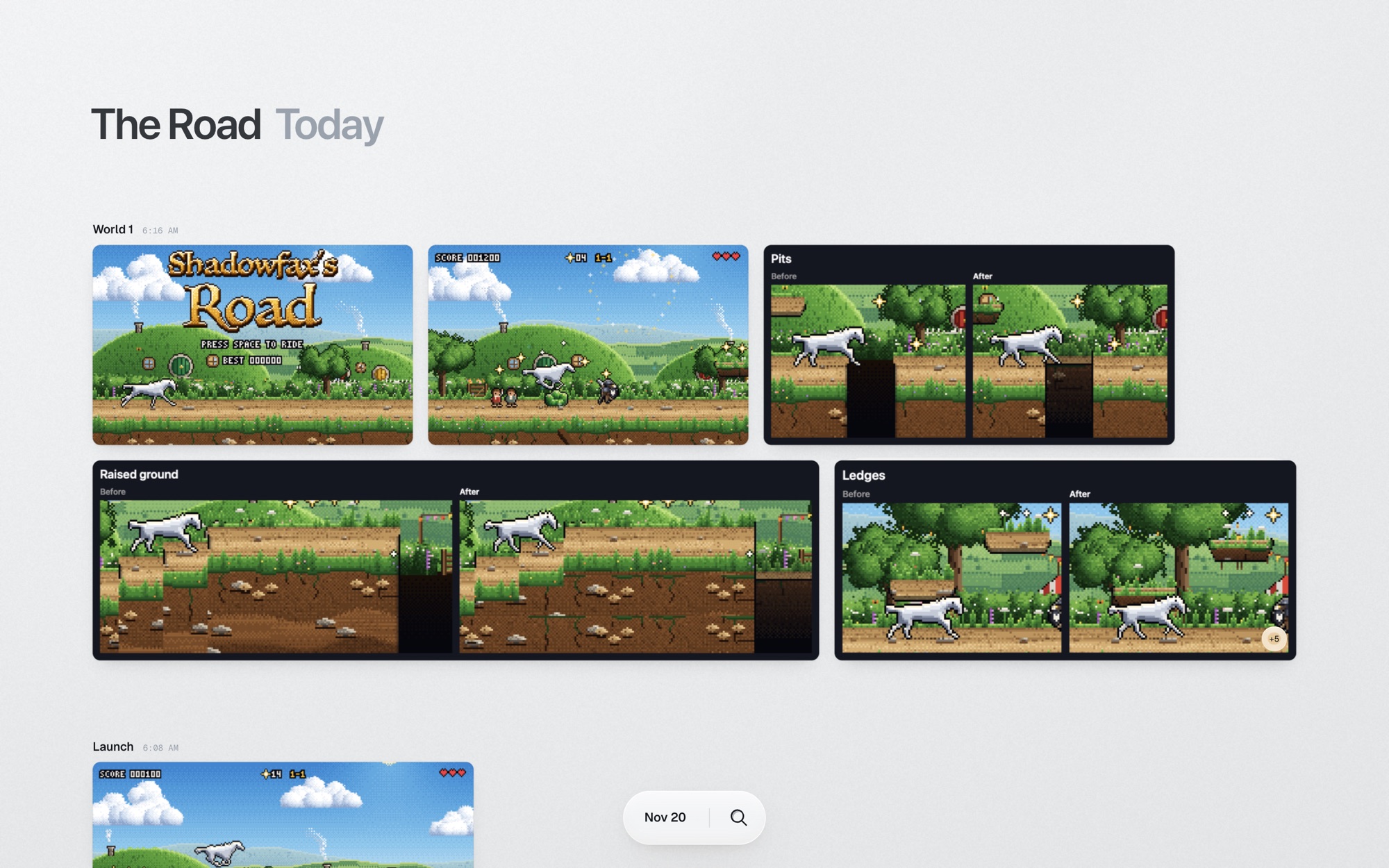
Screens, pages and pushes from every session, sorted by project.
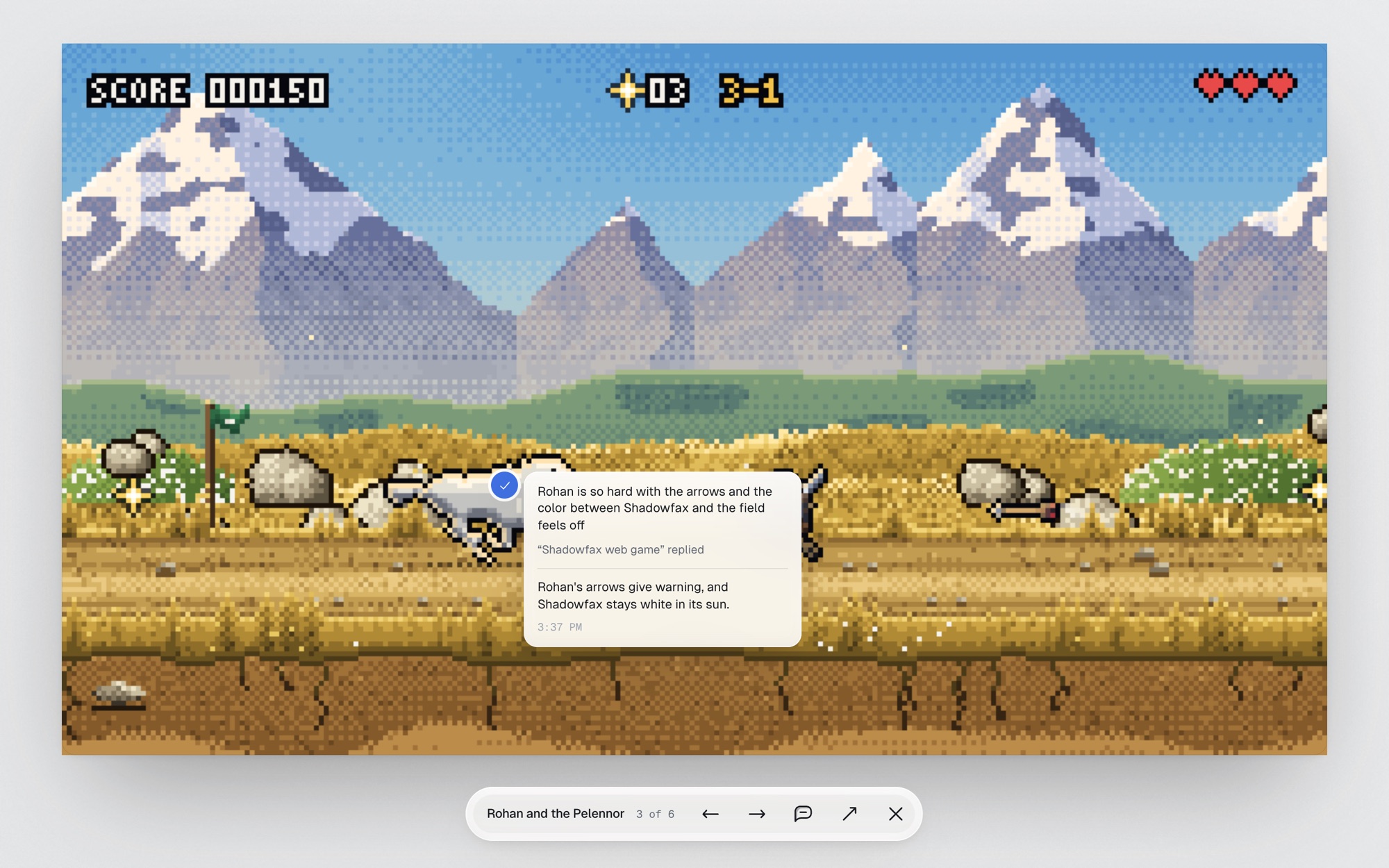
Pin a note on a screen. The session that made it gets the note, makes the fix and replies.
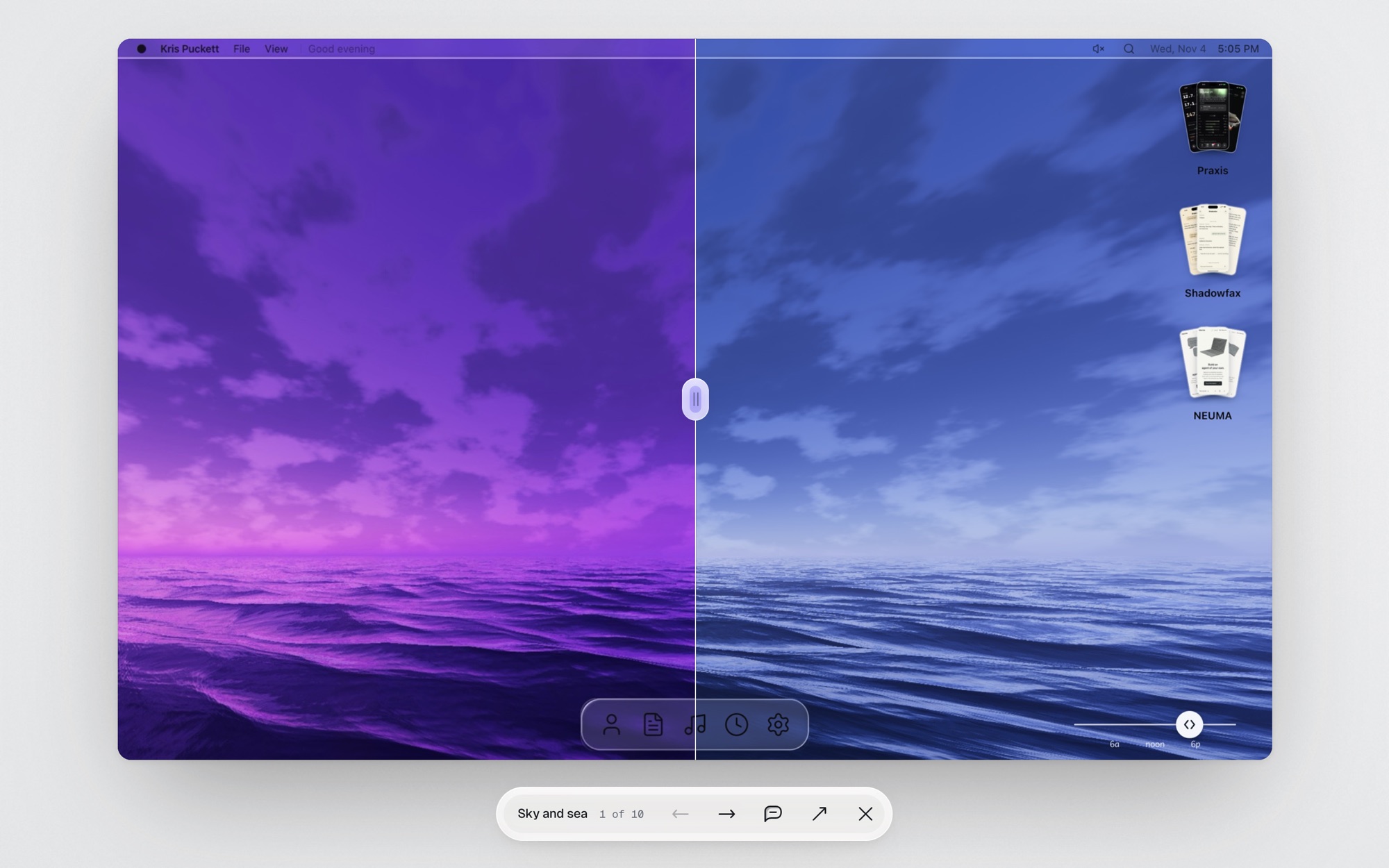
Drag to compare a screen with the one it replaced.
Step back to any day.
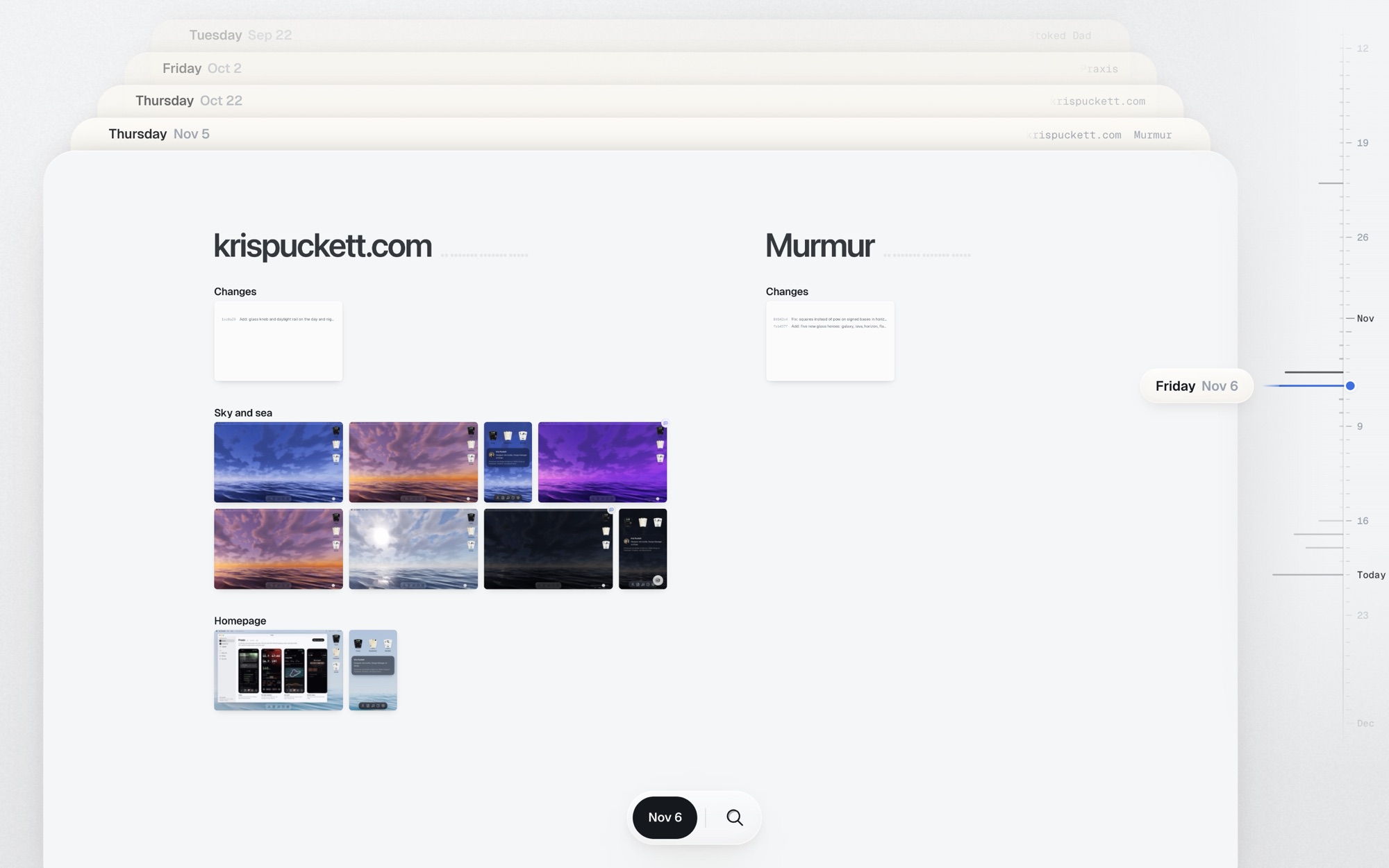
Search a session by name to see everything it made, newest first.
Set it up
You need a Mac, Node 20 or newer, and Claude Code.
npx github:krispuckett/rounds init
This adds an MCP server, a skill and two hooks to Claude Code, and asks before each one. Then
open the canvas:
npx github:krispuckett/rounds
This also updates Rounds, hooks included, whenever there's a new version.
To take it all out:
npx github:krispuckett/rounds uninstall
Privacy
Everything stays in ~/.rounds on your Mac, and websites can't reach it. To sort older screens
into topics, Rounds asks Claude Haiku through your own Claude Code, sending each one's caption, session
name and file names.
Tools
Sessions post with rounds_post and rounds_change, read notes with rounds_notes and answer
them with rounds_reply. One hook brings each session its notes with your next message. The
other ties posts to their session and notices pushes to main.
In auto mode, Claude Code may ask you before acting on a note. Say yes and it carries on.
Keys
| Key | Does |
|---|---|
| T | Timeline |
| ← → | A day back, a day forward |
| / or ⌘K | Search |
| + − 0 | Zoom in, zoom out, fit everything |
| Space | Hold to pan, or to see the before while comparing |
| Esc | Back out |
Scroll pans and pinch zooms, in the timeline too; scrolling over its rail moves through
the days. Drop an image or an HTML file on the canvas to add it to a project.
Config
~/.rounds/config.json, every field optional:
{
  "projects": [{ "key": "shop", "name": "Shop", "match": ["shop", "storefront"] }],
  "private": ["acme-internal"],
  "port": 4797
}
projects groups work by words in its session, folder or caption. Anything matching private
never shows up. ROUNDS_HOME and ROUNDS_PORT override the folder and the port.
Develop
npm install
npm run dev     # the canvas, on :4797
npm run eval    # the whole loop with real Claude sessions
License
MIT. Made by Kris Puckett.
Yorumlar (0)
Yorum birakmak icin giris yap.
Yorum birakSonuc bulunamadi