herdr-auto-title
Health Gecti
- License — License: MIT
- Description — Repository has a description
- Active repo — Last push 0 days ago
- Community trust — 200 GitHub stars
Code Gecti
- Code scan — Scanned 11 files during light audit, no dangerous patterns found
Permissions Gecti
- Permissions — No dangerous permissions requested
Bu listing icin henuz AI raporu yok.
Automatically name Herdr tabs and panes from your current work, Git branch, terminal activity, and Claude Code sessions.
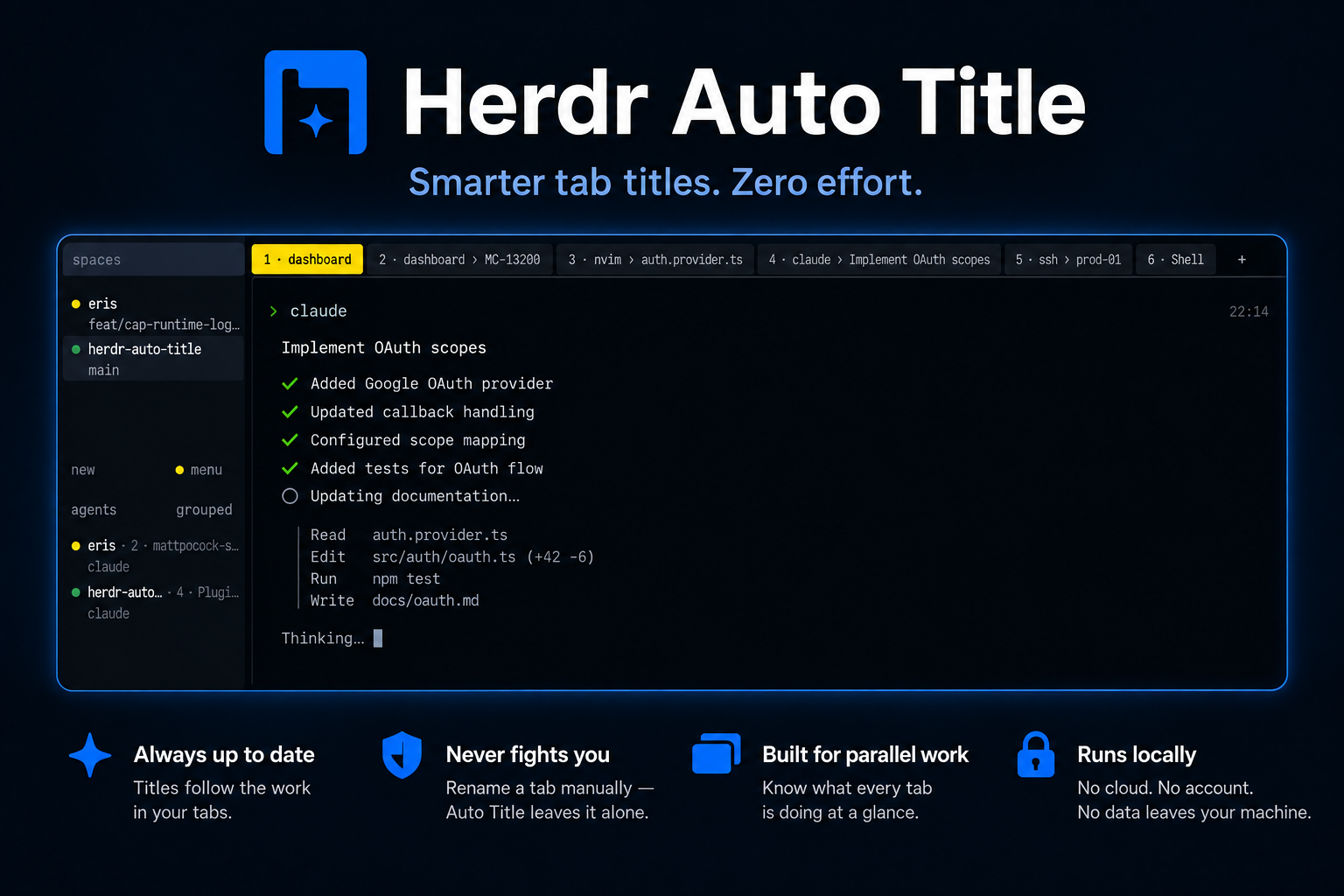


A Herdr plugin that names your tabs and panes after the
work in them. It reads the session twice a second, and it leaves alone any tab
or pane you rename yourself.
https://github.com/user-attachments/assets/ada47ba7-cf64-405b-bc07-185dc10ef2ef
Install
You need Herdr 0.8.2+ and Go 1.24+ on macOS, Linux or Windows. Herdr builds the
plugin from source when it installs it.
herdr plugin install kryptamine/herdr-auto-title
herdr plugin action invoke herdr.auto-title.restart
[!IMPORTANT]
Herdr starts plugins only when its server starts, so the second line starts
this one now. Reopening the terminal attaches a new client to the same server
and does not help;herdr server stopwould work, at the cost of the session.
If you use Claude Code, also run herdr integration install claude. Without it,
a session you opened with a slash command and never prompted stays claude.
What you get
~/work/dashboard                       →  1 · dashboard
~/work/dashboard on feature/MC-13200   →  2 · dashboard › MC-13200
nvim editing auth.provider.ts          →  3 · nvim › auth.provider.ts
an agent working on OAuth scopes       →  4 · dashboard › claude › Implement OAuth scopes
ssh into prod-01                       →  5 · ssh › prod-01
$HOME                                  →  6 · Shell
- The number in front is the tab's position, which is also the key that
switches to it. - The default branch is left out. Other branches are cut down to what
identifies them:bugfix-asa-cpanel-uapi-mc-13675becomesMC-13675. - A tab with several panes is named after the focused pane, a pane with a busy
agent, or the pane that changed last. - Each pane gets a name of its own, so Herdr's goto panel (
prefix+g) no
longer lists every Claude Code pane asclaude. - Rename a tab or a pane yourself and Auto Title stops touching it. Clear the
name to hand it back. - With
HERDR_AUTO_TITLE_WORKSPACES=truea workspace holding exactly one tab
is named after that tab, under a length of its own. Herdr names a workspace
after the directory it was created in and never revisits it, so the row above
the tabs is otherwise the one thing that stays where the work started. A
workspace you named yourself, or one holding more than one tab, is left alone. - On Windows, Herdr reports only the shell or an agent running in a pane, so an
editor or an ssh session does not name its tab.
[!WARNING]
The first start renames every pane, including panes you had already named by
hand. A pane you rename after that is left alone.
Configuration
Every setting is optional. Copy config.env.example toherdr-auto-title/config.env in your configuration directory and uncomment
what you need. Auto Title looks in these, in order, and uses the first that
already holds the file:
| Order | Directory |
|---|---|
| 1 | $XDG_CONFIG_HOME when it is set to an absolute path |
| 2 | ~/.config, which is %USERPROFILE%\.config on Windows |
| 3 | ~/Library/Application Support on macOS, %APPDATA% on Windows |
So ~/.config/herdr-auto-title/config.env works on every platform, Windows
included, and one dotfiles repository serves every machine. A file already
sitting in ~/Library/Application Support or %APPDATA% keeps being read
where it is.
Auto Title reads the file once at startup, so restart it after a
change. It does not read the config directory that herdr plugin list prints.
| Setting | Default | What it does |
|---|---|---|
HERDR_AUTO_TITLE_DEBUG |
false |
Log at DEBUG instead of INFO |
HERDR_AUTO_TITLE_POLL_MS |
500 |
How often the session is read, in milliseconds |
HERDR_AUTO_TITLE_MAX_LENGTH |
50 |
Longest title, in columns |
HERDR_AUTO_TITLE_BRANCH_MAX |
12 |
Longest branch in a title, in columns; 0 hides branches |
HERDR_AUTO_TITLE_POSITION |
true |
Put the tab's position in front of its title |
HERDR_AUTO_TITLE_MANUAL_FILE |
manual-names.json, found the same way |
Where names you set by hand are kept; empty keeps them in memory |
HERDR_AUTO_TITLE_TRANSCRIPT |
true |
Read Claude Code's transcript: what an agent is doing, and where |
HERDR_AUTO_TITLE_AGENT_NAME |
true |
Put the agent's name in front of what it is doing |
HERDR_AUTO_TITLE_PANES |
true |
Name panes as well as tabs |
HERDR_AUTO_TITLE_PREFER_AGENT |
false |
Name a tab after its agent pane even while another pane is focused |
HERDR_AUTO_TITLE_WORKSPACES |
false |
Name a one-tab workspace's row after that tab; needs the manual file |
HERDR_AUTO_TITLE_WORKSPACE_MAX_LENGTH |
20 |
Longest workspace label, in columns of the sidebar |
HERDR_AUTO_TITLE_CLAUDE_DIRS |
none | Extra Claude config homes to search, :-separated |
Turning HERDR_AUTO_TITLE_TRANSCRIPT off also drops the branch from a tab whose
agent is working in a git worktree, because the transcript is what says which
worktree that is.
Restarting
herdr plugin action invoke herdr.auto-title.restart
This starts a fresh Auto Title in place of the running one, and a notification
says how it went. Run it after upgrading, after changing the configuration, or
when the plugin has stopped naming tabs. To put it on a key, add to Herdr'sconfig.toml:
[[keys.command]]
key = "prefix+R"
type = "plugin_action"
command = "herdr.auto-title.restart"
description = "restart auto title"
That notification needs Herdr's toasts on. With [ui.toast] delivery = "off"
Herdr answers that it showed the notice, nothing appears, and the outcome is
left in herdr plugin log list.
Two limits. The first upgrade from a version without this action still needsherdr server stop, because the instance already running does not know to
leave. On Windows the action needs Herdr 0.9.0 or newer.
Documentation
- Architecture: how the plugin works and why.
- Development: working on the plugin.
Contributors


Yorumlar (0)
Yorum birakmak icin giris yap.
Yorum birakSonuc bulunamadi