tkmd
Health Uyari
- License — License: NOASSERTION
- Description — Repository has a description
- Active repo — Last push 0 days ago
- Low visibility — Only 8 GitHub stars
Code Basarisiz
- rm -rf — Recursive force deletion command in install.sh
Permissions Gecti
- Permissions — No dangerous permissions requested
Bu listing icin henuz AI raporu yok.
Markdown Task & Project Manager for Developers and AI Agents
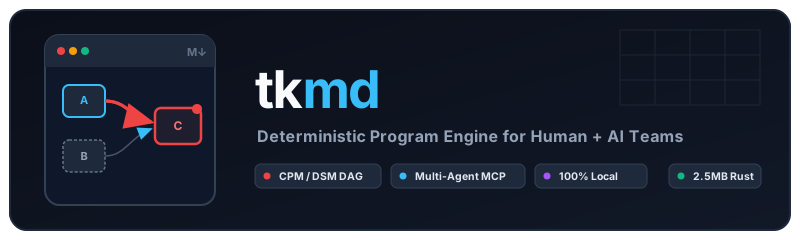
Deterministic Program Engine for Developers and AI Agents
Local Markdown cards • Mathematical CPM & DSM • Universal Stdio MCP
What is tkmd?
tkmd (CLI: tk / tkmd) is a deterministic program engine and multi-agent governance harness.
It stores every task as a plain Markdown card (.md) with YAML frontmatter in tasks/tk-XXX-*.md. It uses mathematical graph algorithms (Critical Path Method and Design Structure Matrices) to schedule work, calculate schedule buffers, and surface circular deadlocks.
When you pair with AI coding agents (Claude Code, Codex, Gemini, OpenCode), tkmd prevents agents from falsely claiming work is finished. Agents must pass automated shell verification gates (eval) and submit work for human sign-off (pending-close) before a task can transition to done.

Why Use tkmd?
- 100% Local & Offline: No cloud accounts, no subscriptions, and zero background daemons. Single Rust binary with POSIX advisory file locking.
- AI Agent Guardrails: Subagents cannot skip straight to
done. They must pass automated shell tests and submit work topending-close. Humans sign off directly or instruct an agent as proxy. - Mathematical Scheduling: Calculates early start, early finish, schedule buffers, and the Critical Path (
tk dep --cpm) deterministically. - Blocker & Loop Detection: View dependency trees (
tk tree) and circular deadlocks (tk dep --dsm) in terminal colors. - One-Command Session Resume: Reopen the exact AI terminal session attached to any task (
tk u <id>). - Flexible Storage: Manage repository-level tasks (
tk init -L) or central Obsidian Kanban boards (bases/tasks.base).
It supports two first-class local setups:
- Obsidian + CLI Mode (Recommended) — Syncs 1:1 with an Obsidian
.baseKanban board (bases/tasks.base), updates.obsidian/types.json, and logs completed tasks under## Task Listin your Daily Note. - Standalone CLI Mode — Pure plain-text Markdown cards in a local directory (
~/.local/share/tkmd/tasksor~/tasks), opening directly in$EDITOR(hx,nvim,micro,vim) with zero Obsidian dependency.
100% Local & Offline Privacy
- Zero Network:
tkmdmakes zero network/HTTP requests and has zero telemetry beacons. No accounts, no cloud sync, no tracking. - Plain-Text Data Ownership: Every task is an open
.mdfile; every event is an open.jsonlrecord on your local disk. - Self-Contained Telemetry:
tk stcomputes Little's Law, MTTC, and TPM90 directly in Rust. DuckDB is not required to runtkmd, but because the event log is standard.jsonl, users can optionally run instant SQL queries with DuckDB (duckdb -c "SELECT * FROM 'tasks/.events.jsonl'").
Autonomous Multi-Agent Planning & Orchestration
tkmd acts as a deterministic scheduling and governance harness for teams of AI subagents. It solves the three hardest problems in multi-agent execution: deadlocks, uncoordinated parallel writes, and premature completion claims.
flowchart TD
    subgraph Phase1["1. Autonomous Planning & Decomp"]
        Lead["Lead Architect / Human"] -->|"Decomposes spec"| T1["Task 1: Core API\n(Status: ready)"]
        Lead -->|"Declares dependency"| T2["Task 2: Frontend\n(Status: blocked by Task 1)"]
        T1 -.->|"Mathematical CPM\n(tk dep --cpm)"| Critical["Critical Path: Task 1 → Task 2\nZero Buffer"]
    end

    subgraph Phase2["2. Guarded Subagent Execution"]
        T1 -->|"Claimed (tk c 1)"| Agent1["Backend Subagent\n(Attaches session ID)"]
        Agent1 -->|"Shell eval passes ✅"| Gate["Review Gate: pending-close\n(tk r 1)"]
        Gate -->|"Human Sign-Off (tk d 1)"| Done["Task 1: done"]
    end

    subgraph Phase3["3. Automatic Blocker Cascade"]
        Done ==>|"Auto-unblocks"| T2Ready["Task 2: promoted to ready"]
        T2Ready -->|"Claimed (tk c 2)"| Agent2["Frontend Subagent\n(Attaches session ID)"]
    end

    style Critical fill:#1e293b,stroke:#ef4444,stroke-width:2px,color:#f87171
    style Done fill:#1e293b,stroke:#10b981,stroke-width:2px,color:#4ade80
    style Gate fill:#1e293b,stroke:#f59e0b,stroke-width:2px,color:#fbbf24
How the Multi-Agent Lifecycle Works
- Topological Planning (No Circular Loops):
A lead architect agent decomposes an epic into tasks. Runningtk dep --dsmruns cycle detection across the dependency matrix, catching circular deadlocks before coding starts. - Mathematical CPM Allocation:
tk dep --cpmcomputes early start (ES), late finish (LF), and schedule buffers. The orchestrator prioritizes subagents on zero-buffer Critical Path tasks. - Collision-Free Concurrent Execution:
Multiple subagents running concurrently across separate terminal panes or CLI processes claim independent tasks (tk c <id>). POSIX advisory file locking prevents write collisions without a database server. - Automated Verification Gates (
eval):
Subagents running autonomously cannot skippending-close. A subagent must run automated verification (tk eval <id>) and submit work for review (tk r <id>). Only human sign-off (entered directly or instructed as a proxy) marks a taskdone. - Cascade Unblocking & Session Resumption:
When human sign-off marks a blockerdone(tk d <id>),tkmdautomatically promotes downstream blocked tasks toready. If any subagent stalls,tk u <id>immediately resumes its conversation session.
1. Install tkmd
Option A: Standalone Binary (No Rust Required)
curl -fsSL https://raw.githubusercontent.com/ktreharrison/tkmd/main/install.sh | sh
Option B: Build from Source with Cargo (Rust)
# Install directly from crates.io (or git):
cargo install tkmd

# Or build locally from cloned repository:
cargo install --path .
Cargo.toml declares two binary targets: tkmd and tk. Running cargo install tkmd installs both binaries to ~/.cargo/bin/:
tkmd --help
# Or use the ergonomic 2-letter alias:
tk --help
Binary Naming & Collision Avoidance (wedow/ticket and Grafana Tanka)
The short command tk is also claimed by:
wedow/ticket: A Git-backed markdown issue tracker that installs a binary namedtk.- Grafana Tanka (
grafana/tanka): The Kubernetes Jsonnet configuration tool whose official Homebrew package installs/opt/homebrew/bin/tk.
To eliminate silent namespace collisions and PATH clobbering, the crate and primary binary is named tkmd, with tk provided as a first-class co-installed binary. Every command, flag, and MCP capability functions identically under both tkmd and tk. If your workstation already has Grafana Tanka or wedow/ticket installed, you can invoke tkmd directly or set a customized shell alias (alias tkm="tkmd").
Shell Auto-Completion
tkmd generates native completion scripts for Zsh, Bash, Fish, PowerShell, and Elvish. In Zsh, a single script enables tab-completion for both tkmd and tk:
# Zsh (add to ~/.zshrc for instant completion):
eval "$(tkmd completions zsh)"

# Or persist to your Zsh completion directory:
tkmd completions zsh > ~/.zfunc/_tkmd

# Bash:
source <(tkmd completions bash)

# Fish:
tkmd completions fish > ~/.config/fish/completions/tkmd.fish
2. Local Setup (tk init)
You can run the interactive setup wizard at any time:
tk init
Or initialize non-interactively with flags:
Option A: Obsidian 1.14 + CLI (Recommended)
tk init --obsidian --path ~/Vault --base bases/tasks.base --daily journals/daily
What this configures automatically:
- Creates
<vault>/tasks/(e.g.~/Vault/tasks/) for atomic Markdown task cards (tk-001-*.md). - Creates
<vault>/bases/tasks.basewith 5 pre-configured Obsidian 1.14 Base views:- Kanban Board (grouped by
status:ready,in-progress,pending-close,blocked,done) - Pending Close (Sign-Off Queue) (
status == "pending-close") - Your Personal Queue (
owner == "<you>") - Agent Queues (
owner != "<you>") - Completed Tasks (
status == "done")
- Kanban Board (grouped by
- Safely merges task property types (
id,status,priority,owner,project,due,dod,eval,eval_status) into.obsidian/types.jsonwithout overwriting your existing vault properties. - Writes
~/.config/tkmd/config.tomlsotk oopensbases/tasks.basedirectly in Obsidian.
Option B: Standalone CLI Mode (No Obsidian Required)
tk init --cli --path ~/.local/share/tkmd
What this configures automatically:
- Creates
~/.local/share/tkmd/tasks/for Markdown task cards and.events.jsonl. - Disables Obsidian URI calls and Daily Note mutations (
mode = "cli"). - Routes
tk o(tk open) andtk e <id>(tk edit) directly to your$EDITOR(defaults to Helixhx).
Option C: Local Repository / Project Backlog (tk init -L)
tk init -L
What this configures automatically:
- Writes
.tkmd.tomlin your current repository root. - Creates
./tasks/and./tasks/.events.jsonllocal to the project. - Automatically detected by
tkcommands in that directory or its subdirectories. - Retains instant access to the central global vault via
-Gor merged view via-A.
3. Scope Control (Local Project vs. Global Vault)
tkmd seamlessly manages both local project-level backlogs and central global backlogs:
| Flag | Scope | Description |
|---|---|---|
| (default) | Auto | Uses ./tasks if inside a project with .tkmd.toml or tasks/; otherwise uses global vault |
-L, --local |
Local | Force operation strictly on the current repository's ./tasks backlog |
-G, --global |
Global | Force operation strictly on the global central vault (~/Documents/tasks) |
-A, --all-scopes |
Merged | Aggregate local and global tasks across dashboards, CPM schedules, and telemetry |
In merged view (tk -A), task IDs display distinct scope indicators (tk-001L for local, tk-001G for global) without column drift. Mutative commands (tk d, tk c, tk r) target the exact card on disk regardless of active working directory.
4. Daily Ergonomics (1-Letter Shortcuts)
| Command | Shortcut | Action |
|---|---|---|
tk |
tk |
Render the responsive terminal dashboard + pending-close review banner |
tk watch |
tk w |
Live auto-resizing dashboard (reflows on pane resize or file change) |
tk review |
tk r |
Dedicated sign-off dashboard displaying pending local and global tasks |
tk review 1 -n "All checks green" |
tk r 1 |
Move task to pending-close (auto-runs eval gate) |
tk done 1 -n "Verified" |
tk d 1 |
Sign off and close task (status: done + Daily Note entry in Obsidian mode) |
tk add p1 Fix auth +app @ken due:tomorrow |
tk a ... |
Create a task card using todo.txt shorthand (p0/p1/p2, +project, sid:<id>) |
tk claim 1 --owner claude -s 8y9380573586 |
tk c 1 |
Claim tk-001 (status: in-progress) and attach agent session_id |
tk resume 1 |
tk u 1 |
Resume the AI agent session attached to tk-001 (claude -r <id>, codex resume <id>, etc.) |
tk eval 1 |
tk eval 1 |
Execute the card's eval shell command and log [PASS] / [FAIL] |
tk find [query] / tk find -i |
tk f |
Fuzzy search tasks (inline table or interactive fzf picker + bat preview) |
tk history [id] |
tk h |
Event audit log from tasks/.events.jsonl with step duration deltas |
tk stats |
tk st |
Flow telemetry: Little's Law, MTTC, P50/P90/TPM90, agent split, yield |
tk tree |
tk tree |
Render dependency DAG tree for active tasks (also tk dep tree) |
tk dep [id] --needs [ids] |
tk dep |
Dependencies: CPM table (--cpm), text summaries (--short, --long, --summary), colored JSON (--json), tree, DSM (--dsm), Gantt (--gantt), AON (--aon) |
tk archive [id] |
tk archive |
Move completed tasks to tasks/archive/ (preserves .events.jsonl DB) |
tk prune [id] [-f] |
tk prune |
Remove completed/archived cards from disk (preserves .events.jsonl DB) |
tk set 1 -t "Title" -p p0 |
tk set 1 |
Update title, priority, owner, due, DoD, or eval directly from CLI |
tk edit 1 |
tk e 1 |
Edit the Markdown card in $EDITOR (hx) |
tk open / tk open 1 |
tk o / tk o 1 |
Open bases/tasks.base (or tk-001) in Obsidian (or $EDITOR in CLI mode) |
5. Connect AI Agents via MCP (tkmd mcp or tk mcp)
tkmd mcp runs a dual-framing JSON-RPC 2.0 MCP server over stdio (auto-detecting both newline-delimited JSON and Content-Length headers for universal compatibility across Claude Desktop, Codex, Gemini CLI, Cursor, Zed, OpenCode, and Pi).
Add this to your agent's MCP configuration:
{
  "mcpServers": {
    "tkmd": {
      "command": "tkmd",
      "args": ["mcp"]
    }
  }
}
Bundled Agent Skill (skills/tkmd)
tkmd ships with a pre-configured agent skill in skills/tkmd/SKILL.md (and skills/tkmd/agents/openai.yaml).
Install it into your agent workspace:
# For Codex, Claude, Antigravity, OpenCode, Pi:
mkdir -p ~/.agents/skills
cp -r skills/tkmd ~/.agents/skills/
This enforces the task governance harness across all your agents:
- Automatic session registration (
-s <session_id>) for instant resumption (tk u <id>). - Mandatory review gate: agents must submit completed tasks to
pending-close(tk r) instead ofdone. - Automated eval assertion passes before review submission (
tk eval). - DoD deliverable note links (
[[wikilinks]]).
5. Event Stream (tasks/.events.jsonl) & Optional DuckDB Queries
tk records every state transition, eval verification, and agent session in an append-only, newline-delimited JSON stream (tasks/.events.jsonl).
tk st and tk h parse this file natively without any external database. However, because it is standard .jsonl, users with duckdb installed can run instant SQL analytics with zero setup or database importing:
# Recent event transitions
duckdb -c "SELECT timestamp, id, action, actor, from_status, to_status, eval_passed FROM read_json_auto('~/Documents/tasks/.events.jsonl') ORDER BY timestamp DESC;"

# Agent review yield
duckdb -c "SELECT actor, count(*) as reviews, count(CASE WHEN eval_passed THEN 1 END) as passed FROM read_json_auto('~/Documents/tasks/.events.jsonl') WHERE action = 'pending-close' GROUP BY actor;"
6. License
tkmd is dual-licensed under:
- MIT License (LICENSE-MIT)
- Apache License, Version 2.0 (LICENSE-APACHE)
You may choose either license at your option. Copyright © 2026 Ken Harrison.
Yorumlar (0)
Yorum birakmak icin giris yap.
Yorum birakSonuc bulunamadi