codemem
Health Gecti
- License — License: MIT
- Description — Repository has a description
- Active repo — Last push 0 days ago
- Community trust — 16 GitHub stars
Code Gecti
- Code scan — Scanned 12 files during light audit, no dangerous patterns found
Permissions Gecti
- Permissions — No dangerous permissions requested
Bu listing icin henuz AI raporu yok.
A lightweight persistent-memory companion for OpenCode & Claude
codemem



Persistent memory for OpenCode and Claude Code. codemem captures what you work on across sessions, retrieves relevant context using hybrid search, and injects relevant context automatically in OpenCode.
- Local-first — everything lives in SQLite on your machine
- Hybrid retrieval — FTS5 BM25 lexical search + sqlite-vec semantic search, merged and re-ranked
- Automatic injection — the OpenCode plugin injects context into every prompt, no manual steps
- Claude Code plugin support — install from the codemem marketplace source
- Built-in viewer — browse memories, sessions, and observer output in a local web UI
- Peer-to-peer sync — replicate memories across machines without a central service
| Light | Dark |
|---|---|
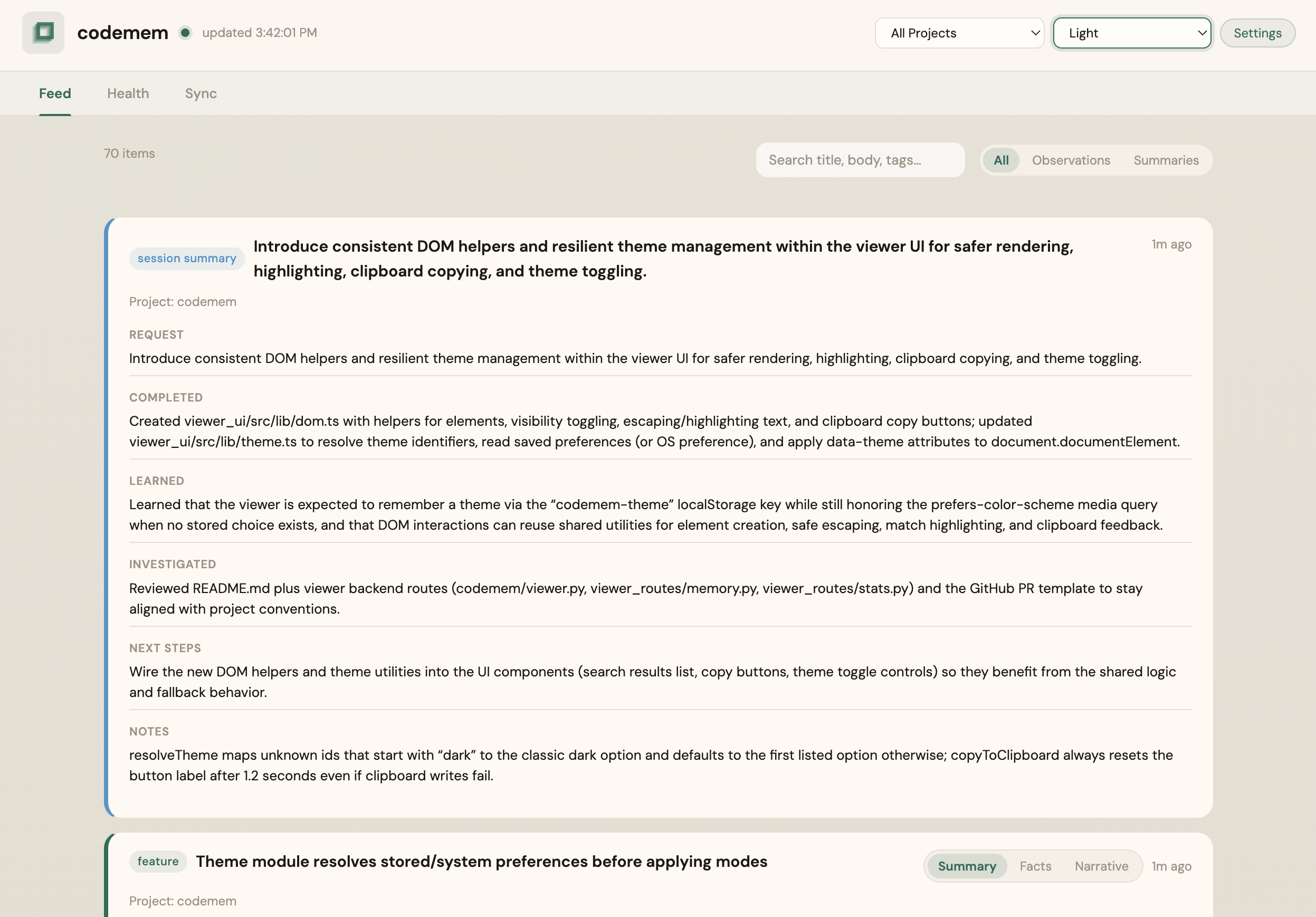 |
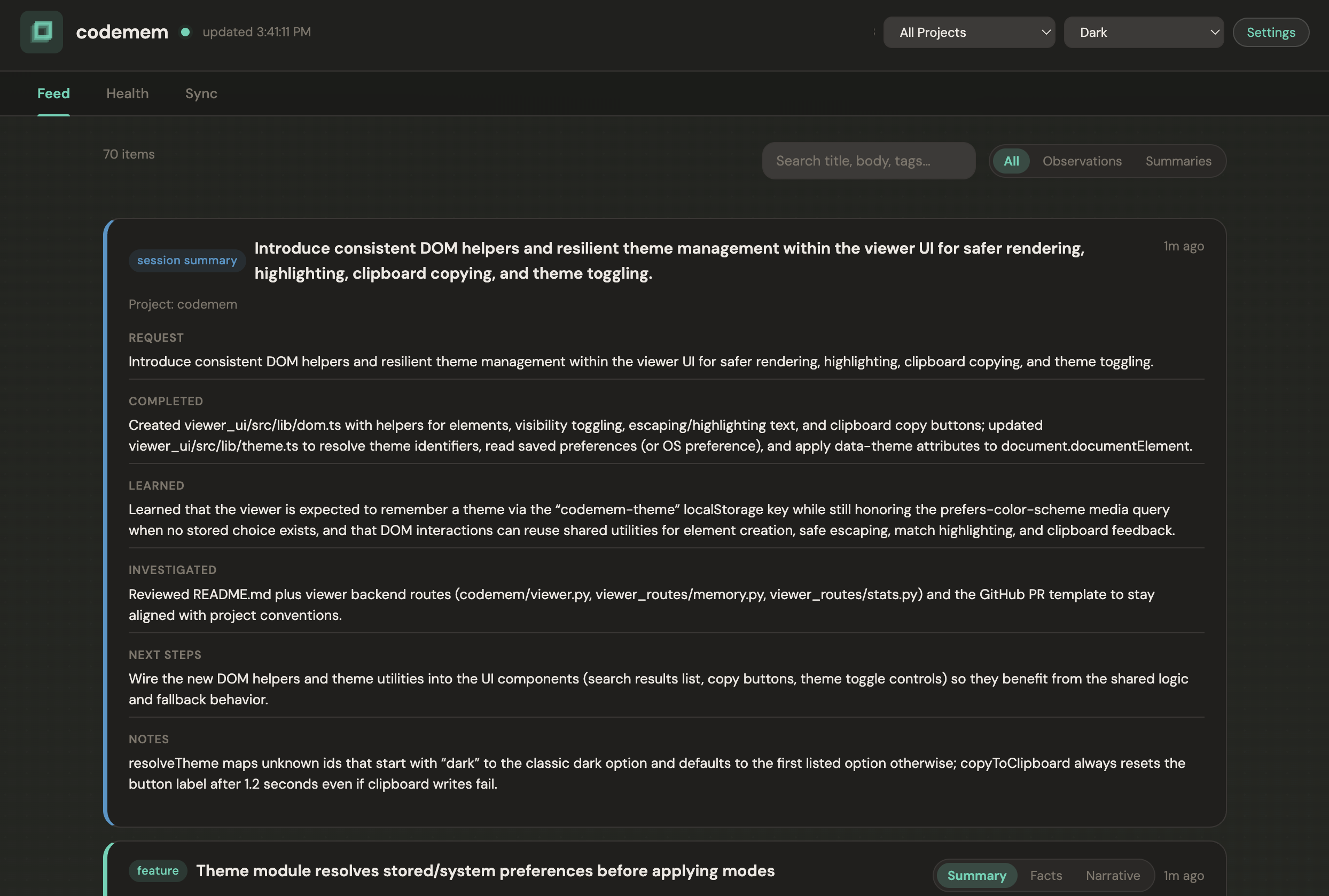 |
Quick start
Prerequisites: Node.js 22+ and npm (or pnpm)
- Add the plugin to your OpenCode config (
~/.config/opencode/opencode.jsonc):
{
  "$schema": "https://opencode.ai/config.json",
  "plugin": ["@codemem/opencode-plugin"]
}
- Restart OpenCode.
The OpenCode plugin manages backend execution automatically — no separate global install is required.
- Verify:
# Works on fresh installs (no global codemem needed)
npx -y codemem stats
npx -y codemem db raw-events-status
That's it. The plugin captures activity, builds memories, and injects context from here on.
If you want codemem available directly on your PATH for manual commands, install the CLI globally:
npm install -g codemem
OpenCode plugin and CLI are now split intentionally:
@codemem/opencode-plugin— OpenCode plugin packagecodemem— CLI and MCP commands
Claude Code (marketplace install)
In Claude Code, add the codemem marketplace source and install the plugin:
/plugin marketplace add kunickiaj/codemem
/plugin install codemem
The Claude plugin starts MCP with the TS CLI (codemem mcp).
Claude hook ingestion is HTTP enqueue-first (POST /api/claude-hooks) and falls back to direct local DB enqueue via codemem claude-hook-ingest when the local server path is unavailable.
Claude hook events share the same raw-event queue pipeline used by OpenCode. UserPromptSubmit runs
capture ingest in the background and injects memory context via Claude additionalContext using
local CLI/store pack generation by default, with optional HTTP /api/pack fallback.
The packaged Claude hook shell scripts are thin wrappers over TS CLI commands:codemem claude-hook-ingest and codemem claude-hook-inject.
Migrating from
opencode-mem? See docs/rename-migration.md.
How it works
Adapters hook into runtime event systems (OpenCode plugin and Claude hooks). They capture tool calls and conversation messages, flush them through an observer pipeline that produces typed memories, and surface retrieval context for future prompts.
sequenceDiagram
participant OC as OpenCode
participant PL as codemem plugin
participant ST as MemoryStore
participant DB as SQLite

OC->>PL: tool.execute.after events
OC->>PL: experimental.chat.system.transform
PL->>ST: build_memory_pack with shaped query
ST->>DB: FTS5 BM25 lexical search
ST->>DB: sqlite vec semantic search
ST->>ST: merge rerank and section assembly
ST-->>PL: pack text
PL->>OC: inject codemem context
Retrieval combines two strategies: keyword search via SQLite FTS5 with BM25 scoring and semantic similarity via sqlite-vec embeddings. In the pack-building path, results from both are merged, deduplicated, and re-ranked using recency and memory-kind boosts.
Injection happens automatically. The plugin builds a query from the current session context (first prompt, latest prompt, project, recently modified files), calls build_memory_pack, and appends the result to the system prompt via experimental.chat.system.transform.
Memories are typed — bugfix, feature, refactor, change, discovery, decision, exploration — with structured fields like facts, concepts, files_read, and files_modified that improve retrieval relevance. Low-signal events are filtered at multiple layers before persistence.
For architecture details, see docs/architecture.md.
CLI
| Command | Description |
|---|---|
codemem stats |
Database statistics |
codemem recent |
Recent memories |
codemem search <query> |
Search memories |
codemem embed |
Backfill semantic embeddings |
codemem serve |
Launch the web viewer |
codemem db backfill-tags |
Populate missing tags_text values |
codemem db prune-observations |
Deactivate low-signal observations |
codemem db prune-memories |
Deactivate low-signal memories (--dry-run to preview) |
codemem export-memories |
Export memories by project |
codemem import-memories |
Import memories (idempotent) |
codemem sync |
Peer-to-peer sync commands |
Run codemem --help for the full list.
Note: in the TypeScript CLI, codemem memory inject <context> prints raw pack_text
for manual prompt injection. codemem memory compact remains deferred.
MCP tools
To give the LLM direct access to memory tools (search, timeline, pack, remember, forget):
codemem install-mcp
This updates your OpenCode config to register the MCP server. Restart OpenCode to activate.
Configuration
Config file: ~/.config/codemem/config.json (override with CODEMEM_CONFIG). Environment variables take precedence over file settings.
Common overrides:
| Variable | Purpose |
|---|---|
CODEMEM_DB |
SQLite database path |
CODEMEM_INJECT_CONTEXT |
0 to disable automatic context injection |
CODEMEM_VIEWER_AUTO |
0 to disable auto-starting the viewer |
The viewer includes a grouped Settings modal (Connection, Processing, Device Sync) with shell-agnostic labels and an advanced-controls toggle for technical fields.
- Settings show effective values (configured or default) and only persist changed fields on save.
Observer runtime/auth in 0.16:
- Runtime options:
api_httpandclaude_sidecar. api_httpdefaults togpt-5.1-codex-mini(OpenAI path) unless you setobserver_model.- Anthropic direct API calls accept Anthropic model IDs/aliases. codemem maps the common Claude shorthand
claude-4.5-haikuto Anthropic's direct API aliasclaude-haiku-4-5; you can also set a pinned snapshot likeclaude-haiku-4-5-20251001explicitly. claude_sidecardefaults toclaude-4.5-haiku; if the selectedobserver_modelis unsupported by Claude CLI, codemem retries once with Claude's CLI default model.claude_sidecarcommand is configurable withclaude_command(CODEMEM_CLAUDE_COMMAND) as a JSON argv array.- Config file example:
"claude_command": ["wrapper", "claude", "--"] - Env var example:
CODEMEM_CLAUDE_COMMAND='["wrapper","claude","--"]'
- Config file example:
- Auth sources:
auto,env,file,command,none. observer_auth_commandmust be a JSON string array (argv), not a space-separated string.- Config file example:
"observer_auth_command": ["iap-auth", "--audience", "example"] - Env var example:
CODEMEM_OBSERVER_AUTH_COMMAND='["iap-auth","--audience","example"]'
- Config file example:
- Header templates support
${auth.token},${auth.type}, and${auth.source}(for exampleAuthorization: Bearer ${auth.token}). - Queue cadence is configurable with
raw_events_sweeper_interval_s(seconds) in Settings/config.
Export and import
Share project knowledge with teammates or back up memories across machines.
# Export current project
codemem export-memories project.json

# Import on another machine (idempotent, safe to re-run)
codemem import-memories project.json --remap-project ~/workspace/myproject

# Import from claude-mem
codemem import-from-claude-mem ~/.claude-mem/claude-mem.db
See codemem export-memories --help and codemem import-memories --help for full options.
Peer-to-peer sync
Replicate memories across devices without a central server.
codemem sync enable        # generate device keys
codemem sync pair          # generate pairing payload
codemem sync start         # start sync daemon
codemem sync once          # run one immediate sync pass
The viewer now includes actor management for mapping multiple peers to one logical person, plus owned-memory visibility controls so project-filtered memories share by default while Only me stays a per-memory local override.
Project filters, peer-to-actor assignment, visibility controls, and config keys are documented in docs/user-guide.md.
For cross-network setups where peer addresses change frequently or mDNS does not cross VPN/network boundaries, codemem also supports optional coordinator-backed discovery with a self-hosted coordinator. The preferred deployment path is the built-in codemem sync coordinator service; see docs/coordinator-discovery.md.
Semantic recall
Embeddings are stored in sqlite-vec and written automatically when memories are created. Use codemem embed to backfill existing memories. If sqlite-vec cannot load, keyword search still works.
Alternative install methods
Local development, npx, git installLocal development
pnpm install
pnpm build
pnpm run codemem --help
Via npx (no install)
npx -y codemem stats
Plugin for development
Start OpenCode inside the codemem repo directory — the plugin auto-loads from .opencode/plugin/.
Documentation
- Architecture — data flow, retrieval, observer pipeline, design tradeoffs
- Coordinator-backed discovery — self-hosted cross-network peer discovery
- User guide — viewer usage, sync setup, troubleshooting
- Plugin reference — plugin behavior, env vars, stream reliability
- Migration guide — migrating from
opencode-mem - Contributing — development setup, tests, linting, releases
Yorumlar (0)
Yorum birakmak icin giris yap.
Yorum birakSonuc bulunamadi