pm-kit
Health Gecti
- License — License: MIT
- Description — Repository has a description
- Active repo — Last push 0 days ago
- Community trust — 75 GitHub stars
Code Gecti
- Code scan — Scanned 12 files during light audit, no dangerous patterns found
Permissions Gecti
- Permissions — No dangerous permissions requested
This skill transforms your AI coding assistant into a project management workspace. It provides a set of commands and templates for managing daily standups, sprint reviews, decisions, and documentation directly as markdown files within an Obsidian vault.
Security Assessment
Risk Rating: Medium. The core framework scanned cleanly, with no hardcoded secrets, dangerous permissions, or malicious patterns found across its Python files. However, there is a significant security consideration in the installation method. The quick start guide instructs users to pipe a remote bash script directly into their shell (`curl ... | bash`). While the repository itself is currently safe, executing remote scripts blindly is inherently risky and bypasses standard code review. Additionally, since the tool acts as a workspace manager, it naturally interacts with your local file system, reading your project notes and executing local shell commands to commit and sync changes.
Quality Assessment
High. The project is in excellent health and is very actively maintained, with its most recent push occurring today. It enjoys a solid baseline of community trust with 75 GitHub stars. Furthermore, it is properly licensed under the permissive and standard MIT license, meaning there are no restrictive barriers to usage or modification.
Verdict
Use with caution — the tool itself appears safe and well-maintained, but developers should download and manually review the install script before executing it.
AI-augmented PM workspace for Coding Agents — daily standups, decisions, blockers, docs, and sprint reviews as markdown skills
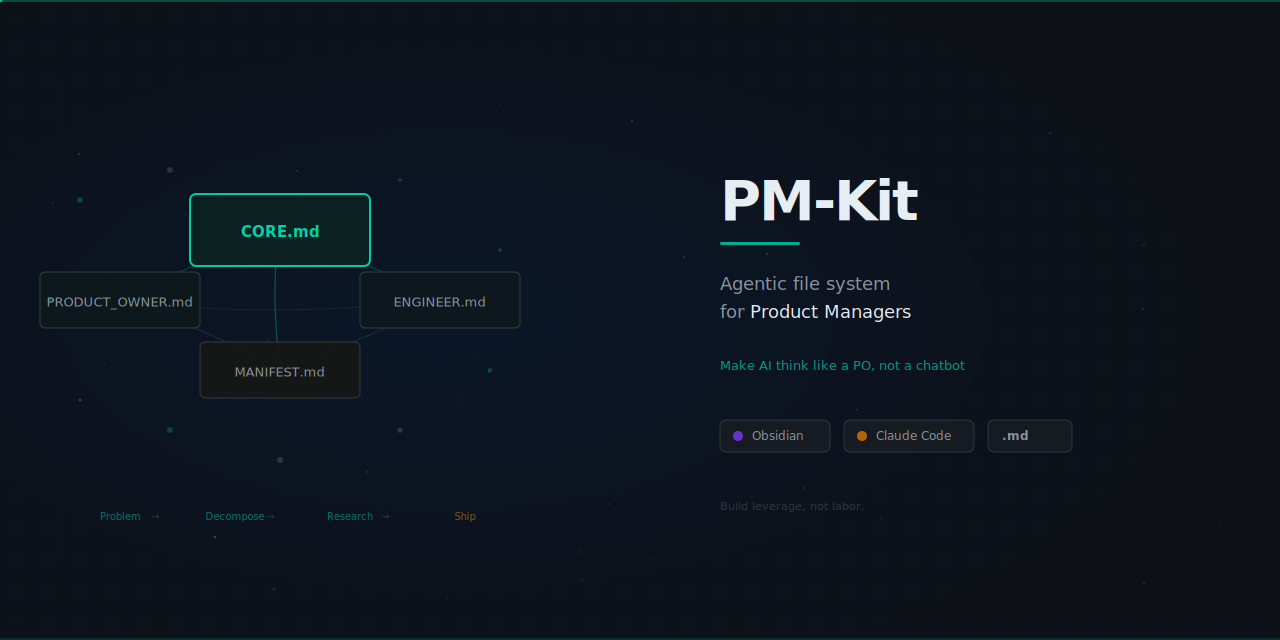
PM-Kit
Turn your AI coding tool into a PM workspace, knowledge hub, and execution engine.
Disclaimer
This is not gospel. This is not the holy grail.
PM-Kit is one system that works. It is a guideline and mindset shift, not a rigid rulebook.
The principles in _core/MANIFESTO.md may resonate with you, or they may not. That is fine.
Take what works. Ignore what does not. Make it yours.
You will get better results through repetition. The framework should adapt to your workflow, not the other way around.
Quick Start
Option A: CLI Install (Recommended)
# 1. Install the CLI
curl -fsSL https://raw.githubusercontent.com/kv0906/pm-kit/main/cli/install.sh | bash

# 2. Create your vault
pm-kit init ~/Documents/my-vault
cd ~/Documents/my-vault

# 3. Open the folder in Obsidian, then run Claude Code
claude
/onboard
Option B: GitHub Template
# 1. Use this template on GitHub (or clone)
git clone <your-repo-url>
cd pm-kit

# 2. Open the folder in Obsidian

# 3. Run Claude Code
claude
/onboard
/onboard sets up your project, learns your preferences, and loads context. Full walkthrough: START_HERE.md
Daily Routine
/today                # Guided workflow: standup → sync → review → focus → wrap-up
/today wrap           # Jump to end-of-day summary
Or for quick atomic updates:
/daily my-project: shipped X, wip Y, blocked on Z
/push
Weekly Routine
/weekly
/push
Updating
# CLI users
pm-kit update            # Update framework files from latest release
pm-kit self-update       # Update the CLI itself

# Template users
./scripts/update.sh      # Update framework files from latest release
Or from within Claude: /update
Updates only touch framework files (skills, templates, scripts, docs). Your notes, config, and content are never modified. Backups are saved to _archive/_updates/.
All Commands
| Command | Purpose |
|---|---|
/today |
Guided daily workflow orchestrator |
/daily |
Multi-project standup logging |
/progress |
Cross-project status synthesis |
/block |
Structured blocker capture |
/decide |
Decision records with alternatives |
/doc |
PRD/spec drafting |
/meet |
Meeting extraction into actions/decisions |
/inbox |
Fast capture for later processing |
/ask |
Vault Q&A (QMD-powered when available) |
/health |
Link + vault integrity checks |
/weekly |
Sprint retro and planning loop |
/push |
Commit and sync |
/onboard |
Interactive setup + context loading |
/update |
Check for and apply framework updates |
Smarter /ask with QMD (Optional)
Install QMD for hybrid search (BM25 + vector + rerank) that dramatically improves /ask accuracy. Requires bun and technical comfort with CLI tools. Without QMD, /ask still works using vault grep.
# 1. Install bun (if not installed)
curl -fsSL https://bun.sh/install | bash

# 2. Install QMD and set up your vault
bun install -g github:tobi/qmd
qmd collection add . --name pm-kit

# 3. Build the search index
qmd embed
After setup, /ask automatically uses QMD when available. No command changes needed.
Having trouble? See handbook/QMD_INTEGRATION.md or open an issue.
Who Uses PM-Kit
| Role | How They Use It |
|---|---|
| Product Managers / Product Owners | Run dailies, write PRDs, track blockers, align cross-functional work |
| Engineering Leads | Capture decisions, drive sprint clarity, maintain technical context |
| Engineers (Junior -> Senior) | Document context, ship specs, keep decisions traceable |
| Founders / Solo Builders | Turn scattered thoughts into an execution system |
| Analysts / Operators | Log research, synthesize findings, build durable knowledge |
Works With
| Tool | Status | How |
|---|---|---|
| Claude Code | Native | Reads CLAUDE.md, .claude/ skills, agents, hooks |
| Cursor | Compatible | .cursorrules + .cursor/rules/ symlinked to source |
| GitHub Copilot | Compatible | .github/copilot-instructions.md symlinked to source |
| Windsurf | Compatible | .windsurfrules symlinked to source |
| Cline | Compatible | .clinerules symlinked to source |
| OpenAI Codex | Compatible | AGENTS.md with project context |
All compatibility files are symlinks to CLAUDE.md (single source of truth). Rules in .claude/rules/ are shared via symlinks where the tool supports directory-based rules.
Documentation
| Doc | What It Covers |
|---|---|
| START_HERE.md | 10-step beginner guide |
| handbook/ARCHITECTURE.md | How PM-Kit works, project structure, principles |
| handbook/QMD_INTEGRATION.md | QMD setup, troubleshooting, architecture |
| handbook/SETUP_GUIDE.md | Installation and first run |
| handbook/CUSTOMIZATION.md | Projects, templates, and overrides |
| handbook/WORKFLOW_EXAMPLES.md | Example operating flows |
| handbook/TROUBLESHOOTING.md | Common issues and fixes |
| handbook/maintainer-runbook.md | Release, changelog governance, and maintainer workflow |
Contributing
Contributions are welcome.
- Read
CONTRIBUTING.md - Use the PR template
- Include a
## Changelog Entryin each PR
Every merged PR to main is automatically recorded in CHANGELOG.md.
License
MIT
Star History
Think clearly. Build simply. Let systems carry the weight.
Yorumlar (0)
Yorum birakmak icin giris yap.
Yorum birakSonuc bulunamadi