Graphenium
Health Uyari
- License — License: MIT
- Description — Repository has a description
- Active repo — Last push 0 days ago
- Low visibility — Only 9 GitHub stars
Code Basarisiz
- rm -rf — Recursive force deletion command in install.sh
Permissions Gecti
- Permissions — No dangerous permissions requested
Bu listing icin henuz AI raporu yok.
Persistent structural memory for AI coding agents. Turns your repo into a fast, MCP-native knowledge graph so assistants stop grepping and start querying.
Graphenium
Persistent structural memory for AI coding agents.
Graphenium turns your repository into a queryable graph so Claude, Cursor,
and other MCP-compatible assistants can answer these in ~20 ms, without
reading a single file. Especially valuable in large, multi-module, or
unfamiliar codebases where grep-and-trace navigation breaks down:
- What calls this function?
- What depends on this module?
- What are the architectural hubs?
- What is the shortest path between these components?
- Which files belong to the same community?
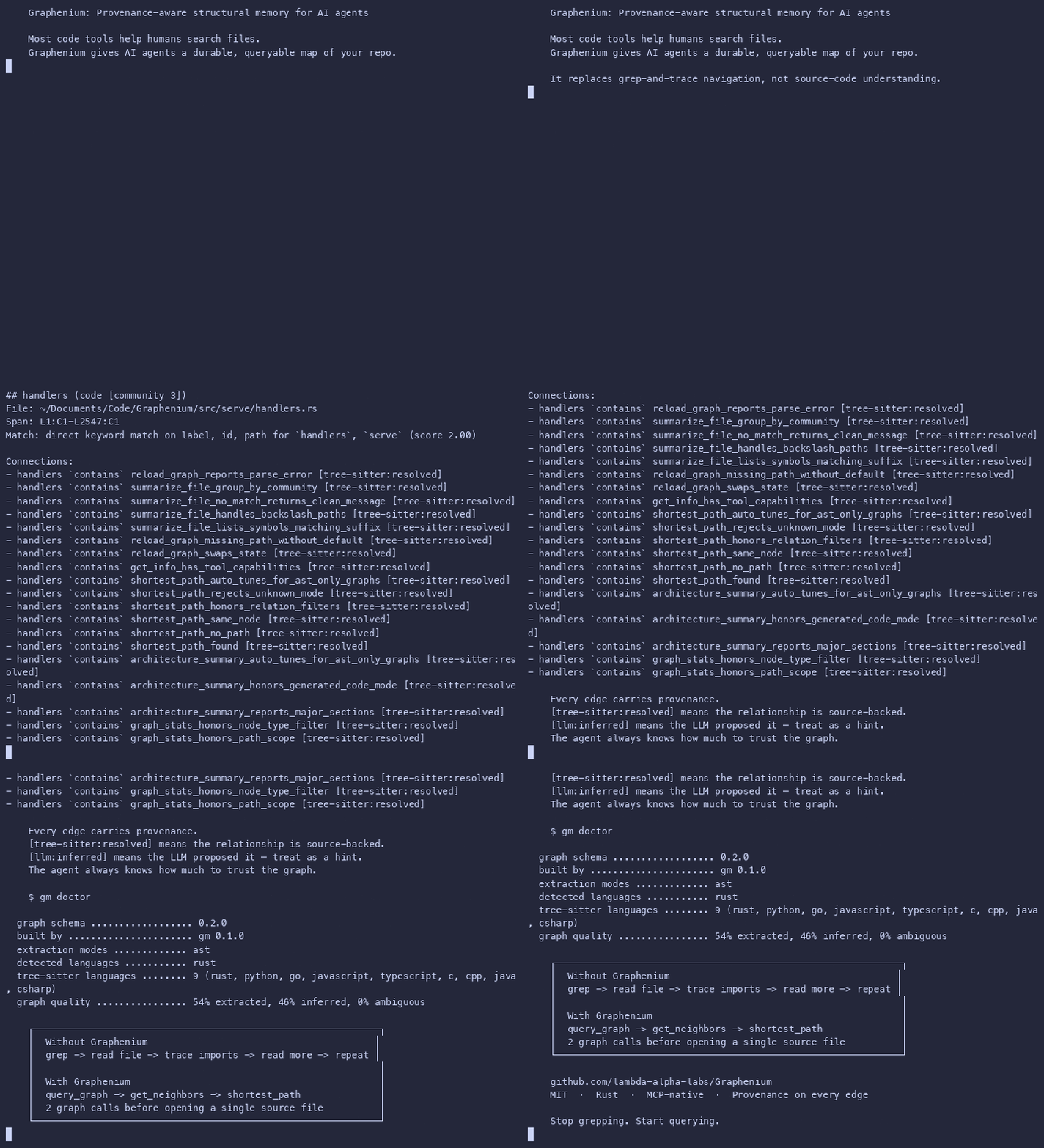
It replaces grep-and-trace navigation, not source-code understanding.
Why Graphenium exists
AI coding assistants are good at reading code, but they navigate repositories
like a human using grep: search for a symbol, open the file, follow
imports, open more files, infer relationships. Then do it all again in the
next session.
In a 50-file project, grep works. In a 5,000-file monorepo with deep import
chains, it doesn't. That workflow has five persistent problems:
- Repeated cold starts. Every new session begins without a durable model
of the repository. - Context window pressure. Raw source files are large; navigation
consumes tokens that could be used for reasoning. - No structural memory. After reading files, the assistant has no
persisted graph of how modules, functions, and concepts relate. - Missed cross-file relationships. Grep surfaces text matches, not
architectural topology, hubs, communities, or paths. - Scale multiplies the pain. Every new file and dependency makes the
grep-and-trace loop slower and more expensive. The graph stays fast
regardless of repo size.
Graphenium runs analysis once, persists the result as a graph, and exposes it
to assistants via an MCP server. The graph
becomes the assistant's long-term memory for your repository.
What changes:
- Orientation in seconds, not minutes.
architecture_summarygives a
30-second map of the codebase before the assistant reads a single file. - Context stays focused. Instead of filling the context window with raw
source during navigation, the assistant reasons over compact graph output
and reads only the files that matter. - Memory survives sessions. The graph persists. A new AI session starts
with the same structural knowledge the last one had.
What it's good at (and what it's not)
Good at
- Navigating large codebases. In 50+ file repos, monorepos, or unfamiliar
projects, grep-and-trace wastes context; the graph replaces it. - AI-assisted code navigation: answer structural questions without repeatedly
reading files. - Impact analysis: identify connected nodes before changing a function,
class, or module. - Onboarding: get a high-level architectural map of an unfamiliar repo fast.
- Refactoring planning: find god nodes, low-cohesion communities, and
surprising cross-boundary edges. - Code review: inspect symbols, degrees, and hotspots before reviewing a
changed file. - Keeping the graph current with watch mode during active development.
Not a replacement for
- Reading source code. The graph captures structure and relationships,
not implementation logic. An assistant still needs to read actual code. - A full language server. It does not perform complete type checking or
language-specific semantic analysis at LSP depth. - Runtime tracing. It is static analysis plus optional LLM extraction; it
does not execute the program. - Semantic search / embeddings. Graphenium uses keyword scoring and graph
traversal, not vector similarity. - Security scanning. Relationship graphs are not a substitute for
dedicated SAST tools.
20-second example
Without Graphenium:
grep → read file → trace imports → read more files → infer architecture

With Graphenium:
query_graph → get_neighbors → shortest_path → read only the right files
# Build a graph for your project (no API key needed)
gm run . --no-semantic --no-viz

# Ask structural questions
gm query "what calls build_from_extraction?"

# Or connect an AI assistant via MCP and ask directly
Quick start
One-line install
curl -fsSL https://raw.githubusercontent.com/lambda-alpha-labs/Graphenium/main/install.sh | sh
From source
Requires Rust 1.75+ (rustup).
git clone https://github.com/lambda-alpha-labs/Graphenium
cd Graphenium
cargo install --path .
The binary is installed as gm.
First run
# Build a graph (no API key needed)
gm run . --no-semantic --no-viz

# Query it
gm query "authentication login session" --budget 1000

# Check your installation
gm doctor
Map vs traffic overlay
Graphenium has two extraction modes. Both are useful; they serve different
purposes.
| Mode | What you get | Best for | API key |
|---|---|---|---|
| AST-only | Imports, containment, methods, symbols, structural communities | Architecture map, blast radius, orientation | No |
| Semantic | Uses, conceptual dependencies, rationale, inferred cross-file relationships | Behavioural tracing, richer agent reasoning | Yes |
AST-only mode gives the assistant a map. Semantic mode adds the traffic
overlay.
# AST-only, local, no key needed
gm run . --no-semantic --no-viz

# Semantic: adds LLM-inferred relationships
export ANTHROPIC_API_KEY=sk-ant-...
gm run . --provider anthropic    # also: openai, deepseek, openrouter
The graph_stats tool always reports the edge confidence breakdown, so the
assistant knows what it's working with.
MCP setup
Add Graphenium to your AI assistant's MCP config. The server uses the
standard MCP stdio transport. Or run gm setup <target> to print the config
for your assistant.
Claude Desktop (claude_desktop_config.json):
{
  "mcpServers": {
    "graphenium": {
      "command": "gm",
      "args": ["serve", "--graph", "/absolute/path/to/graphenium-out/graph.json"]
    }
  }
}
Cursor (~/.cursor/mcp.json):
{
  "mcpServers": {
    "graphenium": {
      "command": "gm",
      "args": ["serve", "--graph", "/absolute/path/to/graphenium-out/graph.json"]
    }
  }
}
CodeWhale (~/.codewhale/mcp.json):
{
  "servers": {
    "graphenium": {
      "command": "/absolute/path/to/gm",
      "args": ["serve", "--graph", "/absolute/path/to/graphenium-out/graph.json"],
      "env": {}
    }
  }
}
After updating config, quit and relaunch the AI tool completely (Cmd+Q on
macOS, not just close the window). MCP servers are only loaded at startup.
AI Skill
The repo ships an AI Skill at skills/graphenium/SKILL.md that teaches
assistants which tool to reach for, how to interpret confidence levels, and
how to fall back to gm query when MCP is unavailable.
What the assistant can ask
Once connected, the assistant has access to 13 graph tools.
Read tools:
| Tool | Purpose |
|---|---|
graph_stats |
Node/edge counts, file types, confidence breakdown |
architecture_summary |
Communities, focus paths, god nodes, confidence summary |
query_graph |
Keyword-scored BFS/DFS traversal within a token budget |
get_node |
Full node details by ID or label |
get_neighbors |
Direct neighbours with edge types and confidence |
get_community |
All nodes in a community cluster |
god_nodes |
Top N most-connected hub nodes |
shortest_path |
Path between any two components |
summarize_file |
Every symbol extracted from a source file |
reload_graph |
Hot-swap the graph without restarting |
Write tools:
| Tool | Purpose |
|---|---|
add_node |
Register concepts the AST can't capture |
add_edge |
Record relationships confirmed through inspection |
remove_edge |
Correct false positives or stale relationships |
All writes persist to disk immediately.
Repository memory model
Graphenium models a codebase as three things.
Nodes
Nodes represent meaningful entities: functions, methods, classes, modules,
structs, traits, documents, images, and architectural concepts. Each node
carries metadata: label, qualified label, file type, source file, source
location, and community ID.
Edges
Edges are typed, directed relationships.
| Relation | Meaning | Source |
|---|---|---|
imports |
Module-level import/include | AST |
contains |
Module/class contains a symbol | AST |
method |
Method belongs to a class/type | AST |
calls |
Function calls another function | AST / semantic |
uses |
Cross-file usage dependency | AST / semantic |
inherits |
OOP inheritance | AST / semantic |
implements |
Interface/trait implementation | AST / semantic |
depends_on |
Conceptual dependency | Semantic |
rationale_for |
Document/comment explains code | Semantic |
Topology
Graphenium analyzes the graph to surface communities, hub nodes, shortest
paths, surprising cross-community connections, and architectural focus paths.
The assistant can orient itself structurally before reading implementation
details.
Trust model
Every edge carries a confidence level.
| Level | Source | How to treat it |
|---|---|---|
EXTRACTED |
Deterministic static extraction | Ground truth, directly present in source |
INFERRED |
LLM or heuristic reasoning | Strong hint, useful for navigation; verify before risky changes |
AMBIGUOUS |
LLM-flagged uncertainty | Question to investigate, not a fact |
A good assistant workflow:
- Trust
EXTRACTEDedges as fact. - Use
INFERREDedges as strong hints. - Treat
AMBIGUOUSedges as leads to inspect. - Read source code before making implementation changes.
Every edge also carries provenance metadata: extractor (which system produced
the edge: tree-sitter, llm, resolver, etc.) and resolution_status
(whether the edge target was successfully resolved: resolved, unresolved,heuristic, inferred). The graph_stats tool reports both the confidence
breakdown and the provenance breakdown so you know exactly what kind of graph
you are working with.
Language support
Graphenium uses tree-sitter for AST
extraction across 9 languages.
| Language | Extensions | Extracted features |
|---|---|---|
| Python | .py |
Classes, functions, imports, call graph |
| JavaScript | .js, .mjs, .cjs |
Classes, functions, arrow functions, imports |
| TypeScript | .ts, .tsx |
JavaScript features + type declarations |
| Rust | .rs |
Structs, enums, traits, impl blocks, functions, use |
| Go | .go |
Functions, methods with receivers, import blocks |
| Java | .java |
Classes, methods, package imports |
| C | .c, .h |
Functions, include directives |
| C++ | .cpp, .cc, .cxx, .hpp |
Classes, functions, include directives |
| C# | .cs |
Classes, methods, using directives, namespaces |
Semantic extraction also processes documents (.md, .rst, .txt), PDFs,
and images.
Build with only the languages you need:
cargo build --release --no-default-features --features lang-python,lang-rust
Features: lang-python, lang-js, lang-ts, lang-rust, lang-go,lang-java, lang-c, lang-cpp, lang-csharp.
Commands
gm run
Run the full analysis pipeline on a directory.
gm run [PATH] [OPTIONS]
| Option | Description |
|---|---|
PATH |
Directory to analyse (default: .) |
--no-semantic |
Skip LLM extraction; use AST-only results |
--no-viz |
Skip HTML generation |
--provider NAME |
AI provider: anthropic (default), openai, openrouter, deepseek, openai-compatible |
--model NAME |
Model to use (defaults to provider-specific default) |
--api-key KEY |
API key (overrides provider-specific env var) |
--api-base URL |
API base URL for openai-compatible provider |
--mode deep |
Aggressive LLM inference |
--update |
Incremental: only re-extract changed files |
gm run . --no-semantic --no-viz      # Fast AST-only scan
gm run . --provider openai           # With LLM semantic extraction
gm run . --update                    # Incremental after editing files
gm query
Query an existing graph with keywords.
gm query "<keywords>" [OPTIONS]
| Option | Default | Description |
|---|---|---|
--graph PATH |
graphenium-out/graph.json |
Path to graph file |
--budget N |
2000 |
Output token budget |
--mode MODE |
lexical |
Query mode: lexical (keyword), structural (graph distance), or hybrid |
--dfs |
off | Use depth-first search |
gm query "authentication login session"
gm query "parser ast walker" --dfs --budget 4000
gm query "database connection" --mode structural
gm serve
Start an MCP server exposing the graph over stdio.
gm serve [OPTIONS]
| Option | Default | Description |
|---|---|---|
--graph PATH |
graphenium-out/graph.json |
Path to graph file |
gm watch
Watch a directory and auto-rebuild the graph on changes.
gm watch [PATH] [OPTIONS]
| Option | Default | Description |
|---|---|---|
PATH |
. |
Directory to watch |
--debounce SECS |
3.0 |
Wait after last event before rebuild |
--incremental |
true |
Patch changed files; false for full rebuild |
gm watch . --debounce 2.0
gm doctor
Run diagnostic checks on your Graphenium installation: binary location, graph
file health, tree-sitter languages, API keys, and graph quality.
gm doctor [--graph PATH]
gm setup
Print ready-to-paste MCP config for an AI assistant.
gm setup <claude|cursor|codewhale> [--graph PATH]
gm setup claude
gm setup cursor
gm setup codewhale
gm diff
Diff two graph snapshots and show symbol-level changes.
gm diff [OPTIONS]
| Option | Default | Description |
|---|---|---|
--before PATH |
(empty graph) | Path to the old graph.json |
--after PATH |
graphenium-out/graph.json |
Path to the new graph.json |
--impact |
off | Show downstream impact analysis and review order |
gm diff --before old-graph.json --after new-graph.json
gm diff --after new-graph.json --impact
Output files
Graphenium writes outputs to graphenium-out/ inside the analysed directory.
| File | Purpose |
|---|---|
graph.json |
Machine-readable graph for gm serve and gm query |
GRAPH_REPORT.md |
Markdown architecture report |
graph.html |
Self-contained visual graph inspection page |
manifest.json |
mtime index for incremental updates |
cache/ |
Per-file semantic extraction cache (SHA256 keyed) |
Architecture
src/
  extract/     tree-sitter extraction for 9 languages
  model/       graph, node, edge, hyperedge types
  build/       graph construction from extraction results
  cluster/     Louvain community detection, cohesion, split/focus
  detect/      file classification, sensitive-file skipping, corpus warnings
  analyze/     god nodes, surprising connections, architectural questions
  serve/       MCP server (rmcp), tool handlers, graph traversal
  semantic/    LLM client, prompt builder, response parser
  export/      JSON export, HTML visualisation
  cache/       mtime manifest, semantic extraction cache
  watch/       file-system watcher with incremental patching
Limitations
- AST-only graphs are structural, not behavioural. Without semantic
extraction, edges are mostly imports, containment, and method declarations.
Control-flow relationships (calls,uses,implements) come from the
semantic pass. - Label collisions. Common names like
new,mod,runappear across
modules. Qualified labels help disambiguate when available.graph_stats
reports collision counts so you know when results may be fuzzy. - Large corpora. Projects with many vendored dependencies should use
.grapheniumignoreto excludetarget/,node_modules/,.rust-toolchain/, and similar directories.
Contributing
Contributions are welcome, especially language extractors, MCP integrations,
and fixtures. See CONTRIBUTING.md.
Yorumlar (0)
Yorum birakmak icin giris yap.
Yorum birakSonuc bulunamadi