harnessbridge
Health Uyari
- License — License: MIT
- Description — Repository has a description
- Active repo — Last push 0 days ago
- Low visibility — Only 5 GitHub stars
Code Basarisiz
- rm -rf — Recursive force deletion command in .github/workflows/release.yml
Permissions Gecti
- Permissions — No dangerous permissions requested
Bu listing icin henuz AI raporu yok.
Agent Session Converter for macOS — migrate AI agent sessions between Claude Code, Codex, DeepSeek Harness, OMP, Qoder, Pi, Gemini CLI and 40+ harnesses. Native SwiftUI app + asi CLI; self-contained arm64 build.
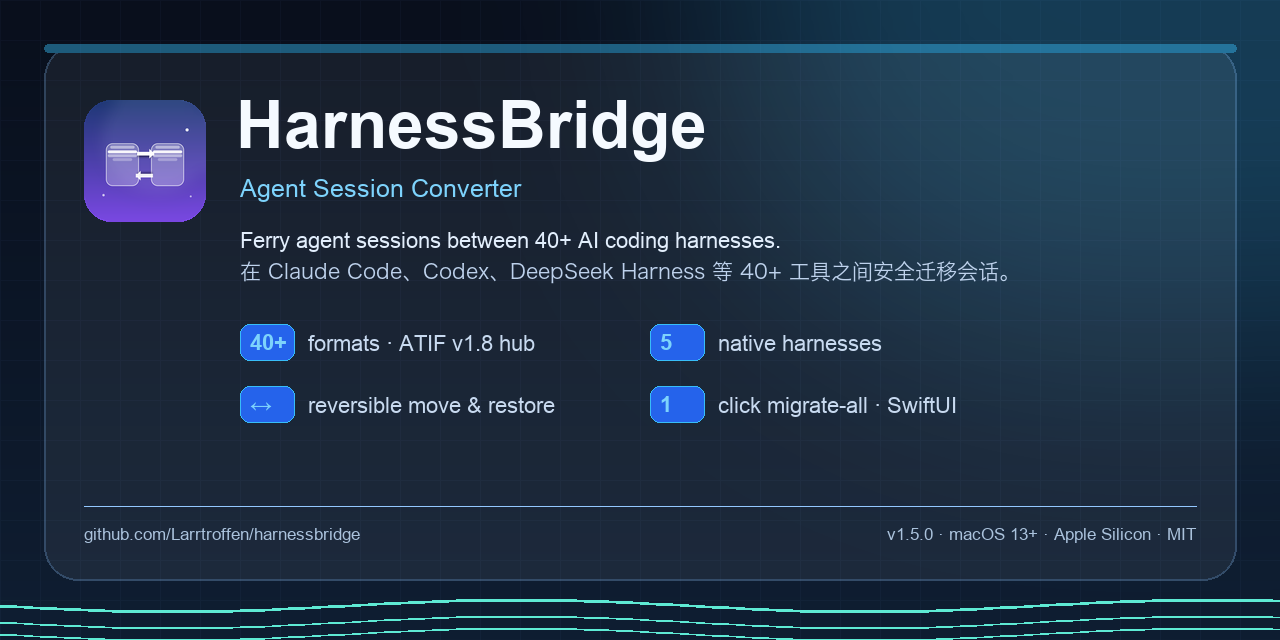
HarnessBridge
Agent Session Converter. Ferry your AI agent sessions between Claude Code, Codex, DeepSeek Harness, Cursor, OMP, Qoder and 40+ other harnesses — on your Mac, without uploading anything.


English · 简体中文 · Architecture · CLI · Compatibility · FAQ
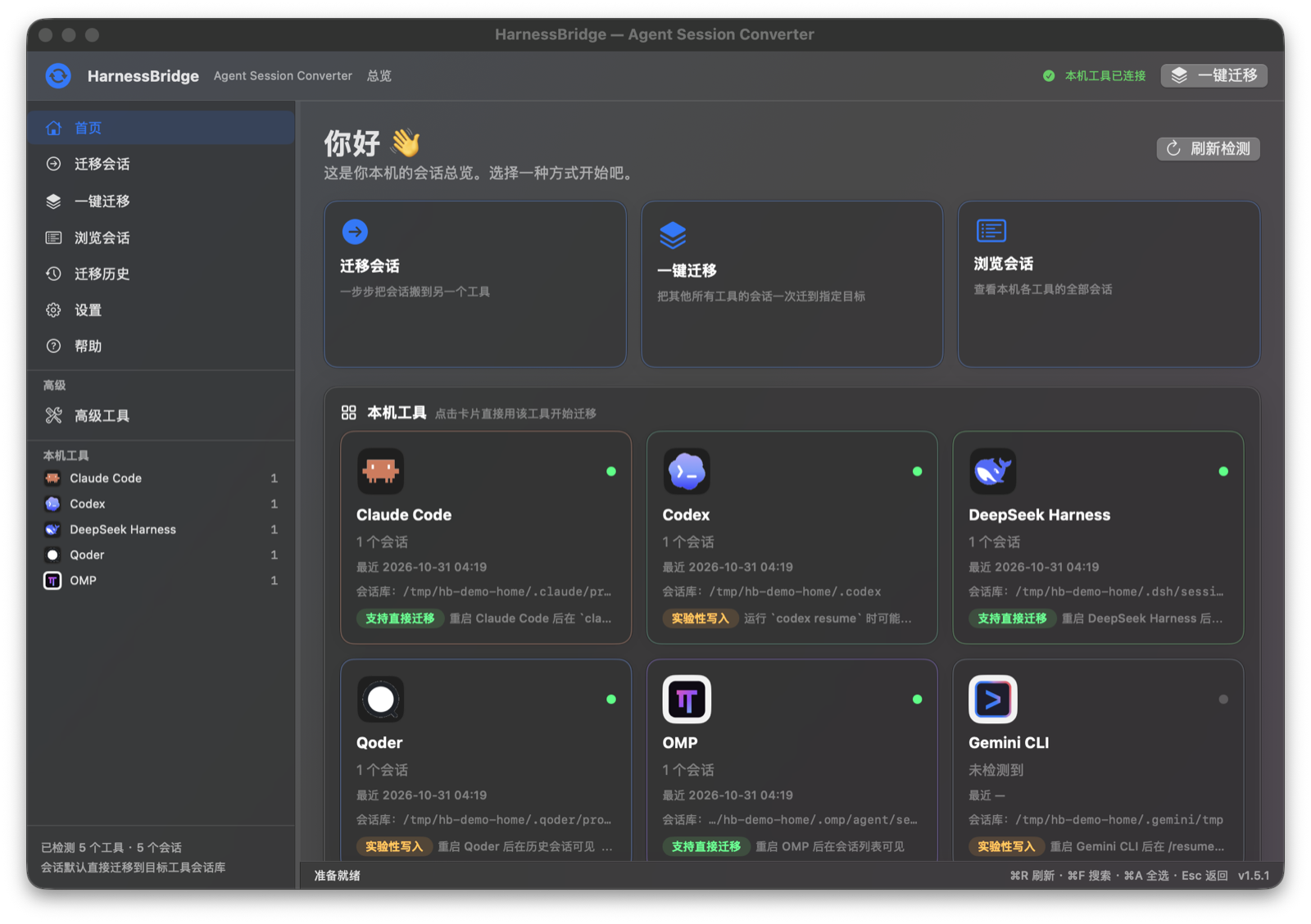
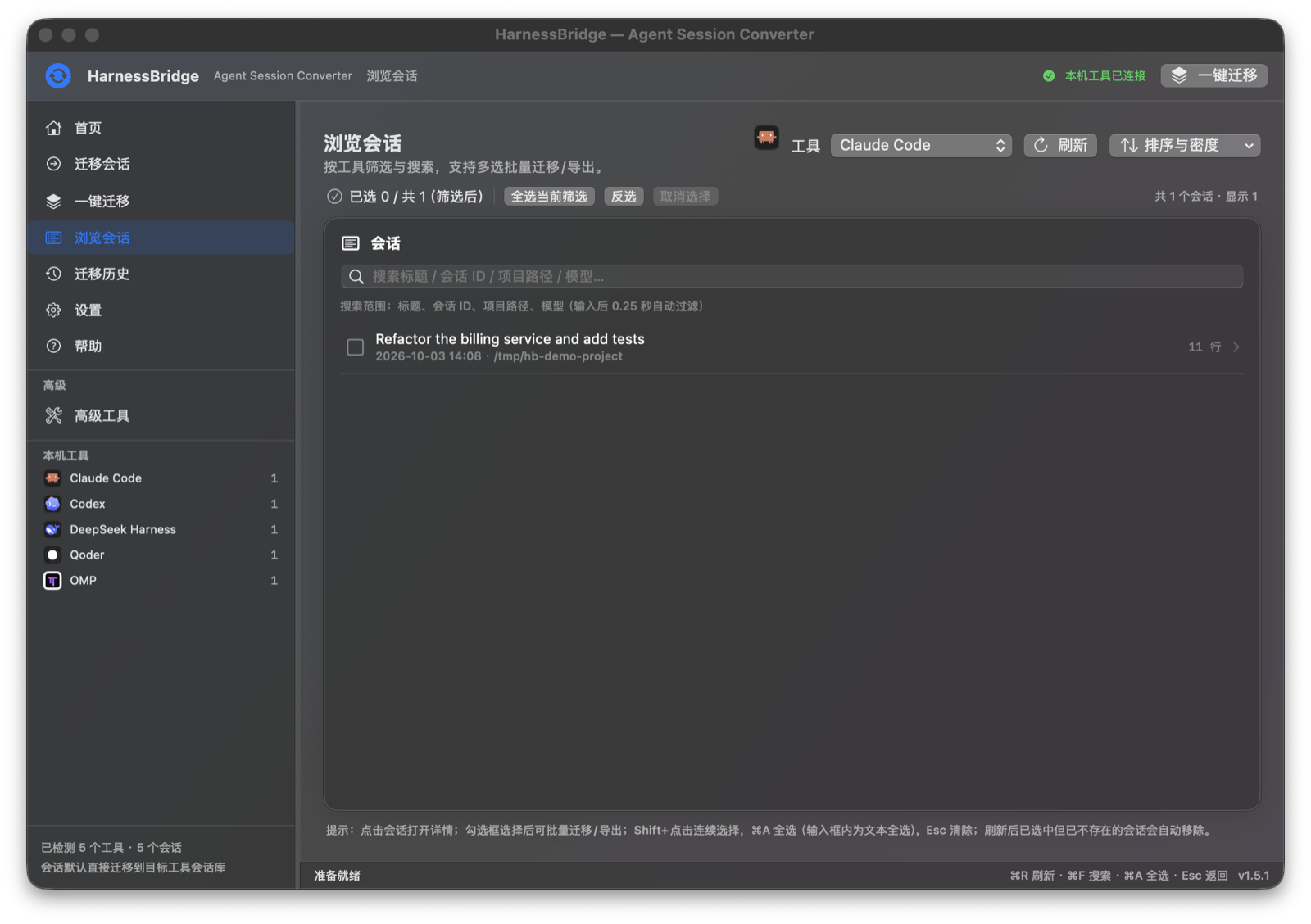
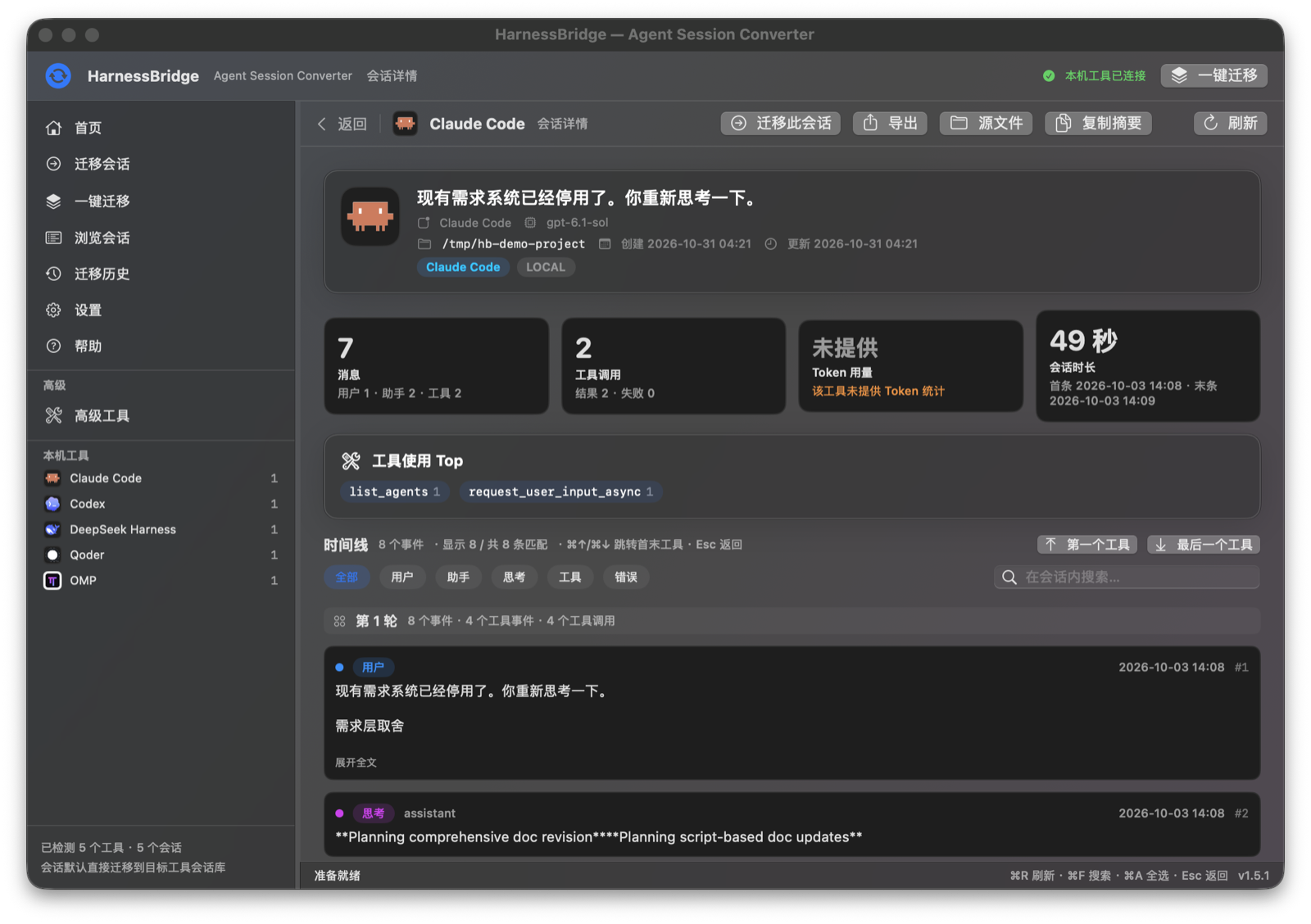
Screenshots
| Home | Session browser |
|---|---|
 |
 |
| Session detail & timeline | One-click full migration |
|---|---|
 |
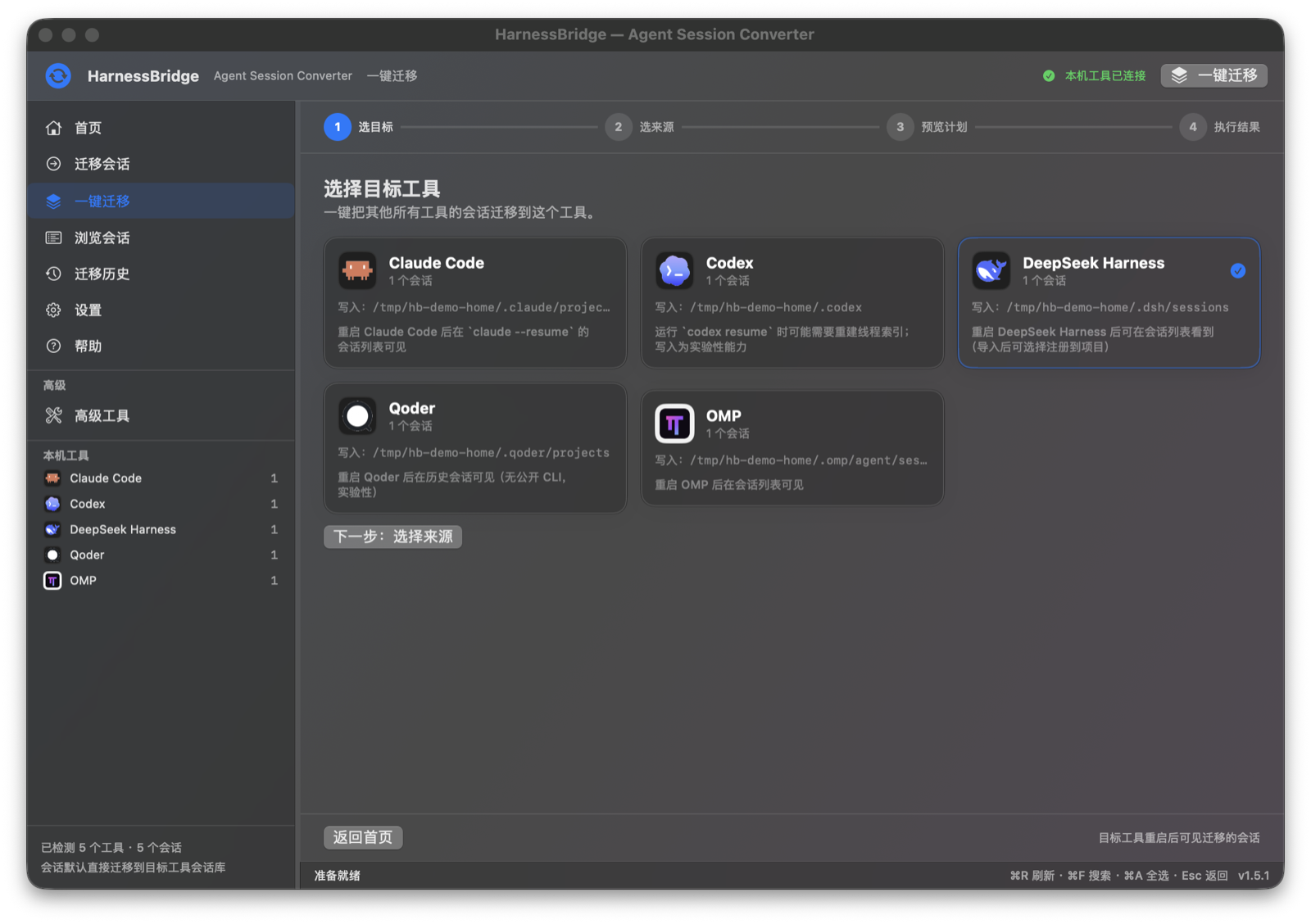 |
| Migration wizard | |
|---|---|
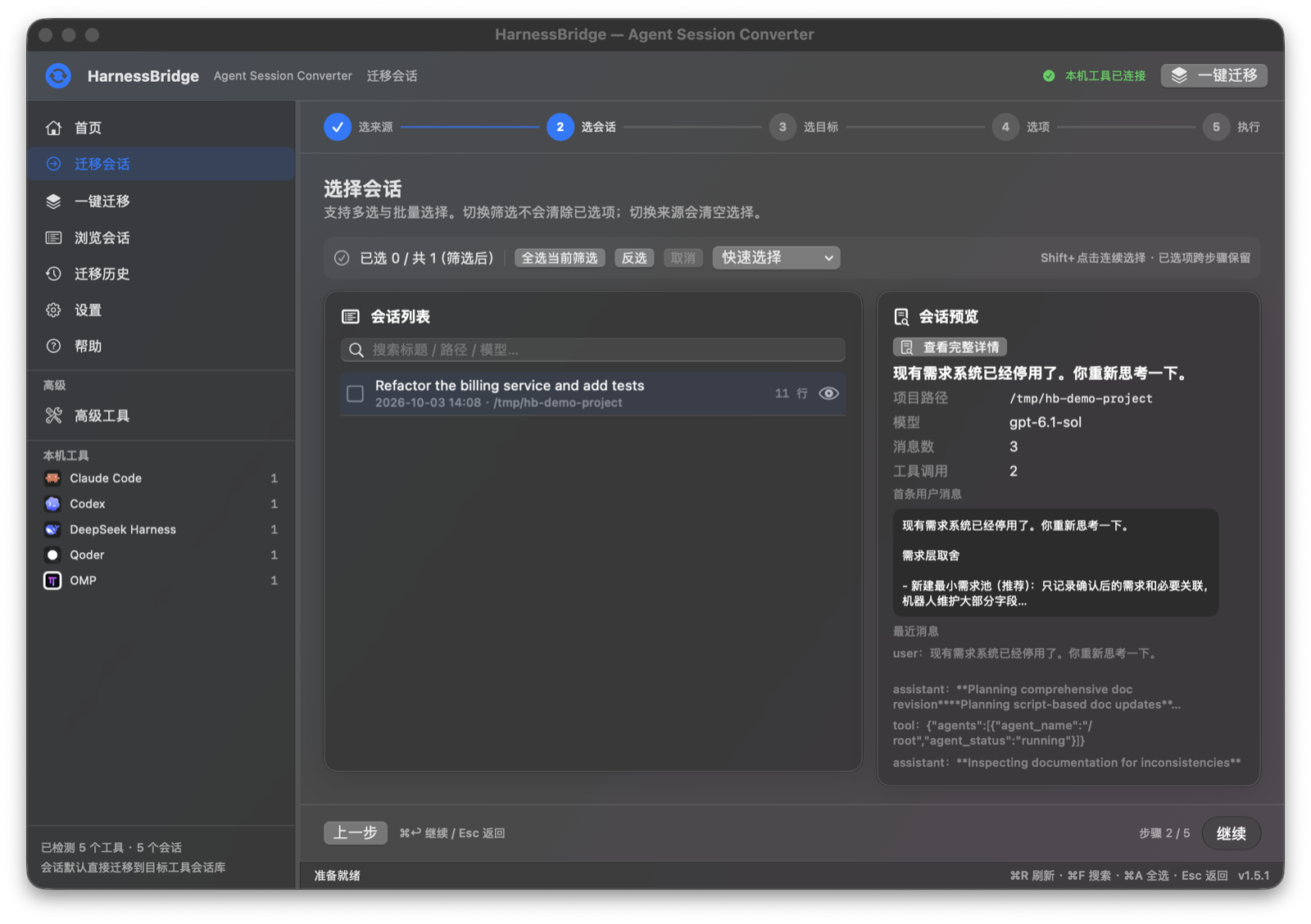 |
Screenshots use a temporary demo HOME with constructed sample sessions; no real user data. |
What is HarnessBridge?
HarnessBridge moves agent session history between AI coding harnesses. It reads a source harness's native session store, converts it through a versioned intermediate representation (IR) and the open ATIF v1.8 trajectory format, then writes it into the target harness's own session store — so the target tool can list, resume and inspect the conversation.
It ships as two parts:
| Component | What it is | For whom |
|---|---|---|
| HarnessBridge.app | Native SwiftUI macOS app (no Electron, no embedded web view) | People who want a guided, visual migration |
asi CLI |
Python 3 standard-library command line tool — the app's entire conversion/migration engine | Power users, scripts, CI, people on Linux |
The app contains no conversion logic of its own: it is a thin, careful front-end over the CLI, which keeps behaviour auditable and lets both surfaces share the same safety checks.
Features
- Direct install by default — pick a target harness and the session is written into that harness's real local store (auto-detected). No “export to a folder and copy it yourself” detour.
- Keep or move, always reversible —
keepleaves the source untouched;moverenames the source session to*.migrated-<timestamp>.bakonly after the target install and verification succeed. Nothing is ever deleted, andasi migrate-restore(or the app) can move it back. - One-click full migration —
asi migrate-all --to <target>moves every session from all other detected harnesses, with per-source limits,--since-days, dry-run plans, duplicate skipping, backups for overwrites, progress, cancellation, per-session results and a recovery journal. - 40/40 canonical protocol coverage — 40 canonical harness formats covered, plus 43 source adapters (iFlow and Zed are bonus sources) and 32 native writer targets; ATIF v1.8 remains the hub. See coverage ledger and external projects research.
- Safety first — sources are read-only; writing a real store requires
--yesplus explicit UI confirmation; overwrites create.asi-backup-*files; every migration writes an incremental, atomic journal;--dry-runperforms zero writes. - Verification — DSH targets are checked with the native
verifyreader; other targets are read back through the target reader (or file-level fallback), and results reportinstalled_path,verifiedand per-item status. - Native experience — session browser with full-text filter, selection ranges (Shift/⌘A), migration history, session timeline with tool calls, paired results, token statistics, 27 harness logos, Chinese UI, Reduce Motion support.
- Local only — no network calls, no telemetry, no accounts. Everything runs on your machine and writes only where you tell it to.
Supported harnesses
Direct install (writes into the harness's own store)
| Target | Store (auto-detected, env-overridable) | Support |
|---|---|---|
| DeepSeek Harness (DSH) | ~/.dsh/sessions (DSH_HOME) |
✅ Stable — restart DSH to see imported sessions |
| Claude Code | ~/.claude/projects (CLAUDE_CONFIG_DIR) |
✅ Stable — claude --resume |
| OMP | ~/.omp/agent/sessions (OMP_SESSION_DIR) |
✅ Stable — restart OMP |
| Codex | ~/.codex (CODEX_HOME) |
🧪 Experimental — may need to rebuild its thread index |
| Qoder | ~/.qoder/projects (QODER_CONFIG_DIR) |
🧪 Experimental — restart Qoder |
| Pi | ~/.pi/agent/sessions (PI_HOME) |
🧪 Experimental — restart Pi |
| Gemini CLI | ~/.gemini/tmp (GEMINI_HOME) |
🧪 Experimental — /resume may need a restart |
| Goose | SQLite store (GOOSE_PATH_ROOT) |
📦 Export-only (no direct install) |
Read / export coverage
- Native readers: Claude Code, Codex, OMP, Qoder, DeepSeek Harness, Pi, Gemini CLI and more.
- 40 canonical harness formats covered by the interop protocol/adapters, plus bonus iFlow and Zed readers (43 source adapters, 32 native writers). Evidence levels range from NATIVE (real local store + native load) through REAL-LOCAL, COLLECTED, REAL, REAL-EXAMPLE, FIXTURE, FIXTURE-LOW and CONSTRUCTED.
- Batch 6 (v1.6.0) added an external-fixture matrix: 35/40 fixture-verified canonical labels (34 pass + 6 partial, 0 reader fail), 32/32 native writers pass, and 22/40 real-session coverage — we deliberately report these as separate numbers (protocol coverage vs. fixture-verified format coverage vs. real user sessions). See docs/coverage-ledger.md, docs/EXTERNAL-PROJECTS.md and docs/usage.md §16.
Names and logos are trademarks of their respective owners. HarnessBridge is not affiliated with, endorsed by, or sponsored by any harness vendor. See THIRD_PARTY_NOTICES.md.
Install
Option A — Homebrew (Apple Silicon)
brew tap Larrtroffen/harnessbridge
brew trust Larrtroffen/harnessbridge   # Homebrew 7: explicitly trust this tap
brew install --cask harnessbridge
The tap lives at Larrtroffen/homebrew-harnessbridge.
The cask installs the self-contained arm64 app and prints the Gatekeeper caveat.
Option B — prebuilt macOS app (Apple Silicon)
- Download
HarnessBridge-1.6.0-macos-arm64.dmgfrom Releases. - Open the DMG and drag HarnessBridge.app into
/Applications. - Because the app is ad-hoc signed (not notarized by Apple), Gatekeeper may block the first launch. Either right-click the app → Open → confirm, or run:
xattr -dr com.apple.quarantine /Applications/HarnessBridge.app - Launch HarnessBridge. It requires macOS 13 (Ventura) or newer and an Apple-silicon Mac for the prebuilt DMG. Intel Macs can build from source.
- No Python, zstd or repo checkout is required for the prebuilt app: it bundles its own Python runtime, the
asibackend and azstdbinary insideHarnessBridge.app. Only your harness session stores are read/written (when you ask it to migrate).
Each release also publishes a .zip and a SHA256SUMS.txt; verify before running:
shasum -a 256 -c SHA256SUMS.txt
Option C — build from source
Requirements: macOS 13+, Xcode Command Line Tools (swift --version), Python 3.10+, and the zstd CLI (brew install zstd) for compressed DeepSeek Harness artifacts.
git clone https://github.com/Larrtroffen/harnessbridge.git
cd harnessbridge

# 1) CLI (standard library only, no pip installs)
python3 tools/agent-session-import/asi --version
python3 tools/agent-session-import/asi --help

# 2) macOS app (SwiftPM, no Xcode project needed)
cd tools/HarnessBridgeApp
swift build -c release
./build.sh                     # → dist/HarnessBridge.app (ad-hoc signed)
open dist/HarnessBridge.app
The app bundles the CLI path discovery logic: keep the repository layout intact (tools/agent-session-import/asi next to tools/HarnessBridgeApp), or point the app at a workspace in Settings.
Quick start
GUI (5 steps)
- Launch HarnessBridge → the welcome/overview screen detects harnesses and session counts locally.
- 迁移会话 / Migrate → choose a source harness and one or more sessions.
- Choose a target harness. The card shows the exact store path that will be written and how to see the sessions afterwards.
- Choose whether to keep the source (default) or move it out (recoverable, second confirmation required), then confirm the write location.
- Watch per-session progress, then review the result: installed path, verification, skipped duplicates, journal, and a “恢复被移出的会话 / Restore moved sessions” button.
Use 一键迁移 / Migrate all for a full migration: pick a target, keep the default “all other harnesses” sources (or exclude some), preview the dry-run plan (zero writes), and confirm.
CLI
ASI=./tools/agent-session-import/asi

# What is installed and where do its sessions live?
"$ASI" detect --json

# List sessions (read-only)
"$ASI" list claude --json
"$ASI" list dsh --limit 20 --json

# Preview a session summary (read-only)
"$ASI" preview --from claude --session <session-id> --json

# The classic safety-first path: convert/export to a folder
"$ASI" convert --from codex --session <session-id> --to atif --out ~/Documents/HarnessBridgeOut

# Direct install into the target harness store (needs --yes)
"$ASI" migrate --from claude --session <session-id> --to dsh --yes --register --json

# Direct install + move the source out (recoverable)
"$ASI" migrate --from codex --session <session-id> --to omp --yes --session-mode move --json

# One-click full migration — always preview first
"$ASI" migrate-all --to dsh --limit 10 --session-mode keep --dry-run --json
"$ASI" migrate-all --to dsh --limit 10 --session-mode keep --yes --json

# Undo the move (source comes back; target install stays unless you pass --remove-installed)
"$ASI" migrate-restore --journal "<journal-path-from-results>" --json
Every command supports --json for automation, and --dry-run where a plan exists. Exit codes are stable: 0 success, non-zero failure, and install without --yes refuses and exits with a distinct error.
Architecture
flowchart LR
  subgraph Sources["Source harness stores (read-only)"]
    S1[Claude Code]
    S2[Codex]
    S3[DeepSeek Harness]
    S4["OMP / Qoder / Pi / Gemini"]
    S5["OSS captures & fixtures"]
  end
  S1 --> R[Readers / adapters]
  S2 --> R
  S3 --> R
  S4 --> R
  S5 --> R
  R --> IR[(Session IR v1)]
  IR --> ATIF[ATIF v1.8 encoder]
  ATIF --> IR2[IR decode]
  IR2 --> W[Writers]
  W --> O1["Target store: direct install"]
  W --> O2["ATIF / IR / export folder"]
  O1 --> V[Verify + backup + atomic journal]
  V --> T[(Migration journal\nrestore / undo)]
Deeper details — adapter contract, evidence levels, safety invariants and repository layout — are in docs/ARCHITECTURE.md.
Safety, privacy and limitations
- Read-only sources. HarnessBridge never edits or deletes source sessions;
moveis a reversible rename after a verified install. - Writes need consent. Real-store installs require
--yeson the CLI and an explicit confirmation in the app that shows the destination store path.--dry-runnever writes, creates no directories and no journal. - Backups & journals. Overwrites first move the existing target to
*.asi-backup-<timestamp>; each migration/restore operation writes an atomic, incremental journal; thejournal_pathfield returned by the CLI/app is authoritative. App data lives under~/Library/Application Support/HarnessBridge/; the CLI backend writes journals under~/Library/Application Support/HarnessBridge/journals/; the old SessionConverter folder is read-only compatibility. Restore never deletes the installed target copy unless asked. - No network, no telemetry. The app and CLI do not phone home; no API keys or accounts are required.
- App identity / local data. Bundle id
io.github.larrtroffen.harnessbridge; app data (history, detect cache, journals) lives in~/Library/Application Support/HarnessBridge/, default export folder~/Documents/HarnessBridgeOut/. - Lossy by nature. Not every harness feature has an ATIF equivalent (images/audio, harness-private events, some tool-call pairings). Conversions may be marked
lossywith explicit warnings; we do not claim “100% lossless.” - ATIF is a trajectory format, not a resume format. Migrated sessions give the target tool conversation history; they do not reconstruct the source agent's private runtime/checkpoint state.
- Experimental targets. Codex/Qoder/Pi/Gemini writers are marked experimental; the target tool may need a restart or index rebuild, and behaviour can vary between harness versions.
- Gatekeeper. Release artifacts are ad-hoc signed, not Apple-notarized. Right-click → Open (or clear the quarantine attribute) on first launch; macOS will warn that the developer cannot be verified.
- Back up your data once more. Even with dry-runs, verification and journals, this is tooling that writes to other tools' stores. Keep a Time Machine backup before your first large migration.
More in SECURITY.md and docs/FAQ.md.
Documentation
| Document | English | 中文 |
|---|---|---|
| Architecture | docs/ARCHITECTURE.md | docs/ARCHITECTURE.zh-CN.md |
| CLI reference | docs/CLI.md | docs/CLI.zh-CN.md |
| Compatibility matrix | docs/COMPATIBILITY.md | docs/COMPATIBILITY.zh-CN.md |
| FAQ | docs/FAQ.md | docs/FAQ.zh-CN.md |
| App manual (internal, Chinese) | docs/swift-app.md | — |
| Backend deep dive (internal) | docs/usage.md | — |
| ATIF interop protocol | docs/atif-interop-protocol.md | — |
| Coverage ledger | docs/coverage-ledger.md | — |
| External projects & fixtures | docs/EXTERNAL-PROJECTS.md | — |
| Release notes | RELEASE_NOTES/v1.6.0.md | RELEASE_NOTES/v1.6.0.zh-CN.md |
Roadmap
- v1.5.x — polish the first public release: notarization/Developer ID for smoother Gatekeeper, more screenshots/docs, bug fixes from early adopters.
- v1.7 — closer to 40/40 real-session coverage (install/run more harnesses locally), more native writers, per-session diff/preview before install.
- Later — optional Linux CLI packaging, richer ATIF round-trips, and a documented plugin interface for new readers/writers.
Roadmap items are intentions, not commitments; priorities follow user reports.
Contributing
Issues and PRs are welcome — especially new harness adapters with fixtures, docs corrections, and translations. Please read CONTRIBUTING.md and the Code of Conduct, and report security issues privately per SECURITY.md.
- Run the public fixture tests (private/local-data tests are skipped automatically):
python3 -m unittest discover -s tools/agent-session-import/tests -p 'test_*.py' -v - Run the app self-test:
tools/HarnessBridgeApp/dist/HarnessBridge.app/Contents/MacOS/HarnessBridge --self-test - Never write to a real harness store in tests: use a temporary
HOMEand the documented env overrides.
License
MIT — see LICENSE. Copyright (c) 2026 Xinhua Li (Larrtroffen).
ATIF is specified by the Harbor project (RFC 0001, Apache-2.0); harness names/logos belong to their respective owners. Full attributions in THIRD_PARTY_NOTICES.md.
Name note: this project is
Larrtroffen/harnessbridge. An unrelated project with the same name exists on GitHub (mandyyyyii/HarnessBridge); HarnessBridge here is not affiliated with it.
Yorumlar (0)
Yorum birakmak icin giris yap.
Yorum birakSonuc bulunamadi