qbit-ops
Health Gecti
- License — License: MIT
- Description — Repository has a description
- Active repo — Last push 0 days ago
- Community trust — 14 GitHub stars
Code Gecti
- Code scan — Scanned 12 files during light audit, no dangerous patterns found
Permissions Gecti
- Permissions — No dangerous permissions requested
Bu listing icin henuz AI raporu yok.
🧯 A tiny qBittorrent CLI for people who don't want to nuke their seedbox by accident.
🧯 qbit-ops







🧯 A tiny qBittorrent CLI and TUI for people who don't want to nuke their
seedbox by accident.
Inspect, diagnose and automate qBittorrent at a scale too big to manage by hand - and see exactly what a change will touch before it touches anything.
✨ Featured in Self-Host Weekly by selfh.st.
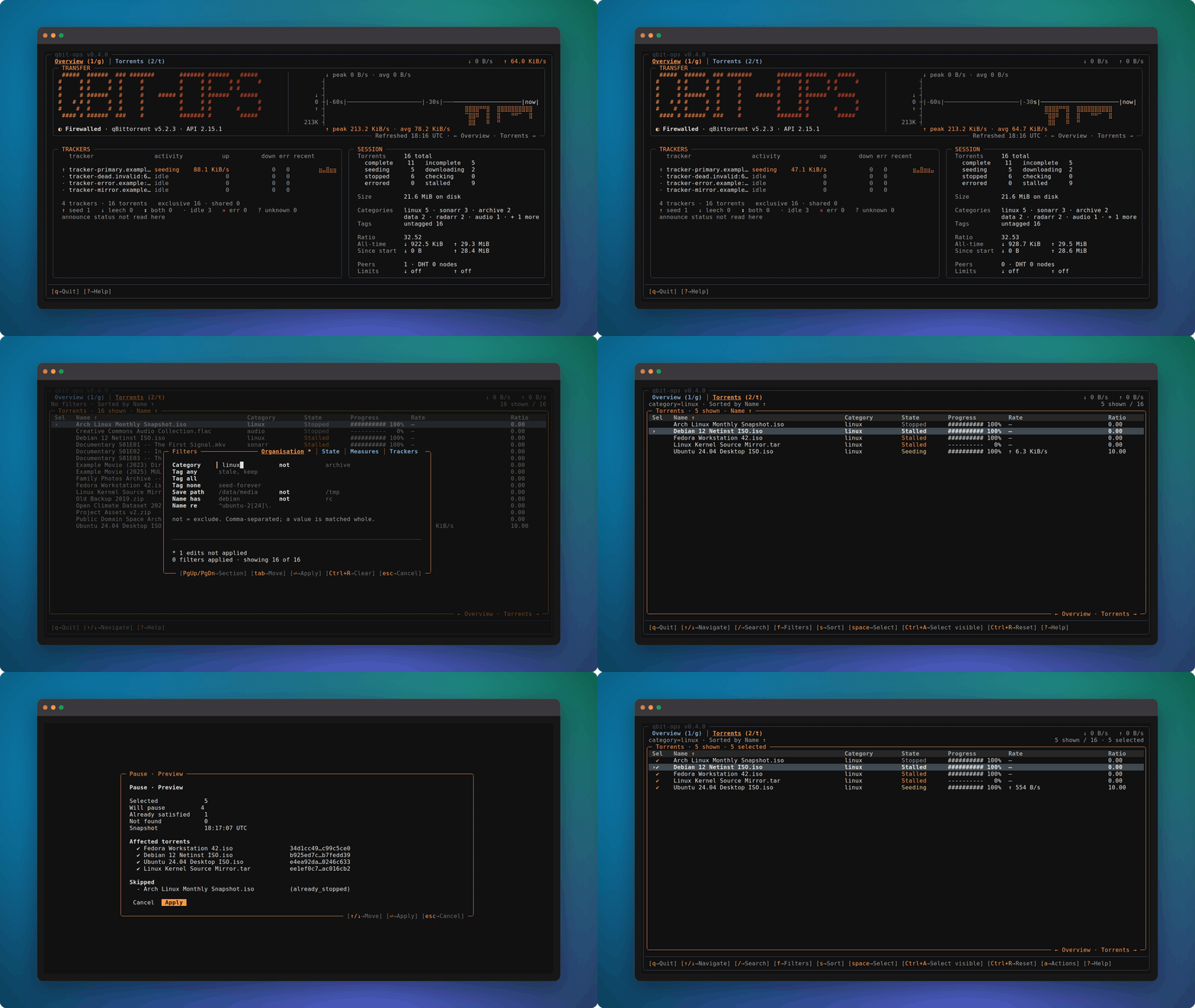
A live transfer, a filter, and a bulk pause shown before it is applied -- then abandoned. Nothing moved.
🚀 Get started
Requires Python 3.12+ and a qBittorrent instance with the Web UI enabled.
🐍 From PyPI
Recommended, with uv:
uv tool install qbit-ops
Or with pipx:
pipx install qbit-ops
With the optional TUI:
uv tool install "qbit-ops[tui]"
pipx install "qbit-ops[tui]"
With the experimental MCP server, to talk to your library through an
agent:
uv tool install "qbit-ops[mcp]"
pipx install "qbit-ops[mcp]"
🍺 With Homebrew
brew install LECOQQ/qbit-ops/qbit-ops
The tap ships the TUI, so there is no extra to pick. Upgrades follow the
usual brew upgrade qbit-ops.
🐳 With Docker
Runs the same CLI on amd64 and arm64, with nothing installed on the
host:
docker run --rm -it \
  -e QBIT_HOST -e QBIT_USER -e QBIT_PASSWORD \
  ghcr.io/lecoqq/qbit-ops:latest status
The TUI needs a TTY, which -it already gives you:
docker run --rm -it \
  -e QBIT_HOST -e QBIT_USER -e QBIT_PASSWORD \
  ghcr.io/lecoqq/qbit-ops:latest tui
For a long-lived setup, see the
Compose example.
⬆️ Upgrading
uv tool upgrade qbit-ops
pipx upgrade qbit-ops
brew upgrade qbit-ops
🔌 Connecting
Then set up the connection:
qbit-ops init
It asks, tests, and remembers. qbit-ops tui offers the same form when
nothing is configured yet.
Then:
qbit-ops status
qbit-ops doctor
qbit-ops tui
🎸 Greatest hits
🧹 Reclaiming space
Reclaim disk without touching what matters.
qbit-ops torrents delete --ratio-min 2 --seeded-for 90d --exclude-tag keep
scanned   2418
matched   407
status    PREVIEW (dry-run)
Nothing is deleted: review it, add --no-dry-run, and that exact
selection is what will run.
Know what your library actually weighs.
qbit-ops torrents stats
qbit-ops torrents stats --category sonarr
Size, transfer and seeding time over exactly the torrents you filter
for. How qBittorrent's all-time counters are handled is in
docs/COMMANDS.md.
🩺 Finding out what hurts
Find out which tracker is hurting you.
qbit-ops trackers status
qbit-ops explain tracker --tracker tracker.example
One line per tracker, health aggregated across every torrent that
announces to it, and then the reasoning behind the verdict.
Act on every torrent stuck behind a dead tracker.
qbit-ops torrents list --tracker-health critical
qbit-ops torrents pause --tracker-health critical --no-dry-run
Selects on each torrent's own trackers, and gives the same verdictexplain torrent does - it is the same computation. How a torrent with
mixed tracker health is scored, and why a non-answer never matches, is
in docs/COMMANDS.md.
See what each tracker is actually carrying.
qbit-ops trackers list
qbit-ops trackers list --category sonarr
Torrents, size, transferred bytes, ratio and seeding time per tracker,
plus EXCL - the torrents that tracker is the only home of, which is
the real answer to "what would I lose by leaving?". The columns
deliberately do not sum to your library total; the reason is in
docs/COMMANDS.md.
🔀 Surviving a tracker that moved, or died
Four commands, one shape: name the tracker, preview what it would touch,
then apply. Each one walks your whole library so you never have to open
a torrent to fix it.
Rotate a leaked passkey everywhere at once.
echo "$NEW_PASSKEY" | qbit-ops trackers replace-passkey \
  --tracker "https://tracker.example/announce/{passkey}" \
  --new-passkey-stdin
{passkey} is a template: it never prints anything that can harm you.
The new value is piped in, never typed on the command line -- without--new-passkey-stdin, it asks interactively instead, input hidden.
Add --no-dry-run --yes to actually apply: piping the passkey already
occupies stdin, so the usual confirmation prompt cannot ask there too.
Follow a tracker that changed address.
echo "$NEW_PASSKEY" | qbit-ops trackers replace \
  --source "old.example" \
  --target "https://new.example/announce/{passkey}" \
  --passkey-stdin
--source names the old tracker by host -- never its passkey, since
identifying a tracker was never what the passkey was for. --target is
the new tracker's real announce URL; its own {passkey} is filled the
same way replace-passkey's is, because a tracker qbit-ops has never
talked to cannot have its passkey position guessed. Every torrent
announcing to the old one swaps to the new one; torrents that never
used it are not touched.
Keep a dying tracker while you move off it.
qbit-ops trackers add-if-present \
  --source "dying.example" \
  --target "https://backup.example/announce"
Adds the second tracker next to the first, on the torrents that carry
the first and only those. Both announce, so nothing stops seeding while
the old host makes up its mind. Torrent filters narrow the scan further
if you only want part of the library.
Retire a tracker for good.
qbit-ops trackers remove --tracker "dead.example"
Drops it from every torrent that still lists it.
🔎 Finding it, and unsticking it
Find a torrent without remembering its exact name.
qbit-ops torrents search "iso ubunutu desktp"       # typos, word order
qbit-ops torrents pause --hash 3f2a1b               # copy the hash, then act
Ranked, tolerant, and read-only by construction: a search result is
never a mutation target. Accents and case are folded before anything is
compared. --name-contains/--name-regex stay the exact, deterministic
option for that.
Unstick a queue that stopped moving.
qbit-ops torrents list --stalled
qbit-ops torrents reannounce --stalled --no-dry-run
🛡️ Safety by default
- 🧪 Dry-run first. Nothing changes unless
--no-dry-runis explicit. - 🎯 Hash-based targeting. Mutations never guess from a fuzzy torrent name.
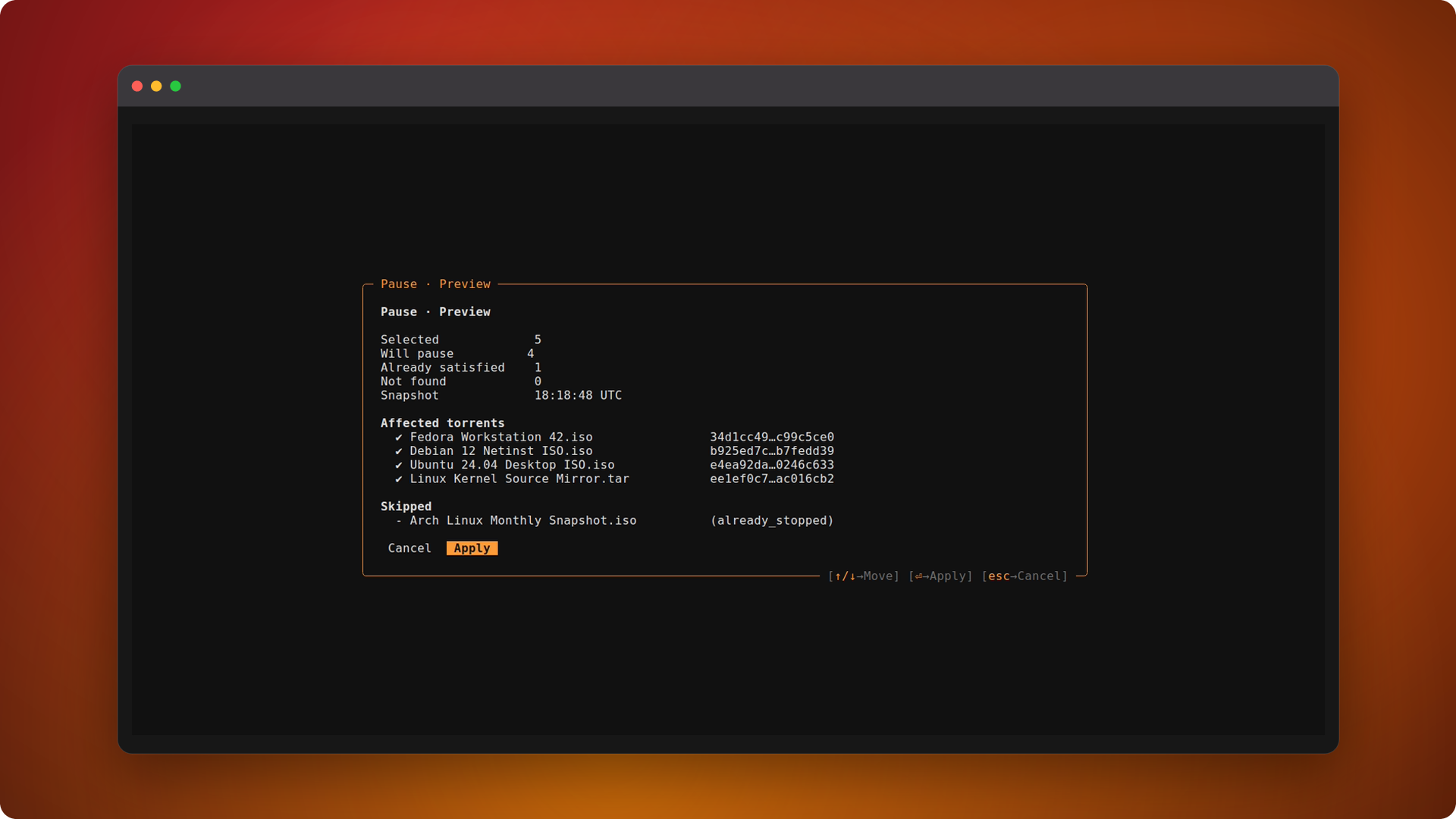
- 🧊 Frozen plans. The previewed selection is the selection that gets applied.
- 🚫 No silent “all”. Bulk actions require a hash,
--all, or an explicit filter. - ❔ Unknown is never a match. A value qBittorrent didn't report never widens a selection.
- 🔒 Secret-safe output. Tracker passkeys and announce URLs stay redacted in normal output.
- ✅ Honest results. qbit-ops reports what was submitted or observed, not what it cannot prove.
🎯 Target exactly what you mean
Filters compose - repeat one for or, mix different ones for and,
exclude with --exclude-* - and it's the same grammar whether you're
listing or mutating, on the command line or in the TUI.
Full field reference in docs/COMMANDS.md.
🔍 Watch, explain, script
qbit-ops status --watch
qbit-ops explain torrent --hash abc123
explain answers why a torrent or tracker is in the state it is, from
observed evidence - never a guess.
Read commands support machine-friendly output where it makes sense:
qbit-ops torrents list --format json
qbit-ops torrents stats --format json
qbit-ops status --format jsonl
🧭 How is qbit-ops different?
| qbit-ops | qbittorrent-cli | qbit_manage | qbittools | |
|---|---|---|---|---|
| Model | Safe operational toolkit | General-purpose qBittorrent CLI | Rules / background management | Task-oriented utilities |
| Interface | CLI + TUI | CLI | Config + scheduler + Web UI | CLI |
| Targeting | Composable selectors | Command / torrent specific | Rule / workflow specific | Command specific |
| Execution | SELECT → INSPECT → PLAN → APPLY | Direct qBittorrent operations | Apply configured rules | Run specialized commands |
| Safety | Dry-run-first, explicit apply | Command-dependent | Rule-driven automation | Command-dependent |
| Automation | Structured JSON + stable exit behavior | CLI / scripting | Scheduled workflows | CLI / scripting |
| Best fit | Safe bulk ops, inspection & scripting | General qBittorrent control from a terminal | Continuous library management | Specialized maintenance tasks |
qbit-opsis deliberately not a daemon or background rules engine: select precisely, inspect the scope, preview the plan, then apply it.
See PHILOSOPHY.md for the reasoning behind that design.
🖥️ TUI
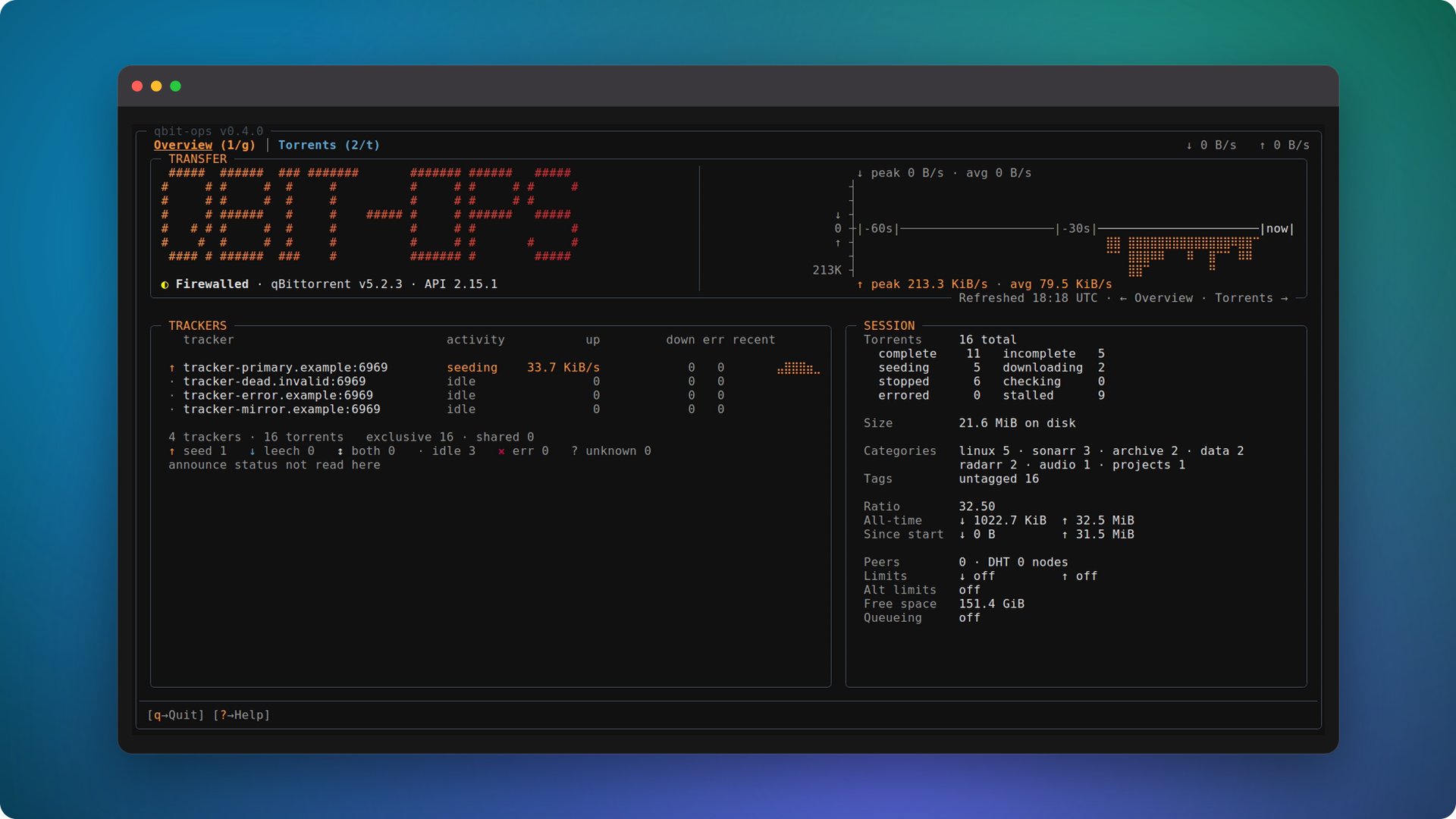
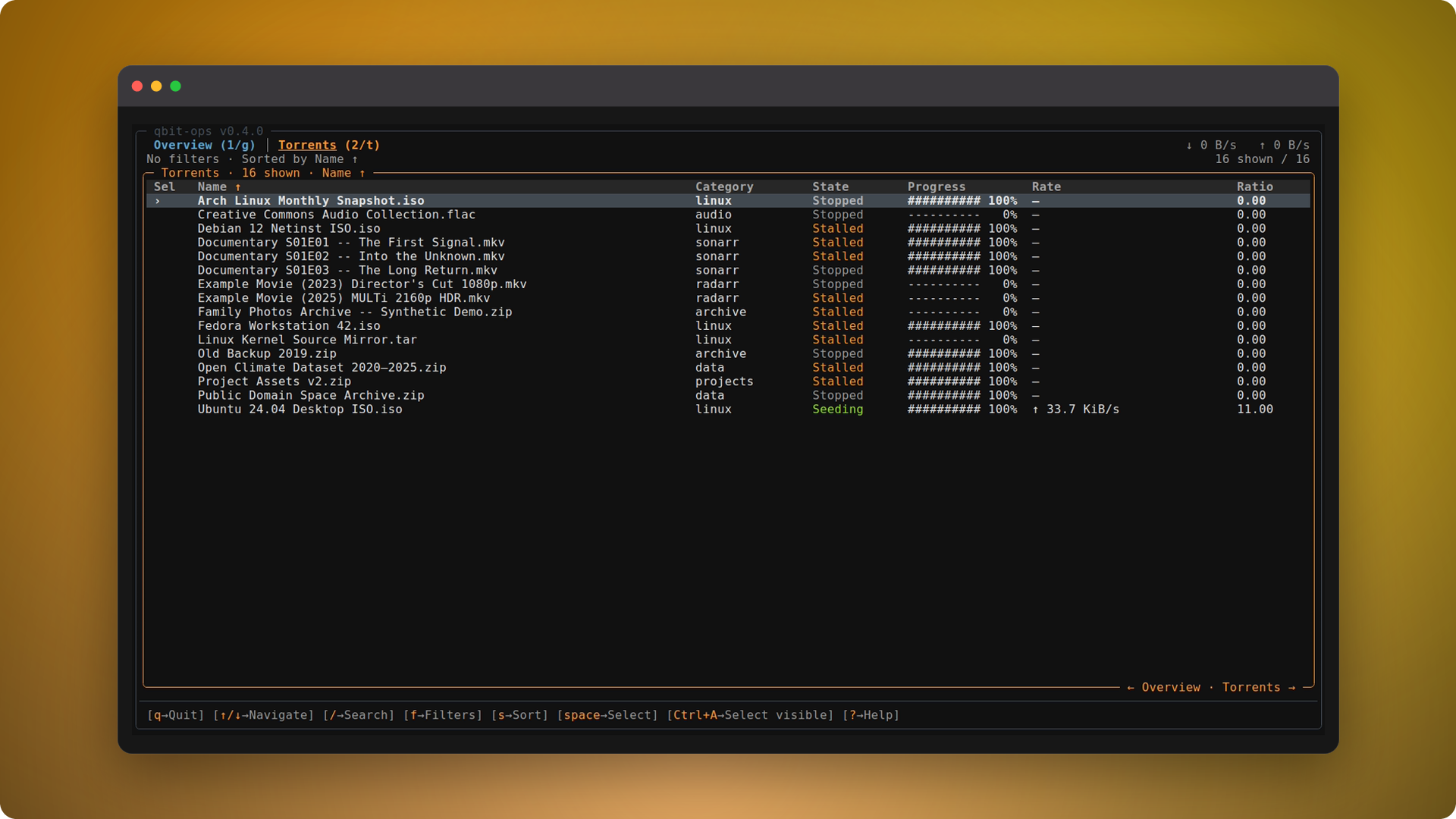
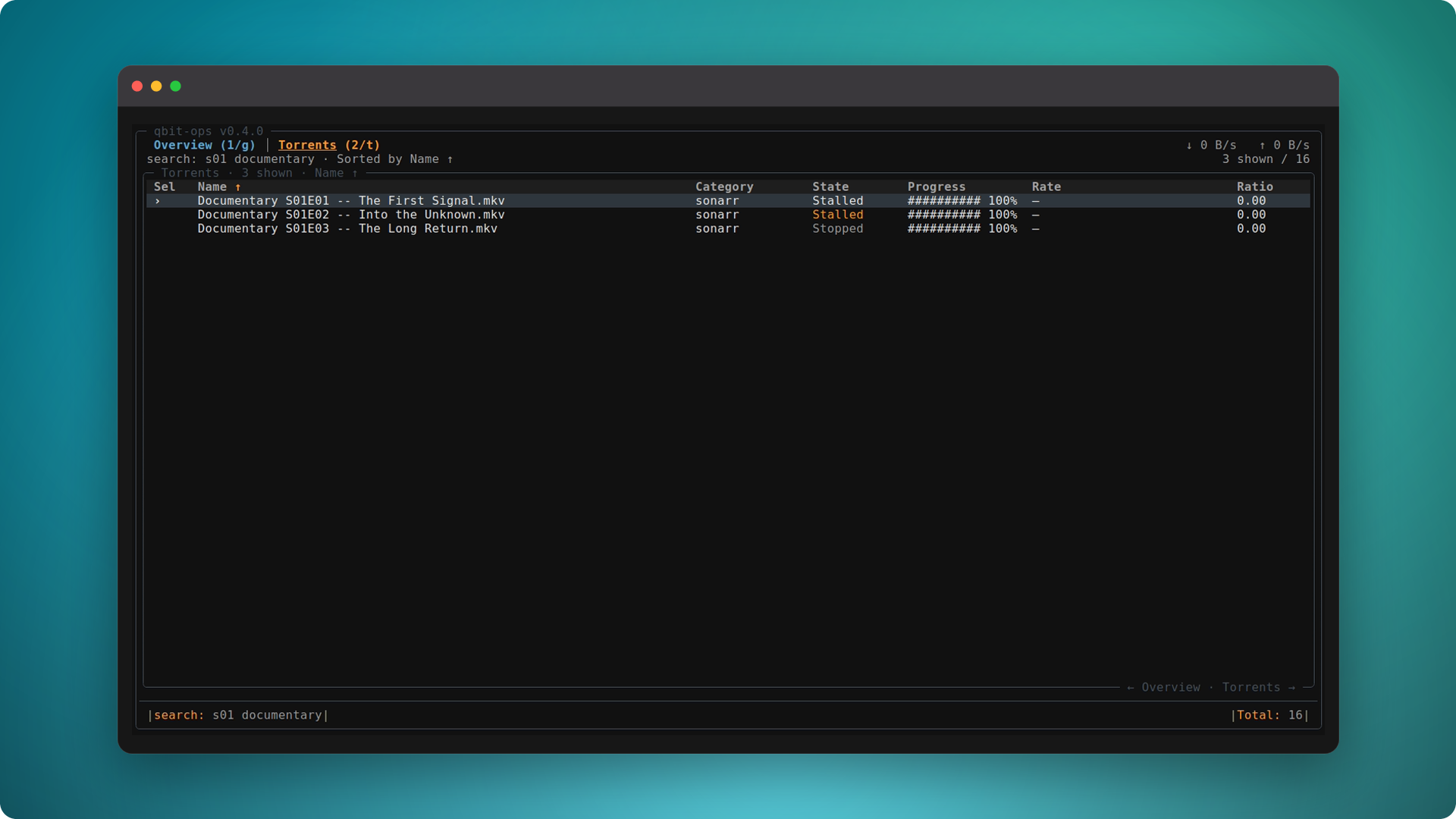
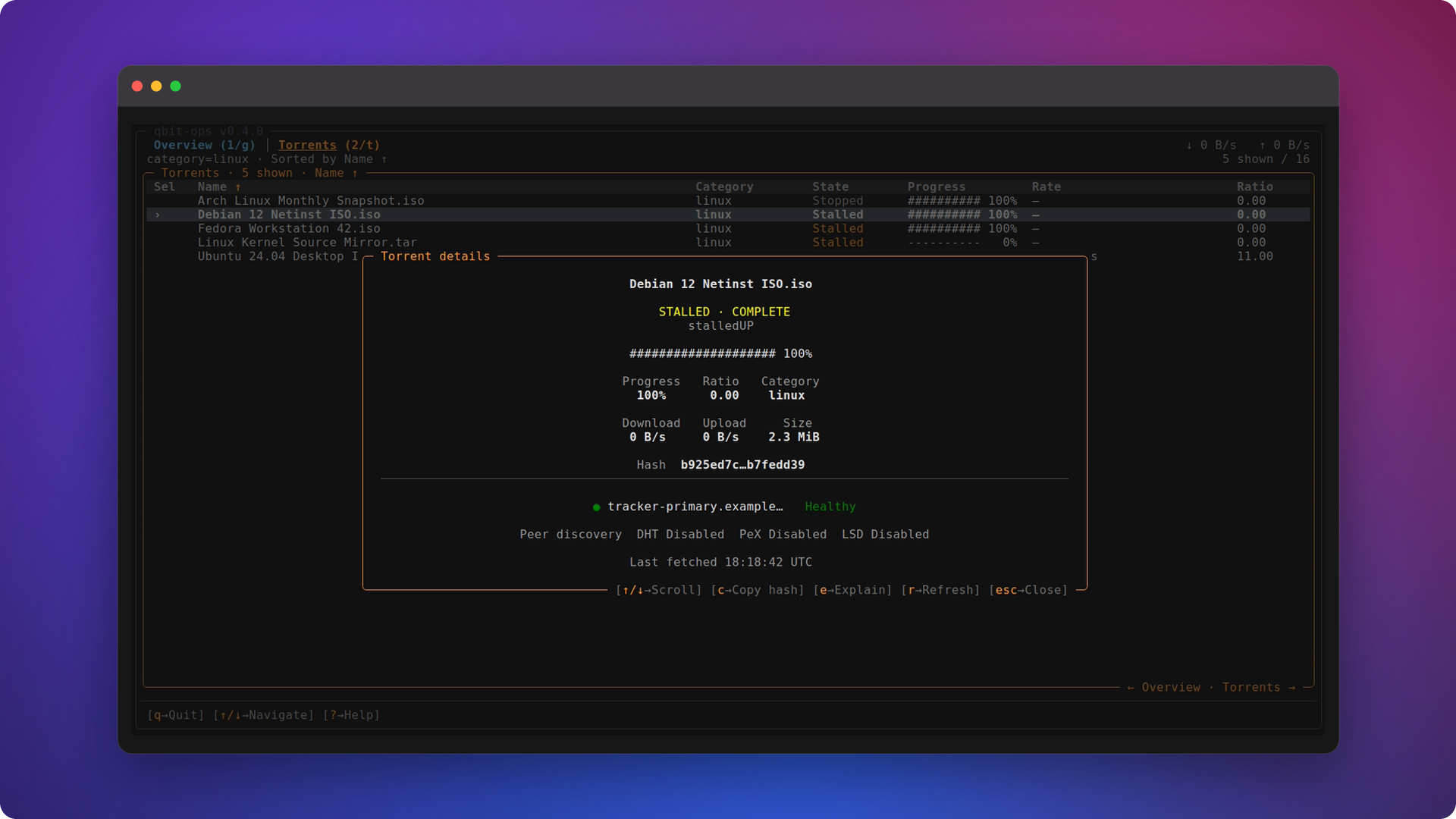
The optional Textual interface provides an operational overview, torrent browsing, filters, details, explanations, and previewed low-risk bulk actions.
The overview answers "what is this machine doing" without reading a
number: a live trace of transfer in both directions, per-tracker
activity, and the instance's own counters.
qbit-ops tui
The trace samples once a second, one column per second, and only while
the overview is on screen -- it costs nothing on the torrents page. Its
window is sixty seconds wide, and its axis label always states the
window it actually shows: a terminal too narrow for sixty columns gets
a shorter window and says so.
Window titles are letter-spaced capitals, which ask nothing of your
terminal font. Unicode small capitals are available withqbit-ops tui --small-caps-titles or QBIT_OPS_SMALL_CAPS_TITLES=1;
those letters live in three unrelated Unicode blocks, so a font
covering only some of them renders the rest at a different size. Runqbit-ops doctor to see which blocks a font would need.
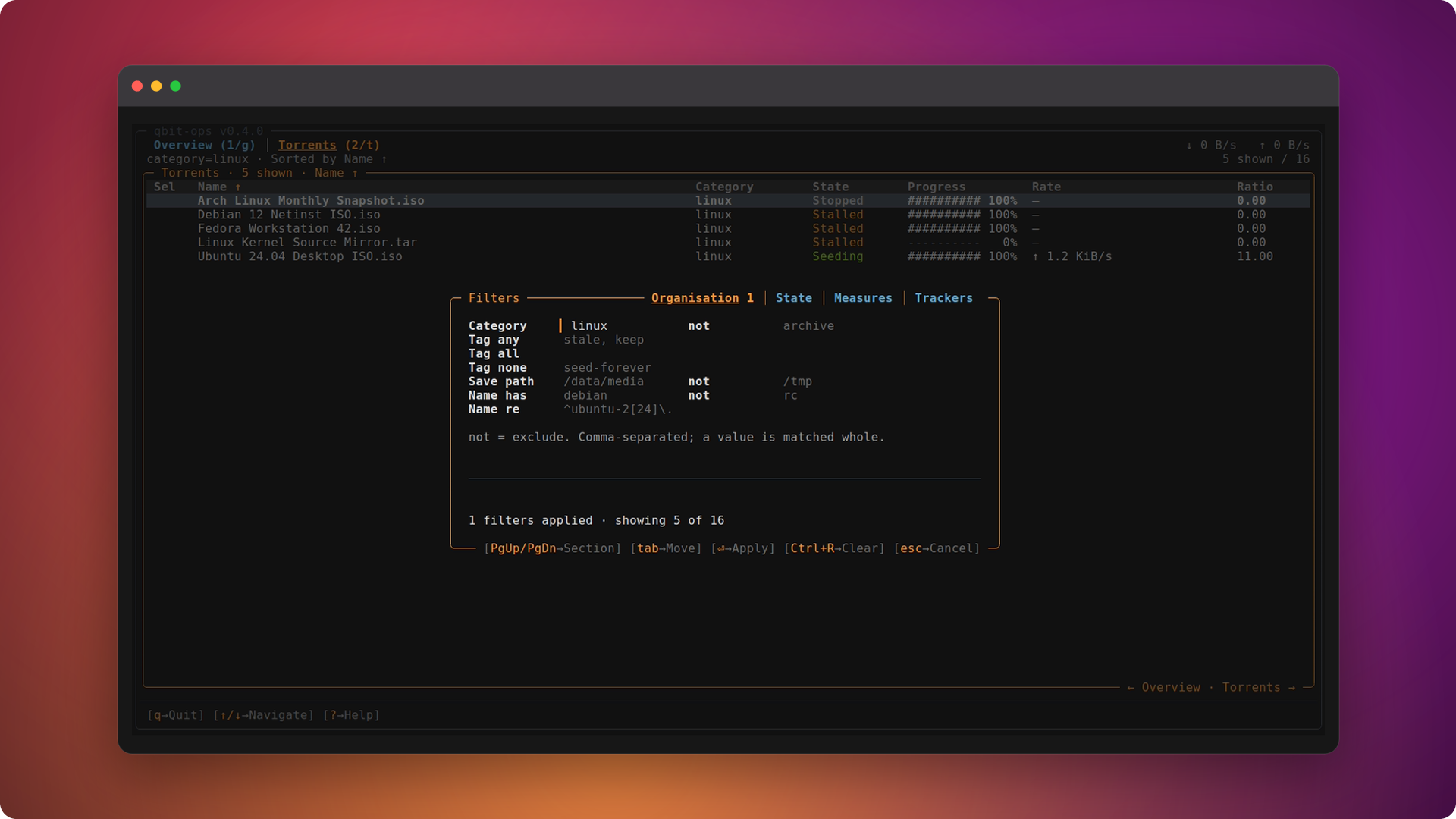
Filters use the same grammar as the CLI, but as a draft: set them
across four panes -- Organisation, State, Measures, Trackers -- and
nothing moves until you hit Apply, with the footer keeping count of
what's pending, what's invalid, and what actually landed.
| Overview | Torrents |
|---|---|
 |
 |
| Search | Filters |
|---|---|
 |
 |
| Details | Preview before Apply |
|---|---|
 |
 |
Press ? inside the TUI to see the available controls.
🤖 Agent-ready (experimental)
An MCP server exposes a read-only, bounded view of your library, so
an agent can explore it conversationally:
"What's the state of my library?" -> "Which torrents look
stalled?" -> "Why is this one stalled?"
uv tool install "qbit-ops[mcp]"
Then point an MCP host at the stdio entry point -- for Claude Desktop,
in its config file:
{
  "mcpServers": {
    "qbit-ops": {
      "command": "qbit-ops-mcp"
    }
  }
}
It reads the same configuration the CLI does, so if qbit-ops status
works, this works.
Five tools, no mutation. Start broad with library_summary, narrow
with find_torrents or total a selection with aggregate_stats, then
settle on one torrent with inspect_torrent or explain_torrent --
nothing that pauses, deletes or edits anything. Answers stay small
whatever the library size, so a large one is explored by drilling down
rather than dumped whole.
Experimental and personal. This is a spike, not a supported
surface: it may be extended, or removed. See
docs/MCP.md.
🧩 Compatibility
Container integration is tested against a fixed set of exact
qBittorrent releases -- evidence for those versions, never a claim for a
range. The matrix is in
docs/COMPATIBILITY.md.
Run qbit-ops doctor to compare your instance with the packaged
evidence.
🧰 Commands
qbit-ops --help
qbit-ops --version
qbit-ops version
qbit-ops torrents --help
qbit-ops trackers --help
A compact command overview is available in docs/COMMANDS.md.
🗺️ Roadmap
See ROADMAP.md for where the project is heading.
🧑💻 Development
git clone https://github.com/LECOQQ/qbit-ops.git
cd qbit-ops
make install
make check-fast
make check
See CONTRIBUTING.md.
📄 License
MIT - see LICENSE.
Yorumlar (0)
Yorum birakmak icin giris yap.
Yorum birakSonuc bulunamadi