zenliro
Health Warn
- License — License: AGPL-3.0
- Description — Repository has a description
- Active repo — Last push 0 days ago
- Low visibility — Only 6 GitHub stars
Code Pass
- Code scan — Scanned 12 files during light audit, no dangerous patterns found
Permissions Pass
- Permissions — No dangerous permissions requested
No AI report is available for this listing yet.
A Lightroom Classic-inspired photo development app powered by AI Agent
Zenliro


Enhance, not alter. A Lightroom Classic-inspired photo development app powered by AI Agent.
Zenliro is a desktop photo processing and color grading tool built for photographers who care about mood, tone, and authenticity. Not a destructive editor — no object removal, no inpainting. Just light, color, and feel.
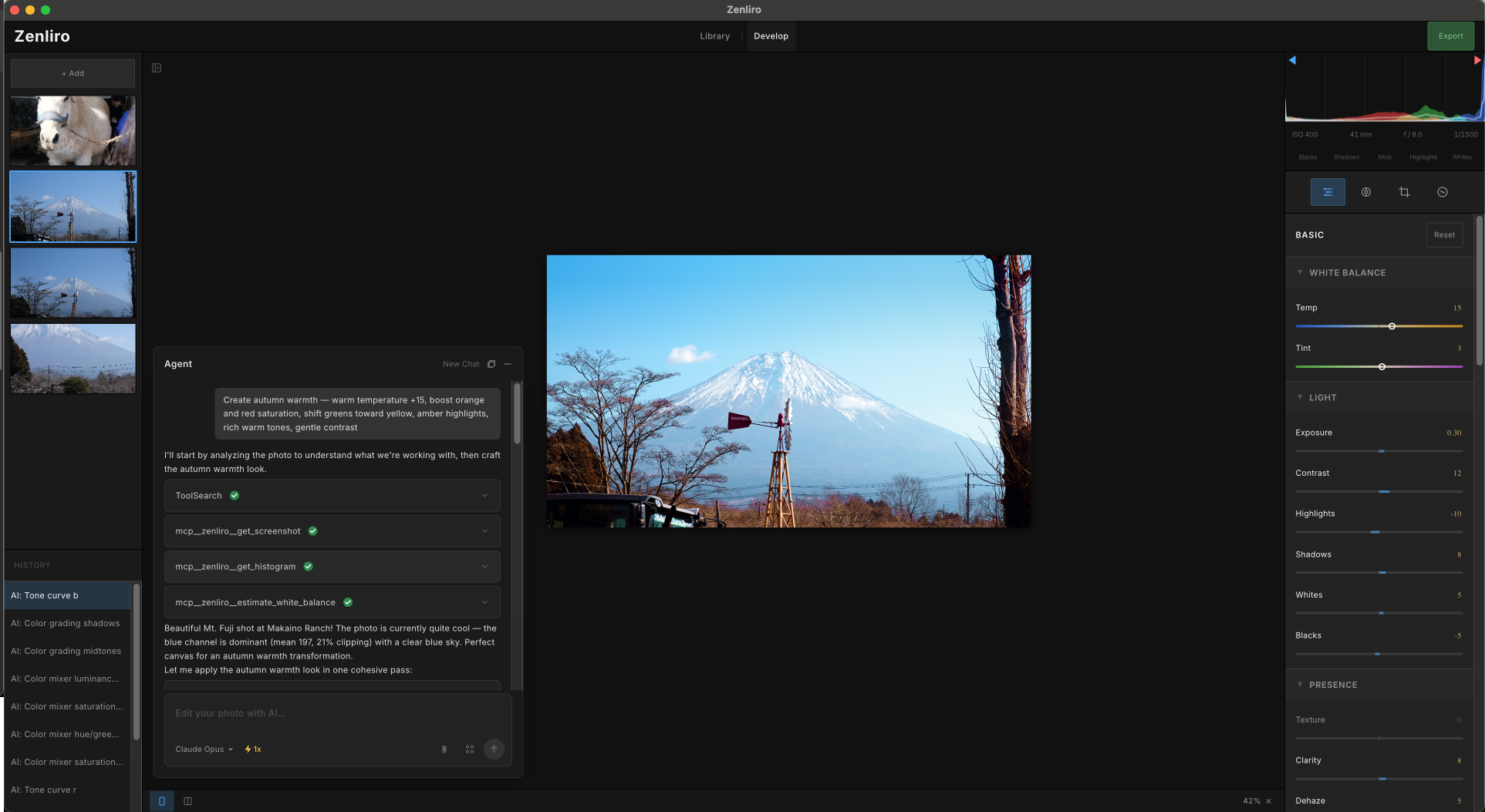
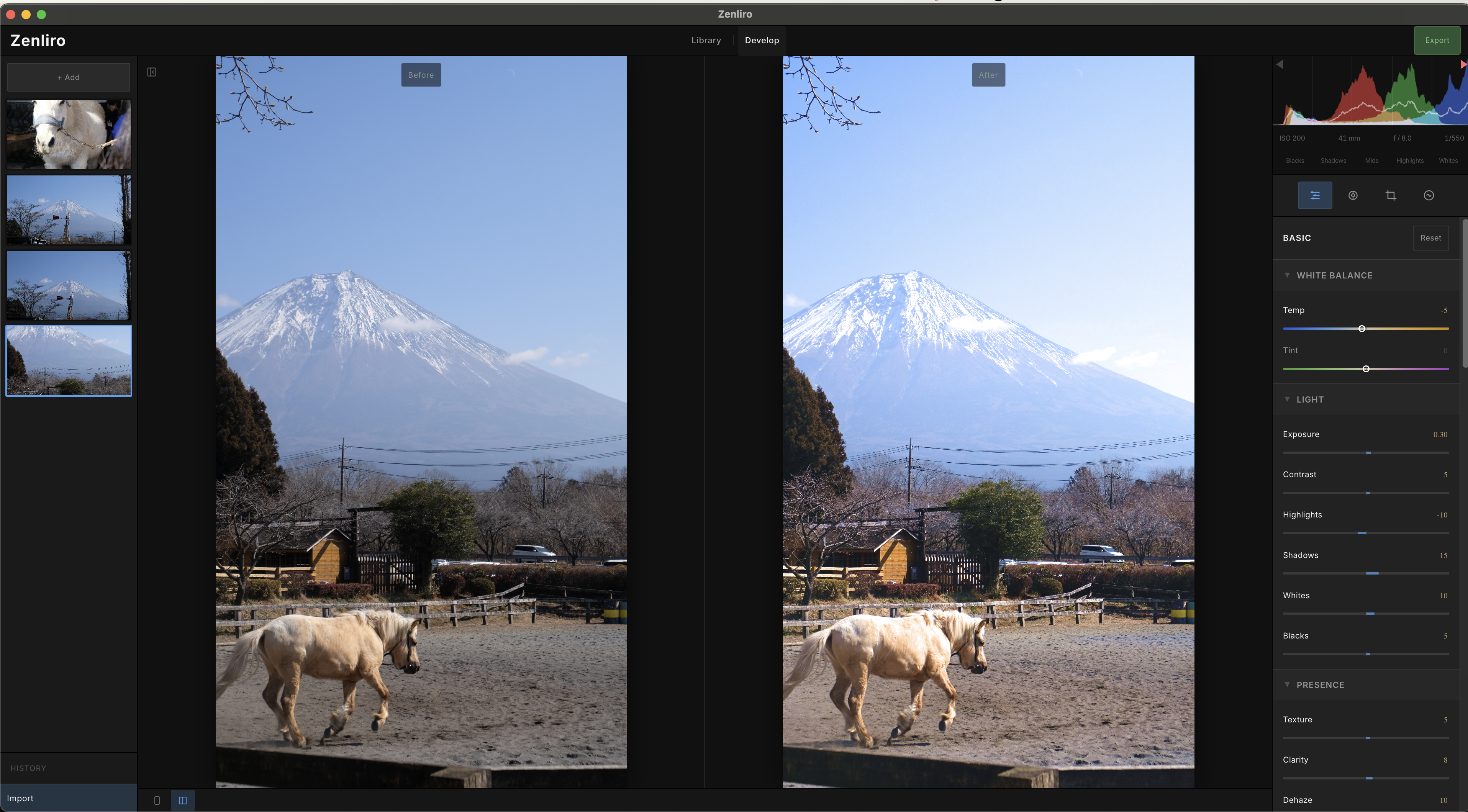
Demo
- Main workspace:
- Compare mode:
Website
Features
- Photo Processing — Import Raw, JPG, PNG, WebP, BMP, GIF and TIFF photo format. View EXIF metadata and overall histogram at a glance.
- Develop Module — Full panel parity with Lightroom Classic: Basic, Tone Curve, HSL, Color Grading, Detail, and more.
- Keyboard shortcuts - Intuitive keyboard shortcuts designed for efficient workflow.
- Photo Library - Manage photos intuitively as folders with drag-and-drop support.
- AI Agent — Agent analyzes your photo, plans adjustments, and edits in real-time. Watch it work like a photographer at the controls. Can copy the style of a reference image or craft the best possible output autonomously.
- Non-destructive — Full undo/redo history. Original file is never touched.
- Style Presets — 20+ curated looks for different moods and genres.
- WebGL Rendering — Custom-written shaders for real-time color processing entirely on the GPU.
Tech Stack
Electron
├── React + Vite + TypeScript      → UI (Feature-Sliced Design architecture)
├── Shadcn/ui + Tailwind CSS       → Component system
├── WebGL (custom shaders)         → Real-time GPU color processing
├── Zustand                        → State management
└── MCP server                     → AI agent for intelligent photo editing
Getting Started
pnpm install
pnpm dev
Build
Only support Macos right now
pnpm dist:mac # macOS DMG (arm64)
Installing from GitHub Releases (.dmg)
Step 1: Download the .dmg from the Releases page and install as usual.
Step 2: Since this is an open-source app without code signing and notarization, macOS may block it on first launch:
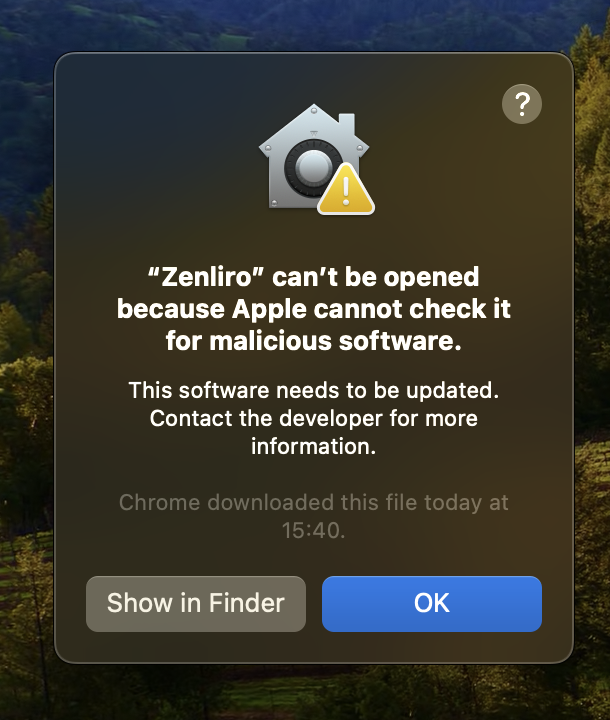
To fix this, open Terminal and run:
xattr -cr /Applications/Zenliro.app
Step 3: Launch Zenliro again.
AI Photo Editing
To use the AI photo editing feature, you need to download and install Claude Code or Codex CLI or both:
- Claude Code: https://code.claude.com/docs/en/overview
- Codex CLI: https://developers.openai.com/codex/cli
TODO
- Fix bugs
- Add better photo management features and more convenient shortcuts
- Optimize image processing performance
- Improve Agent photo editing
- Support multi-resolution pipeline
- Support RAW photo format
How to contribute
- Open an issue to discuss what you'd like to do.
- Once aligned on the approach and implementation strategy, fork the repo.
- Submit a PR with your changes.
- Update docs and add test cases if needed.
Inspired By
License
Licensed under AGPL-3.0.
If you distribute or deploy a modified version of Zenliro — including as a hosted service — you must release the source code under the same license and credit the original project.
Reviews (0)
Sign in to leave a review.
Leave a reviewNo results found