rexpocket
Health Warn
- No license — Repository has no license file
- Description — Repository has a description
- Active repo — Last push 0 days ago
- Community trust — 18 GitHub stars
Code Pass
- Code scan — Scanned 1 files during light audit, no dangerous patterns found
Permissions Pass
- Permissions — No dangerous permissions requested
No AI report is available for this listing yet.
Android client for Rex, the terminal multiplexer: see every host, session and tab, and open any pane as a full-screen terminal (Ghostty emulator). Made for driving AI coding agents - pi, Claude Code, Codex, Gemini - from your phone, over LAN or a built-in Tailscale node. Rex 的 Android 手机终端客户端。
English · 简体中文
RexPocket
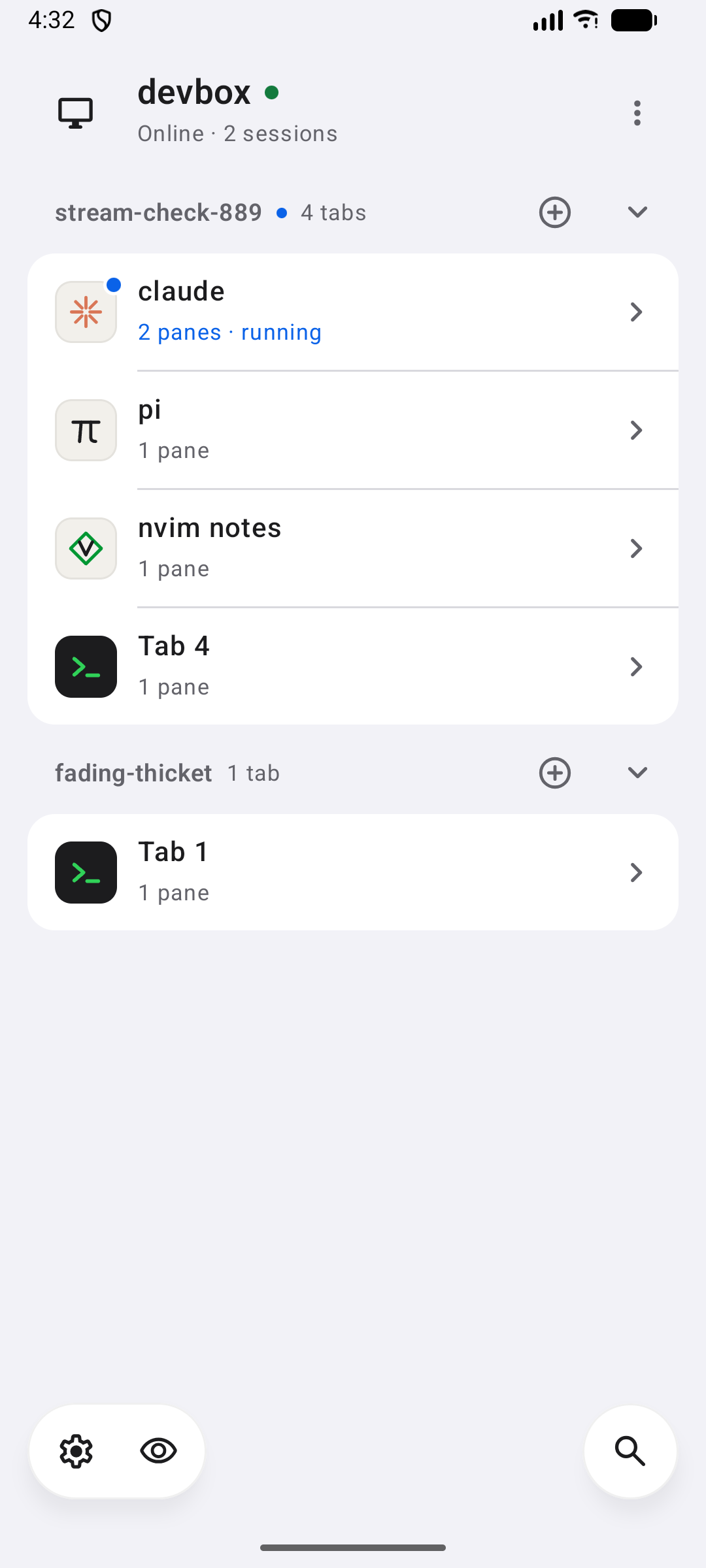
An Android client for Rex, the terminal multiplexer. It shows every session on
your own Rex servers, down to the tab, and opens any pane as a full-screen terminal you type into
directly. It talks to your Rex and nothing else - on the local network, or over your tailnet
through a Tailscale node built into the app.
| Home | Terminal | Terminal at night |
|---|---|---|
 |
 |
 |
Features
- Every host, session and tab on one screen. Each tab shows what runs in it - pi, Claude,
Codex, an editor, or a shell - with its own mark and the title its program set, and a blue dot
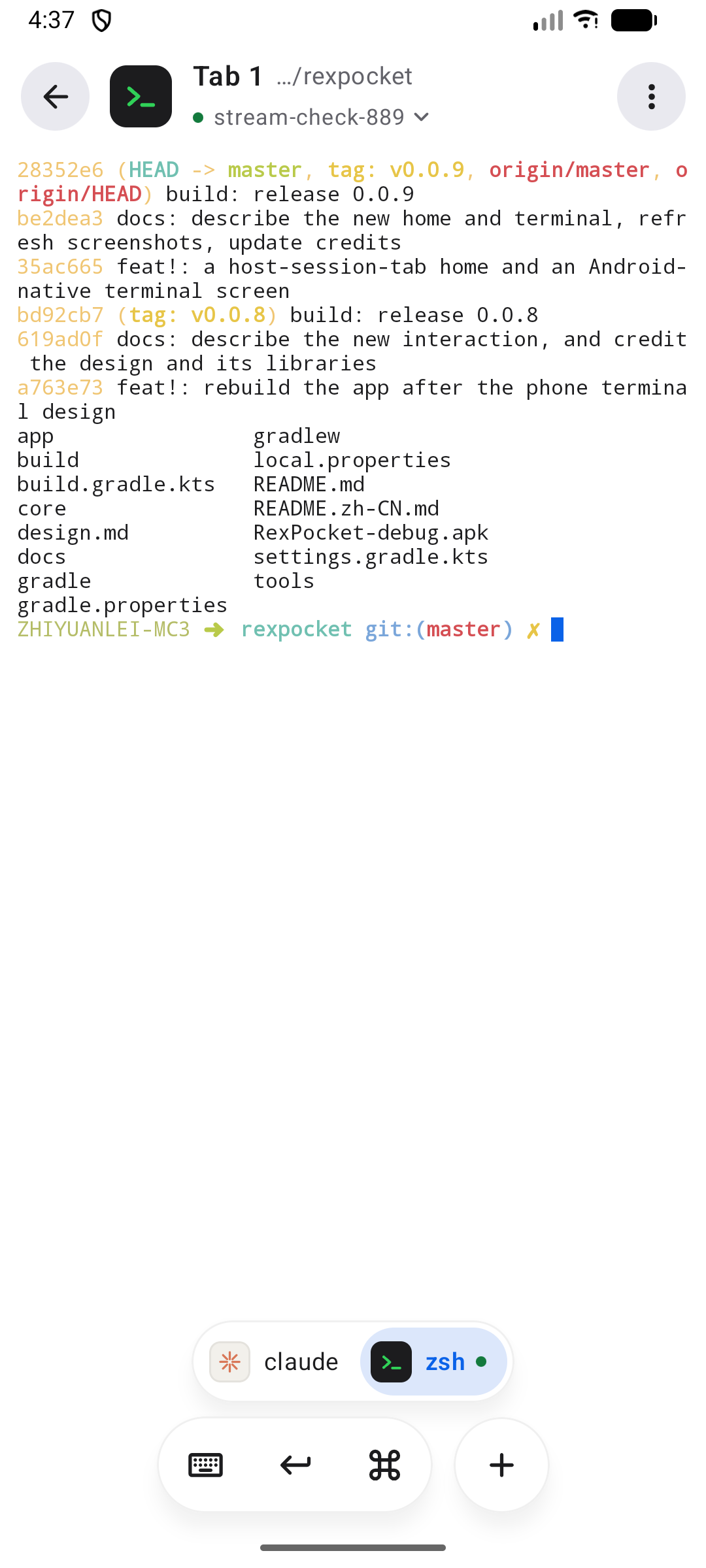
while a program in it is working or waiting for you. - A real terminal. The pane is drawn by Ghostty's emulator from Rex's own stream: a snapshot of
the whole terminal first, then its output as it comes. Colours, scrollback and full-screen
programs are exactly as on the desk. - Made for the phone. Typing goes straight into the pane. A floating dock holds the keyboard,
Return and a key row:esc,C-c, arrows that repeat while held, Tab,shift/ctrl/altfor the next key (from the row or the phone keyboard), paste,/and copy. Holdctrl
forC-cC-dC-zC-rC-lC-aC-eC-wC-j. A split shows one pane at a time,
with a bar to move between them. - Links. Long-press a link a program printed, or one it set as a hyperlink, to open, copy or
share it. - Background alerts. Optional: the app stays connected while it is away and notifies you when a
program waits for approval, an answer or a login, or fails. Tap the alert to open that pane. - Works beside the desk. The phone holds only the pane it shows and sizes it to the phone; the
desktop keeps its own tab. Release hands a pane back to the desk until you Take over. - Your tailnet, without the Tailscale app. The app runs its own Tailscale node, so a host is
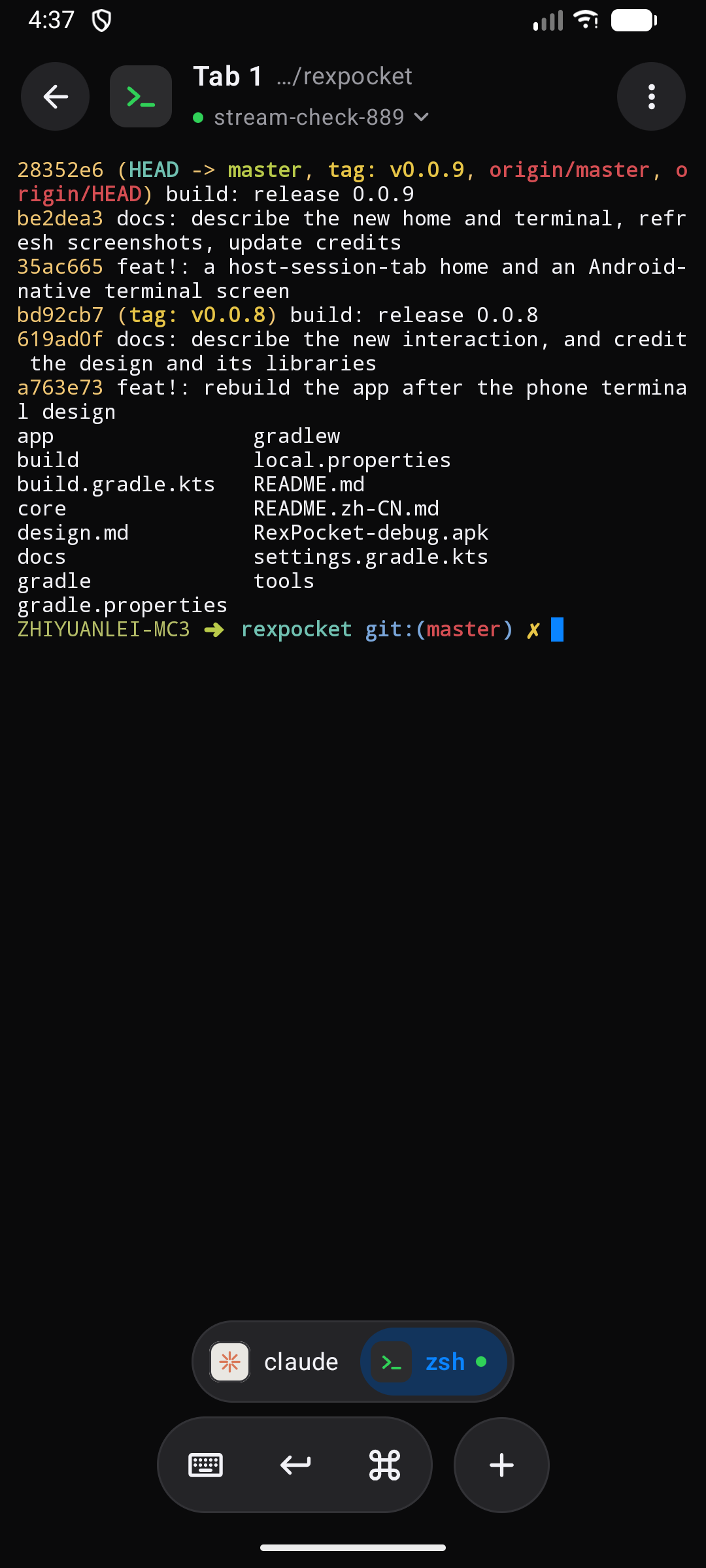
reachable by its MagicDNS name or100.xaddress without taking the phone's VPN slot. - Light and dark, following the phone, in English and Simplified Chinese.
Set up the computer
Rex has to listen where the phone can reach it.
On the local network. Start Rex with a plaintext port:
rex server start --extra-listen :7297 --allow-anonymous
Anyone who can reach that port has full access to that Rex, so open it only on a network you
trust.
Over a tailnet. Turn on Rex's built-in Tailscale on the computer; it serves Rex over HTTPS
at its MagicDNS name. Nothing has to be opened on the router.
Use the app
Add a host. Settings › Add host. A name and an address is all it takes:
192.0.2.10- plaintext on port 7297192.0.2.10:7300- another portmy-mac.tail1234.ts.netor a100.xaddress - through Tailscale, on 443 with TLS
The line under the field shows how the app will connect.
For a tailnet host, join the tailnet. Settings › Tailscale, give the phone a node name and
save. The app opens the sign-in page once; after that the node starts with the app.Open a tab. Tap a tab on the home screen. The plus beside a session makes a new tab; the
host's menu starts a new session.In the terminal:
- Tap the pane to type. Drag to scroll back, pinch to change the font size, long-press to
select, or long-press a link to open it. - The command key opens the key row. Tap
shift,ctrloraltfor the next key, twice to
keep it on:shiftthen Return is a new line in an agent's prompt. Holdctrland slide to a
chord. - Tap the title for the session's tabs and panes, and the list of sessions.
- Swipe left or right, or use the bar under the pane, to move between the panes of a split.
- The menu holds Release / Take over, splitting, renaming and closing.
- Tap the pane to type. Drag to scroll back, pinch to change the font size, long-press to
On the home screen, the eye keeps only the tabs with a program working or waiting, and
search filters hosts, sessions and tabs.Background alerts: Settings › Background alerts, and allow notifications. A quiet
notification shows while the app watches; its Stop turns alerts off. The app does not start
on its own after a reboot, and Android's battery saving can delay an alert.
How it works
- Control. One WebSocket to
/api/control(rex.control.v1). The app subscribes to Rex's
events, so a session's tabs, each program's status, its title and the shell's directory arrive
as they change; nothing is polled. Calls run side by side; typed input has its own queue, so
keys reach the program in the order they were pressed. - The pane. A second WebSocket to
/api/data(rex.data.terminal.v1) carries aGHOSTSNP
snapshot of the terminal, then its output. A dropped stream resumes from the last byte; an idle
pane costs no traffic. - Ownership. The phone owns only the pane on its screen, with
session.own_block, so Rex
applies the phone's size to it. Moving between tabs and panes is local to the phone: Rex's
active tab stays the desktop's. When the desktop takes the shown pane, the phone takes it back,
waiting longer each time the desk insists. A released pane stays the desk's until Take over. - Tailscale. The node is sing-box's Tailscale endpoint behind a SOCKS5 inbound on loopback;
only the app's own connections use it. The node's UDP is bound to the phone's Wi-Fi or mobile
network, around a proxy VPN such as Clash when the VPN allows apps to bypass it, so a direct
path can form. The home screen shows the path to each tailnet host - direct, peer relay or
DERP - with its round trip; tap it to measure again.
A faster tailnet path
From mobile data to a computer behind a home router, Tailscale often falls back to a DERP relay
abroad, and every round trip costs a few hundred milliseconds. Either make the computer reachable
(UPnP or NAT-PMP on the router, or a port forward for its Tailscale UDP port), or run your own
DERP server or peer relay close to you and add it to the tailnet. The app follows without a
change.
Build
Requires JDK 17 and the Android SDK (platform 36).
./gradlew :core:test :app:assembleDebug
The APK lands in app/build/outputs/apk/debug/; :app:assembleRelease builds one signed with the
debug key. Builds are arm64-v8a only. app/libs/libbox.aar (sing-box 1.14.4) is checked in; to
build it for another ABI, run tools/build-libbox.sh. The integration
tests in core run against a Rex on 127.0.0.1:7297 (set REX_TEST_HOST / REX_TEST_PORT) and
are skipped without one.
Acknowledgements
- Rex, by Superlogical - the multiplexer, its API and
its session model. - libghostty-android, by
SagerNet - the VT bindings and terminal view. - Ghostty, by Mitchell Hashimoto and contributors - the terminal emulator.
- sing-box and its libbox library - the Tailscale node.
- Material Symbols (Rounded), by Google, Apache
License 2.0 - the interface icons. The program marks are the app's own drawings, not the
products' logos.
Reviews (0)
Sign in to leave a review.
Leave a reviewNo results found