lemo-animi
Health Gecti
- License — License: NOASSERTION
- Description — Repository has a description
- Active repo — Last push 0 days ago
- Community trust — 193 GitHub stars
Code Gecti
- Code scan — Scanned 12 files during light audit, no dangerous patterns found
Permissions Gecti
- Permissions — No dangerous permissions requested
Bu listing icin henuz AI raporu yok.
Stop-motion shorts from one line, made with Codex: eight material styles, puppets drawn by an image model and moved frame by frame in code. 一句话,用 Codex 做一支定格动画短片。
lemo-animi
Stop-motion shorts from one line, made with Codex. Claude Code with an image model works too.
一句话,用 Codex 做一支定格动画短片。 Claude Code 配一个生图模型也能做。
Open the gallery · Styles and films · Install · SKILL.md · 简体中文
⭐ If you like lemo-animi, a star on GitHub helps others find it.
🚧 This first release is still in development, so expect rough edges. If something goes wrong, please open an issue. Thanks for your patience.
Tell Codex a story in one sentence. lemo-animi writes the story and the shot list, draws the puppets, sets and action sheets in one of eight materials with Codex's built-in image generation, cuts them out and moves them in code, frame by frame. It scores the film from real instrument samples, adds foley and opens a review page where you leave notes until you approve. No video generation: images make it look right, code makes it move. Claude Code works too, with Codex or another image model drawing the pictures.
用一句话把故事告诉 Codex。lemo-animi 自己写故事和镜头表,用 Codex 自带的生图按八种材质之一画出角色、布景和动作表,抠好以后在代码里一格一格地让它们动起来;再用真实乐器采样配乐、加拟音,最后打开审片台,你写意见、它改,直到你点通过。不用视频生成:生图负责「像」,代码负责「动」。Claude Code 也能用,图交给本机的 Codex 或别的生图模型来画。中文说明见 简体中文 README · 中文画廊。
You say: Make a 40-second clay stop-motion about a penguin learning to flip pancakes.
Eight styles, eight sample films
Each style is a fixed package (plugin/skills/lemo-animi/styles/<id>/): prompt templates, lighting, camera grammar, score and foley. Name one in English, in Chinese or by its id. Every sample film was made by the skill on its own from one sentence, with Chinese narration and subtitles. A card opens the film in the gallery; a title under the cards downloads the full film.
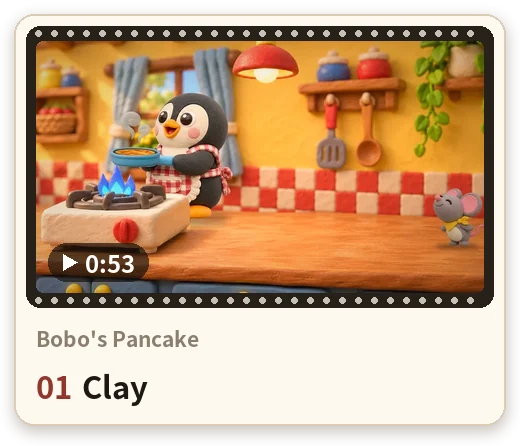
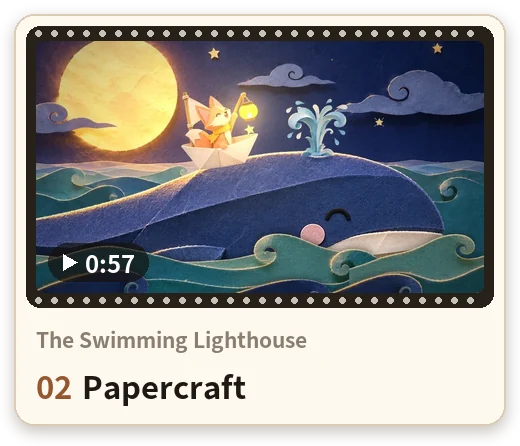
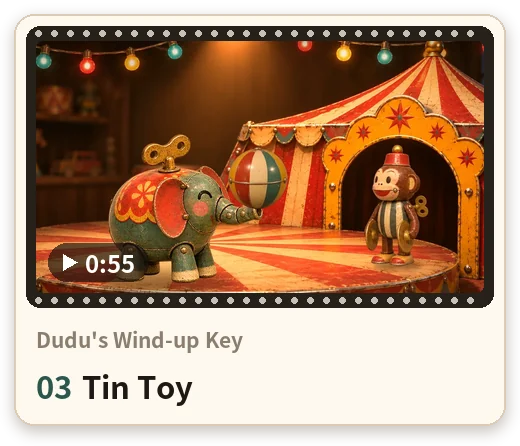
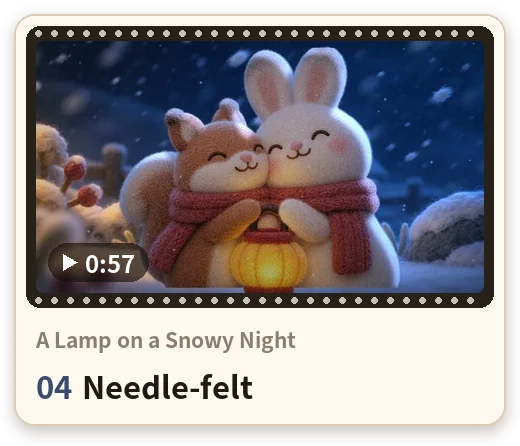
▶ Full films: clay Bobo's Pancake · papercraft The Swimming Lighthouse · tin Dudu's Wind-up Key · felt A Lamp on a Snowy Night
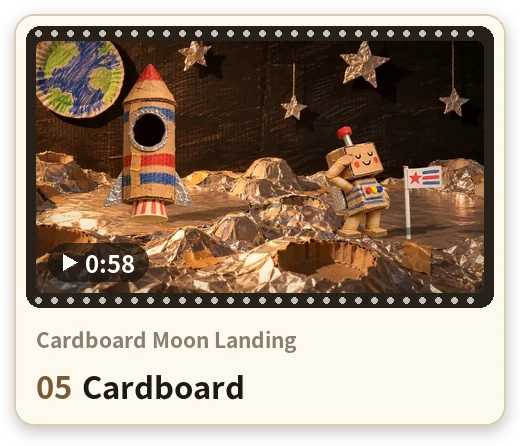
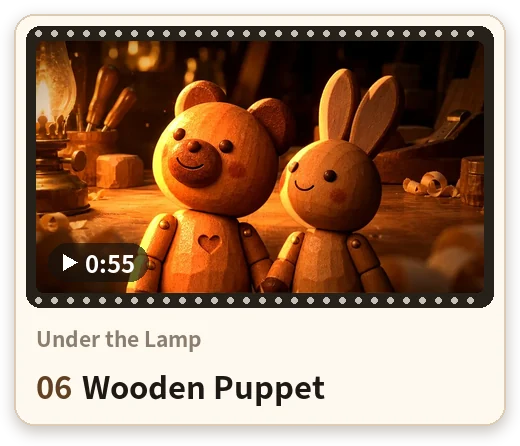
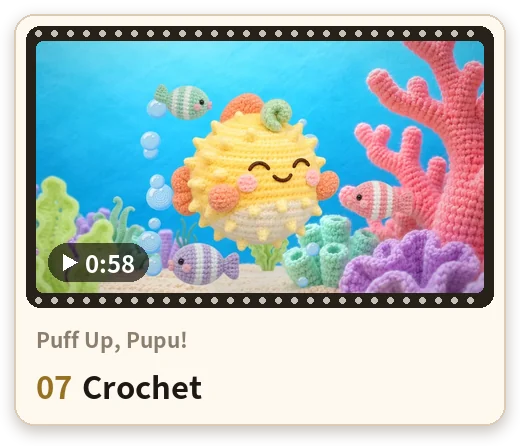
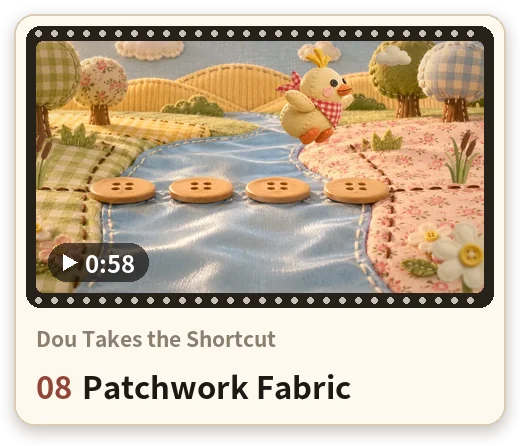
▶ Full films: cardboard Cardboard Moon Landing · wood Under the Lamp · crochet Puff Up, Pupu! · fabric Dou Takes the Shortcut
How it works

Character sheet → action sheet → empty background → the frame in the film. The image model draws the sheets; code cuts them into cells and moves them.
- It asks everything at once. Whatever your sentence left out (style, story, length, size, narration, title cards), in one set of questions, defaults first. Then it works through to the end.
- It plans. A story skeleton with seconds per part (setup, three tries, a low point, the turn), beats, a shot list and an image list.
- It generates the pictures. Character sheets, backgrounds, 8-cell action sheets and 2×2 close-up sheets on transparent backgrounds, all in one material's look.
- It animates in code. The sheets are cut into cells and timed on twos (or threes), with camera moves, contact shadows, light and grade. Nothing is drawn by a video model.
- It adds sound. An original score from real instrument samples, foley on every contact, and optional narration and subtitles.
- You review. A local review page: pause on any moment and write a note; it fixes every note and shows you the next version until you approve. See Review and revise.
| Film length | Shots | Generated images |
|---|---|---|
| 20 s | 2–4 | ~10–14 |
| 40 s (default) | 5–8 | ~20–26 |
| 60 s | 6–12 | ~30–38 |
| 2 min | 12–22 | ~55–68 |
Install
You need macOS or Linux, ffmpeg (macOS: brew install ffmpeg), and Python 3.11–3.13 or uv.
Codex
codex plugin marketplace add lemomo-ai/lemo-animi
codex plugin add lemo-animi@lemomo-ai
Start a new chat. Images come from Codex's built-in image generation.
Claude Code (also works)
Type this in the chat, then /reload-plugins (or start a new session):
/plugin install lemo-animi --marketplace lemomo-ai/lemo-animi
Make films in auto mode. A film runs a few hundred commands, and in the default mode Claude Code asks before each one. Press Shift+Tab until the footer shows auto mode, or start with claude --permission-mode auto. Skipping permissions altogether isn't needed.
Claude writes and runs the code, but it can't draw. The pictures come from one of these:
Codex on the same machine (default).
npm i -g @openai/codex, thencodex loginwith an account that can generate images. lemo-animi calls it for every picture (through zsh, which macOS has; on Linux install it).Your own image tool (experimental).
- Copy
scripts/image_adapter.example.shfrom the skill folder (~/.claude/plugins/cache/lemomo-ai/lemo-animi/<version>/skills/lemo-animi/) to~/lemo-animi-env/image.sh. - Adapt it to your tool. Keep keys in your environment, not in the file.
- Test it with
sh <skill folder>/scripts/setup.sh image.
Some things to know before you choose this:
- Every sample film was made with Codex's image generation; other models haven't been tuned to the styles.
- A tool that can't return a transparent background needs the optional cut-out model (
setup.sh model, 0.97 GB), and the edges come out worse. - lemo-animi never edits the adapter or switches tools by itself. Delete
image.shto go back to Codex.
- Copy
First film
The first film needs a network connection and about 1.7 GB: a Python environment (about 300 MB) and the instrument samples for the score (about 1.4 GB, resumable), both in ~/lemo-animi-env. It's required, so it isn't a question: the agent installs it first, before asking anything, and starts asking only once everything checks out. If the download fails, it shows you why and waits.
- Nothing already installed is installed again: a system Python 3.11–3.13 is used to build the environment (no extra Python); a system Python that already has every dependency is used as is, with nothing installed; instrument libraries already downloaded are skipped; a cut-out model already in
~/.rembgis used. - Codex and Claude Code on the same machine share
~/lemo-animi-env: whichever installs it first, the other doesn't download again. - The optional cut-out model (0.97 GB) is downloaded only if an asset can't be generated with a clean transparent edge.
LEMO_ANIMI_HOMEmoves the environment;LEMO_ANIMI_PYTHONpicks the Python used to build it.
Update and remove
| Codex | Claude Code | |
|---|---|---|
| Update | codex plugin marketplace upgrade lemomo-ai |
claude plugin marketplace update lemomo-aiclaude plugin update lemo-animi@lemomo-ai |
| Remove | codex plugin remove lemo-animi@lemomo-ai |
claude plugin uninstall lemo-animi@lemomo-ai |
Films you made earlier keep working after an update. The environment in ~/lemo-animi-env stays when you remove the plugin; delete the folder to free the space.
Without the plugin system
Clone the repo and link the skill folder into your agent's skills folder:
git clone https://github.com/lemomo-ai/lemo-animi.git ~/lemo-animi
mkdir -p ~/.agents/skills && ln -s ~/lemo-animi/plugin/skills/lemo-animi ~/.agents/skills/lemo-animi   # Codex
mkdir -p ~/.claude/skills && ln -s ~/lemo-animi/plugin/skills/lemo-animi ~/.claude/skills/lemo-animi   # Claude Code
Update with git -C ~/lemo-animi pull.
Use
Ask Codex (or Claude Code) in one sentence:
Make a 40-second clay stop-motion about a penguin learning to flip pancakes.
The short form works too: make with lemo-animi: <story>, <style>, <length>, <size>. To call it by name, type $ in Codex or / in Claude Code and pick lemo-animi.
What happens next:
- First time only: it sets up the environment (see First film). Nothing is decided yet.
- It asks everything at once. Each thing you didn't say is its own question, all in one panel, and it waits until you have answered: style (every style listed with a one-line description), the story you want to tell (if you gave none; it never suggests one), length (40 s by default, 20 s to 2 min), size (landscape / portrait / square), narration, title and end cards, a preview of the characters first, anything else. Codex shows them in one question panel you page through (a numbered list in
codex exec); Claude Code in pop-ups of up to four. If you skip some, it asks again for just those. If it can't tell your language, it asks that first. Until you have answered everything, it picks no story, title or style and starts nothing. - It makes the film without stopping: director's plan, images, animation, sound, then its own review and fixes. You see only short progress notes. If you asked for a preview, it stops once to show the characters and main backgrounds.
- It opens the review page. Leave notes and send them, or approve (Review and revise).
- It delivers: the film and its files, plus a short report (what it made, the images it generated, the checks, what it isn't happy with, where the files are).
It talks to you in whatever language you write in. Narration, subtitles and title cards are in English or Chinese (English unless you write in Chinese or ask for it), and so is the review page.
Model. In Codex, use GPT-6.2 Sol or GPT-6.2 Astra with reasoning set to High or above. GPT-6.1 Sol and GPT-6 Astra, also at High or above, work too.
Review and revise
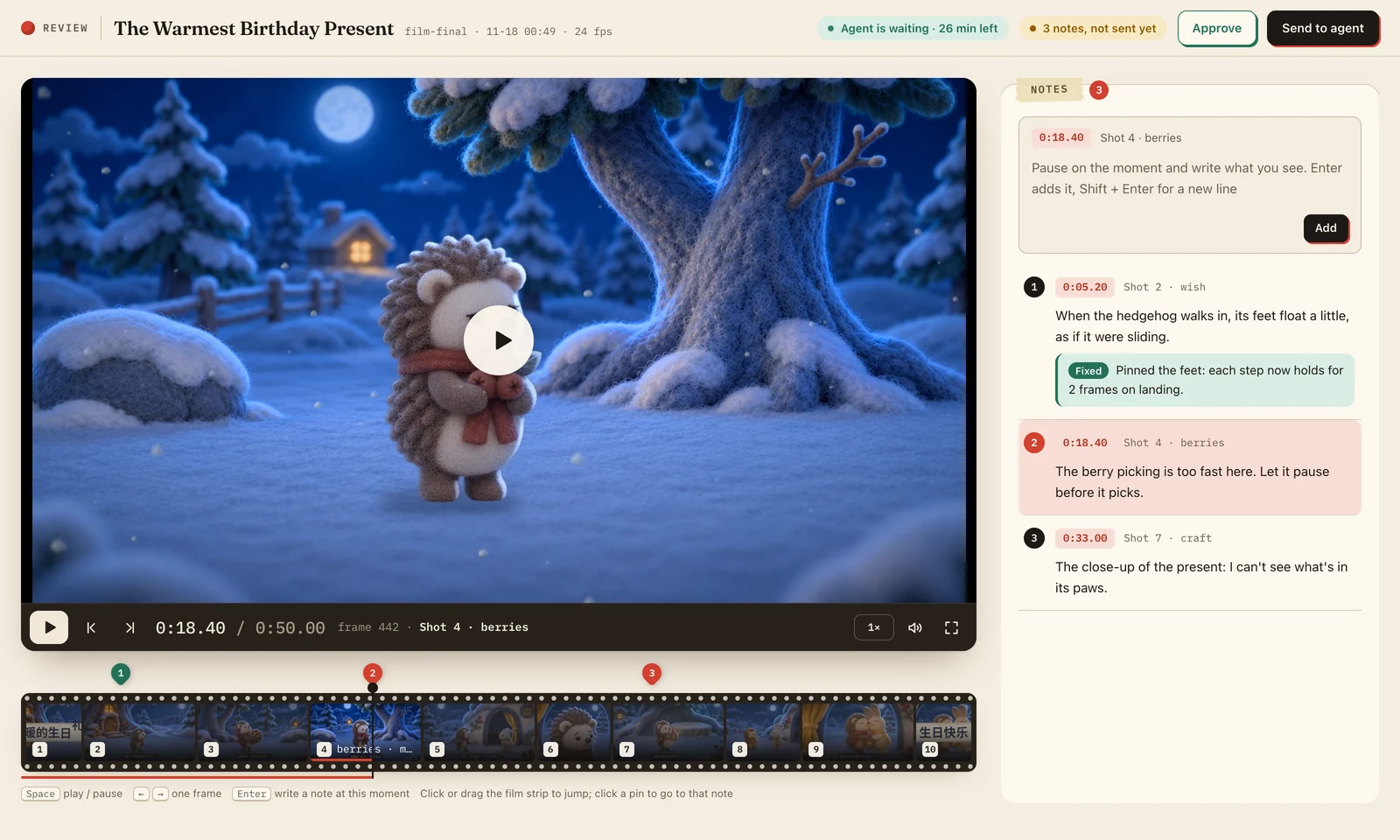
When the film is ready, the agent opens a review page in your browser.
- Write a note where it happens. Pause on the moment (Space plays and pauses, ← → step one frame) and press Enter to write what you see. The time, frame and shot are attached for you, and a pin marks the note on the film strip.
- Send it. Click Send to agent. The agent works through every note, replies under each one with what it changed, and adds the next version; the page asks you to reload. Earlier versions and their notes fold away below.
- Approve it. When it looks right, click Approve and the agent delivers the film.
How long it waits. The top of the page shows whether the agent is waiting for you and how long is left. It waits up to 30 minutes after opening the page.
If time runs out, nothing is lost:
- Your notes are saved in the film folder as you write them, and the page keeps working.
- Finish your notes, click Send or Approve, then tell the agent in the chat ("done reviewing"). It reads every note and carries on.
- If you closed the page, ask the agent to open the review page again.
- If the page opened as a local file (the agent's sandbox wouldn't let it start the local server), use Copy notes and paste them into the chat.
What you get
- The film,
out/<name>.mp4in a film folder the agent makes in your working directory: 1920×1080 by default (1080×1920 portrait, 1080×1080 square), 24 fps, 40 s by default, with an original score and foley. - A review page that opens in your browser, where you leave notes until you approve (above).
- Optional, when you ask: narration and subtitles in your language (Chinese or English; bilingual subtitles too), title and end cards, a look at the characters and main backgrounds before the film is made.
- The working files:
production-log.md(the director's plan and self-review),out/contact.jpg, and<name>.srtwhen narrated.
Narration uses Microsoft Edge online voices, so the narration text is sent to Microsoft's speech service.
Licence
CC BY-NC 4.0. In short:
- Non-commercial use is free. Share and adapt it, with credit to lemo-animi by Lemomo (LemoLab). For films, the credit is enough, no link needed.
- Commercial use needs a commercial licence, and so does using films made with lemo-animi commercially: advertising, client work, monetised channels, products. Email [email protected].
- Social media creators can monetise for free. If you are an individual and your creator income over the last 12 months is no more than CNY 50,000 (USD 7,000 if most of it is in other currencies), you can earn from lemo-animi films on your own accounts, with credit. Client work is not included. Details: the Additional Permission for Individual Creators in LICENSE.
- Third-party material keeps its own licence: Source Han Sans (SIL OFL 1.1, in
plugin/skills/lemo-animi/fonts/) and the instrument sample libraries that setup downloads. Narration uses Microsoft Edge online voices, under Microsoft's terms.
More
- Gallery: every style with its sample film. Rebuild it with
docs/build.py. - SKILL.md: the full workflow, rules and tools the agent follows.
plugin/skills/lemo-animi/styles/<id>/STYLE.md: what each style looks and sounds like.plugin/skills/lemo-animi/references/: directing, compositing, sound, quality checks, pitfalls.
More from LemoLab
- lemo-opuscar: 99 film styles made entirely in code.
- lemo-wake: one picture in, a seamless loop of about five seconds out.
- lemo-mod: re-skin Claude Code with 21 styles.
By Lemomo (LemoLab) · @lemomo_ai · [email protected]
Yorumlar (0)
Yorum birakmak icin giris yap.
Yorum birakSonuc bulunamadi