lattice
Health Gecti
- License — License: Apache-2.0
- Description — Repository has a description
- Active repo — Last push 0 days ago
- Community trust — 11 GitHub stars
Code Basarisiz
- rm -rf — Recursive force deletion command in .github/workflows/release.yml
Permissions Gecti
- Permissions — No dangerous permissions requested
Bu listing icin henuz AI raporu yok.
A local-first, agent-first LaTeX writing app for macOS: live PDF, annotations, papers and Overleaf sync

Lattice
A local-first LaTeX workspace for macOS, with your papers, your co-authors and an AI agent in the same window
Download Try it in your browser Website Watch the film Release notes Developer docs Issues 中文



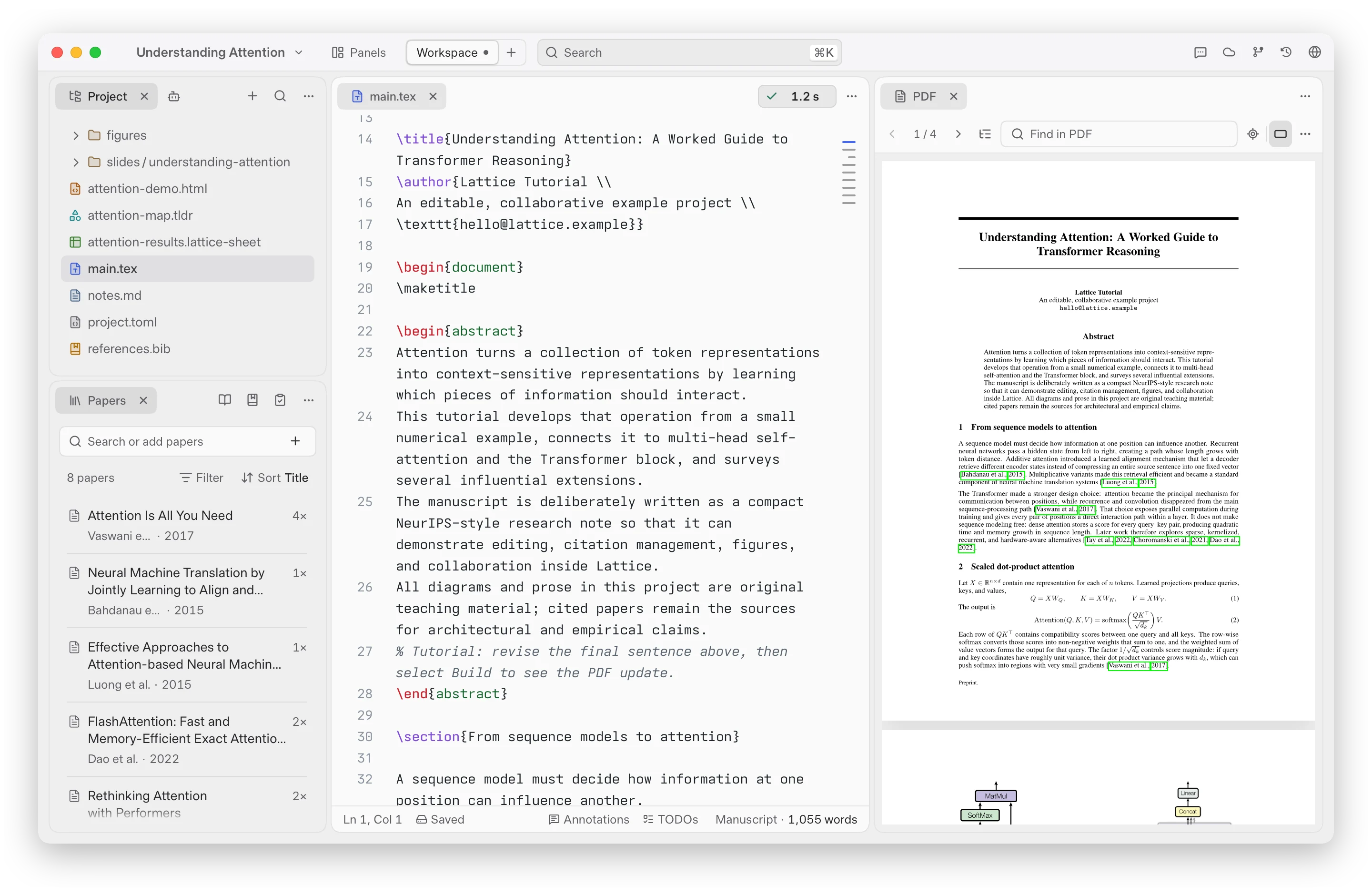
Why Lattice
A paper is more than a .tex file: it is the PDF you check, the papers you cite, the comments your co-authors leave and, now, an agent that edits with you.
Lattice keeps all of them in one native Mac window.
Your project stays an ordinary folder on disk, so it works offline, opens in any other editor and fits under Git; Overleaf is a sync target, not the place your paper lives.
Write
Source and PDF side by side, with completion and diagnostics as you type, SyncTeX jumps both ways and one-click builds with your own TeX Live.
An outline rail follows your sections, \cite keys show their reference on hover, and six highlighters with meanings mark what still needs work.
Start from a NeurIPS, ICML, ICLR, ACL, CVPR or AAAI template or one of two thesis classes, and Export for arXiv writes one ZIP that builds on its own.
Dock any panel anywhere, keep Writing and Reading layouts, or save your own workspaces.
Revise
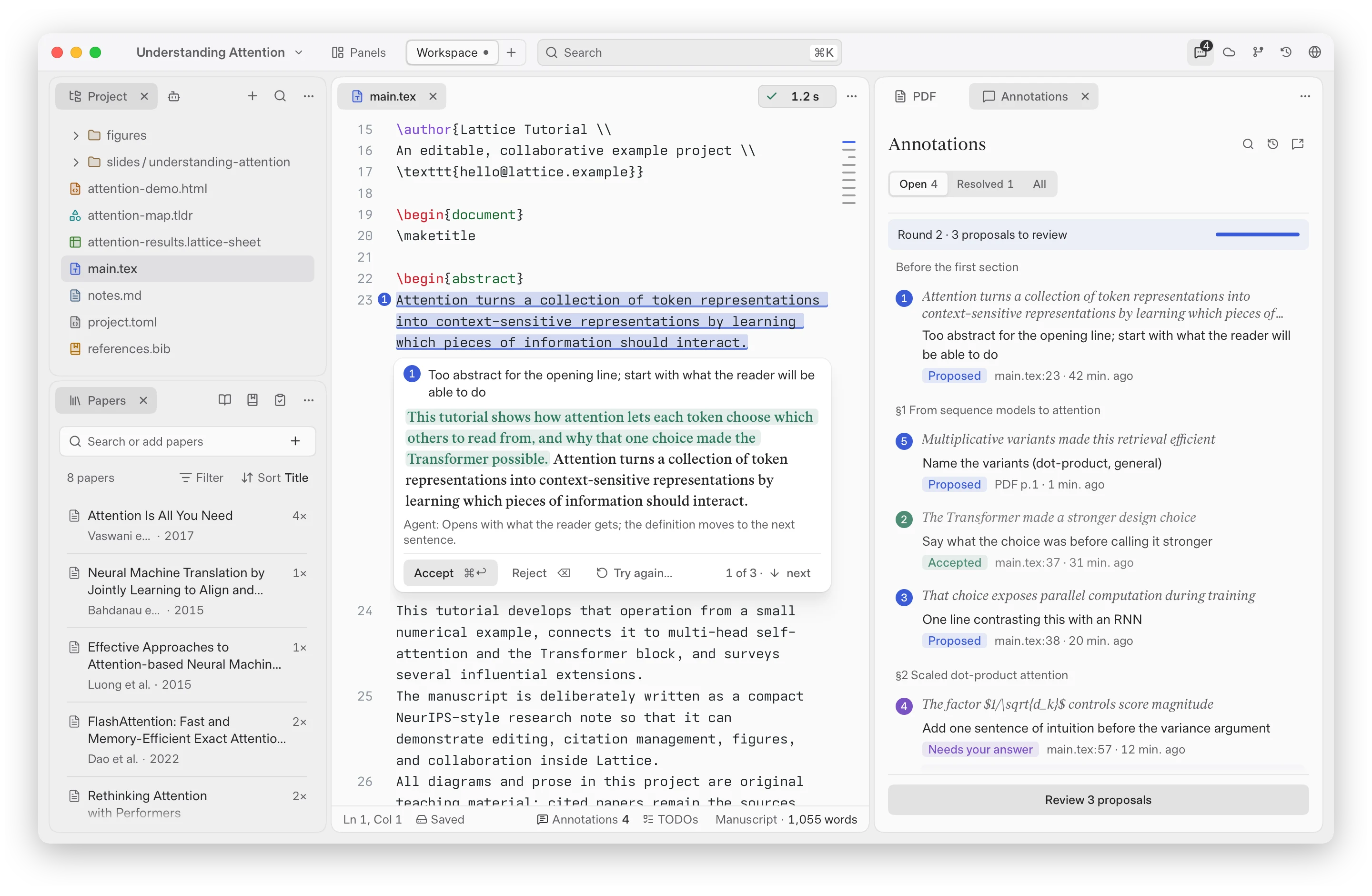
Select text to Proofread or Polish it in place, with a reason for each edit.
Annotate the source or the PDF, then revise from your annotations in rounds: the agent proposes an edit for each one and you accept or reject it in place.
Export review PDF writes the annotations you tick into a copy of the compiled PDF as standard PDF comments, so collaborators can read them in Preview, Acrobat or Zotero.
Bring your own agent
The Agent panel runs Claude Code or Codex, or another agent CLI on your Mac such as Cursor, OpenCode or Droid, signed in as you.
Lattice comes with no model and no AI subscription of its own.
The agent reads your project and papers, fixes build errors and edits files; every change shows as a diff you can review or undo.
Research
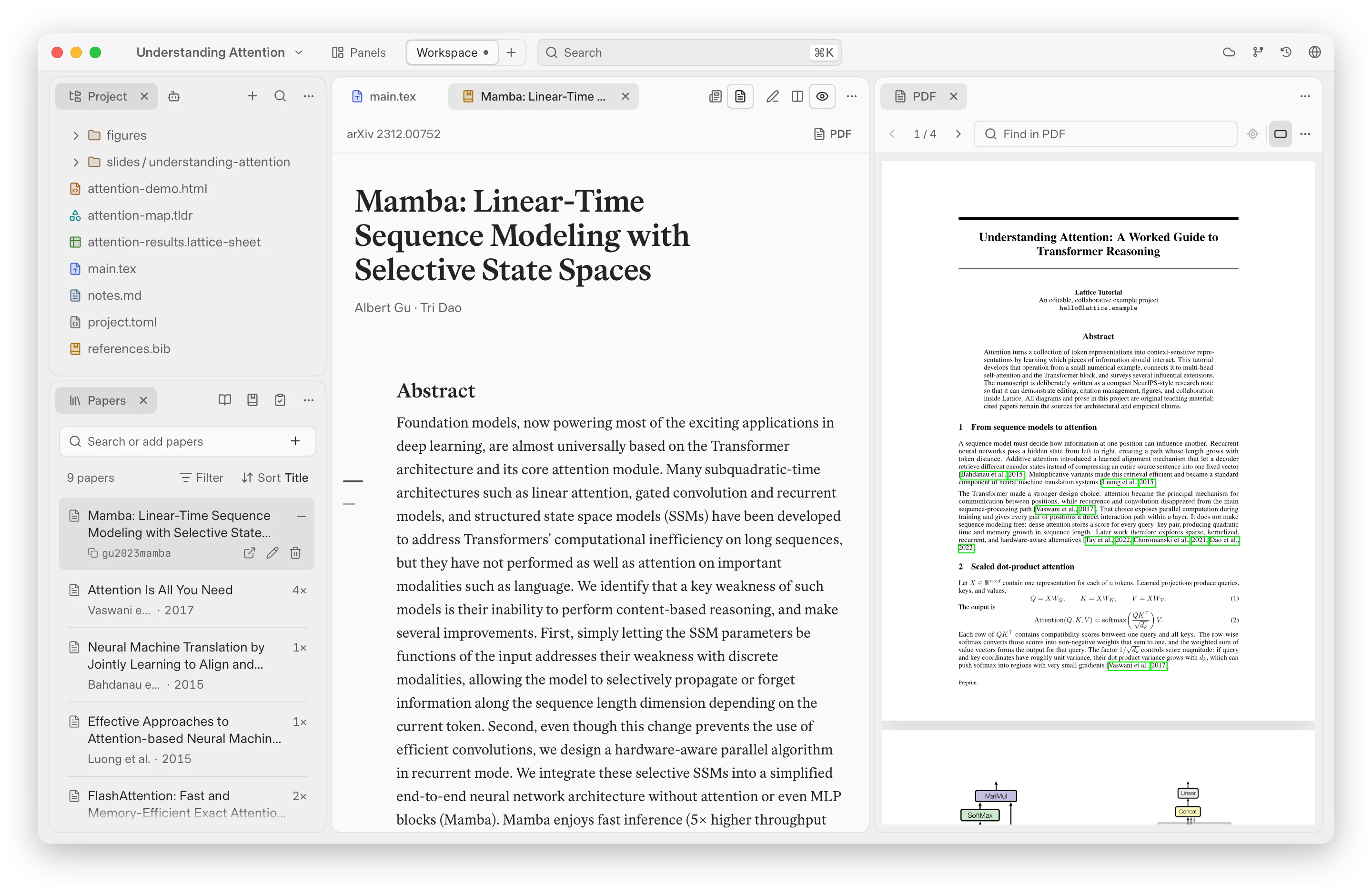
Paper shown: Albert Gu and Tri Dao, “Mamba: Linear-Time Sequence Modeling with Selective State Spaces”, arXiv:2312.00752, CC BY 4.0.
Add papers by arXiv ID, DOI, title, link or BibTeX, and read each as a blog, the paper or the PDF beside your draft.
Cite in one step, with the reference on hover.
The library sorts, filters and groups by what you cite; Check references audits your bibliography against Crossref and shows each finding in a keyboard queue.
Collaborate with Overleaf
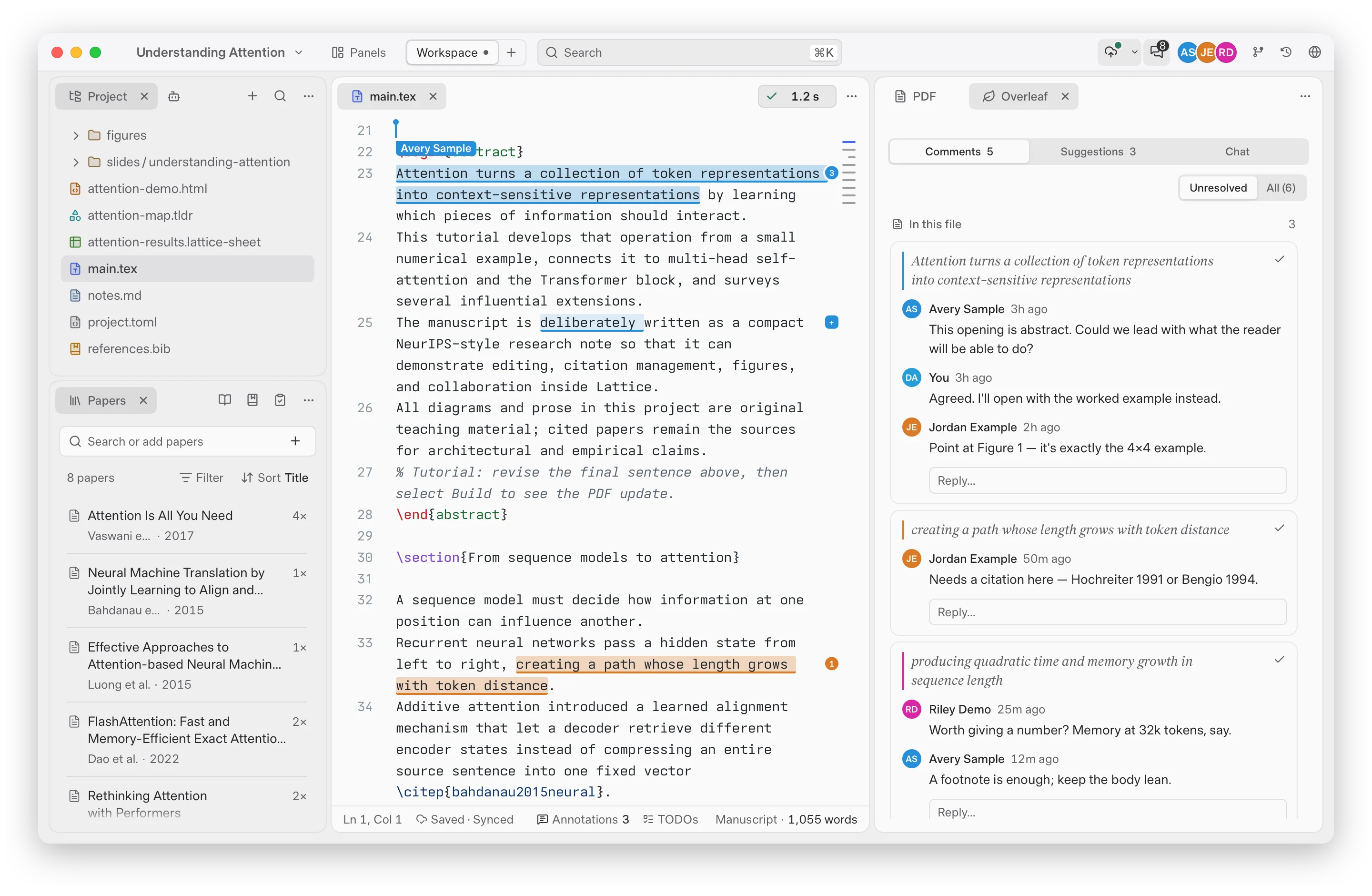
Two-way Overleaf sync with live presence, chat, comments and tracked changes.
Your co-authors stay on Overleaf and their edits arrive as they type; nobody else needs Lattice.
Comments read as conversations with one colour per person, and margin review sets comments and suggestions beside their lines.
Every format
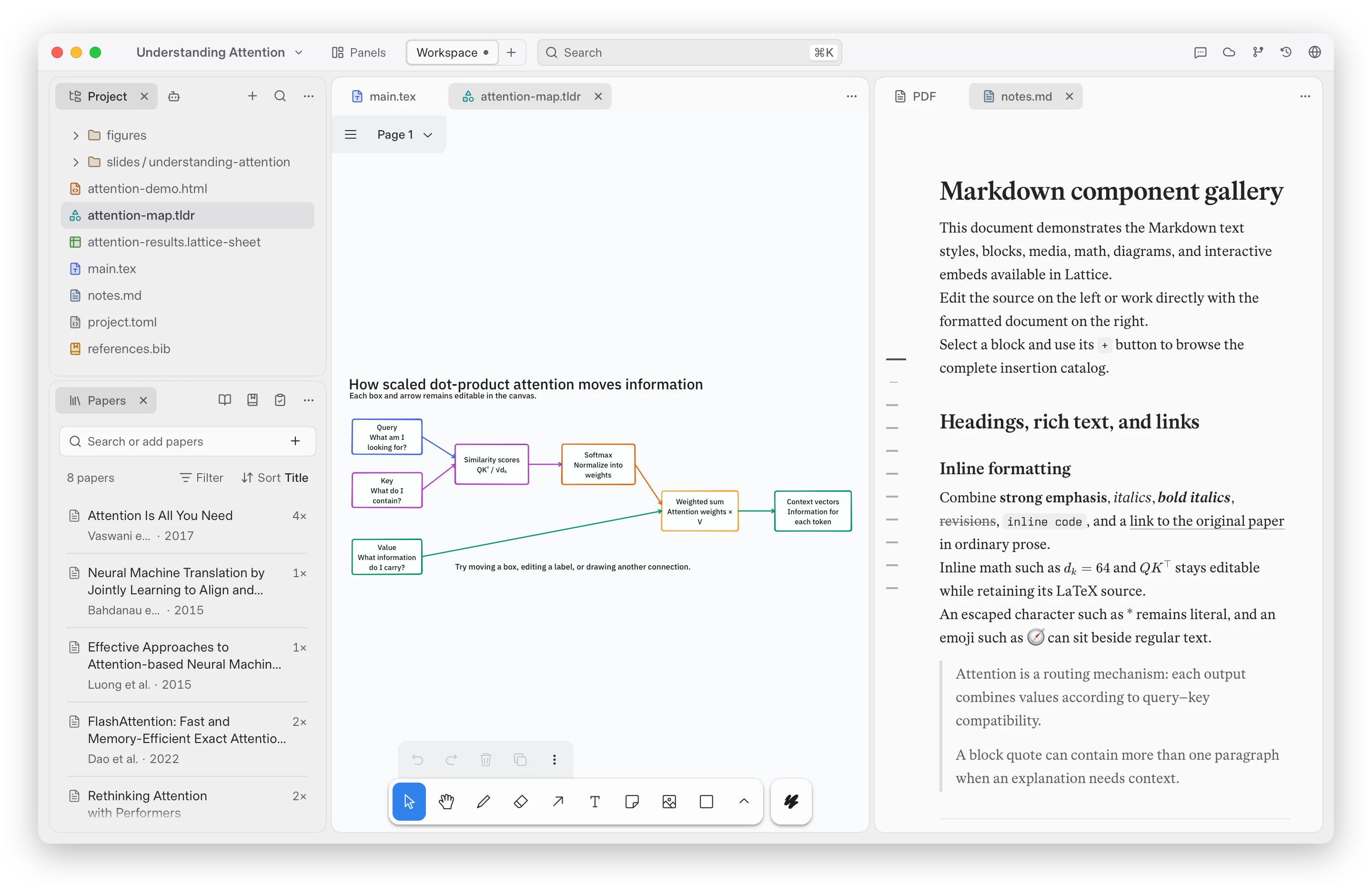
Markdown notes edited in blocks, tldraw whiteboards, interactive HTML pages and spreadsheets with formulas live in the same project as the paper.
Slides are React decks powered by Open Slide: edit them, comment on them, let the agent revise them, and present from Lattice.
Import files… brings in anything else from your Mac.
History
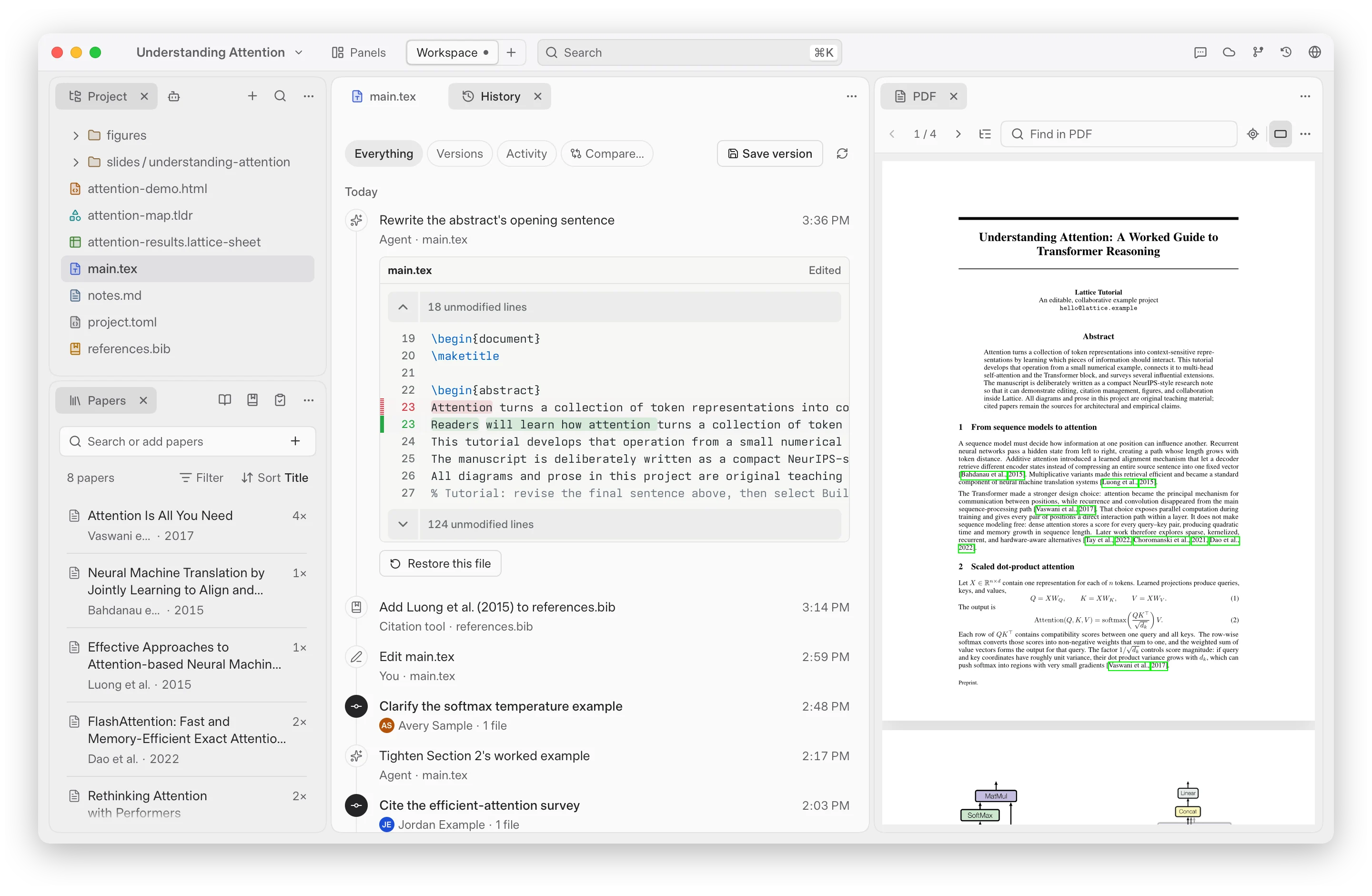
One timeline for saved versions, every edit from you or the agent, and Overleaf's history.
Open any entry to see its diff and restore a file, or Compare… any two versions and export the PDF with the changes marked (via latexdiff from your TeX Live).
The Git panel shows changes and pull requests when the project is a repository.
Install
Lattice runs on Apple Silicon Macs with macOS 14 or later, and builds with your own MacTeX or TeX Live.
No TeX yet? Lattice notices at launch and offers to install BasicTeX for you.
- Download the
.dmgfrom the latest release and drag Lattice into Applications. - Open a folder, start from a template, or connect an Overleaf project.
Guided tutorial in the project menu opens a sample paper for a one-minute tour.
Official builds are signed, notarized by Apple, and update themselves.
Contributing
To build from source, see CONTRIBUTING.md and the architecture docs.
Bug reports and pull requests are welcome; please open an issue before a large refactor.
Acknowledgements
Lattice stands on many open-source projects. The major ones:
- Open Knowledge (inkeep/open-knowledge) by Inkeep, the original basis of Lattice's earlier visual Markdown editor. Lattice has since replaced it with its own engine, but the editor began there, and we are grateful.
- Trellis by Dan Fessler, the dockable panel layout of Lattice's workspace. Uses Trellis by DanFessler - github.com/DanFessler/trellis.
- Synara by T3 Tools Inc. and Emanuele Di Pietro, the agent runtime behind Lattice's AI assistant.
- Open Slide, which powers presentations.
- Tiptap and CodeMirror, the rich-text and source editors.
- PDF.js, the PDF viewer.
- tldraw, the whiteboard.
- Tauri, the desktop shell.
License
Lattice is licensed under the Apache License 2.0 (see also NOTICE), with the MIT-licensed Synara agent runtime by T3 Tools Inc. and Emanuele Di Pietro.
Releases up to and including 0.1.341 were GPL-3.0-or-later and remain available under those terms.
See third-party notices for component licenses and Synara integration notes for the runtime details.
Two components carry their own terms:
- The whiteboard's tldraw SDK (
tldraw,@tldraw/editor,@tldraw/driver) is source-available under the tldraw license, which requires a license key for production use. Release builds read that key from theVITE_TLDRAW_LICENSE_KEYrepository secret at build time; it is not in this repository, so a build without the secret runs tldraw in its unlicensed, watermarked mode. - The workspace's panel layout,
@danfessler/trellis(with@danfessler/trellis-react), is under its own non-commercial license with a commercial tier: see its license, the non-commercial terms and the commercial terms. Those terms apply to anyone using Lattice: the free tier covers non-commercial use only, so use at a company or a for-profit organization needs a Trellis license from its author. Uses Trellis by DanFessler - github.com/DanFessler/trellis.
Yorumlar (0)
Yorum birakmak icin giris yap.
Yorum birakSonuc bulunamadi