wolfbud-claude-mod
Health Uyari
- No license — Repository has no license file
- Description — Repository has a description
- Active repo — Last push 0 days ago
- Low visibility — Only 5 GitHub stars
Code Uyari
- process.env — Environment variable access in .agents/skills/remotion-best-practices/remotion-maps/techniques/cesium/assets/CesiumFlythrough.tsx
Permissions Gecti
- Permissions — No dangerous permissions requested
Bu listing icin henuz AI raporu yok.
Voice coworker for Claude Code. Talk things through with a 3D wolf powered by ElevenLabs conversational AI; when you agree, it sends the prompt to Claude and speaks up when Claude is done.
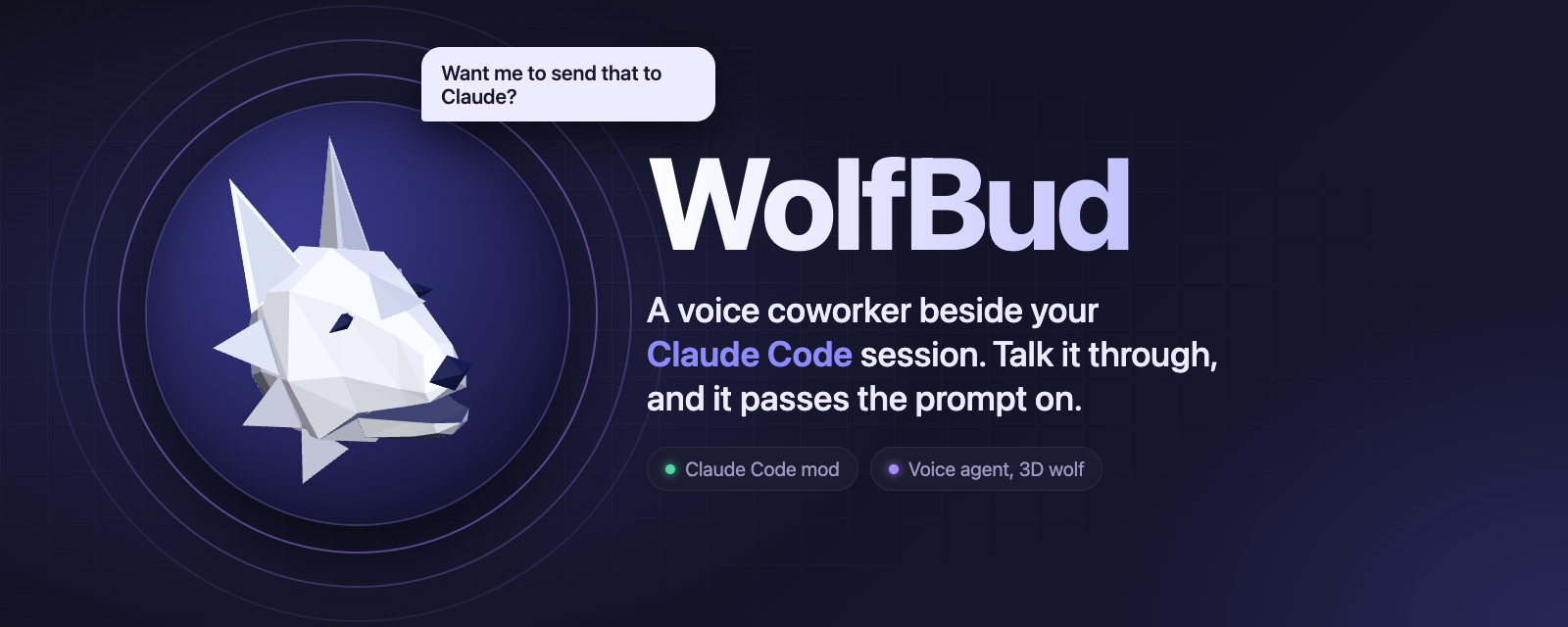





WolfBud is a voice coworker that sits beside your Claude Code session.
You talk things through with it. When you agree on something, it sends the prompt to Claude for you.
[!NOTE]
Not affiliated with ElevenLabs. This is an independent, unofficial project. It just calls the public ElevenLabs API with your own API key. "ElevenLabs" and its logo belong to ElevenLabs.
See it in action
In this real 20-minute session, I ask for every change out loud and WolfBud writes the prompts. Claude adds Orca support to WolfBud itself and pushes three commits.
https://github.com/user-attachments/assets/6aff10b8-b493-4e9a-a19d-4d3a5bb5b8f2
 |
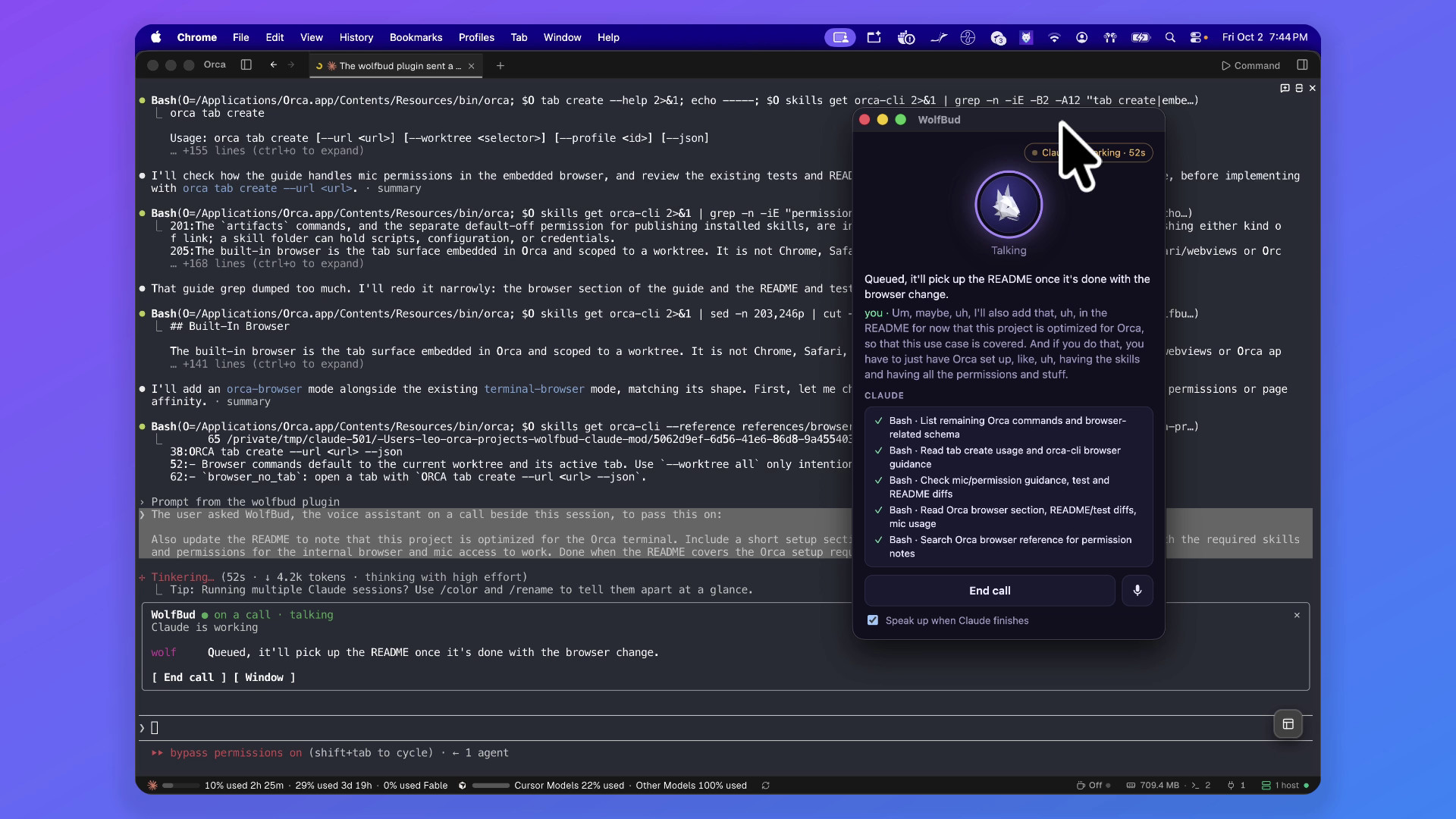 |
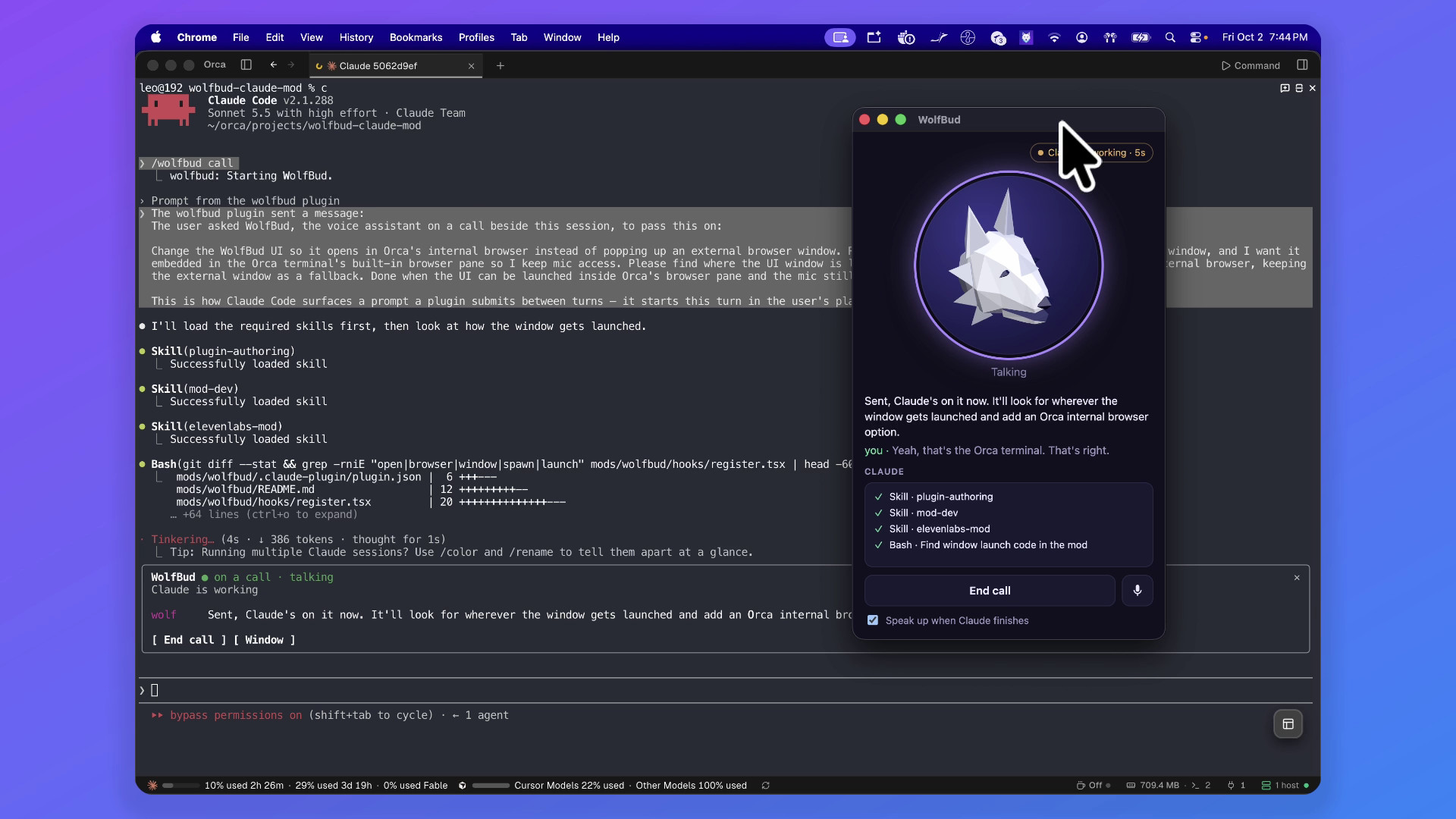
| You talk, it sends. If something is unclear it asks first, then it writes the prompt and hands it to Claude. | Keep talking while Claude works. New requests are queued for when Claude is done. |
 |
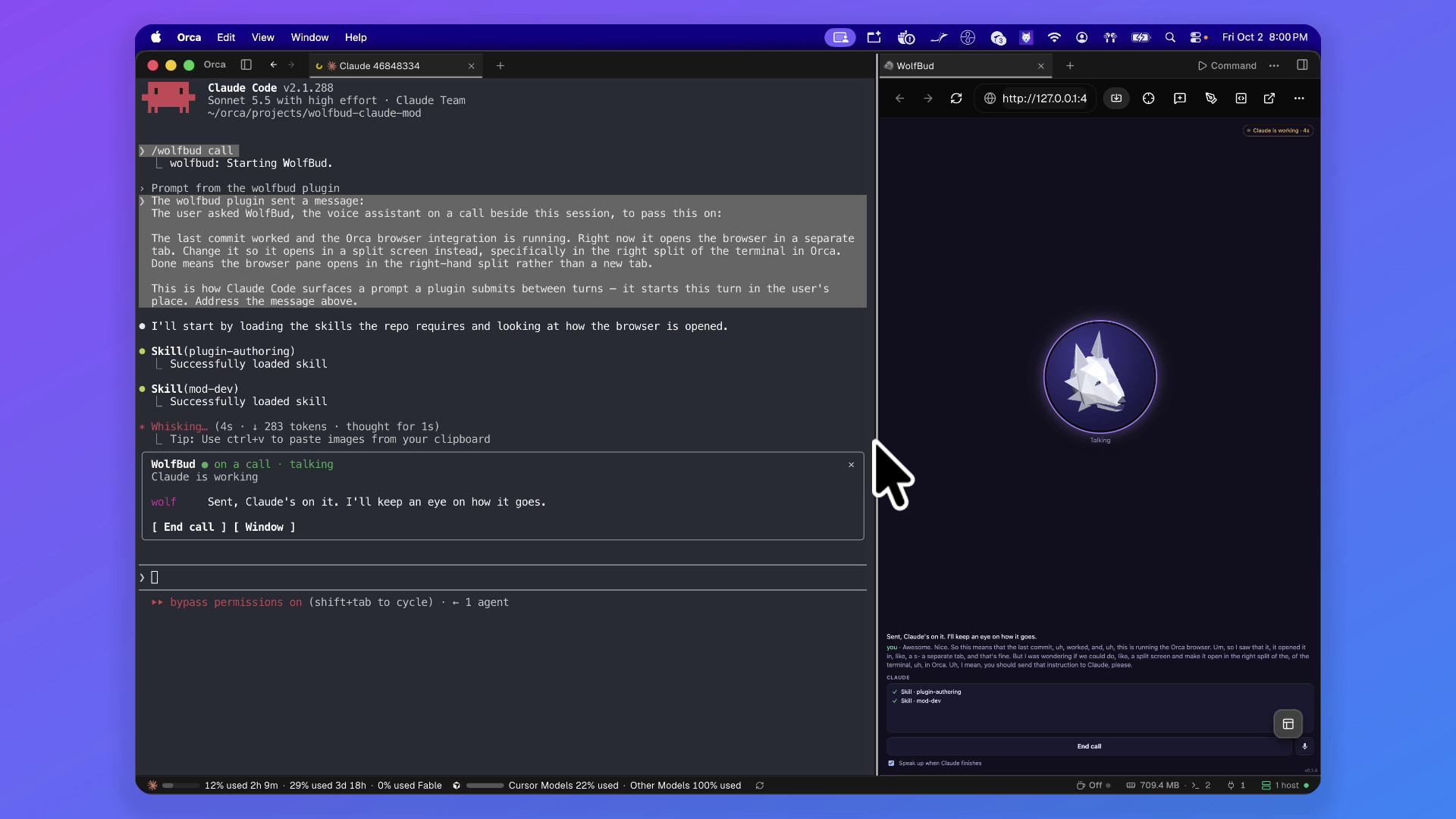 |
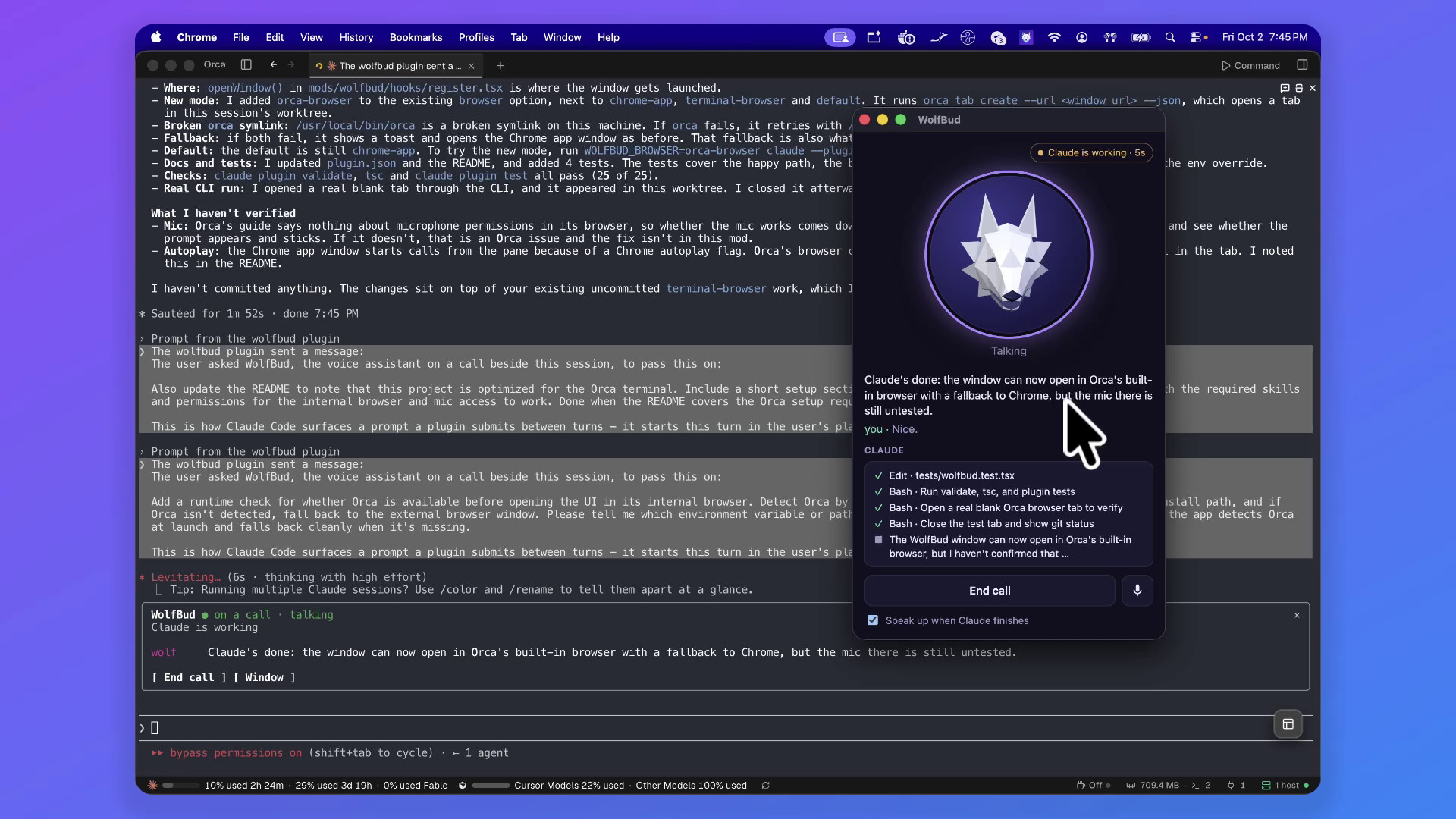
| It speaks up when Claude is done, with what changed and what is still untested. | Inside Orca. The last call of the session ran in Orca's built-in browser, the feature it had just built. |
There are two more cuts of the same session: How it works, in which WolfBud narrates itself over diagrams, and a vertical teaser. They were made with Remotion, with music, effects and narration by ElevenLabs.
What it does
- Watches the session. Your prompts, Claude's tool calls, failures, final answers and permission prompts all reach the agent as context.
- Talks with you. A call with an ElevenLabs conversational agent, shown as a 3D wolf whose jaw follows its voice and whose head turns to look at your pointer.
- Sends prompts to Claude. When you decide something together,
wolfbud_send_to_claudestarts a turn, adds a note to the running one, or queues it for when Claude is done. - Speaks up when Claude finishes or is waiting on a permission, after a pause so it doesn't talk over you.
- Stops Claude if you ask it to.
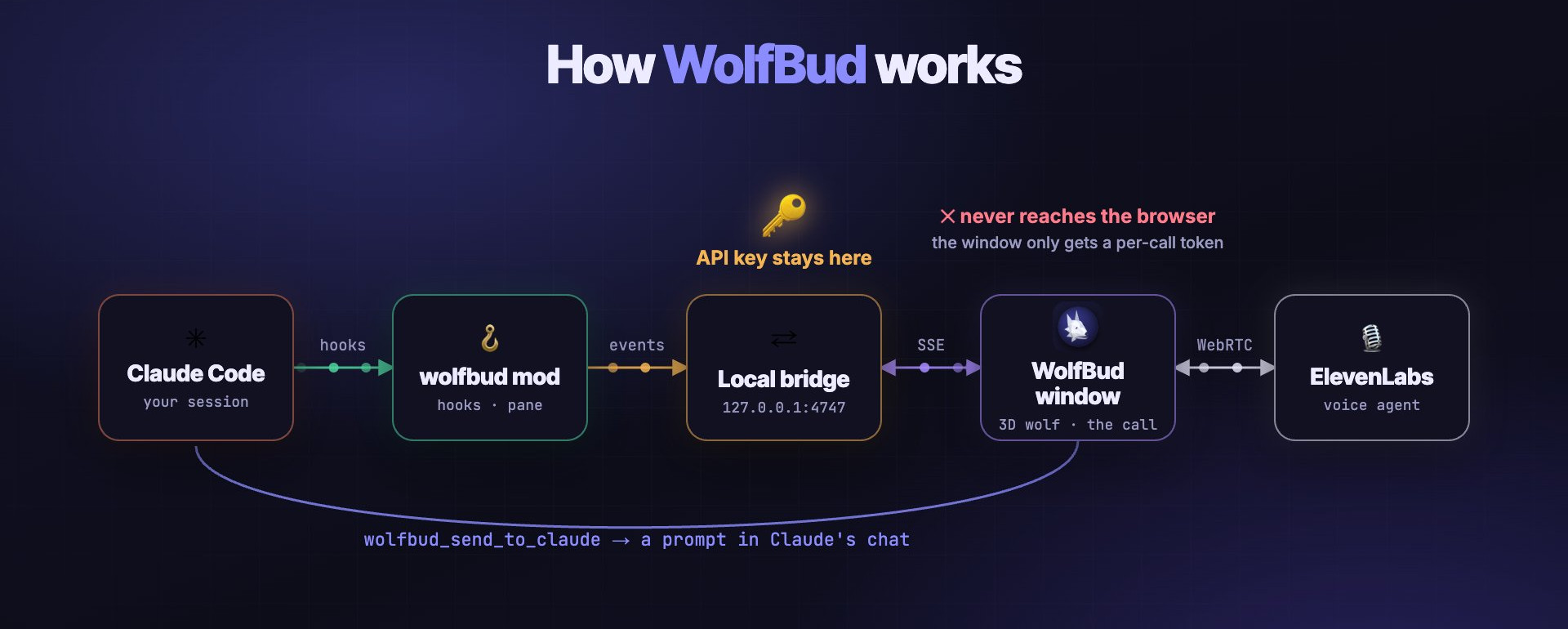
The mod itself is in mods/wolfbud; its README has the full architecture, commands and options.
Optimized for Orca. Run Claude Code in an Orca terminal and WolfBud opens its window as a tab in Orca's built-in browser (the default
browser: autopicks it inside Orca). Orca needs mic access allowed; see In Orca for the setup. Outside Orca, or if that fails, it opens a Chrome app window.
Quick start
You need Claude Code ≥ 2.1.287, Node 20+, Google Chrome (macOS tested) and an ElevenLabs API key. It installs straight from GitHub, with no clone and no build:
claude plugin marketplace add leopiney/wolfbud-claude-mod
claude plugin install wolfbud@elevenlabs-mods
Inside Claude Code, /plugin install wolfbud --marketplace leopiney/wolfbud-claude-mod does both in one step.
Then give it your API key: export ELEVENLABS_API_KEY before you start Claude Code, or save the key in Claude Code's secure storage with /plugin configure wolfbud@elevenlabs-mods, or from your shell:
printf '{"api_key":"%s"}' "$ELEVENLABS_API_KEY" | claude plugin configure wolfbud@elevenlabs-mods --values-stdin
Restart Claude Code (or run /reload-plugins), then:
/wolfbud |
open the pane and the wolf window |
/wolfbud call |
open them and start the call |
/wolfbud end |
hang up |
The first time, WolfBud takes a few seconds to set up its voice agent in your ElevenLabs account. New versions come with claude plugin update wolfbud@elevenlabs-mods, and they update your agent the same way.
Working on WolfBud itself? Clone the repo and run claude --plugin-dir ./mods/wolfbud (it hot-reloads), or install your clone with pnpm run install-plugin. The mod's README has the details.
Your key, your agent
- The agent is created in your ElevenLabs account the first time you use WolfBud, and the calls are billed to it.
- The API key stays in the local bridge (127.0.0.1 only); it never reaches the browser window.
- The bridge checks a per-session key and rejects foreign
HostandOriginheaders, so a web page can't push prompts into Claude's chat.
Repo layout
| Path | |
|---|---|
mods/wolfbud |
the Claude Code mod: hooks, pane, local bridge (which also sets up the agent), agent definition, built window |
window/ |
the call window: Vite + three.js wolf + @elevenlabs/client (WebRTC), built into the mod and committed |
scripts/ |
agent:sync (push the agent definition by hand), agent:simulate (a call without a mic) and install-plugin (install from a clone) |
assets/ |
the banner, icon and screenshots above, and the demo videos (in Git LFS) |
Related
leopiney/wolfbud: the desktop app this wolf comes from. Text-to-speech and speech-to-text with the ElevenLabs Scribe v2 model, and really nice. This repo brings the same wolf into Claude Code as a voice coworker.
Yorumlar (0)
Yorum birakmak icin giris yap.
Yorum birakSonuc bulunamadi