qc-mcp
Health Uyari
- License — License: NOASSERTION
- Description — Repository has a description
- Active repo — Last push 0 days ago
- Low visibility — Only 6 GitHub stars
Code Basarisiz
- eval() — Dynamic code execution via eval() in .claude/skills/release-poster/scripts/check-widths.cjs
- process.env — Environment variable access in .claude/skills/release-poster/scripts/check-widths.cjs
- process.env — Environment variable access in .claude/skills/release-poster/scripts/make-post-kit.cjs
- fs module — File system access in .claude/skills/release-poster/scripts/make-post-kit.cjs
- network request — Outbound network request in .claude/skills/release-poster/scripts/make-post-kit.cjs
- process.env — Environment variable access in .claude/skills/release-poster/scripts/render.cjs
- fs module — File system access in app/build/icon/build-icons.cjs
- fs module — File system access in app/build/icon/render.cjs
Permissions Gecti
- Permissions — No dangerous permissions requested
Bu listing icin henuz AI raporu yok.
MCP server for the Neural DSP Quad Cortex — build, edit and control presets and scenes from Claude or any MCP client, over the reverse-engineered USB-HID protocol. macOS + Windows.
qc-mcp — control a Neural DSP Quad Cortex from Claude (or any MCP client)
An MCP server that reads and controls a Neural DSP Quad Cortex — inspect the
current preset and signal chain, build presets from a prompt, switch presets /
scenes / modes, edit blocks and parameters, and read hardware I/O — by speaking
Cortex Control's internal USB‑HID protocol, reverse‑engineered from scratch.
There is no public API for the Quad Cortex. This was built by inspecting the
device and the Cortex Control app. Unofficial; not affiliated with Neural DSP.
Full protocol write‑up in PROTOCOL.md.
https://github.com/lexasoft123/qc-mcp
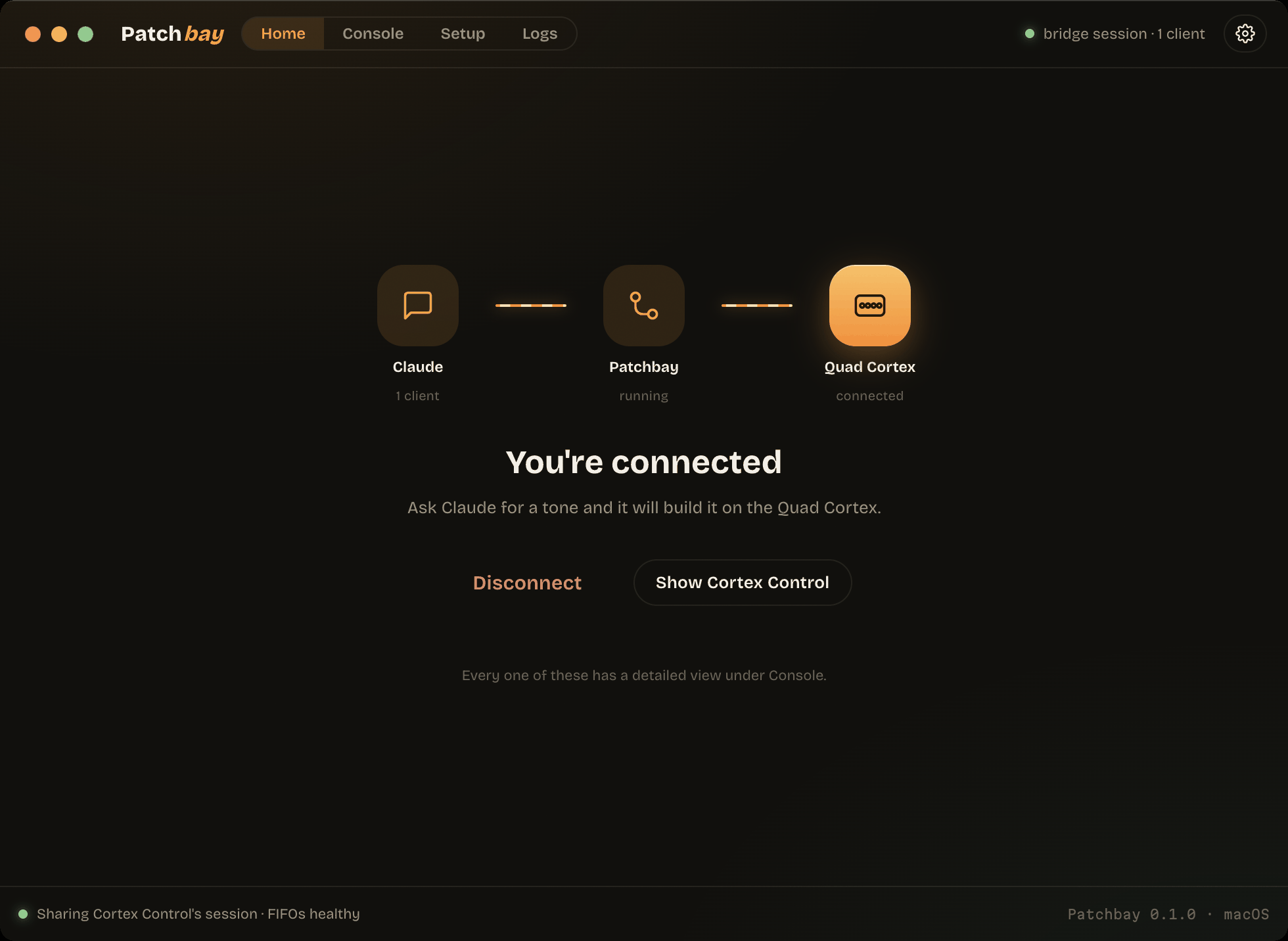
Patchbay — the app
There is a launcher, so none of the setup below has to be done by hand. It
installs qc-mcp (bringing its own Python), registers the server with your MCP
clients, runs the daemon that owns the device, and opens Cortex Control
alongside it. One button.
Download it from Releases
(.dmg / .exe), or read app/README.md. It speaks
English and Simplified Chinese — 中文用户请看
app/README.zh-CN.md. Everything below is the
server itself, and still works standalone.
What it can do
- Read the full live preset the way Cortex Control does on boot — every block,
grid position, routing, splitters/mixers, and parameter (in real display units). - Build presets from natural language — pick devices from the 633‑device
catalog, lay out parallel/multiamp topologies with splitters + routing, set
parameters, and save. (Reproduces complex multi-amp presets faithfully.) - Live control — switch presets, scenes (A–H), performance modes, master volume.
- Device presets (CorOS 4.1) — list, recall and save a device's settings, so a
dialled-in amp or drive can be reused in any rig instead of rebuilt. - Footswitch assignments — bind blocks to stomp switches A–H (latching or
momentary), including 4.1's secondary/dual assignments. - Two connection modes — seize the device directly, or (on macOS) run
alongside a live Cortex Control via a shared session (bridge mode). - Works across firmware — CorOS 4.0 and 4.1 both supported; the wire schema is
chosen per connection from the device's version, and newer‑only tools say so
rather than failing silently.
New in CorOS 4.1 — device presets, dual footswitch assignments, Global EQ / I/O
Settings presets, and 100 new devices: see docs/COROS-4.1.md.
Requirements
- macOS (IOKit HID via ctypes) or Windows (setupapi + hid.dll via ctypes)
- A Quad Cortex on USB, and Cortex Control installed (CorOS 4.0 or 4.1)
- Python 3.10+ — unless you use the Patchbay launcher, which brings its own
(see docs/PACKAGING.md)
Both platforms run direct mode and can run alongside Cortex Control — macOS
through the DYLD interposer, Windows by simply opening a second, non‑exclusive
HID handle (Windows copies input reports to every handle, so no injection is
needed). Only the GUI verification harness is macOS‑specific. Verified on
Windows 10 22H2 x64 against a QC on CorOS 4.1.0: preset building and saving, the
full 8336‑capture directory stream, and concurrent operation with the app. See
docs/WINDOWS.md — including the one caveat, that two
independent writers can interleave multi‑report messages.
Install
git clone <your-repo-url> qc-mcp && cd qc-mcp
./install.sh
On Windows, use the PowerShell twin instead — same behaviour, no [gui] extra:
git clone <your-repo-url> qc-mcp
cd qc-mcp
.\install.ps1
install.sh is idempotent and does everything: creates the venv, installs the
package (with the GUI verification extras), and registers quad-cortex with
Claude Code at user scope — the server is then available in every Claude
session, from any folder, without opening Claude in this repo. Re-run it after
moving the repo to re-register the new path. Use ./install.sh --local if you
prefer the registration confined to this folder.
Two notes:
- The repo also ships a project-scope
.mcp.json, so even without runninginstall.sh, opening Claude Code inside the repo offers the server (it just
expects.venvto exist — so run the installer once anyway). - The repo's skills and CLAUDE.md knowledge (routing recipes, gotchas, CPU
model) only load for sessions opened inside the repo — from other folders
you get raw device control without that expertise.
Other MCP clients — point them at the venv binary:
{ "mcpServers": { "quad-cortex": { "command": "/absolute/path/qc-mcp/.venv/bin/qc-mcp" } } }
(on Windows: C:\path\to\qc-mcp\.venv\Scripts\qc-mcp.exe)
Codex reads TOML rather than JSON — the same entry, in ~/.codex/config.toml:
[mcp_servers.quad-cortex]
command = "/absolute/path/qc-mcp/.venv/bin/qc-mcp"
Patchbay writes all of these for you, Codex included; the per-client table is
in app/README.md.
Two ways to connect
Direct (default). The MCP seizes the QC's HID interface. Only one client at a
time — quit Cortex Control first, and disconnect the MCP before reopening it.
Bridge (simultaneous). Run the MCP alongside a running Cortex Control, so
the app's UI stays in sync. On Windows this needs no setup at all — the MCP
opens its own shared handle (docs/WINDOWS.md). On macOS IOKit gives the
device to one owner, so it requires building an instrumented copy of Cortex
Control once (it injects a small logging/bridge dylib):
interceptor/build.sh          # one-time: build the instrumented app (re-signs a local copy)
interceptor/run-bridge.sh &   # launch it
# the MCP auto-detects the bridge and runs alongside the app
See interceptor/ and PROTOCOL.md §11. The Windows twin,
interceptor-win/, exists for traffic capture only (it
IAT-hooks the app's kernel32 calls); bridge mode there doesn't use it.
One daemon, many clients
A stdio server is spawned per client, and the Quad Cortex only has one session
to give. The daemon holds it once and lends it out:
qc-mcp --daemon --socket ~/Library/Application\ Support/qc-mcp/daemon.sock
Clients then point at the same binary with --attach, and several can read and
edit the same live device at once:
{ "mcpServers": { "quad-cortex": {
    "command": "/absolute/path/qc-mcp/.venv/bin/qc-mcp",
    "args": ["--attach"] } } }
--mode auto|bridge|direct chooses how the daemon opens the device (bridge when
the instrumented Cortex Control is up, direct otherwise). Plain qc-mcp with no
arguments is unchanged, so existing registrations keep working — though a client
registered that way opens the device for itself and will fail while a daemon
holds it, so re-register it with --attach.
Verified on real hardware on both platforms: two concurrent clients reading
the same live preset through one daemon, on macOS (unix socket) and on Windows
(loopback endpoint plus a .port file, since AF_UNIX is not dependable there).
On Windows, --mode auto was also verified beside a running Cortex Control:
the daemon selects the shared, non-exclusive handle, and both the app and two
attached MCP clients read the same device at once with the app unaffected.
Patchbay, the launcher in app/, does all of this from a window:
the preflight checks, the venv, the instrumented build, the client configs, and
starting and stopping the daemon.
Tools (a selection)
| tool | type | description |
|---|---|---|
get_current_preset |
read | full preset: blocks, positions, routing, params (display units) |
get_io_settings |
read | hardware inputs/outputs, headphones, USB |
output_meter |
read | live output meters + limiter flags (IOMeter telemetry) |
audio_devices |
read | CoreAudio devices, flagging the Quad Cortex |
sample_arm / _status / _stop / _discard |
audio | looper‑style reference‑riff recorder |
measure_loudness |
audio | LUFS / true peak / RMS (+ optional Zwicker) of the live output |
measure_preset |
audio | play the riff into the current preset and measure |
suggest_levels |
audio | report‑only table of per‑preset corrections in dB |
level_preset / level_scenes / level_setlist |
audio | close the loop: measure → trim → verify |
find_devices |
read | search the catalog by name / emulated gear / category |
build_preset |
write | build a whole preset from a spec (chains, routing, splitters, blocks, params) |
add_block / remove_block |
write | place / delete a block at (row, col) |
set_parameter |
write | set a parameter in display units (taper‑aware) |
clear_grid |
write | reset the grid to a clean single chain |
switch_preset / switch_scene / switch_mode |
write | navigate presets, scenes A–H, modes |
list_device_presets / load_device_preset |
read / write | a device's saved settings (CorOS 4.1+), recalled onto a block |
save_device_preset / delete_device_preset |
write | store a block's current knobs as a reusable user device preset |
assign_stomp / unassign_stomp |
write | bind a block to a footswitch (A–H), latching or momentary |
list_settings_presets / load_settings_preset |
read / write | Global EQ and I/O Settings presets (CorOS 4.1+) |
set_global_eq |
write | write Global EQ parameters back — the exact undo for a preset load |
set_io_port |
write | hardware input/output level, impedance, type, ground lift, mute |
get_tempo |
read | preset tempo + external MIDI-clock BPM and out-of-range flag |
set_master_volume, save_preset, connect/disconnect, device_info, cpu_load |
The Python API (qc_mcp.transport.QuadCortex, qc_mcp.preset.PresetBuilder) exposes
lower‑level building blocks (splitters, per‑lane params, routing, etc.).
Example: build a preset from a prompt
"Make a clean Vox‑style tone for The Shadows — AC15 Top Boost, a tape echo around
220 ms with a few repeats, and a touch of spring reverb."
The model uses find_devices to pick the amp/cab/delay/reverb, then build_preset
to lay out Comp → AC15 → cab → Tape Echo (220 ms) → Spring with the right params.
How it works (short version)
Cortex Control talks to the QC over USB‑HID using protobuf messages wrapped in
chunked 128‑byte reports. This project:
- speaks the HID framing directly — IOKit on macOS (
src/qc_mcp/iohid.py),
setupapi/hid.dll on Windows (src/qc_mcp/winhid.py), picked bysrc/qc_mcp/backend.py, - encodes/decodes the message layer incl. gzip, and negotiates the wire schema
against the device's CorOS version (src/qc_mcp/protocol.py), - maintains the session + heartbeat the QC needs to stream state
(src/qc_mcp/transport.py), - resolves every block to its real gear + parameters, with a calibrated value taper
(src/qc_mcp/catalog.py), - models/builds whole presets (
src/qc_mcp/preset.py), - exposes it all as MCP tools (
src/qc_mcp/server.py).
Status
Working: reading, live control, and accurate preset building (topology, routing,
splitters/mixers, and parameters in real units). See PLAN.md. Measured loudness + automatic leveling: docs/LEVELING.md, docs/METERS.md.
Also working: per‑scene parameter/bypass values, footswitch (stomp) assignments,
and device presets. Not yet reversed: RemoteControl(72), the 4.1 command for
driving the QC's own screen.
Layout
src/qc_mcp/   protocol.py transport.py catalog.py preset.py server.py
              backend.py    picks the HID backend for the OS
              iohid.py      macOS  (IOKit)      winhid.py  Windows (hid.dll)
              bridge.py     share Cortex Control's session (macOS)
              descriptors/  one protobuf schema per CorOS generation
proto/        recovered Preset.proto, ProductionAutomation.proto, ModelRepo.xml
tools/        reverse-engineering utilities; win_hid_check.py diagnoses Windows
interceptor/     DYLD interposer: capture + bridge mode  (macOS)
interceptor-win/ IAT-hooking DLL + injector: capture     (Windows)
PROTOCOL.md   full protocol writeup   PLAN.md   preset-building plan
docs/         COROS-4.1.md  DIRECTORY.md  CPU.md  WINDOWS.md
DISCLAIMER
This is unofficial software that controls audio hardware over a reverse‑engineered
protocol. It can change and overwrite presets on your device. Use at your own
risk; there is no warranty (see LICENSE). Not affiliated with or endorsed by
Neural DSP. Device/model names belong to their respective owners; the emulated‑gear
catalog is Neural DSP's public device list: https://neuraldsp.com/device-list
Please don't commit capture logs (interceptor/*.log, interceptor/msgs/) — they
can contain your session id and cloud auth token. They are gitignored by default.
Yorumlar (0)
Yorum birakmak icin giris yap.
Yorum birakSonuc bulunamadi