kalka
Health Uyari
- License — License: MIT
- Description — Repository has a description
- Active repo — Last push 0 days ago
- Low visibility — Only 5 GitHub stars
Code Gecti
- Code scan — Scanned 12 files during light audit, no dangerous patterns found
Permissions Gecti
- Permissions — No dangerous permissions requested
Bu listing icin henuz AI raporu yok.
Design editor whose canvas is real HTML and CSS
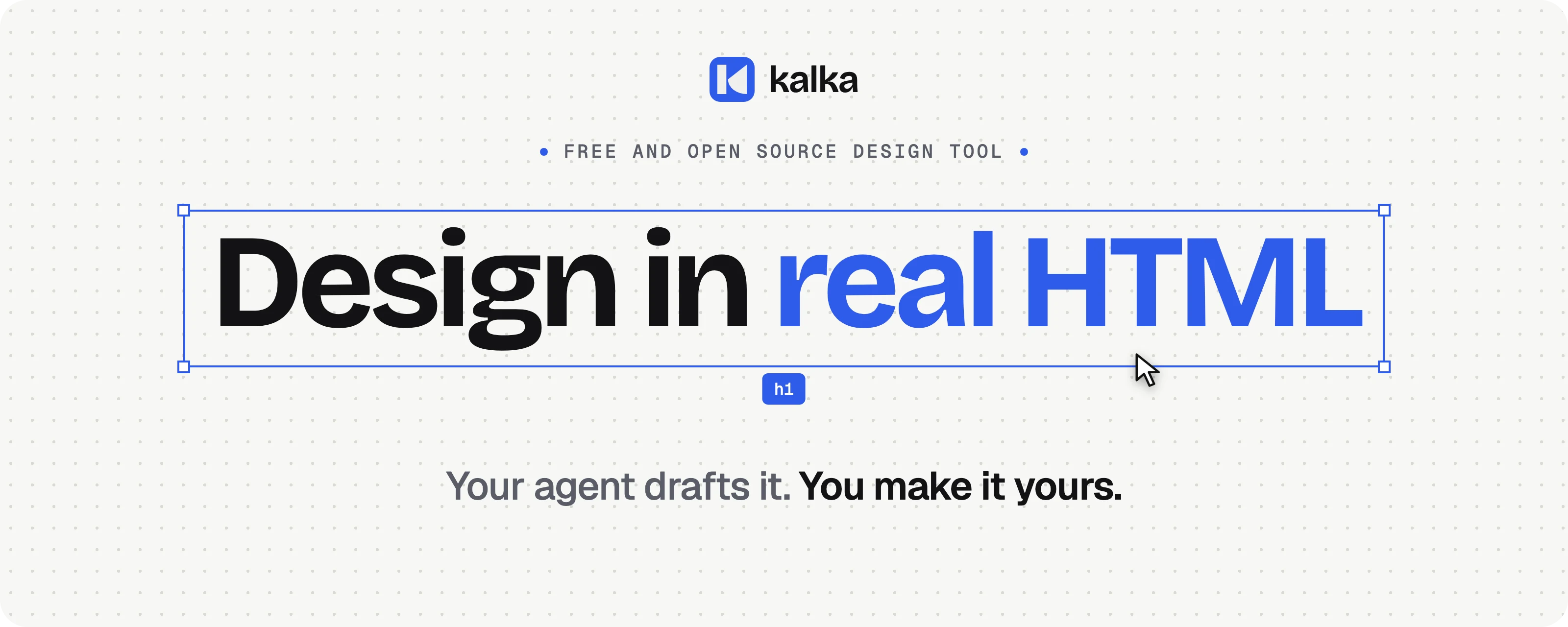
An open source design tool, an alternative to Figma, where every layer is real HTML and CSS.
What you draw is already a web page: no export step, no rebuild in code.




macOS (Apple silicon or Intel), Windows and Linux. Free and open source, MIT. Beta: builds are not signed yet, see Install.




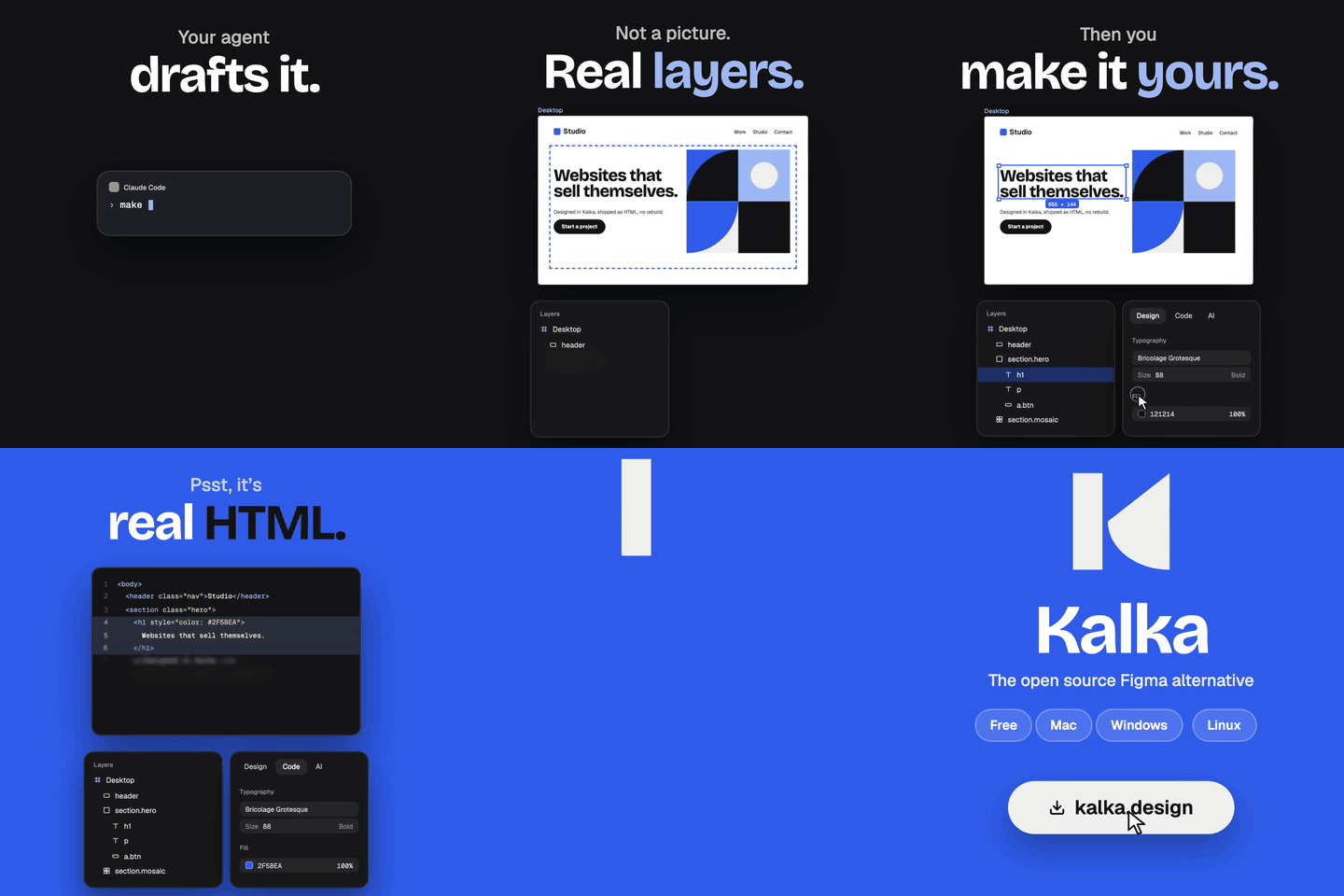

Every layer is an element the browser lays out and paints,
so flexbox, grid, fonts, shadows and blurs look on the canvas exactly as they will in production.
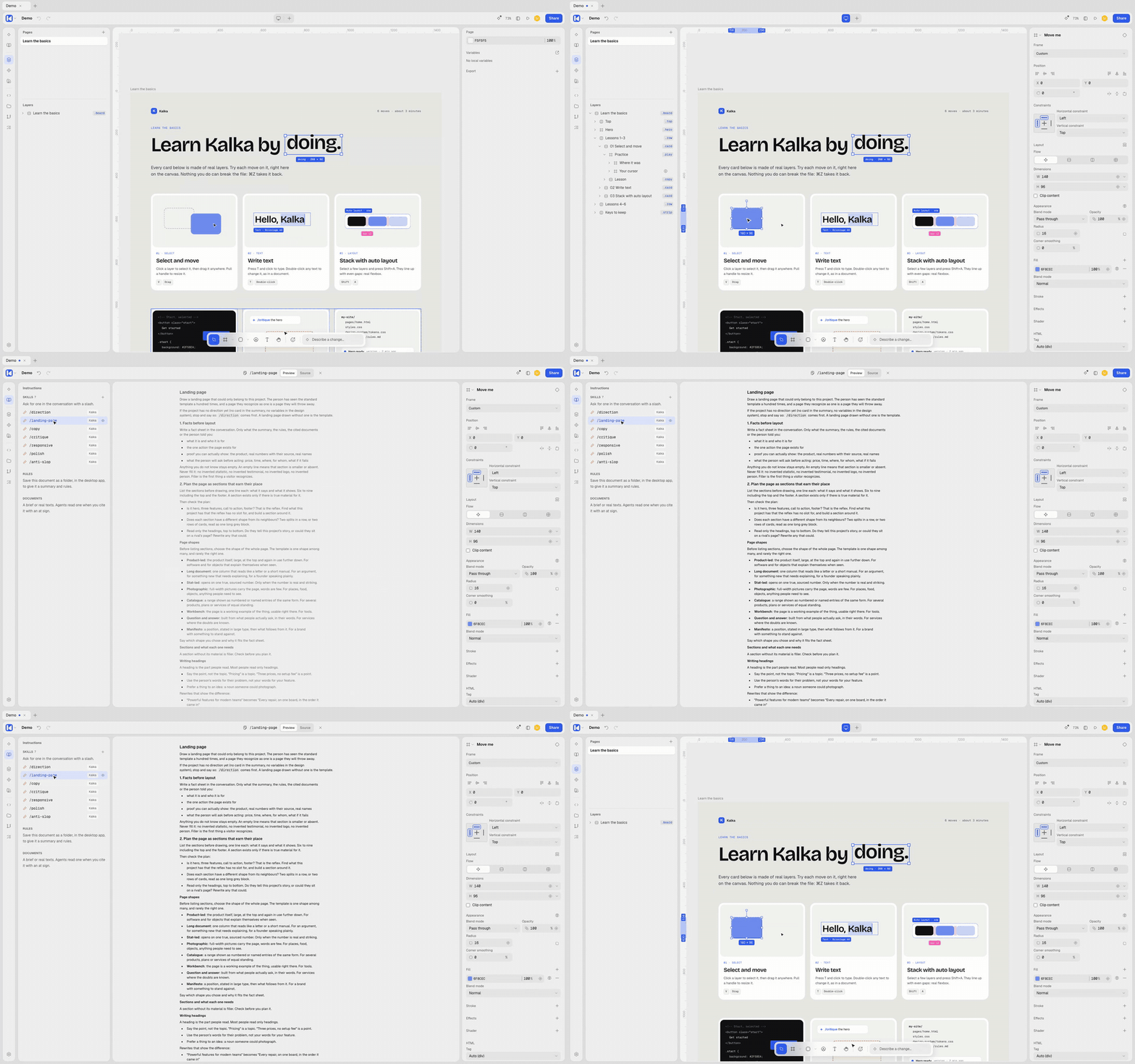
| The layers panel is the DOM. A layer can be an h1, nav, a or button and carry class names; changing a class restyles every layer that has it. |
Breakpoints that share layers. Give an artboard a tablet or phone breakpoint; what you change there is exported as @media rules. |
| CSS as written. A layer keeps the CSS you, an import or an agent gave it, such as width: 50% or padding: 1rem. |
Familiar tools. Components and variants, variables, auto layout, live shaders, icon search and real-time collaboration. |

Kalka ships its own MCP server. Your coding agent writes HTML onto the canvas as editable layers,
checks its work with screenshots, and reads what you changed by hand before its next edit.
- One click to connect. Settings → MCP connects Claude Desktop, Claude Code, Cursor, VS Code, Windsurf, Codex, Gemini CLI, Antigravity, Kiro, Zed, LM Studio or opencode, or copies the configuration for any other client.
- Tools agents already understand. They start with
get_selectionorget_page_tree, build withwrite_html, adjust withupdate_styles, and check withget_screenshot. - Real content, not placeholders. The server asks agents to bring in specs, docs or data from the other servers the client has connected.
- Design skills built in. Seven skills steer agents away from generic, AI-looking pages:
/direction,/landing-page,/copy,/critique,/responsive,/polishand/anti-slop. Add your own, and give each project its rules and reference documents. - An agent beside the canvas, in Kalka's own panel: the coding agent already on your computer (Claude Code, Codex, Gemini CLI, Pi) in one click, or your own API key, including local models through LM Studio, Ollama or llama.cpp.

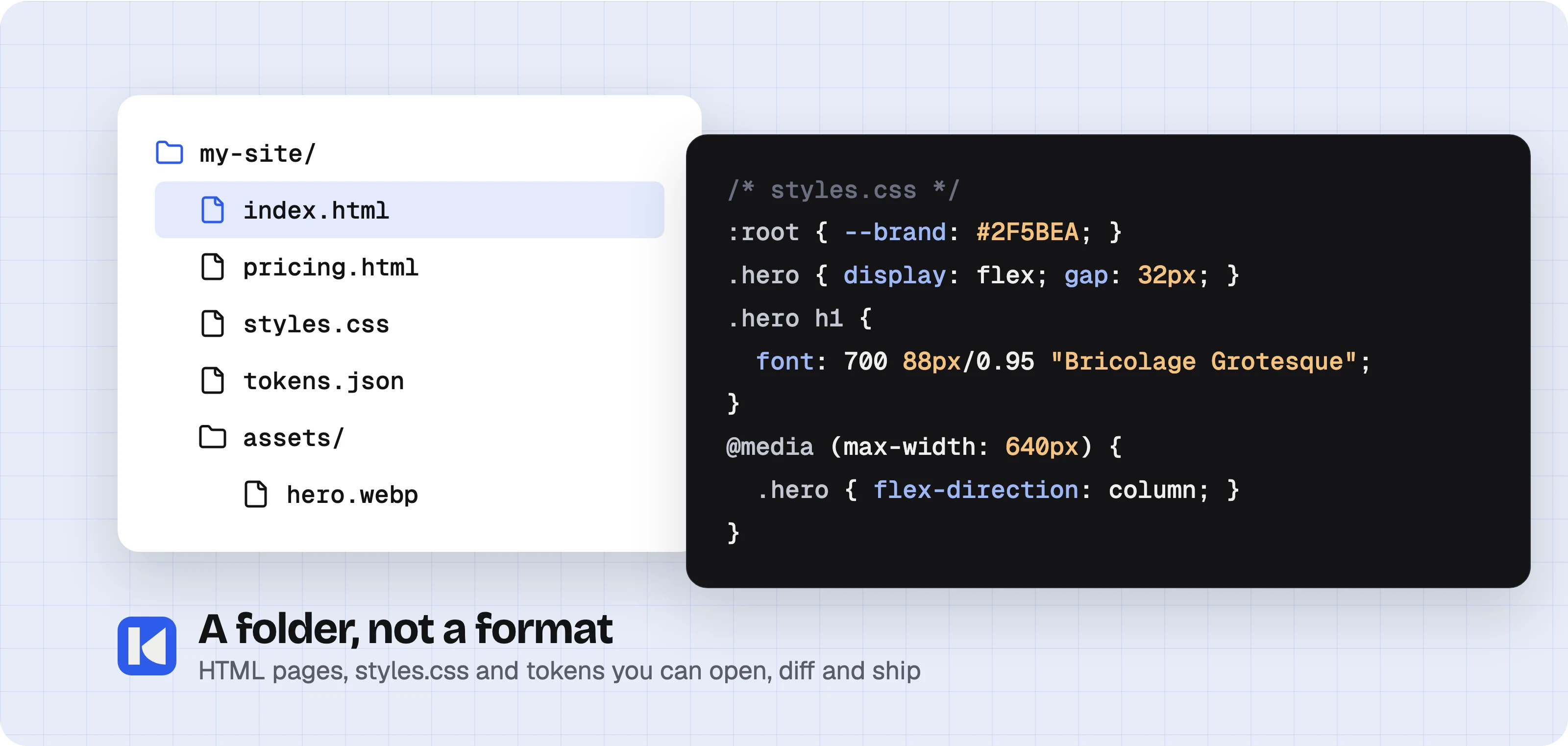
A Kalka document is a folder: one HTML page per page, styles.css, design tokens and assets.
Open it in a code editor, or from the Folder panel, and keep its versions with Git from the History panel.

- Open what you have. Figma
.figand Pencil.penfiles, HTML pasted from a web page or a code editor, or a file from a URL. The CSS a layer keeps survives.figround trips. - Export what you drew. Standalone HTML, Tailwind JSX, Storybook stories, PNG, JPG, SVG and PDF, drawn by the same browser engine as the canvas, from the app or the
kalkacommand line.
Install
Download the latest build for your system with the buttons above, or from Releases: the .dmg on macOS, the .exe installer on Windows, the .AppImage on Linux. The app updates itself from the same page.
Beta builds are not signed yet, so the system warns before the first launch:
- macOS: open Kalka once; when macOS blocks it, open System Settings › Privacy & Security, click Open Anyway next to the message about Kalka, and confirm. If macOS says the app is damaged, run
xattr -dr com.apple.quarantine /Applications/Kalka.appin Terminal. - Windows: in the SmartScreen window, choose More info, then Run anyway.
- Linux: make the file executable (
chmod +x Kalka-*.AppImage) and run it.
Open the sample document on the home screen to learn the basics on a page of real layers. To build the app from source instead:
bun install
bun run package:desktop   # DMG and ZIP on macOS, installer on Windows, AppImage on Linux

| Layer | Tech |
|---|---|
| Canvas | Browser DOM and CSS; CanvasKit (Skia WASM) for raster export |
| UI | Vue 3, Reka UI, Tailwind CSS 4 |
| File formats | Kalka folder (HTML, CSS, JSON), .fig (Kiwi + Zstd + ZIP) |
| Collaboration | Trystero (WebRTC P2P) + Yjs (CRDT) |
| Desktop | Electron |
| AI and MCP | Vercel AI SDK (bring your own key), MCP SDK, Hono |
bun install
bun run dev           # Web editor at http://localhost:1420
bun run dev:desktop   # Desktop app (Electron) with hot reload
bun run check         # Build, lint, types, architecture and docs checks
bun run test:unit     # Engine and unit tests
CONTRIBUTING.md covers setup, quality gates, pull requests and commits. AGENTS.md maps the repository and links the guide inside each package. The command line runs from a checkout with bun kalka --help.

Yes. The desktop app and its local MCP server are free and MIT licensed. A paid hosted version for syncing and team sharing is planned; nothing in the app depends on it. Do I need Figma?
No. Kalka is its own app. It opens
.fig files if you want to bring existing work.
Why not let the agent write the code directly?
It does: what the agent writes is HTML and CSS. Kalka adds a canvas where you see it, fix the last details by hand, and hand your changes back to the agent, instead of prompting until it is right. Is my work locked in?
No. A document is a folder of HTML, CSS and JSON on your disk, which any code editor opens and Git versions. Why Electron?
The canvas is laid out by a real browser engine, and Electron ships the same engine on macOS, Windows and Linux, so a design looks the same everywhere. What is not there yet?
Builds are not signed, macOS is the most tested platform, and complex
.fig files can still import with differences. Tell us what breaks.
Credits
Kalka is a fork of OpenPencil by Danila Poyarkov and its contributors, taken on 9 October 2026. Most of the code in this repository is theirs. Here is what each side brought.
From OpenPencil
- The editor: tools, selection, undo, layers and properties panels, components, variables, auto layout.
- The scene graph and the file formats:
.figreading and writing with the Kiwi codec, the Figma clipboard,.pen. - The CanvasKit renderer, which Kalka still uses for image export and thumbnails.
- The HTML, CSS, JSX and Tailwind projection of a design, and Design JSX.
- The CLI, the MCP server and its tools, the AI chat with local coding agents, and real-time collaboration.
- The Vue SDK, the test suites and the repository's tooling.
Added or changed in Kalka
- The canvas is the web page: each artboard is real HTML and CSS that the browser lays out and paints, in place of a canvas drawn with CanvasKit. OpenPencil could export a design to HTML; Kalka edits the HTML itself.
- Layers have an HTML tag and class names, styles are shared through CSS classes, and artboards have breakpoints.
- Documents are saved as a folder of HTML pages, a stylesheet, design tokens and images, or as one
.kalkafile. - HTML export reads as written by hand, with images as files, and the Code panel shows a selection's HTML and CSS.
- A folder panel with the document's files and its versions in Git.
- The desktop app runs on Electron instead of Tauri.
- The interface: top bar, icon rail, Home, welcome, and the Kalka name and brand.
Thank you to everyone who built OpenPencil.
License
Kalka's desktop app and local MCP server are licensed under the MIT License.
Yorumlar (0)
Yorum birakmak icin giris yap.
Yorum birakSonuc bulunamadi