CPA-Bar
Health Gecti
- License — License: AGPL-3.0
- Description — Repository has a description
- Active repo — Last push 0 days ago
- Community trust — 11 GitHub stars
Code Basarisiz
- network request — Outbound network request in .github/workflows/release.yml
- rm -rf — Recursive force deletion command in scripts/gen-icons.sh
- rm -rf — Recursive force deletion command in scripts/test-release-notes.sh
Permissions Gecti
- Permissions — No dangerous permissions requested
Bu listing icin henuz AI raporu yok.
📊 Keep an eye on your CLIProxyAPI servers from the menu bar | 在菜单栏里随时掌握你的 CLIProxyAPI 服务
CPA-Bar
Keep an eye on your CLIProxyAPI servers from the menu bar.
English · 简体中文
CPA-Bar is a native desktop app for macOS, Windows and Linux. It sits in the menu bar or system tray, shows how your CLIProxyAPI (CPA) instances are doing at a glance, and opens a full management window when you need more.
Features
- Many instances, one place: add several CPA servers, see each one's status from the tray panel and switch between them anywhere in the app.
- Full management: accounts, OAuth sign-in, providers and API keys, configuration and routing, logs and plugins.
- Quotas and usage: what each account has left and when it resets, and request, token and latency statistics over time.
- CPA-Manager-Plus support: detected when you add an instance, for its usage history.
- Your menu bar, your way (macOS): the logo with the number of instances online, or the quota of two accounts as bars (pinned accounts first).
- Instance marks: give each instance its own icon and color.
- Private by design: keys stay in the system keychain, a privacy mode hides addresses and account names for screenshots, and there is no telemetry.
- Signed in-app updates from GitHub Releases.
- Appearance and language: light and dark appearance, English and Simplified Chinese.
Screenshots
Overview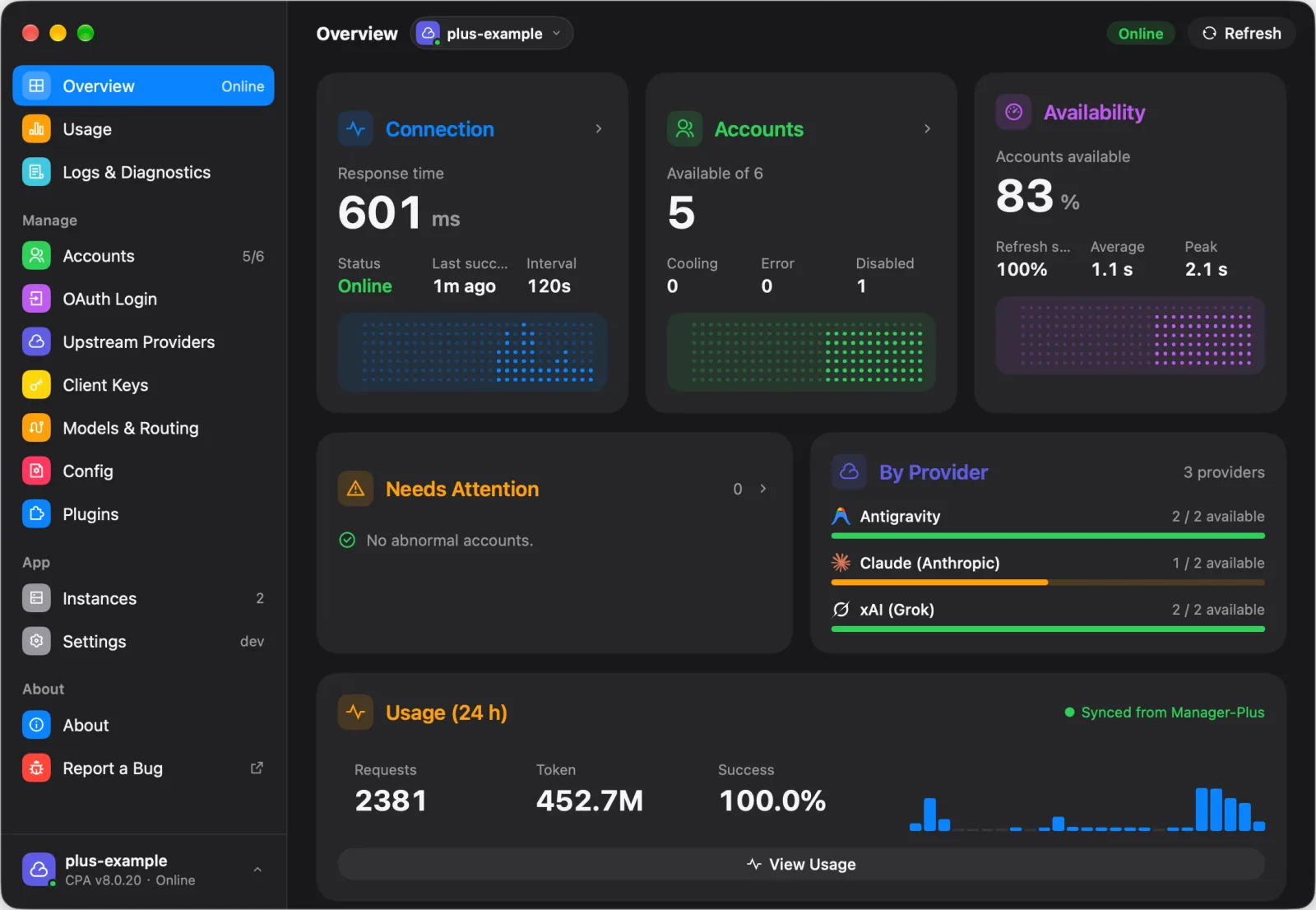
|
Usage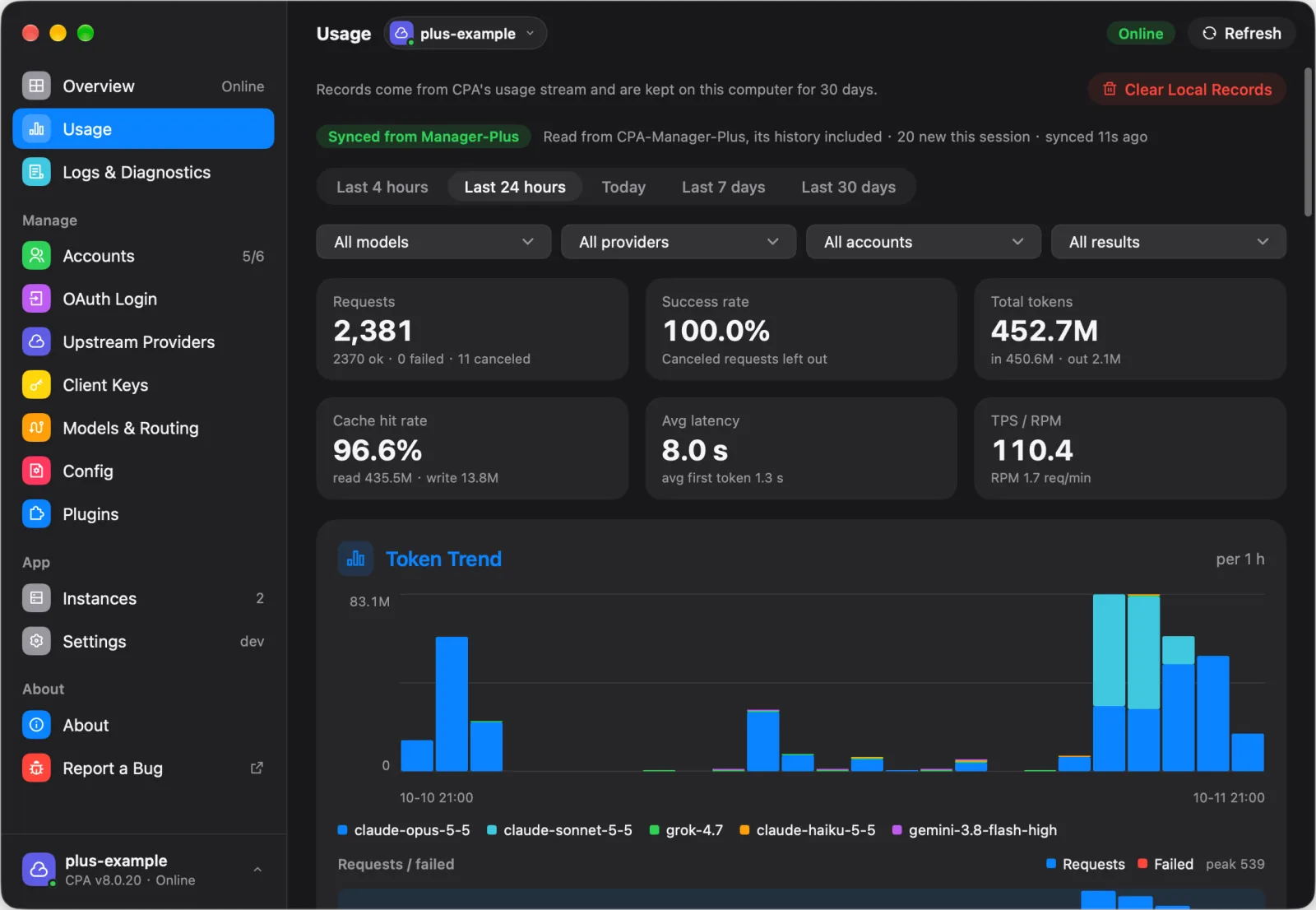
|
Accounts and quotas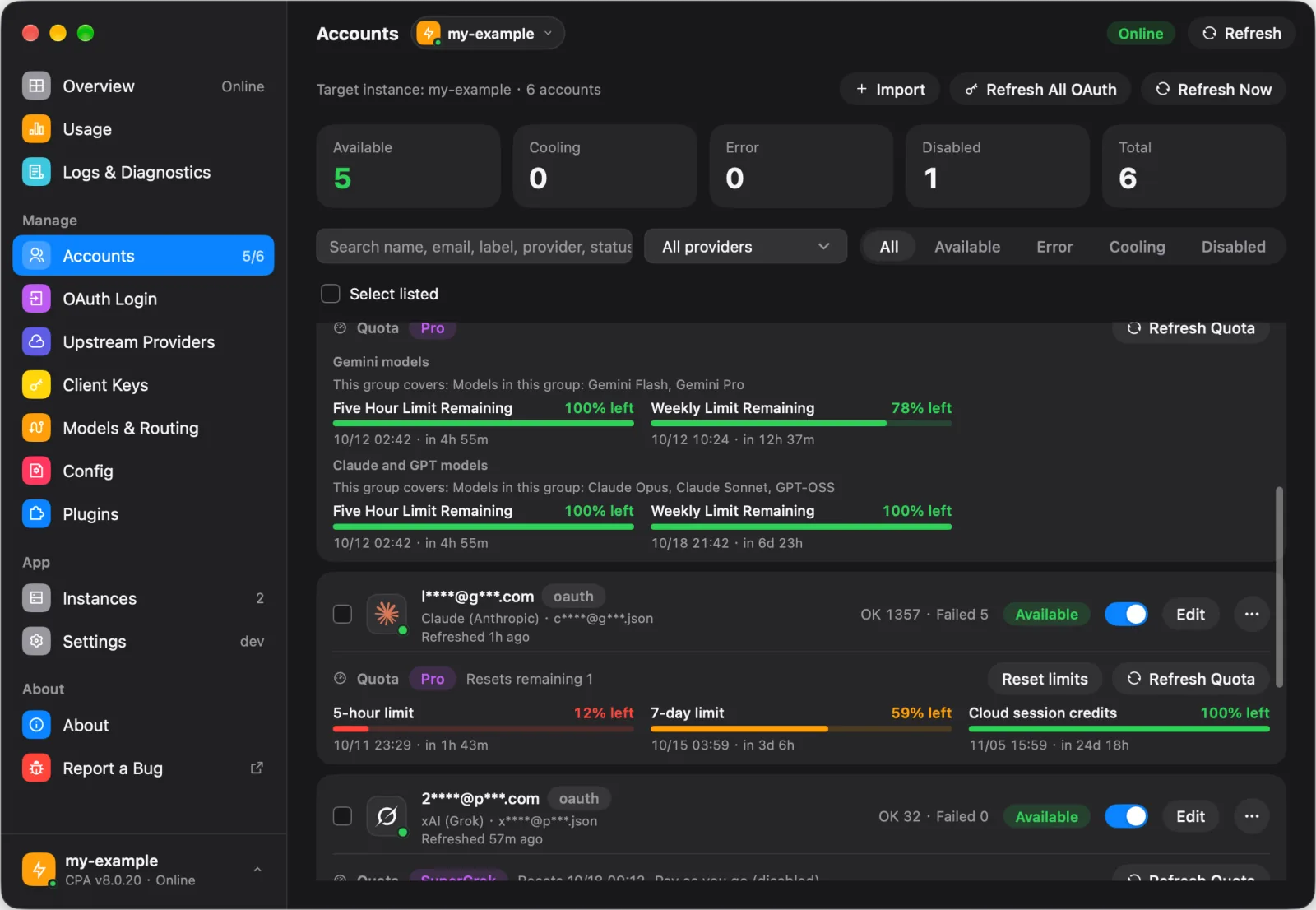
|
Instances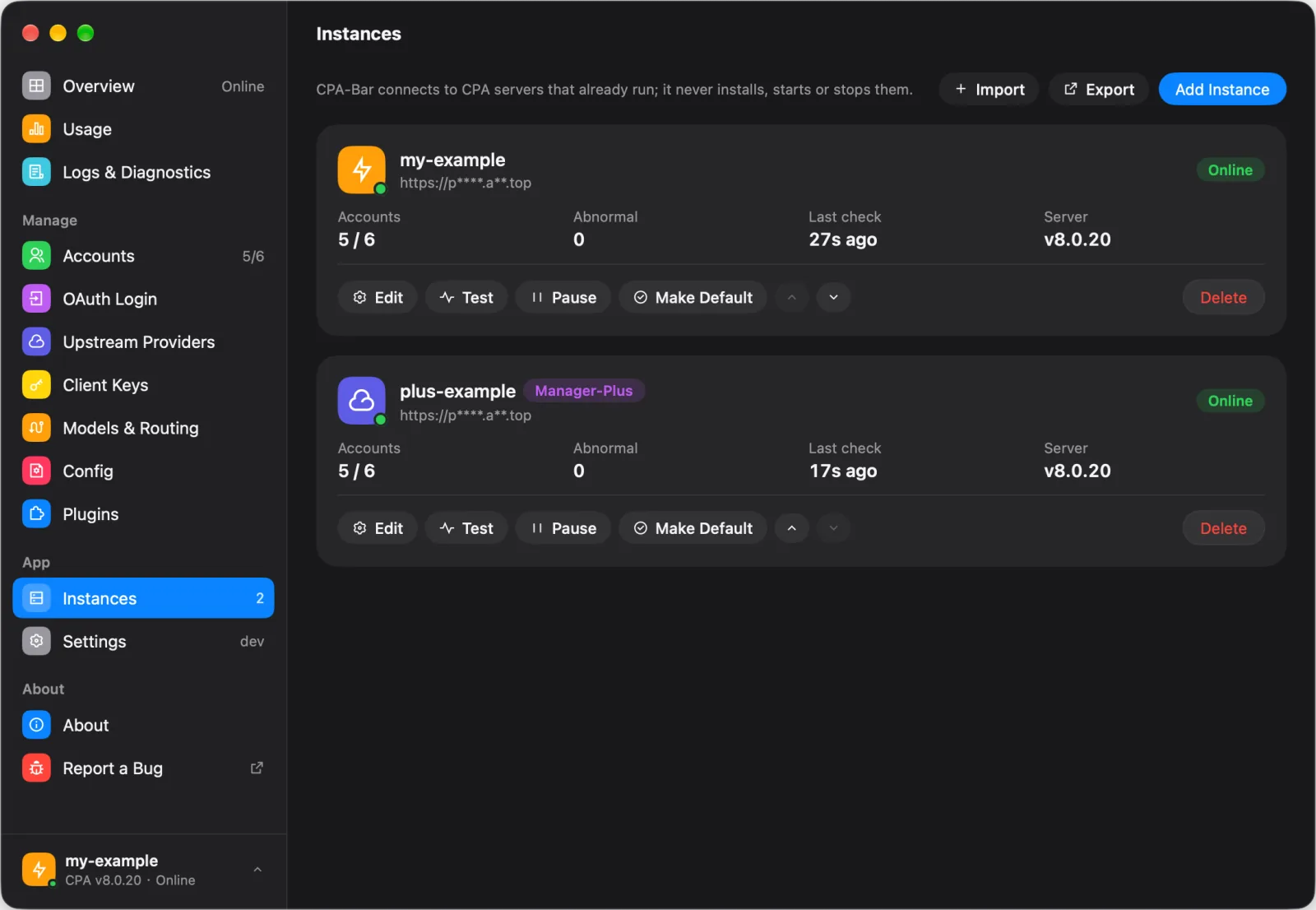
|
Add an instance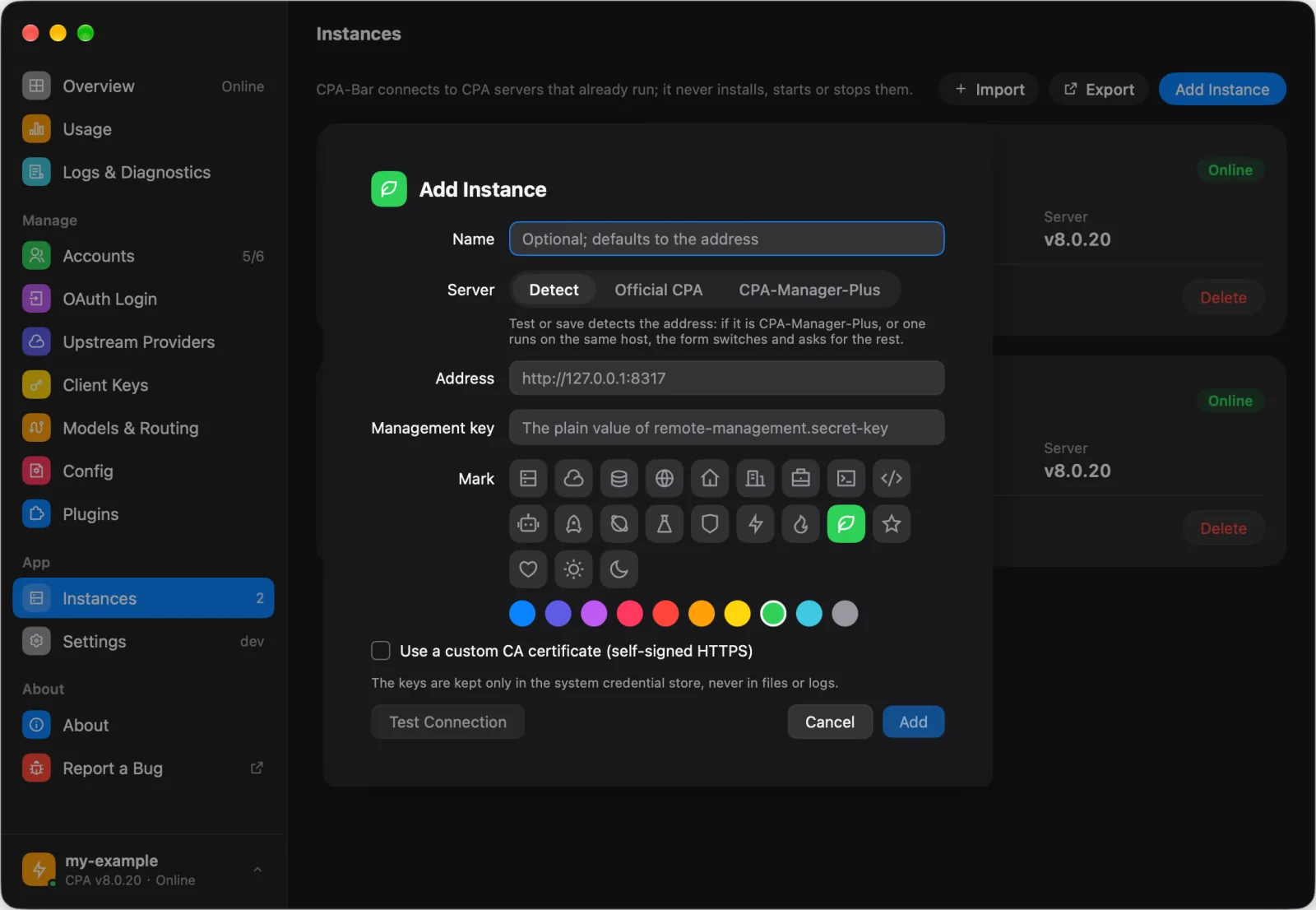
|
Tray panel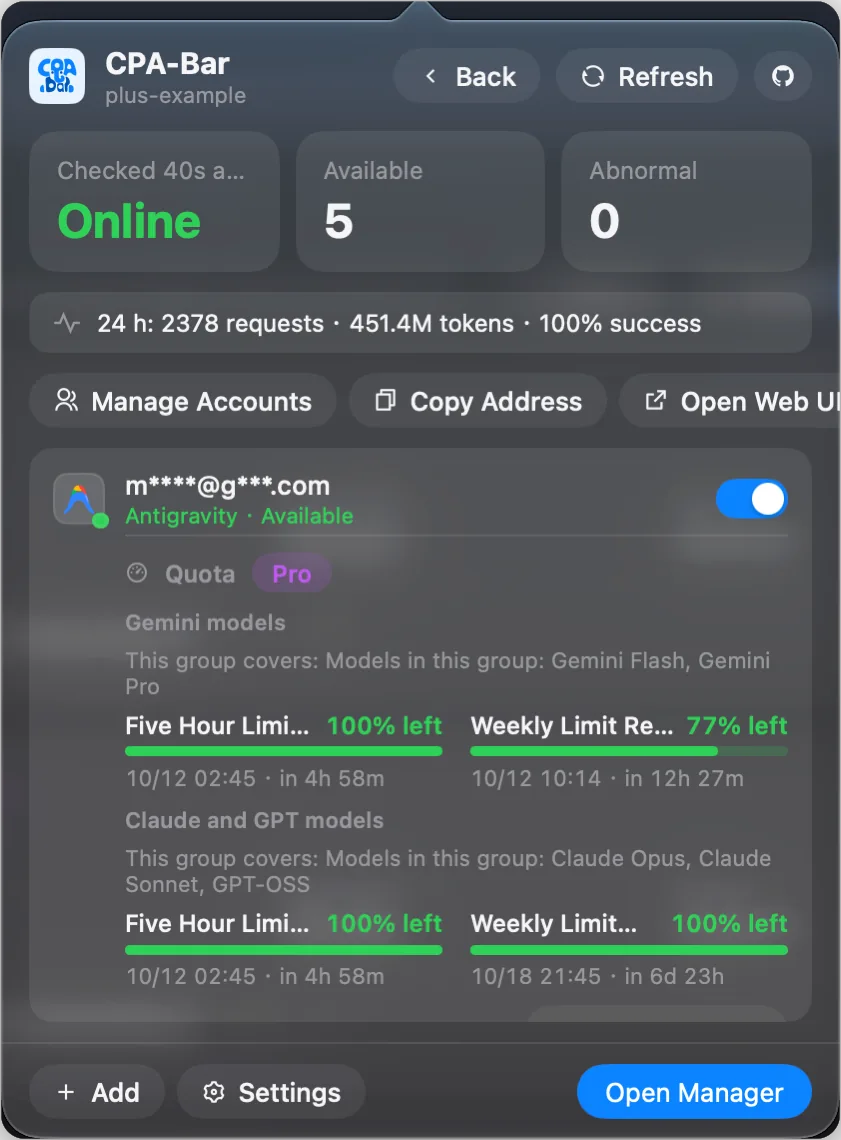
|
Requirements
| Platform | Requirements |
|---|---|
| macOS | macOS 12 or later, Apple silicon or Intel. |
| Windows | Windows 10 or later, amd64 or arm64. |
| Linux | amd64 or arm64 with GTK 3, libayatana-appindicator3 and a Secret Service provider (gnome-keyring or KWallet). |
CPA itself needs the v8 management API (tested with CLIProxyAPI v8.0.23).
Install
Download the package for your platform from Releases. SHA256SUMS lists the checksums of every file.
The macOS app and Windows installers use self-signed certificates; the macOS app is not notarized by Apple. The system may block the first launch and require manual approval. The steps below allow CPA-Bar only; no system security feature needs to be turned off.
macOS
Open the
.dmgand drag CPA-Bar into Applications.Open CPA-Bar from Applications. If macOS blocks it, go to System Settings > Privacy & Security, click Open Anyway, then confirm Open. Self-signing does not remove this first-launch requirement, including on macOS 15 and later.
Alternatively, after checking the download against
SHA256SUMS, clear the quarantine flag of this app only:xattr -dr com.apple.quarantine /Applications/CPA-Bar.app
Windows
Run CPA-Bar Setup <version> <arch>.exe; it installs for the current user without administrator rights. If SmartScreen appears, click More info, then Run anyway.
Linux
Install into your user directory (supports in-app updates):
curl -fsSL https://github.com/Licoy/CPA-Bar/releases/latest/download/install.sh | sh
Uninstall with sh install.sh --uninstall. On Debian and Ubuntu you can use the .deb instead, which is updated by the package manager:
sudo apt install ./cpa-bar_<version>_amd64.deb
Getting started
- On first launch the management window opens on Instances. Click Add Instance.
- Enter the CPA address (for example
http://127.0.0.1:8317) and its management key, then click Add. - Click the tray icon to open the panel; right-click it for more.
To manage a CPA on another machine, enable remote-management.allow-remote and set remote-management.secret-key in its configuration, and use HTTPS over public networks.
Build from source
Requires Go 1.27.1.
go run .
go test ./...
Package installers with mygo:
go run github.com/egoist/mygo/cmd/[email protected] build -platform darwin/arm64
Packaging signs with the identities named in mygo.json; on macOS, add -sign - for an ad-hoc signature when you do not have them.
Acknowledgements
- CLIProxyAPI: the proxy server CPA-Bar manages.
- CPA-Manager-Plus: the management panel whose usage history CPA-Bar can read.
- mygo: the Go framework for native desktop apps that CPA-Bar is built with.
- Remix Icon (Apache License 2.0): the interface icons.
- LobeHub Icons (MIT License): the provider logos.
- GNOME: Linux desktop integration.
- KDE: Linux desktop integration.
Community support
License
CPA-Bar is licensed under the GNU Affero General Public License v3 (AGPL-3.0), see LICENSE for the full text.
Yorumlar (0)
Yorum birakmak icin giris yap.
Yorum birakSonuc bulunamadi