immichctrl
Health Warn
- License — License: MIT
- Description — Repository has a description
- Active repo — Last push 0 days ago
- Low visibility — Only 6 GitHub stars
Code Warn
- process.env — Environment variable access in src/client.ts
- process.env — Environment variable access in src/config.ts
- process.env — Environment variable access in src/http.ts
- process.env — Environment variable access in src/immich-client.ts
Permissions Pass
- Permissions — No dangerous permissions requested
No AI report is available for this listing yet.
Your photo library outgrew the click-grid. immichctrl gives shells, cron, and agents one typed control surface for Immich, with writes off by default.
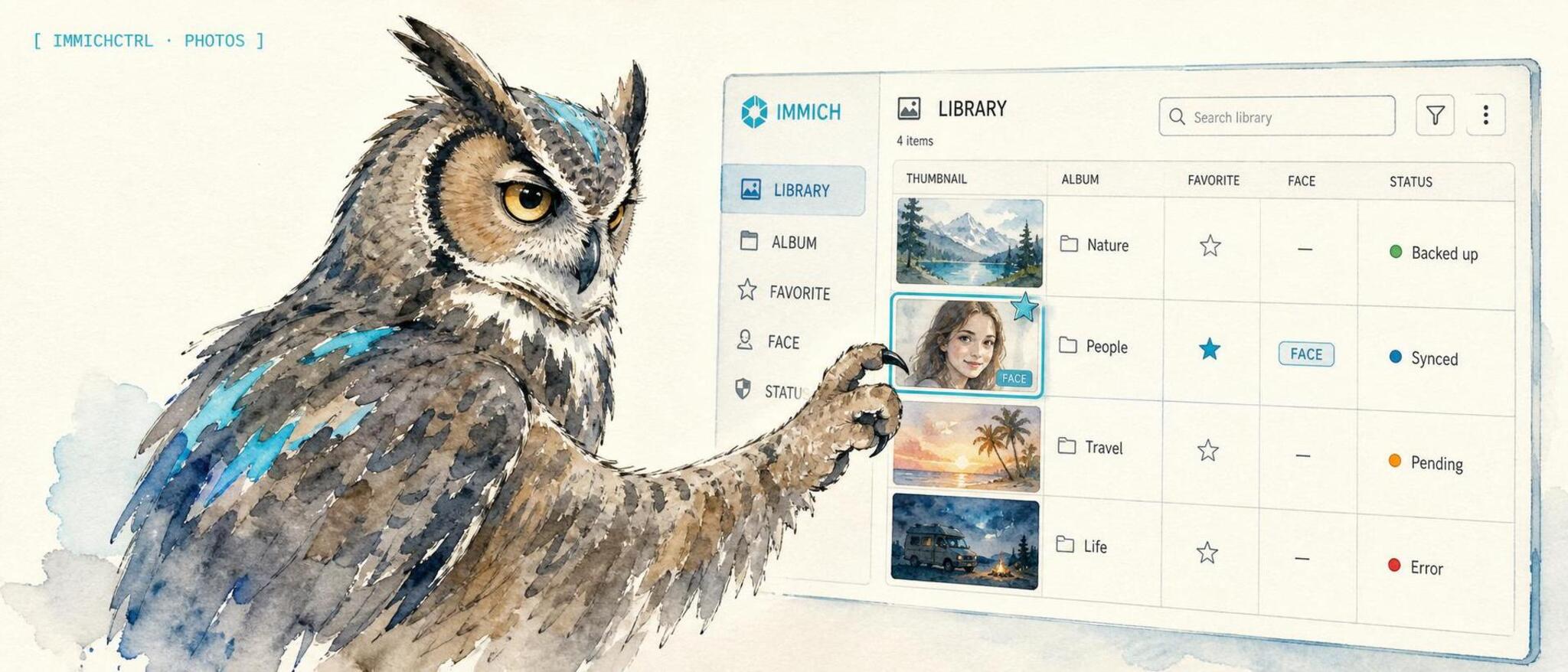

immichctrl
An operator control CLI for Immich, with an MCP adapter so AI clients can search, curate, and clean up your self-hosted photo and video library through the same safe tool surface.




What it is. immichctrl is an operator control CLI for Immich, the self-hosted photo and video library. It gives shells, cron, CI, and automation agents a typed way to inspect your library, search assets, audit storage, and run common read-only workflows. The same package keeps the Model Context Protocol surface available through immichctrl mcp and the back-compat immich-mcp binary, so MCP clients like Claude Desktop, Claude Code, OpenClaw, or Codex CLI can browse and search your photo library, manage albums and tags, recognize people, surface memories, and resolve duplicates in plain language.
Why use it. Immich already holds your whole life in photos, but the web UI is built for clicking, not for repeatable operator workflows. immichctrl gives you scriptable commands like immichctrl server stats, immichctrl search smart "sunset over the ocean", and immichctrl duplicates; the MCP adapter lets an AI client ask for the same kind of work through audited tool calls instead of hand-clicking.
How it differs. It is ctl-first and MCP-compatible: the package installs immichctrl for operator use, while immichctrl mcp and immich-mcp keep the full MCP adapter available. The MCP surface remains broad: 74 tools across 16 domains, including memories, duplicate detection with checksum-safe resolution, trash auditing, and motion-photo stacks that other Immich MCP servers do not cover. Writes are off by default and destructive calls demand explicit confirmation, so an agent cannot quietly delete your photos.
What it does
immichctrl connects a self-hosted Immich photo library to operator workflows and MCP-compatible AI clients. The CLI covers read-only server, library, search, people, album, tag, duplicate, jobs, and memories workflows. The MCP adapter turns Immich's REST API into 74 typed, schema-validated tool calls grouped into 16 domains, so an MCP-compatible AI client can drive your photo and video library directly:
- Search your photo library by natural language (CLIP / smart search), by metadata (date, location, camera, people, tags), or by a server-side discovery feed.
- Curate albums, tags, shared links, and stacks (motion photos, bracketed shots, RAW + JPEG pairs).
- Recognize people: list recognized faces, rename them, merge duplicate face clusters, suggest names for unnamed clusters.
- Surface memories: "on this day" lanes, a today digest, and recent-upload summaries suitable for a daily cron drop.
- Clean up duplicates and trash: categorize duplicate groups, find byte-identical or CLIP-grouped dupes, audit the active library and trash for reclaimable space, and resolve with a configurable keep strategy.
- Manage assets: read metadata and EXIF, favorite, archive, rate, geotag, soft-delete (trash), restore, and upload from a confined local directory.
Reads always work. Writes and deletes only appear when you opt in, and the most destructive ones require a per-call confirm: true.
Install
The MCP client config below uses npx -y immich-mcp, which needs no install and keeps the existing npm package name for compatibility. To install globally instead:
npm install -g immich-mcp
Or from source:
git clone https://github.com/lidless-labs/immichctrl.git
cd immichctrl
npm install
npm run build
When running from a source checkout, point your client's command at node and args at the absolute path to dist/index.js.
Quickstart
# 1. Get an Immich API key: Account Settings > API Keys > New API Key in the Immich web UI.

# 2. Run a CLI check without installing globally:
IMMICH_BASE_URL=https://photos.example.com/api \
IMMICH_API_KEY=your_key_here \
npm exec --yes --package immich-mcp -- immichctrl ping
After a global install, the operator CLI is available as immichctrl. To start the MCP adapter instead, use immichctrl mcp or the back-compat immich-mcp binary. MCP launchers can keep using the config below.
HTTP mode
Run one persistent process for multiple MCP clients:
node dist/index.js --http
# Also: node dist/cli.js mcp --http
# Or: immichctrl mcp --http
Set the usual IMMICH_BASE_URL and IMMICH_API_KEY on the server, plus an
independent IMMICH_MCP_HTTP_TOKEN. Generate a random HTTP token, for example
with openssl rand -hex 32. Startup refuses a missing or blank token, or one
equal to the API key or credentials embedded in the upstream URL. Authentication
compares SHA-256 digests in constant time.
IMMICH_MCP_HTTP_TOKEN: required bearer token.IMMICH_MCP_HTTP_HOST: defaults to IPv4 loopback.IMMICH_MCP_HTTP_PORT: defaults to3112. Use0to select a free port.IMMICH_MCP_HTTP_LOCAL_FILES:falseby default. HTTP mode then refusesimmich_upload_asset_from_pathand CSVexportTo. Settrueonly for trusted clients. Upload paths stay confined toIMMICH_UPLOAD_BASE_DIR. CSVexportToinimmich_resolve_with_keep_strategyandimmich_audit_trashis a trusted-client feature: with writes enabled, clients can create files anywhere the server user can write, including through symlinked parent directories. These exports refuse to overwrite existing files and are not confined byIMMICH_UPLOAD_BASE_DIR. This export policy also applies over stdio.
/mcp supports Streamable HTTP POST, GET, and DELETE with authentication on every
request. GET /healthz returns only {"status":"ok"} without authentication.
Host and Origin checks run before authentication to reject DNS rebinding.
Bodies are limited to 1 MiB, including chunked requests. Request and header
timeouts are 30 and 10 seconds. The listener accepts at most 128 sessions and
reaps sessions idle for 30 minutes on a minute timer. Active tool calls are
excluded from idle expiry. An idle SSE channel does not keep a session alive.
SIGTERM and SIGINT close sessions and the listener. Clients must initialize again
after expiry or restart.
Each session owns a fresh MCP server and tool registry. Previews, keep-strategy
plans, duplicate groups, and album indexes are computed within each invocation.
There is no pending approval or plan store. Confirmation arguments apply only to
the current call, and IMMICH_ALLOW_WRITES remains off by default. The process
shares one fixed upstream SDK configuration and write policy. Session IDs route
protocol state, and all clients with the bearer token share the same Immich
account privileges. There is no per-client authorization or deferred tool set.
HTTP disables immich_upload_asset_from_path and filesystem CSV exports by
default, returning an error before accessing local files. WithIMMICH_MCP_HTTP_LOCAL_FILES=true, trusted clients can upload files confined toIMMICH_UPLOAD_BASE_DIR and create CSV exports at arbitrary writable paths.
Both operations still require IMMICH_ALLOW_WRITES=true. Stdio uses the same
upload confinement and write gates.
Keep the default loopback binding for local clients. Remote access requires a
trusted TLS proxy or tunnel and network access controls. This listener provides
no TLS, OAuth, or browser CORS access. Host must be the bound host or a loopback
alias. A supplied Origin must be an HTTP or HTTPS loopback origin. Preserve an
allowed Host header through a proxy. A wildcard bind does not allow arbitrary
Host headers.
Claude Code
Configure an HTTP entry under mcpServers:
{
  "mcpServers": {
    "immich": {
      "type": "http",
      "url": "http://localhost:3112/mcp",
      "headersHelper": "/path/to/helper IMMICH_MCP_HTTP_TOKEN"
    }
  }
}
The executable helper reads the named variable from its environment or a secret
store and prints {"Authorization":"Bearer ..."} to stdout. Keep the token out
of the config and logs.
Codex
[mcp_servers.immich]
url = "http://localhost:3112/mcp"
bearer_token_env_var = "IMMICH_MCP_HTTP_TOKEN"
Set the token in the client's environment. Upstream credentials stay on the
server. See the example user service.
Create its EnvironmentFile with mode 0600, containing the upstream config and
HTTP token. Adjust the example installation paths before installing the unit.
The example enables NoNewPrivileges, PrivateTmp, and a 0077 umask.
MCP client config
Copy this into your MCP client. It uses npx -y immich-mcp so there is nothing to install globally:
{
  "mcpServers": {
    "immich-mcp": {
      "command": "npx",
      "args": ["-y", "immich-mcp"],
      "env": {
        "IMMICH_BASE_URL": "https://photos.example.com/api",
        "IMMICH_API_KEY": "YOUR_KEY",
        "IMMICH_ALLOW_WRITES": "false"
      }
    }
  }
}
Claude Desktop: add the block above to
~/Library/Application Support/Claude/claude_desktop_config.json(macOS) or%APPDATA%\Claude\claude_desktop_config.json(Windows), then restart Claude.Claude Code:
claude mcp add immich-mcp \
  -e IMMICH_BASE_URL=https://photos.example.com/api \
  -e IMMICH_API_KEY=YOUR_KEY \
  -e IMMICH_ALLOW_WRITES=false \
  -- npx -y immich-mcp
Add
--scope userto make it available from any directory.OpenClaw: add the same
command/args/envundermcps.entries.immich-mcpin~/.openclaw/openclaw.json, thensystemctl --user restart openclaw-gatewayandopenclaw mcp listto confirm.Codex CLI: add a
[mcp_servers.immich-mcp]block to~/.codex/config.toml:[mcp_servers.immich-mcp] command = "npx" args = ["-y", "immich-mcp"] env = { IMMICH_BASE_URL = "https://photos.example.com/api", IMMICH_API_KEY = "YOUR_KEY", IMMICH_ALLOW_WRITES = "false" }
Prefer a global install or a source checkout? See Install.
Tools
74 tools across 16 domains. Tools marked (requires confirm: true) are destructive and refuse to run without an explicit confirm flag on the call; all write and delete tools additionally require IMMICH_ALLOW_WRITES=true.
System (5)
immich_ping- verify connectivity, return server pongimmich_get_server_info- server config (login page, OAuth, theme)immich_get_server_statistics- photo, video, and user counts plus per-user storageimmich_get_capabilities- enabled features (search, ML, OAuth)immich_get_storage- storage used, available, total, and template
Assets (11)
immich_list_assets- paginated list/search with filters (favorite, archived, date, type, person, album, tag)immich_get_asset- full metadata for one assetimmich_get_asset_exif- EXIF / IPTC block for an assetimmich_get_asset_statistics- per-user image and video countsimmich_download_asset_original- Immich URL path for the original fileimmich_download_asset_thumbnail- Immich URL path for the thumbnailimmich_upload_asset_from_path- upload a local file (confined toIMMICH_UPLOAD_BASE_DIR; refused when unset)immich_update_asset- description, favorite, archive, rating, date, geotagimmich_bulk_update_assets- bulk favorite / archive / visibility (requiresconfirm: true)immich_delete_asset- soft delete (trash) by default;permanent: truebypasses trash (permanent requiresconfirm: true)immich_restore_from_trash- restore previously trashed assets
Search (3)
immich_search_smart- CLIP / semantic search by natural-language queryimmich_search_metadata- structured search (date, location, camera, people, tags, albums)immich_search_explore- random sample for discovery / "explore" lanes
Albums (8)
immich_list_albumsimmich_get_albumimmich_get_album_statisticsimmich_create_albumimmich_update_album- rename, set cover, set descriptionimmich_add_assets_to_albumimmich_remove_assets_from_albumimmich_delete_album- assets are NOT deleted (requiresconfirm: true)
Album flows (1)
immich_search_then_album- run a smart or metadata search, then create an album from the matches (writes-gated)
People (7)
immich_list_peopleimmich_get_personimmich_get_person_assets- photos and videos a face appears inimmich_update_person- name, birthdate, visibility, favorite, feature faceimmich_hide_person- exclude from default lists without deletingimmich_merge_people- fold duplicate face clusters into one (requiresconfirm: true)immich_suggest_face_names- top unnamed people by face count, for triage
Tags (7)
immich_list_tagsimmich_get_tagimmich_create_tagimmich_update_tag- rename or recolorimmich_delete_tag(requiresconfirm: true)immich_add_tag_to_assetsimmich_remove_tag_from_assets
Shared links (5)
immich_list_shared_linksimmich_get_shared_linkimmich_create_shared_linkimmich_update_shared_linkimmich_delete_shared_link(requiresconfirm: true)
Activities (4)
immich_list_activities- comments and likes on albums or assetsimmich_get_activity_statisticsimmich_create_activityimmich_delete_activity(requiresconfirm: true)
Memories (2)
immich_list_memories- memory lanes ("years ago", etc.)immich_get_memory
Memory flows (2)
immich_memories_today- today's "X years ago" lanes, chat-formattedimmich_daily_digest- server stats + today's memories + recent uploads as a markdown drop
Duplicates (2)
immich_list_duplicates- duplicate groups detected by Immich's hashing passimmich_resolve_duplicates- keep[] / discard[], dry-run by default (delete: true+confirm: trueto remove)
Duplicate flows (8)
immich_categorize_duplicates- bin duplicate groups (checksum-exact, name-size, resolution variants, bursts, edits)immich_find_byte_dupes- ready-to-trash candidates with asafetyMode(strict-checksum default)immich_resolve_with_keep_strategy- end-to-end dedupe, dry-run by default, album-awareimmich_explain_duplicate_group- per-asset detail and a recommended keeper with rationaleimmich_find_clip_dupes- visual-but-not-byte-identical CLIP-grouped pairs (read-only)immich_compare_assets- side-by-side metadata diff of 2-10 assets with a recommendationimmich_audit_active- reclaimable duplicate candidates still in the active libraryimmich_audit_trash- cross-check trashed assets against the active library for orphans
Stacks (4)
immich_list_stacks- stack groups (motion photos, bracketed shots, RAW + JPEG pairs)immich_create_stackimmich_update_stack- reassign the primary assetimmich_delete_stack- assets stay (requiresconfirm: true)
Trash (3)
immich_list_trash- paginated trashed assets, scoped to trashimmich_restore_by_query- restore trashed assets matching a filter (no filter requiresconfirm: true)immich_empty_trash- permanently delete EVERYTHING in trash, NOT REVERSIBLE (requiresconfirm: true)
Jobs (2)
immich_list_jobs- queue status for background jobs (thumbnails, ML, metadata, sidecar)immich_run_job- send a command to a background job (destructive commands requireconfirm: true)
Configuration
Set these environment variables in your shell or MCP client config:
| Variable | Required | Default | Description |
|---|---|---|---|
IMMICH_BASE_URL |
yes | - | Base URL of your Immich API, e.g. https://photos.example.com/api (or http://192.0.2.10:2283/api for a LAN host). |
IMMICH_API_KEY |
yes | - | API key from Account Settings > API Keys in the Immich web UI. |
IMMICH_ALLOW_WRITES |
no | false |
Set to true to expose write and delete tools. Reads always work. |
IMMICH_VERIFY_SSL |
no | true |
Set to false to accept self-signed certs. The relaxed TLS check is scoped to the Immich client only (a dedicated request dispatcher); it does not disable certificate validation process-wide. |
IMMICH_UPLOAD_BASE_DIR |
no | - | Absolute directory that immich_upload_asset_from_path is confined to. When unset, path-based upload is refused. The directory must exist at startup. Files must resolve (after following symlinks) inside this directory and must be regular files. Path uploads currently require Linux with /proc/self/fd to verify the opened file remains inside the directory. Other platforms refuse path uploads rather than relying on pathname checks that can race. |
Getting an API key
- Log into Immich.
- Account Settings > API Keys > New API Key.
- Name it (e.g.
mcp) and copy the value.
CLI
immichctrl is the primary operator interface for shells, cron, and CI. It shares the @immich/sdk core with the MCP adapter and reads the same IMMICH_BASE_URL / IMMICH_API_KEY env config. It exposes only the read tools (server, library, and search lookups); every write, delete, upload, and job-control tool stays in the MCP surface behind the IMMICH_ALLOW_WRITES gate and is unreachable from the CLI.
npm exec --yes --package immich-mcp -- immichctrl ping
# or, installed globally:
immichctrl ping
immichctrl server stats
immichctrl storage
immichctrl capabilities
immichctrl albums list
immichctrl albums get 00000000-0000-0000-0000-000000000001
immichctrl assets list --type image --favorite --size 20
immichctrl assets stats
immichctrl people list --with-hidden
immichctrl tags list
immichctrl duplicates
immichctrl jobs
immichctrl memories --saved
immichctrl search metadata --city Madrid --type image
immichctrl search smart "sunset over the ocean"
immichctrl server stats --json        # raw JSON for piping
Run immichctrl help for the full command and flag list. --json emits raw JSON instead of the concise human-readable summary. Exit codes: 0 success, 1 runtime error (Immich unreachable / call failed), 2 usage error (unknown command/flag or bad value).
Point IMMICH_BASE_URL at your Immich API, e.g. https://photos.example.com/api (or http://192.0.2.10:2283/api for a LAN host).
Starting the MCP adapter
immichctrl mcp (or the back-compat immich-mcp bin) starts the stdio MCP adapter. If a launcher referenced the file path dist/index.js directly, it keeps working; new launchers can point at dist/mcp-bin.js (or dist/cli.js mcp). Launchers that use the immich-mcp bin name need no change.
Example prompts
Show me memories from this week.
Calls immich_memories_today / immich_list_memories and filters by the current week.
Find duplicate photos and tell me which to delete (don't delete yet).
Calls immich_categorize_duplicates / immich_list_duplicates and returns clusters as a dry run, without resolving anything.
Group these motion photos into a stack.
Calls immich_create_stack with the asset IDs and a primary pick.
Make an album of every beach photo from last August.
Calls immich_search_then_album to search and create the album in one writes-gated step.
Safety model
immichctrl and its MCP adapter are designed to be safe to hand to automation:
- Reads are always allowed. Writes are opt-in. Write and delete tools only register when
IMMICH_ALLOW_WRITES=true. - Destructive calls require an explicit
confirm: true. Bulk updates, permanent deletes, merges, emptying trash, and similar refuse to run otherwise, even with writes enabled. - Dry-run by default for dedupe. Resolution tools report what they would do before they touch anything.
- Path-based upload is confined.
immich_upload_asset_from_pathonly reads insideIMMICH_UPLOAD_BASE_DIR(after resolving symlinks), and is refused entirely when that variable is unset. - Relaxed TLS is scoped.
IMMICH_VERIFY_SSL=falseonly relaxes the Immich client's dispatcher; it does not weaken certificate validation for the rest of the process.
Why not the other options?
- The Immich web UI is built for clicking through a grid. It is great for browsing and awkward for repeatable "do X across thousands of photos" operator workflows.
- The Immich CLI uploads and manages assets from scripts, but it is not an MCP adapter and an LLM cannot call it as typed tools.
immichctrlfocuses on operator reads, whileimmichctrl mcpandimmich-mcpprovide the MCP tool-call surface for an agent. - Other Immich MCP servers tend to cover the basics (browse, search, albums). This one is broader: 74 tools spanning memories, motion-photo stacks, checksum-safe duplicate resolution, trash auditing, and job control, with a two-tier write-protection model built in.
- Writing your own glue around the Immich REST API works, but you would re-implement schema validation, pagination, write-gating, confirmation guards, and the dedupe safety logic that this server already ships and tests.
What this package is not
- It is not a replacement for Immich. You still run your own Immich server; this connects an AI client to it.
- It is not a hosted service. The CLI runs locally, and the MCP adapter runs locally on stdio when launched by your MCP client. Nothing is sent anywhere except to the Immich server you point it at.
- It is not a photo editor or an ML model. It calls Immich's existing search, recognition, and dedup features; it does not run its own.
- It does not delete or modify anything unless you set
IMMICH_ALLOW_WRITES=true, and the destructive tools still demand a per-callconfirm: true. - It is not an official Immich project. It is a community operator CLI and MCP adapter that uses the public Immich API.
License
MIT - see LICENSE.
Part of Lidless Labs · the eye does not close
Homelab: proxmox-mcp · adguardctrl · jellyctrl · proxguard
Reviews (0)
Sign in to leave a review.
Leave a reviewNo results found