Light-UI-UX
Health Warn
- License — License: MIT
- Description — Repository has a description
- Active repo — Last push 0 days ago
- Low visibility — Only 5 GitHub stars
Code Pass
- Code scan — Scanned 8 files during light audit, no dangerous patterns found
Permissions Pass
- Permissions — No dangerous permissions requested
No AI report is available for this listing yet.
UI/UX design skill for AI coding agents. Build and refine websites, apps, and components.

简体中文 · English



Good taste. For your AI.
Light-UI-UX is a UI/UX design skill for AI coding agents. Turn an idea into a working interface, or refine the layout, interactions, and details of an existing project. It works on websites, web apps, mobile apps, and individual components with agents including Codex, Claude Code, Cursor, and Windsurf.
Install
Ask your agent
Send this to your coding agent:
Install the Light-UI-UX skill from https://github.com/Light0305/Light-UI-UX.
First let me choose a global install or a specific project directory, then install it for the agent I use.
Windows
Run in PowerShell or Command Prompt:
npx.cmd skills@latest add Light0305/Light-UI-UX --skill light-ui-ux
macOS / Linux
Run in your terminal:
npx skills@latest add Light0305/Light-UI-UX --skill light-ui-ux
The commands use the skills CLI and require Node.js 22.20+ and Git. The installer asks which agents to use and where to install: Global makes the skill available across projects; Project installs it in the current directory. Enter your project directory first for a project install.
The skill's scripts require Python 3.10+, with no third-party Python packages. Screenshots use a locally installed Chrome, Edge, or Chromium. You can also download the complete skill from Releases and place it in your agent's skills directory.
Then describe what you want to build:
Use light-ui-ux to design and build a website for an independent record store.
Include record previews, weekly arrivals, and store details. Choose the visual direction and make it work on mobile.
Showcase
Four projects, each built from one prompt in one conversation round. Click an image to try the live demo. Original prompts.
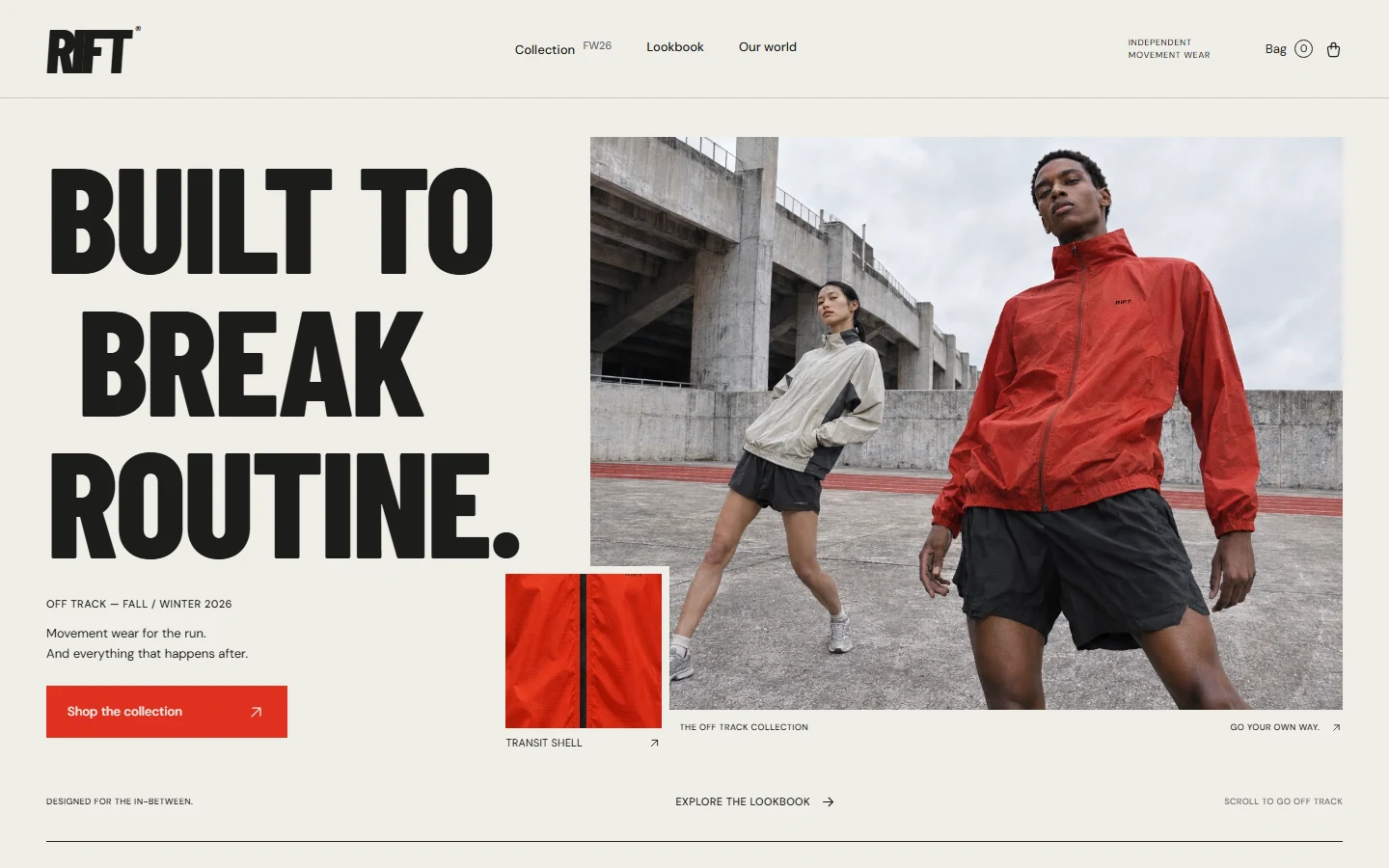 RIFT · Independent movement wear |
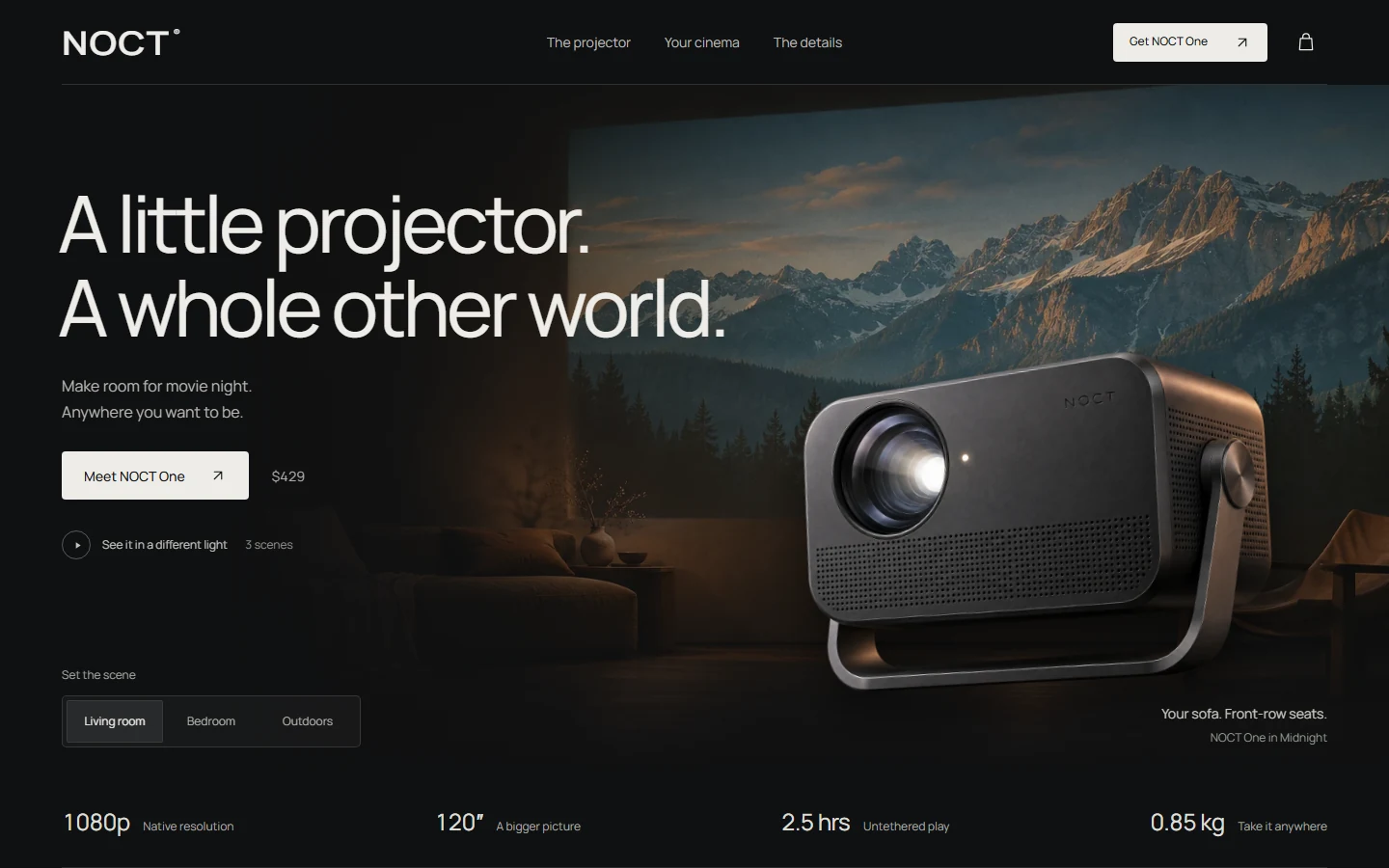 NOCT · Portable cinema |
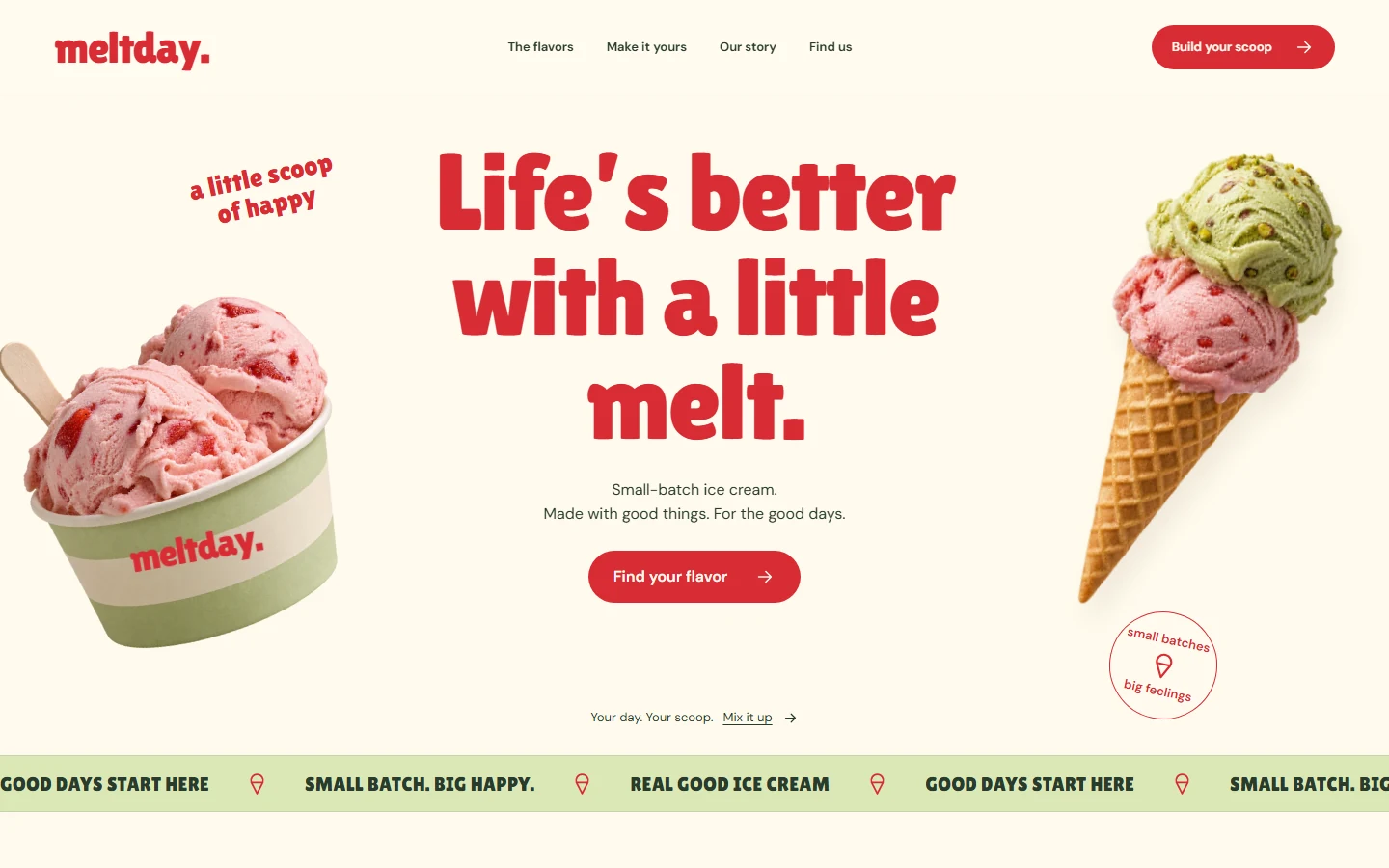 Meltday · Small-batch ice cream |
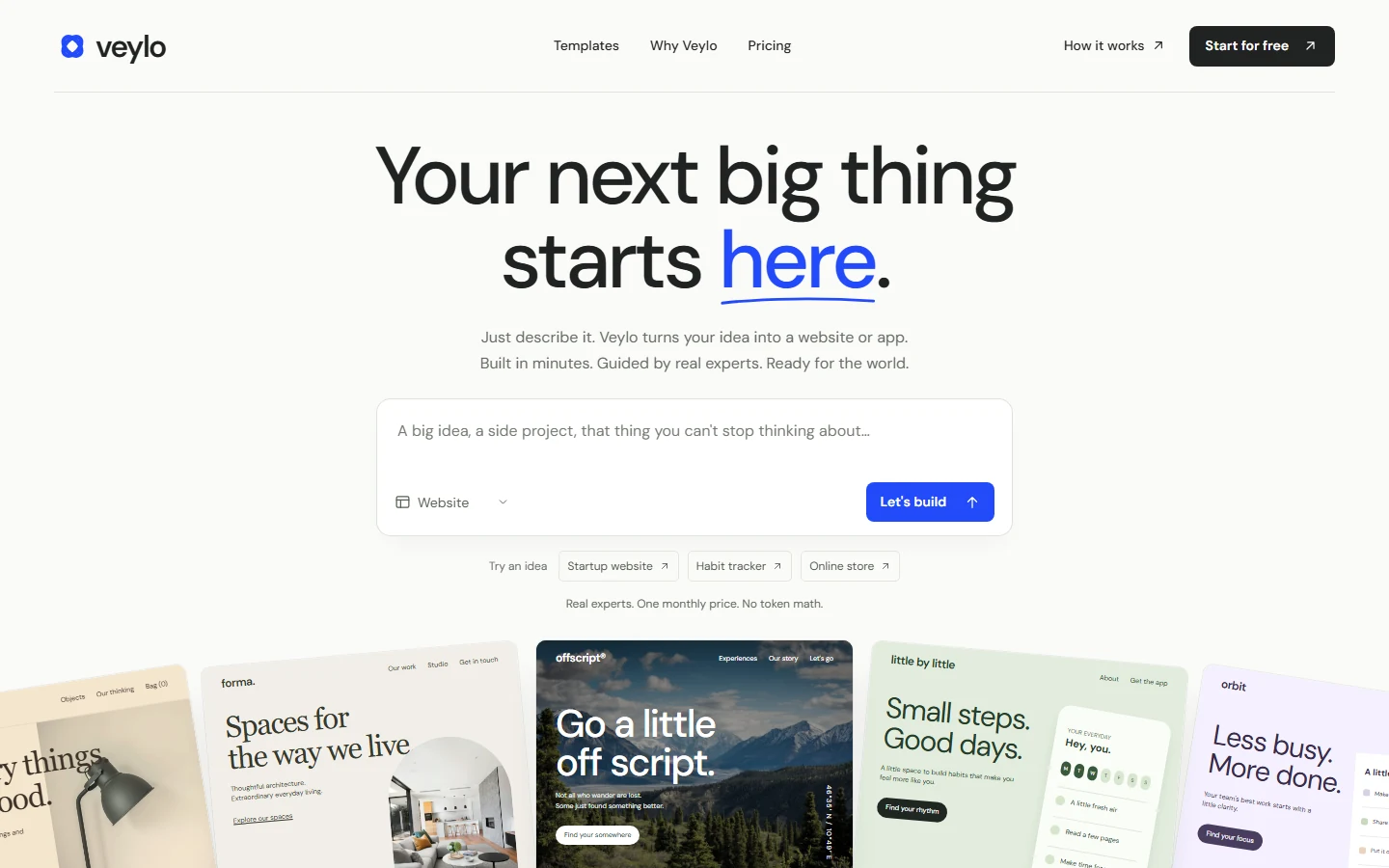 Veylo · AI website & app builder |
How it works
- Start with the product. Understand what visitors need to do, then decide whether the interface should lead with work, information, or actions. Marketing pages, workspaces, and reading experiences take different layouts.
- Explore distinct directions before building. New projects draw on real references to separate composition, typography, color, and imagery. Existing projects start with what is worth keeping and where the experience needs work.
- Carry the details into working UI. Guidance covers Chinese and Latin typography, hierarchy, spacing, color, responsive layouts, and interaction states for buttons, forms, and dialogs. Motion follows the content and the task.
- Use media when it helps. Search local components, icons, motion recipes, and design references, or call an image-generation tool. Images, animation, and effects are chosen for the design at hand.
- Refine against the rendered result. Check desktop and mobile layouts and use the main flows. Full pages and major redesigns also go through an independent visual review.
Supported stacks include HTML/CSS/JavaScript, React / Next.js, Vue / Nuxt, shadcn/ui, React Native / Expo, SwiftUI, and Flutter.
Local design resources
Resources ship with the skill and are searched locally through SQLite full-text search.
| Resource | Count |
|---|---|
| Website and award-site design references | 1,544 |
| Interactive component entries | 1,250 |
| Motion prompts and recipes | 660 |
| SVG icons | 33,253 |
| Brand design systems | 152 |
| Stack guidelines | 22 stacks |
Component entries include extractable source and upstream links. Each resource retains its original license. See SKILL.md for the workflow and references for detailed guidance.
The component index includes 68 BoardUI source resources for AI chat, application controls, data grids, settings and design foundations, plus 42 LeiBox interaction references. LeiBox's explicitly MIT-attributed ASCII Sharks component includes complete React, Vue, Svelte, Solid, Preact and Vanilla packages; the other 41 entries link to their upstream resources. The full index has 945 source entries and 305 upstream references. Bundles retain dependencies and source notices. Usage and integration.
python scripts/arsenal.py component "chat" --site boardui --framework react --mode full_source
python scripts/arsenal.py component "drag" --site leibox --framework vue
python scripts/arsenal.py component --id boardui-data-grid --extract ./staging
Custom image models
The agent's native image-generation tool takes priority. When no host tool is available, it can use your configured API; without an API, it can search openly licensed media. You can also request a specific channel in your brief.
Copy .light-ui-ux.example.json to .light-ui-ux.json in the skill's root directory, then enter your provider's endpoint, key, and model ID:
{
  "api_url": "https://your-api.example/v1/images/generations",
  "api_key": "",
  "model": "YOUR_IMAGE_MODEL_ID",
  "provider": "openai-compatible"
}
The script supports OpenAI Images-compatible endpoints. Configuring an API does not override native image generation. Keep your actual endpoint and key local; .light-ui-ux.json and .env are excluded from Git and release archives. See image configuration.
Included tools
| Tool | Purpose |
|---|---|
arsenal.py |
Search references, components, icons, motion recipes, and stack guidance |
style_explorer.py |
Generate a style comparison page with desktop and mobile views |
media_gen.py |
Configure image channels, retrieve media, and analyze images |
inspect_ui.py |
Inspect pages, capture multiple viewports, and create text-masked screenshots |
Feedback & support
- Email: [email protected]
- GitHub: @Light0305
- Issues, pull requests, and usage feedback are welcome.
- AI Shop:LightChuan-Shop
| Support the author | Chat on WeChat | Official account |
|---|---|---|
 |
 |
 |
License
Original Light-UI-UX code and documentation use the MIT License. Bundled third-party resources retain their own licenses; see THIRD_PARTY_NOTICES.md and licenses.
Reviews (0)
Sign in to leave a review.
Leave a reviewNo results found