orca-the-lobby
Health Warn
- License — License: MIT
- Description — Repository has a description
- Active repo — Last push 0 days ago
- Low visibility — Only 5 GitHub stars
Code Fail
- exec() — Shell command execution in panel/main.ts
Permissions Pass
- Permissions — No dangerous permissions requested
No AI report is available for this listing yet.
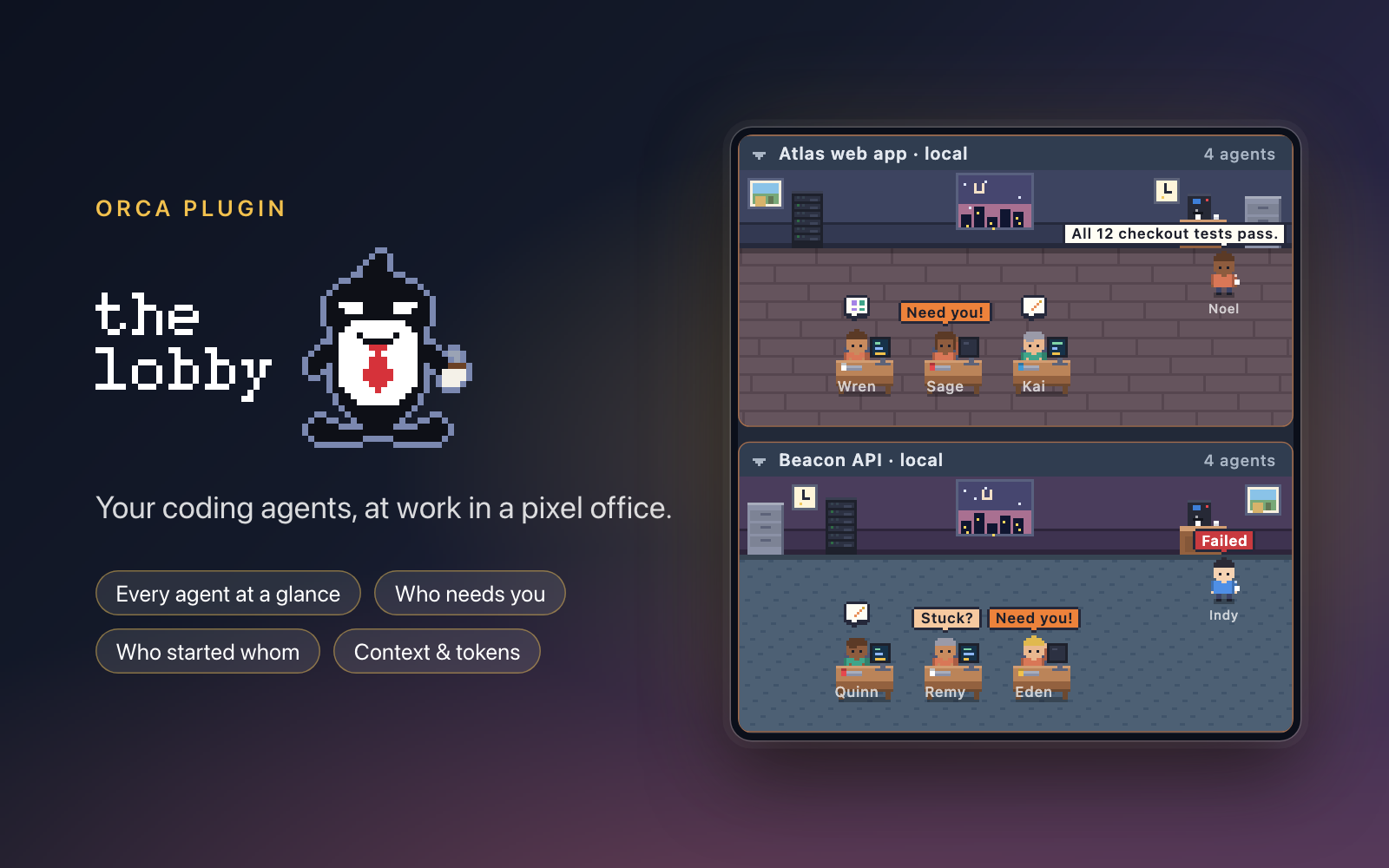
Orca plugin: every agent in every worktree as pixel people in one room per project. Who needs you, who started whom.
The Lobby
Every agent in every worktree, in one live view. See who is working, who is stuck and who needs you, without opening a single tab.
An Orca plugin that turns your parallel coding agents into little pixel people: one room per project, one desk per agent.
Take the tour: lilykos.github.io/orca-the-lobby
Why you'd want it
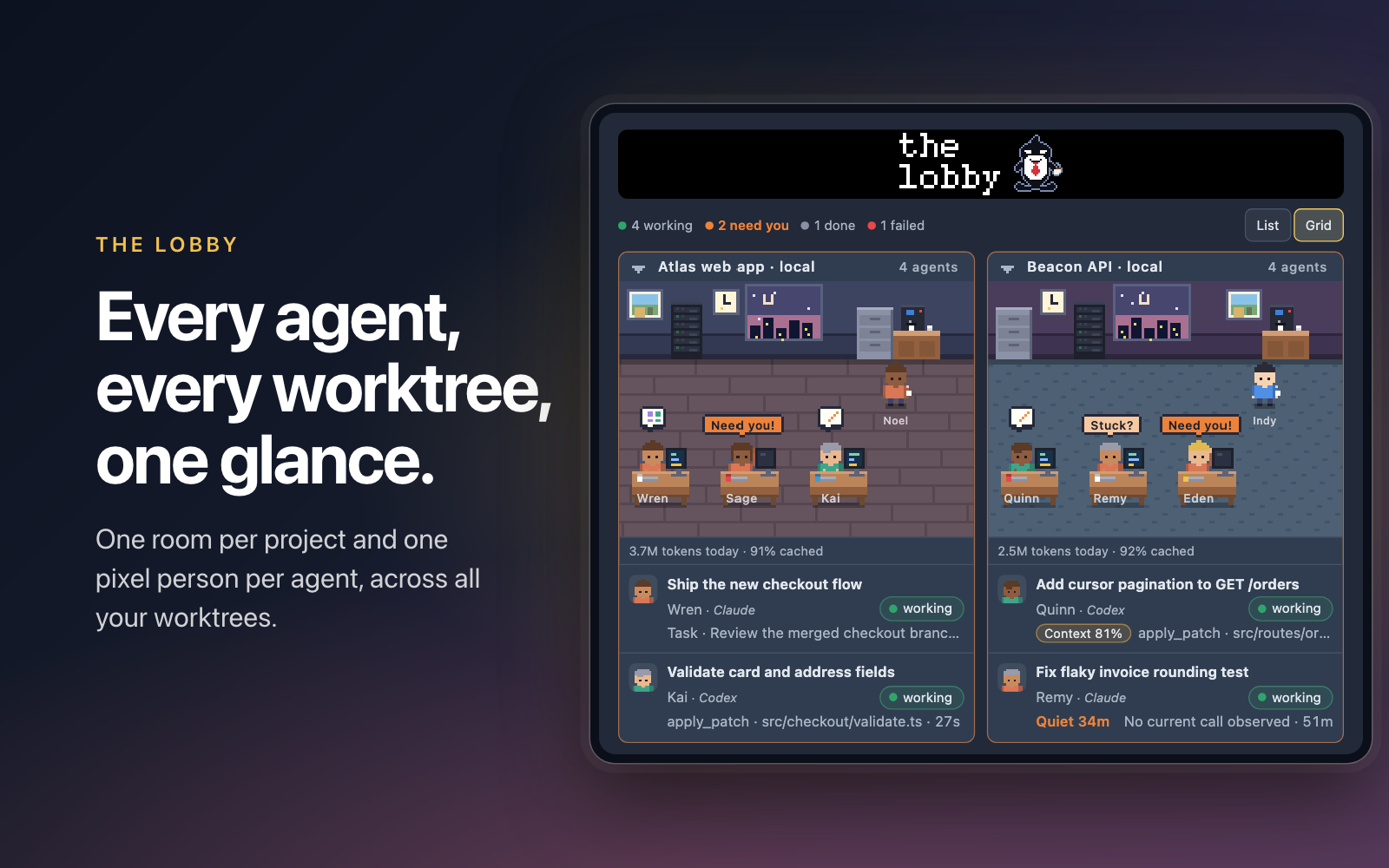
- See everything at once. Every agent in every worktree, one room per project. Worktrees of a repo share a room, and counts show how many are working, need you, are done or failed.
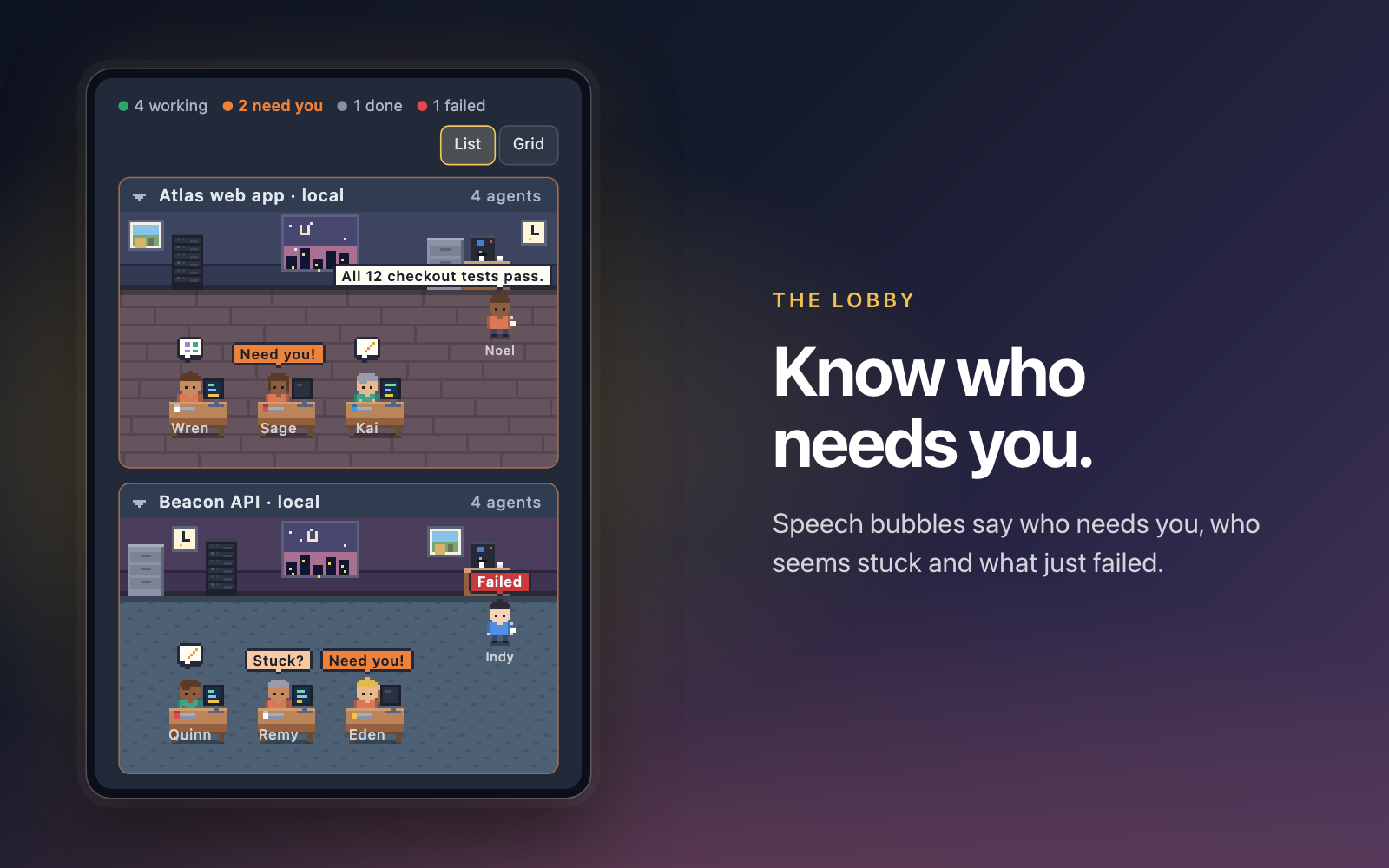
- Know who needs you. Speech bubbles say Need you!, Stuck? or Failed, Needs attention dims the rest, and an optional desktop notification fires when an agent has gone quiet for 10 to 60 minutes.
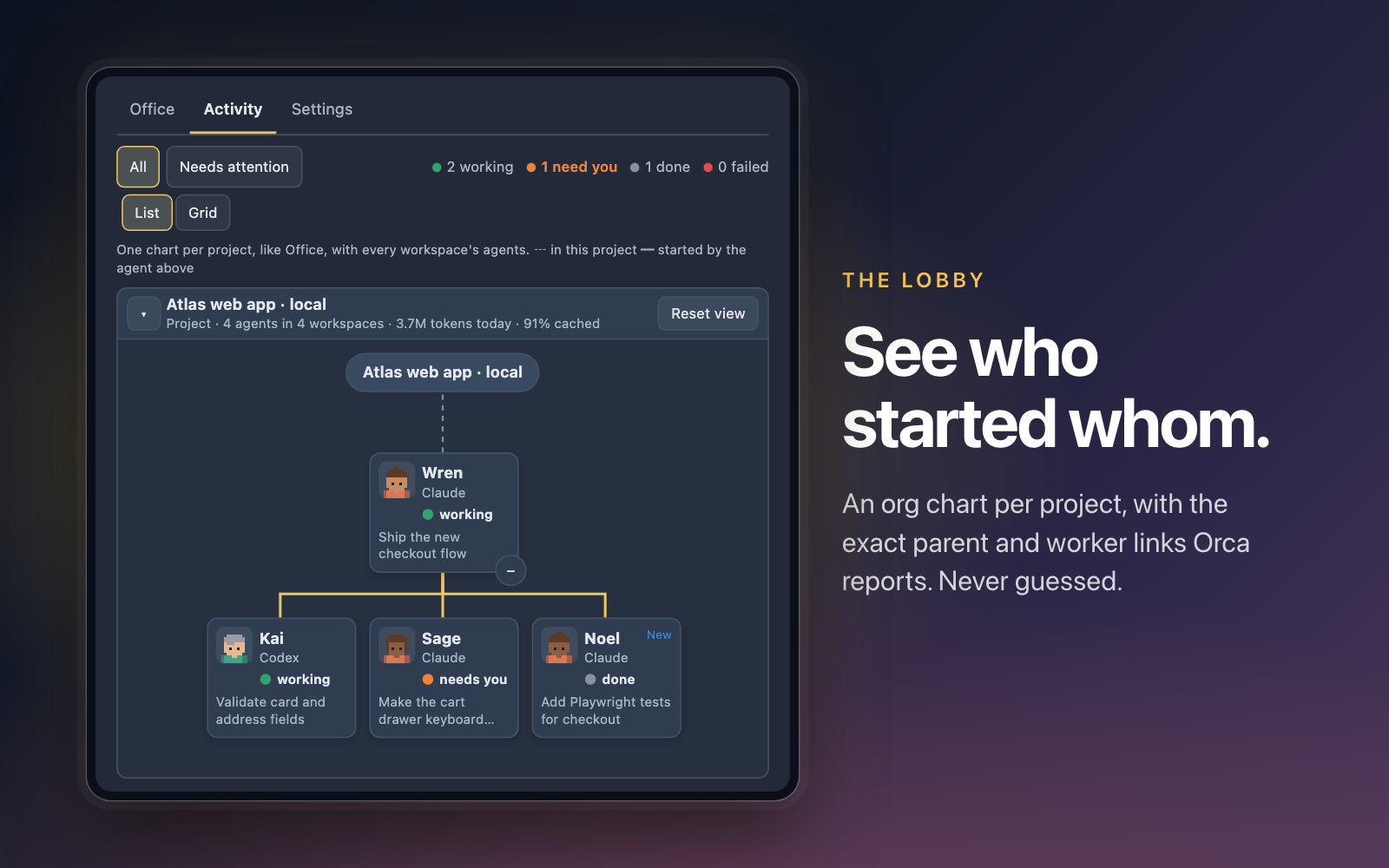
- See who started whom. An org chart per project, drawn from the exact parent-to-worker links Orca reports, across worktrees. Nothing is guessed.
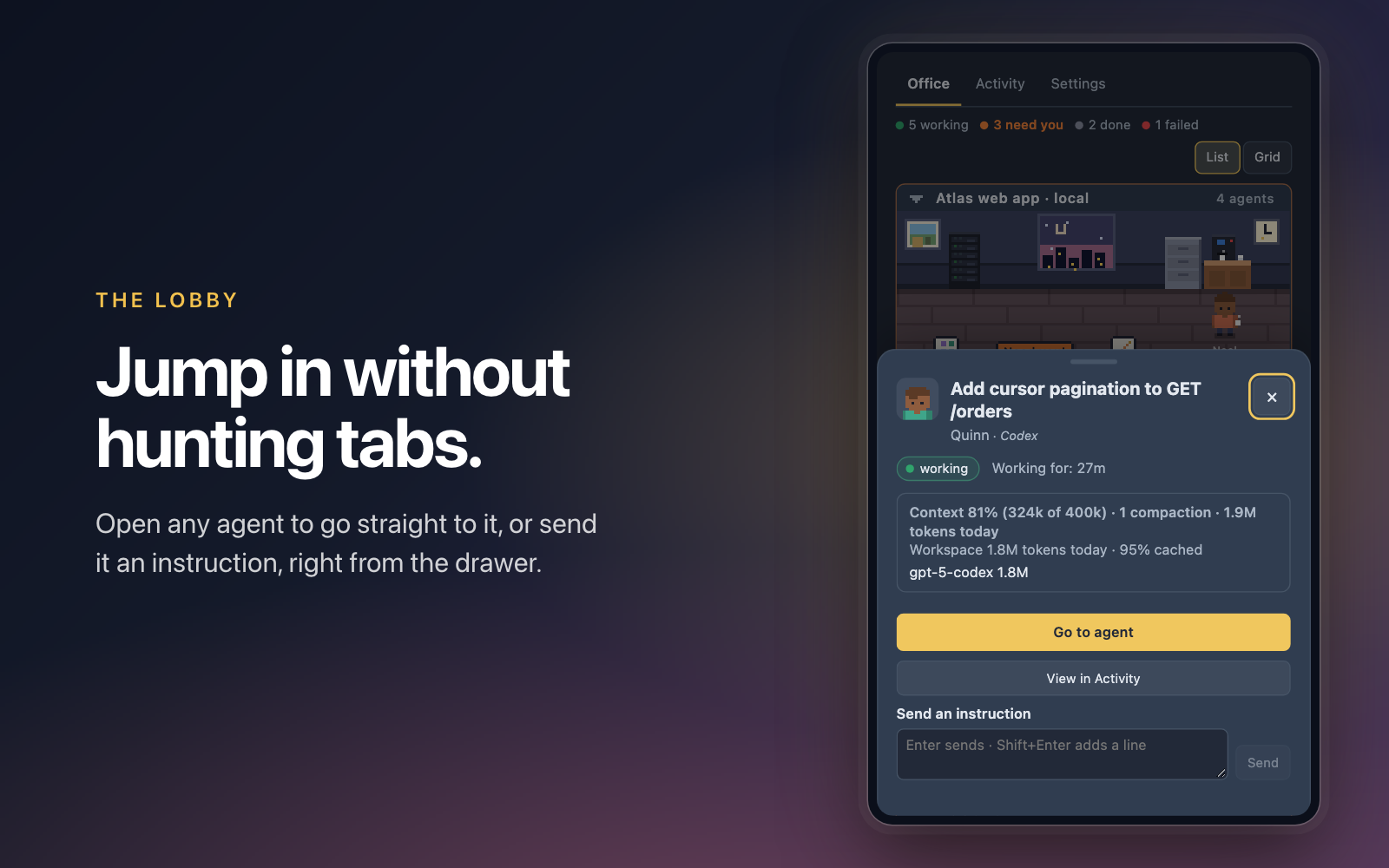
- Act without hunting through tabs. Open any agent to jump to its terminal, send it an instruction (terminal agents), or compact a Claude Code conversation.
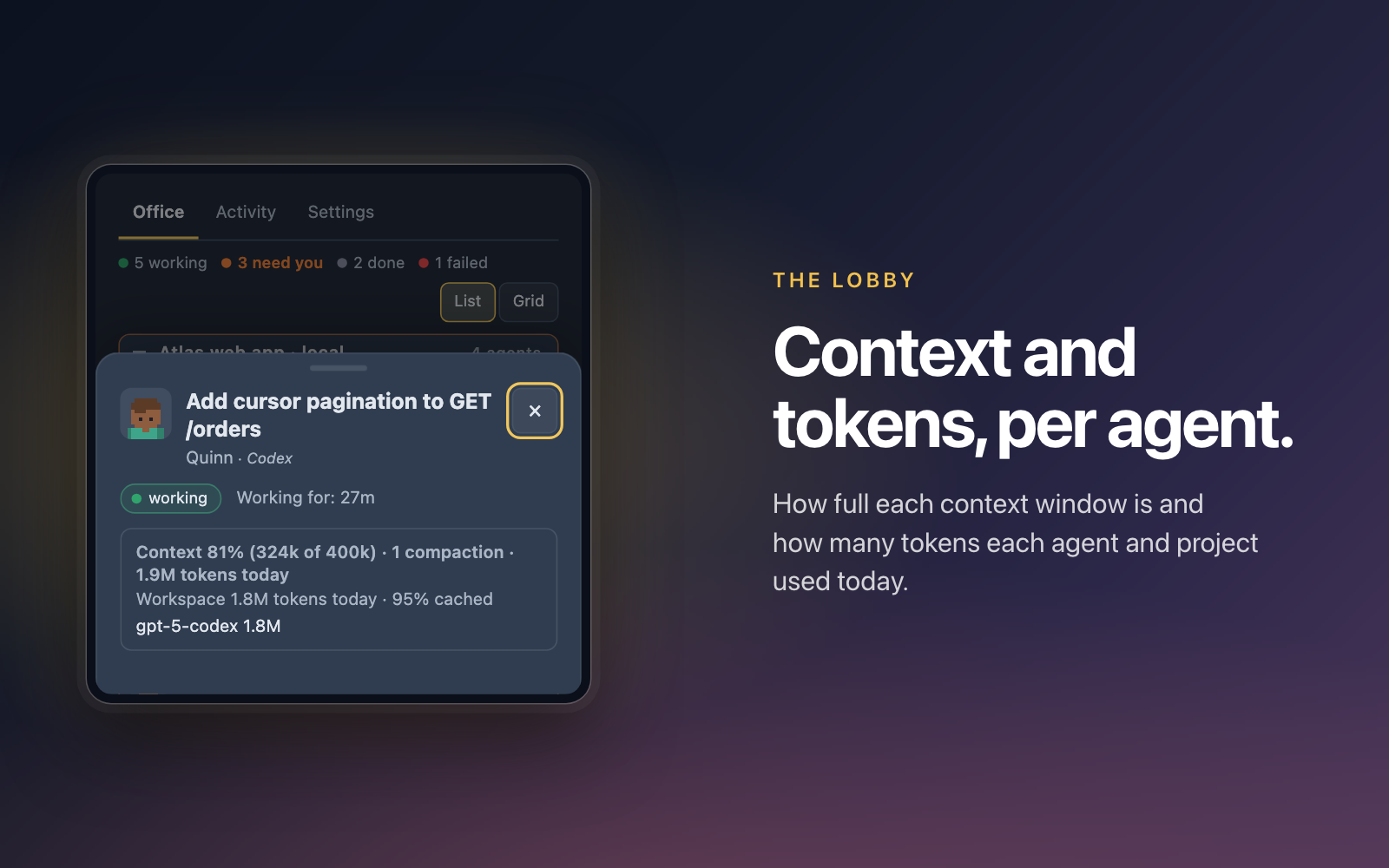
Cmd/Ctrl+Alt+↑/↓steps through the agents that need you first. - Watch the context fill. Context and tokens per agent, and tokens today per project, read from your Claude Code and Codex logs. Per-agent context needs a macOS chat session; see the limits.
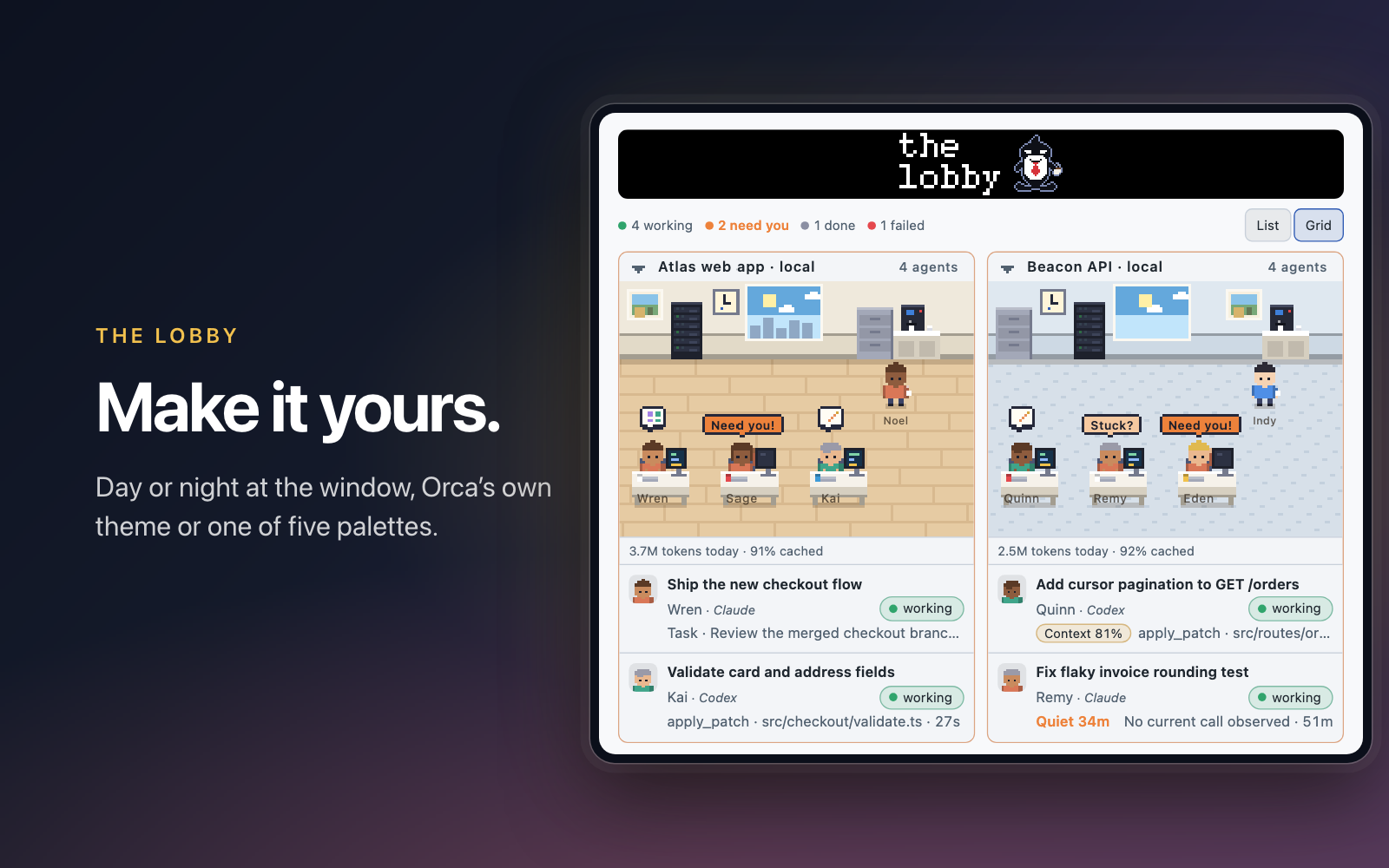
- Private and tidy. No telemetry. A day and night window, five extra palettes plus Orca's own theme, and reduced motion respected.
Install
Requires Orca 1.4.248 or newer.
orca plugin install Lilykos/orca-the-lobby
Orca shows the permissions the plugin asks for (below) and asks you to approve them. Then open The Lobby from the right sidebar. The plugin is also listed in the Orca community catalog (Settings → Plugins).
Screenshots
| Know who needs you | See who started whom |
|---|---|
 |
 |
| Act without hunting through tabs | Watch the context fill |
 |
 |
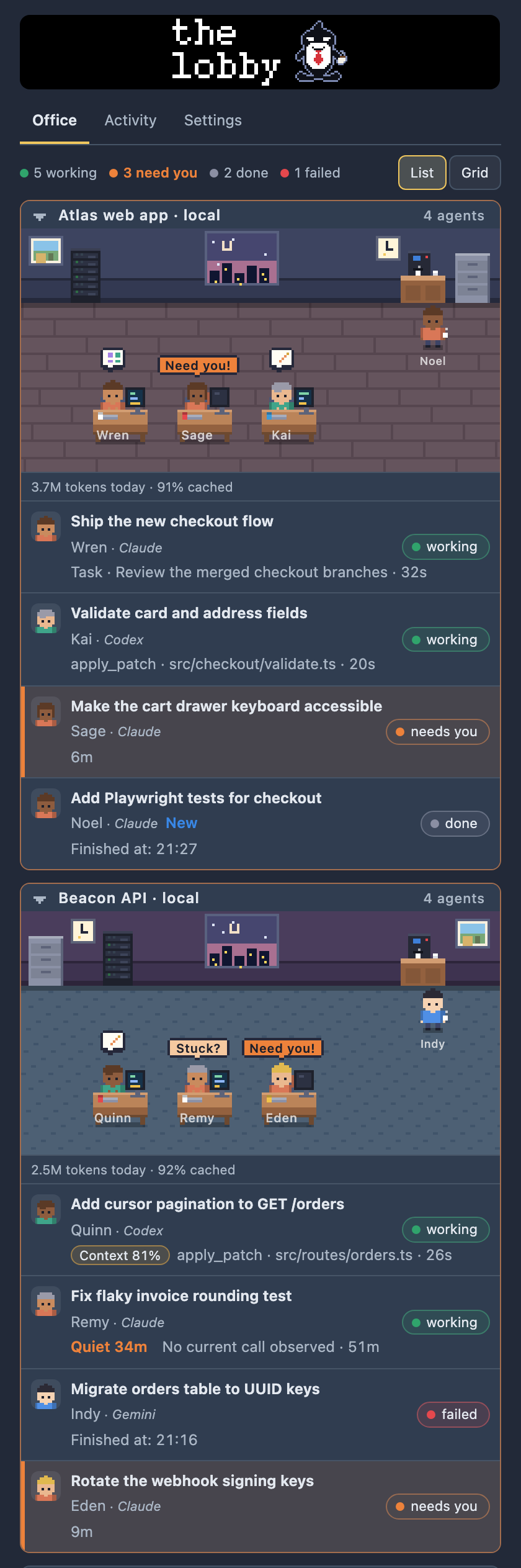
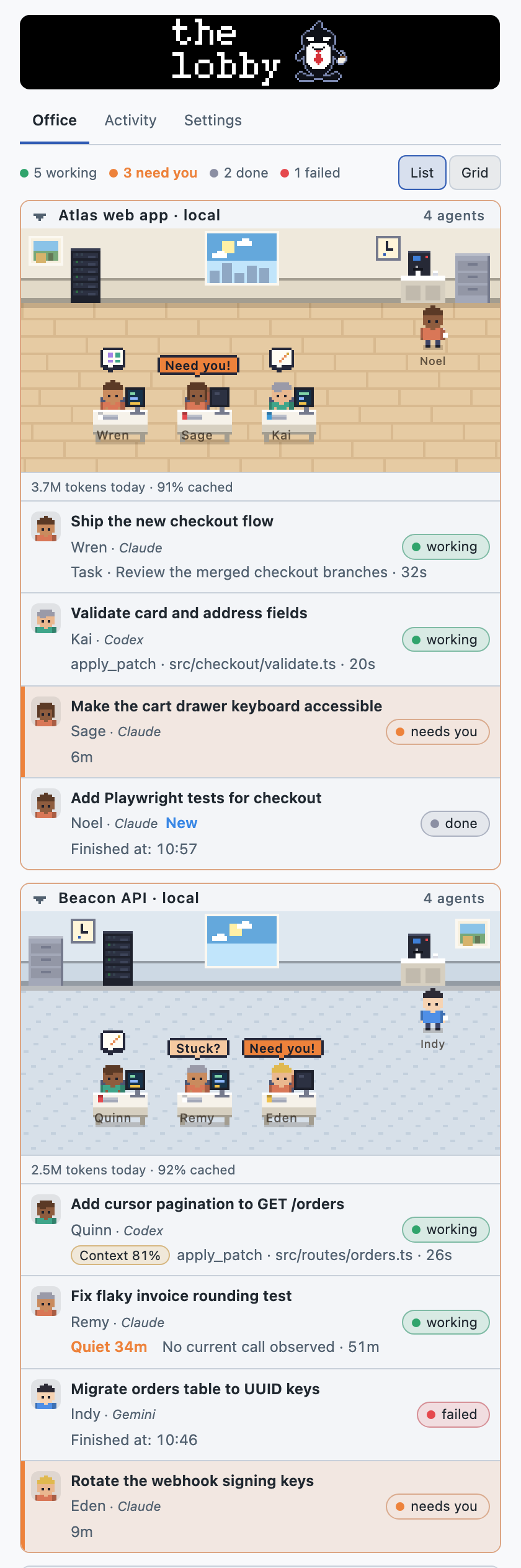
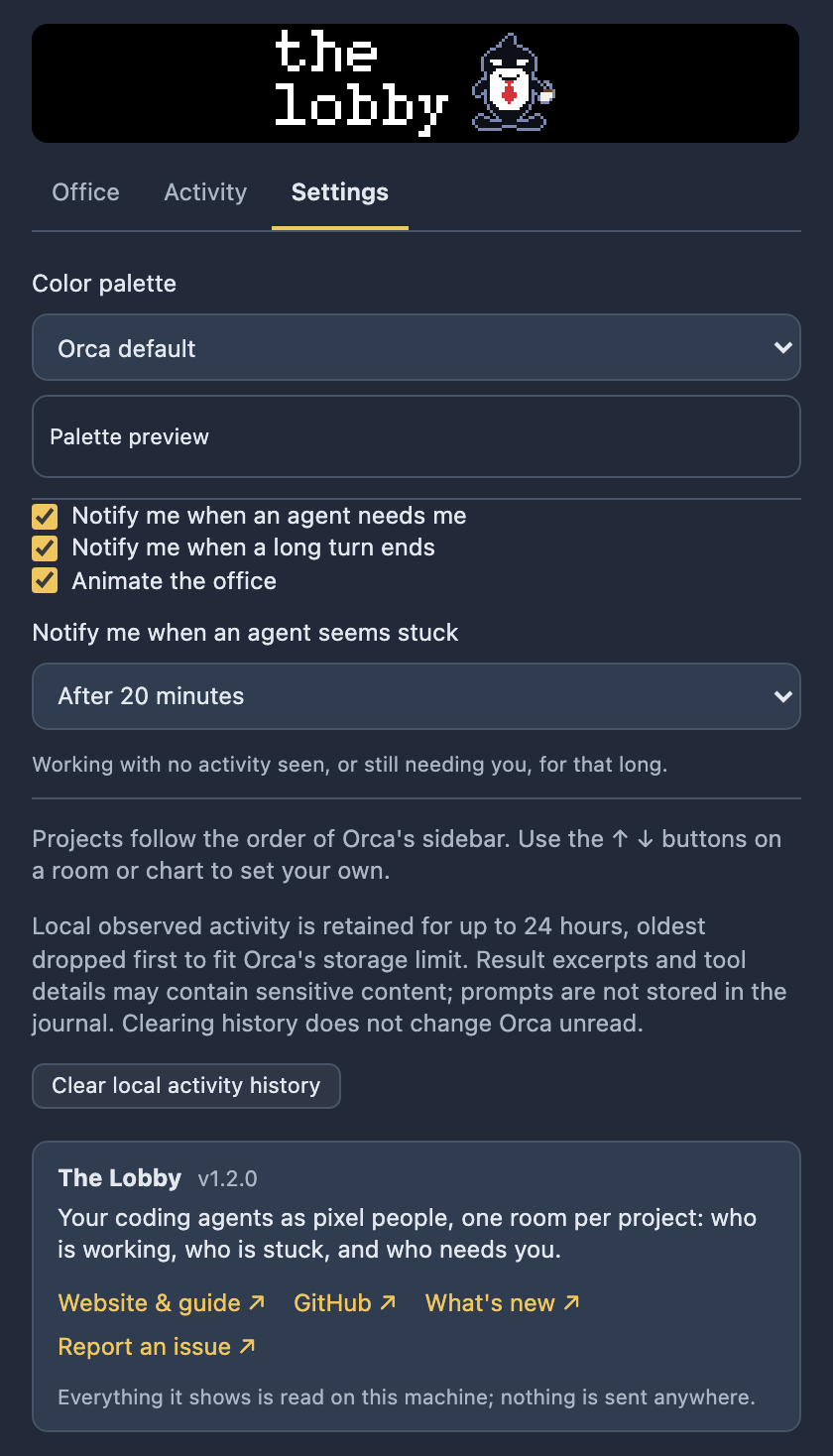
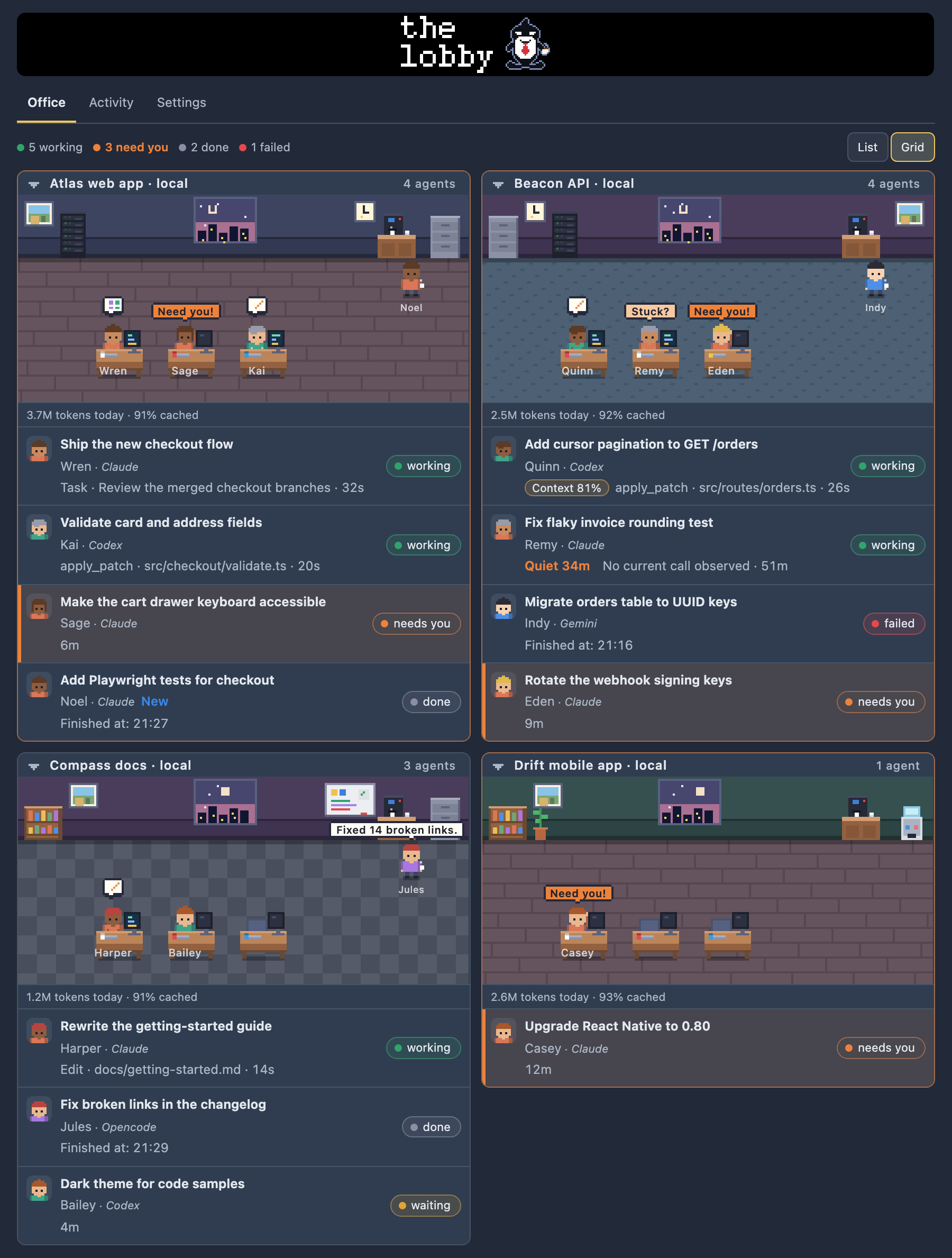
The panel itself, with demo data:
| Office, list | Office, light theme | Settings |
|---|---|---|
 |
 |
 |
Features
Office
- One room per project checkout and host. Worktrees of the same repository on the same host share a room; room signs show the host name (or local). Click a room's sign to fold or unfold it.
- Projects in your order. Rooms and charts follow the order of Orca's sidebar, and move when you reorder it there. Point at a room (or use a chart's header) and press ↑ / ↓ to set your own order instead; it is kept, shared by Office and Activity, and Use the sidebar order again in Settings undoes it.
- Working agents sit at desks (at least three per room, more rows as needed). A small icon above them shows what Orca reports them doing: thinking, shell, web, edit, read, search, plan, a tool, or delegating to a sub-agent. Each person has a friendly name, shown under them.
- Finished agents stand at the coffee machine (up to four are drawn). A window follows your local time of day, and a few decorations (plant, noticeboard, server rack, bookshelf, clock and so on) fill clear space.
- Speech bubbles, one per person, in priority order: Need you! while an agent is blocked, Stuck? once a working agent has been quiet longer than your stuck setting, then for 20 seconds after an agent finishes the first line of its last reply (or Failed). Click a bubble to open that agent.
- A roster under each room: conversation title (or a labeled prompt excerpt), provider (Claude, Codex, …), state, current work, uncommitted changes and a Context badge from 70% (amber) and 90% (red) where the context fill is known. Hover a person for a card with the same details.
- Status colors: green working, orange Needs you, amber waiting, red failed, grey done, blue done with an unread result.
- Tokens today per project appear under each room.
- List or Grid. Grid puts two projects on each row once the panel is at least 400px wide.
Activity
- A connected chart per project: a project hub at the top, agents below it. Dashed lines show which agents belong to the project; solid lines show only parent/child links Orca reports (a supervised worker's parent, and agent children listed under an agent). Nothing is guessed: an agent whose reported parent is not in the roster stays unlinked with a short note.
- Agent boxes show a portrait, name, provider, state and task. Click one to open its drawer. Use the branch buttons to expand reported children; a child without a matching agent opens a small drawer with the state, operation and description Orca reported.
- All / Needs attention. Needs attention highlights blocked and failed agents and dims the rest, without removing anything; a project with nothing to act on folds to one line, and an empty state offers Show all agents.
- Navigation: the page scrolls up and down; wide charts pan with a trackpad swipe, Shift+wheel, the left and right arrow keys, or dragging the background. Reset view recentres. Each chart folds with its ▾ button, moves with ↑ / ↓, and counts and tokens are shown in its header. List / Grid works here too.
Agent drawer
Click an agent in the Office (roster or scene) or the Activity chart. The drawer slides up over the panel; Escape, the × button or a click outside closes it and returns focus.
- Status: state, how long, observed work, and whether it is overdue.
- Context and tokens (see what is read): for example
Context 73% (512k of 700k) · 2 compactions · 1.2M tokens today, plus the workspace's tokens for the day by model, split into input, output, cache read and cache write. - Details: asked and result excerpts, current work, uncommitted changes, Calls (running and recent tool calls, with sub-agents), Tasks and Files (heuristic, from Claude Code transcripts) and PRs Orca has linked to the workspace.
- Go to agent brings its terminal to the front. For an Orca chat session, Orca gives plugins no way to pick a chat tab, so it opens the agent's workspace and says so.
- Instruction box (terminal agents only): sends your text to the agent's terminal. Enter sends, Shift+Enter adds a line.
- Compact conversation (Claude Code agents in a terminal): types
/compactafter you confirm. - View in Activity (from the Office) finds the agent in its project's chart.
Controls that cannot work for an agent are left out. A blocked agent says it needs you and points to Go to agent: Orca does not tell plugins what an agent is asking or offer approve/deny controls. Live updates never rebuild the controls, so what you are typing is not disturbed.
Settings
- Color palette: Orca default (follows the app theme), Catppuccin Mocha / Latte, Dracula, GitHub Dark / Light. It colors the panel and room artwork; state colors keep their meaning.
- Notify me when an agent needs me and Notify me when a long turn ends (turns over a minute).
- Notify me when an agent seems stuck: Off, or after 10, 20 (default), 30 or 60 minutes. One notification per quiet spell, when a working agent has shown no status, tool call or roster update for that long, or a blocked agent still needs you.
- Animate the office: off, the scene holds still (also when the system asks for reduced motion; bubbles still show).
- Clear local activity history: empties the plugin's stored observation journal.
Status bar and shortcuts
- The status bar item reads
N working, orN working · M need you. - Previous agent / Next agent (command palette, or
Mod+Alt+↑/Mod+Alt+↓) step through agents that need you first, then working ones, then the rest, in a steady order, and jump to each like Go to agent. They step on from the agent open in the drawer or the last one they went to.
Permissions
Orca asks you to approve these when you install. The plugin asks for no more than it uses.
| Capability | Used for | When |
|---|---|---|
agent:read |
Agent status and tool-call events, and Orca's agent list for the focused workspace | Continuously, to draw the Lobby |
workspace:read |
Workspace names and paths, to group agents into project rooms | Continuously |
storage:own |
The plugin's own storage: your settings and the saved office state | On setting changes, and every few seconds while the state changes |
workspace:write |
Opens a workspace or brings a terminal to the front | Only when you press Go to agent, or use Previous / Next agent |
terminal:send |
Types into an agent's terminal | Only when you press Send or confirm Compact conversation. Never on its own |
notifications:show |
Desktop notifications | Only for the events you left on in Settings; none if you turn them off |
The plugin also reads agent events through hooks (agent.tool.before / agent.tool.after). They only record the call and never deny or change one. It runs as a trusted worker, so it has your user's file access; the next section says what it touches.
Data and privacy
No telemetry. The plugin makes no direct network requests. Orca uses its existing connections to list agents on your paired servers.
What it reads, and from where
- Orca:
orca worktree ps --json(agents across worktrees, with their state, task title, a prompt and last-reply excerpt, current operation, sub-agents and linked PRs), the host's agent and workspace APIs,orca repo list --jsonevery 10 s for the sidebar's project order, andorca terminal list|switch|sendfor the drawer actions. It polls every 3 s while an agent is working and every 20 s when idle. - Git:
git diff --shortstat HEADin each workspace with an agent, for the uncommitted-changes count. New untracked files are not counted. - Claude Code logs (
~/.claude/projects/) and Codex logs (~/.codex/sessions/): usage numbers and model ids for tokens today; for Claude, also task lists and changed file names for Tasks and Files. Each file is read once and then only what is appended. - Orca's session store (
~/Library/Application Support/orca/agent-session-domain.dbon Orca 1.4.261+, oragent-session-journal.dbon older versions, read-only through thesqlite3macOS ships): only the provider and session id of a chat agent, to find its own log for the context line. Never prompts or messages.
What it stores (in Orca's per-plugin storage, nowhere else):
- Your settings.
- The office state: current agents with their title, short prompt and last-reply excerpts (up to 400 characters), tool-call labels (up to 80 characters), recent state history, and the counts for today.
- A bounded observation journal of state changes and tool calls: at most 24 hours, oldest dropped first to fit Orca's 256 KiB limit. It may hold clipped tool details and result excerpts; it does not store prompts. Clear local activity history in Settings empties it. The journal is never sent to the panel.
What it types. The plugin types into a terminal only after you press Send or confirm Compact conversation, and only while Orca's own list still shows that agent working in a terminal no other agent shares.
Honest limits
- Orca reports less than you might hope. There is no selected-model field, so the provider label (Claude, Codex, …) is not a model name. Orca does not say what a blocked agent is asking, and gives plugins no approve/deny and no way to pick a chat tab.
- Context comes from an exact id chain, only for Orca chat sessions on macOS. Orca's session store (an Orca internal, not a documented API) names the provider session id, and that id is in the log's file name. Agents in a terminal tab and other providers have no verified link, so they show nothing. Claude Code logs state no context window, so Claude agents show tokens without a percentage rather than a guessed one. Tokens today count only the agent's current provider session. A future Orca release could change the store; the lines then disappear.
- Tokens are counted for Claude Code and Codex only, per workspace and per project for the local day, with cache read and write separate. No cost estimate is made.
- Tasks and Files are heuristic. They come from Claude transcripts matched to an agent by title and prompt similarity, which can be ambiguous when several agents look alike.
- Observation is sampled. Short chat tool calls can fall between roster polls, and Orca does not report terminal tool calls on SSH or WSL hosts yet. Uncommitted changes ignore untracked files.
- Charts show only what Orca reports. The chart does not imply agents talk to each other, and a missing child link does not prove an agent has no parent.
- Without the Orca CLI, the plugin falls back to status and tool events plus the focused workspace's agents. Chat calls are then unavailable, and finished agents linger for four hours.
- Paired Orca servers appear in the roster when the CLI supports
host list. Go to agent opens the remote terminal if Orca reports one, or the Git worktree otherwise. Unreachable paired servers disappear until they reconnect, so stale states cannot trigger alerts. The Lobby does not read remote files or logs, or send text to remote terminals. - "Compact conversation" is only offered for Claude Code, where
/compacttyped into its terminal is known to work. - Developed and used on macOS. Context details need macOS; the rest only needs the
orcaCLI.
Troubleshooting
- "Nobody in yet." No agent has been seen yet. Start one in any workspace and it walks in. If agents are running and you still see this, check that the plugin is enabled and not marked as errored in Orca's plugin settings.
- "The office is closed: …" The panel's request to the plugin's worker failed, and the error follows. Check that the plugin is enabled and not errored; restarting Orca restarts the worker.
- No context, tokens, tasks or files. Context needs a macOS Orca chat session with a Claude Code or Codex agent and
sqlite3(/usr/bin/sqlite3). Tokens need logs under~/.claude/projects/or~/.codex/sessions/. A missing or locked store is retried after a minute. - No Send or Compact controls.
terminal:sendwas not granted, the agent is not in a terminal Orca can type into (for example a chat session), it has finished, or another agent shares its terminal. Compact is also hidden while an agent is blocked and for providers other than Claude Code. - Go to agent only opened the workspace. The agent is a chat session (Orca cannot pick a chat tab), or its terminal would not come forward. The drawer says which.
- Notification title starts with the plugin id. Orca 1.4.264 adds this prefix itself; plugins cannot change it to their display name yet.
- No notifications. Check the three switches in Settings, and that
notifications:showwas approved. A turn under a minute never triggers the "finished" notification. - Agents missing or late. The list updates every 3 to 20 seconds. Without the Orca CLI on the PATH, only status and tool events are seen.
- Scene looks frozen. Check Animate the office in Settings and your system's reduced-motion setting.
Develop
orca plugin types .                          # once: writes the gitignored .orca/ typings tsconfig.json uses
orca plugin test .                           # unit tests
npx --yes --package typescript tsc --noEmit  # type check
orca plugin check .                          # validate the manifest and files
python3 scripts/shots/run.py                 # screenshot and interaction checks
Orca transpiles TypeScript when loading the plugin; there is no build step. On current Orca, orca plugin dev load . loads this checkout as local.the-lobby and reloads edits. Approve the access Orca lists for that folder, and disable lilykos.the-lobby while testing to avoid duplicate shortcuts and notifications. Afterwards, unload the development folder with orca plugin dev unload . and enable your installed release again. The development copy has separate settings and history.
scripts/shots builds an isolated fixture page from the real panel code (demo data only) and screenshots it at several panel widths in headless Chrome; see the headers of render.cjs and run.py.
Layout: src/ is the worker (Orca roster, office state, actions, context, usage) and panel/ the UI (scene drawing, charts, drawer). See docs/ARCHITECTURE.md.
Contributors
Thanks to @titilambert (Thibault Cohen) for paired-server agents, host labels and Windows CLI discovery (#1).
License
MIT. Palette colors are adapted from the official Catppuccin palette, the Dracula specification and GitHub Primer primitives.
Reviews (0)
Sign in to leave a review.
Leave a reviewNo results found