mubu-integration
Health Uyari
- License — License: MIT
- Description — Repository has a description
- Active repo — Last push 0 days ago
- Low visibility — Only 9 GitHub stars
Code Uyari
- network request — Outbound network request in scripts/mubu/client.py
Permissions Gecti
- Permissions — No dangerous permissions requested
Bu listing icin henuz AI raporu yok.
Mubu (幕布) outline CLI & AI Agent Skill — import/export Markdown with true round-trip fidelity, plus OPML/FreeMind export.
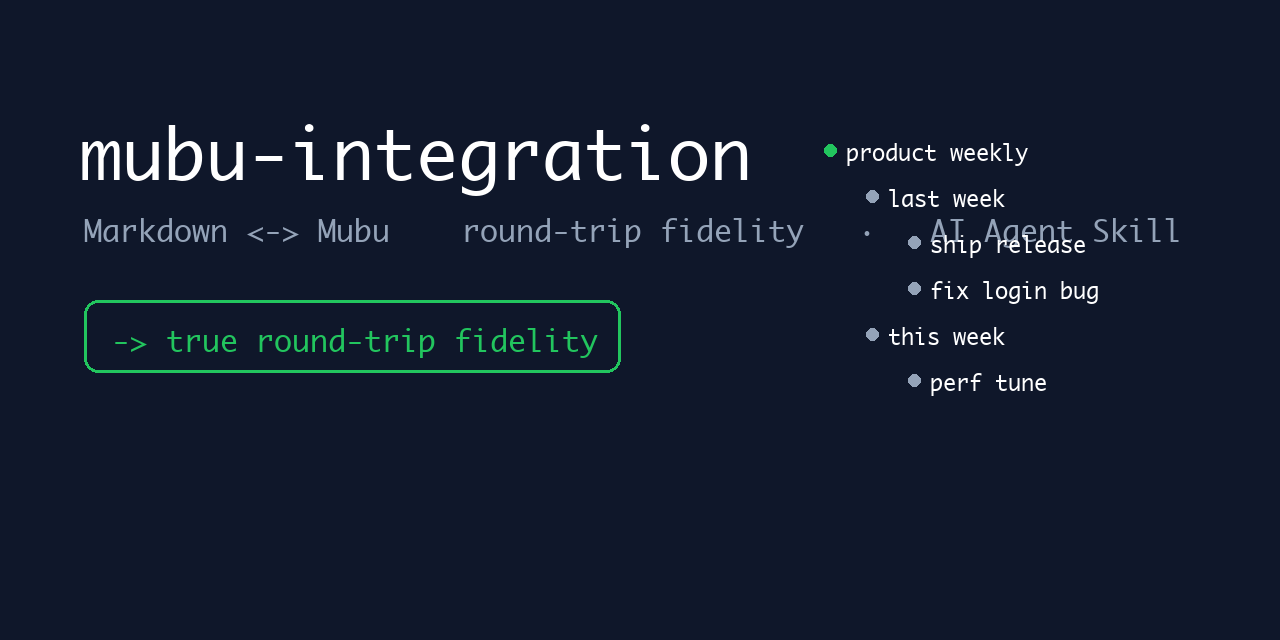
mubu-integration
Turn Mubu (幕布) into a Markdown-native, AI-agent-controllable outliner.


Manage your Mubu (幕布) outlines from the command line — and as an AI Agent Skill — with lossless Markdown import/export round-trip.
✨ Try it in 3 commands (magic moment)
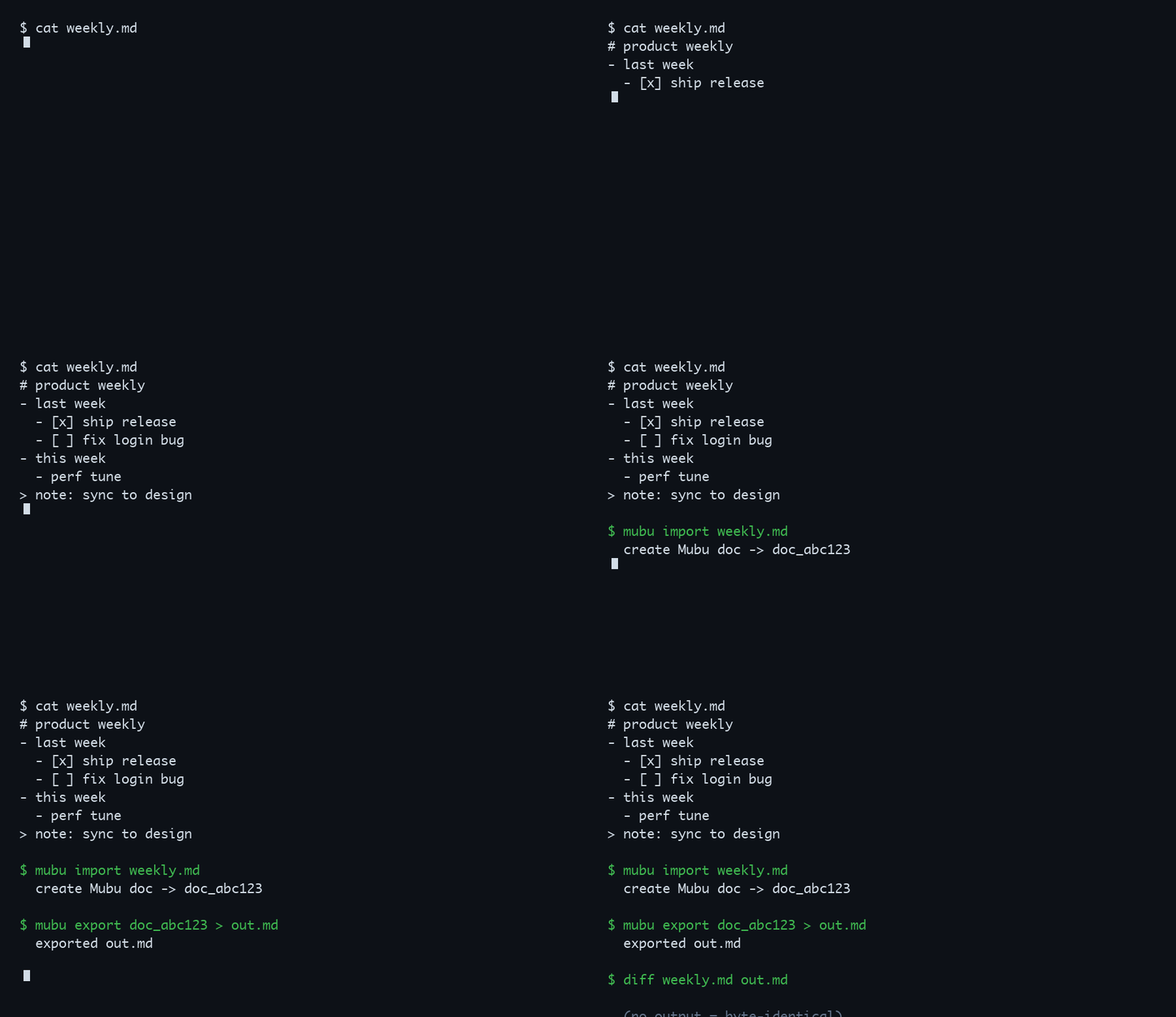
python3 scripts/mubu_api.py create --md weekly.md                    # Markdown outline → Mubu
python3 scripts/mubu_api.py get <doc-id> --export markdown > out.md  # Mubu → Markdown
diff weekly.md out.md                                              # no output = byte-for-byte identical
🆚 Why mubu-integration?
| Capability | Manual copy | Existing export-plugin scripts | mubu-integration |
|---|---|---|---|
| Mubu → Markdown | ✅ | ⚠️ partial | ✅ |
| Markdown → Mubu | ❌ | ❌ | ✅ (only) |
Round-trip fidelity (diff = no diff) |
❌ | ❌ | ✅ (only) |
| Whole-tree batch / OPML / FreeMind | ❌ | ⚠️ some | ✅ |
| Callable by an AI Agent | ❌ | ❌ | ✅ (only) |
| Scriptable from the command line | ❌ | ⚠️ | ✅ |
💡 Use cases
① Let your AI Agent read & write Mubu directly — turn Mubu into your Agent's long-term, structured memory.
python3 scripts/mubu_api.py get <doc-id> --export markdown > memory.md   # Agent pulls the latest outline
# ... Agent edits memory.md ...
python3 scripts/mubu_api.py save <doc-id> --md memory.md                 # writes the updated outline back to Mubu
② Obsidian ↔ Mubu, two-way outlines — keep your knowledge base and your outliner in sync as plain Markdown.
python3 scripts/mubu_api.py get <doc-id> --export markdown > vault/notes/mubu.md   # Mubu → Obsidian
python3 scripts/mubu_api.py create --md vault/notes/mubu.md --folder <folder-id>   # Obsidian → Mubu
③ Auto-archive weekly meeting notes — push examples/weekly.md into Mubu in one step.
python3 scripts/mubu_api.py create "周会" --folder <folder-id> --md examples/weekly.md
🚀 30-second quick start
Set your Mubu credentials (phone + password). They are never passed as CLI arguments — use env vars or a local file:
export MUBU_PHONE="your-phone"
export MUBU_PASSWORD="your-password"
…or write them to
~/.workbuddy/.env.mubu(env vars take precedence; the file is auto-chmod0o600):MUBU_PHONE=your-phone MUBU_PASSWORD=your-passwordGrab the bundled sample outline (
examples/weekly.md):# 产品周会 - 上周进展 - [x] 上线新版本 - [ ] 修复登录 bug - 本周计划 - 性能优化 > 备注:记得同步给设计团队Import it, then export it back — headings,
[x]checkboxes and> noteremarks all survive intact:python3 scripts/mubu_api.py create "产品周会" --folder <folder_id> --md examples/weekly.md python3 scripts/mubu_api.py get <doc_id> --export markdown
📦 Install
npx skills add liuboacean/mubu-integration
This installs the Skill for your agent. It is a Python package — you also need Python 3.9+ and the runtime dependency:
pip install -r requirements.txt
Dev/test dependencies live in requirements-dev.txt (pip install -r requirements-dev.txt).
🛡️ Reliability
mubu-integration talks to the same HTTPS endpoints the Mubu web app uses — no scraping, no browser automation.
- ✅ Verified against the live service — last real-device check on 2026-08-05 against mubu.com's production environment.
move,save_doc,rename, OPML, FreeMind andexport-treeare all confirmed working. - ✅ 84 tests × 4 Python versions, always green — the GitHub Actions matrix runs Python 3.9 / 3.10 / 3.11 / 3.12 on every push and PR.
- ✅ Zero-touch auth — expired tokens re-login automatically using your cached credentials; no manual intervention.
- ✅ Pinned supply chain —
requirements.txtlocks exact versions; Dependabot keeps them current automatically. - ✅ Your data stays yours — the tool only ever accesses the account you log into, with your own credentials. Credentials are stored locally at
~/.mubu_tokenwith0o600permissions (readable only by you).
mubu-integration is an unofficial integration that uses the same endpoints as the Mubu web client. All requests go to https://api2.mubu.com/v3/api; auth is a JWT passed via the jwt-token header. The access_token expires in ~2 hours and is refreshed automatically (one retry only, to avoid lockout loops); 403 and other errors do not trigger re-login.
Known limits: outline collapse state (expand), ordered lists (1.), and image/attachment nodes are not part of the current Markdown round-trip. Round-trip is lossless but not a live two-way sync (no diff/merge) — re-importing creates a new copy.
⚙️ How it works
flowchart LR
    U[User / AI Agent] -->|CLI subcommands| CLI[scripts/mubu_api.py]
    CLI --> Client[MubuClient]
    Client -->|HTTPS + jwt-token| API[(api2.mubu.com/v3/api)]
    API --> Client
    Client -->|Markdown import/export round-trip| MD[(local .md outline)]
    Client -->|Token cache 0o600| Cache[(local credentials)]
Markdown outline ⇄ Mubu document (round-trip):
flowchart LR
subgraph MD[Markdown outline]
M["# heading<br>- bullet<br>- [x] checkbox<br>> note remark"]
end
subgraph MU[Mubu document]
B["node + level + checkbox + note"]
end
M -->|import: create --md| B
B -->|export: get --export markdown| M
Project structure (modular Python package; scripts/mubu_api.py is a backward-compatible shim):
scripts/
├── mubu_api.py        # backward-compatible shim (re-exports the mubu package)
└── mubu/              # modular package (v1.3.0+)
    ├── __init__.py    # package identity (__version__)
    ├── config.py      # constants / config / logging / MubuError / path safety / token lock
    ├── convert.py     # doc ↔ Markdown / OPML / FreeMind conversion + display formatting
    ├── client.py      # MubuClient (auth / requests / doc·folder·search·tree export)
    └── cli.py         # CLI entrypoint main() + logging setup
📚 CLI reference
Show all 20+ commands# Login (first use requires credentials configured)
python3 scripts/mubu_api.py login
# List root directory
python3 scripts/mubu_api.py list
# List a sub-folder
python3 scripts/mubu_api.py list --folder <folder_id>
# Create a folder
python3 scripts/mubu_api.py mkdir "New Folder"
# Create a document
python3 scripts/mubu_api.py create "New Doc" --folder <folder_id>
# Create a document from a Markdown file
python3 scripts/mubu_api.py create "New Doc" --folder <folder_id> --md examples/weekly.md
# Get document content (JSON)
python3 scripts/mubu_api.py get <doc_id>
# Export as Markdown (round-trip, not a placeholder)
python3 scripts/mubu_api.py get <doc_id> --export markdown
# Save document
python3 scripts/mubu_api.py save <doc_id> --content "content"
python3 scripts/mubu_api.py save <doc_id> --file content.md
# Update a document from a Markdown file
python3 scripts/mubu_api.py save <doc_id> --md outline.md
# Move a document to another folder
python3 scripts/mubu_api.py move <doc_id> --target <folder_id>
# Delete (⚠️ irreversible — confirm the ID; requires explicit --yes; --type defaults to folder)
python3 scripts/mubu_api.py delete <id> --type folder --yes
python3 scripts/mubu_api.py delete <doc_id> --type doc --yes
# Local search by name (recursive across all sub-folders, case-insensitive)
python3 scripts/mubu_api.py search "project"
python3 scripts/mubu_api.py search "project" --json
# Recursively export a whole folder tree as nested Markdown (default: cwd; --output sets root)
python3 scripts/mubu_api.py export-tree --folder <root_folder_id> --output ./backup
# Rename a document (save_doc name; round-trip preserves content)
python3 scripts/mubu_api.py rename <doc_id> --name "New Title" --type doc
# Rename a folder (verified endpoint /list/rename_folder; folderId = its own id)
python3 scripts/mubu_api.py rename <folder_id> --name "New Folder Name" --type folder
# Export as OPML 2.0 / FreeMind (compatible with XMind and other outliners)
python3 scripts/mubu_api.py opml <doc_id> --format opml
python3 scripts/mubu_api.py opml <doc_id> --format freeplane
🤖 Agent trigger words
幕布、mubu、幕布大纲导入导出
When these keywords appear in a conversation, the Skill can be triggered automatically.
🧪 Tests & CI
Run the full suite locally (84 pytest cases):
PYTHONPATH=scripts python -m pytest -v
Continuous integration: on every push to main and on every Pull Request, GitHub Actions runs the 84 cases across the Python 3.9 / 3.10 / 3.11 / 3.12 matrix — all executed for real, not faked green.
❓ FAQ
Q: Do I need a Mubu account?
A: Yes. Log in with your phone + password (MUBU_PHONE / MUBU_PASSWORD). This is your official Mubu account; the Skill does not provide one.
Q: It's an unofficial integration — are my credentials safe?
A: Credentials are stored only locally. The login token is written to a local file with 0o600 permissions (you-only read/write) and uses no third-party service. Env vars take precedence over the .env.mubu file. See Reliability.
Q: Are image / attachment nodes supported?
A: Not yet. Outline collapse state (expand), ordered lists (1.), and image/attachment nodes are outside the current Markdown round-trip. See the technical notes for the full list of known limits.
📄 License
Yorumlar (0)
Yorum birakmak icin giris yap.
Yorum birakSonuc bulunamadi