clisbot
Health Uyari
- License — License: MIT
- Description — Repository has a description
- Active repo — Last push 0 days ago
- Low visibility — Only 9 GitHub stars
Code Uyari
- fs module — File system access in package.json
- network request — Outbound network request in src/agents/attachments/download.ts
Permissions Gecti
- Permissions — No dangerous permissions requested
This tool wraps coding CLI agents like Claude Code, Codex, and Gemini inside persistent tmux sessions, turning them into chat-native assistants that operate directly through Slack and Telegram.
Security Assessment
The tool accesses the local file system and makes outbound network requests, which is expected behavior since it integrates with third-party messaging platforms and handles file downloads. No hardcoded secrets or explicitly dangerous permissions were found during the audit. However, because it acts as a bridge executing commands through external agent CLIs and communicating over the network, the overall risk is rated as Medium. Users should be aware that data and prompts shared in Slack or Telegram will be processed and routed through this tool.
Quality Assessment
The project uses the permissive MIT license and the repository was recently updated (pushed within the last day), indicating active development by the creator. On the downside, community trust and visibility are currently very low, with only 9 GitHub stars. It appears to be an early-stage project authored by a solo developer rather than a battle-tested community framework.
Verdict
Use with caution: the tool functions as intended and has proper licensing, but its low community adoption, network communication, and filesystem access mean you should thoroughly review the source code before integrating it into a production environment.
Agentic Coding CLI & chat bot
clisbot - Turn your favorite coding CLI into an agentic personal assistant, workplace assistant, coding partner - on the go
Want to use OpenClaw but are struggling because:
- API cost is too high, so you end up looking for LLM proxy workarounds
- you have to switch between OpenClaw for daily work and Claude / Codex / Gemini for real coding
- you want to code on the go and work on the go
clisbot is the right solution for you.
clisbot turns native frontier agent CLIs like Claude Code, Codex, and Gemini CLI into durable Slack and Telegram bots. Each agent runs inside its own tmux session, keeps a real workspace, and can behave like a coding bot, a daily-work assistant, or a team assistant with SOUL, IDENTITY, and MEMORY.
It is not just a tmux bridge with chat glued on top. clisbot treats Slack and Telegram as real channel surfaces with routing, durable conversation state, pairing, follow-up control, file sending and receiving, and the ability to keep frontier coding agents inside the tools and communication surfaces where teams already work.
clisbot is also meant to grow into a reusable agent runtime layer that can support many CLI tools, many channels, and many workflow shapes on top of the same durable agent session.
Why I Built This
I’m Long Luong (Long), Co-founder & CTO of Vexere, Vietnam’s #1 transportation booking platform, where we also build SaaS and inventory distribution infrastructure for transportation operators. As we scale a 300-person company with a 100-member Engineering, Product, and Design team, I’ve been searching for the most practical way to roll out AI-native workflows across the organization.
The challenge is not whether AI is useful. It is how to make it work at enterprise scale without creating a fragmented, expensive, or ungovernable stack. In practice, that means solving several hard problems at once: cost control, workflow truthfulness, team accessibility, governance, and the ability to bring frontier AI into the real tools and communication surfaces where work already happens.
clisbot is the approach I landed on. Instead of building yet another isolated AI layer, it turns the coding CLIs we already trust into durable, chat-native agents that can work across Slack, Telegram, and real team workflows.
Why clisbot
- One frontier-agent stack for both daily work and real coding. You do not need one product for assistant work and another for actual engineering work.
- Reuses native CLI subscriptions you already pay for, such as Claude Code, Codex, and Gemini CLI, instead of pushing you toward a separate API-cost-heavy stack.
- Learns from and integrates the two biggest strengths that made OpenClaw popular: memory and native channel integration with deep, channel-specific conversation and presentation capabilities.
- Not just a tmux bridge. Slack and Telegram are treated as real channel surfaces with routing, thread or topic continuity, pairing, follow-up control, and attachment-aware interaction instead of plain text passthrough so you can work from your laptop or on the go without giving up a real coding workspace.
- Team-first by design, with
AGENTS,USER, andMEMORYcontext bootstrapping shaped for shared team reality instead of only personal solo-assistant flows. - Useful for coding, operations, teamwork, and general assistant work, with fast chat controls such as
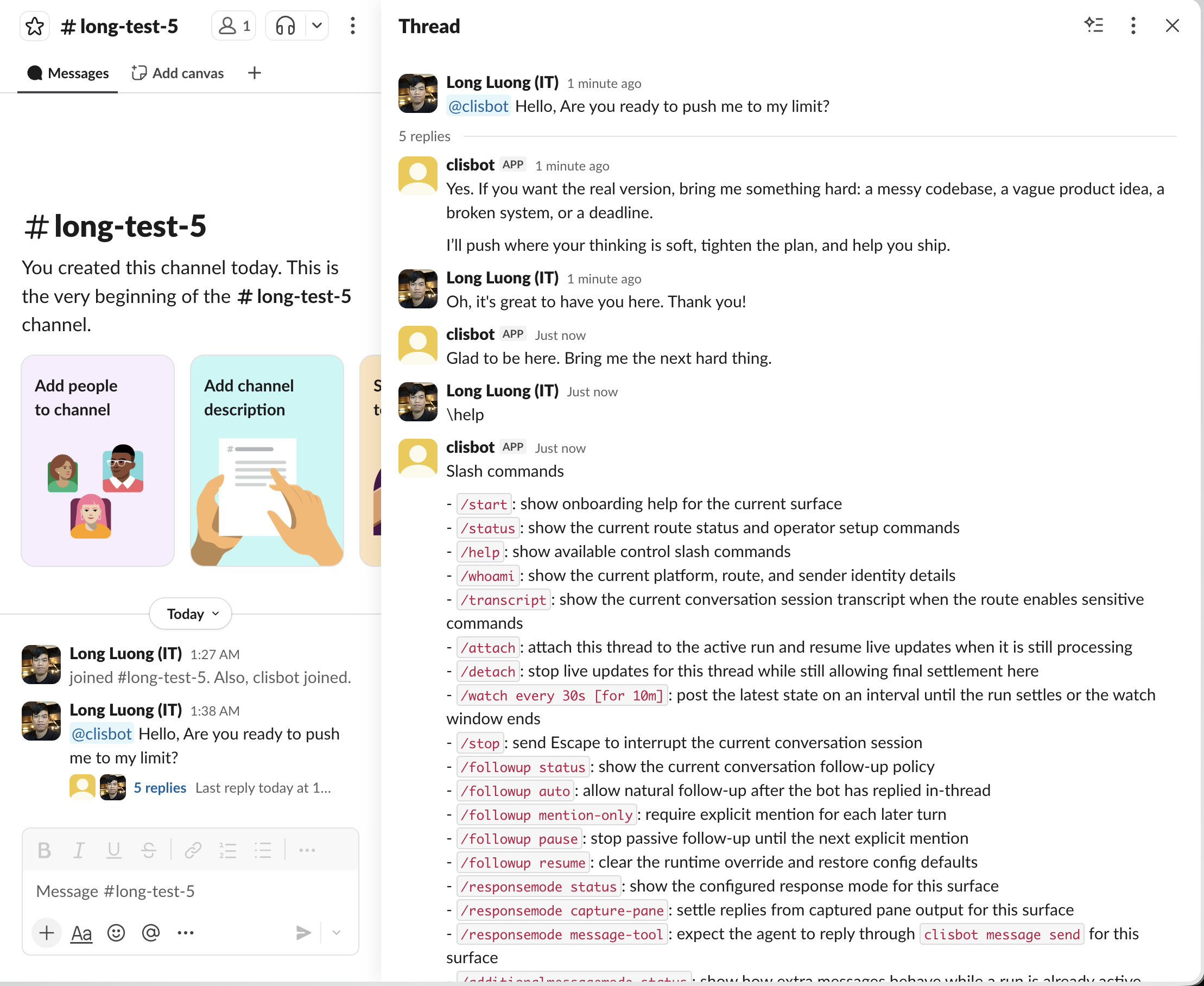
!<command>and/bash <command>for terminal-like control,/loopto bring loop-style automation beyond Claude,/queueto add follow-up prompts in the same session without interrupting the current run, and/streaming onto view real-time processing progress for coding tasks.
What to expect
- You can get the first Telegram bot or Slack bot running in one command.
- The first-run path creates one default agent and only enables the channels you explicitly name.
- DMs start with pairing so access stays explicit.
--persistlets later restarts use plainclisbot start.- Streaming is disabled by default. If you want real-time coding progress in chat, turn it on from the chat surface with
/streaming on, and turn it off any time with/streaming off. - Slack and Telegram are not treated as plain-text sinks: routed conversations can carry thread or topic identity, pairing, and file-aware workflows.
- Advanced multi-agent setup is available later, but it is not required for day one.
CLI Compatibility Snapshot
clisbot currently works best with codex.
claude and gemini are both usable, but they need a bit more operator awareness today.
| CLI | Current Stability | Short Take |
|---|---|---|
codex |
Best today | Strongest default for routed coding work. |
claude |
Usable with caveats | Claude can surface its own plan-approval and auto-mode behavior even when launched with bypass-permissions. |
gemini |
Usable with caveats | Runner support is solid, but auth/setup gating and routed reply behavior still need more care. |
CLI-specific operator notes:
Quick Start
Platform support:
- Linux and macOS are the supported host environments today.
- Native Windows is not supported yet because
clisbotcurrently depends ontmuxand Bash-based runtime flows. - If you use Windows, run
clisbotinside WSL2.
Most people should start here:
npm install -g clisbot
clisbot start \
  --cli codex \
  --bot-type personal \
  --telegram-bot-token <your-telegram-bot-token> \
  --persist
If you want to try first without persisting the token yet, just remove --persist.
Next steps:
- For security, just as openclaw, direct message with the bot currently requires pairing and groups need explicit specified in allowlist by default.
- However,
clisbothas smart autopairing feature to help you get started frictionless. Just send direct message to your bot (through telegram or slack) within 30 minutes so you can claim owner role automatically, and use the bot right away without pairing. After this 30 minutes window you need to approve pairing following instructions by the bot in direct message. - To chat with the bot in a group:
- telegram: Add bot to group, then use slash command in that group /start, you will be guided with command to add a group. Run that command directly or copy that command and chat directly with the bot in DM to ask it do for you (since you are the owner, you are authorized to run that command). After completed, come back to the group and start talk with the bot.
- Notice that group has require mention (or tag the bot) enabled by default to avoid abuse. But it also has smart follow up within 5 minutes by default so you dont need to tag it again. You could change the mode by asking the bot to do for you.
- For long running task such as coding, you might want to toggle streaming mode on with slash command inside the chat "/streaming on", check streaming status anytime with "/streaming status". In slack, native slash command is unconventional so you can get around to use slash command with a space prefix such as " /streaming on", or use alias "\streaming on". This is also true for any other slash command supported by
clisbot. - slack:
- If you want to add more owner or app admin, grant that principal explicitly with the platform prefix plus the channel-native user id, for example
clisbot auth add-user app --role owner --user telegram:1276408333orclisbot auth add-user app --role admin --user slack:U123ABC456. clisbot auth --helpnow covers role scopes, permission sets, and add/remove flows for users and permissions.- App-level auth and owner-claim semantics in Authorization And Roles describe both the current runtime reality and the remaining target-model gaps.
Need the step-by-step setup docs instead of the shortest path?
- Telegram: Telegram Bot Setup
- Slack: Slack App Setup
- Release notes: CHANGELOG.md and docs/releases/
- Slack app manifest template: app-manifest.json
- Slack app manifest guide: app-manifest-guide.md
What happens next:
--bot-type personalcreates one assistant for one human--bot-type teamcreates one shared assistant for a team, channel, or group workflow- literal token input stays in memory unless you also pass
--persist --persistpromotes the token into the canonical credential file so the nextclisbot startcan reuse it without retyping- fresh bootstrap only enables the channels you name explicitly
- after the persisted first run, later restarts can use plain
clisbot start
Big Upgrades In v0.1.39
- Much better native Slack and Telegram rendering, so replies are easier to read and feel far less like pasted terminal output.
- A much cleaner first-run path, with a clearer bot-first setup story and better setup docs.
- Stronger pairing, auth, and safer shared-channel behavior by default.
- More trustworthy long-running work, with better attach, detach, recovery, and operator visibility.
- Real recurring automation with
/loop.
Read the full notes here:
If you prefer Slack first:
clisbot start \
  --cli codex \
  --bot-type team \
  --slack-app-token SLACK_APP_TOKEN \
  --slack-bot-token SLACK_BOT_TOKEN
Short alias:
clis start --cli codex --bot-type personal --telegram-bot-token <your-telegram-bot-token>
Local repo path:
bun install
bun run start --cli codex --bot-type personal --telegram-bot-token <your-telegram-bot-token> --persist
Repo-local bun run start|stop|restart|status|logs|init|pairing is pinned by .env to CLISBOT_HOME=~/.clisbot-dev, so local testing does not accidentally reuse your main ~/.clisbot runtime.
Upgrade note for existing installs:
v0.1.39includes breaking changes in config shape and in the main CLI command surface.- If you already run an older install, ask Codex or Claude in this repo to update your current config before upgrading.
- The upgrade itself is still simple:
clisbot stop
npm install -g clisbot
clisbot start
clisbot --version
First conversation path:
- send a DM to the bot in Slack or Telegram
- if that principal is already app
owneror appadmin, pairing is bypassed and the bot should answer normally - otherwise,
clisbotdefaults DMs to pairing mode and replies with a pairing code plus approval command
Approve it with:
clisbot pairing approve slack <CODE>
clisbot pairing approve telegram <CODE>
Fresh config starts with no configured agents, so first-run clisbot start requires both --cli and --bot-type before it creates the first default agent.
Fresh config also starts with no preconfigured Slack channels or Telegram groups or topics. Add those routes manually in ~/.clisbot/clisbot.json.clisbot start requires explicit channel token input before it bootstraps anything. You can pass raw values, env names such as MY_TELEGRAM_BOT_TOKEN, or placeholders such as '${MY_TELEGRAM_BOT_TOKEN}'.
If you want a separate dev instance beside your main bot, see the Development Guide.
Showcase
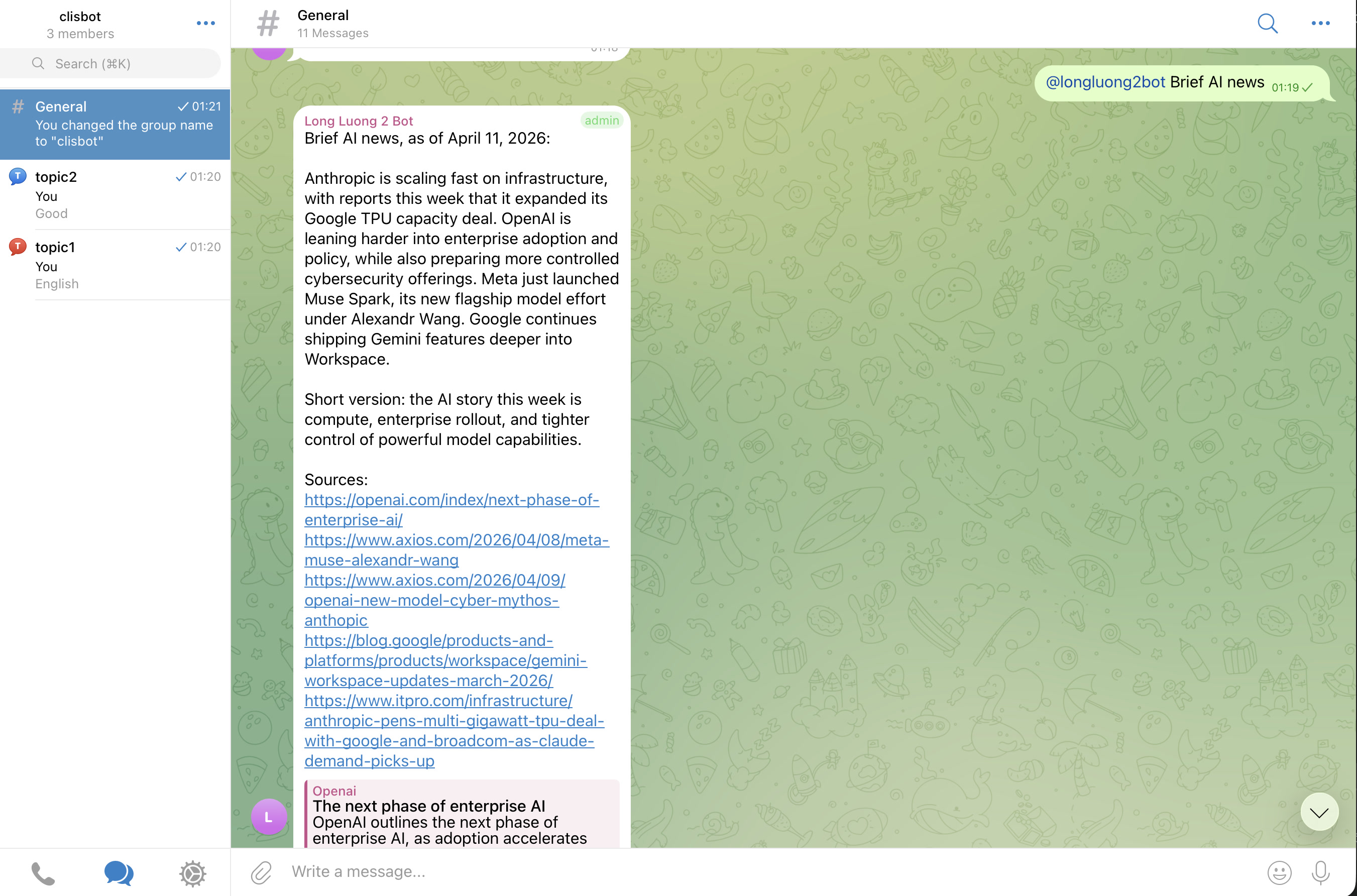
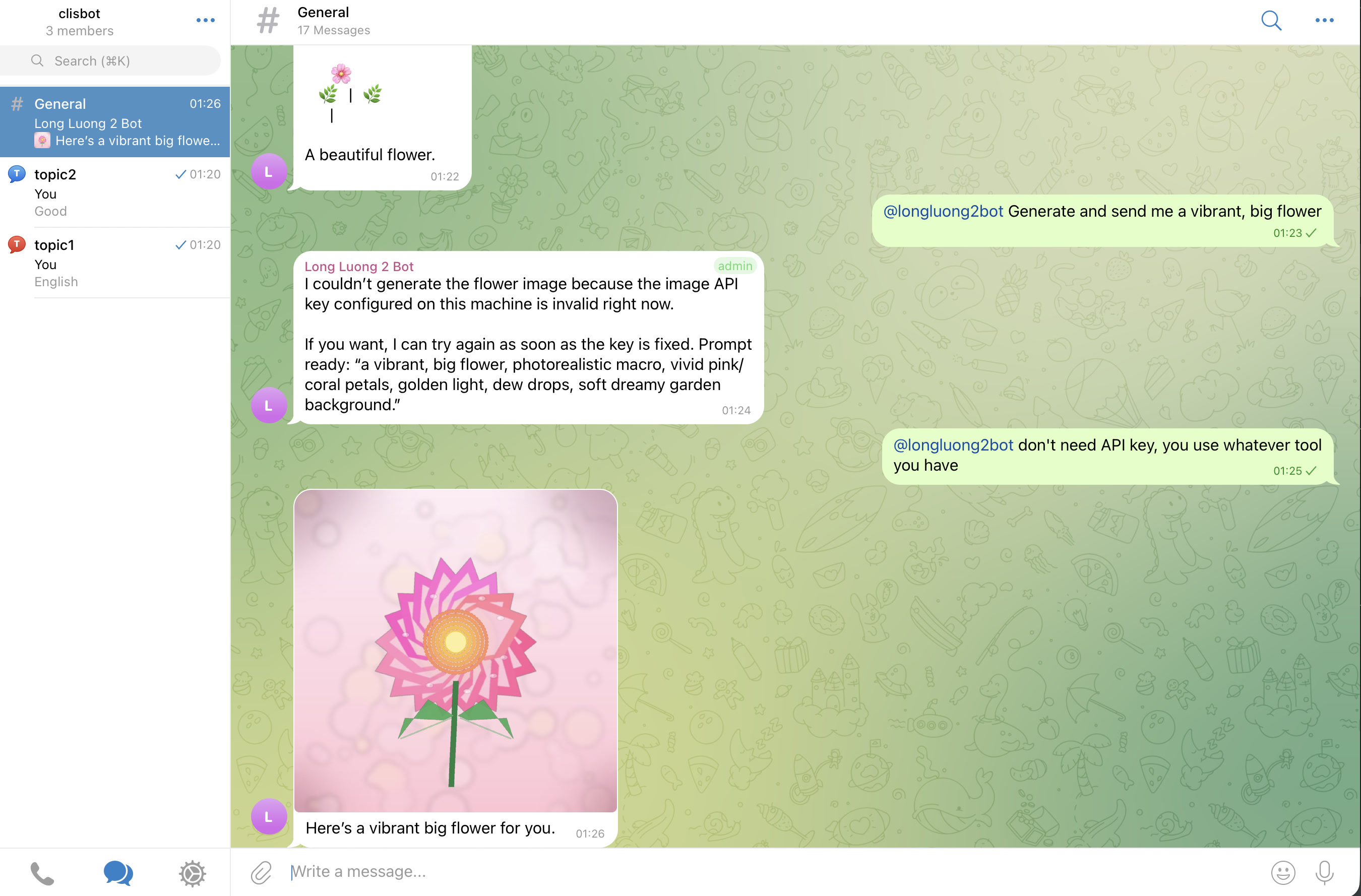
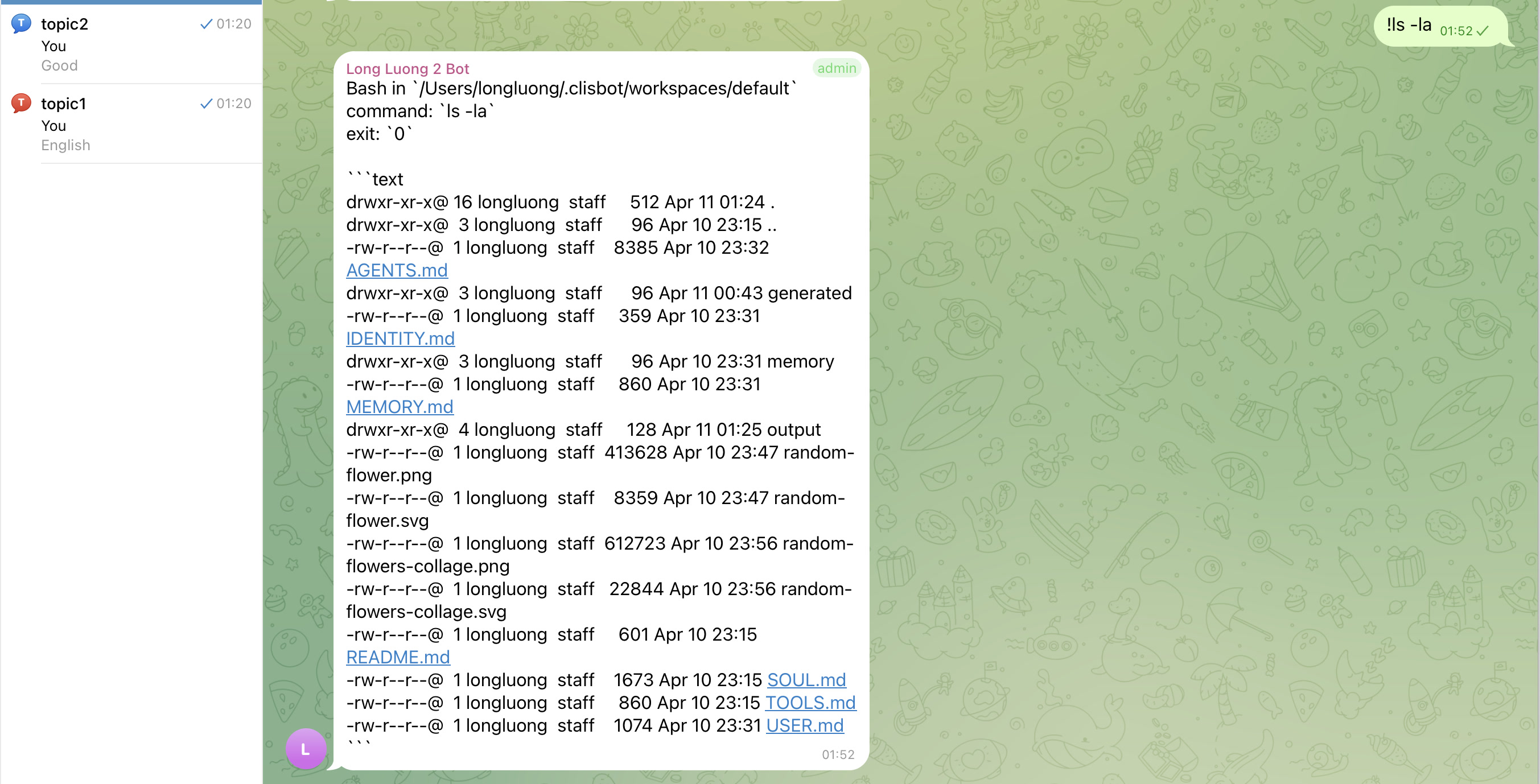
The goal is a real chat-native agent surface, not a terminal transcript mirror: threads, topics, follow-up behavior, and file-aware workflows should feel native to Slack and Telegram.
Slack
Telegram
Important caution
Strong vendor investment in security and safety does not make frontier agentic CLI tools inherently safe. clisbot exposes those tools more broadly through chat and workflow surfaces, so you should treat the whole system as high-trust software and use it at your own risk.
Acknowledgements
clisbot would not exist without the ideas, momentum, and practical inspiration created by OpenClaw. Many configuration, routing, and workspace concepts here were learned from studying OpenClaw, then adapted to clisbot's own direction. Respect and thanks to the OpenClaw project and community.
Setup Guide
The easiest setup flow is still:
- Install
clisbot. - Run the quick start command above.
- DM the bot; approve pairing unless that principal is already app
owneror appadmin. - Only move into advanced config after the first successful run.
If you want the repo-guided setup path:
- Clone this repo.
- Open Claude Code, Codex, or Gemini CLI in this repo.
- Ask it to help you set up
clisbot.
The docs in this repo are kept current, including the User Guide, so the agent should have enough context to walk you through setup, configuration, and troubleshooting directly inside the repo.
If you prefer to configure everything yourself:
- Read the official config template in config/clisbot.json.template.
- If you need the archived legacy snapshot, compare it with config/clisbot.json.v0.1.0.template.
- Copy the official template to
~/.clisbot/clisbot.jsonand adjust bots, routes, agents, workspaces, and policies for your environment. - Add agents through the CLI so tool defaults, startup options, and bootstrap templates stay consistent.
- Optionally move stable channel secrets into env vars or canonical credential files after your first successful run.
Channel route setup is manual by design:
- fresh config does not auto-add Slack channels
- fresh config does not auto-add Telegram groups or topics
- add only the exact channel, group, topic, or DM routing you want to expose
- default bot credential setup lives in docs/user-guide/bots-and-credentials.md
Advanced agent management:
- most users should stay on
clisbot start --cli ... --bot-type ...and let first-run create the default agent - if you need more than one agent, custom bot defaults, or manual route setup flows, use the
clisbot agents ...,clisbot bots ..., andclisbot routes ...commands described in docs/user-guide/README.md - README intentionally keeps that low-level surface out of the main onboarding path because the public first-run model is
--bot-type personal|team, not internal template-mode naming - fresh bot config still points at the
defaultagent; if your first useful agent uses another id, update the fallback withclisbot bots set-agent ...or override it on a route withclisbot routes set-agent ...
Env-backed setup is still supported when you want config to reference an env name instead of persisting a credential file:
clisbot start \
  --cli codex \
  --bot-type personal \
  --slack-app-token CUSTOM_SLACK_APP_TOKEN \
  --slack-bot-token CUSTOM_SLACK_BOT_TOKEN
- these flags are written into
~/.clisbot/clisbot.jsonas${ENV_NAME}placeholders - you can pass either
CUSTOM_SLACK_APP_TOKENor'${CUSTOM_SLACK_APP_TOKEN}' - use this path when you want config to point at env variable names you chose yourself
- keep env export details in docs/user-guide/bots-and-credentials.md instead of front-loading them into quick start
Troubleshooting
If the quick start does not work, check these in order:
- If setup feels unclear, open Claude Code, Codex, or Gemini CLI in this repo and ask it to help using the local docs.
- If config behavior is confusing, inspect config/clisbot.json.template first, then compare it with docs/user-guide/README.md.
- If
clisbot startsays no agents are configured, preferclisbot start --cli codex --bot-type personal --telegram-bot-token <your-telegram-bot-token>. - If you want later runs to work with plain
clisbot start, rerun your successful first-run command with--persist. - If
clisbot startprints token refs asmissing, either pass the token explicitly on the command line or switch to env-backed setup described in docs/user-guide/bots-and-credentials.md. - If you use custom env names, pass them explicitly with
--slack-app-token,--slack-bot-token, or--telegram-bot-token. - If
clisbot statusshowsbootstrap=...:missingorbootstrap=...:not-bootstrapped, follow the advanced agent bootstrap steps in docs/user-guide/README.md. - If Codex shows
Do you trust the contents of this directory?, keeptrustWorkspace: truein clisbot config and also mark the workspace as trusted in~/.codex/config.toml, for example:
[projects."/home/node/.clisbot/workspaces/default"]
trust_level = "trusted"
- If that trust screen is still blocking, attach directly and continue from tmux with
tmux -S ~/.clisbot/state/clisbot.sock attach -t agent-default-main. - If Gemini startup says it is waiting for manual authorization, authenticate Gemini directly first or provide a headless auth path such as
GEMINI_API_KEYor Vertex AI credentials;clisbotnow treats that screen as a startup blocker instead of a healthy ready session. - If Codex warns that
bubblewrapis missing on Linux, installbubblewrapin the runtime environment. - If the bot does not answer, check that your shell environment really contains the expected tokens and restart
clisbotafter changing them. - If runtime startup still fails, run
clisbot logsand inspect the recent log tail thatclisbotnow prints automatically on startup failure. - If you need the full command list, run
clisbot --help. - If you need step-by-step operator docs, start with docs/user-guide/README.md.
- If Slack thread behavior feels too eager, use
/followup pauseor/followup mention-only. - If Slack slash commands conflict with Slack-native command handling, add a leading space, for example
/bash ls -la.
Common CLI commands
Most users only need a small set of commands at first:
clisbot startclisbot restartclisbot stopclisbot statusclisbot logsclisbot auth show appclisbot auth show agent-defaultsclisbot auth add-user app --role owner --user <principal>clisbot auth add-user agent --agent <id> --role admin --user <principal>clisbot pairing approve slack <CODE>clisbot pairing approve telegram <CODE>clisbot bots listclisbot bots add --channel telegram --bot default --bot-token TELEGRAM_BOT_TOKEN --persistclisbot bots add --channel slack --bot default --app-token SLACK_APP_TOKEN --bot-token SLACK_BOT_TOKEN --persistclisbot routes add --channel telegram group:<chatId> --bot defaultclisbot routes add --channel telegram topic:<chatId>:<topicId> --bot defaultclisbot routes add --channel slack channel:<channelId> --bot defaultclisbot routes set-agent --channel telegram group:<chatId> --bot default --agent <id>clisbot routes set-agent --channel slack channel:<channelId> --bot default --agent <id>clisbot --help
If you are running from the repo instead of the global package:
bun run devbun run startbun run restartbun run stopbun run typecheckbun run testbun run check
In Chat
clisbot supports a small set of chat-native commands for thread control, transcript access, and quick shell execution.
Native coding-CLI command compatibility:
clisbotonly intercepts its own reserved chat commands- any other native Claude, Codex, or Gemini command text is forwarded to the underlying CLI unchanged
- operator guide: Native CLI Commands
Slack note:
- To stop Slack from interpreting a slash command as a native Slack slash command, prefix it with a space.
- Example:
/bash ls -la - Bash shorthand also works:
!ls -la
Common commands:
/start: show onboarding or route-status help for the current conversation./help: show the available clisbot conversation commands./status: show the current route status, follow-up policy, and operator setup hints./whoami: show the current sender and route identity for the active conversation./stop: interrupt the current running turn./followup status: show the current thread follow-up mode./followup auto: allow natural in-thread follow-up after the bot has replied./followup mention-only: require an explicit mention for later turns in the thread./followup pause: pause passive follow-up so the bot does not keep interrupting the thread unless explicitly mentioned again./followup resume: restore the default follow-up behavior for that conversation./transcript: return the current conversation transcript when the routeverbosepolicy allows it.::transcriptor\transcript: transcript shortcuts from the default slash-style prefixes./bash <command>: run a shell command in the current agent workspace when the resolved agent role allowsshellExecute.!<command>: shorthand for/bash <command>.
Command prefix defaults:
- slash-style shortcuts:
["::", "\\"] - bash shortcuts:
["!"] - both are configurable with
bots.defaults.commandPrefixes,bots.slack.defaults.commandPrefixes, orbots.telegram.defaults.commandPrefixes
Sensitive actions now follow auth and route policy:
/transcriptdepends on the routeverbosepolicy/bashdepends on resolved agent auth throughshellExecute- use
clisbot auth --helpto inspect scopes and mutate role users or permissions - use
clisbot routes --helpfor route-level setup and route policy guidance
Follow-up behavior matters in team threads:
autois convenient when a thread is actively collaborating with the bot.pauseis useful when the bot has already participated but you do not want it to keep jumping into every follow-up message.mention-onlyis the stricter mode when you want every new bot turn to require an explicit call.
Docs
Roadmap
- Add more native CLIs, starting with a stronger Claude, Codex, and Gemini launch trio.
- Add more channels, starting from Slack and Telegram, then moving toward Zalo and other expansion surfaces.
- Add better workflow building blocks such as heartbeat, cron-style jobs, and stronger loop automation.
- Explore structured output, ACP, and native SDK integrations where they improve truthfulness or operator control.
- Explore more stable native messaging paths beyond tmux-pane capture over time.
Current Focus
clisbot is growing toward a broader agent runtime layer:
- more CLI tool support beyond Claude Code, Codex, and Gemini CLI
- more communication channels beyond Slack and Telegram
- simple workflow building blocks such as cron jobs, heartbeat jobs, and loops
- durable agent sessions, workspaces, follow-up policy, commands, attachments, and operator controls that stay reusable across all those surfaces
tmux is still the current stability boundary. One agent maps to one durable runner session in one workspace, and every CLI, channel, or workflow layer should route onto that durable runtime instead of recreating the agent from scratch.
Launch MVP Path
See docs/overview/launch-mvp-path.md for the full current launch order.
Short snapshot:
- Foundations first:
- frictionless start and credential persistence
- runtime stability and truthful status or debug UX
/loopas the current differentiating workflow feature
- International launch gate:
- Claude, Codex, and Gemini as the well-tested core CLI trio
- current shared channel package remains Slack plus Telegram
- Vietnam launch package:
- add Zalo Official Account and Zalo Personal on top of the same core trio
- Next expansion wave:
- more CLIs such as Cursor, Amp, OpenCode, Qwen, Kilo, and Minimax, prioritized by real userbase demand
- more channels such as Discord, WhatsApp, Google Workspace, and Microsoft Teams
- Open launch decision:
- whether native CLI slash-command compatibility, override, and customization should ship before broader push
Completed
- Multiple Codex, Claude, and Gemini sessions with streaming on/off support.
- Stale tmux session cleanup and session resume.
- OpenClaw-compatible configuration system.
- Slack channel support with streaming and attachments, smart follow mode
- Telegram channel support with streaming and attachments
AI-Native Workflow
This repo also serves as a small example of an AI-native engineering workflow:
- simple
AGENTS.mdandCLAUDE.md-style operating rules - lessons-learned docs to capture repeated feedback and pitfalls
- architecture docs used as a stable implementation contract
- end-to-end validation expectations to close the feedback loop for AI agents
- workflow docs for shortest-review-first artifacts, repeated review loops, and task-readiness shaping in docs/workflow/README.md
Contributing
Merge requests are welcome.
MRs with real tests, screenshots, or recordings of the behavior under test will be merged faster.
Yorumlar (0)
Yorum birakmak icin giris yap.
Yorum birakSonuc bulunamadi