mcpmate
Health Warn
- License — License: MIT
- Description — Repository has a description
- Active repo — Last push 0 days ago
- Low visibility — Only 5 GitHub stars
Code Fail
- rm -rf — Recursive force deletion command in backend/deploy.sh
Permissions Pass
- Permissions — No dangerous permissions requested
No AI report is available for this listing yet.
MCPMate is a comprehensive Model Context Protocol (MCP) management center designed to address configuration complexity, resource consumption, security risks, and other issues in the MCP ecosystem, providing users with a unified management platform.
MCPMate
中文 | English
One management center for all your MCP servers and AI clients.
MCPMate is a comprehensive Model Context Protocol (MCP) management center designed to simplify configuration, reduce resource consumption, and enhance security across the MCP ecosystem.
This is not a brand-new project. I started shaping MCPMate around May 2024, paused active development around October, and recently came back to it with a clearer conviction: as the hype around skills- and CLI-shaped workflows settles into a more reflective phase, the long-term, irreplaceable value of MCP becomes easier to see.
MCPMate was previously developed in private and is now being reopened in public. The direction I care about most at this stage is usability: building on MCPMate’s earlier profile-based approach for removing redundant capabilities in specific scenarios, and continuing to extend its hosted mode toward a more progressively disclosed smart mode (last year I referred to it as a more “aggressive hosted” mode, though the name itself felt somewhat awkward). One goal is to bring some of the lower-friction and lower first-token-cost qualities that people appreciated in skills- and CLI-shaped experiences into MCP itself.
Table of Contents
- Why MCPMate?
- Core Components
- Screenshots
- Quick Start
- Deployment Modes
- Architecture
- Key Features
- Development
- Roadmap
- Contributing
- License
Why MCPMate?
Managing MCP servers across multiple AI tools (Claude Desktop, Cursor, Zed, Cherry Studio, etc.) brings significant challenges:
- Complex, repetitive configuration — The same MCP server needs to be configured repeatedly in each client
- High context-switching cost — Different work scenarios require frequent MCP configuration changes
- Resource overhead — Running multiple MCP servers simultaneously consumes system resources
- Security blind spots — Configuration errors or security risks are hard to detect
- Fragmented management — No single place to manage all MCP services
MCPMate solves these problems through centralized configuration management, intelligent service scheduling, and enhanced security protection.
Core Components
Proxy
A high-performance MCP proxy server that:
- Connects to multiple MCP servers and aggregates their tools
- Provides a unified interface for AI clients
- Implements stdio and Streamable HTTP transport protocols (aligned with MCP 2025-06-18 specification)
- Accepts legacy SSE-configured servers and automatically normalizes them to Streamable HTTP for backward compatibility
- Monitors and audits MCP communication in real time
- Detects potential security risks (e.g., tool poisoning)
- Intelligently manages server resources
- Provides RESTful API for management and monitoring
Bridge
A lightweight bridging component that connects stdio-mode MCP clients (like Claude Desktop) to the HTTP-mode MCPMate proxy:
- Converts stdio protocol to HTTP transport without modifying the client
- Automatically inherits all functions and tools from the HTTP service
- Minimal configuration — only requires service address
Runtime Manager
An intelligent runtime environment management tool:
- Smart Download — 15-second timeout with automatic network diagnostics
- Progress Tracking — Real-time progress bars with download speed
- Multi-Runtime Support — Node.js, uv (Python), and Bun.js
- Environment Integration — Automatic environment variable configuration
# Install Node.js for JavaScript MCP servers
runtime install node

# Install uv for Python MCP servers
runtime install uv

# List installed runtimes
runtime list
Desktop App
Cross-platform desktop application built with Tauri 2:
- Complete graphical interface for managing MCP servers, profiles, and tools
- Real-time monitoring and status display
- Intelligent client detection and configuration generation
- System tray integration with native notifications
- Supports macOS, Windows, and Linux
Audit Hub
Unified audit trail for operational and security events:
- Collects MCP operations and management-side changes into a structured timeline
- Supports cursor-based pagination for high-volume environments
- Exposes REST APIs for querying and reviewing audit records
- Provides a dedicated Audit Logs page in the dashboard UI
Screenshots
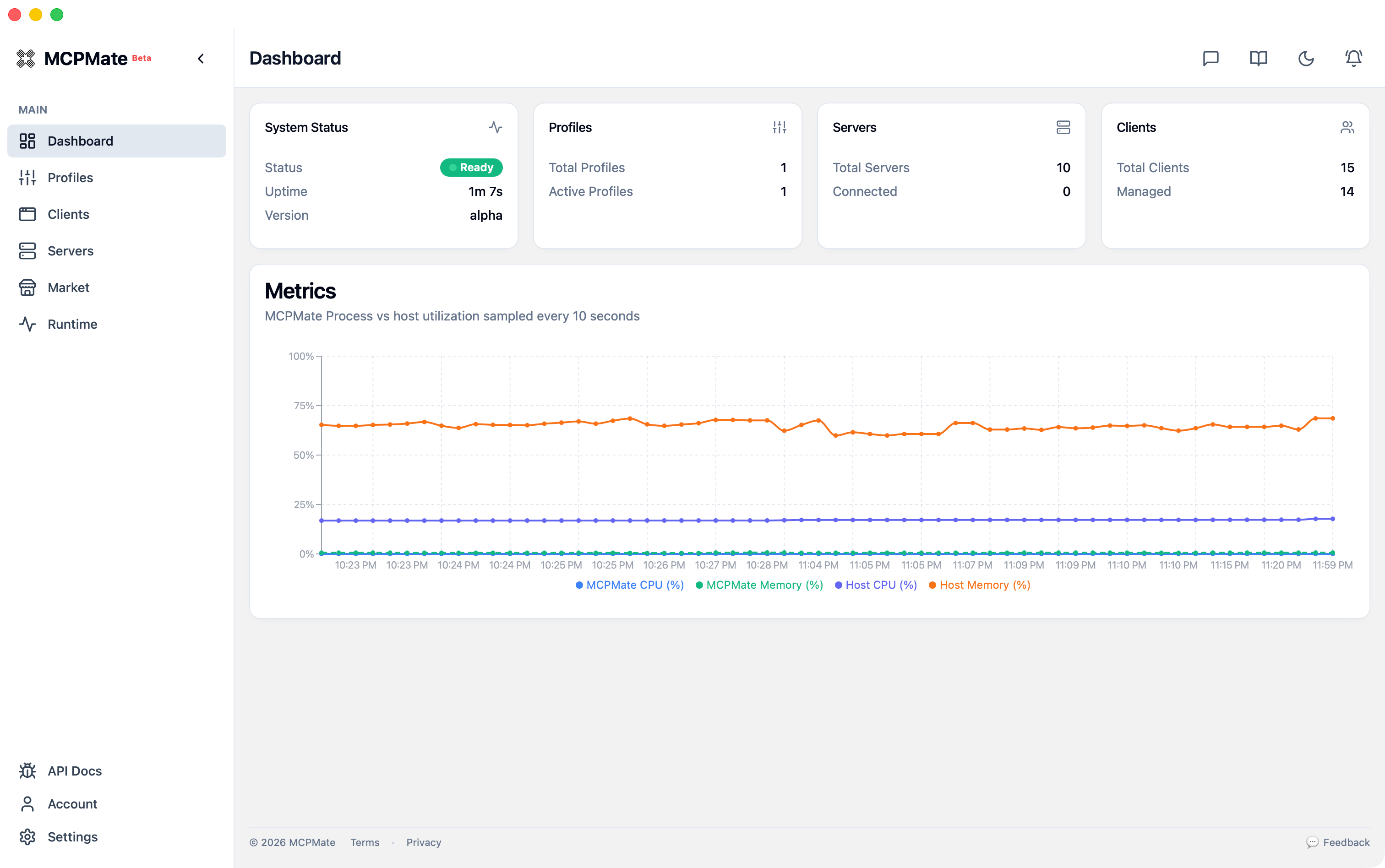
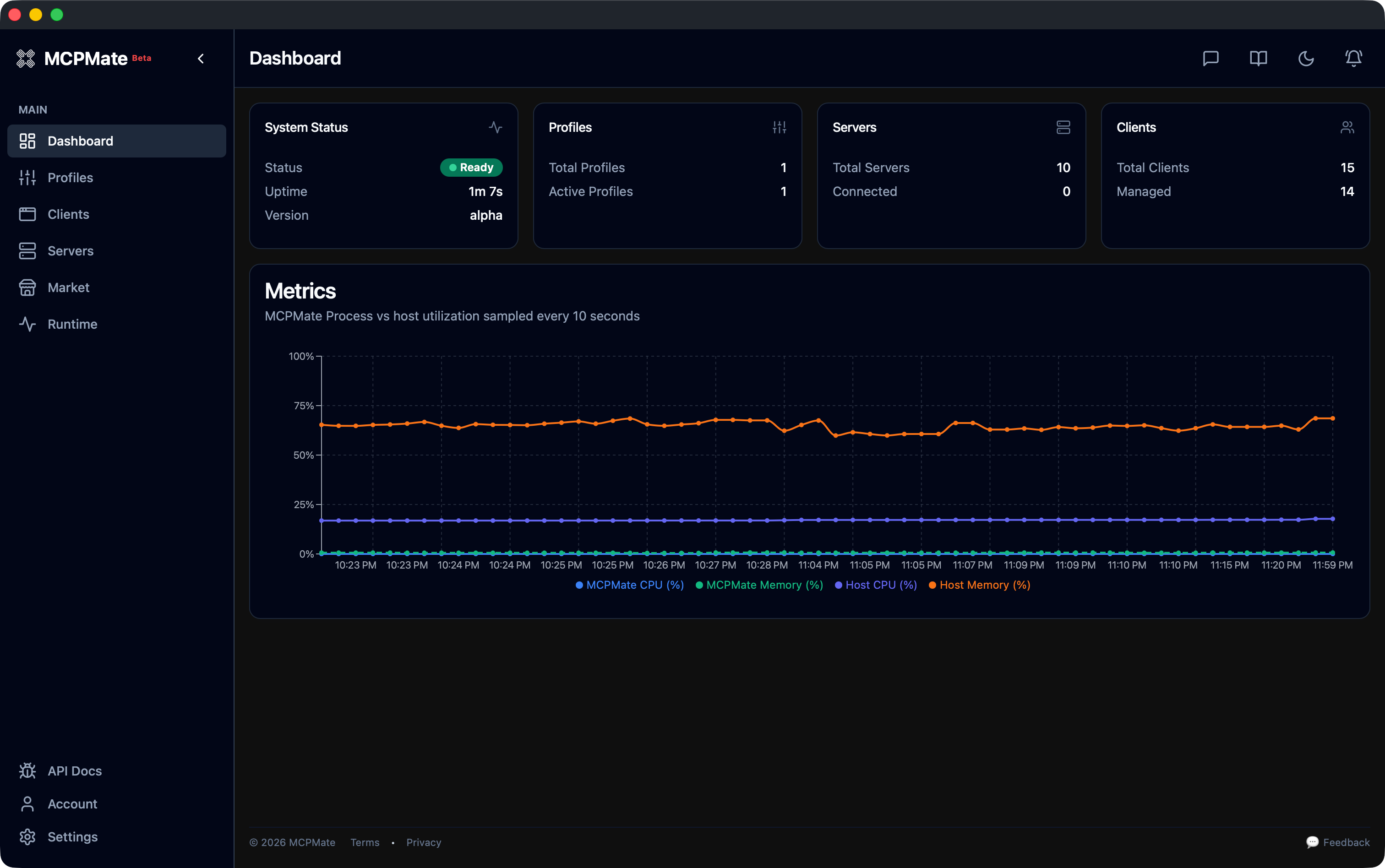
Dashboard Overview
Light and dark themes use the same layout; status cards and the metrics chart adapt to the selected appearance.
| Light | Dark |
|---|---|
|
 |
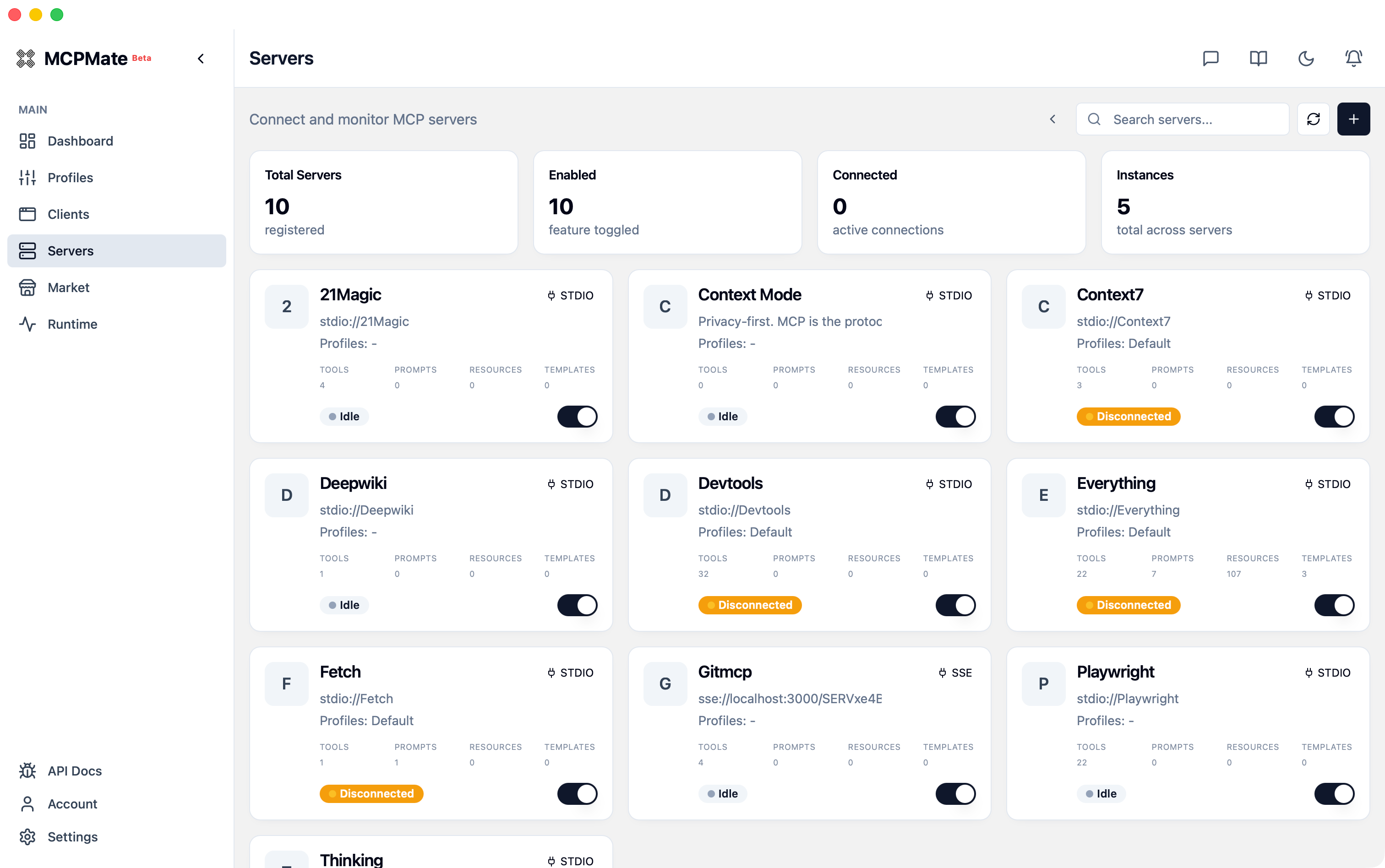
Server Management
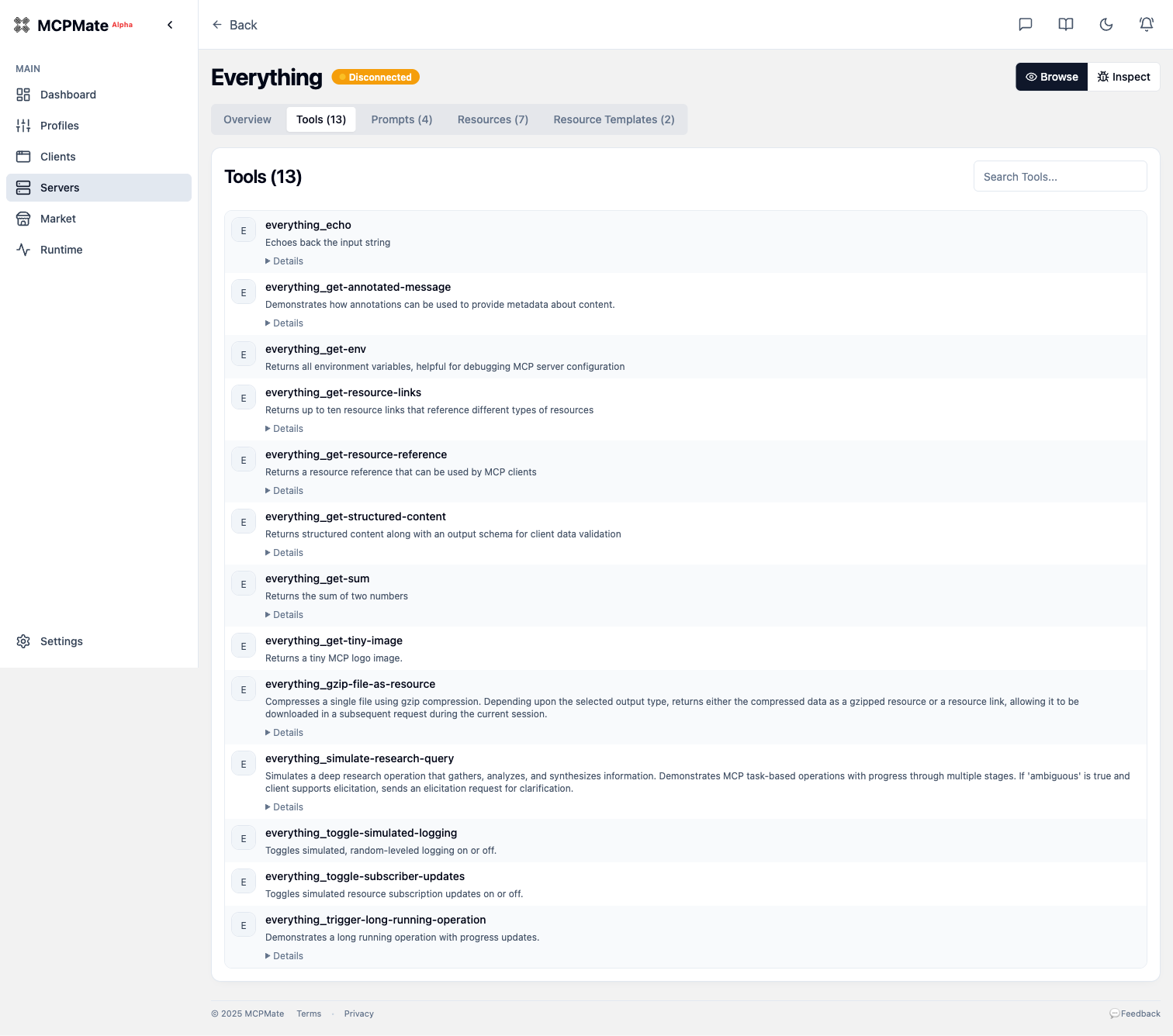
Server Details — Tools
Browse all tools exposed by an MCP server with descriptions.
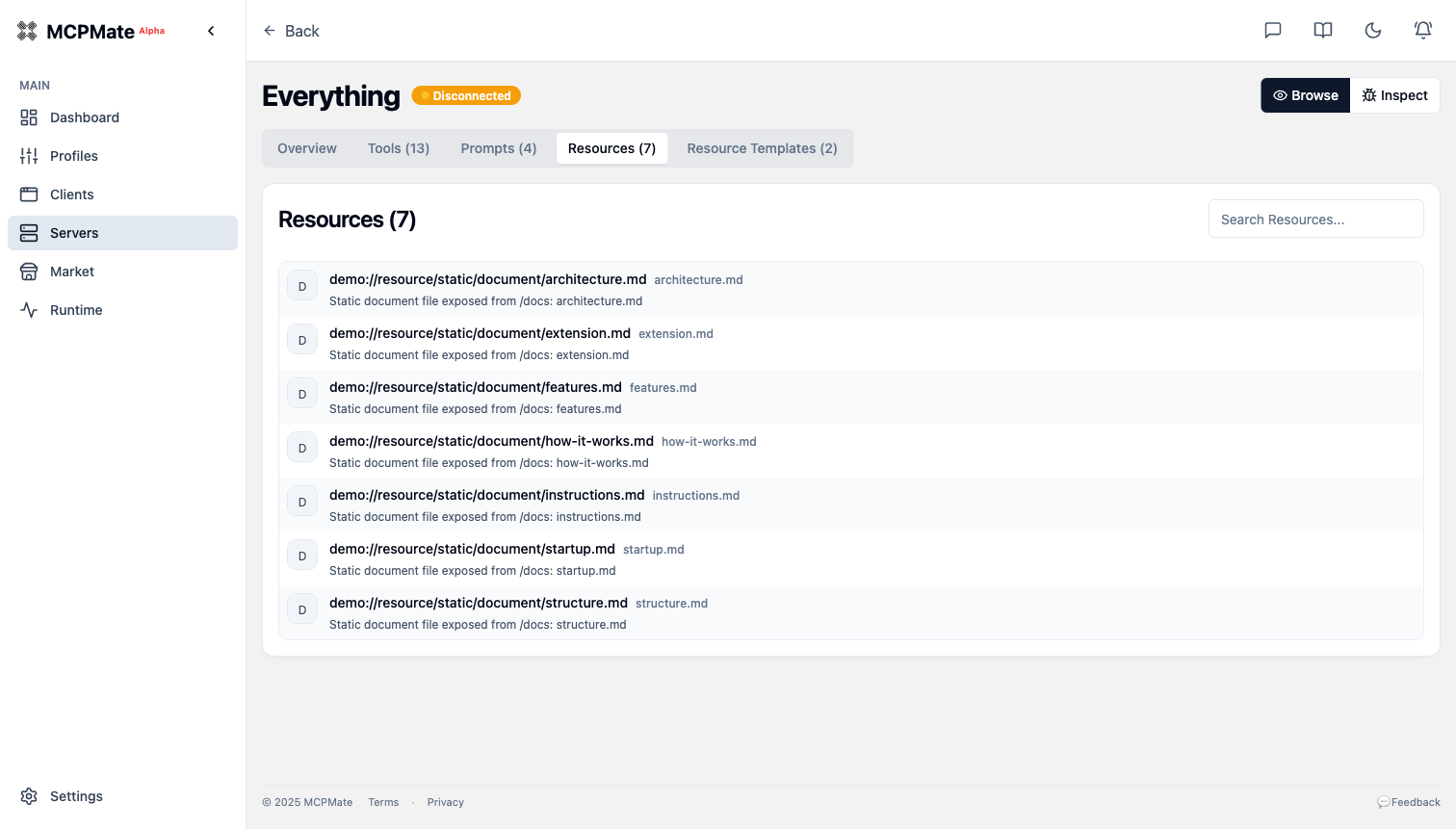
Server Details — Resources
View resources provided by MCP servers.
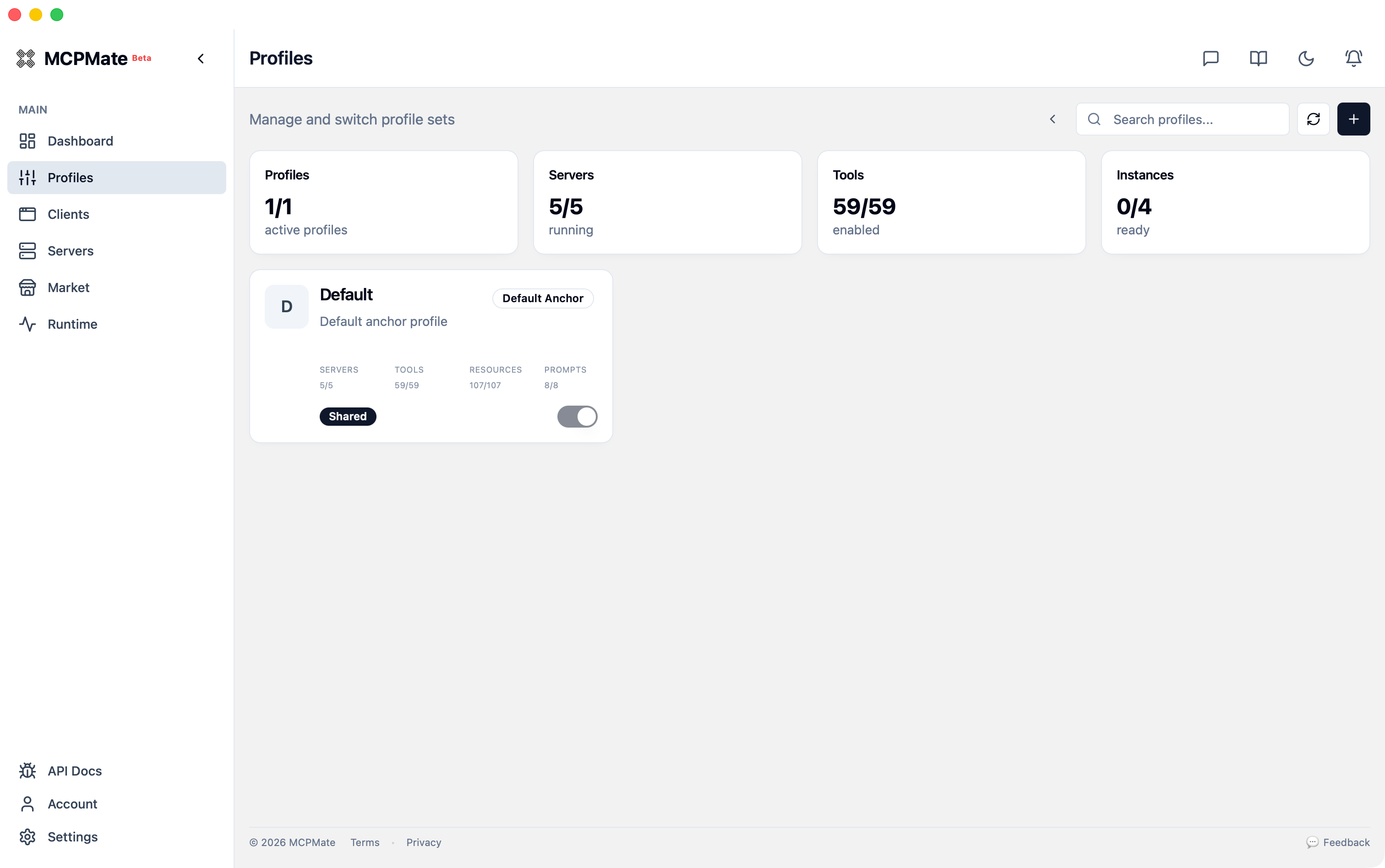
Profile Overview
Each profile aggregates servers, tools, resources, and prompts for a specific use case.
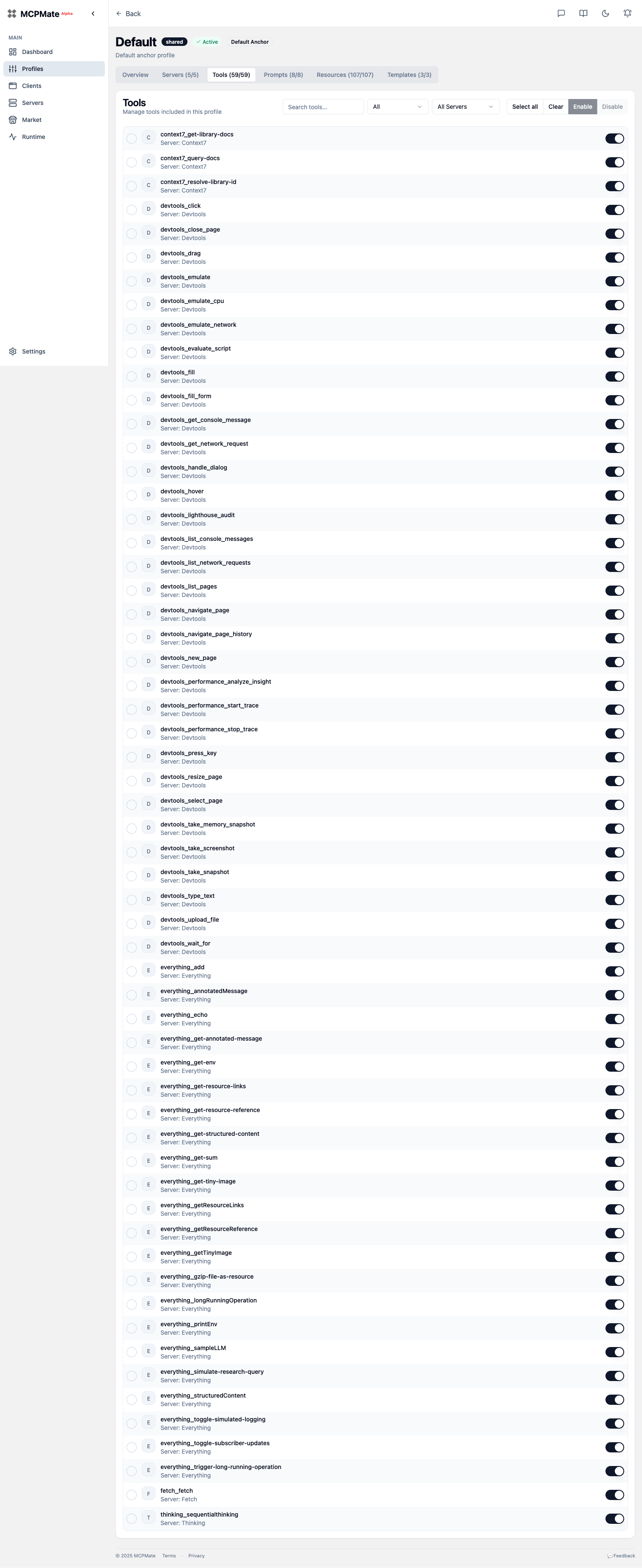
Profile — Tool Configuration
Enable or disable individual tools within a profile.
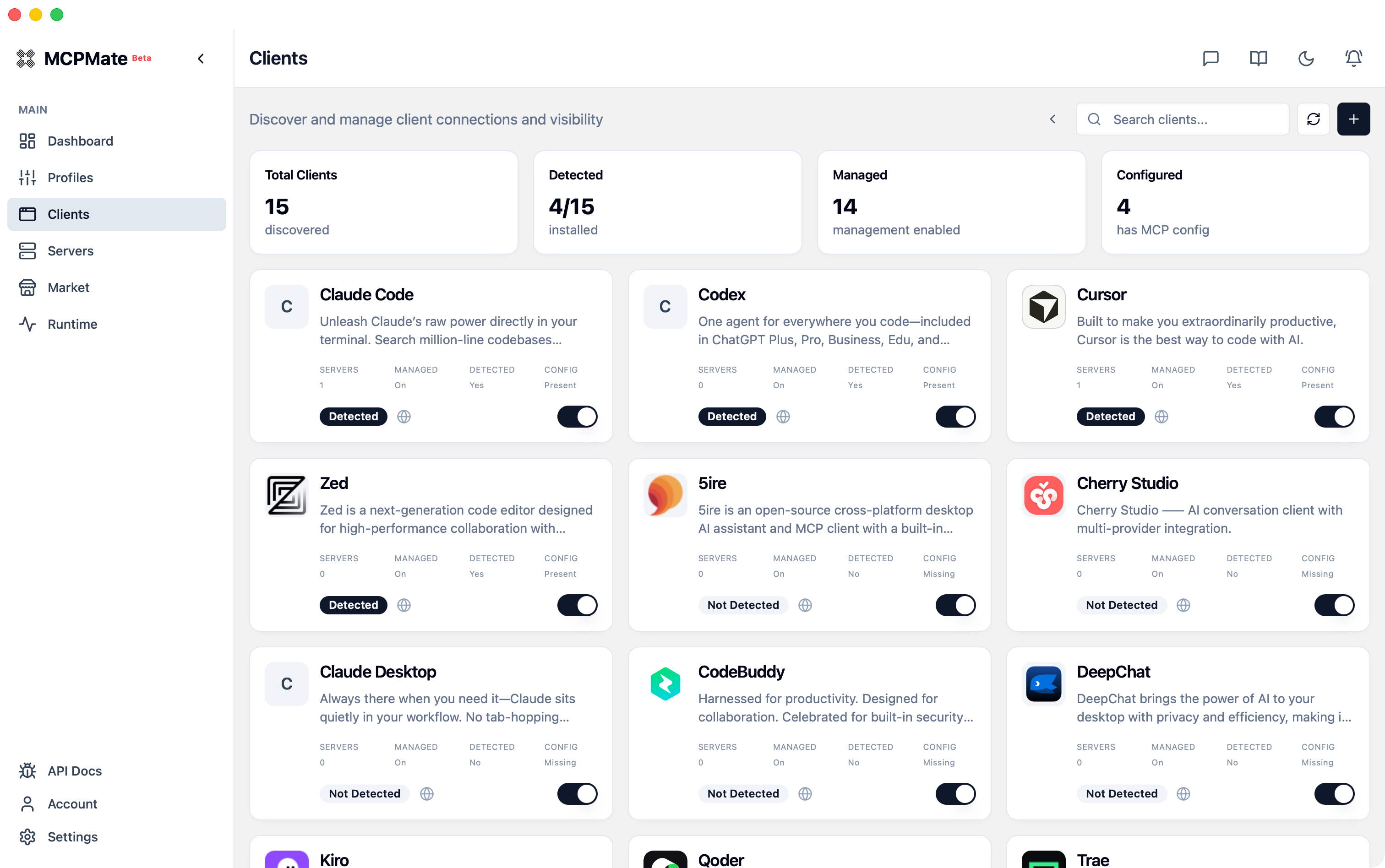
Client Configuration
Configure management mode and capability source for each AI client.
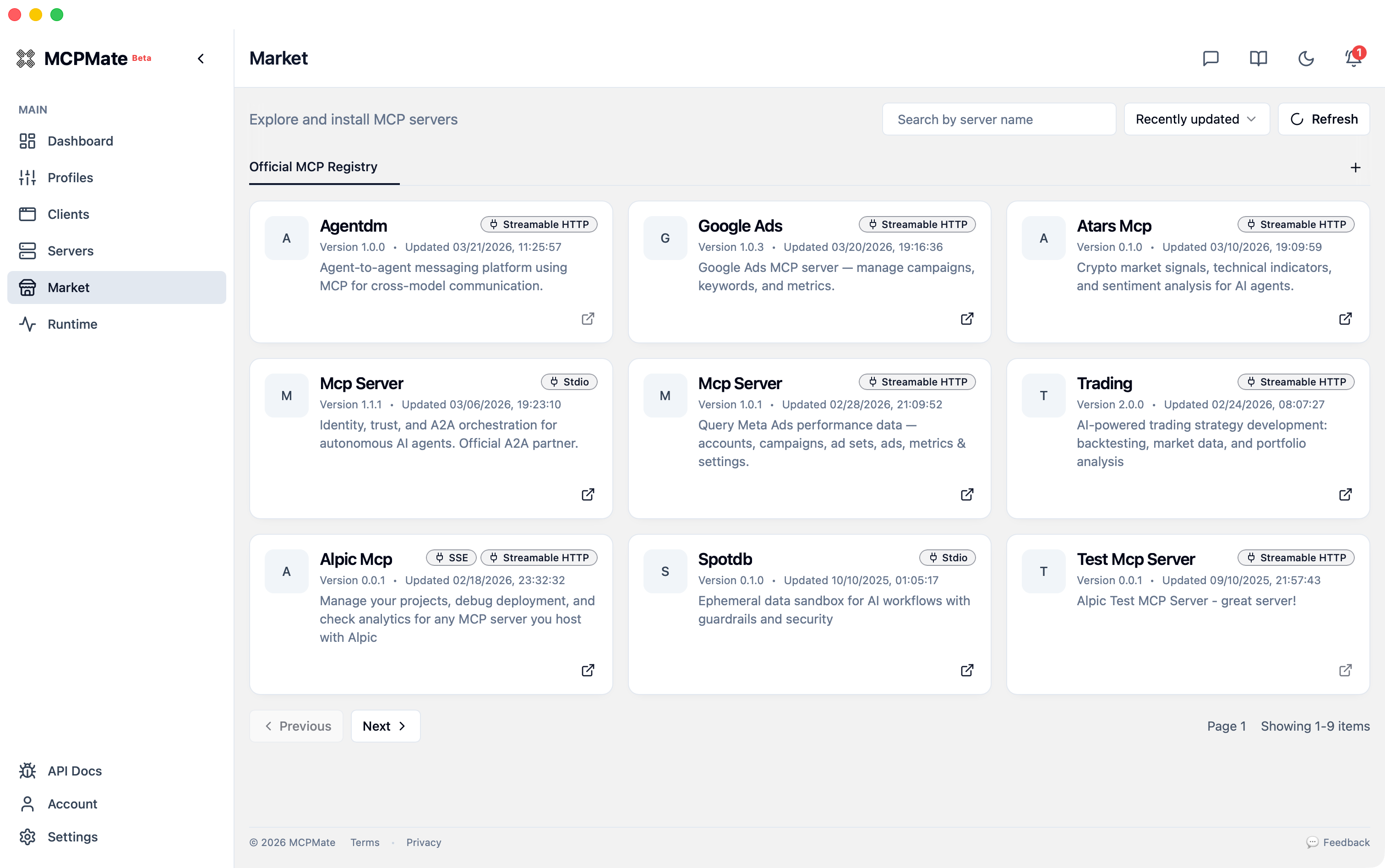
Market
Browse the official MCP registry and install servers without leaving the app.
- Canonical linkage key:
registry_server_id(officialserver.name) official.serverIdis treated as an alias only when equivalent toserver.nameRepository Entry IDis preserved as metadata only- See docs: Market registry linkage keys
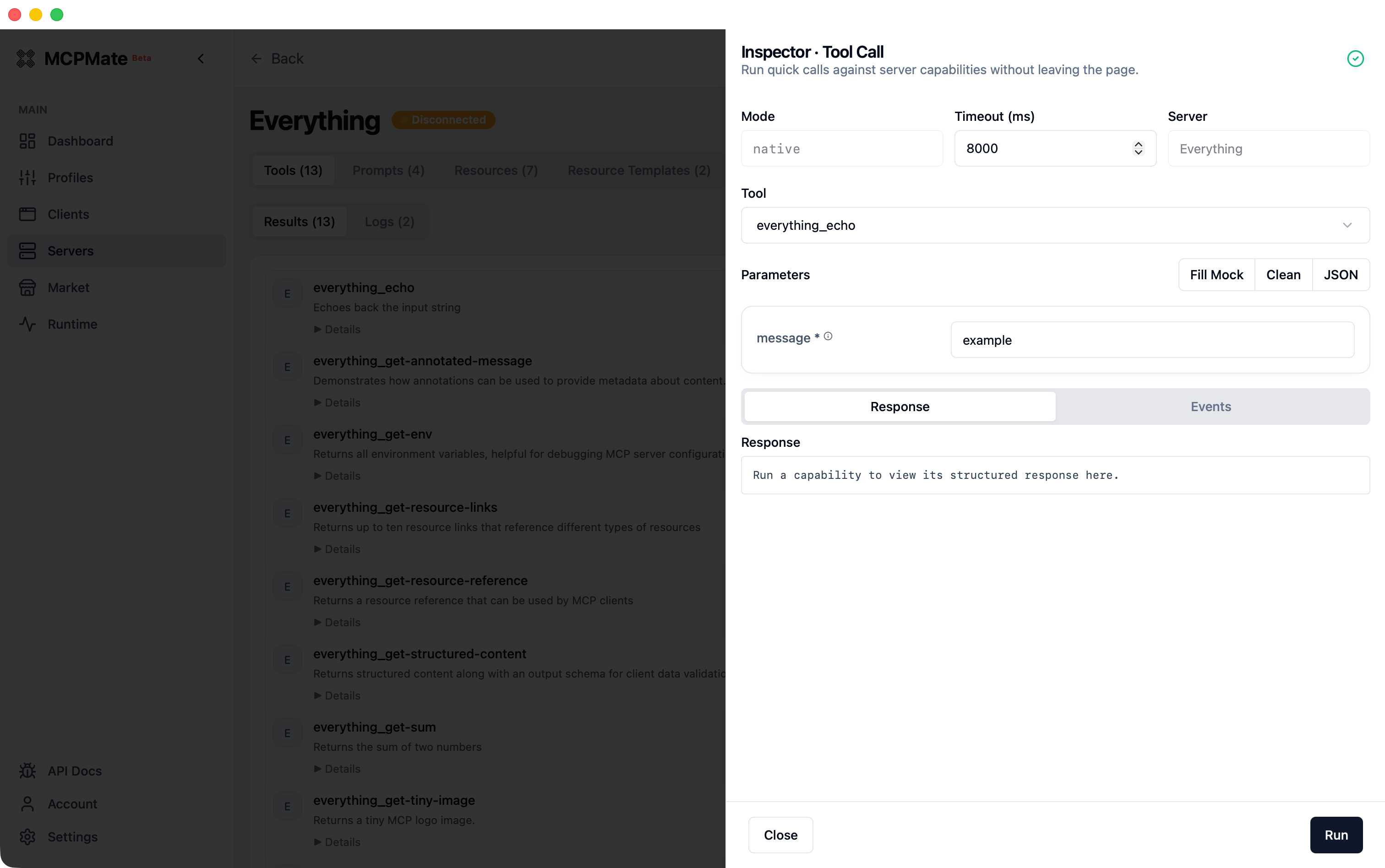
Tool Inspector
Run quick tool calls against a connected server and inspect structured responses from the console.
Quick Start
Prerequisites
- Rust toolchain (1.75+)
- Node.js 18+ or Bun
- SQLite 3
Installation
# Clone the repository
git clone https://github.com/loocor/MCPMate.git
cd MCPMate

# Build the backend
cd backend
cargo build --release

# Run the proxy
cargo run --release
The proxy starts with:
- REST API on
http://localhost:8080 - MCP endpoint on
http://localhost:8000
Using the Dashboard
# From the repository root
cd board
bun install
bun run dev
The dashboard will be available at http://localhost:5173.
Deployment Modes
MCPMate supports both integrated and separated operation modes:
- Integrated mode (desktop) — Tauri bundles backend + dashboard for local all-in-one operation
- Separated mode (core server + UI) — run backend independently and connect either the web dashboard or desktop shell to that core service
- Client mode flexibility — managed clients can continue using hosted/transparent workflows while the control plane runs remotely
Architecture
MCPMate/
├── backend/           # Rust MCP gateway, management API, bridge binary
├── board/             # React + Vite management dashboard
├── website/           # Marketing site and documentation
├── desktop/           # Tauri 2 desktop application
├── extension/cherry/  # Cherry Studio configuration integration
└── docs/              # Product documentation
Each subproject maintains its own build system and dependencies. See individual READMEs for details:
- Backend — Architecture, API, and development guide
- Board — Dashboard features and UI development
- Desktop — Desktop app build and configuration
- Extension/Cherry — Cherry Studio integration
Key Features
Profile-Based Configuration
Organize MCP servers into profiles for different scenarios:
- Development — Tools for coding, debugging, and testing
- Writing — Tools for content creation and research
- Analysis — Tools for data analysis and visualization
Switch between profiles instantly without restarting services.
Multi-Client Support
MCPMate detects and configures multiple AI clients:
- Claude Desktop
- Cursor
- Zed
- Cherry Studio
- VS Code (with MCP extensions)
Security
- Real-time MCP communication monitoring
- Tool poisoning detection
- Sensitive data detection
- Security alerts and audit logs
Audit Logs
- Dedicated Audit Logs page for filtering and reviewing historical actions
- Event stream includes actor, target, action type, and timestamp metadata
- Cursor pagination support for large datasets and incremental loading
Development
# Run all checks
./scripts/check

# Start backend + board together
./scripts/dev-all
See AGENTS.md for development guidelines, coding standards, and contribution workflow.
Roadmap
- Core proxy enhancement — Improve stability, performance, and features
- Security audit — Develop MCPMate Inspector for advanced security auditing
- Smart switching — Context-based automatic profile switching
- Team collaboration — Configuration sharing and role-based access control
- Cloud sync — Multi-device configuration synchronization
Contributing
Contributions are welcome! Please:
- Read AGENTS.md for development guidelines
- Open an issue to discuss significant changes
- Submit pull requests against the
mainbranch
License
MIT License — see LICENSE for details.
Built with ❤️ by Loocor
Reviews (0)
Sign in to leave a review.
Leave a reviewNo results found