mcp-hub-lite
Health Uyari
- License — License: MIT
- Description — Repository has a description
- Active repo — Last push 0 days ago
- Low visibility — Only 7 GitHub stars
Code Gecti
- Code scan — Scanned 12 files during light audit, no dangerous patterns found
Permissions Gecti
- Permissions — No dangerous permissions requested
This tool is a lightweight gateway and management platform that acts as a proxy between frontend applications and multiple backend MCP servers, providing features like process management, load balancing, and tool discovery.
Security Assessment
Overall Risk: Low. The codebase (12 files scanned) contains no hardcoded secrets or dangerous code patterns. However, the tool inherently makes network requests to act as a gateway and launches external processes (using `npx`/`uvx`) to manage backend servers. This means it will execute shell commands as part of its normal operations. It does not request inherently dangerous OS permissions, but administrators should still inspect which third-party MCP servers they configure it to run, as it facilitates passing data to those child processes.
Quality Assessment
The project demonstrates strong baseline quality. It is licensed under the permissive MIT license and is written in TypeScript using reliable frameworks (Fastify, Vue.js). It appears highly maintained, with its most recent code push occurring today. The main concern is its very low community visibility. With only 7 GitHub stars, the project has not yet been widely vetted by the broader developer community. This means any underlying vulnerabilities are less likely to have been caught by external researchers compared to highly popular tools.
Verdict
Use with caution — the code itself is clean and actively maintained, but low community adoption means you bear the responsibility of trusting its process execution capabilities.
A lightweight MCP management platform designed for independent developers, providing MCP server gateway, grouping, fuzzy search, and MCP HttpStream protocol interface.
MCP-HUB-LITE






A lightweight MCP management platform designed for independent developers, providing MCP server gateway, grouping, fuzzy search, and MCP HttpStream protocol interface.
Overview
MCP-HUB-LITE is an MCP server gateway designed specifically for independent developers. It acts as a proxy between your frontend and multiple backend MCP servers, providing a unified access interface with support for the MCP JSON-RPC 2.0 protocol.
Core Features
- MCP Gateway Service: Unified proxy interface for multiple backend MCP servers
- MCP CLI Tool: Command-line tool for listing and calling MCP tools across servers
- Server Management: Manage multiple MCP servers through a web interface
- Tool Search: Search and tool discovery across all servers with aggregation
- Process Management: Launch and manage MCP server processes via npx/uvx
- Session Management: Native stateless session management via MCP SDK
- Multi-Instance Support: Run multiple instances of the same MCP server with load balancing
- Instance Selection Strategies: Support random, round-robin, and unique-by-tag selection
- Tag System: Organize multiple MCP servers by environment, category, function, etc.
- Fault Tolerance: System continues to operate when individual servers fail
- Bilingual Interface: Support for Chinese/English interface switching
- Configuration Management: Support for hot-reloading and maintenance of
.mcp-hub.json - MCP Native Resources: Forward resource calls to backend MCP servers
- Security: Mask sensitive values in config change logs
Quick Start
System Requirements
- Node.js 22.x or higher
- npm or yarn
- Windows, macOS, or Linux
Installation
Install from npm
# Install from npm
npm install -g @loop_ouroboros/mcp-hub-lite

# Start the service
mcp-hub-lite start

# Open UI
mcp-hub-lite ui
Build from source
# Install dependencies
npm install

# Run in development mode (frontend and backend hot reload)
npm run dev

# Build production version
npm run build

# Full check (build + tests + code check)
npm run full:check

# Run production version
npm start

# Check status
npm run status

# Open UI interface
npm run ui
The server will start at http://localhost:7788.
Server Management
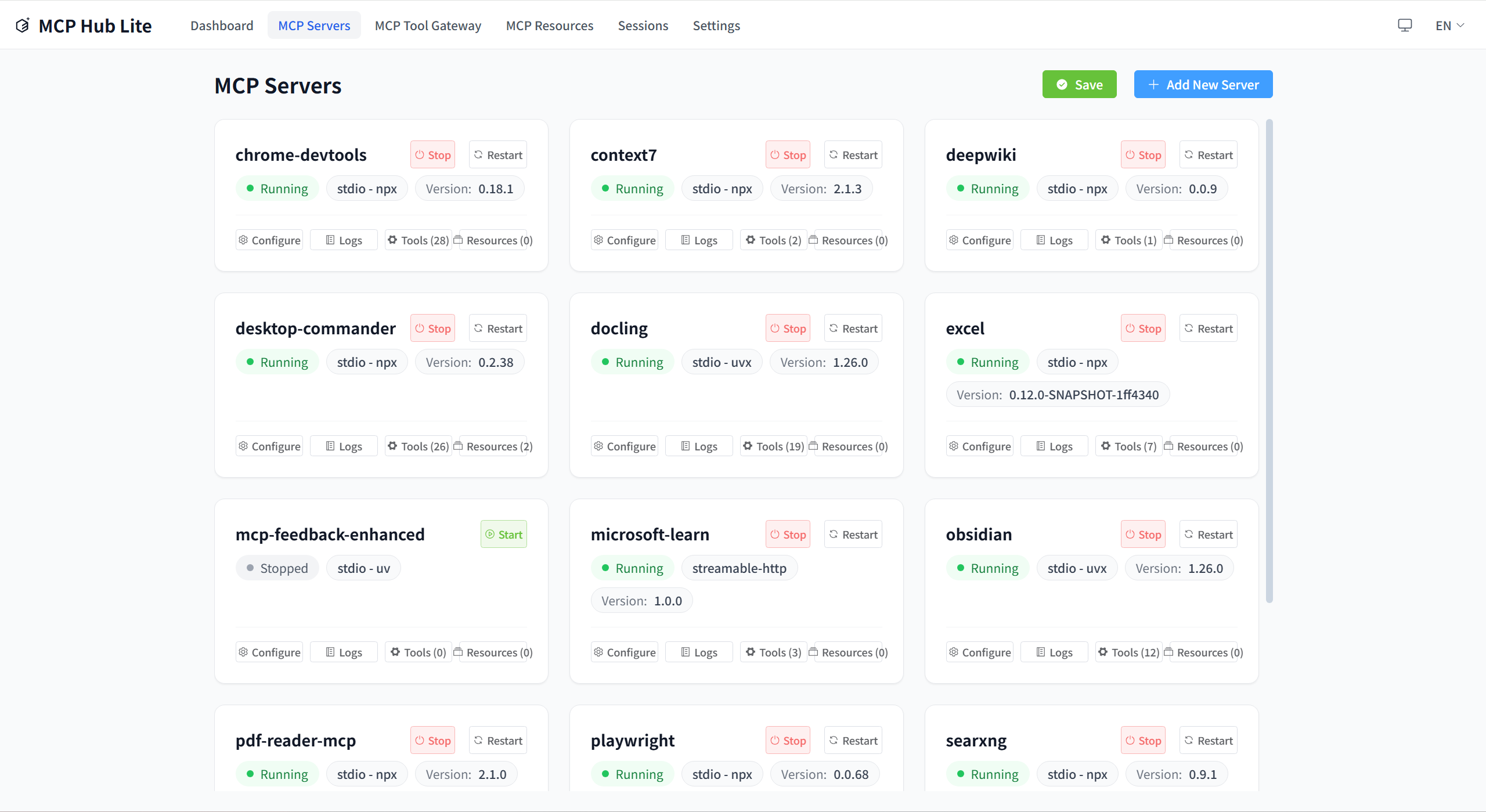
Manage all your MCP servers in one place. Add, edit, delete, connect, and disconnect servers through the intuitive web interface.
Gateway & Tools
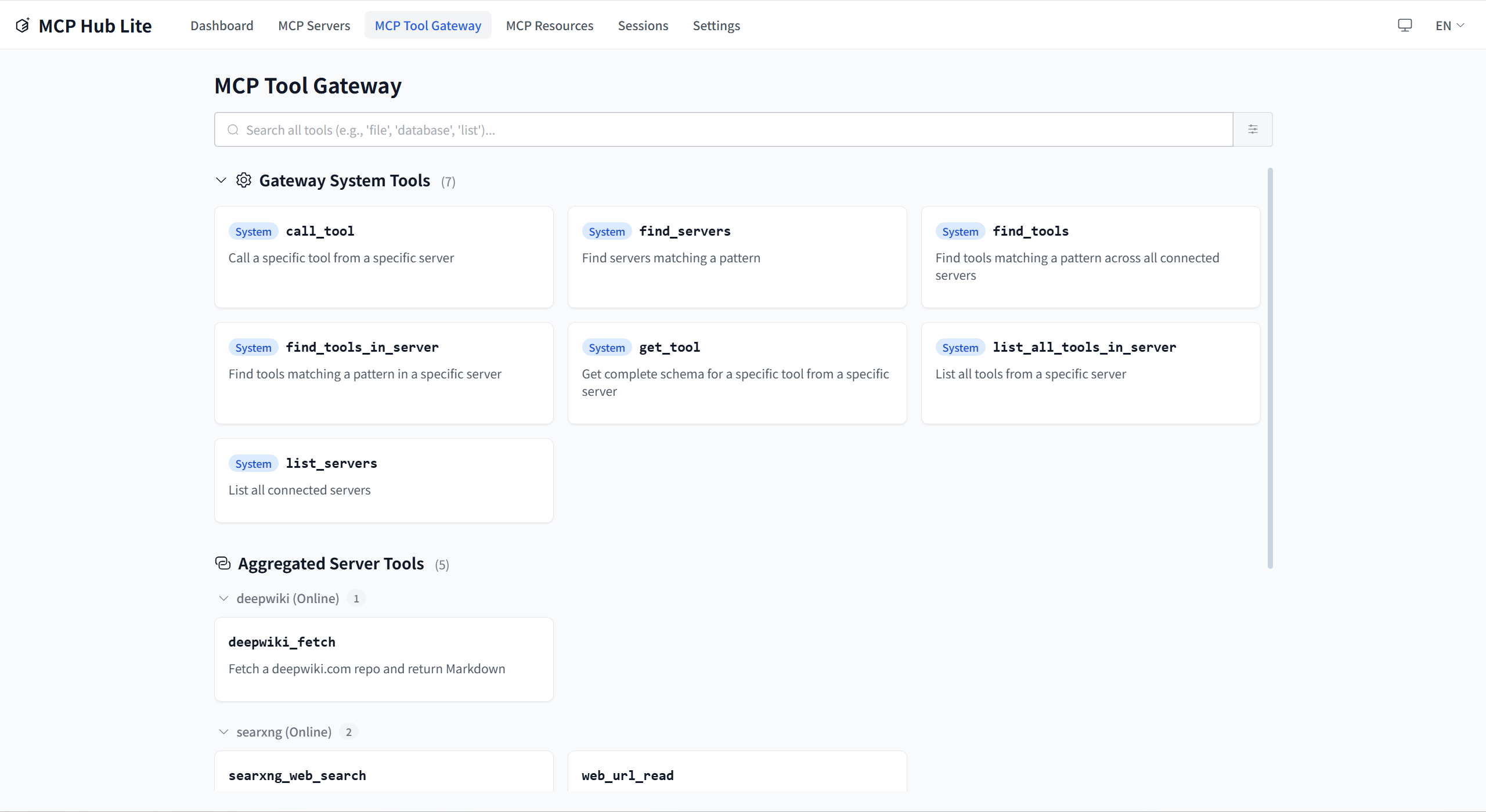
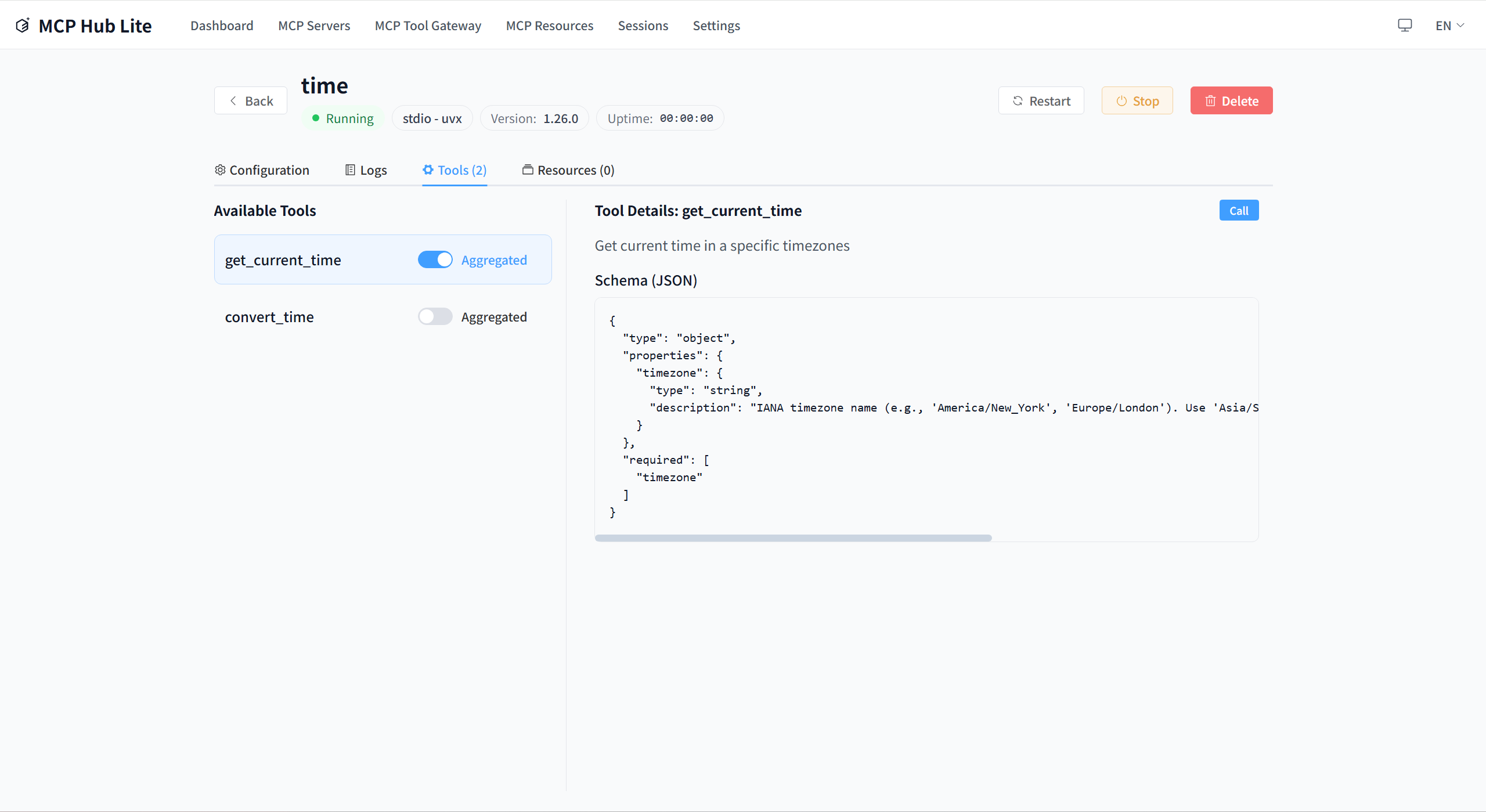
Discover and call tools from all connected MCP servers through the unified gateway interface. The aggregated tools view provides a single place to search and use all available tools.
Resources
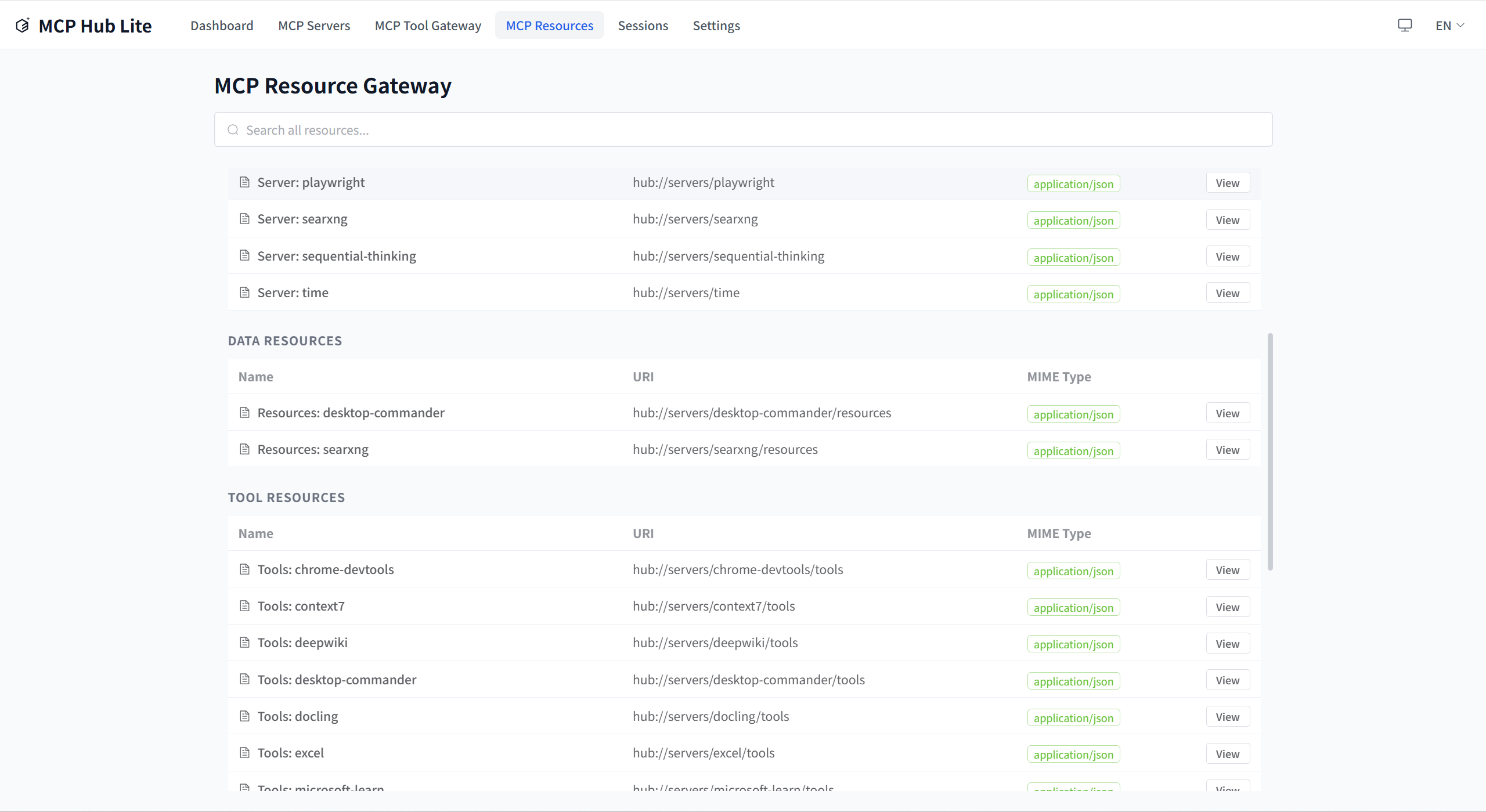
Browse and manage MCP resources from all connected servers.
Testing
# Run all tests
npm test

# Backend tests
npm run test:backend

# Frontend tests
npm run test:frontend
CLI Commands
MCP-HUB-LITE provides a command-line interface for managing the service.
# Start the service
npm start
# or
node dist/index.js start

# Check status
node dist/index.js status

# List all servers
node dist/index.js list

# Open web interface
node dist/index.js ui

# Help
node dist/index.js --help
Tool Use Command
The tool-use command provides MCP server tool operations:
# List system tools (default server: mcp-hub-lite)
npm run tool-use -- list-tools
mcp-hub-lite tool-use list-tools

# List tools from a specific server
npm run tool-use -- list-tools --server baidu-search
mcp-hub-lite tool-use list-tools --server baidu-search

# Get tool schema
npm run tool-use -- get-tool --tool list_tools
mcp-hub-lite tool-use get-tool --tool list_tools

# Call a system tool
npm run tool-use -- call-tool --tool list_tools --args '{}'
mcp-hub-lite tool-use call-tool --tool list_tools --args '{}'

# Call a server tool
npm run tool-use -- call-tool --server baidu-search --tool search --args '{"query":"hello"}'
mcp-hub-lite tool-use call-tool --server baidu-search --tool search --args '{"query":"hello"}'
Configuration
MCP-HUB-LITE uses a .mcp-hub.json file for configuration. Configuration lookup priority:
- Environment variable
MCP_HUB_CONFIG_PATH ~/.mcp-hub-lite/config/.mcp-hub.json(hidden folder in user home directory)
Configuration Example
{
  "version": "1.1.0",
  "servers": [
    {
      "id": "server-1",
      "name": "My MCP Server",
      "description": "Example server",
      "transport": "streamable-http",
      "endpoint": "http://localhost:8080",
      "tags": {
        "env": "development",
        "category": "api-server",
        "function": "http-api",
        "priority": "medium"
      },
      "allowedTools": [],
      "instances": [
        {
          "index": 0,
          "displayName": "Instance 1",
          "enabled": true,
          "env": {}
        }
      ],
      "managedProcess": {
        "command": "npx my-mcp-server",
        "managedMode": "npx",
        "processType": "streamable-http"
      }
    }
  ],
  "settings": {
    "language": {
      "current": "en-US",
      "autoDetect": true,
      "fallback": "en-US"
    },
    "logging": {
      "level": "info"
    }
  },
  "gateway": {
    "proxyTimeout": 30000,
    "rateLimit": {
      "enabled": true,
      "maxRequests": 100,
      "windowMs": 60000
    }
  }
}
Usage Guide
Adding MCP Servers
Through the web interface:
- Open http://localhost:7788
- Navigate to the "Servers" page
- Click "Add Server"
- Fill in server details and save
Process Management
MCP-HUB-LITE supports launching and managing MCP servers using your local environment:
Supported Launch Methods
- Node.js (npx):
npx package-name - Python (uvx):
uvx package-name - Direct Command: Custom startup command
Process Management Features
- Start/stop/restart MCP servers
- Monitor CPU and memory usage
- Crash detection and automatic restart
- PID tracking and health checks
Development Guide
Project Structure
src/
├── api/              # API implementations
│   ├── mcp-protocol/ # MCP protocol handlers
│   └── web-api/      # Web API routes
├── models/           # Data models
├── services/         # Core business logic
│   ├── gateway/      # MCP gateway service
│   ├── connection/   # Connection management
│   └── hub-tools/    # Hub tools service
├── utils/            # Utility functions
│   ├── logger/       # Logging utilities
│   └── transports/   # MCP transport implementations
├── config/           # Configuration
├── cli/              # CLI commands
│   └── commands/     # CLI command implementations
├── pid/              # Process ID management
└── server/           # Server runtime

frontend/
├── src/
│   ├── components/   # Reusable UI components
│   ├── views/        # Page view components
│   ├── stores/       # Pinia state management
│   ├── composables/  # Vue composables
│   ├── router/       # Vue Router configuration
│   ├── i18n/         # Internationalization
│   └── types/        # Frontend type definitions

shared/
├── models/           # Shared models
└── types/           # Shared types

tests/
├── unit/            # Unit tests
├── integration/     # Integration tests
├── contract/        # Contract tests
├── helpers/         # Test helpers
└── types/          # Test types
Adding New Features
- Create models (models/)
- Implement services (services/)
- Add API routes (api/)
- Write tests (tests/)
- Update configuration files
Detailed Technical Documentation
Complete project architecture, constraints, and design decisions can be found in:
- CLAUDE.md - Project AI context and module documentation
License
MIT
Contributing
Pull Requests and Issues are welcome!
Community
Thanks to the LinuxDo (linux.do) community for the discussions, sharing, and feedback.
Yorumlar (0)
Yorum birakmak icin giris yap.
Yorum birakSonuc bulunamadi