sugt
Health Uyari
- License — License: Apache-2.0
- Description — Repository has a description
- Active repo — Last push 0 days ago
- Low visibility — Only 6 GitHub stars
Code Gecti
- Code scan — Scanned 12 files during light audit, no dangerous patterns found
Permissions Gecti
- Permissions — No dangerous permissions requested
Bu listing icin henuz AI raporu yok.
SUGT - local AI gateway & skills console. Centralize LLM API keys, one OpenAI/Anthropic-compatible proxy for Claude Code, Codex & OpenCode. Homebrew & winget. Fully open source (Apache-2.0).
SUGT — Local AI Gateway & LLM Skill Console
Heads-up: my day job took a hit recently and I'm looking at delivery gigs for a while — updates will be sparse. The code is fully open source; fork it and play. Stars are few and I'm not chasing traffic — if this helped you and you're willing, a share would mean a lot.
SUGT (su gateway) is a local AI gateway and skills control plane for your desktop. It centralizes API keys from multiple LLM providers (OpenAI, Anthropic, ModelScope, Volcengine, SiliconFlow, Moonshot Kimi, DeepSeek, DashScope, and self-hosted) behind a single OpenAI / Anthropic-compatible proxy, so Claude Code, Codex, OpenCode, and other AI coding clients all talk to one local endpoint — while you swap upstream models in a single panel. It also ships a Skills console for discovering, installing, and mounting Skills without losing your library.
- One key set, everywhere: Base URLs and auth are consolidated into one local gateway.
- Swap upstreams freely: OpenAI, Anthropic, ModelScope, Volcengine, SiliconFlow, Moonshot Kimi, DeepSeek, or your own models — no client-side reconfiguration.
- Skills that stick: discover, install, and mount Skills; unmounting never loses your library.
| Version | 1.1.2 |
| Author | Sun Wenlong · 异常设计 |
| Open source | Apache-2.0, fully open source |
| Releases | GitHub Releases |
中文文档:README.zh.md
Edition & License
| Edition | Validity | Notes |
|---|---|---|
| Public | Windows: 6 months (180 days) | After expiry SUGT prompts you to update from GitHub; all features remain available. macOS: no time limit |
| Personal / Dev | Unlimited | Author-only builds, not distributed |
The Public edition is the full-featured build: local AI gateway, protocol translation, client takeover, and the Skills console are all included. On Windows the Public edition periodically reminds you to update after 6 months — grab the latest release from GitHub Releases; your data and config are untouched.
Why
- API keys scattered across OpenAI, Anthropic, ModelScope, Volcengine, Moonshot Kimi, DeepSeek, local models...
- Every agent wants its own Base URL and auth setup — re-editing configs in each client is tedious and error-prone
- Skills live in different folders with no shared discover / mount / keep flow; switching machines means redoing everything
SUGT is intentionally small: a compatible local gateway, one-click takeover for common agents, and a skill control plane you can actually keep.
Features
Local AI Gateway
- Axum HTTP server embedded in the Tauri process, speaking OpenAI Chat Completions, Anthropic Messages, and OpenAI Responses
- Protocol bridging: bidirectional request / response conversion between Anthropic and OpenAI, including SSE streaming
- Multi-upstream failover: automatically falls back to the next provider in your
failoverorder - Hot-reload config: edit
config.tomland the next request picks it up — no restart needed - Port fallback: if the configured port is taken, the gateway binds the next available one
- Built-in endpoints:
/health,/v1/models,/v1/_sugt/traffic
Model Management
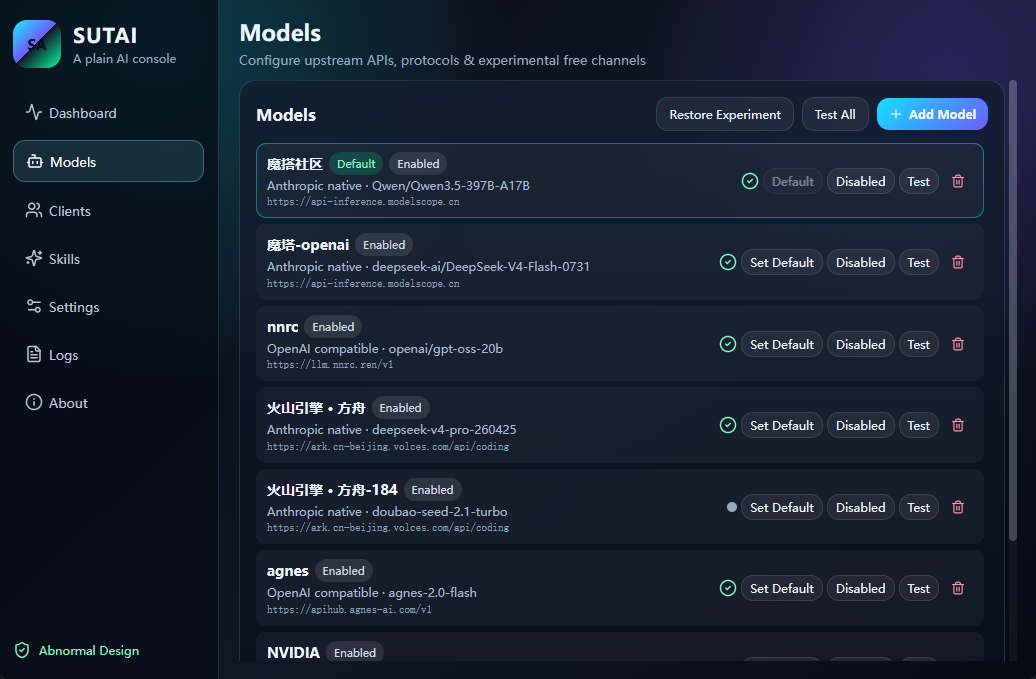
- Built-in catalog of Chinese providers (ModelScope, Volcengine, SiliconFlow, Moonshot Kimi, DeepSeek, and more) with standard Base URLs and model lists
- Enable / disable providers, switch the default model, and test connectivity from one panel
One-Click Agent Takeover
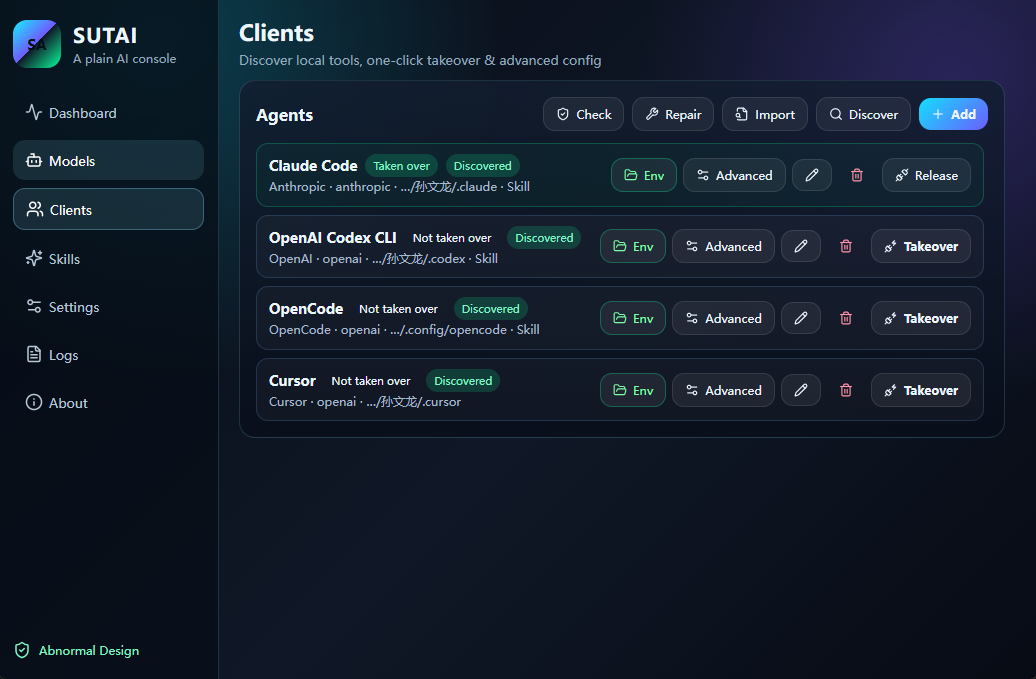
- Automatically discovers installed agent clients on your machine
- Sets environment variables and launch scripts so Claude Code / Codex / OpenCode point at the local gateway; releasing the takeover cleans everything up
Skills Console
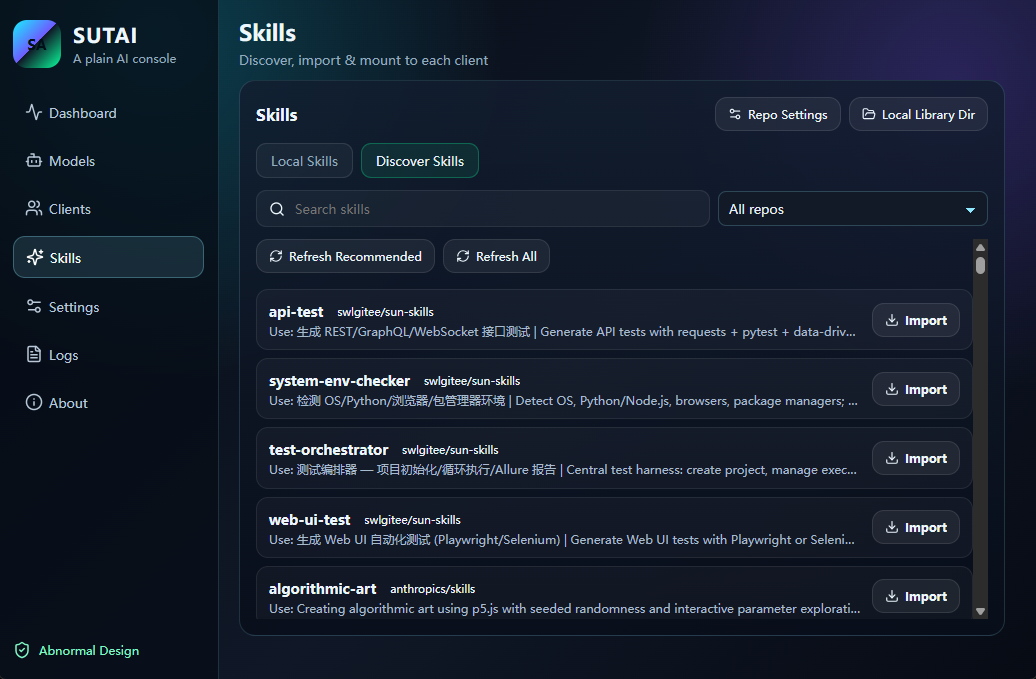
- Refresh skill indexes from Git repositories, Gitee, or custom sources
- Install, uninstall, mount, and unmount Skills — your library is always preserved
- Mount the same Skill across multiple agents; Markdown-rendered skill panels
Traffic Overlay
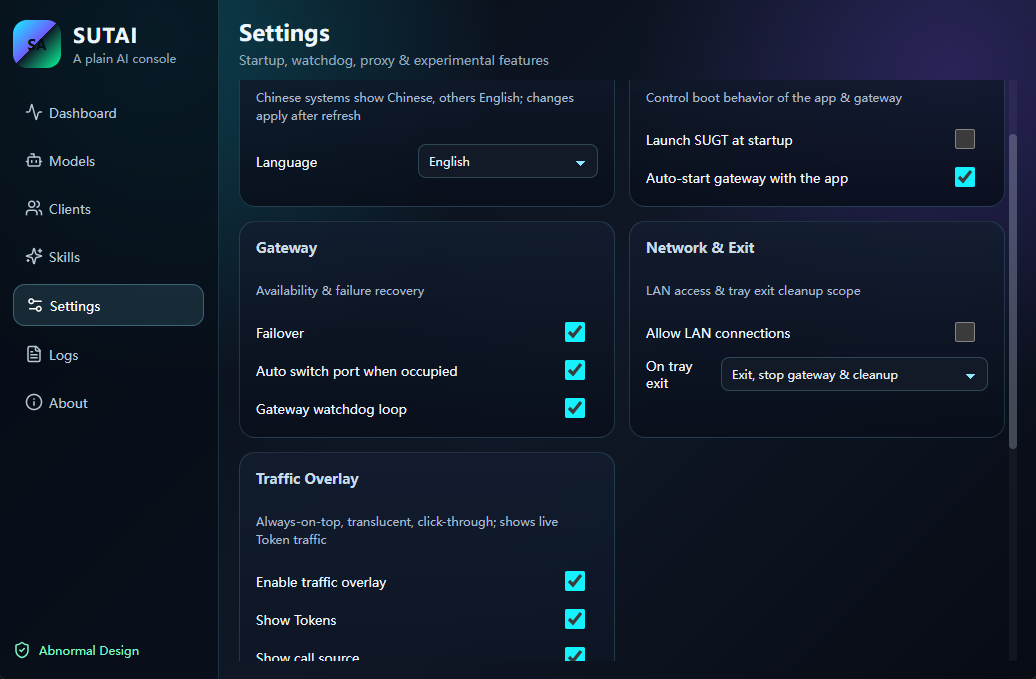
- Always-on-top, semi-transparent, mouse-through overlay showing today's token activity in real time
- Landscape / portrait layout, resizable, with one-click restore to defaults
Gateway Watchdog
- Detects gateway unavailability every 20 seconds and restarts it automatically
- Manages a detached
sugt-cli serveprocess via PID file (no window, background-only)
Screenshots
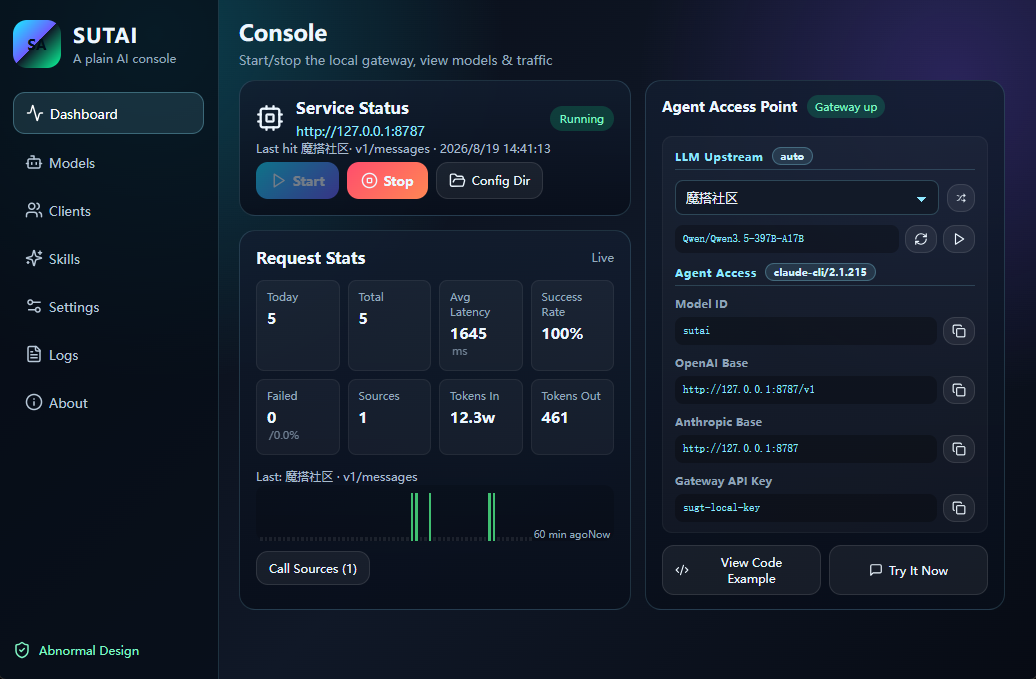
Console — start/stop, traffic, agent endpoints.
Models — providers, default model, connectivity test.
Clients — discover agents, take over or release.
Skills — local mount and repo discovery.
Settings — language, gateway, and overlay options.
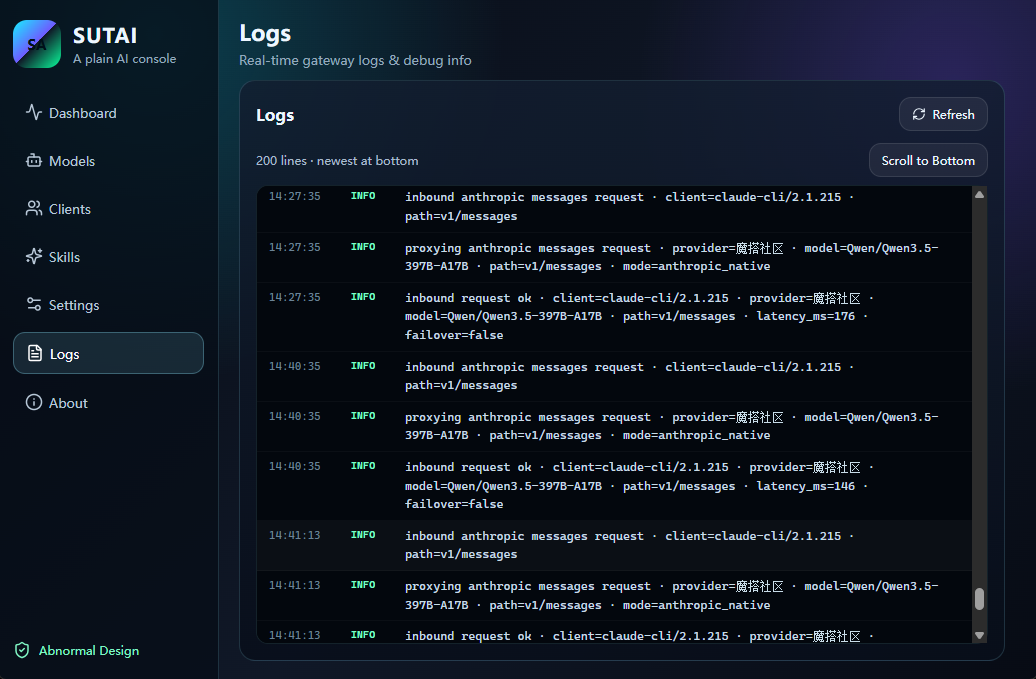
Logs — request and gateway activity.
Internationalization
SUGT ships with built-in English / 中文 support. All UI text is rendered through a single dictionary layer with zero third-party dependencies.
Switching languages: open Settings → Language and pick one of:
| Option | Behavior |
|---|---|
| Follow system | Uses the OS language: Chinese systems show 中文, everything else shows English (default) |
| 中文 | Always shows Chinese |
| English | Always shows English |
The UI refreshes immediately after switching — every panel, dialog, toast, and the traffic overlay updates with no gaps. The choice is persisted locally and survives restarts.
Implementation notes:
- All copy lives in the
zh/endictionaries insrc/i18n.ts; components read it viat('namespace.key') {variable}interpolation is supported for dynamic text (token counts, provider names, paths)- The preference is stored in
localStorage, consistent with theme and other UI preferences - Adding a new language is a dictionary extension — no component changes required
Getting Started
Install
Windows (winget) — once the manifest merges upstream, you can install with:
winget install lsuen.sugt
Windows (direct) — download the installer from GitHub Releases and run it.
macOS (Homebrew) — the prebuilt app is published as a Homebrew cask:
brew tap lsuen/homebrew-sugt
brew trust lsuen/sugt        # one-time: trust the unsigned open-source tap
brew install --cask sugt
The app is unsigned. On first launch, right-click SUTAI.app in Finder and choose Open, or run
xattr -cr "/Applications/SUTAI.app".
Configuration defaults to Documents\.sugt\; override with the SUGT_CONFIG_DIR environment variable.
CLI
sugt-cli status
sugt-cli serve --host 127.0.0.1 --port 8787
sugt-cli env        # takeover management
sugt-cli test       # connectivity test
The CLI ships inside the app bundle at
SUTAI.app/Contents/MacOS/sugt-clion macOS.
Build from Source
Requirements: Windows 10/11, Node 18+, Rust 1.78+. On macOS, Xcode Command Line Tools and Node are required.
npm install
npm run check        # TypeScript type check
npm run dev:app      # launch the Tauri app in dev mode
Production build:
npm run build        # frontend production build
npx tauri build      # full desktop bundle
cd src-tauri && cargo build --release --bin sugt-cli   # standalone CLI
Tech Stack
| Layer | Choice |
|---|---|
| Desktop shell | Tauri 2.9 (WebView2 on Windows / WKWebView on macOS) |
| Frontend | React 18 + TypeScript 5.7 + Vite 6 |
| Backend | Rust (edition 2021) + Axum 0.7 |
| Gateway | Embedded Axum HTTP server, OpenAI / Anthropic protocol bridging |
| CLI | sugt-cli (standalone binary: serve / status / test / env / init) |
Feedback & Contributions
Questions and suggestions are welcome — open an Issue. The project is under active polish; a star is the best encouragement.
License
Yorumlar (0)
Yorum birakmak icin giris yap.
Yorum birakSonuc bulunamadi