codex-mobile-bridge
Health Warn
- License — License: MIT
- Description — Repository has a description
- Active repo — Last push 0 days ago
- Low visibility — Only 6 GitHub stars
Code Warn
- network request — Outbound network request in public/app.js
- network request — Outbound network request in public/modules/api.js
Permissions Pass
- Permissions — No dangerous permissions requested
No AI report is available for this listing yet.
Self-hosted mobile web interface for accessing local OpenAI Codex conversations over Tailscale.
English | 简体中文
Codex Mobile Bridge
A self-hosted web interface for accessing local Codex conversations from a phone.
Runs on the Windows loopback interface and stays private through Tailscale Serve.
Built for people like me whose ChatGPT Desktop app does not show Remote/Connections.
The phone does not need direct access to ChatGPT or a separate ChatGPT proxy/VPN;
it only needs to join the same Tailscale tailnet.





Quick start
git clone https://github.com/ltspace/codex-mobile-bridge.git
cd codex-mobile-bridge
.\setup.ps1
Setup checks the local requirements, starts the loopback-only Bridge, configures
Tailscale Serve, and prints the private HTTPS URL to open from your phone.
[!IMPORTANT]
The Bridge gives allowed tailnet devices command-execution access through
Codex. Review your tailnet membership and ACLs before sharing its URL.
Interface preview
[!NOTE]
Every conversation, path, metric, and result shown below is fictional demo
data created for documentation. No personal or production information is
included.
Desktop · Light
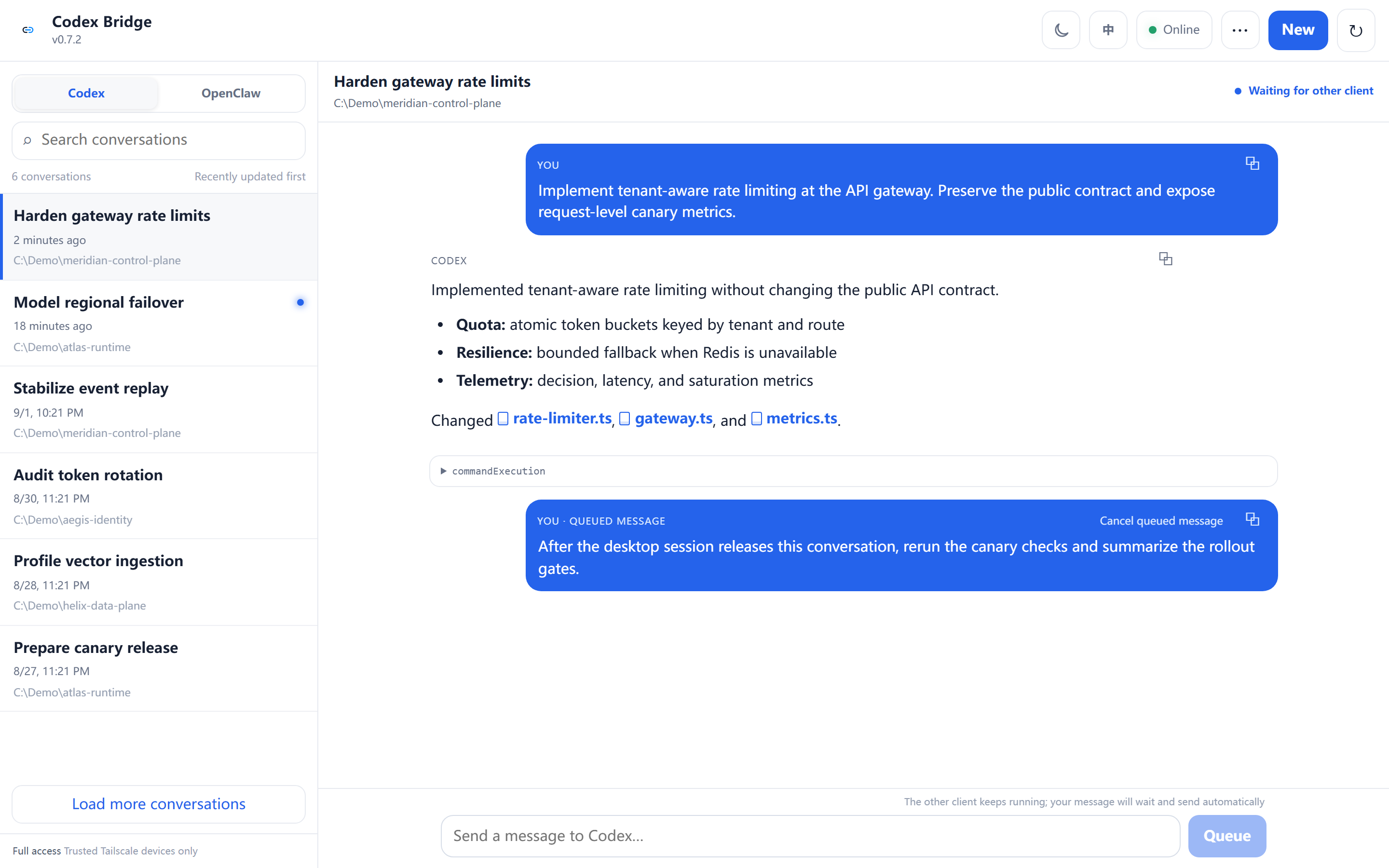
Desktop · Dark
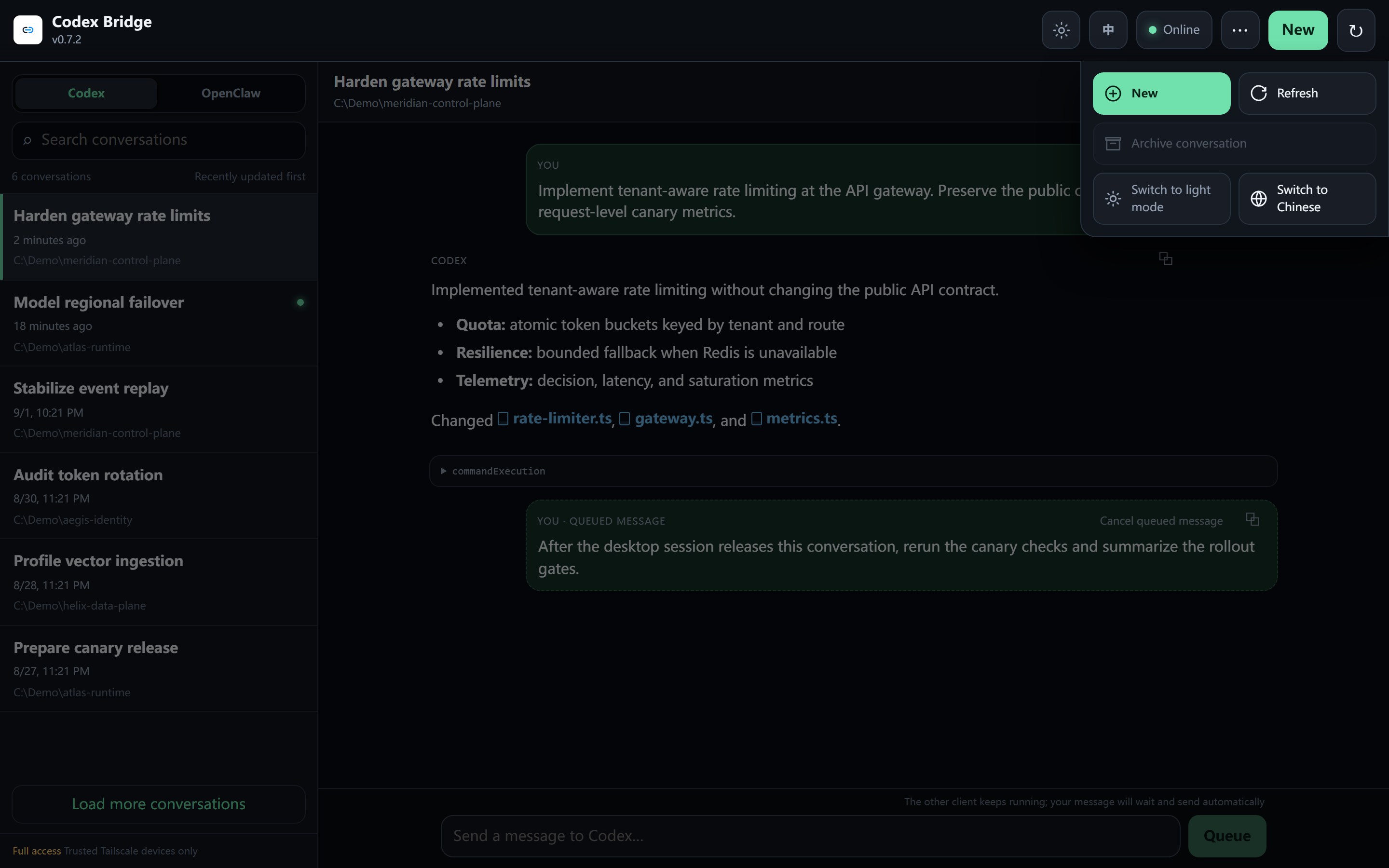
Mobile · Light
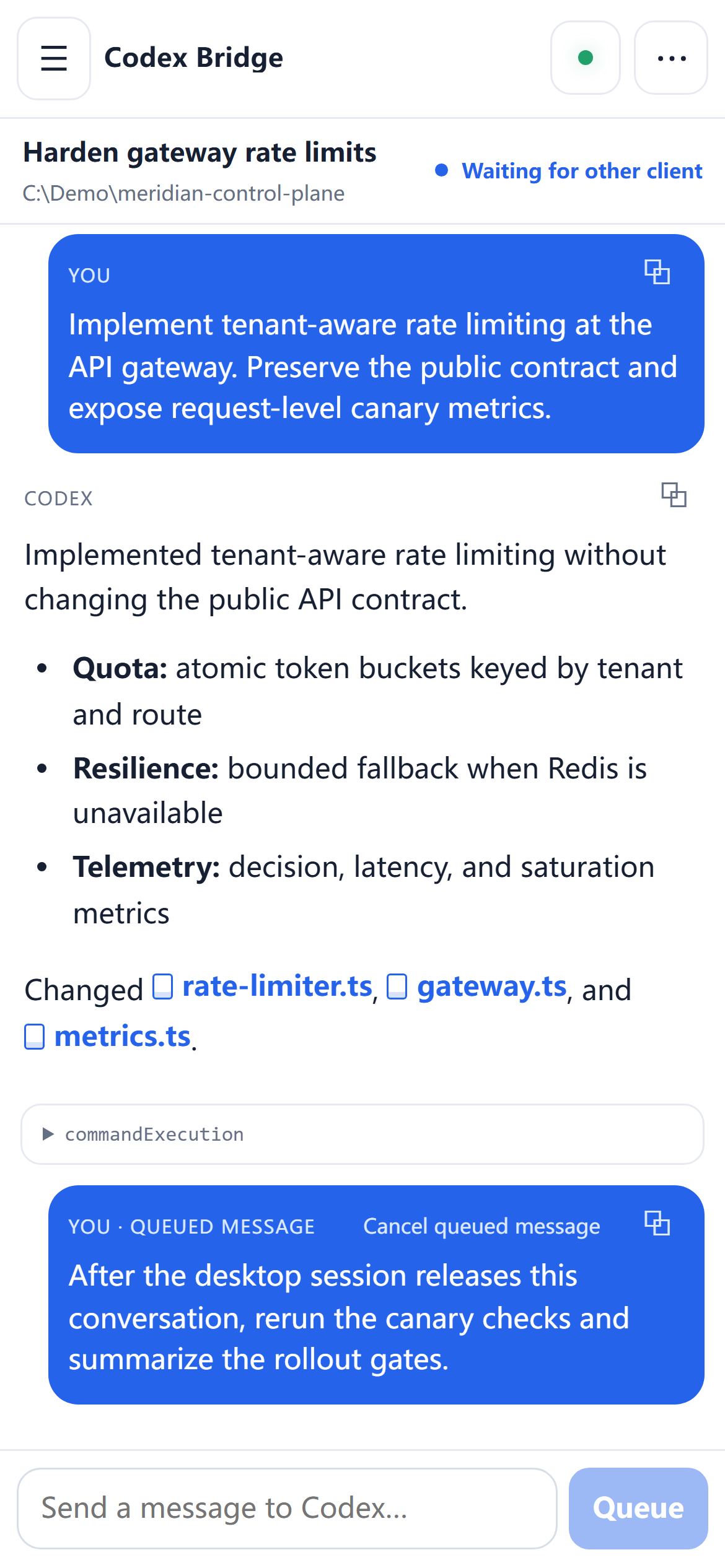
Mobile · Dark
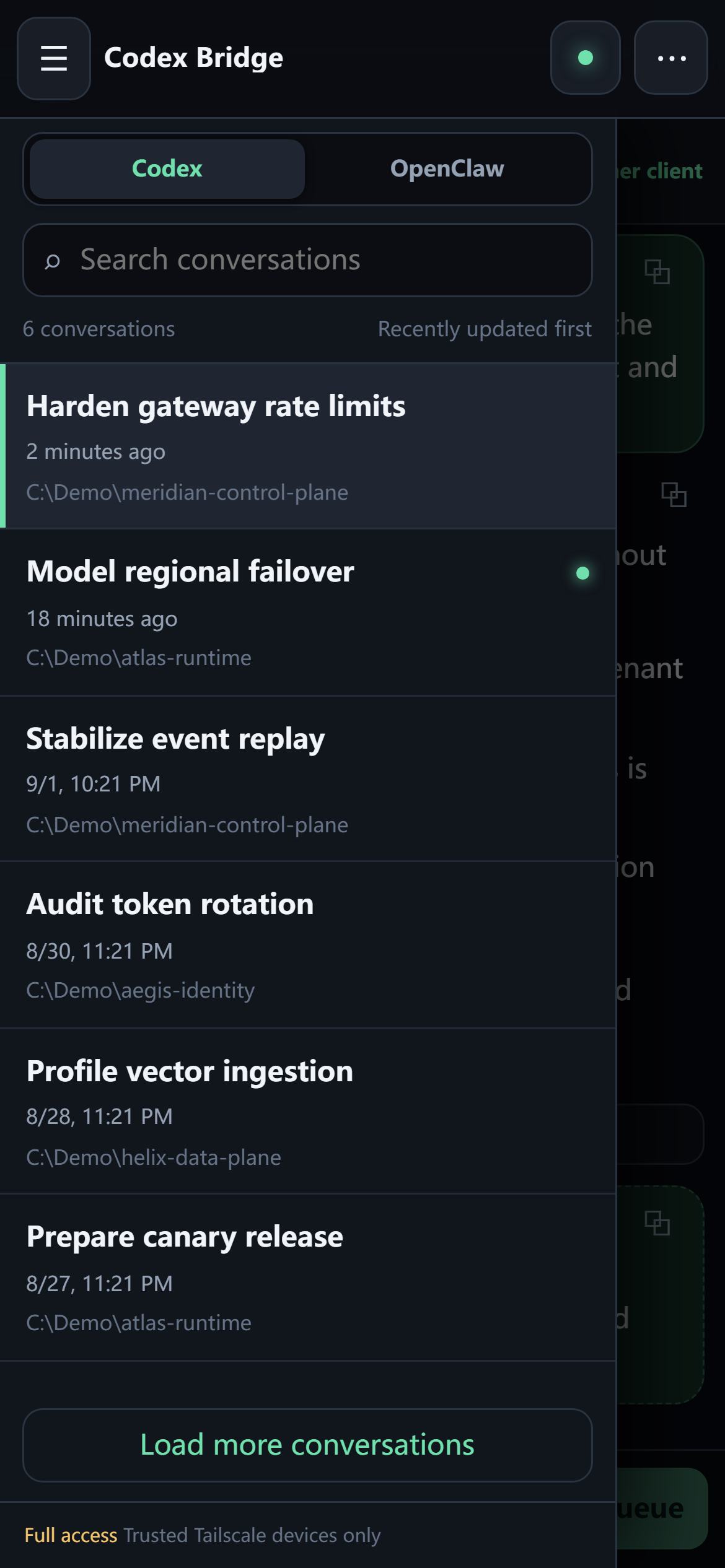
Features
- Choose a model and its supported reasoning level for a new or existing
conversation. The picker comes from the active Codex App Server catalog, and
queued messages retain the exact model settings selected when they were sent. - Switch between Codex and OpenClaw conversation lists, with Codex selected by
default, then search and open either kind or create a new Codex conversation. - Archive the selected idle conversation from the top-bar action menu.
- Isolate archive work in a short-lived App Server process so slow recursive
archiving does not block the main conversation channel. - Render responses with Markdown, clickable links, tables, and code blocks.
- Send messages, queue follow-ups without interrupting active work, stop turns
explicitly, and handle supported approval and user-input requests. - Persist mobile follow-ups locally and retry them automatically after another
Codex client releases the conversation. - Explicitly take over a blocked conversation after confirmation. On Windows,
the bridge resolves the exact lock owner and only stops a verified VS Code
Codex App Server. Active target conversations and writers that own any other
conversation are refused, as are Bridge-owned, OpenClaw, and unknown processes. - Stream responses over SSE with heartbeats, bounded replay, and incremental
synchronization after reconnecting. - Read conversation lists through the App Server state database and apply a
bounded recovery cooldown after RPC timeouts so repeated phone refreshes do
not add more work to a slow request queue. - Load the latest 10 turns first and fetch large tool details only when opened.
- Install as a PWA with safe-area layout and a new-conversation shortcut.
- Keep the static interface available offline and activate frontend updates on
the next launch after all app windows close. - Recover through a scheduled watchdog and support verified blue-green restarts.
- Switch between dark and light themes, and between English and Simplified Chinese.
- Run without runtime npm dependencies.
Requirements
- Windows 10 or 11
- PowerShell 5.1 or newer
- Node.js 20 or newer
- Codex CLI installed and signed in
- Tailscale installed, signed in, and connected
Installation
Run the setup script from the project directory:
.\setup.ps1
The script validates dependencies, selects available ports, creates the local
configuration, starts the bridge, configures Tailscale Serve, and installs the
per-user watchdog.
Preview the operation without changing the machine:
.\setup.ps1 -WhatIf
To select ports or the initial interface language explicitly:
.\setup.ps1 -LocalPort 8765 -HttpsPort 8443 -Language zh-CN
After setup completes, open the printed HTTPS URL on a phone connected to the
same tailnet.
Install as an app
- On Chromium browsers, use Install app from the browser menu or address bar.
- On iPhone or iPad, open the browser's Share menu and choose
Add to Home Screen. - Once installed, supported launchers expose a New conversation shortcut.
The cached app shell can open without a network connection, but conversations,
status, and every mutation still require the tailnet and are never stored in the
service-worker cache. New frontend versions wait until all browser tabs or app
windows close, then activate on the next launch without an in-app prompt.
Architecture
flowchart LR
    Phone[Phone browser] -->|Tailnet HTTPS| Serve[Tailscale Serve]
    subgraph Windows[Windows host]
        Serve -->|Loopback HTTP| Bridge[Mobile Bridge]
        Bridge -->|JSON-RPC over stdio| Codex[Codex App Server]
        Bridge --> Files[(Local state and logs)]
    end
Only Tailscale Serve is remotely reachable. API responses and conversation data
use no-store; the service worker caches static UI files only. Navigation uses
a short network-first window and falls back to that shell on slow or lost links.
Operations
Conversation takeover batches Windows lock inspection and refuses to stop shared
desktop processes. A successful response requires a turn/start receipt for the
specific queued message, rather than merely terminating the previous writer.
If acquisition is not confirmed, check the queue before resending. Timeouts,
unreadable process identity and permission failures are distinguished; detailed
probe errors remain in local logs. Tests exercise real Windows file handles and
fixture HTTP delivery, without terminating users' desktop conversations.
| Command | Description |
|---|---|
.\start.ps1 |
Start the bridge or verify the existing process. |
.\status.ps1 |
Show bridge, App Server, listener, Serve, and watchdog status. |
.\bluegreen-restart.ps1 |
Verify a candidate instance before switching traffic. |
.\restart.ps1 |
Stop and start the bridge. |
.\stop.ps1 |
Stop the bridge and disable its Serve rule. |
.\install-watchdog.ps1 |
Install or update automatic recovery. |
.\uninstall-watchdog.ps1 |
Remove automatic recovery. |
.\install-auto-update.ps1 -Bootstrap |
Enable stable CLI updates through the existing watchdog, including the first deployment. |
.\auto-update.ps1 -CheckOnly -ForceCheck |
Check the stable npm release without installing or switching. |
.\auto-update.ps1 -ForceCheck |
Run the enabled updater immediately. |
.\install-auto-update.ps1 -Disable |
Disable future updates while keeping the installed runtime. |
Watchdog installation requests administrator approval once so Task Scheduler
can run the minute-level checks under the current user's non-interactive S4U
token. It does not store a password or open recurring console windows.
Use bluegreen-restart.ps1 for a planned upgrade while the bridge is healthy
and idle. By default, it refuses to switch while a turn is active.
Automatic CLI updates
The existing watchdog checks npm's public @openai/codex latest tag every
15 minutes while the machine is online. Only newer x.y.z releases qualify;
prereleases and downgrades are rejected. No additional scheduled task is needed.
Runtimes are installed separately under state/codex-runtimes/<version>/, with
TLS verification and npm lifecycle scripts disabled. Global npm and VS Code
installations are untouched. Previous runtimes remain available for rollback.
Installation times out after five minutes; failures retry after six hours.
Active turns, queued messages, approvals, archives and unfinished requests defer
the switch, with an idle retry every minute. A short deployment lease blocks new
operations while the candidate loads state. Only the configured instance may
drain queues or accept writes. Model and thread-list probes must pass before the
Tailscale Serve switch; HTTPS must then return the candidate's instance ID before
the old process is stopped. Failure restores routing and configuration. If
rollback itself fails, both processes are retained and the error is logged.
These probes do not run paid inference or establish mobile business E2E.
The first -Bootstrap migration of a legacy bridge requires mobile tabs to be
disconnected, then clears its one-time migration flag. Subsequent updates use the
deployment gate. SSE may briefly reconnect; active turns are never forcibly
interrupted by automatic updates. The UI refreshes models after an instance
change and when opening a new conversation. Existing PWA windows need one close
and reopen to acquire the updated frontend.
Use status.ps1 for the switch, runtime path and latest result. Details are inlogs/auto-update.log and state/auto-update.json. To roll back manually, disable
auto-update and run bluegreen-restart.ps1 -CodexCommand '<old codex.cmd path>'
while idle, from an environment permitted to manage the running bridge process.
Configuration
Machine-specific paths, ports, language, and the generated URL are stored in
the Git-ignored state/config.json. Configuration priority is:
- environment variables;
state/config.json;- automatic discovery and defaults.
| Variable | Default | Description |
|---|---|---|
BRIDGE_PORT |
first free port from 8765 |
Loopback HTTP port |
BRIDGE_HTTPS_PORT |
first free port from 8443 |
Tailscale Serve HTTPS port |
BRIDGE_NODE_PATH |
discovered | Node.js executable |
BRIDGE_CODEX_COMMAND |
discovered | Codex CLI executable |
BRIDGE_TAILSCALE_PATH |
discovered | Tailscale executable |
BRIDGE_UI_LANGUAGE |
OS language | en or zh-CN |
BRIDGE_APPROVAL_POLICY |
never |
App Server approval policy |
BRIDGE_SANDBOX_MODE |
danger-full-access |
Codex sandbox mode |
BRIDGE_CODEX_PROXY_URL |
inherited environment | HTTP(S) proxy for Codex children only; local config key: codexProxyUrl |
BRIDGE_CODEX_NO_PROXY |
inherited environment or loopback and .local |
Proxy bypass list; local config key: codexNoProxy |
The Node entrypoint also accepts CODEX_COMMAND, CODEX_ARGS_JSON,CODEX_CWD, BRIDGE_STATE_FILE, and BRIDGE_MAX_BODY_BYTES. A non-loopback
bind requires BRIDGE_ALLOW_NON_LOOPBACK=1.
Security
The default execution mode is danger-full-access with approval policy never.
Any tailnet device allowed to open the bridge can ask Codex to execute commands
or modify files on the host. Review tailnet membership and ACLs before use. Do
not expose the bridge directly to the public internet.
Browser mutations require JSON and reject cross-site browser requests. Static
responses include a restrictive Content Security Policy.
Development
Run syntax checks, unit tests, and the protocol fixture integration test:
npm run check
Automated tests cover local HTTP behavior and protocol mapping. Installed Codex
CLI compatibility, the production process, Tailscale Serve, watchdog scheduling,
and access from a separate phone remain separate verification steps.
For implementation details and release history, see
ARCHITECTURE.md and CHANGELOG.md.
Contributions are welcome; read CONTRIBUTING.md before
opening an issue or pull request.
License
Reviews (0)
Sign in to leave a review.
Leave a reviewNo results found