rei
Health Warn
- License — License: MIT
- Description — Repository has a description
- Active repo — Last push 0 days ago
- Low visibility — Only 5 GitHub stars
Code Fail
- rm -rf — Recursive force deletion command in install-rei-cli-local.sh
- rm -rf — Recursive force deletion command in install.sh
- execSync — Synchronous shell command execution in scripts/launch-rei.js
- os.homedir — User home directory access in scripts/launch-rei.js
- process.env — Environment variable access in scripts/launch-rei.js
- network request — Outbound network request in scripts/launch-rei.js
Permissions Pass
- Permissions — No dangerous permissions requested
No AI report is available for this listing yet.
Rei Agent. A local-first agent you assemble yourself.
REI


A local-first agent you assemble yourself.
One agent, tailored to the job: it writes code and checks its own work, reviews like a senior, runs
your day — and becomes whatever agent you describe in a markdown file. On a model on your own
machine, or a cloud one.
- 🧠 Codes — and runs your project's own compiler or tests before it says "done".
What each check proves. - 🔍 Audits — a reviewer role in your session, or an isolated sub-agent on a different model.
- ☀️ Runs your day — news, weather, your morning briefing; email and music through the MCP
servers you connect. - 🧩 Yours — personas, roles and skills are files you write, and the limits they declare are
enforced in code, not suggested in a prompt: a reviewer allowed to write only*.review.md
is stopped the moment it touches anything else. Extend it.
💸 Local for free, cloud when it counts. No lock-in.
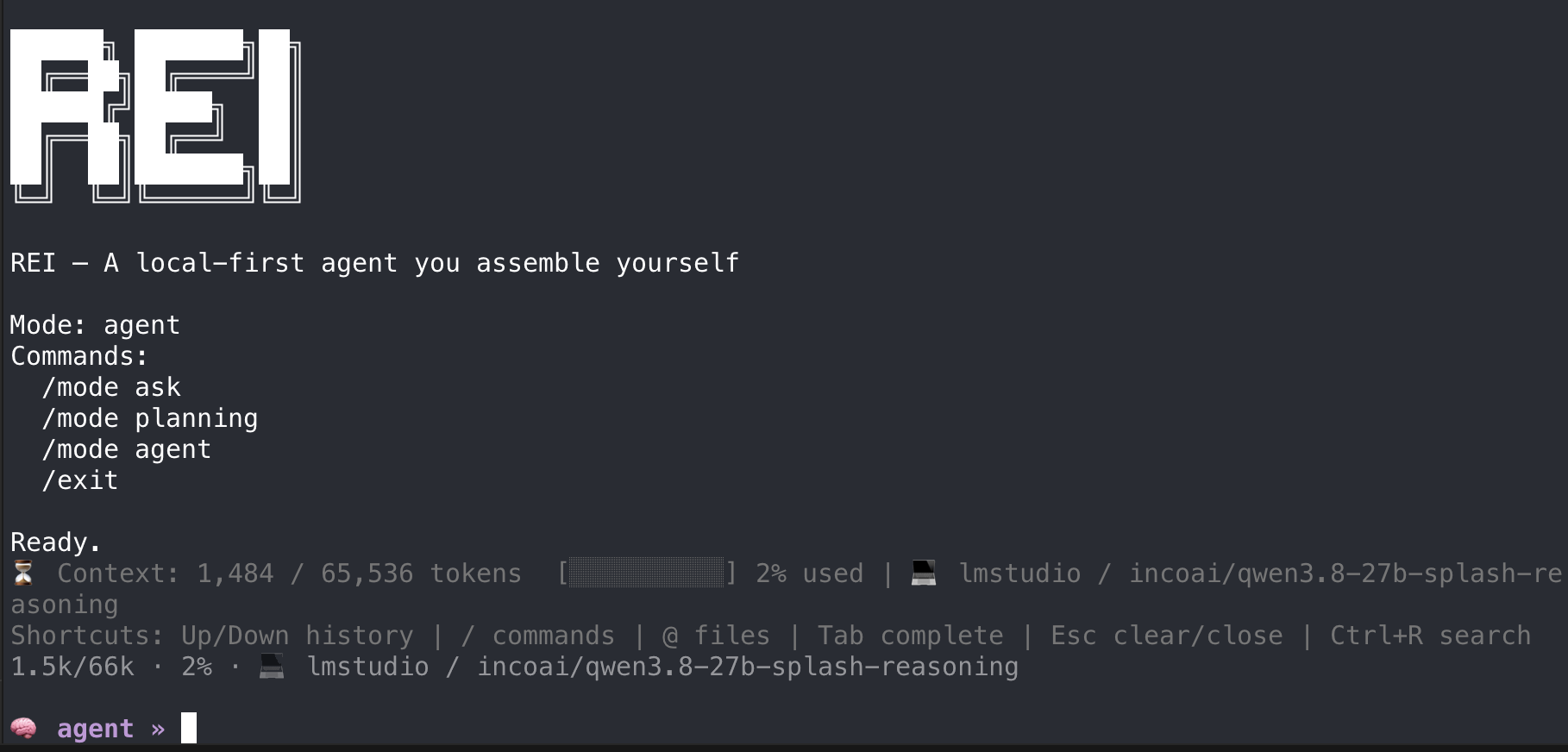
Drop a markdown file in .rei/ and it is there next session — no build, no plugin API, no fork.
Who it's for
- You run a model on your own machine — LM Studio, oMLX, Ollama, MTPLX — and you want an agent built
for that, not one that treats local as a fallback. Per-mode models, per-model tuning and on-demand
context all exist because a 30B on your laptop is not a frontier model behind an API. - Your code cannot leave the building. Regulated work, an NDA, a client who says no. Local-first
is the requirement, not the preference. - An agent told you it made a change, and it hadn't. Or it had, and nothing compiled. REI runs
your project's real compiler before the turn ends, hands the model its own errors to fix, and
reports what it actually found. TypeScript, Angular, C#, Go, Rust, Java, Kotlin, Swift, Dart,
Python, PHP, JavaScript, Luau — what each one proves, and your own command
when none of them fits. - You are paying per token for work a machine you already own can do — and you would rather
split it than choose. Running part local and part cloud in the same session is a supported setup,
not a workaround: ask and planning stay on your machine, only the agent turns you want to get
right go out, and the housekeeping models — the one that summarises a session, the one that reads
an image — follow the local side, so they never reach the API. See
Mix them, and pay for less. - You would rather type
git statusthan wait for a model to.!cmdruns in your own shell
with no inference, and the model sees the output only if you/attachit —
you decide what enters its context. - You want to shape the agent, not accept one. Roles, skills and prompts are markdown files you
edit — a reviewer with its own posture and model, a recipe for how your team writes tests. Nothing
is compiled in. - You want an agent for one job — your business, your students, your own day. A tutor that
teaches from your course material, an advisor that answers from your policies, a help desk that
knows your product, a concierge that runs your mornings. A persona is that agent: who it is, what it
answers from, what it may read and write, which model it runs on — one markdown file, its limits
enforced. Personas.
Start in under a minute
curl -fsSL https://raw.githubusercontent.com/lucasaguilar/rei/main/install.sh | bash
git clone https://github.com/lucasaguilar/rei && cd rei
npm install && npm run build
./install-rei-cli-local.sh
Then, from any project:
cd ~/my-project
rei
The first run has no configuration, so REI starts the setup wizard by itself. It asks for a
provider, takes an API key if you picked a cloud one, or lists the models your local server
already has if you picked LM Studio, Ollama, oMLX or MTPLX. Running something else that speaks the
OpenAI API — vLLM, SGLang, llama.cpp's server, LiteLLM, your own gateway — pick openai-compat
and give it the URL. It writes .rei/.env in the project and drops you into the session.
That is the whole setup. To change it later: rei --config. To make a local model actually
fast — context, sampling, thinking level, per model — that is rei.config.json, two sections down.
Cloud or local, same tool
Cloud costs money and needs a key. Local is free, private, and works offline. Pick either in the
wizard; nothing else about REI changes.
The backends that work
The key is what you put in MODEL_PROVIDER (or pick in the wizard); each one reads its own<PREFIX>_MODEL / _BASE_URL / _API_KEY, listed in .env.example.
Local — run the model on your own machine
| Backend | Key | Where it stands |
|---|---|---|
| LM Studio | lmstudio |
REI's primary development backend. Everything here was tuned against it. |
| oMLX (Apple Silicon, MLX) | omlx |
Measured live: KV-cache prefix reuse, enable_thinking: false, per-level thinking. Reuses the models LM Studio already downloaded. |
| Ollama | ollama |
Supported on its native /api/chat, including tool calling. |
| MTPLX | mtplx |
Local MLX server, OpenAI-compatible. |
Cloud — someone else's GPU, your API key
| Backend | Key | Where it stands |
|---|---|---|
| OpenRouter | openrouter |
Any model it fronts; the usual choice for putting one mode on a frontier model. |
| Google Gemini | gemini |
Works; a few sampling params are stripped, which REI handles for you. |
| Groq | groq |
Works. |
| Hugging Face | huggingface |
Works. Authenticates with HF_TOKEN, not HF_API_KEY. |
Anything else that speaks OpenAI /v1
| Backend | Key | Where it stands |
|---|---|---|
| vLLM · llama.cpp · LocalAI · self-hosted gateways | openai-compat |
Point OPENAI_COMPAT_BASE_URL at the /v1 URL and set OPENAI_COMPAT_MODEL. |
These are names and links, not endorsements: none of these projects is affiliated with REI.
REI is built local-first. Everything it does to keep a session cheap — sending the prompt so a
backend can reuse its KV cache, reading a file once instead of on every turn, spilling a large tool
result to disk and handing the model a receipt — exists because a model on your own machine charges
you in seconds rather than in dollars. None of it hurts a cloud model; it just matters less there.
The next section is how you get the rest of that speed.
If your server is not on the list, openai-compat is the one to pick: it is the plain
OpenAI-compatible client with nothing provider-specific added. The named backends exist as separate
keys only because each needs something of its own — LM Studio rejects chat_template_kwargs, oMLX
wants it, Ollama's tool-call arguments are an object where the /v1 spec says a string.
REI is an agent, so the model has to support tool calling. Most do; some hosted endpoints do
not, and will reject the request outright. The wizard lists what your provider offers, and.env.example names a working default for each.
Mix them, and pay for less
AGENT_MODEL_PROVIDER puts one mode on a different provider, so a session runs part local and part
cloud:
MODEL_PROVIDER=lmstudio          # ask + planning — the many, chatty turns, free
AGENT_MODEL_PROVIDER=openrouter   # agent — the edits you want to get right
Why that saves anything is not obvious: exploring is the expensive half. One measured ask turn
here made 22 tool calls for 28,562 input tokens, because every call re-sends a growing history.
Reading and grepping is where the tokens go, and a local model does it well enough. The choice being
per mode is the point — you stop paying frontier prices for a grep.
The two housekeeping models stay on the local side by design: <PROVIDER>_MODEL_COMPACTOR (who
writes the session summary) and <PROVIDER>_MODEL_VISION (who reads an image) followMODEL_PROVIDER, never AGENT_MODEL_PROVIDER. Compaction re-reads the whole history, so billing it
to the cloud would undo most of what the split saves.
To move the line without editing .env, /provider agent <name> and /model agent <name> change
only the agent slot for the rest of the session.
Three modes
| Mode | What it does | Edits files |
|---|---|---|
ask |
Answers questions about the repository | no |
planning |
Produces a structured, stage-by-stage plan | no |
agent |
Executes: reads, edits, runs commands, verifies | yes |
Switch with /mode ask, /mode planning, /mode agent.
Your shell, and you decide what the model sees
Half of what you ask an agent — git status, ls src, "run the tests" — you could type yourself in
a second. On a local model each of those is a turn: tens of seconds, and output that stays in the
context for the rest of the session. So type it yourself. A line starting with ! runs in your own
shell, in the workspace, and the model never sees it:
🧠 agent » !npm test
$ npm test
  1 failing — src/parser.test.ts
↳ exit 1 · 2.3s · not sent to the model · /attach to hand it over
🧠 agent » /attach
🧾 npm test (exit 1 · 3.1k) goes with your next message · /detach to drop it
🧠 agent » why does it fail?
Run ten commands to look around; hand over the one that matters. What you attach reaches the model
as verified evidence — REI captured the command, exit code and output itself — so it does not
re-run your tests "to confirm". Secrets are masked and a long log is spilled, not pasted.Ctrl+C stops the command, not REI. It exists in the terminal only: the HTTP server has no !.
Details: shell-escape-spec.md.
Configuration
One command and two files. That is the whole surface:
rei --config # the wizard: provider, model, endpoint, key. Re-run it whenever you want.
The wizard writes .rei/.env — which model runs. rei.config.json, next to it, is how it
runs: context window, sampling, output cap, thinking level, per model. For every local model you pick
the wizard offers a starting block for that file — it shows you the values, asks, and only adds
models that have none, so nothing you tuned by hand is ever overwritten. Those defaults are a
starting point; tuning them is where a local model stops being a demo. That is the next section.
These are the .env keys worth knowing by hand:
| Variable | What |
|---|---|
MODEL_PROVIDER |
which backend to use |
<PROVIDER>_MODEL |
the model, with _ASK / _PLANNING / _AGENT variants per mode |
REI_CONTEXT_WINDOW |
trimming budget; match it to the context your model is loaded with |
REI_VERBOSE |
show full command output and full diffs |
REI_SHOW_REASONING |
the model's thinking as a live paragraph — on by default |
Two files, and they are not peers: <install>/.env holds the machine's credentials and endpoints,<project>/.rei/.env holds everything about the project. Only credentials and endpoints cross, so
opening REI in a new folder never inherits another project's model.
Each mode can run its own model — which is the point of running locally. A small fast model to
ask questions, the strongest reasoner you have to plan, the most reliable tool-caller to execute:
LMSTUDIO_MODEL_ASK=ornith-1.5-35b-a3b    # a MoE: many shallow decisions, fast
LMSTUDIO_MODEL_PLANNING=qwen3.8-27b      # dense: fewer, harder decisions
LMSTUDIO_MODEL_AGENT=qwen3.8-27b         # favours reliable tool calling
Set none of them and <PROVIDER>_MODEL runs everything.
There are exactly two knobs, and it is worth knowing where the second one stops. The model per
mode, above — and the provider for agent mode, which is the hybrid setup:
MODEL_PROVIDER=lmstudio                  # ask + planning: local, free, most of the turns
LMSTUDIO_MODEL_ASK=ornith-1.5-35b-a3b
LMSTUDIO_MODEL_PLANNING=qwen3.8-27b

AGENT_MODEL_PROVIDER=openrouter          # agent: the edits worth paying for
OPENROUTER_MODEL_AGENT=<a frontier model>
Only agent can change provider. Ask and planning always run on MODEL_PROVIDER, so their model
overrides are read off that provider's prefix — "ask local, planning in the cloud" is not a
configuration that exists. Everything else combines freely: three local models, one local and one
cloud, the same model everywhere with different thinking levels per mode.
Three models per mode does not mean three models in RAM. What it costs depends on the backend,
and the good ones already solve this: LM Studio loads a model on demand and unloads it after an idle
timeout, Ollama keeps one resident for a few minutes (OLLAMA_KEEP_ALIVE). You name the models; the
server decides what stays in memory.
What that buys and what it costs, plainly:
- A swap is a cold turn. The model that just loaded has no cached prefix, so the first turn after
a switch pays a full prefill on top of the load. Switching per mode is cheap when you stay in a
mode for a while, and expensive if you bounce betweenaskandagentevery message. - The split can cross backends, not just models.
AGENT_MODEL_PROVIDER(above) puts one mode on
another server entirely. Two local ones means two resident models and the RAM adds up; a local one
plus a cloud one costs nothing extra on the machine. - On limited RAM, one good model beats three that swap. Give it a tuned
thinkingLevelMapand
per-mode reasoning levels instead — same win on the chatty turns, no load time.
Keep the model loaded. This is the single biggest lever on how fast a local session feels, and it
is not about tokens per second. Every turn re-sends the conversation, and a backend that still holds
the model can reuse its KV cache for the part of the prompt that did not change — so the second turn
prefills only the new tail instead of the whole history. Unload the model between turns and every
turn pays full prefill: on a long session that is the difference between a pause and a wait.
In practice: give LM Studio an idle timeout longer than you think (or keep the model pinned), setOLLAMA_KEEP_ALIVE generously, and prefer fewer distinct models over a perfect one per mode — each
swap throws the cache away. REI helps on its side by keeping the prompt's prefix stable; setREI_PROMPT_TRACE=1 and it logs how much of each prompt was a byte-exact prefix of the previous one,
so you can see the reuse on your own machine instead of taking this paragraph on faith.
Tuning a local model: rei.config.json
Per-model tuning lives in rei.config.json at the root of your project, and overrides every.env. Copy rei.config-example.json and edit it — one entry per
model you actually run. This is where a local setup stops being "it works" and becomes fast.
{ "providers": { "omlx": { "models": [ {
  "id": "Qwen3.8-27B-MLX-4bit",
  "contextWindow": 100000,
  "maxTokens": 12000,
  "temperature": 0.6, "topP": 0.95, "topK": 20,
  "presencePenalty": 1.5,
  "thinkingLevelMap": {
    "none": "none", "minimal": "low", "low": "low",
    "medium": "medium", "high": "xhigh", "xhigh": "xhigh"
  }
} ] } } }
| Field | What it decides | How to choose it |
|---|---|---|
id |
which entry applies | The id the backend reports (/v1/models), not the file on disk. Exact match wins; otherwise the org prefix is stripped. |
contextWindow |
how much REI packs before compacting | Never above what the backend serves. Over it you get context_length_exceeded; under it you simply use less. Also decide it by what your machine can prefill: a prompt twice as long is twice the wait on every cold turn. |
maxTokens |
the output cap and the reserve subtracted from the window | Generous is not free: it comes off the prompt budget. 8k is plenty for an answer. |
temperature, topP, topK, *Penalty |
sampling | Start from the model card. Local models differ far more than cloud ones here. |
thinking |
"off" for a model that should never reason |
Blunt but effective on a model that spirals. |
thinkingLevelMap |
translates REI's levels to the ones this model accepts | See below — this one bites. |
Why thinkingLevelMap matters. REI accepts none · minimal · low · medium · high · xhigh, but a
given model usually understands fewer. Qwen3.8 knows only low · medium · xhigh, and its template
defaults to xhigh when the value it gets is not one of them — so asking for a level it does not
have gets you the most thinking, not the least. The map is how you declare the real range, and map
the rest onto it. Get this wrong and the model reasons for minutes before running ls.
The map's none is special: on a backend that forwards chat_template_kwargs (oMLX, MTPLX), REI
turns it into enable_thinking: false, which actually switches reasoning off. Keep "none": "none"
so it reaches that bridge.
On Apple Silicon
The setup these numbers come from: a Mac with 48 GB of unified memory, running Qwen3.8 27B at
4-bit. Two backends worth knowing apart — oMLX forwards chat_template_kwargs to the chat
template, so the thinking level is settable per request; LM Studio does not (more on that
below).
{ "providers": {
  "omlx": { "models": [{
    "id": "Qwen3.8-27B-MLX-4bit",
    "contextWindow": 100000, "maxTokens": 12000,
    "temperature": 0.6, "topP": 0.95, "topK": 20, "presencePenalty": 1.5,
    "thinkingLevelMap": { "none": "none", "minimal": "low", "low": "low",
                          "medium": "medium", "high": "xhigh", "xhigh": "xhigh" }
  }, {
    "id": "Ornith-1.5-35B-A3B-MLX-4bit",
    "contextWindow": 100000, "maxTokens": 12000,
    "temperature": 0.6, "topP": 0.95, "topK": 20, "presencePenalty": 1.5
  }] },
  "lmstudio": { "models": [{
    "id": "qwen3.8-27b-splash",
    "contextWindow": 100000, "maxTokens": 16000,
    "temperature": 0.6, "topP": 0.95, "topK": 20, "minP": 0.02,
    "presencePenalty": 0.3, "frequencyPenalty": 0.3,
    "thinkingLevelMap": { "none": "none", "minimal": "low", "low": "low",
                          "medium": "medium", "high": "xhigh", "xhigh": "xhigh" }
  }] }
} }
contextWindow: 100000 is the number to adjust first. It assumes ~48 GB: the KV cache of this
model is unusually cheap (only a quarter of its layers use full attention), so 100k fits with room
to spare. On 16 or 24 GB start at 32768 and raise it while watching memory — over what the machine
can hold, you do not get an error, you get swapping and a turn that takes minutes.
The two shapes, and when each wins. The dense 27B reasons harder per decision; the 35B-A3B
mixture activates 3B and runs roughly three times faster. Measured on one real task — grouping 126
changed files into atomic commits — the MoE finished while the dense one looped. Many shallow
decisions favour the MoE; few hard ones favour the dense model. That is what _ASK / _PLANNING /_AGENT are for.
The thinking level may not reach the model, and here is the symptom. You setREI_REASONING_EFFORT_ASK=none, and the model still thinks for three paragraphs before answering
"yes". That means the value never reached the chat template: it is being sent, the backend accepts it,
and the template ignores it — so the model runs at its own default, which on a reasoning model is
usually the most expensive level there is.
Whether it reaches depends on the Jinja template the model ships with, not on REI, so test yours
rather than assume: set none, ask something trivial, and watch whether it thinks. Verified here:
LM Studio accepts chat_template_kwargs over the API and ignores them, so with it the value never
arrives; oMLX forwards them. When it does not arrive, the way through is a model.yaml in~/.lmstudio/hub/models/<owner>/<name>/ that declares the level as a config field, which sets the
Jinja variable directly:
model: <owner>/<a NEW name for the wrapper>
base:
  - key: <owner>/<the model you already have>
customFields:
  - key: reasoningEffort
    type: select
    defaultValue: medium
    options: [{ value: low, label: Low }, { value: medium, label: Medium },
              { value: xhigh, label: XHigh }]
    effects:
      - type: setJinjaVariable
        variable: reasoning_effort
It wraps the installed weights under a new name and adds the selector, set once when the model
loads. Restart LM Studio to pick it up.
The rest of the speed
Once the model entry is right, these are what a local session actually spends its time on:
REI_REASONING_EFFORT_<MODE>—ask=low,agent=mediumis a sane start./think <level>
changes it mid-session, and/think noneturns thinking off where the backend supports it.REI_TOOL_OUTPUT_MAX_INLINE— how much of a tool result travels in context, in characters.
The default is 8% of your context window, floored at 2,000 and capped at 16,000 — so on a 100k
window it is 16,000.0sends none of it, only a receipt. Raise it if the model keeps re-reading;
lower it if the context grows too fast.REI_ON_DEMAND_FILE_CONTEXT_<MODE>— on by default: REI injects no repo map and the model
discovers structure with tools. Turn it off (=0) only in a small repo where the map is cheap.REI_SHOW_REASONING— on by default: the model's thinking is drawn as a short paragraph
above the status line, scrolling under a fixed frame, so you can follow the argument without
losing the prompt you are typing into. It is the sign of life on a local model, which thinks long
before the first tool call.REI_THINKING_LINESsets its height (4 by default, capped against
the terminal);=false(or/reasoning off) counts it instead — one line per block;--verbose
dumps the whole stream when you need to read the thinking itself.REI_VERBOSE— full command output and full diffs. Off by default: twenty lines per command
was the noise, andgit diffshows the hunks whenever they are actually wanted.REI_THEME—defaultormatrix./themeswitches mid-session. It repaints REI's chrome
(status line, thinking block, context bar, prompt) and nothing else: diff hunks and syntax
highlighting keep their colours in every theme, because that colour is information.
→ Every variable · How commands are run
Why it verifies
A model will tell you it made a change. That claim is worth nothing on its own, and it is worth
less with a small local model than with a frontier one.
So REI does not take the model's word. It detects what the project is and runs that project's own
verify command against the edits; a failure goes back to the model with the compiler's own message.
What it runs, and what that proves. The strength of the check is not the same in every language,
and REI says which one it ran rather than implying they are equal:
| Project | Detected by | Verify command | Proves |
|---|---|---|---|
| TypeScript | tsconfig.json |
npx tsc --noEmit |
types |
| Angular | angular.json |
npx ngc --noEmit |
types and templates (bare tsc passes a broken one) |
| C# | .csproj · .sln |
dotnet build |
compiles |
| Go | go.mod |
go build ./... |
compiles |
| Rust | Cargo.toml |
cargo check |
compiles |
| Java | pom.xml · build.gradle |
mvn compile -q · gradle compileJava -q |
compiles |
| Kotlin | build.gradle.kts · *.kt |
gradle compileKotlin -q |
compiles |
| Swift | Package.swift |
swift build |
compiles |
| Dart · Flutter | pubspec.yaml |
dart analyze · flutter analyze |
types |
| Python | a configured mypy or pyright | python3 -m mypy . · pyright |
types |
| Python | otherwise | python3 -m py_compile |
syntax only |
| JavaScript | jsconfig.json |
npx tsc -p jsconfig.json --noEmit |
types (checkJs) |
| JavaScript | otherwise | node --check |
syntax only |
| PHP | composer.json · *.php |
php -l |
syntax only |
| Luau | .luaurc · selene.toml · default.project.json |
luau-analyze · selene · rojo build |
analysis · parse |
| anything else | — | none | nothing, on purpose |
Two things follow from that table. A Python project that never configured a type checker gets a
syntax check — real, and much weaker than tsc; configuring mypy or pyright upgrades it, and REI
only uses one you declared, because running mypy over a codebase that never opted in reports
hundreds of errors the agent did not cause. And REI_SANDBOX_VERIFY_COMMAND overrides all of it:
point it at your own script — a linter, a test suite, a Makefile target — and that becomes the
oracle. It is also the way to give REI a language this table does not list.
One known limit, worth saying plainly. Detection looks at the workspace ROOT and picks one type
for the whole project. In a monorepo — package.json at the root, a Rust crate in crates/ — the
check is chosen from the root, so it can verify something other than what the agent edited. Until the
verify is routed from the edited path upward to its nearest project marker, pointREI_SANDBOX_VERIFY_COMMAND at the command that covers your whole tree.
Adding a language properly is about twenty lines in src/workspace/project-type.ts plus a test, and
the developer guide has the recipe. Pull requests for one are welcome
— the only rule is the one below: the command has to be able to fail.
When the check runs. By default, REI applies edits to disk and verifies once, when the model
says it is finished — one verify per turn, not one per edit. A failure does not end the turn: the
diagnostics go back to the model, which gets two attempts to fix them. If it still cannot reach
green, the changes are applied anyway — and the turn ends on a warning that they do not pass
the project's check, instead of a report that implies they do. (SettingREI_EDIT_MODE=sandbox checks every edit against a virtual tree instead and persists only green
state — stricter, heavier, and on local models the default usually wins.)
The one rule REI holds to here is that the check never lies about its own strength. An
unrecognised project gets no verify command rather than a fake pass — a check that cannot fail is
worse than none, because the agent reads the pass as proof and stops looking. (That was a real bug:
plain JavaScript used to verify with node --check index.js 2>/dev/null || echo ok, which printed
"ok" for a project with a syntax error.)
Three outcomes, not two. A check that passed, a check that failed, and no check at all — and
the third one is reported, not rounded up. If REI knows no command for the project, or the project's
toolchain is not installed on this machine (cargo absent in a Rust repo), the turn ends with
"Applied, but NOT verified" instead of the silence that reads as success. REI_SANDBOX_VERIFY_COMMAND
is how you turn that third state into a real check.
One thing REI is deliberately careful about: verified: true means "what was applied compiles".
It does not mean "the task is done". A model can apply a partial change that compiles perfectly.
Every report says which of the two it is checking.
Spec-driven development
For anything bigger than a one-file change, REI has a flow that keeps the work tied to what you
actually asked for:
/spec add a discount option to the cart total   → writes .rei/specs/<name>.md
/decompose                                      → a plan whose every stage cites a criterion
/trace                                          → do the two still agree?
/runplan stage 1                                → executes ONE stage, then hands the turn back
/runplan                                        → executes every stage, one isolated sub-agent each
Run it a stage at a time. That is not a lesser option, it is the point of having stages: each one
ends with its own Verify: command, so you get a control point where the work either compiles and
passes or does not, before the next stage builds on it. It is also how a local model does its best
work — one bounded task with a criterion attached beats a fourteen-stage plan held in a context
window. /runplan with no stage runs the lot when you already trust the plan.
/saveplan <name> writes the plan to .rei/plans/, which is what lets you stop between stages and
pick it up later — /loadplan <name> puts it back where /runplan finds it.
The spec has numbered acceptance criteria. Every plan stage carries a Satisfies: AC-2 line, and
the last stage judges each criterion MET / NOT MET / UNVERIFIED, with evidence — three verdicts,
not two, because "I could not check this from here" is a real answer and must not be filed as a
pass.
/trace crosses the two documents in both directions, deterministically: a stage citing a criterion
that no longer exists, or a criterion no stage covers. That is how you find out the spec went stale
while you were implementing, instead of finding out from a verification report that grades your work
against the wrong contract.
Extend it
Everything that shapes REI's behaviour is a markdown file in your project. Drop one in and it is
there next session — no build, no plugin API, no fork.
Skills — a markdown recipe the model loads when the task calls for it, from{workspace}/.rei/skills/ or, for skills you want in every project, ~/.config/rei/skills/
($XDG_CONFIG_HOME/rei/skills/). Either a flat <name>.md or the <name>/SKILL.md layout that
Claude Code and installers like gentle-ai write, so their skills load unchanged. Ships with spec
writing, task decomposition, test writing and spec verification.
Roles — a whole posture: which mode it starts in, what it may write, which model it prefers.{workspace}/.rei/roles/*.md:
---
name: auditor
description: Adversarial review of a plan BEFORE implementation
baseMode: planning
writeGlob: "*.review.md"
preferredModel: gemma-4-26b-a4b
---
You are an extremely critical Lead Architect. Your ONLY job is to find what is
wrong, missing or risky. You are NOT here to implement or encourage.
Those fields are enforced, not advice:
writeGlobis a write scope. The auditor can persistplan.review.mdand nothing else — not
the plan it is reviewing, not your source. It can only ever narrow what the base mode allows.preferredModelactually runs. Which is the point: an auditor on the same weights that wrote
the code tends to agree with itself. Give the reviewer different weights.
Sub-agents — the same file, invoked differently. One definition, two ways to run it, and they
differ on one thing: whose context it runs in.
/role auditor              wear it HERE. Your history, your session. It sees the
audit @plan.md             conversation, you go back and forth, it stays until /role off.

/auditor audit @plan.md    run it ISOLATED. A fresh session that does NOT inherit your
                           history; returns a report; your session is untouched.
The role's name IS the command — /auditor, like /compact. It tab-completes, and /roles lists
both forms for everything installed.
Isolation cuts both ways, and that is the point on a local model. The worker starts with a small,
clean window instead of your accumulated turns, and your context grows by its report only — not
by the twenty files it read to write it. It also runs on the role's preferredModel, so a second
opinion from different weights costs one keystroke instead of switching models by hand.
Because it cannot see your conversation, the task goes on the same line: /auditor alone is
refused, with an explanation.
REI can also delegate on its own: /runplan gives each stage of a plan to its own worker, and in
agent mode the model has a delegate tool for self-contained subtasks. /<role> is the
deterministic version — you decide, not the model.
Personas — a different agent, not a posture. A role is still REI the coding agent, wearing a
posture. A persona replaces it: its own identity, knowledge and permissions, in{workspace}/.rei/personas/<name>.md. The same REI can be your coding agent, a daily concierge, or a
company's sales assistant on WhatsApp.
flowchart LR
M["💬 Message"] --> Q{"Persona active?"}
Q -- "no (default)" --> R["🧠 REI — the coding agent<br/>modes · roles · sub-agents"]
Q -- "yes" --> P["👤 A persona<br/>daily · sales · support · …"]
P -. "defined by" .-> F["📄 .rei/personas/<name>.md"]
---
name: daily
description: Daily concierge + the AI morning briefing
tools: [web_search, weather, read_files, edit_file, "mcp:*"]
skills: [daily-ai-briefing]
knowledgeDir: news
writeGlob: "news/*.html"
---
You are a daily concierge: weather, headlines, music, quick lookups. You are NOT a coding assistant.
What it declares is enforced, and it only ever narrows: it gets the tools it lists and no
others, reads only knowledgeDir, writes only writeGlob (no writeGlob, no writes), loads only
its skills — and a channel caps it further (over WhatsApp, read-only). /persona lists them,/persona daily switches, /persona off is plain REI again; rei --persona daily orREI_PERSONA=daily start that way. With no persona active, REI is exactly the coding agent above.
Details: persona-spec.md.
Together — roles, sub-agents, personas, skills and MCP servers are how you turn REI into
something other than a coding agent. It ships with the auditor role (adversarial plan review) and
the daily persona (a concierge: weather, headlines, music — no read tools, so it never touches your
repository). /roles new <name> scaffolds a role.
Project rules — {workspace}/.rei/rules.md is prepended to every coding turn as mandatory
conventions. REI ships no rules about your stack: they belong to the repo, versioned with the
code and editable by the people who wrote it. /rules shows what the file costs you per turn —
those tokens are spent on every turn, forever — and /rules install <stack> writes a starting
ruleset into it for you to edit.
MCP servers — declared in rei.config.json; their tools join the session. Past 25 tools they go
behind a search tool, so a large server does not eat the window.
Beyond code
REI reads documents and images, not just repositories:
/paste-image                          an image from your clipboard — a screenshot,
                                      a whiteboard, a UI mock, an error dialog
drag a file into the terminal         same thing for a file on disk
/read-document contract.pdf           a literal page range from a large document
/ask-document what are the payment terms?
/docs · /doc use <file>               list documents, pick the active one
Images go through a vision sidecar. The image is sent to a vision-capable model in a separate
call, and only the text it returns enters the agent loop. Two consequences worth knowing: your
coding model does not have to be multimodal — a small local vision model handles the picture while
your reasoner stays text-only — and what gets stored in the session is the description, never the
base64 blob.
Scanned PDFs use the same path per page, with rotation detection, so a sideways photo of a page
still works. Digital PDFs skip it and have their text extracted directly.
/ask-document answers with citations, and reports how many of its own claims it could ground
in the retrieved text — because a document Q&A that quietly invents a payment term is worse than
one that refuses.
Privacy, logs and traceability
With a local backend nothing leaves the machine. No account, no telemetry endpoint, no code
uploaded for indexing. The only network traffic is between REI and the model server you pointed it
at — http://localhost:1234, if that is what you configured.
Telemetry exists for the people who want tracing, and it is opt-in twice over: it needsLMNR_PROJECT_API_KEY, and without it the SDK is not even loaded. REI_TELEMETRY_DISABLED=true
settles it either way.
Everything REI keeps lives in .rei/ inside the project, as files you can read:
| Path | What |
|---|---|
.rei/logs/agent-flow.jsonl |
one JSON line per event, with turnId and correlationId |
.rei/sessions/ |
conversations, resumable with /session load |
.rei/specs/ · .rei/plans/ · .rei/reviews/ |
the SDD artifacts |
.rei/tool-output/ |
full tool output, when a result was too large to inline |
.rei/.env · rei.config.json |
your configuration |
The log is the traceable part: every turn is a correlated chain — USER_PROMPT,CONTEXT_SEARCH, COMMAND_EXECUTED, PATCH_OUTCOME, PATCH_QUALITY. So "what did it do, and why
did that edit land?" is answerable afterwards, from disk, with grep — which matters when an agent
has write access to your repository.
It is append-only and not rotated (this repo's holds 23k events), and the code itself is never
copied there — only what was done to it. REI writes a .gitignore into .rei/ so none of it —
least of all the API keys — can be committed by an absent-minded git add -A.
What REI guards, and what it does not. Writes cannot leave the workspace, in any mode. Credential
files are not served to the model, and secret-looking values are masked in command output. Commands
that delete or discard data need your confirmation — and refuse outright when there is no one to ask.
Two things it does not do, and it is better to say so: the command allow-list is not a sandbox (a
heredoc to python3 is arbitrary code, by design — REI's own guidance recommends it), and a
repository's AGENTS.md, CLAUDE.md or .rei/rules.md goes into the prompt, so opening an
unfamiliar repo is running its code. docs/security-layer-phase-1.md has the detail.
Use it from anywhere
Interactive terminal — rei
One-shot, for scripts and pipelines. stdout carries the answer and nothing else:
rei ask   "how is authentication wired?"
rei plan  "add rate limiting to the API"
rei agent "fix the failing test in auth.test.ts"

rei ask "…" --metrics    # timings and token counts on stderr
rei ask "…" --verbose    # plus full tool output and diffs (reasoning is already on)
Server — an OpenAI-compatible API (/chat/completions, /models, /healthz):
./install-rei-server-local.sh && rei-server
It binds 127.0.0.1 and runs the same agent as the CLI — it edits files and runs commands in the
workspace. To reach it from another machine, set REI_SERVER_HOST and REI_SERVER_TOKEN
(sent as Authorization: Bearer); without the token it refuses to start on a public interface.
Point Continue.dev at it as an OpenAI provider and it works. Cline does not: it ships its
own tool protocol and expects the model to drive it, while REI is already an agent running its own
tools — the two fight over the same job.
Dockerfile and render.yaml deploy that server as a container (Render Blueprint, or any host
that runs a Dockerfile). Read them before you use them: the image opens the server to 0.0.0.0,
so REI_SERVER_TOKEN becomes mandatory and the service will not start until you set it in the
host's environment — what you are publishing is an agent that writes files and runs commands./healthz is the one unauthenticated route (it answers {"status":"ok"} and nothing else), because
a platform health check cannot send the token. The blueprint points at a cloud provider, not at
your local models: it is the deployment path, not the point of REI.
Advanced, and off by default
Two subsystems exist and are not enabled, because the simpler path measured better:
- RAG / semantic indexing (
REI_ENABLE_RAG=1) — embeddings over the repository. Useful on a
large codebase; on a normal one,grep_codeandread_filesare faster and more accurate. - Sandbox edit mode (
REI_EDIT_MODE=sandbox) — validates a virtual tree per edit and persists
only green state. The default,direct, applies edits and verifies once at the end; it is lighter
and, on local models, it wins.
Also here: /tdd (append the test command to verification), /think <level> (reasoning budget
mid-session), /index (build the RAG index).
Documentation
Extending REI — Developer guide: a worked recipe for each of the
three seams — a slash command the user types, a tool the model calls, a provider for a new
backend — each naming the exact files, in the order the change travels, and how to verify it.
Everything else — docs/, indexed by what each document actually is: shipped
behaviour, contributor guides, designs that were never built, and records of how things got here.
SDD workflow · Configuration ·
Command execution · Internals ·
Working rules for contributors
License
MIT
Reviews (0)
Sign in to leave a review.
Leave a reviewNo results found