nevinho
Health Uyari
- License — License: MIT
- Description — Repository has a description
- Active repo — Last push 0 days ago
- Low visibility — Only 8 GitHub stars
Code Gecti
- Code scan — Scanned 4 files during light audit, no dangerous patterns found
Permissions Gecti
- Permissions — No dangerous permissions requested
Bu listing icin henuz AI raporu yok.
Personal agent harness

nevinho
A minimal personal AI harness that runs in your Discord DMs.
Supports Anthropic, OpenAI, and Ollama.
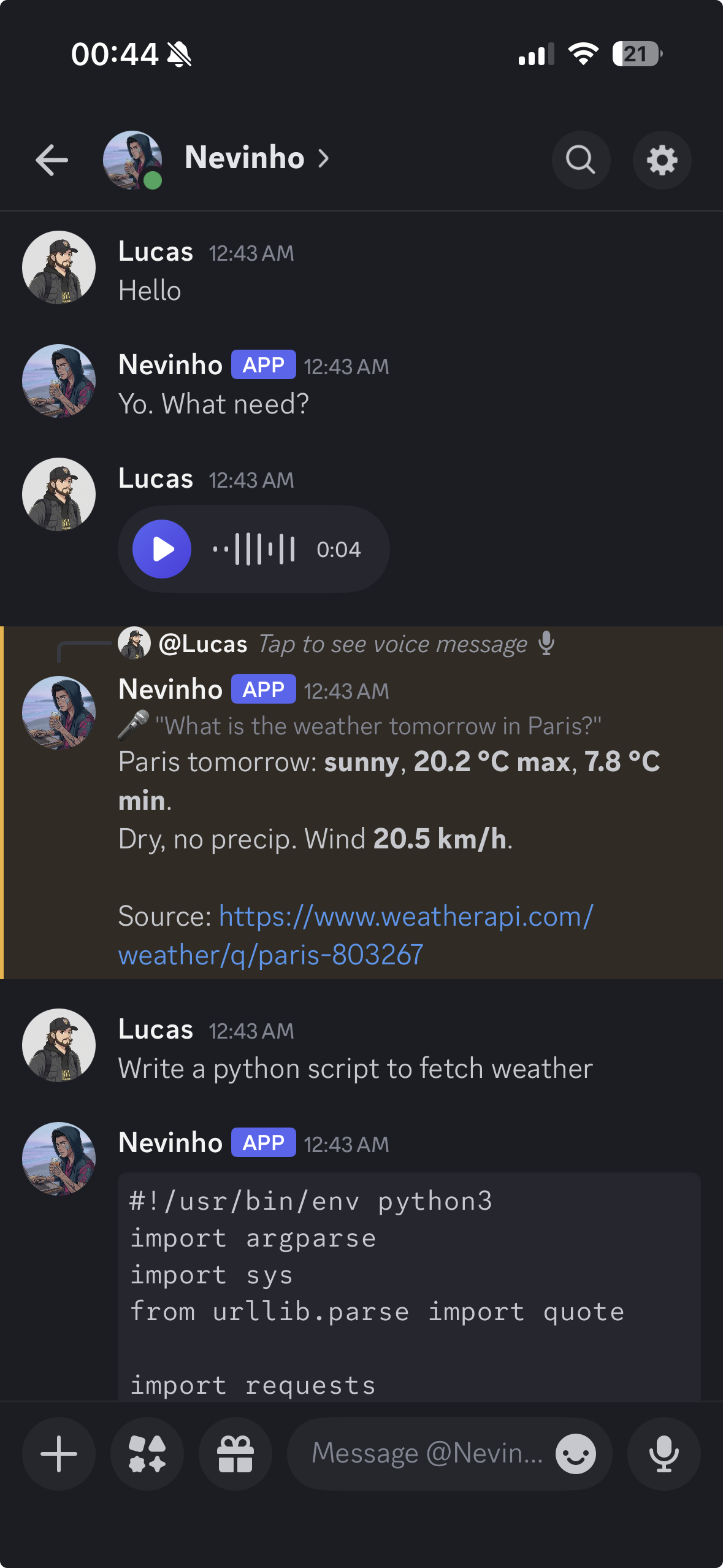
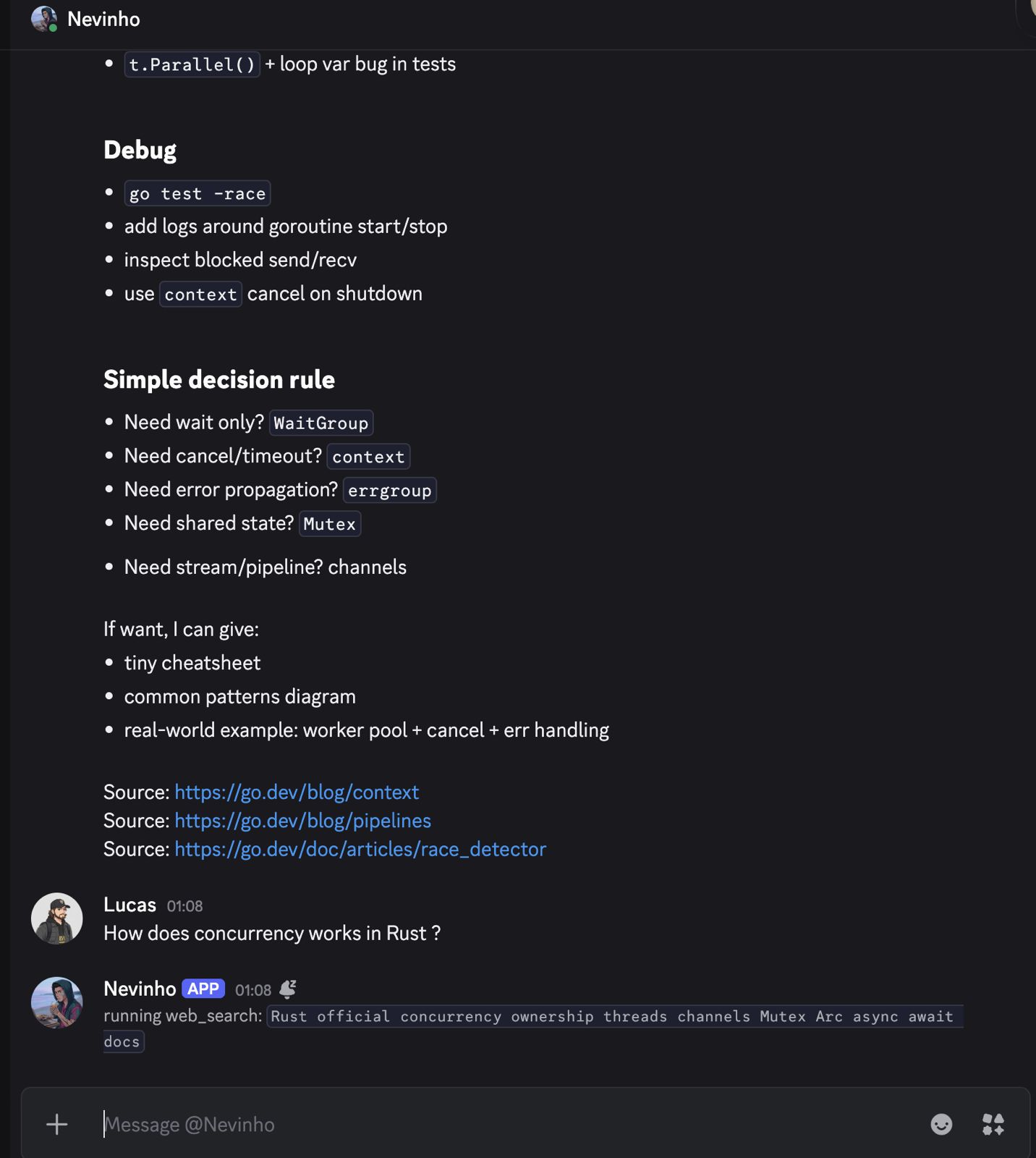
Comes with tools for bash, code search, web search, and file management.
Install
curl -sSL https://raw.githubusercontent.com/lucasnevespereira/nevinho/main/install.sh | bash
Then configure and start:
nevinho setup
nevinho start
Setup walks you through Discord credentials, LLM keys, and optional voice message support. Press Enter to keep existing values on re-run.
On Linux, start runs as a background service (systemd). On macOS, it runs in the foreground.
You can also reconfigure later from Discord with /config.
CLI
nevinho setup       configure Discord token and LLM keys
nevinho start       start the bot
nevinho stop        stop the bot
nevinho logs        show live logs (--full, --last N)
nevinho status      check if bot is running
nevinho upgrade     update to latest version
nevinho version     show version
Manual setup
If you prefer to build from source:
git clone https://github.com/lucasnevespereira/nevinho.git
cd nevinho
cp .env.example .env
# fill in DISCORD_BOT_TOKEN, DISCORD_OWNER_ID, and at least one LLM key
make run
See setup.md for Discord bot creation steps.
Providers
Configure one or more LLM backends during setup:
| Provider | Env var | Default model |
|---|---|---|
| Anthropic | ANTHROPIC_API_KEY |
claude-haiku-4-5 |
| OpenAI | OPENAI_API_KEY |
gpt-4o-mini |
| Ollama | OLLAMA_MODEL=llama3 |
any local model |
On startup, nevinho uses your last selected model. If none is saved, it picks the first available: Ollama > Anthropic > OpenAI.
Switch models at runtime with /model (dropdown selector) or /model <name>.
Tools
| Tool | What it does |
|---|---|
bash |
Run any bash command |
grep |
Search file contents by pattern |
find |
Find files by name |
web_search |
Search via Tavily API or DuckDuckGo fallback |
web_read |
Fetch a URL and extract readable text |
file_list |
List directory contents |
file_read |
Read a file (supports pagination) |
file_edit |
Replace exact text in a file with fuzzy matching |
file_write |
Write an entire file (directory approval required) |
The agent chains tools automatically. Ask it to "find the latest Go release" and it will search, read the page, and summarize.
Voice Messages
Send voice messages in Discord and nevinho transcribes them using a local Whisper model. No extra API keys, no cost.
Enable during nevinho setup. Requires ffmpeg and a C compiler (auto-installed if missing). The Whisper model (~75MB) is stored in ~/.nevinho/whisper/.
Images
Attach images to a Discord message and nevinho passes them straight to a vision capable model. JPEG, PNG, GIF, WebP. Up to 4 images per message, 5MB each. Works with any Claude 4.x model, the GPT-4o family, and Ollama vision models like llava or llama3.2-vision.
If the current model can't read images, nevinho replies with a hint to switch via /model instead of dropping the message silently.
Commands
| Command | What it does |
|---|---|
/forget |
Wipe this conversation and any saved summary |
/memory |
Show what nevinho remembers about you |
/summary |
Show the saved conversation summary |
/model |
Show current model with dropdown selector |
/model <name> |
Switch to a specific model |
/status |
Uptime, token usage, model info |
/config |
View or update configuration |
/config KEY VALUE |
Set a config value |
/paths |
List approved write paths |
/paths clear |
Revoke all path permissions |
/help |
Show capabilities |
All commands also work as plain text messages in the DM.
Safety
Dangerous operations require approval before execution.
Bash commands are scanned against patterns like rm, sudo, chmod, kill, pipe to curl, and fork bombs. Sensitive paths (.ssh, .aws, .env, credentials) also trigger approval. The agent shows a preview with Approve / Deny buttons.
File writes outside the per-user workspace require one-time directory approval. Approved paths persist across restarts.
URL fetching validates scheme (http/https only) and resolves DNS to block requests to localhost, private IPs, and link-local addresses.
Config
Configuration is encrypted and stored in ~/.nevinho/:
config.enc          encrypted configuration (AES-256-GCM)
secret.key          auto-generated encryption key
approved_paths.json persisted write permissions
memory.md           learned user preferences
summaries/          per-user conversation summaries (ELEPHANT)
whisper/            local Whisper model and binary (if voice enabled)
You can also use a .env file in the project directory for development. Env vars take priority over encrypted config.
Set CAVEMAN to on via /config for a token-saving caveman-style response. Off by default.
Set ELEPHANT to off via /config to disable conversation persistence across restarts. On by default. When on, nevinho summarizes your conversation on shutdown and reloads it on the next start so you can pick up where you left off.
Project structure
main.go      entry point, CLI commands, provider detection
service.go   systemd service management
upgrade.go   self-update from GitHub releases
agent/       chat loop, tool orchestration, approval flow
config/      encrypted configuration management
crypto/      shared AES-256-GCM encryption
llm/         provider interface (Anthropic, OpenAI, Ollama)
memory/      harness-level preference learning
tools/       bash, grep, find, web search, file I/O
voice/       local Whisper transcription for voice messages
discord/     bot, slash commands, message handling
logger/      colored terminal output
Demo
 |
 |
License
Yorumlar (0)
Yorum birakmak icin giris yap.
Yorum birakSonuc bulunamadi