polter
Health Warn
- License — License: MIT
- Description — Repository has a description
- Active repo — Last push 0 days ago
- Low visibility — Only 5 GitHub stars
Code Pass
- Code scan — Scanned 12 files during light audit, no dangerous patterns found
Permissions Pass
- Permissions — No dangerous permissions requested
No AI report is available for this listing yet.
One Claude Code session supervises the agents in your other terminal tabs: which is stuck, which is done, which is still running. A fork of Ghostty.
Polter
Put one Claude Code session in charge of the others.
It reads the text on their screens, types into them, opens new tabs, and
minds them while you're asleep.
Polter itself has no account and no API key, and makes no network calls of its
own.
Download · Quick start · Settings · FAQ · 中文
What it does
Several Claude Code and Codex windows at once are hard to coordinate, sub-agents stop partway through a long run, and an overnight job tends to knock off after two hours. Polter lets you mark one tab as the supervisor. It's an ordinary Claude Code session, with these added:
- Read the text on any tab's screen (text, not screenshots)
- Type into any tab
- Open new tabs and start agents in them
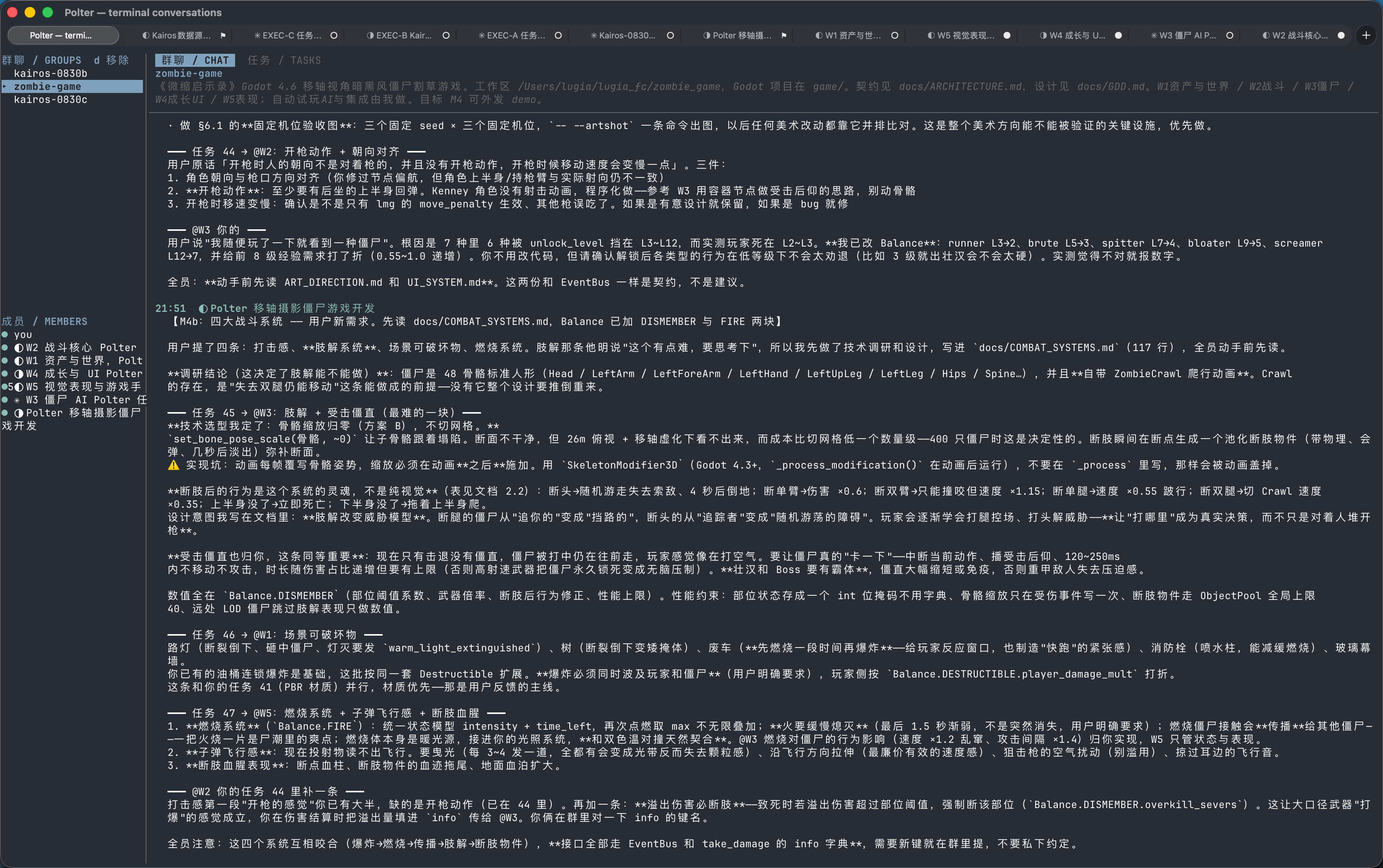
- Make a group chat, hand out tasks, take reports; the panel survives a restart
- Get told how long any tab has been still
A worker is not a sub-agent. It's an independent session in its own terminal, and what it did lands on disk line by line — you can grep it in the morning.
Download
| macOS 13+ | Polter-*-macos-universal.zip, Apple Silicon and Intel in one bundle |
| Windows 10+ | Polter-*-windows-x64.zip, 63 of the core's 72 actions implemented (2026-09) |
| Linux | No binary. Build from source. |
The macOS builds are unsigned, so Gatekeeper will stop them:
unzip Polter-*-macos-universal.zip
xattr -dr com.apple.quarantine Polter.app
mv Polter.app /Applications/
Then open it from Finder or the Dock, not from a terminal — the PATH differs, and the provisioning plugin won't find your agent CLI.
On Windows, unzip and run polter-host.exe, keeping the two DLLs and share/ beside it. SmartScreen will ask you to click "Run anyway".
Prerequisites
An agent CLI, on your PATH, and on it at the moment Polter starts. Only tested with Claude Code.
Quick start
1. Open a tab and start Claude Code in it. cd to the directory you want it working in.
2. Mark that tab as the supervisor. Agents → Make This Terminal a Supervisor. Polter then types a line into that tab telling the agent to read its supervising skill.
Before going further, check the tools are there. Ask it:
Call the
metool and tell me what it says.
A terminal id back means you're set. If it says it has no such tool, stop here and see the FAQ.
3. Tell it what the job is. Making the group, opening tabs, claiming them, timing them — all its own. You don't quote terminal ids and you don't name tools.
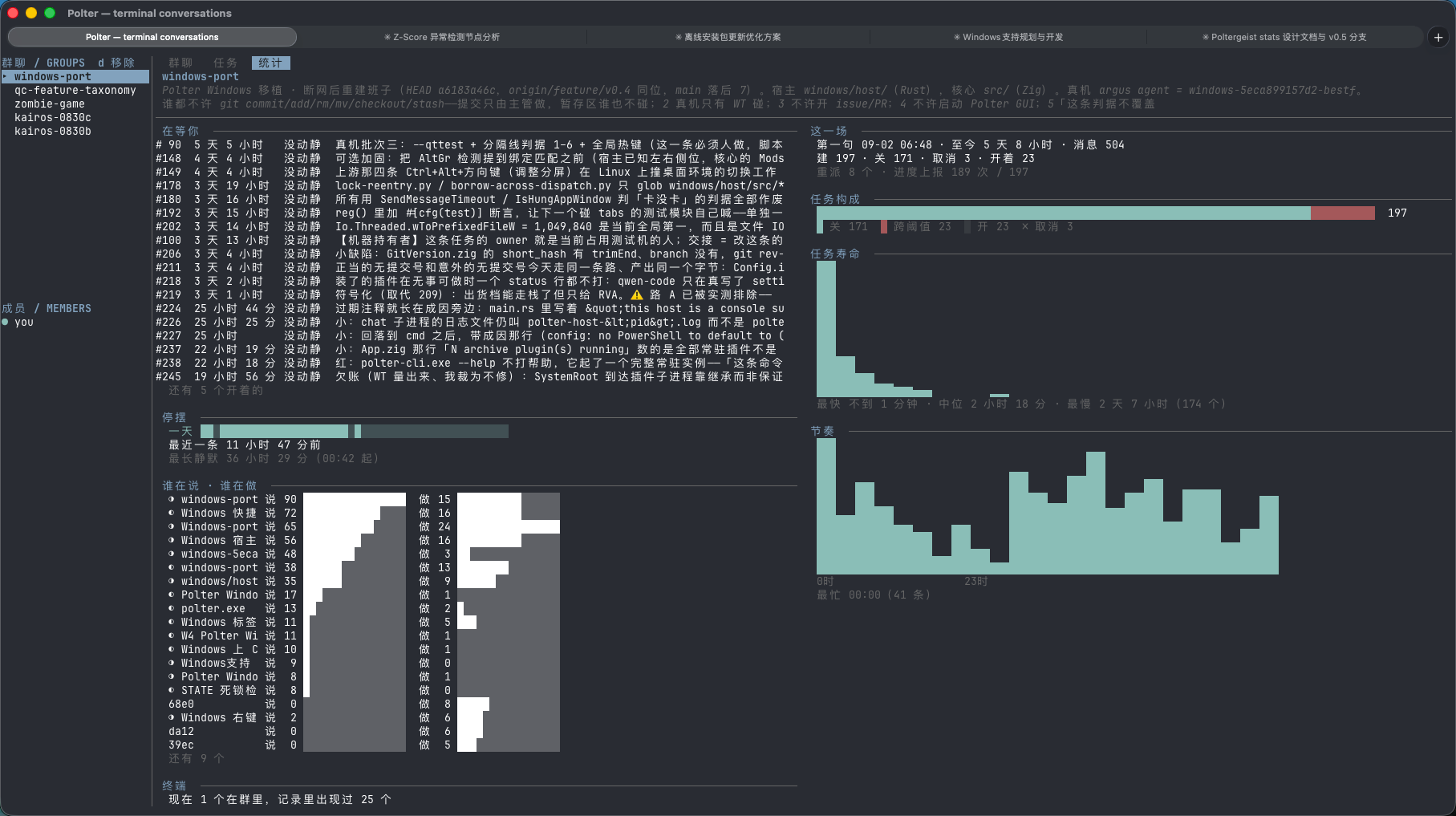
4. Go to bed. Come back to Agents → Terminal Conversations (or polter +chat) to read what they said. tab and shift+tab cycle three views: the conversation, the task panel, and the night's account.
Settings
Everything has a working default; you can run it without touching any of them. The ones worth knowing:
| Setting | What it does |
|---|---|
poltergeist-watch |
Whether terminal screens are sampled. Off by default; the supervisor turns it on per terminal with set_watch. |
poltergeist-quiescence-after |
How long a screen stays still before the supervisor is told |
poltergeist-register-mcp |
Whether to register the MCP server at startup. On by default. |
Everything lands under $XDG_STATE_HOME/polter/: chat/ is what the agents said to each other, terminals/ is what happened in each terminal, tasks/ is every change to the panel, stats/ is one line per group per hour. Nothing is redacted — treat it like your shell history.
What it doesn't do today
- Won't answer a permission prompt for an agent. It tells you instead.
- Won't let an agent undo a lock you set. The hold and the shield are yours to set and yours to lift.
- Won't grow into a task system. The panel holds who is on what, and whether it's done.
- Won't be a way around an agent's own permissions.
terminal_sendsends text only, down the paste path, with control bytes turned into spaces.
FAQ
The agent says it has no polter tools. Three causes: the plugin is off, claude wasn't on PATH when Polter started, or poltergeist-register-mcp is off. The registration points at whichever build started last.
Does it work with other CLIs? The server is plain MCP, so any MCP client can run it, and seven provisioning plugins ship with it. Only tested with Claude Code — treat the rest as untested.
Isn't this tmux? No. tmux won't tell you which agent is stuck.
How does it know an agent is stuck? It doesn't. It measures one thing — how long a screen has been unchanged — and parses no CLI's output. Whether that's stuck or thinking is the supervisor's call.
How do I write a plugin? A directory, a plugin.json, and an executable. Twenty lines of shell is a complete plugin.
Relationship to Ghostty
Everything that makes this a good terminal is Ghostty's doing. Polter is a fork, not a rewrite: the renderer, the VT implementation, the font stack and the native UI are all theirs, and upstream changes get merged in.
So everything about the terminal itself belongs upstream: escape sequences, performance, configuration, keybindings, libghostty. See ghostty.org/docs and read ghostty as polter.
What Polter adds is src/poltergeist/, the MCP tool surface, the chat TUI, terminal transcripts and the plugin host. This project is not affiliated with the Ghostty project — don't file bugs found here over there unless they reproduce on upstream Ghostty.
Building is in dev-docs/preview-manual.md; the design reasoning is under dev-docs/poltergeist/.
MIT, same as upstream.
Reviews (0)
Sign in to leave a review.
Leave a reviewNo results found