AgentHydra
Health Gecti
- License — License: MIT
- Description — Repository has a description
- Active repo — Last push 0 days ago
- Community trust — 12 GitHub stars
Code Basarisiz
- process.env — Environment variable access in .githooks/check-kit-sync-staged.mjs
- rm -rf — Recursive force deletion command in .github/workflows/release.yml
- spawnSync — Synchronous process spawning in scripts/screenshots/capture.mjs
- process.env — Environment variable access in scripts/screenshots/capture.mjs
- network request — Outbound network request in scripts/screenshots/capture.mjs
Permissions Gecti
- Permissions — No dangerous permissions requested
Bu listing icin henuz AI raporu yok.
Every local AI coding session in one tab: Claude Code, Codex and OpenCode in a single list, with a queue you can schedule and isolated Claude Desktop instances kept apart. Local, private, MCP-native.
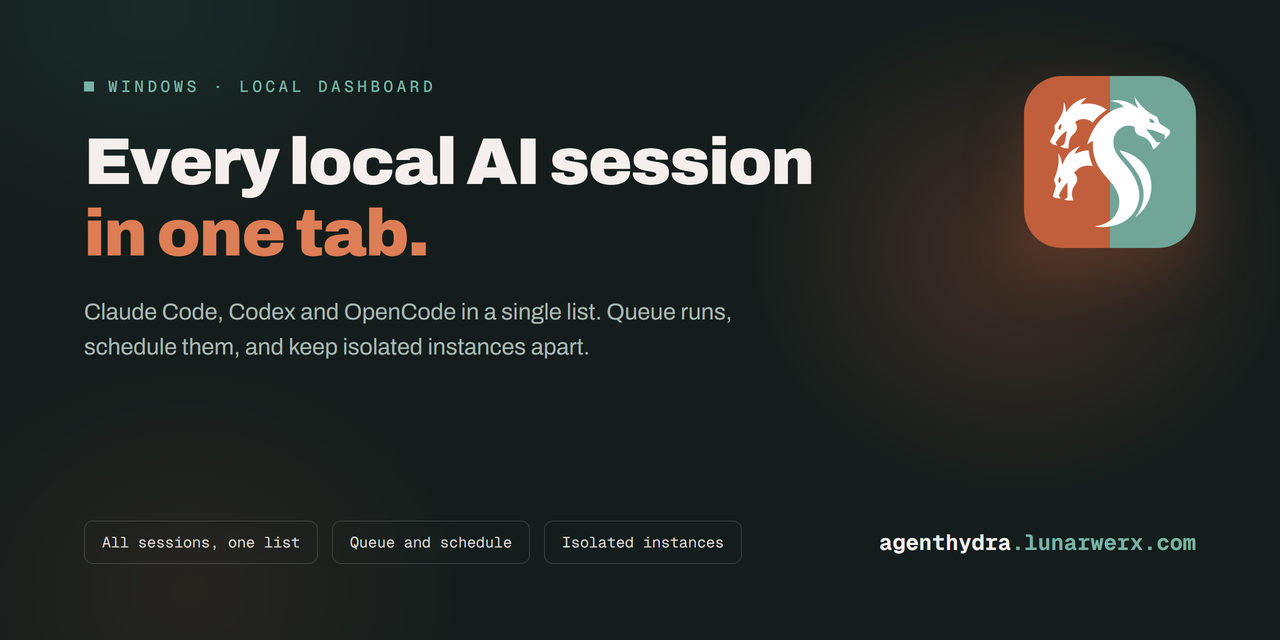
Every local AI session, plus your isolated Claude and Codex instances
Website · Download · Reference · Changelog




CC Manager UI is now AgentHydra
The name stopped being true. It manages Claude, Codex and OpenCode now, not just Claude Code, so
it is named for the many-headed thing it actually is. Nothing about your install changes:
- Update normally. GitHub redirects the old repo URL, so existing clones, remotes and the
built-in updater keep working without you touching anything.- Your data comes with you.
~/.ccmanageruiis moved to~/.agenthydraon first run, with
the queue, settings, instance names and accounts cache intact. If the move cannot happen, the
app keeps reading the old folder rather than starting empty.- Old env vars still work. Every
CCMANAGERUI_*variable is still read as a fallback for itsAGENTHYDRA_*replacement.- What you should update at your leisure: desktop shortcuts pointing at
CCManagerUI.exe, and
any MCP config naming the old binary. Both are one-line changes.
If you run AI tools in more than one place (a couple of isolated Claude Desktop instances on
different accounts, Claude Code and Codex terminals across repos, or OpenCode CLI/Desktop), nothing
shows all of that local history at once. You alt-tab to remember which account is which, whether a
session is still going, and what you asked it to do.
AgentHydra is one local daemon that reads what is already on your machine and puts it in a single
browser tab. It is not a Claude client and it does not replace one. It is the dashboard the CLI and
the desktop app do not come with.
Every session, in one list
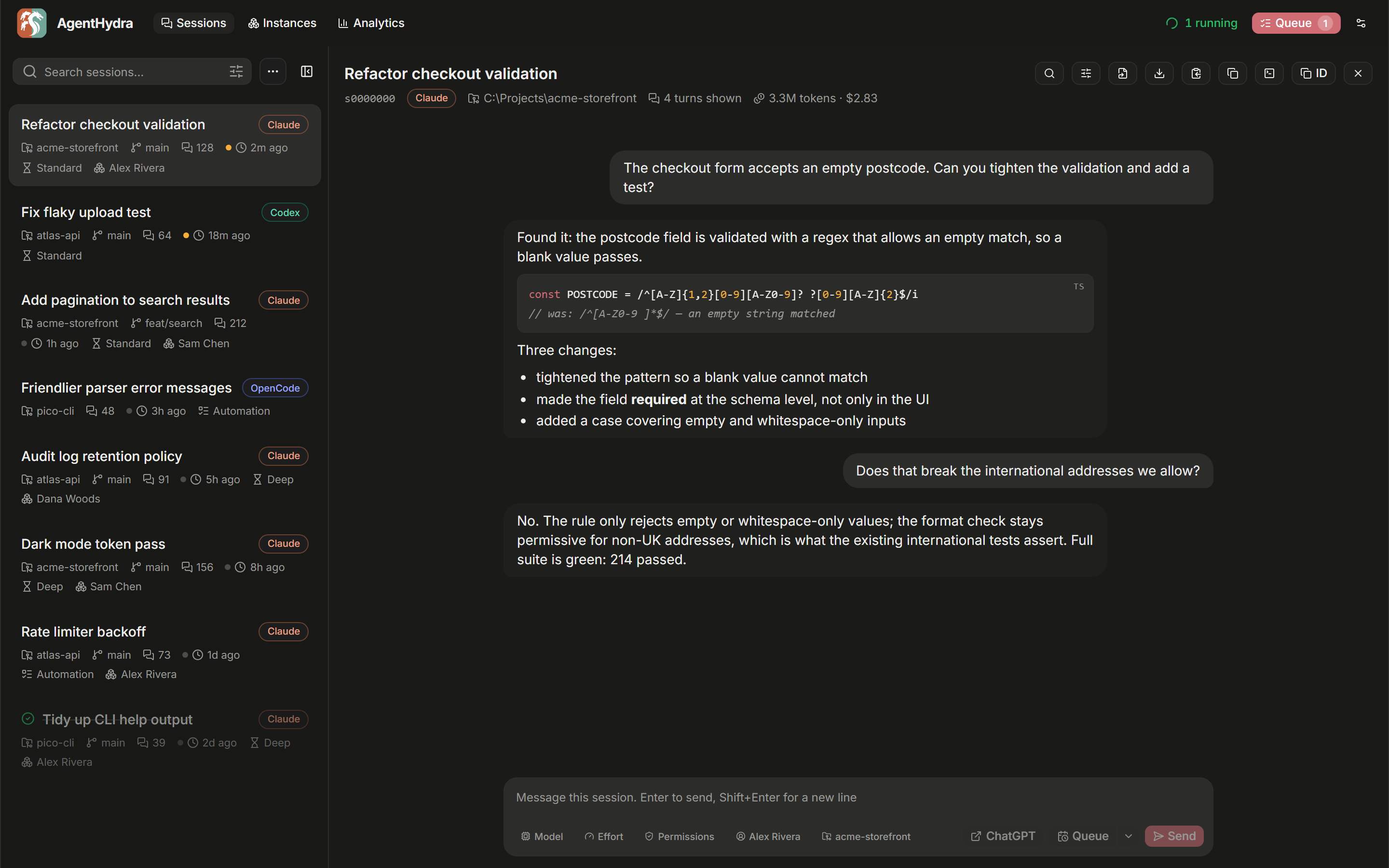
Screenshots use demo data.
Claude Code, Codex, and OpenCode conversations on your machine appear together, newest first.
Filter by provider or recency; Claude sessions can also be filtered by project or Desktop instance.
Click one to read the conversation and live-tail it while it runs. Codex is read from its rollout
JSONL files, while OpenCode CLI and Desktop share the same local SQLite session store.
For Claude sessions, the box at the bottom lets you type straight back into a session without
finding its terminal. Pick several Claude sessions and you can send the same message to all of
them. Codex and OpenCode support is read-only.
An optional ChatGPT handoff in that composer turns the task and repository into a bounded
Markdown context file, copies a ready-to-paste prompt, and opens ChatGPT. AgentHydra omits common
secret files and likely credentials; you still review the attachment and submit it yourself.
When you want a raw Claude or Codex file, there is a button for opening the .jsonl in your editor,
downloading it under its real title, or copying it out. OpenCode conversations are rendered from its
database rather than exposed as a raw file.
Queue work and let it run
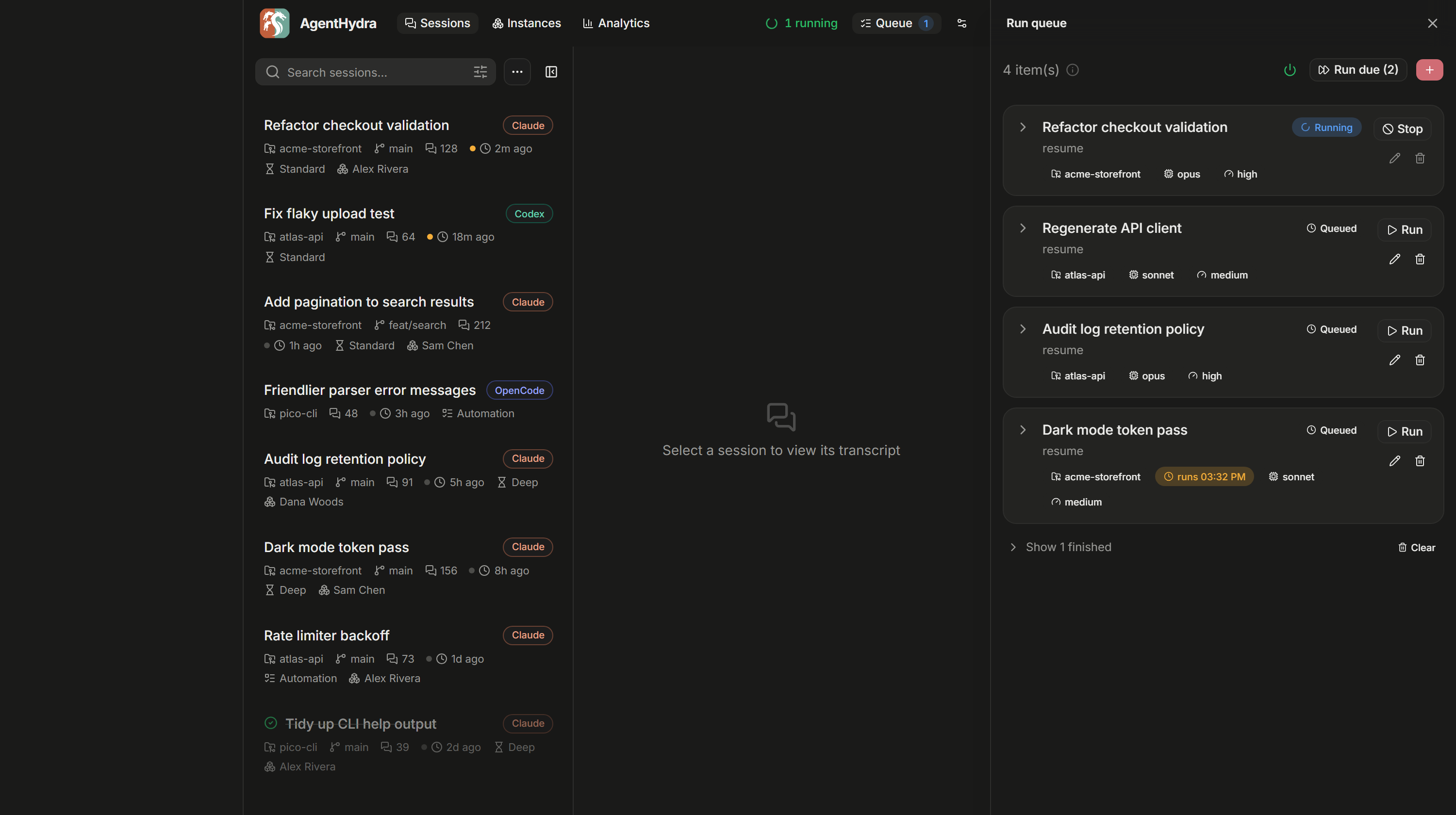
Build a list of claude runs, each with its own prompt, working directory, model, effort,
permission mode and account. Run one on demand, or let the scheduler drain the queue for you, one at
a time or a few at once, with spacing so you are not hammering anything.
Anything you queue can be given a start time, so "do this at 3am" is a checkbox and not a cron job
you have to maintain.
Two things make this survive contact with reality:
- Runs reattach after a restart. Quitting the app, or letting it auto-update, does not kill
what is in flight. It picks the runs back up. - A rate limit is not a dead end. Sessions stopped by a 5-hour limit can resume themselves once
the window resets, gated on your weekly usage so it does not spend everything the moment it can.
This is off unless you turn it on.
Manage isolated instances
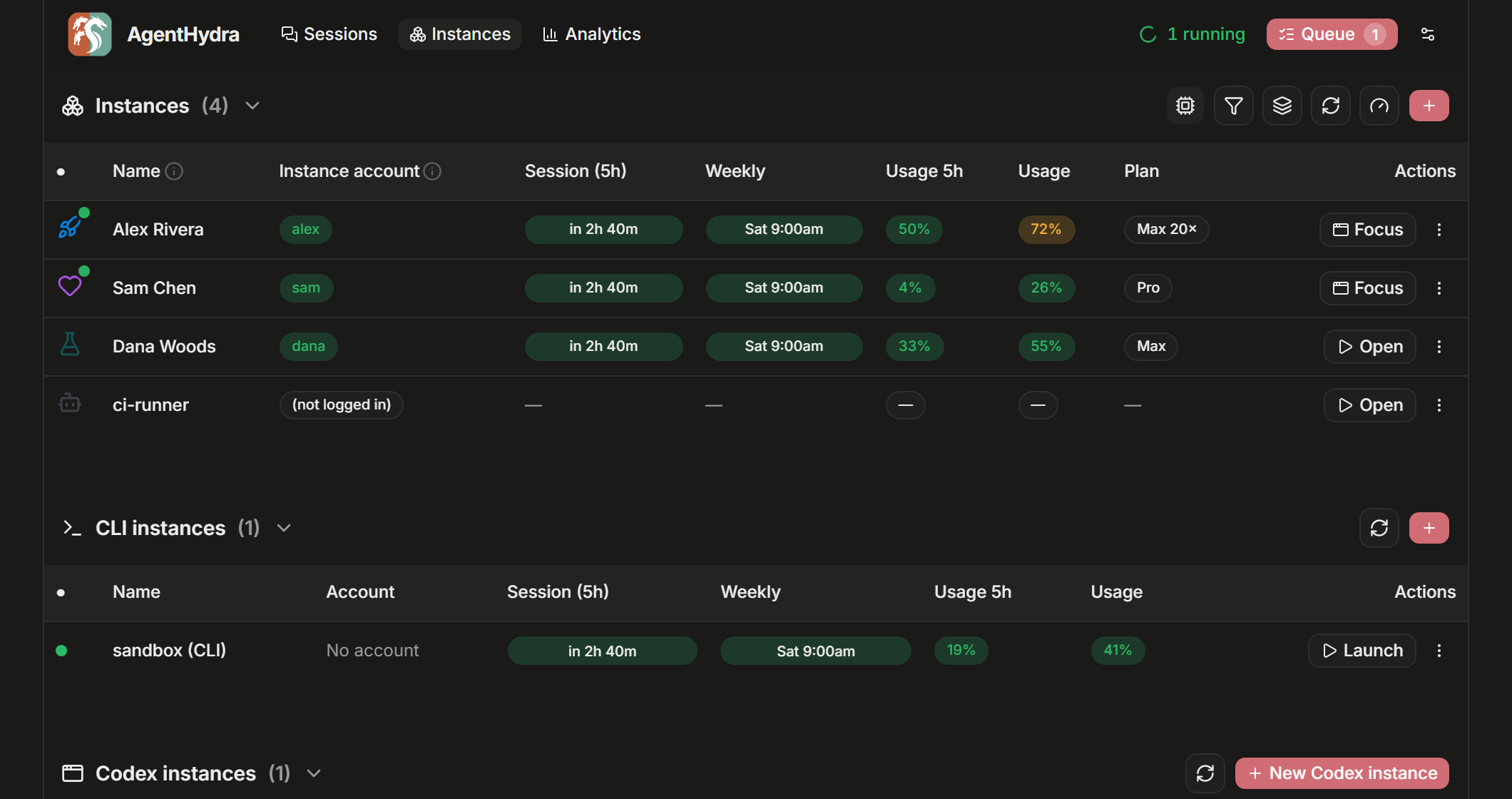
If you keep separate Claude Desktop instances for separate accounts, this is where they live. Each
row shows which account it is signed into, its plan, and, while it is running, its process, memory
and uptime.
You can open, focus, quit, create and delete them from here, give each one a name, an icon and a
colour so they stop looking identical, and see your isolated CLI logins alongside the desktop
instance that shares their account.
The same view manages Codex Desktop and CLI together. Each Codex instance gets its own CODEX_HOME
and desktop profile, so work and personal OpenAI logins can run in separate Codex windows. Open,
focus and quit the desktop from its row; CLI Launch and Log in actions use that same isolated login.
Quick instance mode
When you only need to pick an instance and start it, instance mode skips the session scanner,
database, queue recovery, scheduler, monitor, usage refresh, settings sync and updater. It opens a
compact portable window with Claude Desktop, Claude CLI and Codex start/focus/stop controls.
- Packaged build: run
AgentHydra.exe --instances. - Source checkout: run
bun run instances(after the normal one-timebun run build). - Windows shortcut: run
misc\Create-Shortcut.ps1once, then open
AgentHydra Instances from the repository root. - Or add the same one-click launcher from Settings → Appearance → Quick Instances shortcut.
The quick daemon uses its own port and runtime pointer, so the full manager can open later without
conflict. If the full manager is already running, the launcher reuses it. Closing the quick window
retires its lightweight daemon automatically after a short reconnect grace period.
Install
Download your OS build from Releases.
On Windows, run the versioned AgentHydra-…-windows-x64.exe directly; it is an icon-bearing GUI
executable with the web app embedded and no console window. The ZIP is the smaller automatic-update
transport. Linux and macOS builds remain one-executable archives. No Bun or sidecar folders are
needed.
Or from source, with Bun:
git clone https://github.com/LunarWerxs/AgentHydra.git
cd AgentHydra && bun install
bun run build && bun run start
Either way the UI is at http://localhost:7787.
Just trying it? Set
AGENTHYDRA_FAKE=1and dispatch uses a harmless stand-in for theclaude
CLI, so nothing touches your quota or your repos. The scheduler is off by default. Note that
instance actions (open / quit / create / delete) act on real Claude Desktop instances; delete
asks you to type the name.
Nothing leaves your machine automatically. There is no cloud service behind this, no account to
sign up for, and no telemetry. It reads the local stores your tools already write and talks tolocalhost; optional external handoffs open the provider and leave the final upload to you.
Requirements
- Bun if running from source.
- The
claudeCLI for dispatch, and/or Claude Desktop for Claude instance management. - Optional: Codex Desktop/CLI for isolated Codex windows, CLI launch/login, and local rollout
history; OpenCode for local OpenCode history. Their sessions appear automatically when their
standard local stores exist. - Windows for the tray launcher. macOS and Linux builds exist and the instance-account code is
written for them, but they are not verified there yet. - Windows instance management needs the classic Claude Desktop build (the ~217 MB Squirrel
.exeinstaller). The newer MSIX package cannot be launched with an isolated profile. The
Instances tab detects this and links the right installer.
For agents
The whole API is exposed over MCP, so any MCP-speaking client can inspect sessions and drive the
Claude queue, scheduler, and instance managers directly. Setup and the full tool list are in
docs/REFERENCE.md.
Agents can also read their own remaining quota before fanning out work, which is the difference
between pacing a big job and hitting a wall halfway through it:
docs/AI_USAGE_SELFCHECK.md.
More
Reference covers configuration, the MCP tools, auto-update, the stack, the repo
layout and how to run the checks.
License
MIT.
Yorumlar (0)
Yorum birakmak icin giris yap.
Yorum birakSonuc bulunamadi