devwebui
Health Warn
- License — License: MIT
- Description — Repository has a description
- Active repo — Last push 0 days ago
- Low visibility — Only 5 GitHub stars
Code Pass
- Code scan — Scanned 12 files during light audit, no dangerous patterns found
Permissions Pass
- Permissions — No dangerous permissions requested
No AI report is available for this listing yet.
GUI + MCP control plane for your local dev servers. Humans click, agents automate the same daemon.

A GUI + MCP control plane for your local dev servers
Run every dev server from one pane — click to start, stop and restart, and watch live status, CPU,
memory and logs. Then let your AI agents drive the same daemon over MCP.
No more bun run dev babysitting across a dozen terminal tabs.
Website · Quick start · .devwebui files · MCP · Changelog




Why it exists
The good local-dev GUIs (hotel, exo) are abandoned. PM2's web UI is paid. Everything else that's
still maintained is a TUI or a heavy container/k8s tool. Nobody ships the one thing you actually
want for a fleet of dev servers: a GUI and MCP over one daemon — so you click, your agents
automate, and everyone works off a single source of truth.
Run it
Windows — double-click the DevWebUI shortcut. It runs hidden (no console window) with a
tray icon: right-click for Open / Rebuild & Restart / Restart / Quit. The first launch builds
once; after that it's instant. Changed the GUI? Hit Rebuild & Restart.
Any OS — from a terminal:
bun install
bun run dev      # daemon on :4000  +  GUI on http://localhost:4010
DevWebUI opens empty — drop a .devwebui file in a repo and click Add
project. Want something to click right away? Add server/examples/extra.devwebui (two
dependency-free heartbeat processes). The GUI and API share one port (default 4000); if it's
taken, the daemon hops to the next free one and opens the URL it actually bound.
What you get
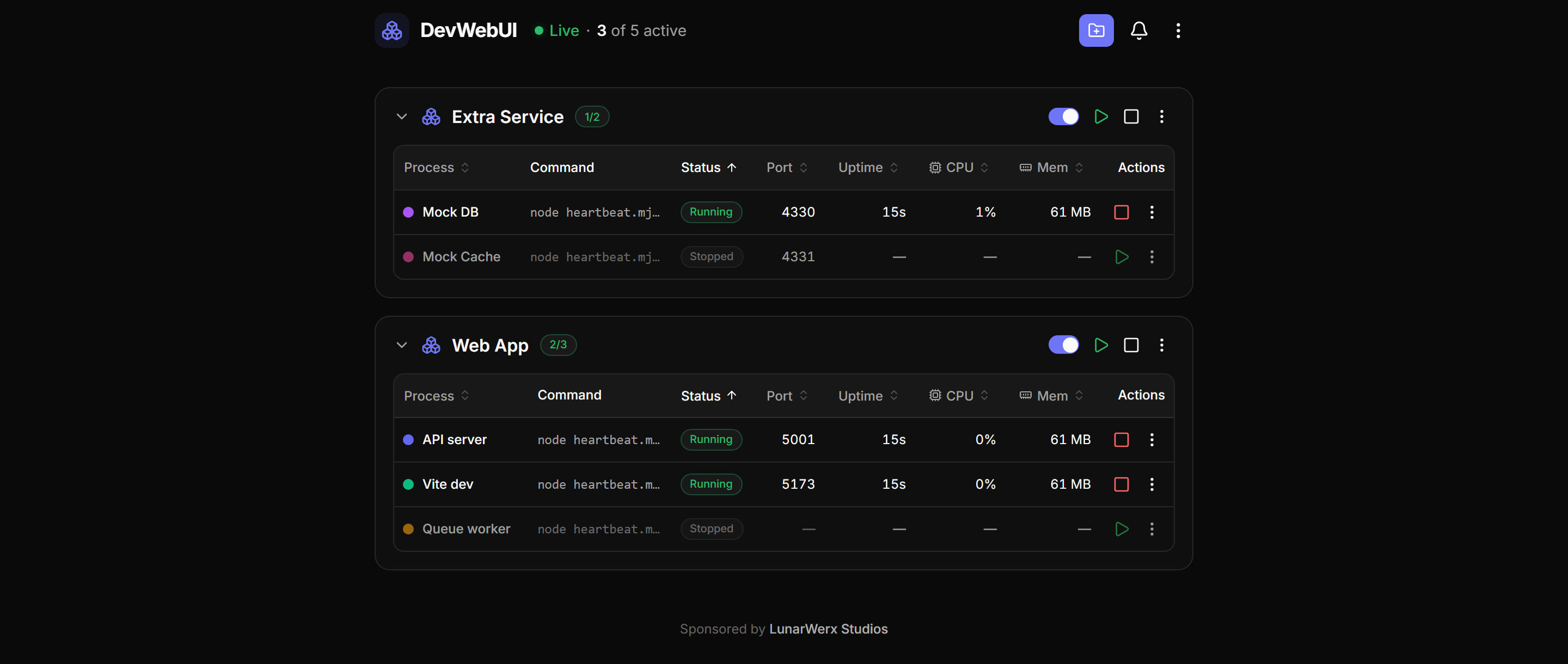
- One-click control — start / stop / restart any dev server; live status, CPU, memory, logs.
- One panel per repo — a
.devwebuifile groups every process under one collapsible header; your projects auto-reload next launch. - Port-conflict rescue — detects a taken port, tells you which process is holding it, and frees it on request.
- Persistent error log — de-duplicated stderr / crashes / error-looking stdout that survives restarts.
- Desktop shortcuts — send any server (or a whole repo) to your Desktop from the ⋮ menu; double-click starts it, linked servers and all, in a small window with a Stop button.
- Built for agents — a full set of MCP tools drives the same daemon you click, off one shared state.
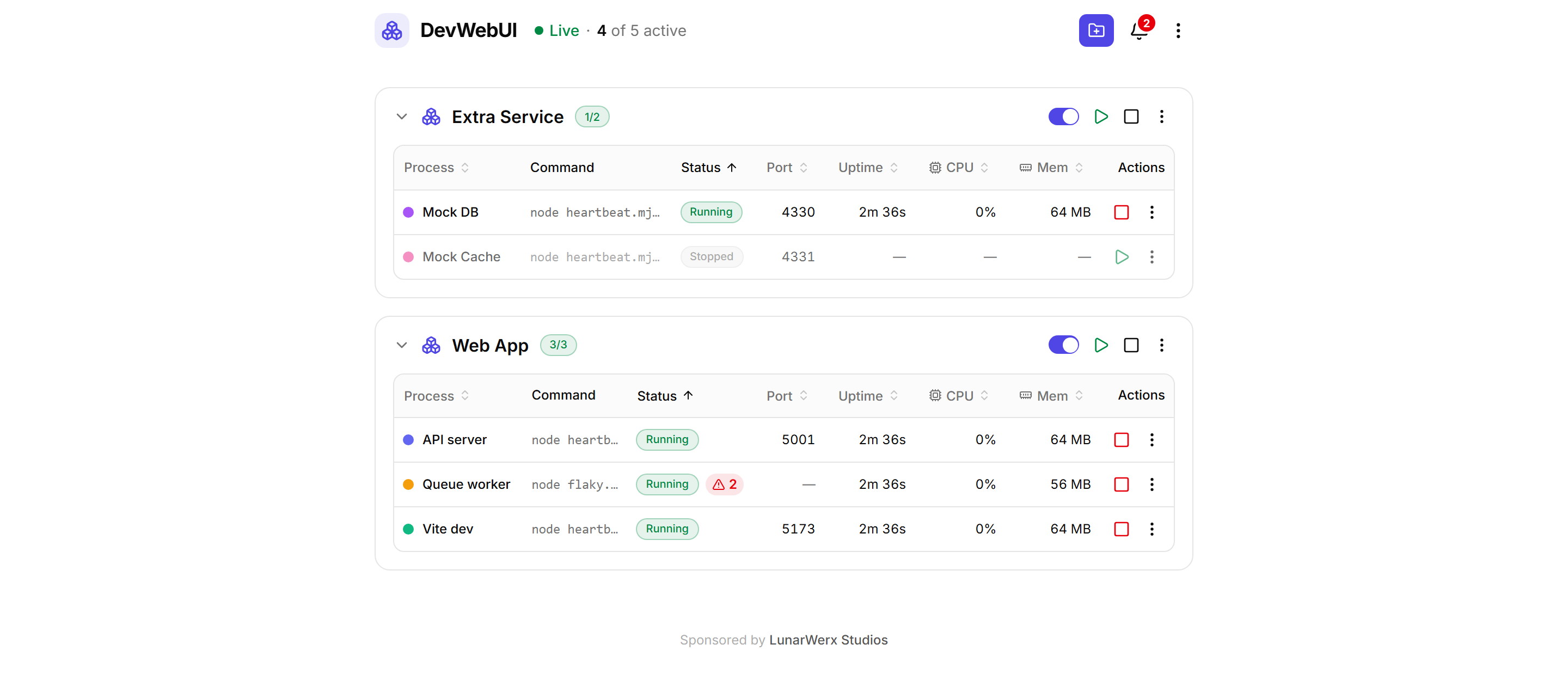
- Localized & themed — full i18n (English base; add a language), light/dark.
- Lives in your tray — a Windows tray app runs the daemon hidden; Open / Rebuild / Restart / Quit.
|
Live logs, streamed Tail any process without leaving the pane. 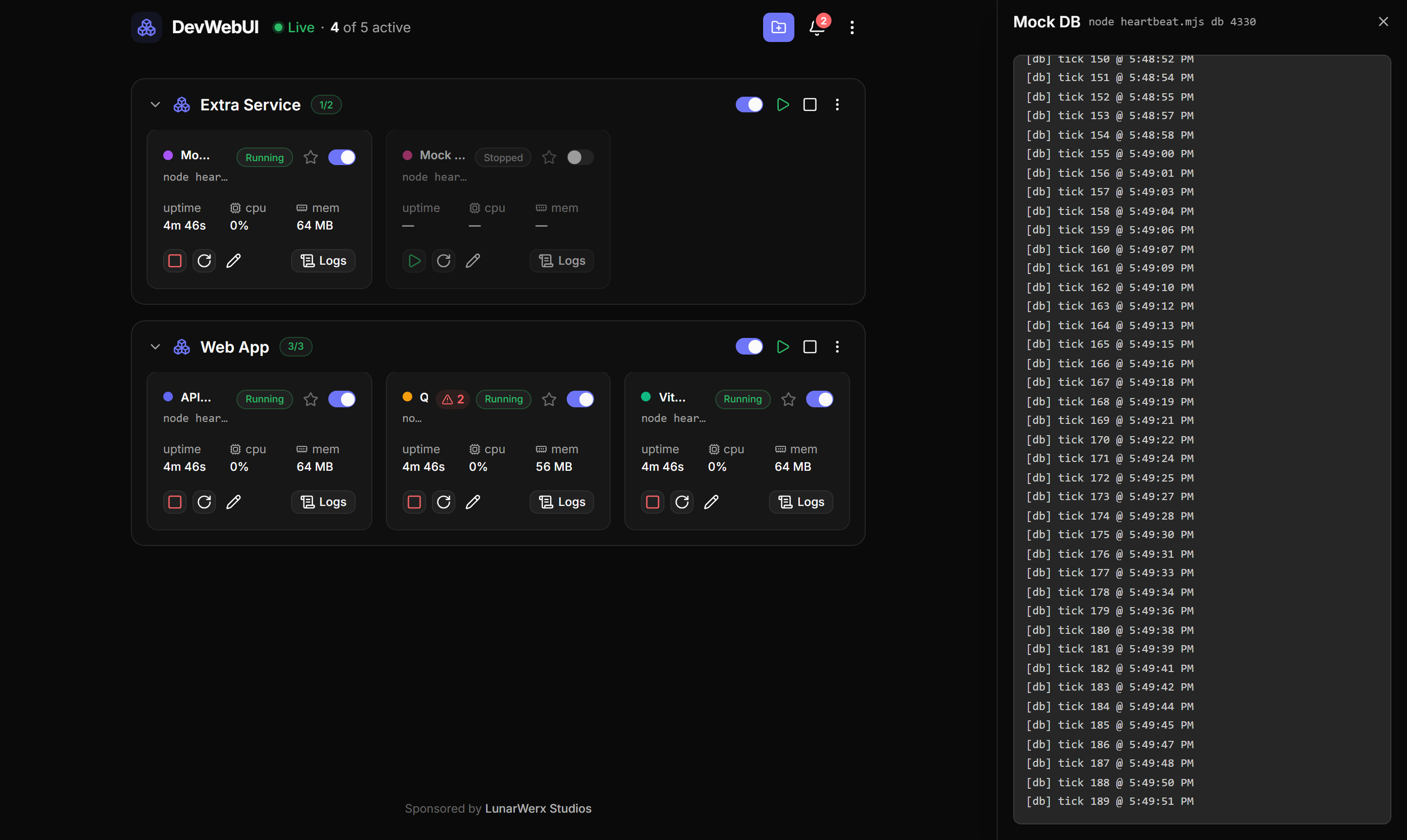
|
De-duplicated error log Repeats collapse into one entry with a count — and it survives restarts. 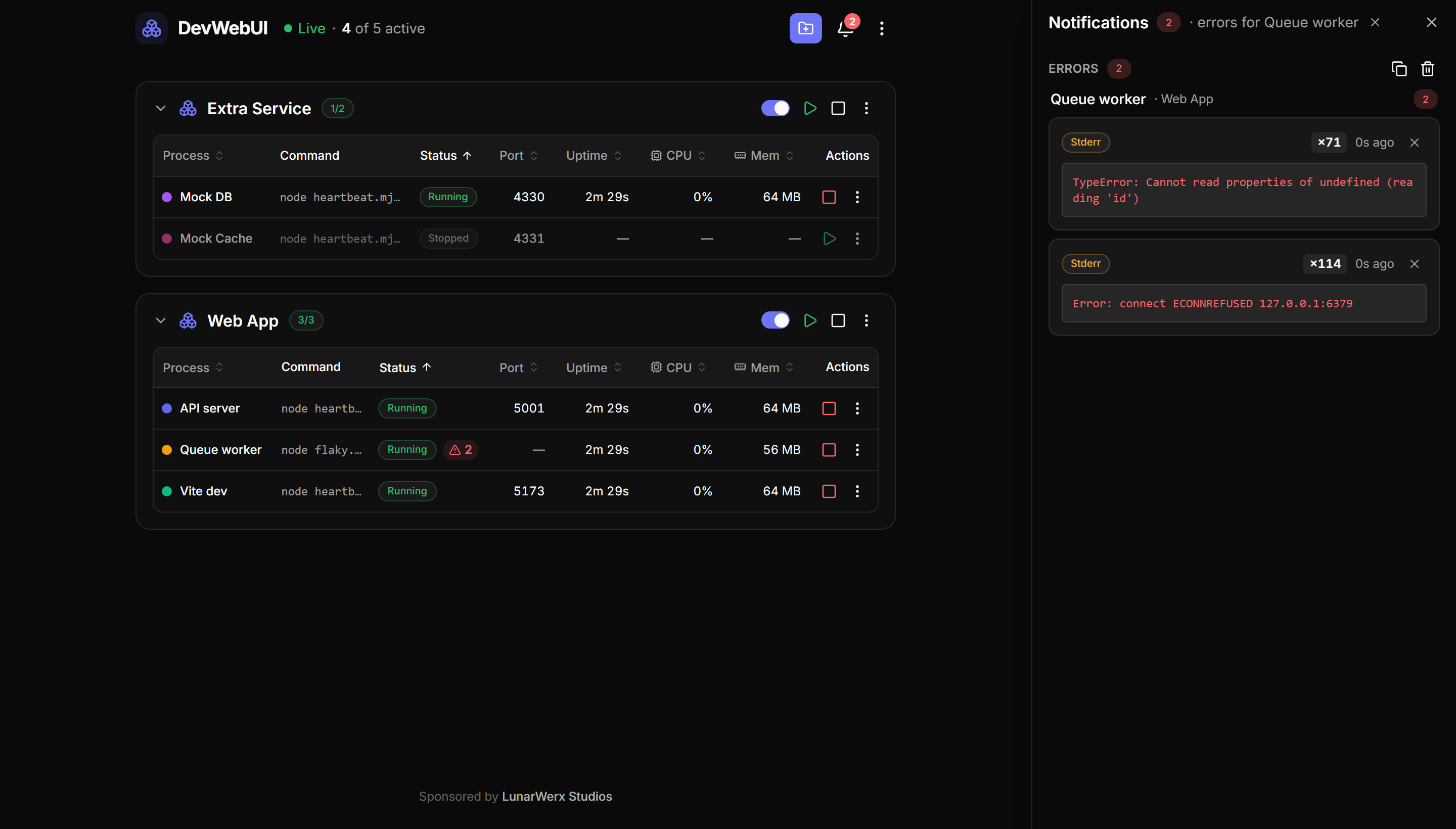
|
Dark by default — a light theme ships too.
.devwebui files
One small file per repo lists the servers to run. Drop it in the repo root and click Add project:
{
  "name": "Connections",
  "processes": [
    { "id": "main", "name": "Main SPA",  "command": "bun run dev:main", "autostart": true },
    { "id": "pay",  "name": "Pay plane", "command": "bun run dev:pay",   "port": 4020 }
  ]
}
Per-process: id, name, command, plus optional cwd, port, url, color, env,autostart, waitForPort, links, companion. You can also add and edit processes right in the
GUI — DevWebUI writes them back to the file. links groups servers that run as one unit
(starting or stopping one starts or stops them all); companion marks a process, like a shared
database, that starts alongside any other process in the project you start by hand.
Full field spec + a copy-paste prompt that writes the file for you → AI_GUIDE.md
Drive it from an AI agent (MCP)
The MCP server is a thin stdio client over the running daemon, so the GUI and your agents share one
state. Start the daemon, then register:
{
  "mcpServers": {
    "devwebui": {
      "command": "bun",
      "args": ["server/src/mcp.ts"],
      "cwd": "/absolute/path/to/devwebui",
      "env": { "DEVWEBUI_URL": "http://localhost:4000" }
    }
  }
}
17 tools cover projects, processes (start/stop/restart, enable/disable, all), logs and the error
log. Full list → AI_GUIDE.md
CLI
devwebui start | stop | status | list                 # boot / stop the daemon, inspect state
devwebui start-process | stop-process | restart-process <id|name>
devwebui start-all | stop-all
devwebui mcp                                           # the stdio MCP server for agents
A thin client over the same REST API the GUI and MCP use — run devwebui --help for the rest;DEVWEBUI_URL / DEVWEBUI_PORT point it at another daemon.
Stack
Bun + Hono daemon (HTTP + SSE) with a zero-dependency stdio MCP engine; Vue 3 + Vite, shadcn-vue on
Reka UI, Tailwind v4 (zinc + indigo, light/dark). See the changelog for what's landed.
Local-first
DevWebUI runs entirely on your machine — a single daemon on your localhost, open source under the
MIT License. Core functionality needs no account and no cloud. One optional extra:
- Settings sync — sign in with a LunarWerx Connections account to sync a small allowlist of
portable prefs + theme across machines. Off by default; only runs after you explicitly enable it
in Settings, and@cnct/connect/@cnct/locker(the SDKs it needs) are optional dependencies
that are installed but never imported or initialized unless you do.
On the roadmap: macOS / Linux tray, an in-GUI env editor, log search, and multi-host.
Sponsored by LunarWerx Studios.
Reviews (0)
Sign in to leave a review.
Leave a reviewNo results found