RepoYeti
Health Pass
- License — License: MIT
- Description — Repository has a description
- Active repo — Last push 0 days ago
- Community trust — 27 GitHub stars
Code Warn
- process.env — Environment variable access in .githooks/check-kit-sync-staged.mjs
- network request — Outbound network request in relay/worker.d.ts
- network request — Outbound network request in relay/worker.js
Permissions Pass
- Permissions — No dangerous permissions requested
No AI report is available for this listing yet.
Run git from your phone, safely. A self-hosted daemon + mobile PWA: live repo grid, git-graph history, Monaco diffs, and AI Smart Commit — with guardrails (no force-push, fast-forward-only pulls).
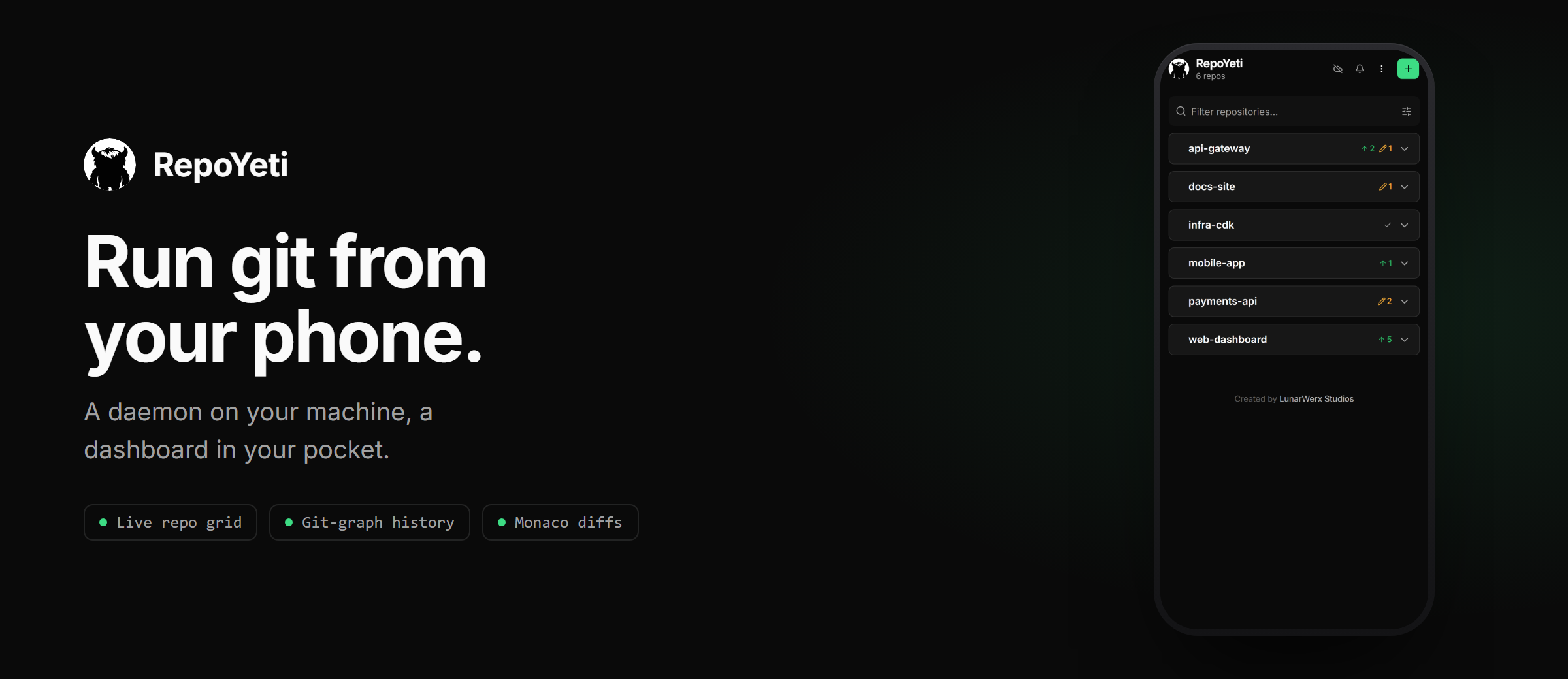




RepoYeti is a self-hosted git dashboard that runs a small daemon on your computer, finds every git repository on it, and serves a live status grid, commit graph, and diff viewer to your phone or browser over a private Cloudflare tunnel, so you can fetch, commit, and push from wherever you are without installing anything in the cloud.
 |
 |
 |
|
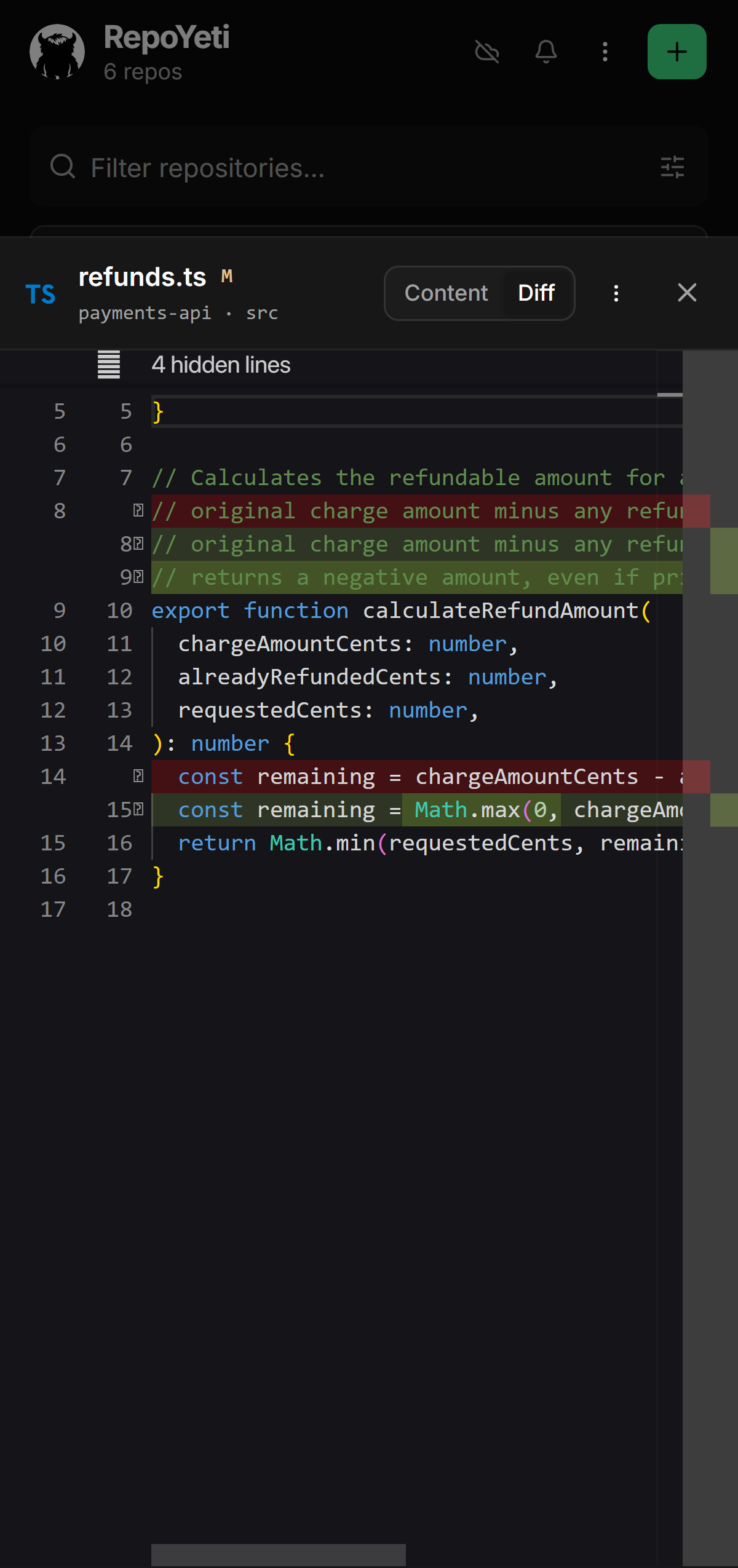 |
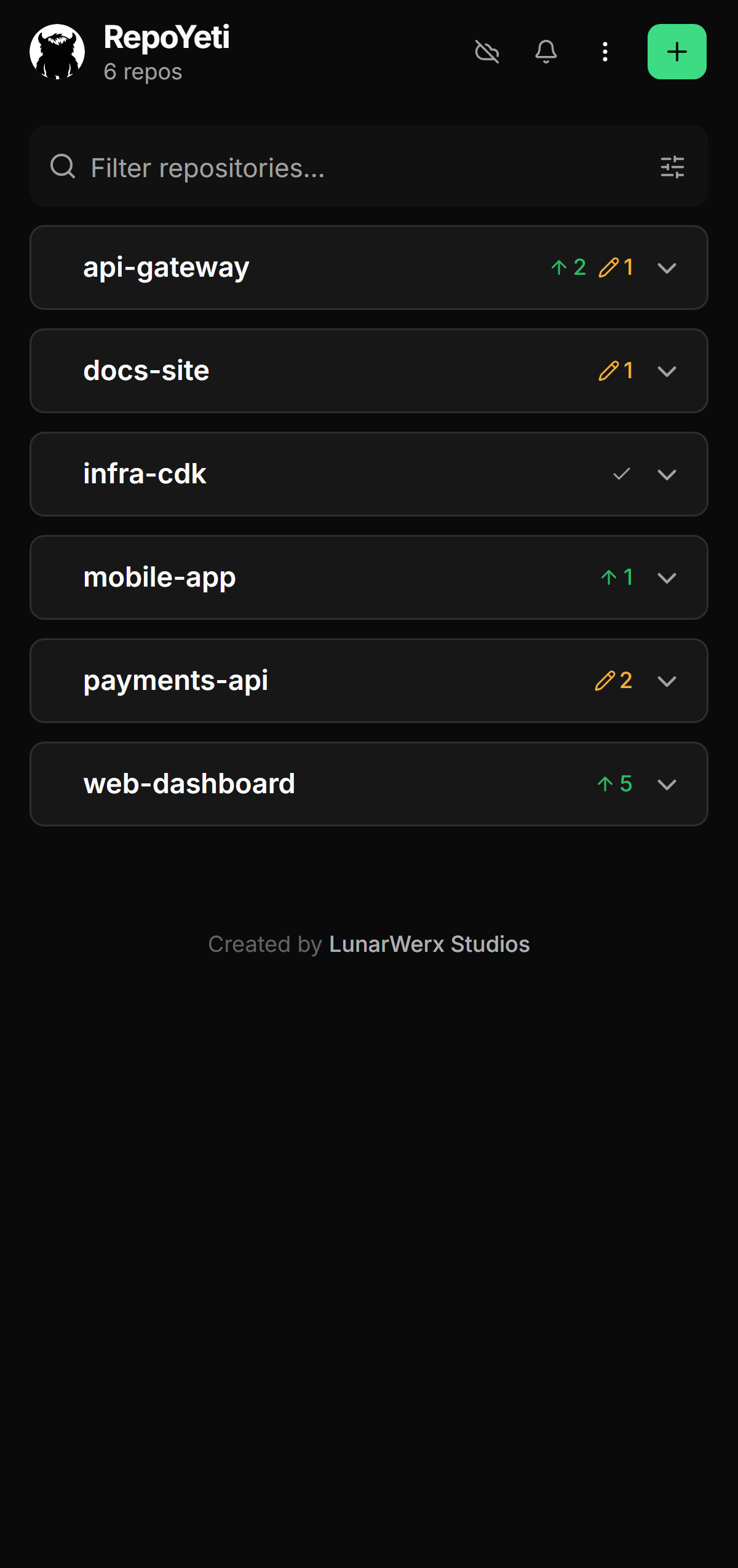
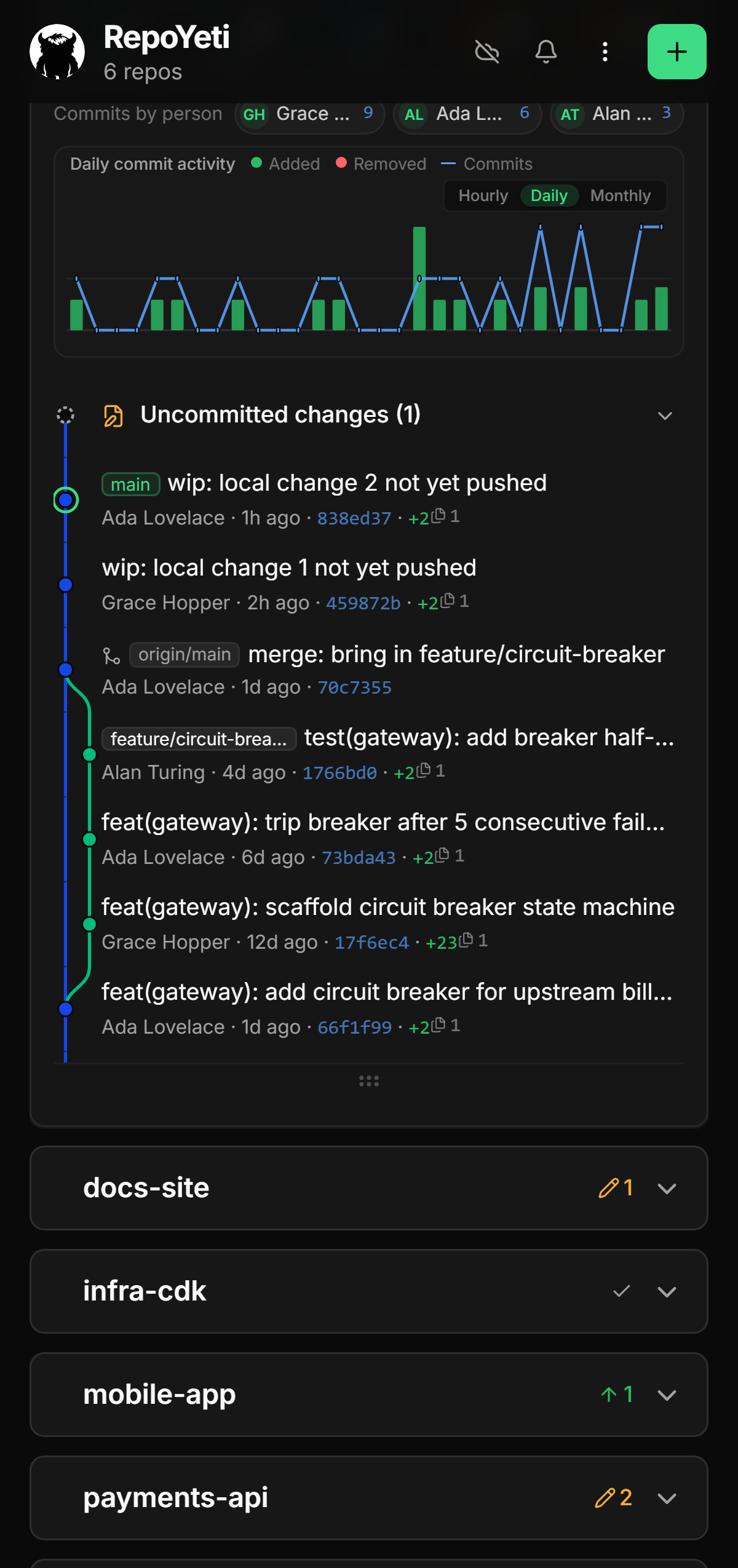
| Every repo at a glance | Commit graph, lanes and merges | Real Monaco diffs |
What you get
- 📡 Live repo grid. Branch / dirty / ahead / behind for every repo, updated the moment it changes. Fetch all in one tap.
- 🌿 Git-graph history. The commit graph with lanes and merges, lazily paged, with each commit's files-and-lines delta. Drag it taller to read more of it at once.
- ☑️ Bulk actions. Select any number of repos and pin, star, hide or remove them in one go. Every action undoes.
- 👀 Preview a pull. See the incoming commits, the files they touch, and any conflicts they'd cause, before you pull. Nothing is fetched or merged by looking.
- 🔍 Monaco diffs. The real VS Code editor: syntax highlighting, HEAD-↔-tree diffs, edit and save.
- 🤖 Smart Commit (AI). Split a messy working tree into clean, scoped commits. Bring your own key.
- 🪪 Per-repo identities. The right git identity for each repo, no
--amend --authorafterthoughts. - 🏠 Self-hosted. Nothing runs in someone else's cloud. Uninstall it and your repos are untouched.
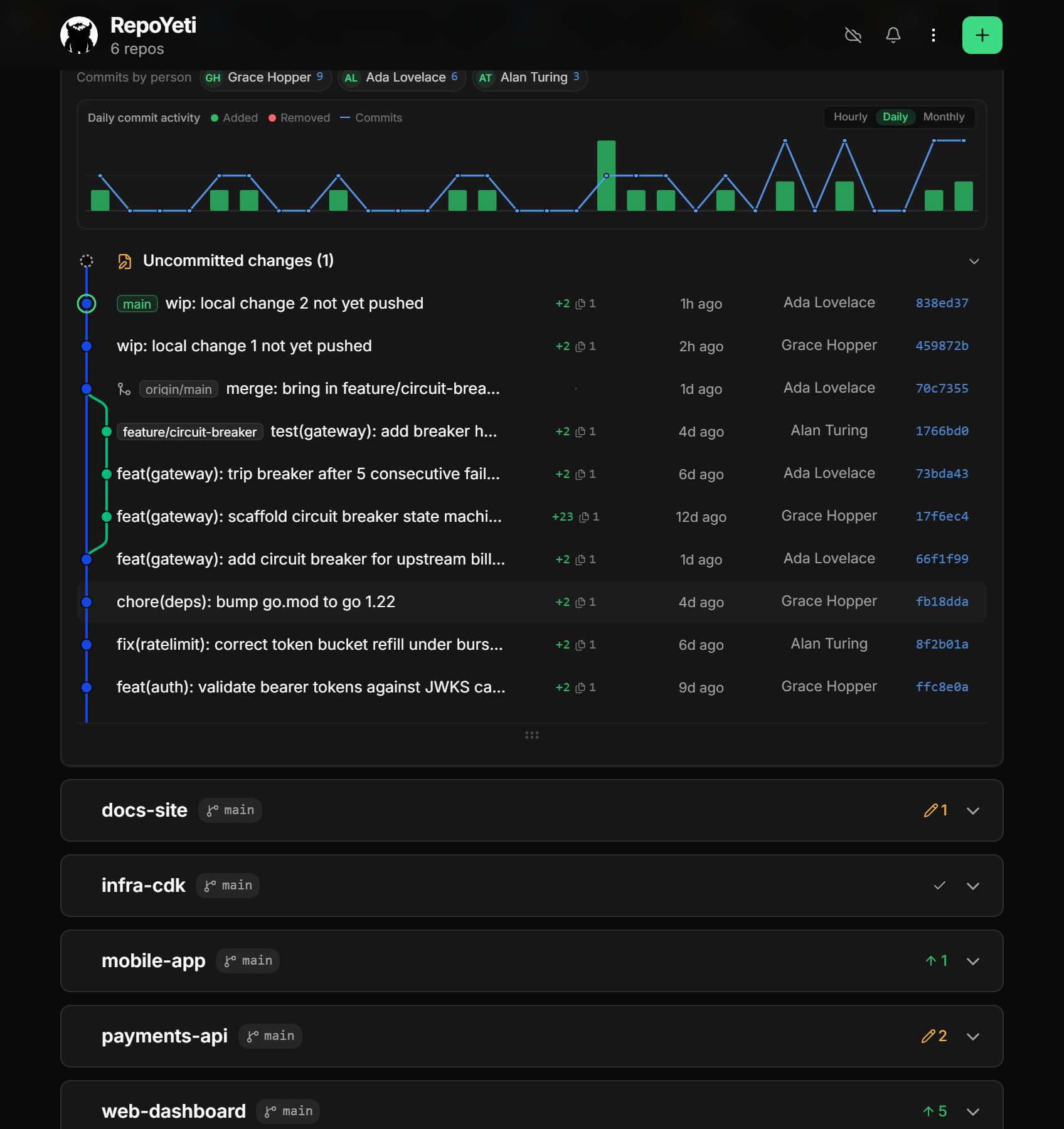
The same history, opened in a desktop browser
Quick start
Grab your platform from Releases: one file, no
runtime to install. On Windows that's repoyeti-windows-x64.exe; run it directly. The dashboard is
embedded in the executable, so there is no web or node_modules folder to keep beside it. The
one-file ZIP remains available for the automatic updater.
Want a system-tray icon? Take repoyeti-windows-x64-with-tray.zip instead, runmisc\Create-Shortcut.ps1 once, and launch from the shortcut it creates. The icon is drawn by a
small separate launcher (misc\lunarwerx-tray.exe), so running repoyeti.exe on its own never
produces one.
repoyeti add-root ~/code   # point it at where your repos live
repoyeti start             # daemon on 127.0.0.1:7171
To reach it from your phone (opens a Cloudflare tunnel and prints a QR code):
repoyeti start --tunnel
Remote access needs cloudflared
installed and on PATH; it is not bundled, in a release or a clone. Check with cloudflared --version. If it is missing, RepoYeti says so and keeps serving locally.
Sign-in over a tunnel returns through RepoYeti's registered callback at app.repoyeti.com; your
dashboard and Git traffic never pass through it. See Remote access.
Running from a clone
The repo has two dependency sets (the daemon's and the dashboard's), and the dashboard is
normally compiled into the release binary rather than committed, so a fresh clone has to build it
once. Without that step the daemon starts and serves web app not built.
git clone https://github.com/LunarWerxs/RepoYeti.git
cd RepoYeti

bun run install:all             # daemon deps + dashboard deps (web/ is a separate package)
bun run --cwd web build:fast    # compile the dashboard into web/dist

bun run src/index.ts add-root ~/code
bun run src/index.ts start
You need Bun ≥ 1.1 and git on PATH, plus cloudflared if
you want --tunnel (same as a release, see above).
AI setup: a free Groq key in 3 clicks
Smart Commit and AI commit messages are bring-your-own-key (there's no bundled key, because Groq revokes any key committed to a public repo). Groq is the suggested provider: free, fast, ~30 seconds:
- Open console.groq.com/keys and sign in.
- Click Create API Key, then Copy.
- In the app, open Settings → AI, expand Groq, and paste it in.
"Generate" lights up right away. Prefer OpenAI / Claude / Gemini / OpenRouter / DeepSeek? Add that key in the same place instead; your key never leaves the daemon (it's kept in your OS keychain).
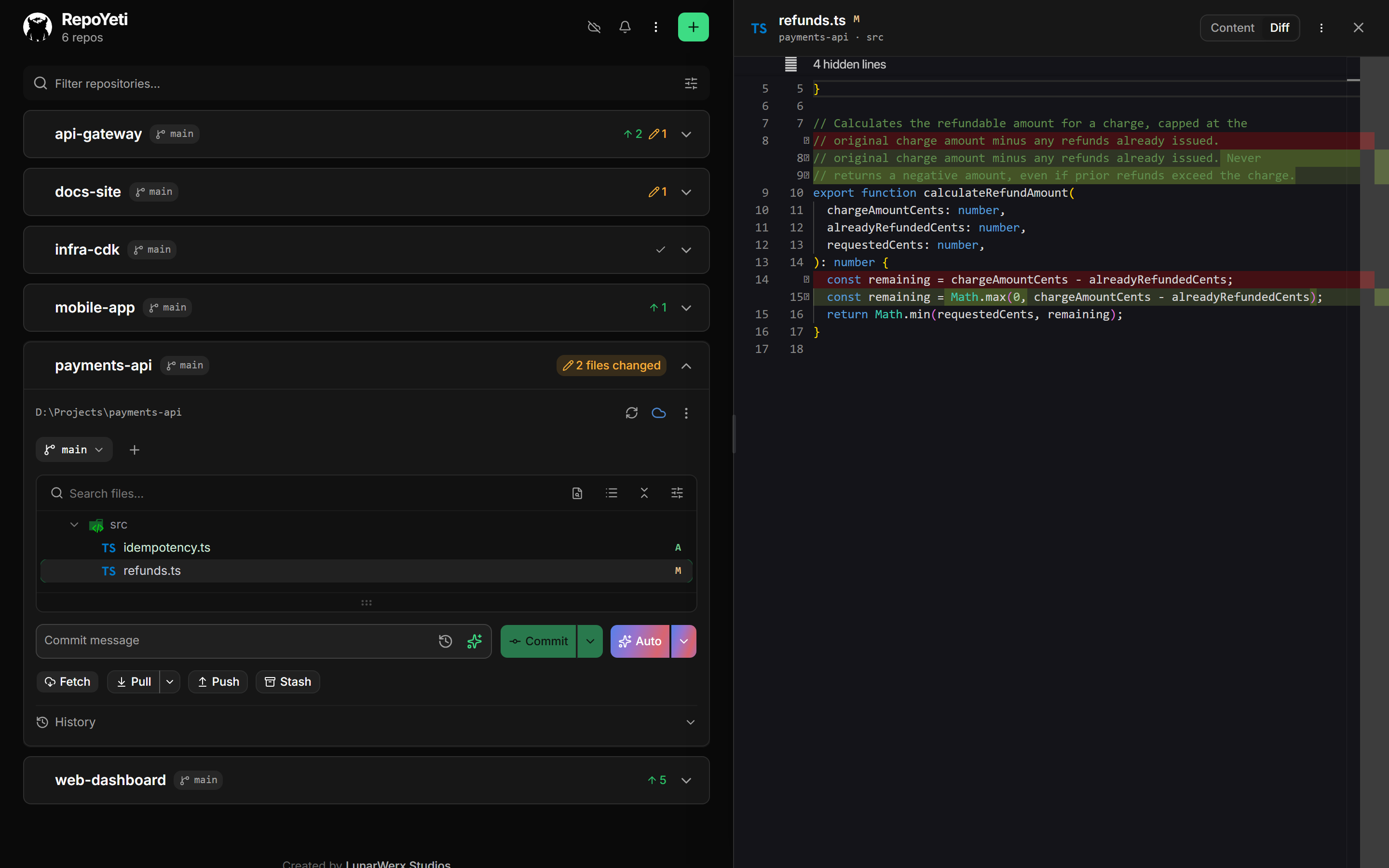
Real Monaco, side by side with the repo list
The rules
No force-push, no reset --hard, no rebase. A phone is a lousy place to rewrite history, so those live at your desk. Pulls are fast-forward-only, and everything runs as the git identity you set for that repo. Local state stays in ~/.repoyeti/; nothing is written into your repos.
Privacy
The daemon pings Connections Studio for update checks, at most once a day. That ping carries a random install id, the running version, and a coarse OS tag (e.g. win11-26100). From that request, the server also derives and stores a coarse location (country, region, city, timezone), your network's ASN, locale, and a truncated user agent, but never an IP address. It never sends a hostname, username, file path, account, or anything about your repos.
Set REPOYETI_NO_PING=1 to opt out entirely.
Built with
Bun · bun:sqlite · Hono · simple-git on the daemon, and a Vue 3 + Tailwind PWA on the front end. Sign-in is "Sign in with Connections" (OIDC / PKCE, zero setup). A pluggable VCS backend also supports Lore behind REPOYETI_LORE=1.
Cloud sign-in and settings sync are entirely optional and off by default; core git management works fully self-hosted and offline, no LunarWerx account required.
More
- AI agents (MCP):
repoyeti mcpexposes local repos plus accepted collaboration status/diffs and guarded remote commit+sync; the full HTTP surface is atGET /api/openapi.json. - Buzz (experimental, Advanced): opt-in Git Smart HTTP compatibility, saved communities, and
daemon-safe preflight diagnostics. Setup and security boundaries. - Architecture, remote access, config: docs/ARCHITECTURE.md
- Contributing & tests: docs/CONTRIBUTING.md
- Working here with an AI agent: AGENTS.md (repo map, the enforced guardrails, and the traps that have cost a release)
FAQ
Is RepoYeti free?
Yes. RepoYeti is MIT licensed and free to download, self-host, and run. Optional cloud features, sign-in and settings sync, are off by default and not required; core git management works entirely self-hosted with no LunarWerx account. The only paid part of the workflow is whatever AI provider key you choose for Smart Commit.
Does it work offline?
Yes, for local repo work. Browsing your repos, viewing commit history, and diffing don't need an internet connection or any account. Fetching or pushing to a remote still needs whatever network access that remote requires, and reaching the dashboard from your phone needs a Cloudflare tunnel. No LunarWerx account is required for any of it.
What are the system requirements?
Prebuilt binaries cover Windows, Linux, and macOS on Apple Silicon; on Windows the release is a single .exe with no runtime to install, plus an optional system-tray build. Running from a clone instead needs Bun 1.1 or newer and git on PATH. Remote phone access additionally needs cloudflared installed separately; RepoYeti detects and reports if it's missing.
How is it different from GitHub Desktop or the GitHub mobile app?
GitHub Desktop is a Windows/Mac desktop app, not something you'd open on a phone. The GitHub mobile app browses and reviews repos hosted on GitHub.com, but it doesn't drive git in a local working tree. RepoYeti instead runs on your machine, shells out to your real local git via simple-git, and puts that same working tree on your phone.
Is my data sent anywhere?
Only a small, anonymous daily ping to Connections Studio for update checks: a random install id, the app version, and a coarse OS tag. The server derives a coarse location, ASN, locale, and a truncated user agent from that, but never an IP address, hostname, username, file path, or anything about your repos. Set REPOYETI_NO_PING=1 to opt out.
Do I need to sign up for an AI provider to use Smart Commit?
Yes, some key is required since RepoYeti doesn't ship one (Groq revokes any key committed to a public repo). Groq is the suggested provider: free, and set up takes about three clicks from Settings → AI. OpenAI, Claude, Gemini, OpenRouter, and DeepSeek also work if you'd rather use those. Keys live in your OS keychain and never leave the daemon.
Why doesn't RepoYeti support force-push or rebase?
By design. RepoYeti leaves out force-push, reset --hard, and rebase entirely: a phone is a bad place to rewrite history. Pulls are fast-forward-only and stop rather than merge when a branch has diverged. None of this limits your normal desktop git client; RepoYeti just won't run those specific commands remotely.
License
MIT © LunarWerx Studios. Bundled file-type icons are vscode-icons (icon artwork under CC BY-SA).
Made by LunarWerx Studios. Also building AgentHydra, DevWebUI, and ReDesign.
Reviews (0)
Sign in to leave a review.
Leave a reviewNo results found