coder-island
Health Warn
- No license — Repository has no license file
- Description — Repository has a description
- Active repo — Last push 0 days ago
- Low visibility — Only 5 GitHub stars
Code Fail
- rm -rf — Recursive force deletion command in scripts/package-dmg.sh
Permissions Pass
- Permissions — No dangerous permissions requested
This is a macOS menu bar utility that provides real-time monitoring of Claude Code and Codex CLI sessions, allowing you to manage permissions, answer agent questions, and track API rate limits directly from the notch area.
Security Assessment
Overall Risk: Medium. As an agent monitor, the application inherently deals with sensitive data. It intercepts your shell interactions and reads terminal session information to function. It accesses local system data to detect active CLI processes and routes your permission approvals back to the terminal. No hardcoded secrets were found, and it does not request explicitly dangerous system permissions. However, the codebase contains a recursive force deletion command (`rm -rf`) in its DMG packaging script (`package-dmg.sh`). While this is likely just an automated cleanup step during the build process, it is a standard red flag that warrants manual code review to ensure it doesn't maliciously target unexpected directories.
Quality Assessment
The project is highly active, with its most recent updates pushed today. However, its community footprint is currently very small (only 5 GitHub stars), meaning it has not undergone broad peer review. A significant legal and operational concern is the complete lack of a defined open-source license in the repository. Without a license, the software is technically proprietary, meaning you do not have explicit legal permission to modify, distribute, or use the code.
Verdict
Use with caution: The tool handles sensitive session data and lacks an open-source license, so developers should review the packaging scripts and understand the inherent privacy implications before installing.
A macOS notch bar utility that monitors Claude Code and Codex CLI sessions in real-time. Lives in the Dynamic Island-style notch area.
Coder Island
A macOS notch bar utility that monitors Claude Code and Codex CLI sessions in real-time.



See what your agents are doing, answer their questions, and track usage — all from the Dynamic Island-style notch area.
Features
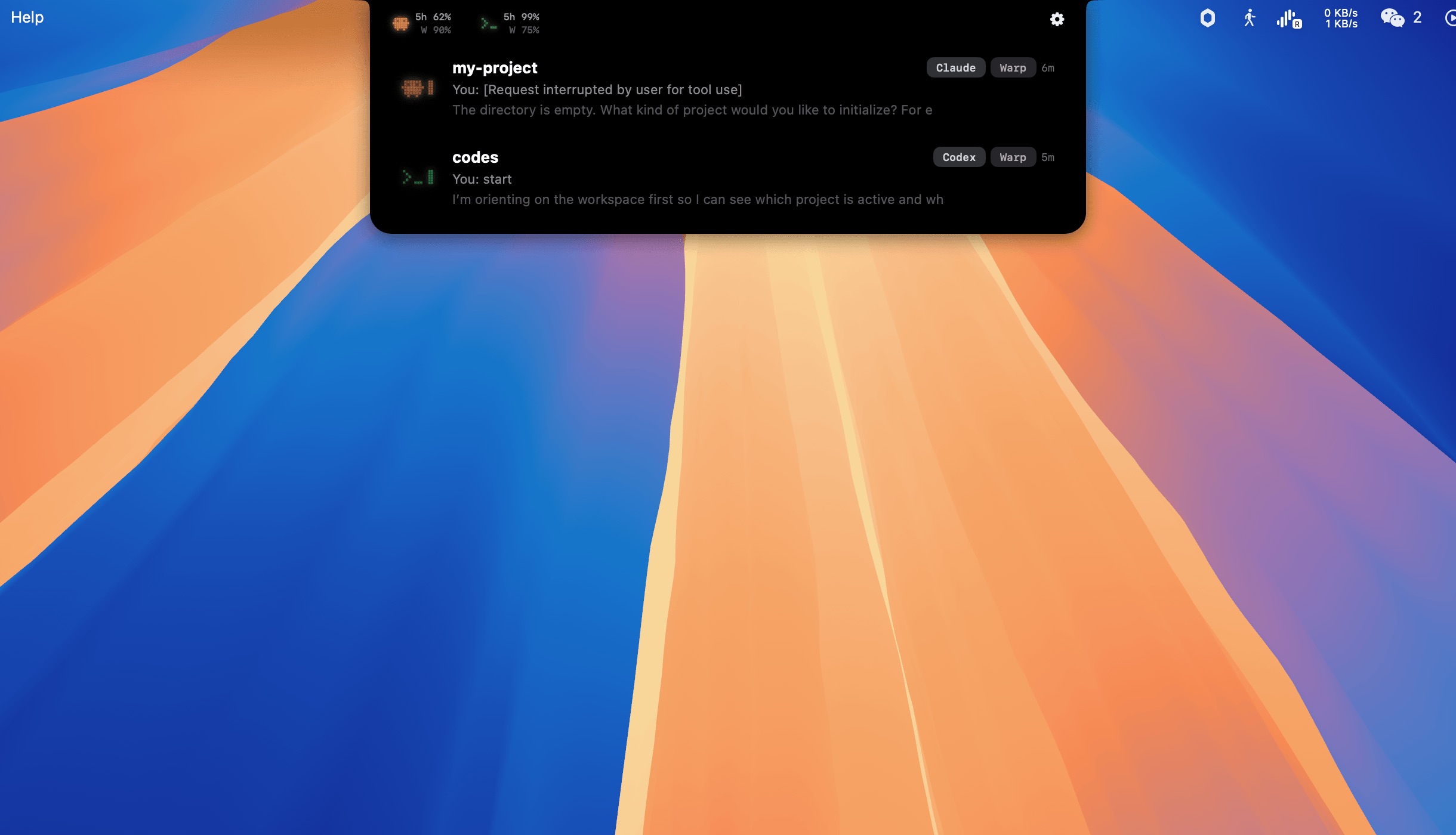
- Live Session Monitoring — See every Claude Code and Codex session running on your machine, with real-time status updates via hooks
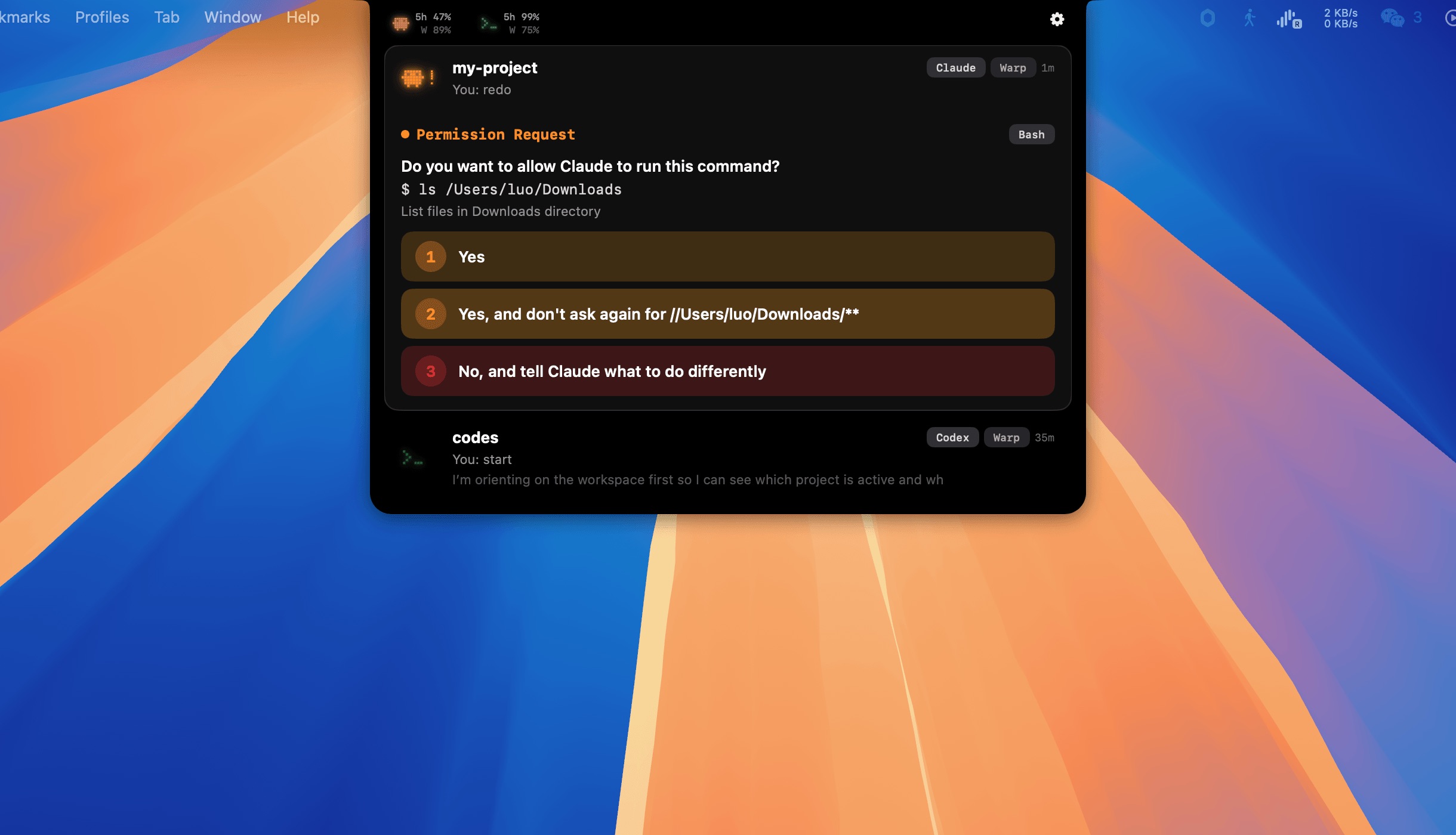
- Permission Routing — Intercepts permission prompts and shows them in a native banner. Allow, deny, or allow-always without switching to the terminal
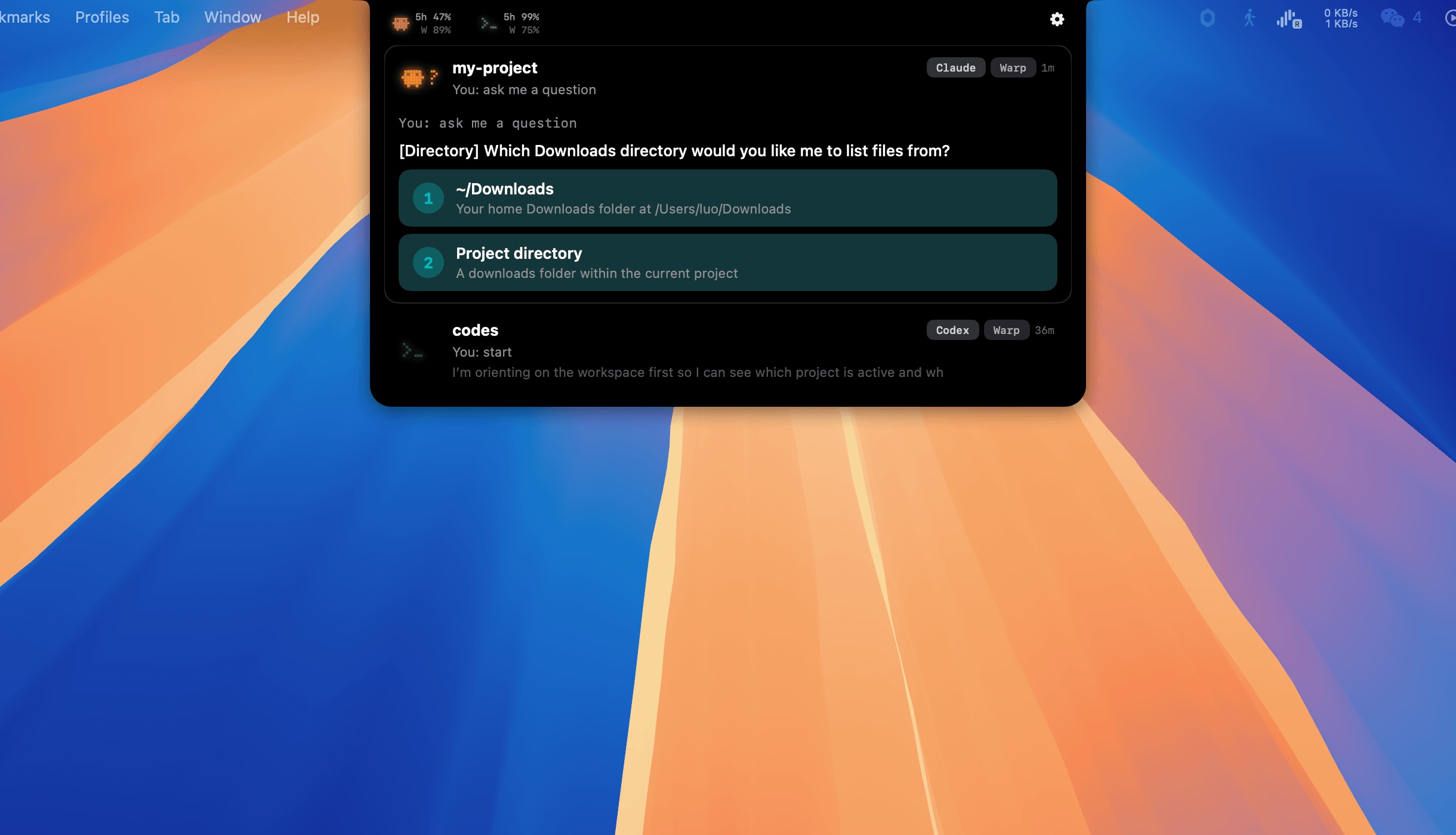
- Question Answering — When Claude asks a question, see it with clickable options. Answer directly from the UI
- Usage Tracking — Monitor your 5-hour and weekly rate limits for both Claude and Codex at a glance
- Terminal Jump — Click any session to jump directly to its terminal window (Warp, Ghostty, iTerm2, VS Code, Terminal.app)
- Sound Notifications — Customizable sound effects for permissions, questions, and completions (Mario, Pop, Chime presets or custom)
- Plan Mode Detection — Shows "Waiting for plan approval" when Claude enters plan mode
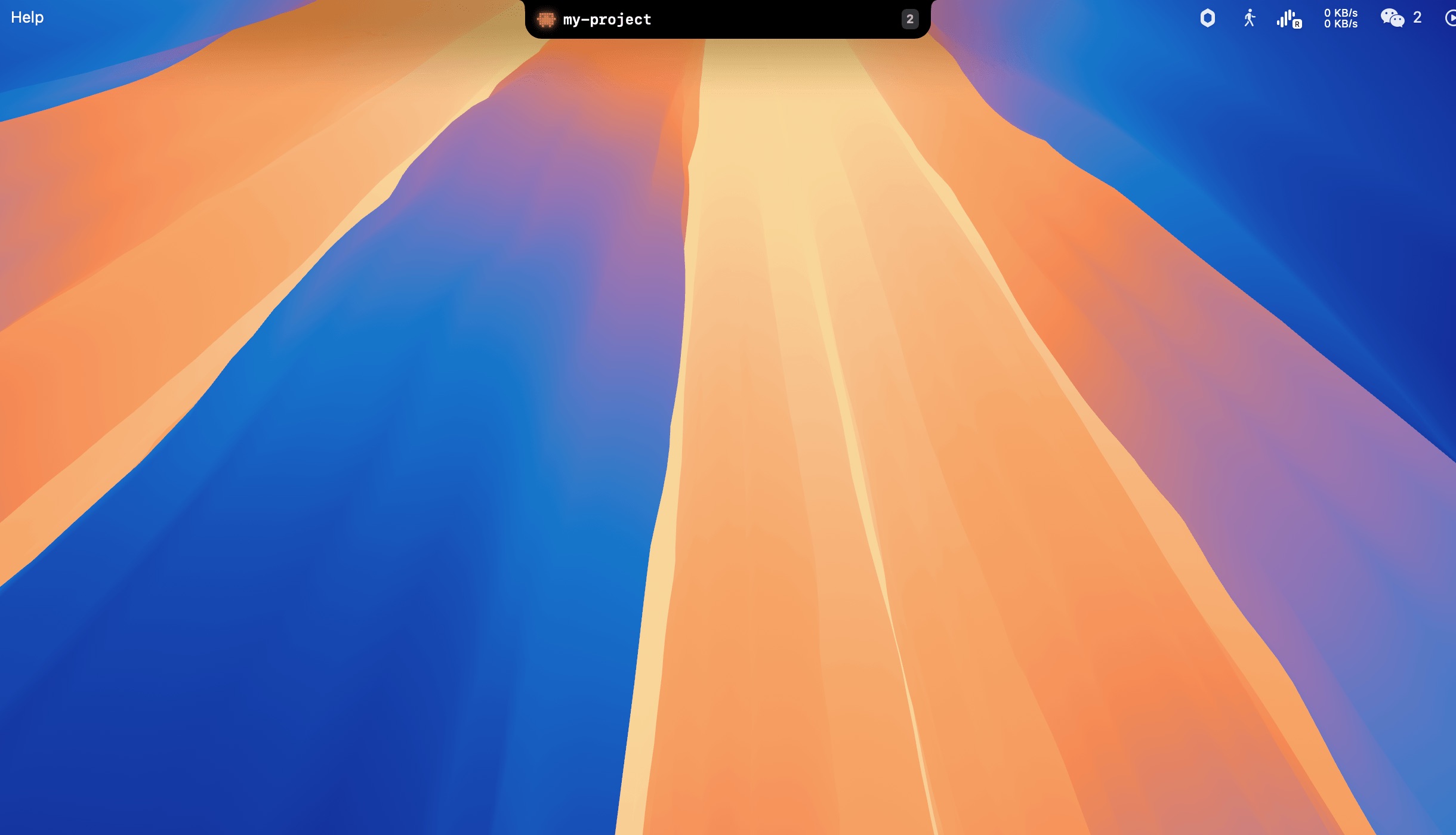
Compact Bar
Ask Question
Permission Request
Install
- Download
CoderIsland-1.0.0.dmgfrom Releases - Drag Coder Island to Applications
- Launch — it appears in the macOS notch area
- Open Settings and enable "Answer questions & permissions in Coder Island" for hook integration
Users may need to right-click → Open on first launch to bypass Gatekeeper.
Requirements
- macOS 14 Sonoma or later
Build from Source
# Debug build
xcodebuild -project CoderIsland.xcodeproj -scheme CoderIsland -configuration Debug build

# Package DMG
./scripts/package-dmg.sh
Settings
Agent Monitoring
- Claude Code / OpenAI Codex CLI — Toggle which agents to monitor
Interaction
- Answer questions & permissions in Coder Island — Installs hook scripts so permission prompts and questions appear in the app's UI instead of blocking the terminal. Requires restarting active Claude Code sessions after enabling.
Sound
- Sound effects — Toggle audio notifications on/off
- Sound preset — Choose from Mario, Pop, or Chime built-in sound profiles
- Per-event toggles — Enable/disable sounds individually for permission requests, questions, task completions, and app start
- Custom sounds — Import your own audio files for any event
System
- Launch at login — Start Coder Island automatically after login
- Display — Choose which screen the notch panel lives on (automatic or manual)
- Accessibility — Required for terminal tab switching and foreground app detection. Grant access when prompted.
Behaviour
- Smart suppression — Don't auto-expand the panel when the agent's terminal window is already in focus. Prevents the notch from popping out on top of what you're already looking at.
- Show usage limits — Display Claude/Codex usage icons in the expanded panel header
- Detailed usage display — Show 5-hour and weekly remaining percentages inline next to the agent icons, not just on hover
- Hide in fullscreen — Automatically hide Coder Island when any app enters fullscreen mode
How It Works
Coder Island discovers sessions by scanning ~/.claude/sessions/ and ~/.codex/sessions/. When hooks are enabled, it installs lightweight shell scripts that relay Claude Code events to the app via a Unix domain socket — zero latency.
The app lives in the macOS notch area (or menu bar on non-notch Macs). Hover to expand, click a session to jump to its terminal.
Tech
- Swift & SwiftUI
- Unix Socket IPC
- ~11K lines of code
License
MIT
Reviews (0)
Sign in to leave a review.
Leave a reviewNo results found