home-companion
Health Uyari
- License — License: GPL-3.0
- Description — Repository has a description
- Active repo — Last push 0 days ago
- Low visibility — Only 7 GitHub stars
Code Gecti
- Code scan — Scanned 12 files during light audit, no dangerous patterns found
Permissions Gecti
- Permissions — No dangerous permissions requested
Bu listing icin henuz AI raporu yok.
Lightweight voice companion for Home Assistant on old smart displays: on-device wake word and reflexes, an animated character, AirPlay music and screen mirroring.
🎩 home-companion
A lightweight voice companion for Home Assistant that turns an old smart display into a desk assistant with
a face: a wake word heard on the device, an animated character on the screen, local timers and alarms, AirPlay
music and screen mirroring, and your Home Assistant dashboard one tap away. The thinking is done by the AI you
already set up in Home Assistant (Google Gemini, OpenAI, Anthropic, a local model): no API key on the device,
no cloud of ours.
The first device is the Lenovo ThinkSmart View (2 GB, a phone-class Snapdragon) running
thinksmart-view-debian; the first character is Alfred, an
elderly butler.





If this project saved you some time, you can also
buy me a coffee ☕: it keeps the next one coming.
What it does
🗣️ Talk to it
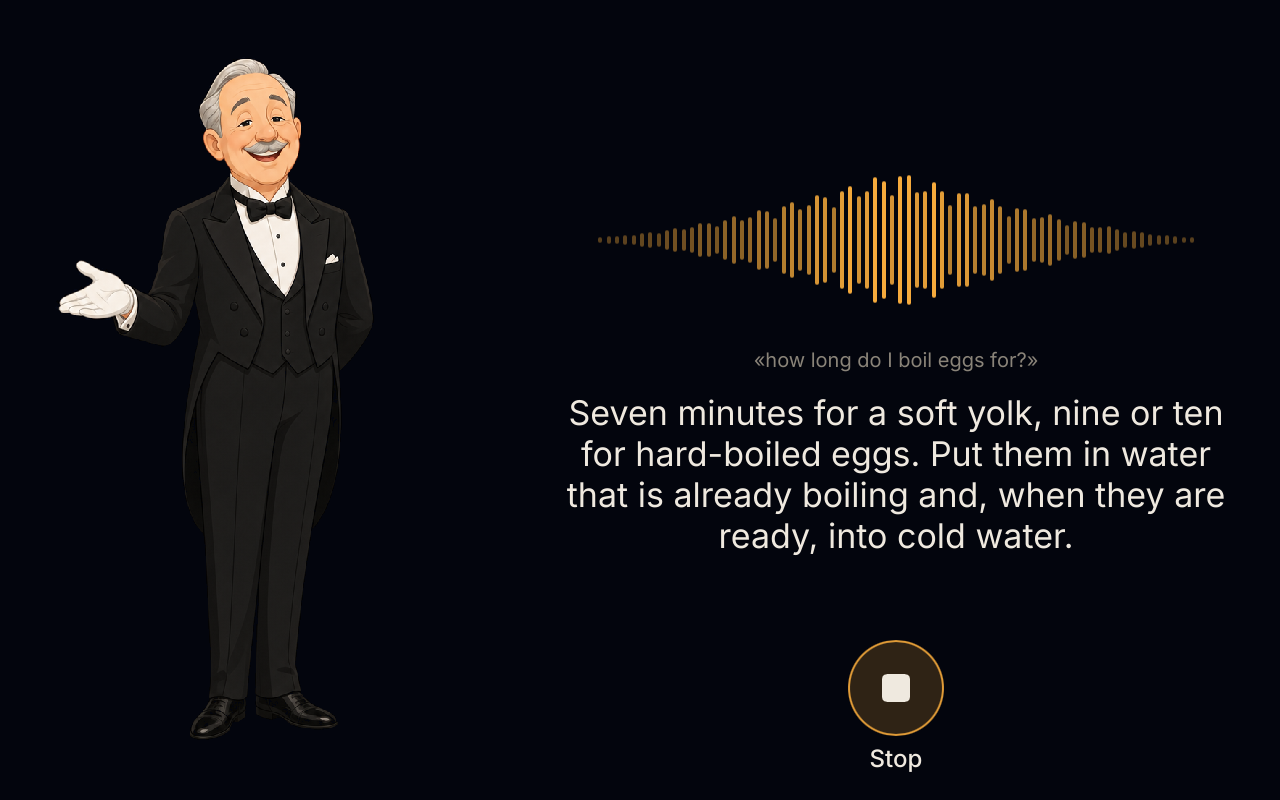
Say "Okay Alfred": the wake word is heard on the device, and no audio leaves it before that. Your question
goes to Home Assistant's own voice pipeline (your speech-to-text, your AI agent, your voice) and Alfred answers on
the screen and out loud. "Stop" or "basta" interrupts him; after a question of his, a "no thanks" closes it.
Reflexes: the time, timers, alarms, the volume and the music ("what time is it", "set a timer for 10 minutes",
"next song") are understood on the device (Vosk with a closed grammar): instant, and they work with the Wi-Fi
down. Anything else goes to Home Assistant.
Tools for your AI: the device lends Home Assistant's agent its own tools over HA's built-in MCP client —
memories, reminders, the shopping list, timers and alarms, and the house with safety gates (covers and valves
only after a "yes"; locks, alarms, doors and gates never by voice).
🏠 The home screen
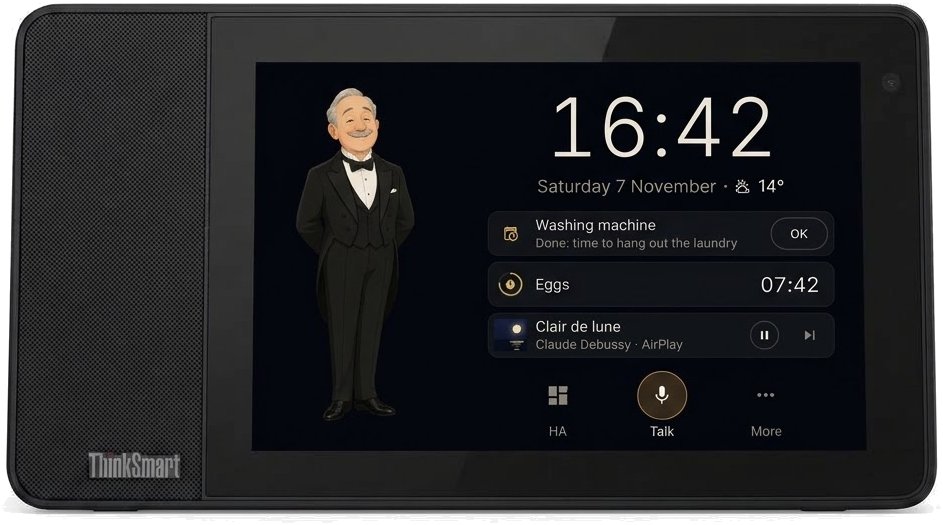
The clock, the date and Home Assistant's weather, and one card per thing that matters now: a due reminder, the
running timers, the next alarm, what AirPlay is playing, a mirrored screen to go back to. Below: HA, Talk
and More (memories, reminders, shopping, settings); a pull from the top edge opens the control centre (volume,
brightness, microphone, AirPlay, night). At night only the clock stays, dimmed;
the brightness follows the room's light.
⏱️ Timers, alarms and reminders, on the device
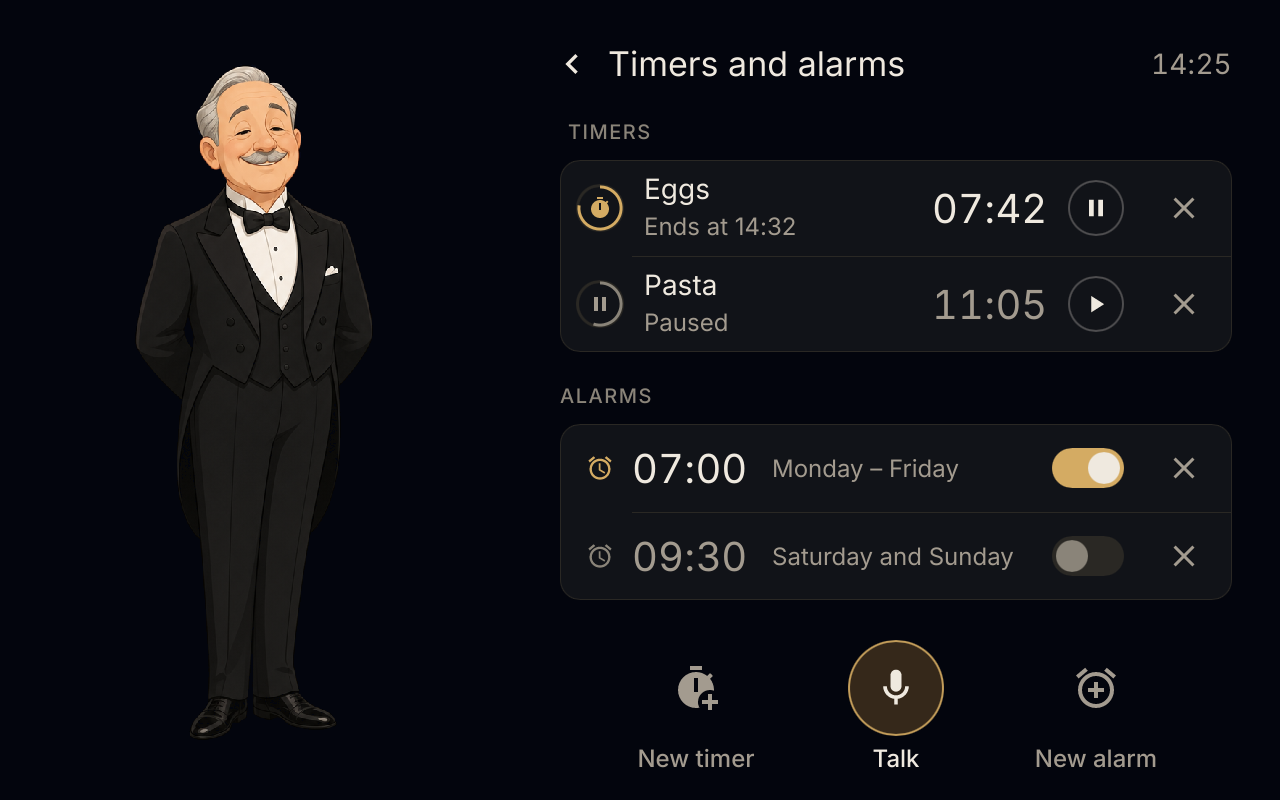
Timers and alarms live on the device: "set a timer for 10 minutes", "wake me up at 7", "how much time is left",
"cancel the timer" are reflexes, understood locally and done at once, and they ring even with the Wi-Fi or Home
Assistant down. Several timers at a time, pause and resume, alarms on chosen days; Home Assistant sees them as the
satellite's timers.
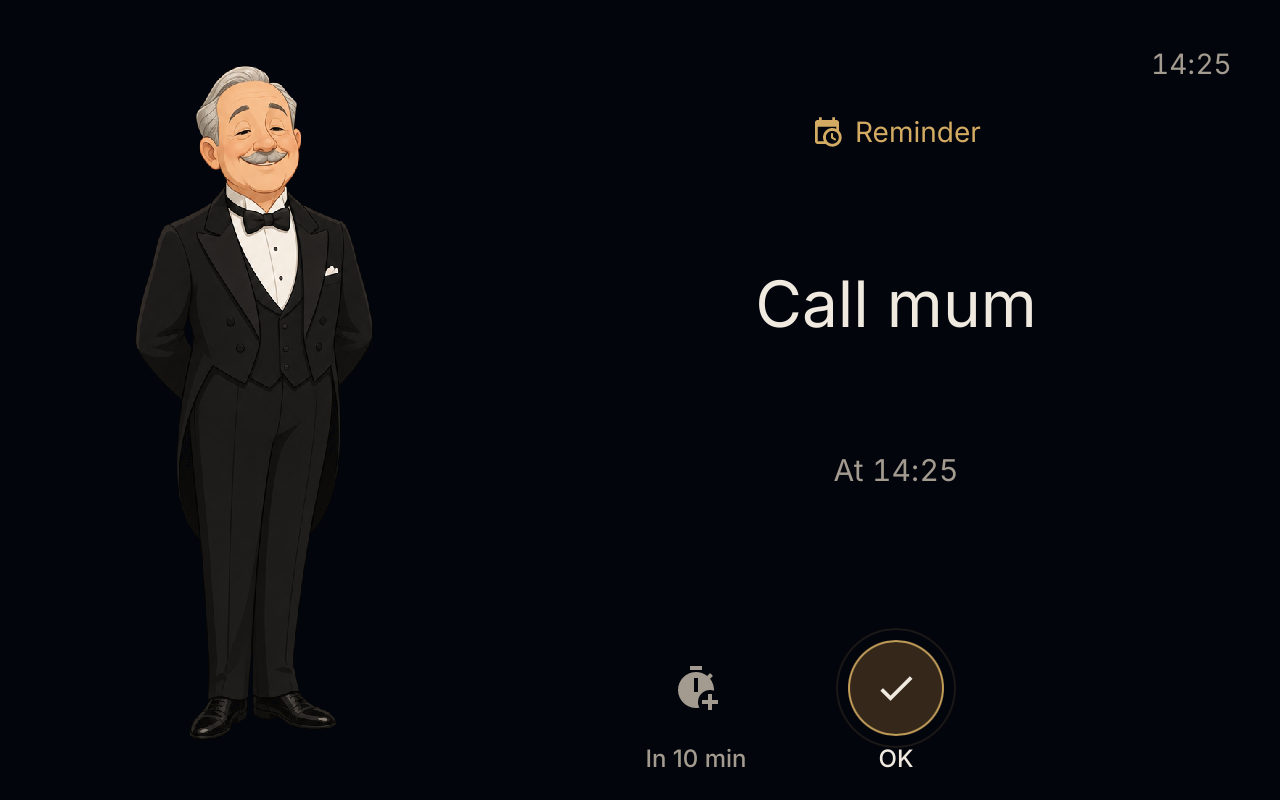
Reminders come from your AI ("remind me to call mum at five"): Alfred keeps them on the device and, when one is
due, shows it full screen with a chime until you tap OK, or say "stop", or put it off ten minutes.
📊 Home Assistant on the screen
Your Home Assistant dashboard full screen, kept loaded in the background so it opens at once. The gold button, or
a swipe from its edge, brings you back to Alfred; "Okay Alfred" still works over it.
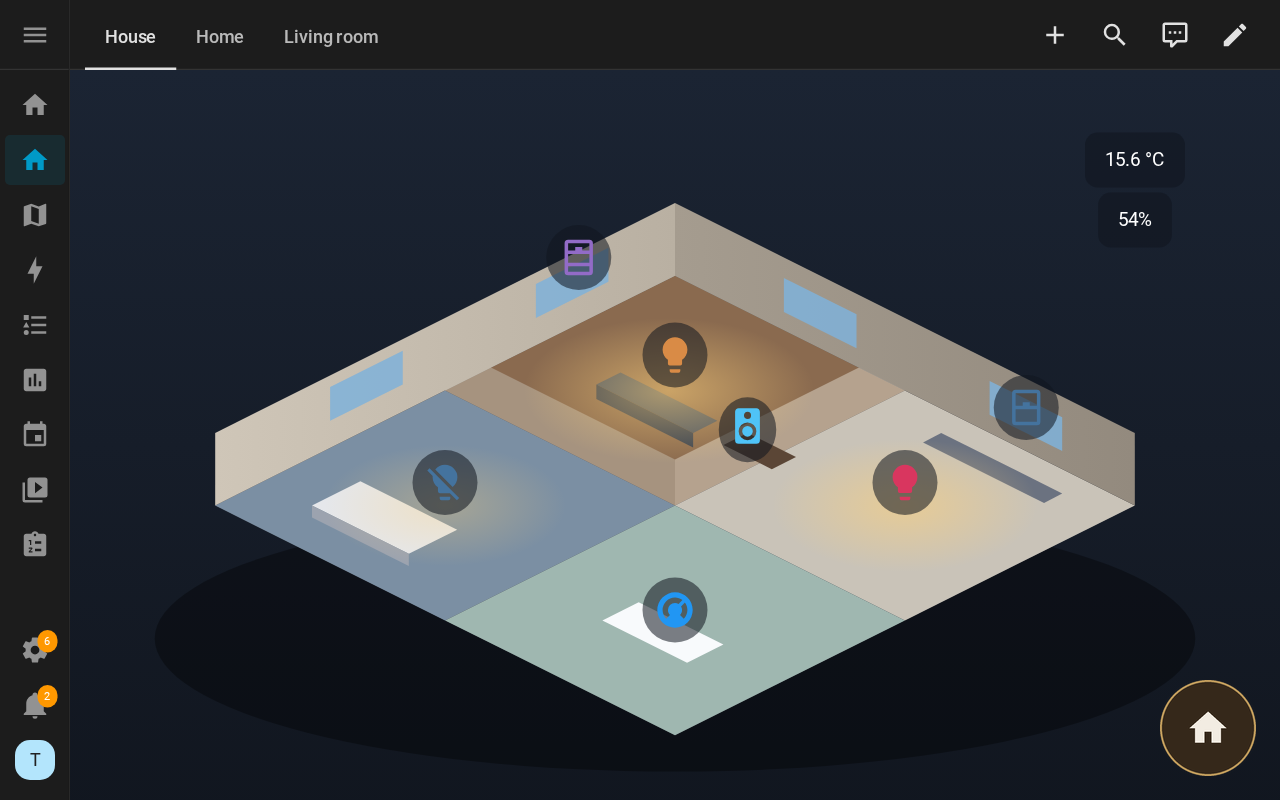
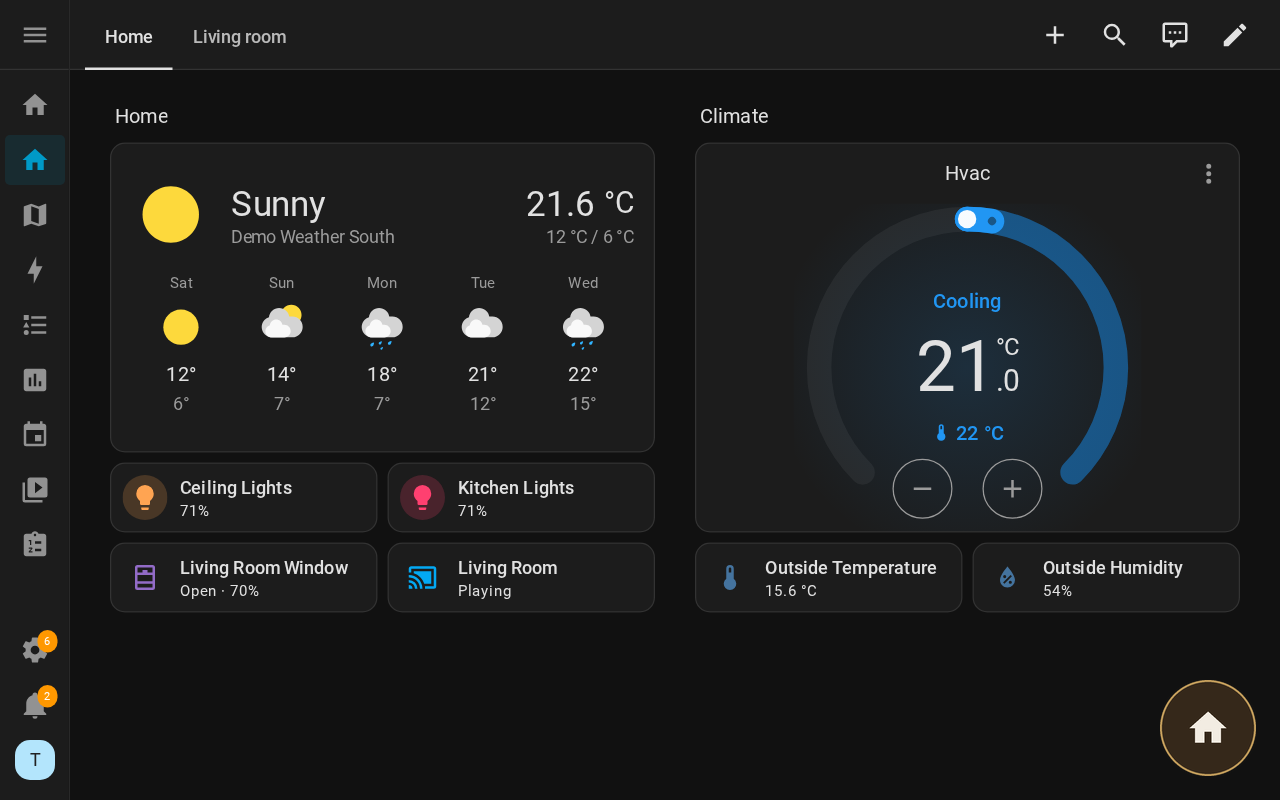
A test Home Assistant with its demo devices.
🎵 AirPlay: music and screen mirroring
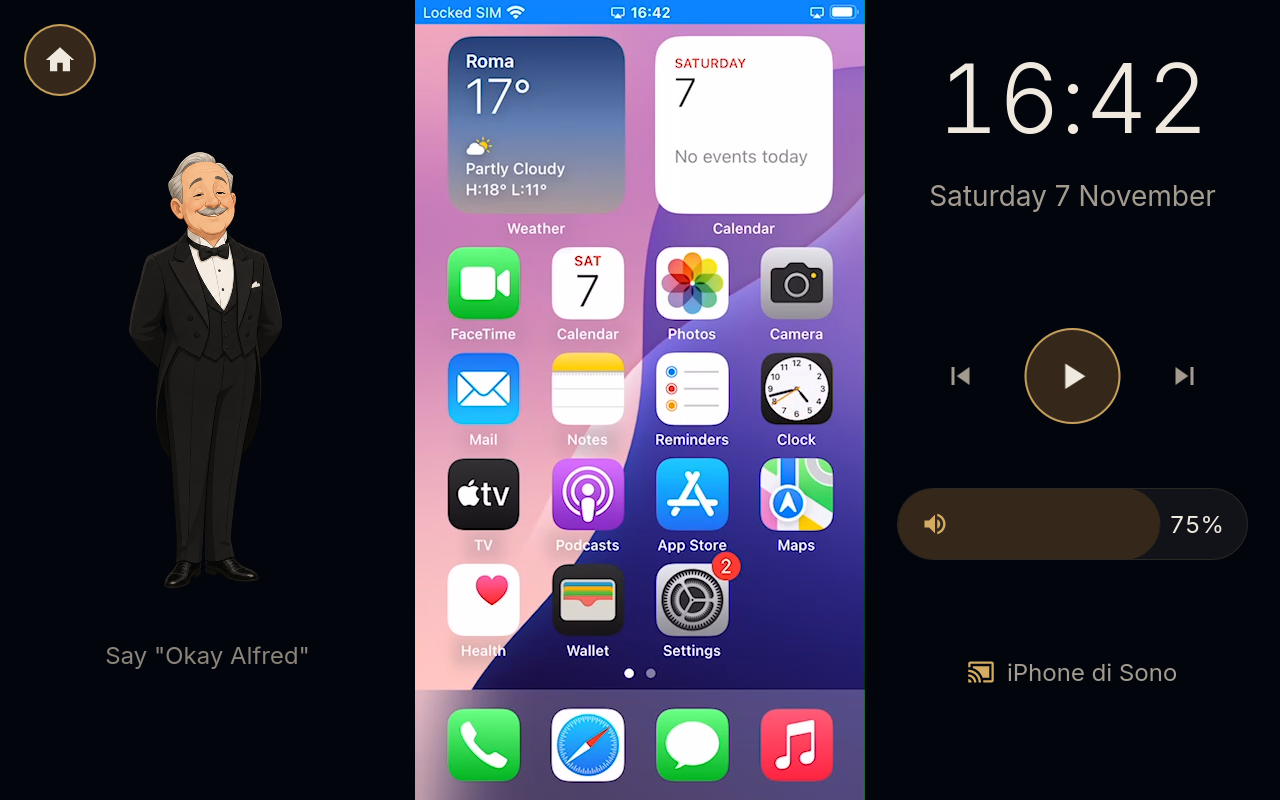
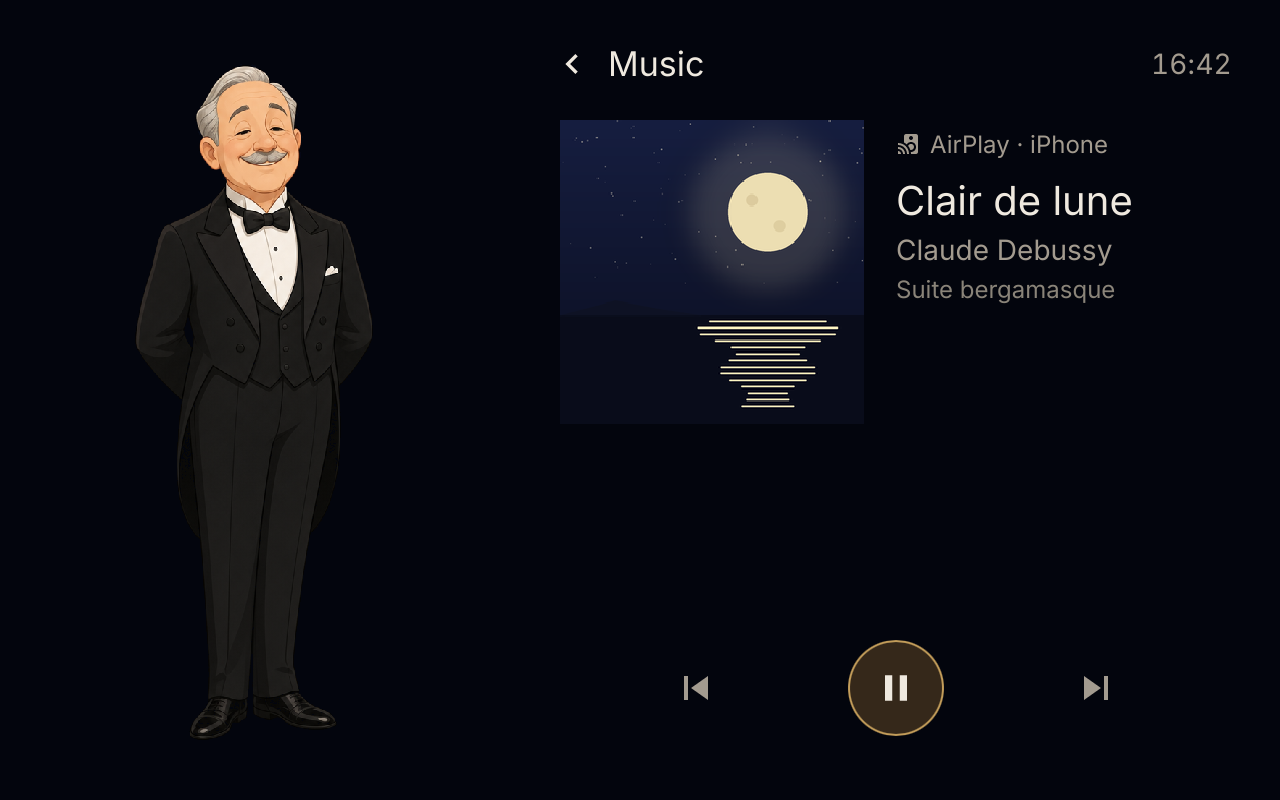
Pick the device in the AirPlay menu of an iPhone, an iPad or a Mac. Music shows its title and cover, can be
paused and skipped from the screen or by voice, and the phone's volume slider is the device's volume; the music
goes quiet while Alfred listens. Screen mirroring uses the hardware video decoder: upright, Alfred and the
controls stay at the sides; sideways, the picture fills the screen and the controls come with a tap.
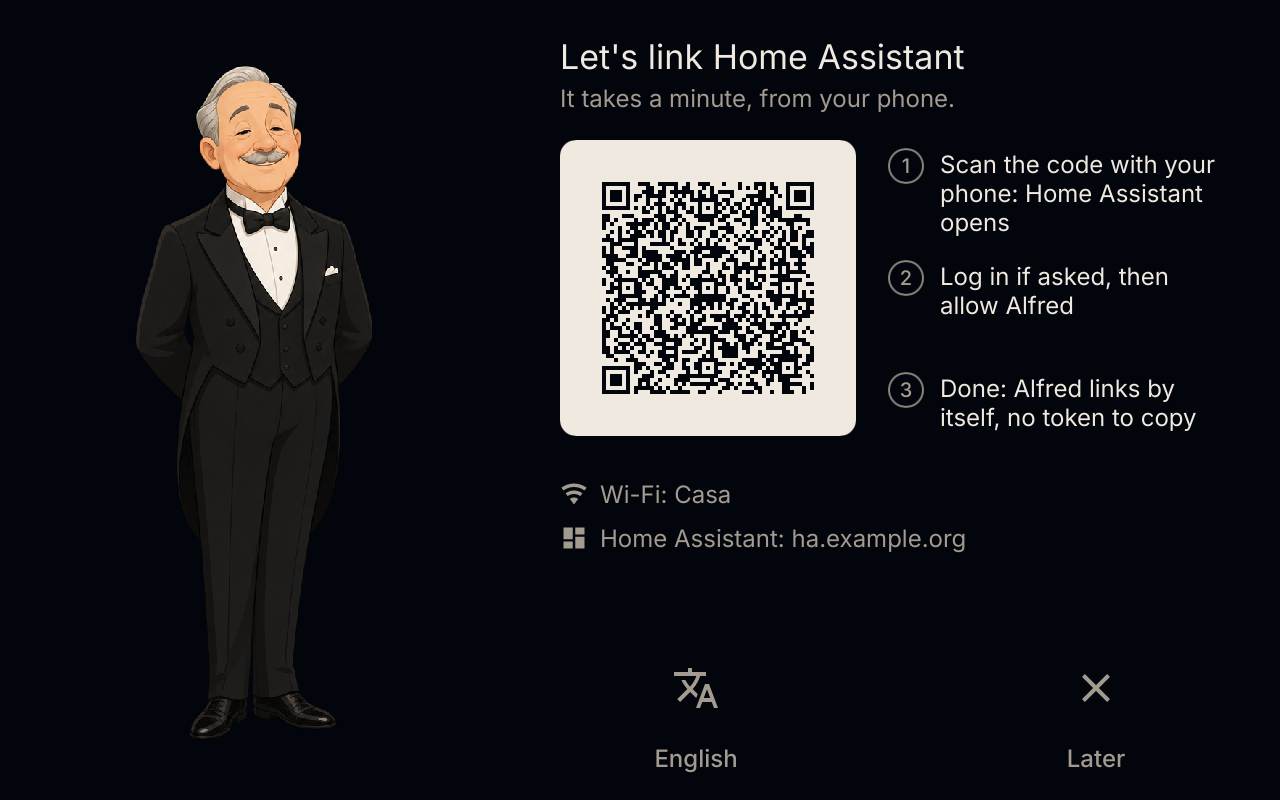
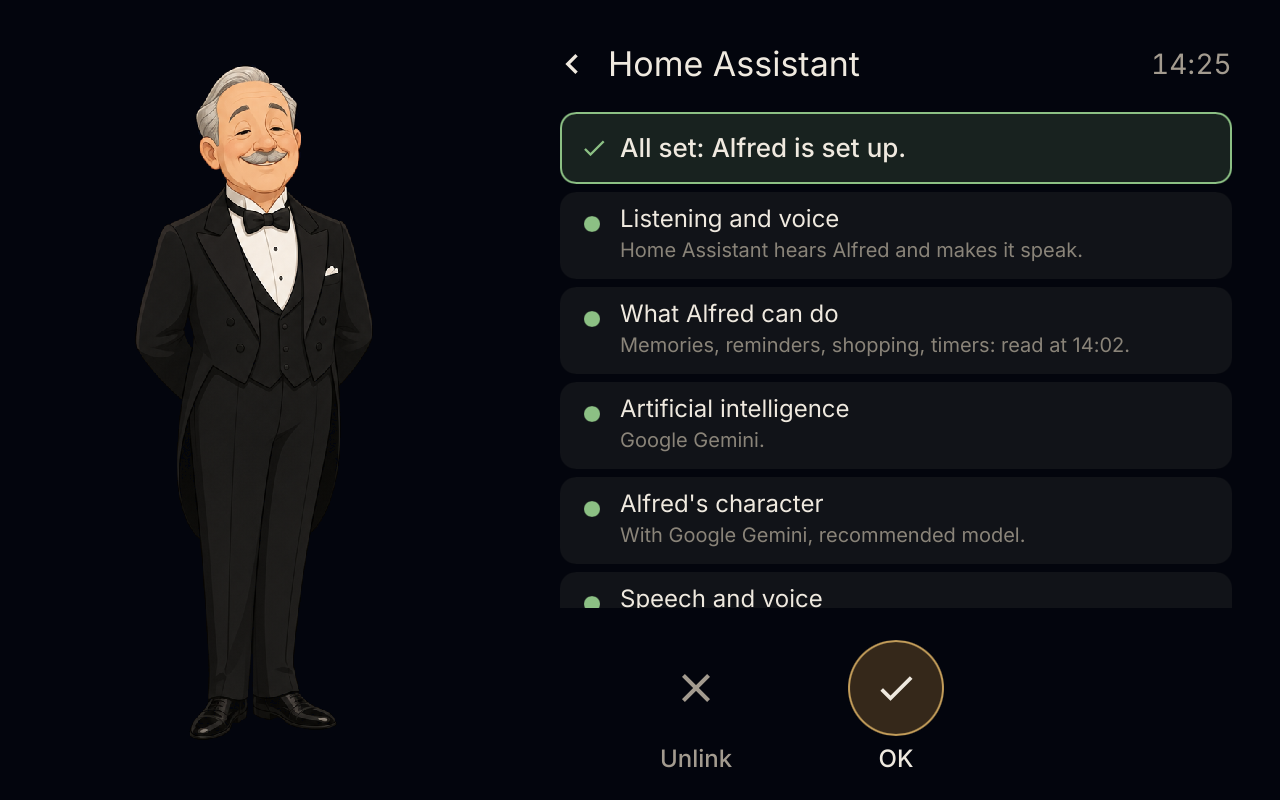
🔗 Set up from the screen
At the first start the screen asks the language, finds Home Assistant on the network and shows a QR code: open it
with a phone logged in to Home Assistant and the device sets itself up there — the Wyoming satellite, its tools
over MCP, Alfred's agent under your AI and his voice pipeline. Nothing to type, nothing to copy.
🪶 Light
Written in Rust for a 2 GB device. On the ThinkSmart View the body uses ~120 MB, the reflexes ~140 MB and the
preloaded dashboard ~450 MB, on a system that uses 190 MB by itself.
How it works
 the device (home-companion)                       Home Assistant
 ┌──────────────────────────────────┐              ┌─────────────────────────────────┐
 │ wake word, reflexes, timers,     │   Wyoming    │ voice pipeline: STT → agent →   │
 │ screen, audio, AirPlay           │ ───────────▶ │ TTS (yours, e.g. Gemini)        │
 │                                  │              │                                 │
 │ home-companion-brain             │  MCP (HTTP)  │ the agent "Alfred" uses the     │
 │ memory, reminders, gates         │ ◀─────────── │ device's tools                  │
 └──────────────────────────────────┘              └─────────────────────────────────┘
Home Assistant does the thinking; the device is its body. Only what a normal Home Assistant installation has is
used: Wyoming, the MCP client, the WebSocket API with the token from the QR link, ai_task. No add-ons, no MQTT,
no second key.
Install
You need a Lenovo ThinkSmart View with thinksmart-view-debian
v0.3-rc3 or later, built with WEB=1 (the Home Assistant view) and AIRPLAY=1 (AirPlay) if you want them. The
system image is where the Wi-Fi and your ssh key are set. Then, on the device:
curl -LO https://github.com/m0s4ik/home-companion/releases/download/v0.1.0/home-companion-0.1.0-arm64.tar.gz
tar xzf home-companion-0.1.0-arm64.tar.gz
cd home-companion-0.1.0-arm64 && ./install.sh
The installer asks nothing: it checks the system (it never lets apt replace the image's Mesa), installs the
programs and the services, downloads the speech models of every language and starts. Then follow the screen:
language → Home Assistant (found on the network) → QR code. Options (--language, --ha-url, --no-airplay,--uninstall, --dry-run…) and the manual steps are in packaging/README.md.
To change the Wi-Fi later: nmcli device wifi connect "<ssid>" password "<password>" on the device.
Languages
Italian and English, complete: the screen (locales/), the reflexes' grammar
(characters/alfred/grammar/) and the speech model the installer downloads. With any other language set in Home
Assistant, the device still works — Home Assistant answers in its language — without the local reflexes.
Adding a language: a locales/<lang>.toml, a characters/alfred/grammar/<lang>.toml, the number words incrates/reflex/src/slots.rs, and the Vosk model in the installer'sVOSK_MODELS table.
Build from source
Cross-compiled from an amd64 Debian 13 with the arm64 multiarch libraries:
cargo build --release --target aarch64-unknown-linux-gnu -p home-companion --no-default-features --features fbdev,gpu
cargo run -p home-companion -- --simulator          # the screen in a window on a laptop
tools/release/build-bundle.sh 0.1.0                 # the release bundle
Contributing, with or without a coding assistant: AGENTS.md.
The design: docs/design.md and the screen: docs/ui.md.
Licences and credits
- home-companion: GPL-3.0-or-later (LICENSE). The character Alfred (pictures, phrases, sounds):
CC0-1.0 (characters/alfred). - Third parties, all listed in the release bundle's
THIRD-PARTY.md: UxPlay
(GPL-3.0, patched:tools/airplay/), femtovg (MIT/Apache-2.0, patched:third_party/), Slint (GPL-3.0), Vosk (Apache-2.0),
TensorFlow Lite Micro (Apache-2.0). - Wake word "Okay Alfred": Tater Totterson (MIT); "stop":
ESPHome's (Apache-2.0). - ⚠️ The stop words "basta" and "stop_alfred" were trained here on synthetic speech that includes some
Piper voices whose datasets allow non-commercial use only. Fine for a
personal device; if you build something commercial, retrain them (see
characters/alfred/stopword/README.md).
An independent project, not affiliated with Home Assistant or Lenovo; ThinkSmart is a trademark of its owner.
Yorumlar (0)
Yorum birakmak icin giris yap.
Yorum birakSonuc bulunamadi