claude-usage-widget
Health Uyari
- License — License: MIT
- Description — Repository has a description
- Active repo — Last push 0 days ago
- Low visibility — Only 5 GitHub stars
Code Basarisiz
- rm -rf — Recursive force deletion command in install.sh
- network request — Outbound network request in widget-server.py
Permissions Gecti
- Permissions — No dangerous permissions requested
This is a native macOS menu bar and desktop widget that displays your Anthropic Claude usage statistics in real time, including session, weekly, and model-specific limits. It uses the existing Claude CLI OAuth token to monitor usage.
Security Assessment
The application accesses sensitive data by reading your Claude authentication token directly from the macOS Keychain. It makes outbound network requests to Anthropic's API to fetch your usage data. A significant concern is the presence of a recursive force deletion command (`rm -rf`) within the manual installation script. While common in build scripts to clean up directories, a small typo or unexpected path variable in the script could result in accidental data loss on your machine. No hardcoded secrets were detected, and the app does not request broad, dangerous system permissions. Overall risk is rated as Medium.
Quality Assessment
The project is actively maintained and utilizes a standard MIT license, which is excellent for open-source transparency. However, community trust and visibility are currently very low. With only 5 GitHub stars, the tool has not been widely examined by the broader developer community, meaning potential security flaws or bugs might be undiscovered.
Verdict
Use with caution — while the core app is functionally sound, the low community visibility and potentially destructive `rm -rf` command in the manual install script warrant a careful review of the script before executing it.
macOS menu bar app + desktop widget showing Claude usage in real time — session, weekly, Sonnet 4.5 & extra credits. One-command install, no Apple Developer account needed.
Claude Usage Widget
A native macOS menu bar app + desktop widget that shows your Anthropic Claude usage in real time — session %, weekly %, and Sonnet 4.5 weekly %.





Screenshots
Menu bar
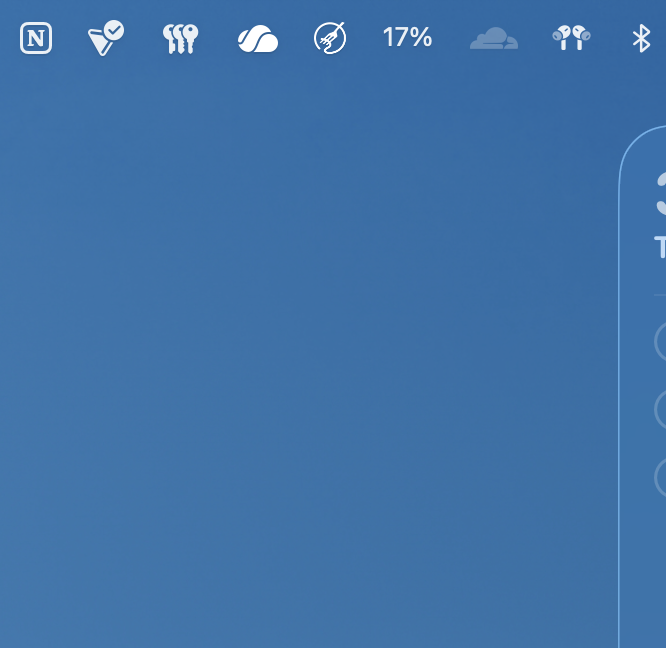
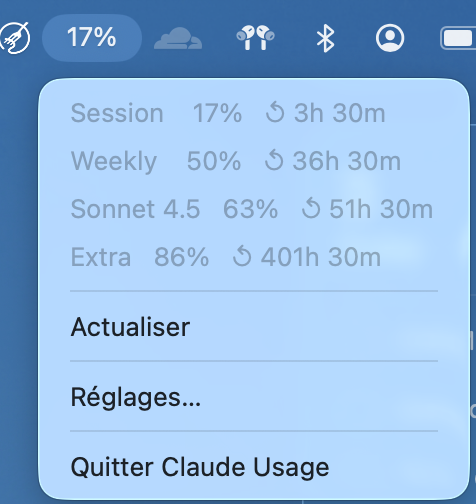
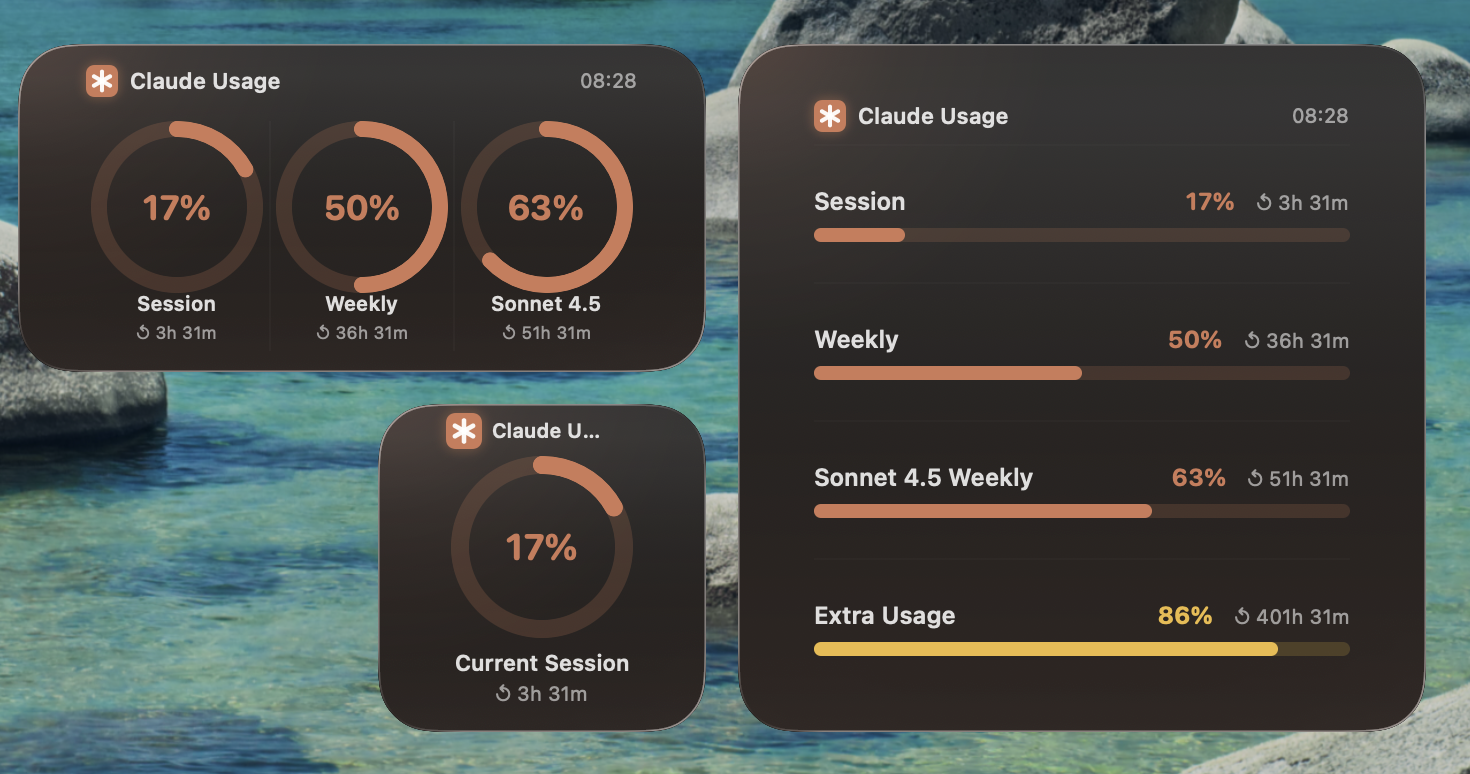
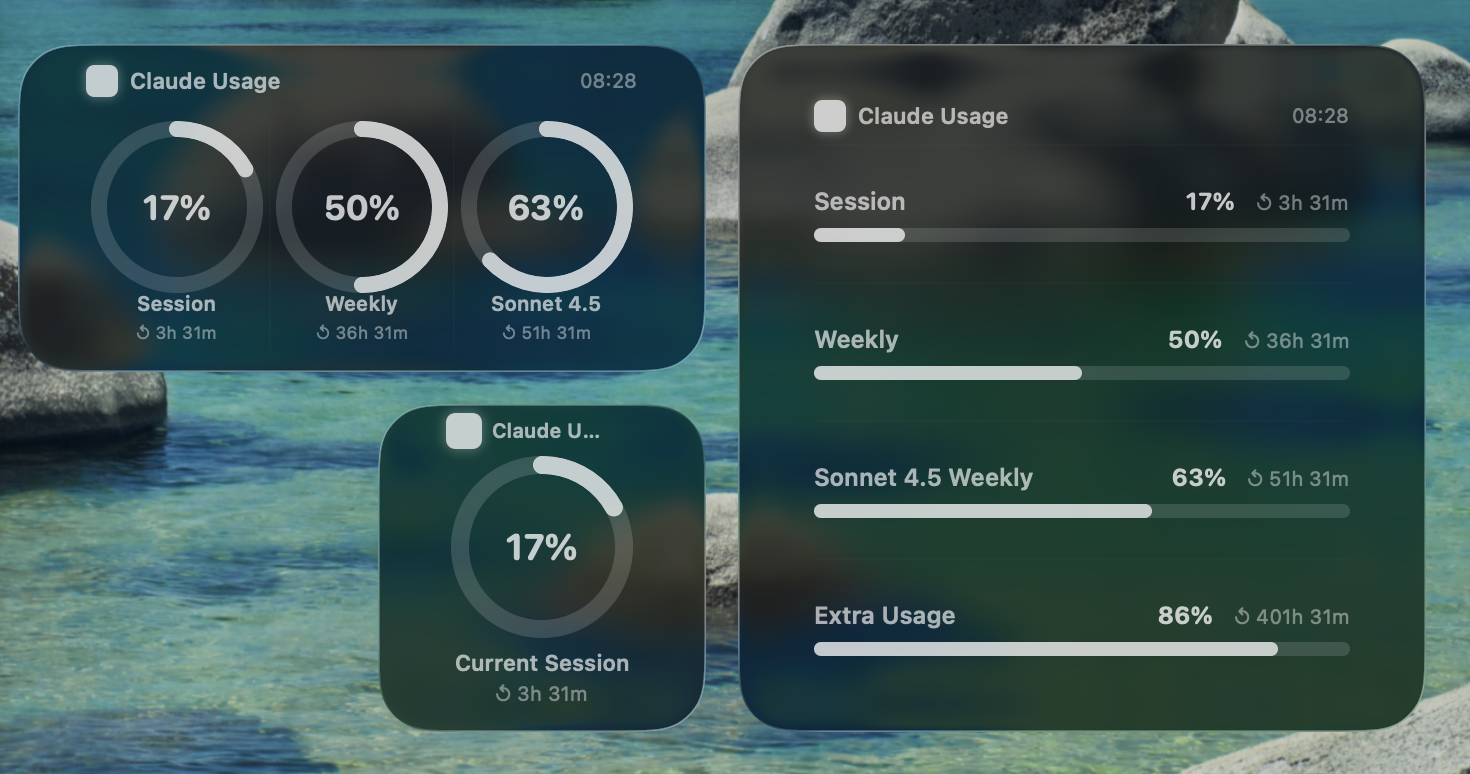
Desktop widget — Dark mode
| Focused | Background (another window active) |
|---|---|
 |
 |
Desktop widget — Light mode
| Focused | Background (another window active) |
|---|---|
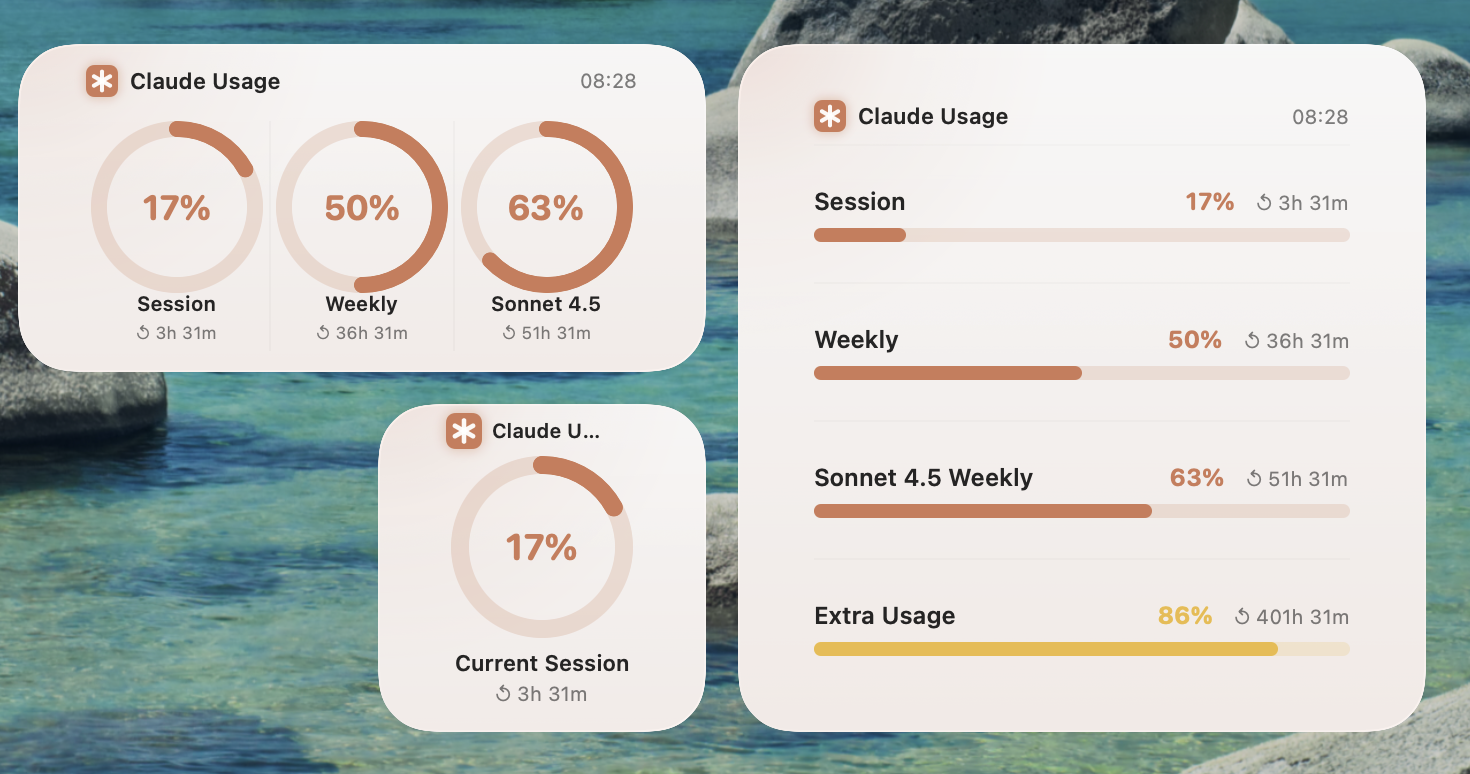 |
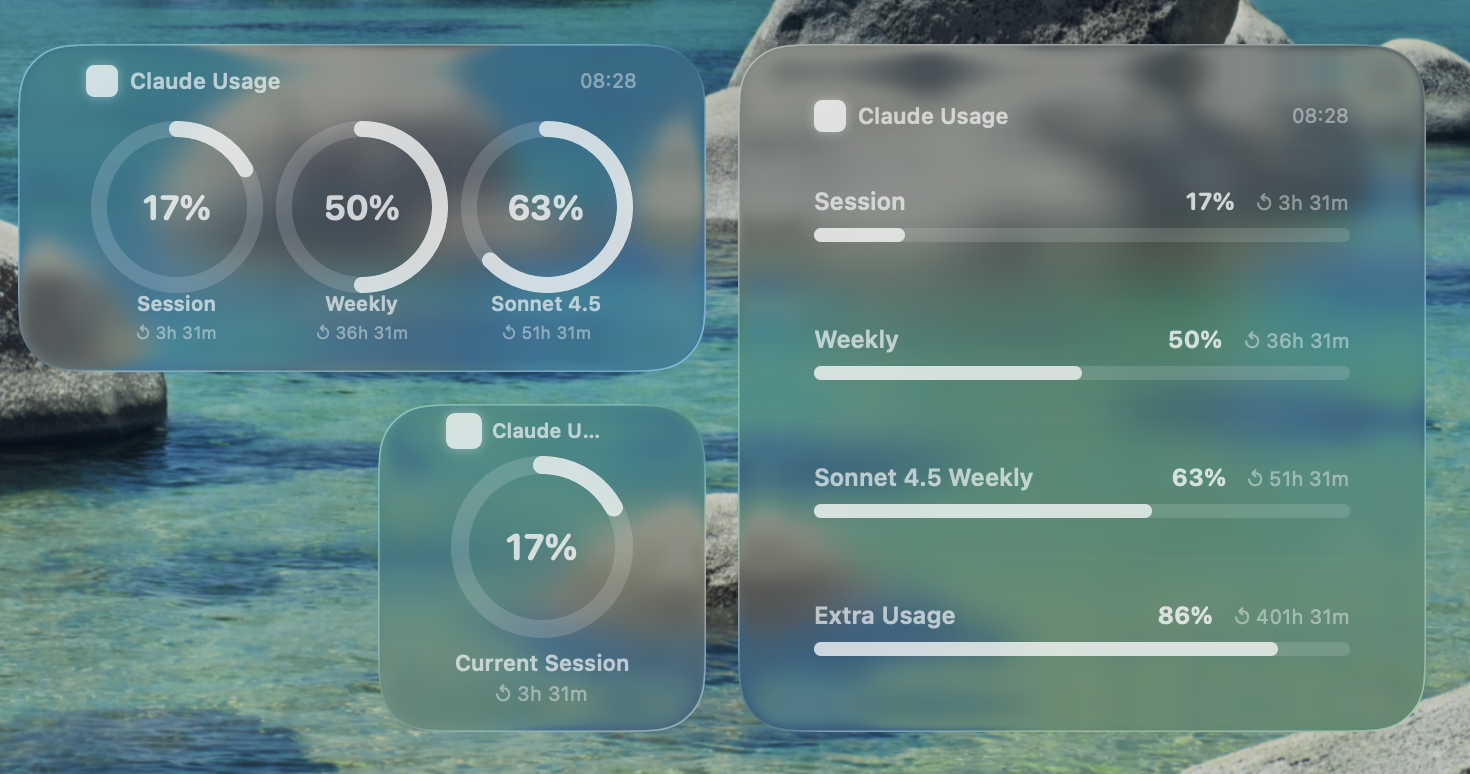 |
What it shows
| Metric | What it measures |
|---|---|
| Session | Rolling 5-hour usage window |
| Weekly | Rolling 7-day usage window |
| Sonnet 4.5 | Sonnet-specific 7-day window (when applicable) |
| Extra usage | Pay-as-you-go credits (when enabled), resets monthly |
- Menu bar icon displays current session % at a glance — color-coded (green / orange / red)
- Desktop widget in Small / Medium / Large with Liquid Glass background, tap to open app
- Threshold notifications when usage crosses 80% or 90% (configurable)
- Usage history — 7-day line chart accessible from the menu bar
- Configurable refresh interval (1 / 2 / 5 / 10 min) in Settings
- Refreshes every 5 minutes by default
Authentication & cost
| Mode | How it works | Cost |
|---|---|---|
| OAuth (default) | Reads Claude CLI's token from the macOS Keychain, calls GET /api/oauth/usage — a read-only monitoring endpoint |
Free — no tokens generated |
| API key (fallback) | Sends one minimal Haiku request (1 output token) to read rate-limit response headers | ~$0.0015/day |
If you have Claude Code installed and are logged in, the app uses OAuth automatically. No configuration needed.
Quick install
Option 1 — Homebrew (recommended)
brew install --cask malek-gatoufi/tap/claude-usage-widget
Option 2 — Manual
git clone [email protected]:malek-gatoufi/claude-usage-widget.git
cd claude-usage-widget/claudeusage/ClaudeUsage
bash install.sh
See INSTALL.md for the full step-by-step guide.
Project structure
ClaudeUsage/
├── ClaudeUsageApp.swift          # @main, menu bar, UsageModel (ObservableObject)
├── DataFetcher.swift             # OAuth + API key auth, Anthropic API calls, cache
├── SettingsView.swift            # Settings window (SwiftUI)
├── ClaudeUsage.entitlements      # Sandbox: network.client + keychain
└── ClaudeUsageWidget/
    ├── ClaudeUsageWidget.swift   # Widget UI + live OAuth fetch
    ├── ClaudeUsageWidget.entitlements  # Sandbox: network.client
    └── ClaudeUsageWidgetBundle.swift
See ARCHITECTURE.md for a detailed explanation of how everything works.
FAQ
Widget shows DEMO data
Make sure the app is running (check menu bar). After a fresh build, kill the stale extension and let WidgetKit reload:
killall ClaudeUsageWidgetExtension 2>/dev/null; true
The first time the widget runs, macOS will prompt for Keychain access — click Always Allow.
Menu bar shows ⚙ (gear icon)
No auth found. Open Settings → either let Claude CLI OAuth be detected automatically, or enter an API key.
Sonnet 4.5 metric is missing
Your account plan may not have a separate Sonnet quota. The field only appears when the API returns seven_day_sonnet data.
Build fails with signing error
Set your Team in Xcode → Project → Signing & Capabilities for both targets. A free Apple ID works for local builds.
Yorumlar (0)
Yorum birakmak icin giris yap.
Yorum birakSonuc bulunamadi