claude-extension
Health Warn
- License — License: Apache-2.0
- Description — Repository has a description
- Active repo — Last push 0 days ago
- Low visibility — Only 8 GitHub stars
Code Fail
- rm -rf — Recursive force deletion command in package.sh
Permissions Pass
- Permissions — No dangerous permissions requested
This extension allows users to manage Linux and Windows servers via natural language through Claude. It acts as a bridge to deploy software, run security audits, and execute administrative tasks across a fleet of remote machines.
Security Assessment
The overall risk is High. By design, the tool connects to remote infrastructure to execute shell commands, modify configurations, and transfer files, which requires granting it extensive system access. The automated code scan failed because it detected a recursive force deletion command (`rm -rf`) in the `package.sh` script. While this is a common scripting utility, it raises the risk of accidental data destruction if triggered improperly. The repository does not request overtly dangerous standalone permissions and lacks hardcoded secrets, instead relying on an OAuth 2.0 framework for authentication. However, the core functionality involves making continuous external network requests to a cloud portal to communicate with your server agents.
Quality Assessment
The project has a clear Apache-2.0 license and is actively maintained, with recent pushes to the repository. However, community trust and visibility are currently very low. The repository has only 8 GitHub stars, meaning the codebase has undergone minimal public scrutiny or battle-testing by the broader developer community.
Verdict
Use with caution—the inherent risks of AI-driven fleet management combined with aggressive shell scripting necessitate thorough manual code review and strict testing in isolated environments before considering production use.
Manage Linux & Windows servers directly from Claude using natural language — MCP extension with 31 skills, multi-server targeting, security audits

Claude Code Extension
Manage Linux & Windows servers directly from Claude using natural language.




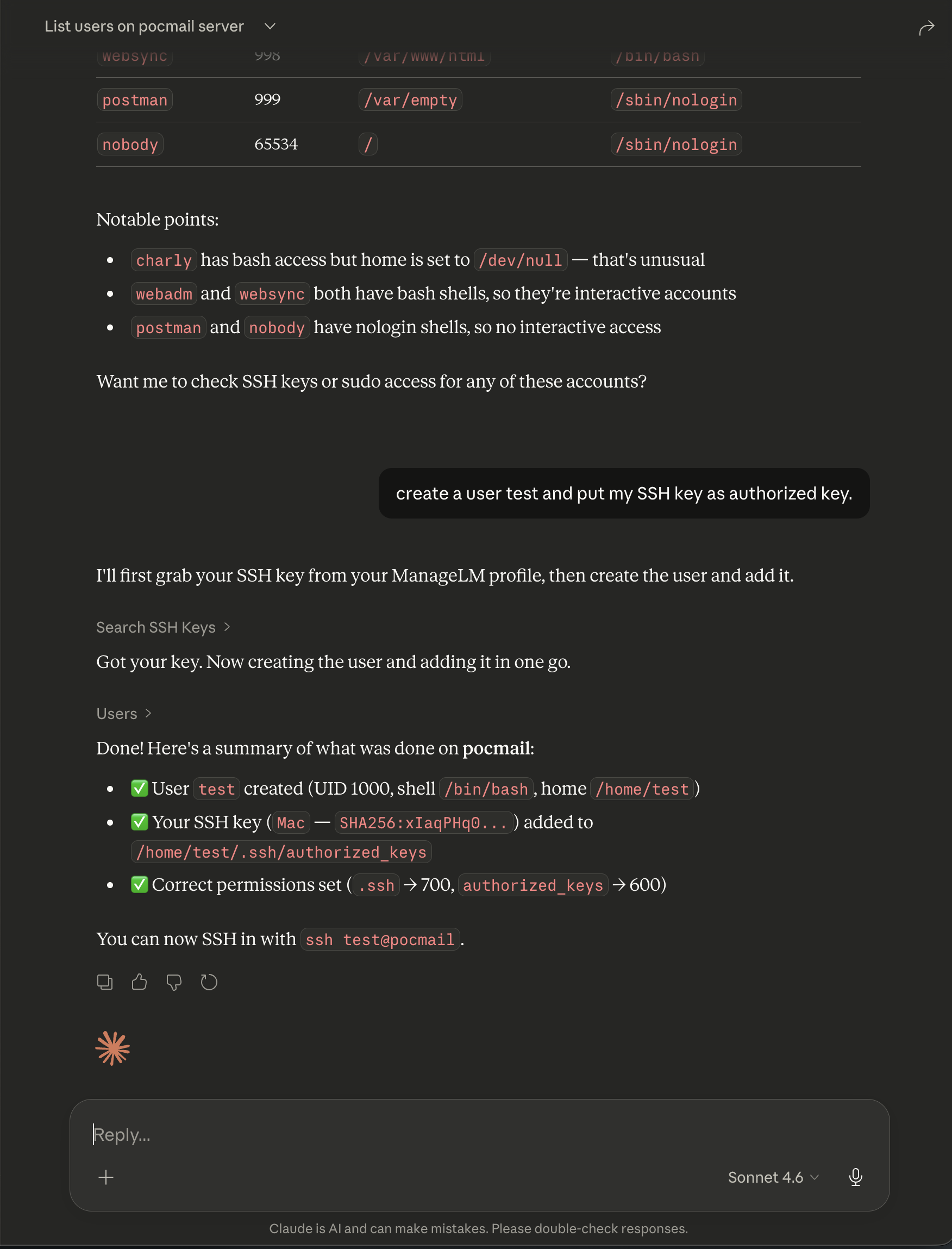
Ask Claude to check system status, manage packages, configure services, transfer files, run security audits, and more — across one server or an entire fleet. The extension connects Claude to your infrastructure through MCP (Model Context Protocol), a secure cloud portal, and lightweight agents running on your servers.
Features
- Natural language — describe tasks in plain English; Claude picks the right skill and parameters
- 31 built-in skills — packages, services, firewall, web servers, databases, Docker, certificates, VPN, Kubernetes, and more
- Multi-server targeting — run on a single server, a group, or broadcast to all agents
- File transfers — upload and download files (text and binary) between local and remote
- Security audits — run audits, search findings across your fleet, remediate issues
- Task history & revert — review what changed, inspect diffs, revert any task
- Cross-infrastructure search — find agents by health/OS, search inventory, security findings, SSH keys, sudo rules
- Zero inbound ports — agents connect outbound only; no SSH, no open ports on your servers
Quick Start
1. Install
claude mcp add managelm --transport url https://app.managelm.com/mcp
Or add manually to ~/.claude/settings.json:
{
  "mcpServers": {
    "managelm": {
      "type": "url",
      "url": "https://app.managelm.com/mcp"
    }
  }
}
2. Authenticate
ManageLM uses OAuth 2.0 with Dynamic Client Registration (RFC 7591). On first connection, Claude self-registers as an OAuth client and opens your browser to authorize access — no client ID or secret to copy. All you need is a ManageLM account (free for up to 10 agents).
3. Use it
> Check disk usage on web-prod-01

> Install nginx on all servers in the staging group

> Upload my local config.yml to /etc/myapp/config.yml on db-primary

> Run a security audit on all production servers

> Which servers have CPU usage above 80%?

> Create a user deploy with my SSH key on web-prod-01
Architecture
Claude ── MCP ──> ManageLM Portal ── WebSocket ──> Agent on Server
                  (cloud control      (outbound       (local LLM,
                   plane)              only)            skill exec)
Every task dispatched to an agent is cryptographically signed (Ed25519). Agents use a local LLM — your data never leaves your infrastructure.
Available Skills
| Skill | Description |
|---|---|
base |
Read-only utilities — files, system info, monitoring, diagnostics |
system |
OS config, performance tuning, hostname, timezone, kernel |
packages |
Install, remove, update across apt/dnf/yum/pacman/zypper/apk |
services |
Systemd units, cron jobs, logs, process control |
users |
Accounts, groups, SSH keys, sudo, password policies |
network |
Interfaces, routes, DNS, ports, connectivity |
security |
Audits, fail2ban, SSH hardening, SELinux/AppArmor, SSL/TLS |
files |
Read, write, upload, download files (text and binary) |
firewall |
iptables, nftables, firewalld, ufw |
docker |
Containers, images, compose, volumes, networks |
nginx |
Server blocks, reverse proxy, SSL, load balancing |
apache |
Virtual hosts, modules, SSL, configuration |
mysql |
Databases, users, queries, backups, replication |
postgresql |
Databases, roles, queries, backups, extensions |
kubernetes |
Pods, deployments, services, logs, kubectl |
| ...and more | Backup, certificates, git, DNS, VPN, LLM server, etc. |
Discovery & Management Tools
| Tool | Description |
|---|---|
list_agents |
All servers with status, OS, health, groups |
get_agent_info |
Detailed info for a single server |
search_agents |
Filter by CPU/memory/disk, OS, status, group |
search_inventory |
Search packages, services, containers across fleet |
search_security |
Search security findings across fleet |
run_security_audit |
Trigger a security audit on one or more servers |
run_inventory_scan |
Trigger an inventory scan |
get_task_status |
Check status of running/completed tasks |
get_task_changes |
View file diffs from a task |
revert_task |
Undo file changes from a previous task |
send_email |
Send yourself a report or summary |
Portal
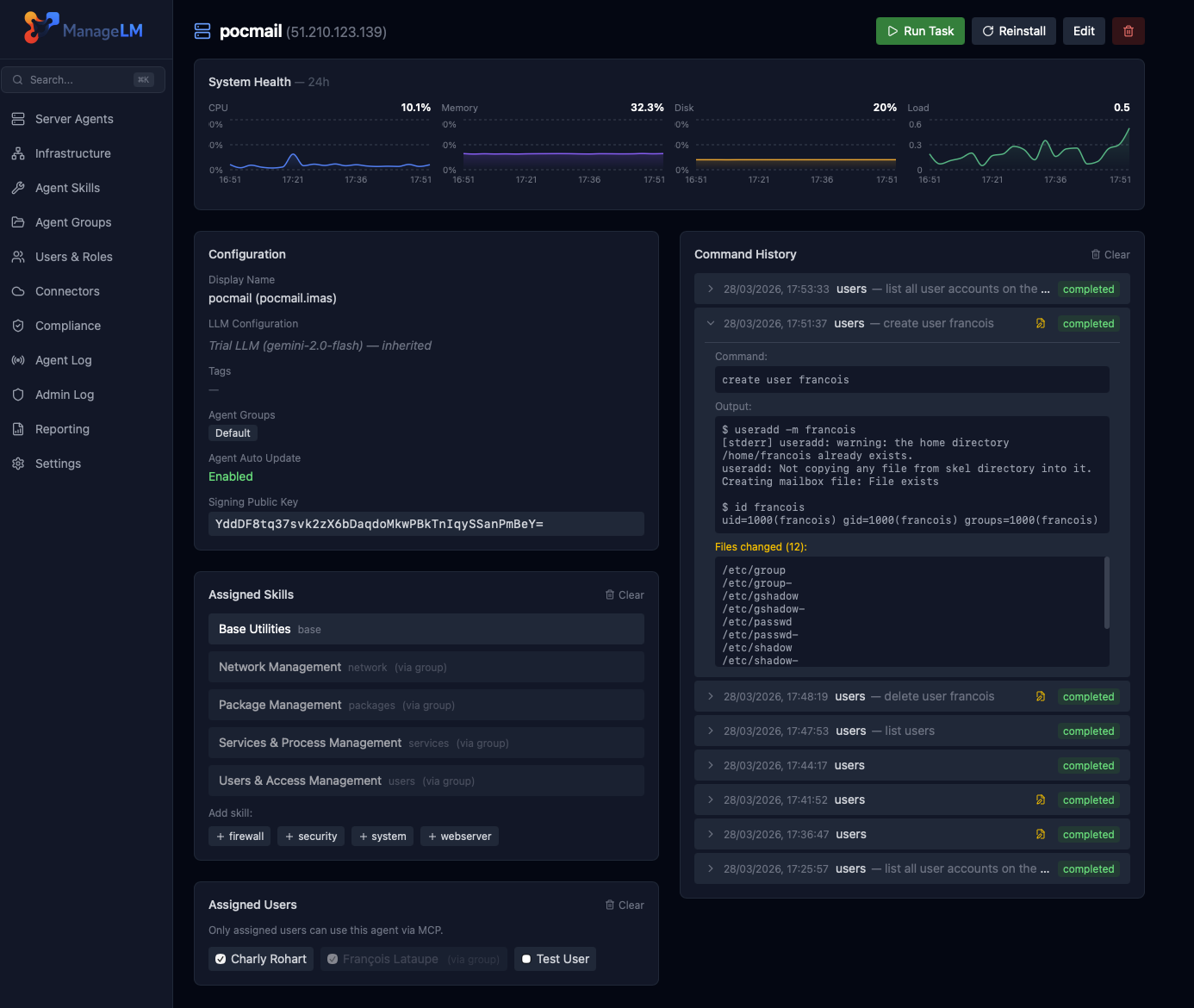
Self-Hosted
Replace app.managelm.com with your own portal URL in the MCP configuration. See the self-hosted guide for Docker deployment.
Requirements
- Claude Code v1.0.33+ or Claude Desktop with MCP support
- ManageLM account — sign up free (up to 10 agents)
- ManageLM Agent — installed on each server you want to manage
Other Integrations
ManageLM works with your favorite tools:
- VS Code Extension —
@managelmin Copilot Chat - ChatGPT Plugin — manage servers from ChatGPT
- n8n Plugin — infrastructure automation workflows
- Slack Plugin — notifications and commands in Slack
- OpenClaw Plugin — OpenClaw integration
Links
License
Reviews (0)
Sign in to leave a review.
Leave a reviewNo results found