orca-compass
Health Warn
- License — License: Apache-2.0
- Description — Repository has a description
- Active repo — Last push 0 days ago
- Low visibility — Only 5 GitHub stars
Code Pass
- Code scan — Scanned 12 files during light audit, no dangerous patterns found
Permissions Pass
- Permissions — No dangerous permissions requested
No AI report is available for this listing yet.
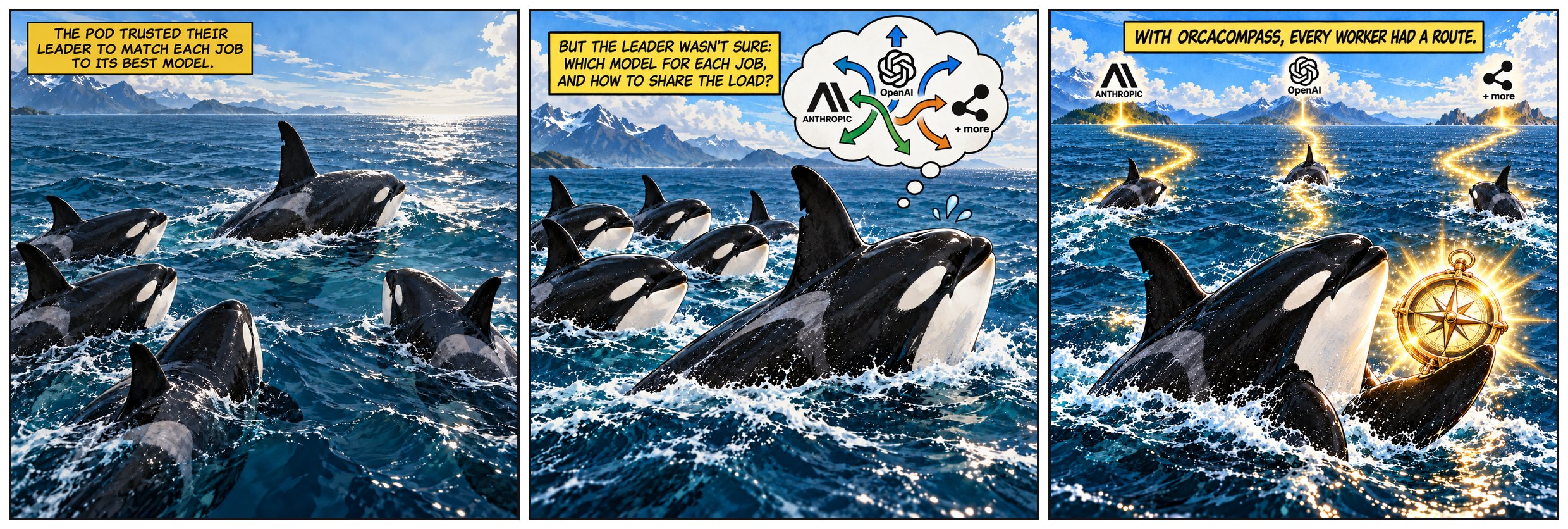
Smart AI worker routing for Orca. Match agents, models, and reasoning effort to task complexity while optimizing usage across your existing subscriptions.
OrcaCompass
Help your orchestrator pick the right model for every job.




Install · Quick start · User guide · Commands · Troubleshooting · Contributing
An Orca orchestrator that hands a job to a
worker has to pick an agent, a model and a reasoning effort. On its own it
cannot tell which of your installed models suits the job, or how much of each
plan's usage is left before the limits reset. OrcaCompass makes that choice:
the orchestrator rates how hard the job is, and OrcaCompass compares the
installed Claude Code, Codex, Cursor, Grok Build, Antigravity and OpenCode
routes using model metadata and current usage limits, explains its choice, and
returns launch arguments. Muse has basic support: a built-in model list and no
usage data. The orchestrator still launches the worker. It ships
as an Agent Skill backed by a small TypeScript CLI.
How it works
- Rate the job on coding, agentic and reasoning needs.
- OrcaCompass builds profiles with raw LLMBenchmark capability evidence
and separate cost tiers from price (3:1 input/output blend,costBands
default[1, 5, 12]; hints are the fallback when price is missing). - It chooses a route from the cheapest cost tier whose evidence covers
the job, then the most headroom (the cheaper model on a tie), accounting
for recent hand-outs. When that tier is close to its usage limits, it moves
up a cost tier and warns. Cursorautois a fallback.
orcacompass route --need coding=mid,agentic=low,reasoning=low --demand moderate --json
orcacompass ranking --axis coding  # evidence view
orcacompass tiers                  # cost-tier view
--tier remains a shorthand for equal needs on all axes.
How it works follows one job through every step, and
Tiers and routing has the details.
Install
Use Node.js 24 for the simplest setup. The published CLI also runs on
Node.js 20+, but reading Orca's agent switches requires Node.js 22.13+ without
extra flags; otherwise those switches are reported as unknown.
You also need the agent CLIs you want to route to installed and signed in,
and Orca running for live usage data.
Recommended install
Run this inside the project where you want to use the Skill:
npx orcacompass install
This installs the shared CLI and the matching Skill for the current project.
It asks which agents should receive the Skill. Keep Orca's own orchestration
skill installed alongside it.
Other options
| Command | What it does |
|---|---|
npx orcacompass install --global |
Install the Skill for your user, across projects |
npx orcacompass install --local |
Use the project default; keep Project if the installer asks for scope |
npx orcacompass update |
Fetch the latest release, update the CLI and this project's Skill |
npx orcacompass uninstall |
Remove this project's Skill; keep the shared CLI |
Use update --global for your user-wide Skill. Use uninstall --global
to remove the user-wide Skill and shared CLI. Your preferences and cache
are preserved. Add --agent <name> to select agents, or --yes to accept
the installer's defaults without a terminal.
Alternative: install the CLI, then the Skill
From your project directory, run:
npm install -g orcacompass@latest
orcacompass install --skill-only
The CLI is shared across projects; the Skill is installed for this project.
Keep Project if the installer asks for scope. Add --global to the second
command for a user-wide Skill, or --local to spell out the project default.
See Getting started for all options and
building from source.
To work on OrcaCompass itself, see CONTRIBUTING.md.
Quick start
orcacompass setup
setup asks three short questions in the terminal (which agents to use,
optional favorite routes per tier, models never to use), then shows the
result with an example route per tier and saves it once you confirm. Press
Enter to keep any answer; running it again starts from your current settings.
With the Skill installed you can also just ask your orchestrator to "set up
OrcaCompass": it asks the same questions in chat (and offers to before your
first route).
Everything setup does is also a command of its own:
orcacompass status                        # agents, usage, and the pick for each tier
orcacompass tiers                         # cost tiers, prices and capability evidence
orcacompass agents                        # which agents are used, and why not
orcacompass agents disable grok           # never route to Grok Build
orcacompass prefer daily codex            # Codex first for everyday jobs, unless it runs too hot
orcacompass ban claude-haiku              # never route a Claude Haiku model
orcacompass route --tier daily --json     # a route for an everyday job
orcacompass route --tier advanced --agent claude --agent codex --demand high
orcacompass route --tier frontier --no-downgrade --json   # never accept a capability shortfall
With the Skill installed, the orchestrator does this for you: it rates each
job, calls orcacompass route, and launches the worker with the returned
arguments:
orca orchestration worker-start --spec "<actual task>" --agent claude --model claude-opus-5-5 --effort medium
Only status: "ok" carries a route. Pass launchArgs as separate, properly
quoted arguments together with your usual Orca worktree and lifecycle options.
OrcaCompass never launches workers itself.
For example, a routing decision can look like this (illustrative numbers):
$ orcacompass route --tier advanced
advanced → claude · claude-sonnet-5-5 · medium (high confidence)
  cost: daily ($4.00/M blended, maker price)
  claude claude-sonnet-5-5: weekly 40% used, 62% of window elapsed (headroom 34%) → on pace for 65% before reset in 2d
User guide
Start with Getting started, or browse the
complete user guide.
| Learn about | Read |
|---|---|
| Every command, flag, exit code and JSON response | Commands |
| Preferences, bans, paths and defaults | Configuration |
| How routes are ranked and how fallbacks work | Tiers and routing |
| Effort demand and supported effort levels | Effort |
| How the orchestrator routes, launches and verifies | Skill workflow |
| Checking that a worker's agent accepted its model | Verify and rejections |
| Supported agents and where their models come from | Models and agents |
| Data sources, cache timing and maintaining model scores | Model data |
| What to do when an agent is not used or a route fails | Troubleshooting |
| Planned work and known limitations | Roadmap |
Reviews (0)
Sign in to leave a review.
Leave a reviewNo results found