Markbase
Health Pass
- License — License: Apache-2.0
- Description — Repository has a description
- Active repo — Last push 0 days ago
- Community trust — 25 GitHub stars
Code Fail
- fs module — File system access in .github/workflows/release-packages.yml
- fs module — File system access in apps/app/scripts/fix-node-pty.cjs
- process.env — Environment variable access in apps/app/scripts/sync-smoke.mjs
- network request — Outbound network request in apps/app/scripts/sync-smoke.mjs
- exec() — Shell command execution in apps/app/src/claude-auth.ts
Permissions Pass
- Permissions — No dangerous permissions requested
No AI report is available for this listing yet.
One markdown folder for your team and its agents

Markbase
One markdown folder for your team and its agents.
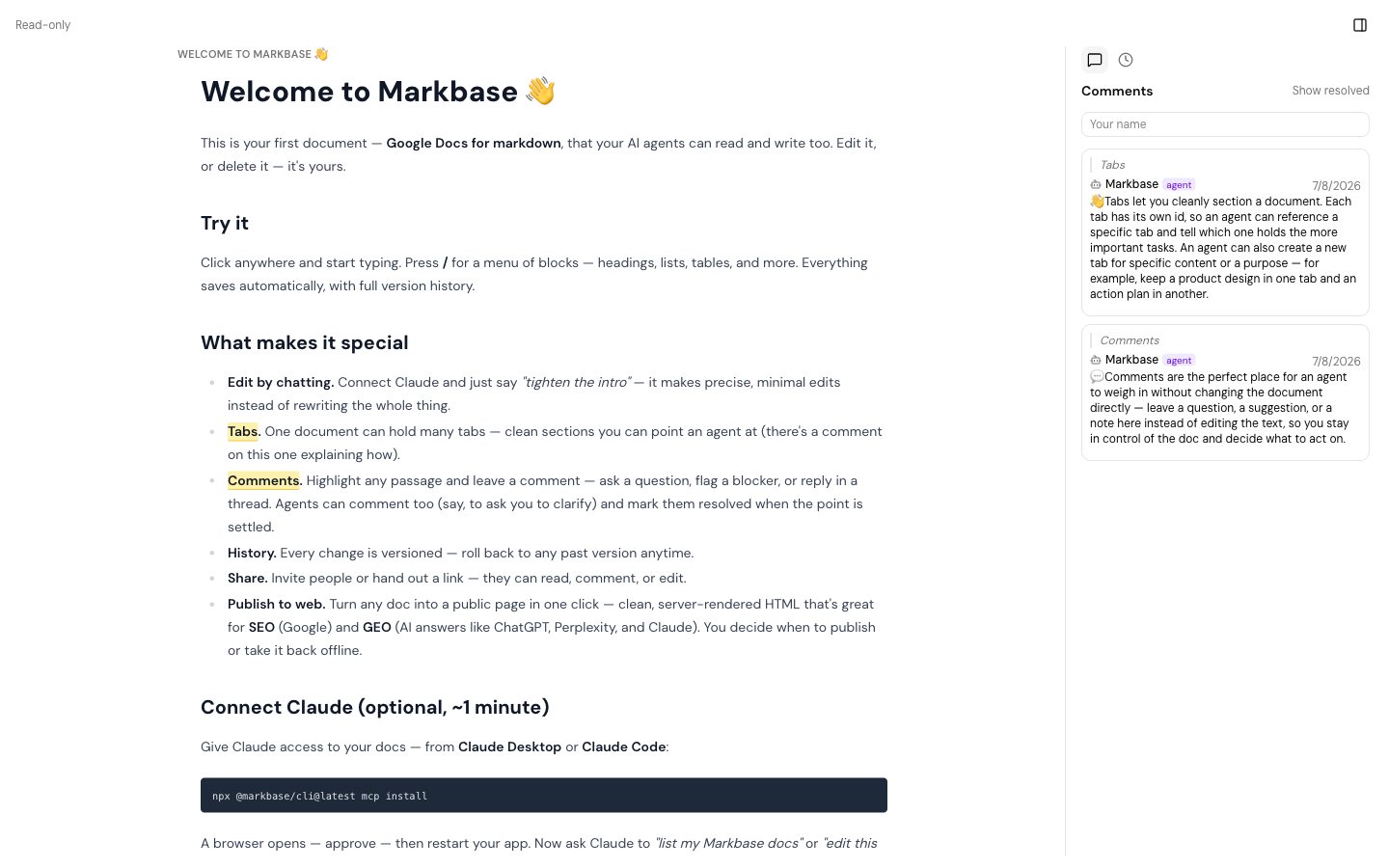
Markbase is a folder of markdown that syncs. You and your team edit the files
in the folder, in the browser, in the desktop app, or through the agents you
already run, and everyone reads one version. Comments, history and sharing sit
on top of plain .md files, so nothing is locked in: the folder is yours, and
it keeps working without us.
- Use it: markbase.so — sign-up is open.
- Desktop app (macOS, Apple silicon):
download the latest ·
release notes - Docs: markbase.so/docs — formats, vaults,
shared documents, working next to your code. - Run your own: SELF-HOSTING.md — one instance for a
team, on Docker or Vercel, with a Supabase project you own.
How it works
A vault is a set of documents in the cloud and, on each machine that
mounts it, one folder that mirrors them. A background sync keeps the two in
step, both ways, and merges concurrent edits instead of overwriting them —
git without push and pull.
- People write in the browser or the desktop app: comments anchored to the
text, version history, sharing by link or by name. - Agents — Claude Code, Codex, Cursor, anything that edits files — work on
the markdown in the folder. The sync daemon holds the only credential; the
agent needs none. For agents that are not on your disk there is an MCP
server with the document tools —npx @markbase/cli mcp installconnects
Claude Desktop, Claude Code, Codex and Cursor, and so does Settings in the
desktop app — plus an HTTP API and a skill
(skills/markbase). - Teams keep the vault in the repository, beside the code it describes, so
the spec an engineer's agent builds from is the one the PM edited this
morning.
The same build serves the hosted app and every self-hosted instance. An
instance that is not markbase.so is invite-only: the first account created on
it is the admin, and teammates join through a link from Settings.
What is in this repository
apps/web/        The web app and the HTTP API (Next.js). What markbase.so and a
                 self-hosted instance both run.
apps/app/        The desktop app (Electron): the same documents, plus the sync
                 that mirrors a vault to a folder.
apps/markbase/   The `markbase` CLI (@markbase/cli): sign in, mount a vault,
                 run the sync as a background service.

packages/core/       What everything is built on
  protocol/          Isomorphic types, the API client, pure logic. Runs in a
                     browser, a server and a daemon alike.
  vault/             The local vault: watcher, lock, registry, file sync.
  flows/             Steps every client shares (sign in, mount a vault), written
                     once against an operator that asks the questions.
  node/  registry/  ui/  runner/  agent/  llm/  browser-agent/

packages/features/   Things that live in the kernel
  docs/              The collaborative document engine: CRDT, markdown,
                     comments, history, the vault's file contents. Released.
  agents/ attention/ diary/ email/ projects/ reader/ skills/ terms/ today/
                     In the repository, not in the released product. A build
                     ships them only when MARKBASE_FEATURES names them.

supabase/        Migrations and database tests. The schema is built from these.
docs/            Design notes: the shared vault, the workspace layout, how
                 features plug in, and how to add an API endpoint so agents
                 get it as a tool (docs/adding-an-endpoint.md).
The vault is core and documents are a feature, so the dependency points fromdocs to vault, not the other way: the vault says what it needs from a
synced file and docs implements it.packages/core/protocol/test/package-boundary.test.ts fails if an edge is
added back.
Develop
From a fresh clone to a running app, in order. You need Node.js 22 or
later and Docker (the local database runs in it).
1. Install
npm install # at the repo root; one install for every workspace
2. Start the database
Markbase runs on Supabase — auth, realtime, storage and Postgres — so this
comes before the app: without a project to talk to, no page renders. The local
stack is a full Supabase on your machine:
npx supabase@2 start
The first start pulls the images and applies everything insupabase/migrations, so the schema is ready when it finishes. Use @2: the
repository targets the Supabase CLI 2 line.
One local-only fix, once after every fresh start or db reset: the local
image leaves the API's role without access to the tables the migrations
created, and the app answers 42501 until it is granted.
docker exec "$(docker ps --format '{{.Names}}' | grep '^supabase_db_')" psql -U postgres -d postgres -c "grant all on all tables in schema public to service_role; grant all on all sequences in schema public to service_role;"
3. Point the app at it
npx supabase@2 status
prints the stack's addresses and keys. Put four of them, plus a key of your
own, in apps/web/.env.local:
NEXT_PUBLIC_SUPABASE_URL=http://127.0.0.1:54321          # API_URL
NEXT_PUBLIC_SUPABASE_PUBLISHABLE_KEY=sb_publishable_...  # PUBLISHABLE_KEY
SUPABASE_SECRET_KEY=sb_secret_...                        # SECRET_KEY
APP_URL=http://localhost:3000
SECRETS_ENCRYPTION_KEY=                                  # openssl rand -base64 32
These are the same names as .env.example, which describes
each one and lists the optional ones.
4. Run the web app
npm run dev # → http://localhost:3000
Because APP_URL is not markbase.so, this is a team instance, and it has no
accounts yet: the first page is Set up localhost:3000, and the account you
create there is its admin. After that, sign-up needs an invite from Settings.
Mail from the local stack (there is none in this flow) lands in Mailpit at
http://127.0.0.1:54324; the database UI is at http://127.0.0.1:54323.
5. Check your change
npm run typecheck      # every workspace — what CI runs
npm test               # every workspace's tests
npx supabase@2 test db # the database's own tests, after a migration change
6. The CLI and the desktop app (when you need them)
Both talk to the web app from step 4, so start that first.
cd apps/markbase && npm run build && npm link
markbase login --app-url http://localhost:3000    # browser sign-in, installs the sync service
markbase vault mount "Team notes" ~/Code/my-app/docs
cd apps/app && npm run build && npx electron . # a dev run of the desktop app
npm run dist in apps/app packages a DMG; from a fresh checkout that has
two extra steps, in Building the desktop app in
SELF-HOSTING.md. markbase instance <url> shows or
changes which instance the CLI and the desktop app talk to, andMARKBASE_APP_URL overrides it for one command.
Against a hosted Supabase project instead
Skip step 2. Create a project on supabase.com, apply the migrations withnpx supabase@2 db push --db-url "<its connection string>", and take the
values for step 3 from the project's settings —
SELF-HOSTING.md section 1 has the details.
Contributing
Pull requests are welcome. Commits need a Signed-off-by line (git commit -s); CONTRIBUTING.md says why and covers bringing code
from elsewhere.
Licence
Apache-2.0. The licence covers the code, not the name or the
logo: TRADEMARK.md says what you may do with those without
asking. Third-party notices are in
THIRD_PARTY_NOTICES.md.
Reviews (0)
Sign in to leave a review.
Leave a reviewNo results found