SOTA-skills
Health Uyari
- License — License: CC-BY-4.0
- Description — Repository has a description
- Active repo — Last push 0 days ago
- Low visibility — Only 5 GitHub stars
Code Basarisiz
- rm -rf — Recursive force deletion command in scripts/install.sh
Permissions Gecti
- Permissions — No dangerous permissions requested
Bu listing icin henuz AI raporu yok.
State-of-the-art (2026) Claude Code skills for building and auditing software — 30 domain & language skills, BUILD/AUDIT modes, audit checklists.
SOTA Engineering Skills




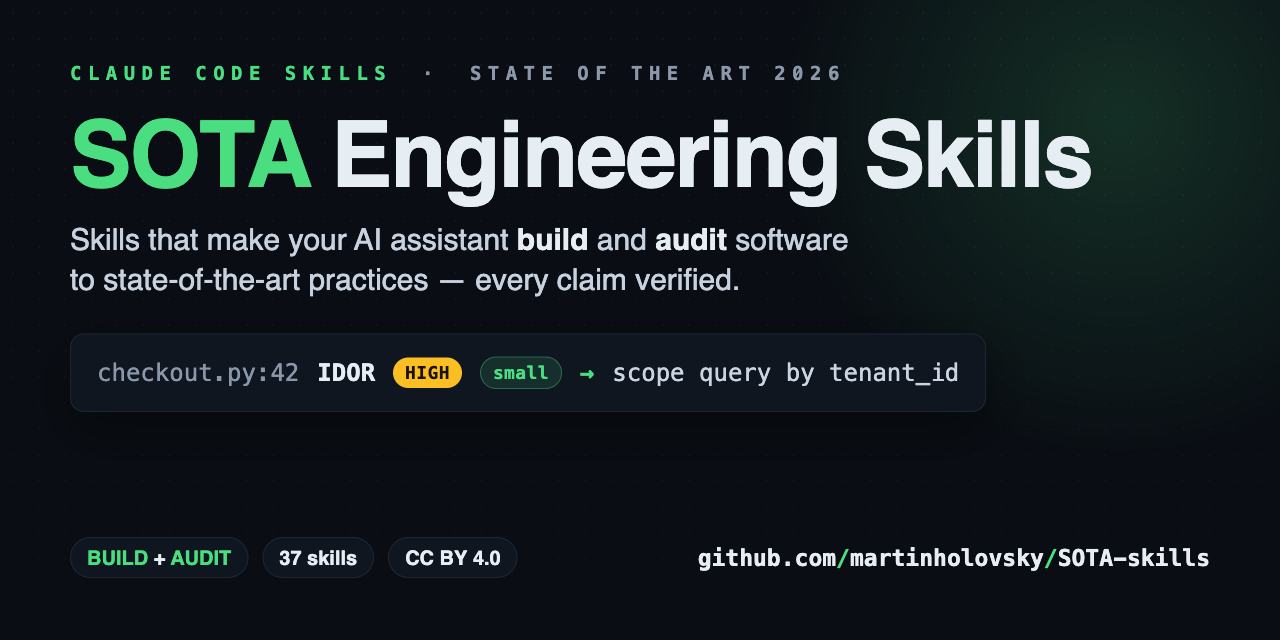
Make your AI coding assistant build and audit like your most senior engineer.
Your assistant is brilliant — it just doesn't know your standards. SOTA-skills
teaches it: 37 skills (265 files, ~53k lines) encoding state-of-the-art 2026
practices for building and auditing software, fast-moving claims
web-verified against primary sources. Native on Claude Code; works with Gemini
CLI, Codex, and any other agent that reads AGENTS.md. Every file stays under
500 lines, so the right rules load exactly when your task needs them.
Two commands to install:
/plugin marketplace add martinholovsky/SOTA-skills
/plugin install sota-skills@sota-skills
Then describe the task in plain language — routing loads the right skills:
Design a multi-tenant invoicing service. Postgres, FastAPI.
Run a full audit of this repo — every finding with severity, effort, and a
fix, ending in a prioritized roadmap.
More install options under Installation; more prompts under
Using it.
Standards & practices baked in
Findings name the control they violate — not just "this looks wrong":
- Security — OWASP Top 10 (2025), ASVS, API & LLM Top 10; findings cite CWE IDs
- Languages — SEI CERT (C, C++, Java), MISRA C/C++, ANSSI Rust guide
- Supply chain — SLSA, Sigstore, in-toto, SBOM (CycloneDX/SPDX), NIST SSDF
- Cloud & identity — CIS Benchmarks, NIST 800-207 zero trust, NIST 800-63-4,
OAuth 2.1, FAPI 2.0, passkeys, SPIFFE - Privacy & compliance — GDPR, CCPA/CPRA, HIPAA, PCI DSS 4.x, SOC 2,
ISO 27001, EU AI Act, NIS2, DORA - Government & regulated — NIST CSF 2.0, 800-53, 800-171/CMMC, FedRAMP,
EU Cyber Resilience Act, IEC 62443 - Threats, detection & AI/ML — STRIDE, LINDDUN, MITRE ATT&CK & ATLAS,
NIST 800-61, NIST AI RMF - Frontend, mobile & testing — WCAG 2.2 AA, Core Web Vitals, OWASP MASVS & WSTG
Named standards are the floor. Most of the library is the practice layer no
regulation writes down: cancellation & backpressure, retries with jitter,
circuit breakers, outbox/saga, zero-downtime migrations, measure-first
performance, API evolvability, per-language idioms, SLOs, test-suite health.
Skills
| Skill | Covers |
|---|---|
sota |
Master router: operating principles, task→skill routing, full-audit workflow + audit methodology (tool matrix, evidence standard, report template) |
sota-architecture |
Styles & ADRs, DDD, distributed systems, resilience, scalability, cloud-native, anti-patterns |
sota-code-security |
Injection, authn/authz, crypto, web security, resource safety, data exposure, LLM appsec |
sota-threat-modeling |
STRIDE/LINDDUN, DFDs & trust boundaries, threat catalogs, risk rating, model reconstruction |
sota-secrets-management |
Lifecycle & workload identity, storage backends, app patterns, leak detection, credential types |
sota-sandboxing |
Isolation boundaries, seccomp/Landlock/capabilities, containers/microVMs, parsers, AI-agent sandboxing |
sota-performance |
Measure-first methodology, algorithms, memory, I/O & network, caching, Web Vitals |
sota-async-concurrency |
Concurrency models, races/deadlocks, primitives, event-loop hygiene, cancellation, backpressure |
sota-api-design |
REST/HTTP, versioning, GraphQL, gRPC, websockets/SSE/realtime, webhooks, API security & ops |
sota-devsecops |
Pipeline hardening, SLSA/Sigstore provenance, dependencies/SBOM, container builds, IaC, admission control |
sota-databases |
Modeling & engine choice, zero-downtime migrations, indexes, transactions, reliability, security, pgvector/Qdrant, SurrealDB |
sota-frontend-design |
Typography/color, layout, design systems, UX patterns, WCAG 2.2 accessibility, motion design, visual craft |
sota-observability |
Structured logging, metrics, OpenTelemetry tracing, SLOs & alerting, operational readiness |
sota-testing |
Test strategy & design, doubles/test data, contract testing, e2e, property/fuzzing/mutation, suite health |
sota-llm-engineering |
Evals, prompt/context engineering, RAG, agents & tools, LLM production engineering, data lifecycle |
sota-ml-engineering |
Production ML/MLOps (classical, not LLM): training→serving→monitoring, feature stores/registries, leakage & train/serve skew, ML Test Score eval, deployment & rollback, drift/retraining, ML security & governance |
sota-cloud-infrastructure |
Accounts/landing zones, cloud IAM, VPC/DNS/CDN setup, compute selection, storage, FinOps, resilience & DR |
sota-kubernetes |
Cluster platform security: RBAC & escalation, admission control, GitOps controllers, operators/CRDs, etcd, Helm supply chain, multi-tenancy, Talos/k3s |
sota-identity-access |
IdP ops (OIDC/SAML/SCIM), RBAC/ABAC/ReBAC design, joiner-mover-leaver, privileged access & break-glass, SPIFFE, phishing-resistant MFA |
sota-network-security |
Zero-trust & segmentation, NetworkPolicy depth, service mesh/mTLS, egress control, WAF/edge, DNS/TLS/PKI & cert lifecycle |
sota-detection-engineering |
Detection-as-code (Sigma/YARA/Falco), SIEM & telemetry coverage, alert tuning/SOAR, threat hunting & intel, deception, incident response |
sota-data-engineering |
Pipelines & orchestration, streaming/CDC, lakehouse & Parquet, data quality/contracts, governance |
sota-privacy-compliance |
Data inventory, privacy by design, consent & user rights, GDPR/CCPA/HIPAA/PCI/AI Act, SOC 2/ISO 27001, breach readiness |
sota-security-compliance |
Control-frameworks-as-code: NIST CSF 2.0, 800-53, 800-171/CMMC, SSDF, FedRAMP, EU Cyber Resilience Act (SBOM/CVD/updates), ISA/IEC 62443 (OT zones & security levels) |
sota-mobile |
Platform/stack choice, offline-first & push, mobile security, performance budgets, store releases |
sota-cli-ux |
Command/flag design, output & exit-code contracts, lifecycle behavior, distribution |
sota-shell-scripting |
Bash safety baseline, robustness, script security, CI/entrypoint/Makefile scripts |
sota-docs-workflow |
Documentation architecture, API docs & changelogs, code review/PR workflow, commits & releases |
sota-ux-writing |
Voice/tone & plain language (ISO 24495-1), microcopy, error & feedback messages, accessible/localizable interface text |
sota-copywriting |
Positioning & value props, headlines/landing pages/CTAs, SEO content (E-E-A-T, spam policies), claims & legal trust (FTC, email law) |
sota-rust |
Ownership/API design, errors & panics, unsafe discipline, tokio, supply chain, performance, CI |
sota-golang |
Errors, package design, goroutine safety, net/http hardening, security, pprof, CI |
sota-c-cpp |
RAII/idioms, memory safety & sanitizers, undefined behavior, security (CERT/MISRA, hardening flags), concurrency, CMake/clang-tidy/fuzzing CI, performance |
sota-jvm |
Java/Kotlin idioms, null/immutability API design, concurrency (virtual threads, JMM, coroutines), security (deserialization/JNDI/XXE/crypto), GC/JFR/GraalVM, Maven/Gradle supply chain & CI |
sota-python |
uv/ruff/typing, idioms, asyncio, security, performance, FastAPI/Django/pytest |
sota-javascript-typescript |
Strict TS, idioms, async, Node hardening, security, bundle/React performance, testing |
sota-dotnet |
C#/.NET idioms (records, NRT, patterns, spans), disposal/DI design, async (ConfigureAwait/cancellation), security (EF/Dapper, deserialization, ASP.NET Core auth, crypto), GC/Span/AOT, NuGet supply chain & analyzers/CI |
Installation
Easiest — as a Claude Code plugin (installs all skills, updates via/plugin):
/plugin marketplace add martinholovsky/SOTA-skills
/plugin install sota-skills@sota-skills
The plugin installs the skills; a few extras (routing reminder, status line,
pre-commit gates, AGENTS.md) aren't auto-enabled — see
Optional extras for plugin users. On first
run the plugin shows a one-time notice pointing there.
Or clone + link (best if you want a local checkout to read, hack on, or pin).
Skills are discovered from .claude/skills/ (per project) or ~/.claude/skills/
(personal, all projects). Clone the repo, then run the installer — it symlinks
every skill (and your profile, if you have one):
git clone https://github.com/martinholovsky/SOTA-skills && cd SOTA-skills
./scripts/install.sh                 # personal: ~/.claude/skills (all projects)
./scripts/install.sh --project DIR   # one project: DIR/.claude/skills
./scripts/install.sh --copy          # copy instead of symlink (pin a snapshot)
Prefer no script? The personal install is just:
mkdir -p ~/.claude/skills
for d in skills/*/; do ln -sfn "$(pwd)/$d" ~/.claude/skills/"$(basename "$d")"; done
Updating
Plugin install: updates ship when the version bumps — /plugin update sota-skills@sota-skills (or /plugin marketplace update sota-skills). Git-hosted
marketplaces also check at session start.
Clone install: because linking is symlink-based, existing skills update the
moment you pull
— the symlinks already point at the live files, no re-install needed:
git -C /path/to/SOTA-skills pull
To also pick up newly added skills (a pull alone won't link a brand-new
skill directory) and prune links to removed ones, re-run the installer — or do
both at once:
./scripts/install.sh --update # git pull --ff-only, then re-link
It's idempotent: re-running only links what's new and prunes what's gone, and
never touches symlinks it didn't create. (Snapshot installs done with --copy
don't auto-update — re-run the installer to refresh them.) If you enabled
always-on routing, a re-run also refreshes the managed routing directive and
reminder hook in place when their wording changes upstream — prompting first,
backing up, and touching only the managed block; a hook you customized (different
wording) is left untouched.
Always-on routing (recommended)
Skill descriptions are matched per prompt, so routing is opt-in and depends on
how you phrase the request. To make the skills apply to every session
regardless of wording, pin the routing instruction where Claude Code always
sees it.
The quick path: ./scripts/install.sh offers to set this up for you after
linking the skills — it's interactive and dotfiles-aware: it detects an
existing or symlinked ~/.claude/CLAUDE.md / settings.json, asks before
touching anything (recommended answer pre-filled), backs up first, writes
through a symlink so dotfiles stay in charge, and uses managed markers so
re-runs never duplicate — and refresh the managed block in place (prompting
first, backing up, touching only what's between the markers) when a newer release
changes the directive or hook wording. Use --routing to force it,--no-routing to skip, --yes for non-interactive. Or wire the three layers by hand:
Three layers, strongest last:
1. A stack profile. Copy the template, fill in your stack, and symlink it
into ~/.claude/ so the router finds it in every project (not just this repo):
cp profiles/example.md.template profiles/<you>.md   # edit it — profiles/*.md is git-ignored
mkdir -p ~/.claude/profiles
ln -sfn "$(pwd)/profiles/<you>.md" ~/.claude/profiles/<you>.md
2. A global directive. ~/.claude/CLAUDE.md is loaded into every session,
every project. Add a routing mandate so the skills apply without trigger words:
# Global engineering directive

Always, on every answer: (1) **validate before you assert** — verify any claim
about code, system state, config, versions, or facts against a primary source
(read the file / run the command / fetch official docs) before answering or
proposing, and label anything unverified as such; (2) **keep docs current** —
when you change code/behavior/config, update the affected docs (README,
CHANGELOG, comments, runbooks, AGENTS.md) in the same change, unprompted.

For any task that builds, designs, refactors, debugs, reviews, or audits code —
in any language or repo — consult the `sota` router skill first, load the
matching `sota-*` skills, and apply their rules before acting. This holds even
when I never say "SOTA" or "audit". Treat `~/.claude/profiles/<you>.md` as the
BUILD default and AUDIT baseline, and stop-and-ask on security-relevant choices.
3. (Optional) A per-prompt reminder. In long sessions a directive read many
turns ago can fade from context. A UserPromptSubmit hook in~/.claude/settings.json re-injects it on every prompt:
{
  "hooks": {
    "UserPromptSubmit": [
      { "hooks": [ { "type": "command",
        "command": "echo 'Route code tasks through the sota router and apply the matching sota-* skills; the profile is the stack baseline.'" } ] }
    ]
  }
}
No mechanism forces a model to run a skill — all three layers feed it
instructions it then chooses to follow. Together they make routing reliable
instead of phrasing-dependent.
Using it
With always-on routing set up (above), you don't name anything — describe the
task in plain language and the right skills load automatically (see
How it works). Naming a skill or rule is optional: reach for it
only to force a specific skill, scope to one rule file, or stack an exact
combo.
Building — plain prompts; routing picks the skills:
Design a multi-tenant invoicing service. Postgres, FastAPI.
Add a websocket endpoint for live notifications.
Build the settings page — dark mode, WCAG 2.2 AA.
Add a RAG search feature over our docs, and write the evals first.
Scaffold the GitHub Actions pipeline for this repo: SHA-pinned actions, OIDC,
SBOM + signing.
We handle CUI on this service — what does that require of the architecture and
data stores?
Auditing — say the mode ("audit", "review", "harden"):
Run a full audit of this repo. Static analysis only, current commit, report
with a prioritized roadmap.
Audit this PR before I merge it.
Sweep the repo and git history for secrets — rotate-first recommendations.
Threat-model this service from the code: DFD, trust boundaries, STRIDE.
Audit our Kubernetes manifests and Dockerfiles. Severity + effort on every
finding.
Why is checkout slow? Profile first — no guessing.
Review our agent's MCP setup for tool poisoning, rug pulls, and shadowing.
Naming a skill or rule (optional — to force or scope):
Add a websocket endpoint per
sota-api-designrules/05 (auth-at-upgrade,
backpressure).
Is this migration zero-downtime safe? Check
sota-databasesrules/02
(expand/contract, lock-aware DDL).
Review test-suite health against
sota-testingrules/07 (flaky policy,
coverage ratchets, speed budgets).
Audit this PR against
sota-code-security+sota-golangbefore merge.
Maintaining the library:
Refresh the library against current versions/advisories — re-verify fast-moving
claims and update the rules files (cite sources).
Create profiles/.md for my stack: <stores, auth, platform, policies>.
Add a new skill for , same structure: SKILL.md + rules/ under 500 lines
each, claims web-verified.
Tips:
- Say the mode if ambiguous — "audit/review/harden" vs "build/add/design";
skills key off those verbs. - Scope audits explicitly — which commit/branch, static-only or may-run-tools,
time budget ("crown jewels only"). The methodology file asks otherwise. - Ask for the report format — default audit output is executive summary →
findings by severity → roadmap by risk-reduction-per-effort → positive notes. - Re-verify version-sensitive facts — pinned facts age between edits; hold the
model to web-checking before pinning versions.
Optional setup & integrations
Beyond the skills themselves — all opt-in, none required to use the library.
Badge
Built or audited a project with the library? Ship the attribution
[](https://github.com/martinholovsky/SOTA-skills)
Enforcing the gates
Routing makes the model apply the rules; to make them stick regardless of who
(or what) commits, wire them as git hooks. scripts/init-gates.sh generates a
SOTA-aligned .pre-commit-config.yaml for whatever languages it finds in the
target repo:
cd /path/to/your/project
/path/to/SOTA-skills/scripts/init-gates.sh        # add --dry-run to preview first
It detects Python / Go / Rust / JS-TS / shell by manifest and extension, then
writes the exact tools each skill prescribes — ruff·mypy·pytest·pip-audit,
gofumpt·golangci-lint·govulncheck, clippy·cargo-audit, eslint·tsc·<pm> audit,
shellcheck·shfmt, plus gitleaks everywhere. Fast checks (lint, format, secrets)
run on commit; heavy ones (type-check, tests, vuln scans) run on push —
the split sota-python rules/01 §6 and sota-devsecops rules/05 require, so
commits stay quick.
It is idempotent: re-run it after adding a language and it rewrites only the
block between its # >>> sota-gates >>> markers, leaving any hooks you added
yourself in place. The hooks call your project's own toolchain, so install the
per-language tools it lists on exit (and pre-commit install if the script
couldn't).
Add --docs-gate to also install a pre-commit hook that blocks a commit which
changes code but updates no docs (README/CHANGELOG/docs//*.md) — so docs
stay current without you having to ask. It writes a small helper to.sota/docs-gate.sh; it's heuristic (a docstring-only edit inside a code file
will trip it) and bypassable with SKIP=sota-docs-gate git commit, which is why
it's opt-in.
Other AI agents (Codex, Copilot, Gemini, …)
The skill content is plain Markdown — any model reads it. To route a non-Claude
agent through the library, generate an AGENTS.md (the cross-tool open standard
read by Codex, Cursor, Copilot, Gemini CLI, Windsurf, Zed, and more):
cd /path/to/your/project
/path/to/SOTA-skills/scripts/gen-agents-md.sh        # add --dry-run to preview
It writes a thin AGENTS.md that carries the operating principles and points the
agent at the installed skills/ tree — the index is built from each skill's
frontmatter so it stays in sync, and the agent reads the relevant rules/*.md on
demand (no rule text is duplicated). Idempotent via a managed block, like the
others; --skills-dir/--output override the defaults. Claude Code keeps using
the native Skills install above. This repo itself follows the standard:AGENTS.md is canonical; CLAUDE.md/GEMINI.md are symlinks.
Status line (optional)
scripts/statusline.sh is a Claude Code status line that shows which skills
you've actually used this session — not just how many are installed:
Opus 4.8 │ ctx 63% │ my-service ⎇ main │ skills▸ code-security, testing (2)
Claude Code's status-line input doesn't expose loaded skills, but it passes the
transcript path; the script reads back the Skill invocations recorded there,
falling back to a count of installed skills before any are used. Wire it up insettings.json (requires jq):
"statusLine": { "type": "command", "command": "/path/to/SOTA-skills/scripts/statusline.sh" }
Optional extras (for plugin users)
The plugin installs the skills; it deliberately does not touch your global
config or status line — plugins are sandboxed by design, so the imperative setup
the clone installer does can't be automated. To match the clone experience, opt
in to any of these (the scripts ship with the plugin, under its cache dir):
- Always-on routing — add the
UserPromptSubmithook from
Always-on routing so the skills apply without
trigger words. - Status line — point
settings.jsonstatusLineat the bundledscripts/statusline.sh(see Status line). - Pre-commit gates / AGENTS.md — run the bundled
scripts/init-gates.sh
orscripts/gen-agents-md.shagainst a project (see
Enforcing the gates and
Other AI agents).
The quickest path: just ask Claude to "set up the SOTA optional extras" — the
first-run notice prompts for exactly this, and Claude will walk you through them.
Structure
skills/
  sota/                          # master router — start here
    SKILL.md                     # routing, operating principles, workflows
    rules/
      01-audit-methodology.md    # how to audit: tooling, evidence, reporting
  sota-<domain>/
    SKILL.md                     # when to use, BUILD/AUDIT workflows,
                                 # severity conventions, rules index, top-10
    rules/
      01-<topic>.md              # ~80–350 lines each, ends with an
      02-<topic>.md              # executable Audit checklist
      ...
profiles/
  <user>.md                      # personal stack defaults consulted by router
Every skill works in two modes:
- BUILD — apply the rules while designing/writing code.
- AUDIT — review existing code; findings are emitted as
file:line | rule violated | severity (Critical/High/Medium/Low/Info) | effort (trivial/small/medium/large) | fix.
Two cross-cutting pieces live outside the domain skills:
skills/sota/rules/01-audit-methodology.md— how to run an audit: scoping,
a verified static-analysis tool matrix, the evidence standard, and the report
template (executive summary → findings → roadmap by risk-reduction-per-effort).profiles/— per-user stack profiles: the default in BUILD mode, the
expected baseline in AUDIT mode — keeping the library generic and shareable.
How it works
Claude Code matches your prompt against each skill's frontmatter description
and loads what's relevant automatically — you don't have to name a skill.
Naming one (or the sota router) just makes the routing explicit. From there:
- The skill's
SKILL.mdloads first (workflows, severity conventions, an
index of itsrules/files). Only the rules files matching your task are
read — never the whole library. - BUILD mode applies the rules while writing code and self-checks the
diff against each loaded rules file's Audit checklist before presenting it. - AUDIT mode hunts violations and reports findings as
file:line | rule | severity | effort | fix. Full audits followsota/rules/01-audit-methodology.md(scoping → inventory → tooling →
per-domain passes → report with a prioritized roadmap). - If
profiles/<you>.mdexists, its stack choices are BUILD defaults and the
AUDIT baseline (deviations get flagged).
Conventions
- Every rules file ends with an Audit checklist (yes/no questions, often
with grep/lint patterns to hunt violations). - Severity scale everywhere: Critical (exploitable/data loss) · High
(fix this sprint) · Medium (bounded impact) · Low (hygiene) ·
Info (observations, no direct risk). Each finding also carries an
effort estimate (trivial/small/medium/large) so remediation can be
sequenced by risk-reduction-per-effort. - Each SKILL.md carries a top-10 non-negotiables list — apply these
unconditionally; load detailed rules files only as the task demands. - Borderline severities state the deciding assumption; unconfirmed findings
are marked "needs verification", never asserted.
Contributing
See CONTRIBUTING.md. The short version: keep skills generic,
verify fast-moving claims against primary sources, keep every file ≤ 500 lines,
and end each rules file with an audit checklist. These are enforced byscripts/check-invariants.sh (pre-commit + CI) plus gitleaks (full-history
scan in CI; per-commit via the pre-commit hook). Security issues
and conduct: SECURITY.md, CODE_OF_CONDUCT.md.
License
© 2026 Martin Holovsky. Licensed under CC BY 4.0 — Creative Commons
Attribution 4.0 International. Use, adapt, and share freely (including
commercially); just give attribution: "SOTA Engineering Skills by Martin
Holovsky, CC BY 4.0."
profiles/ holds personal stack profiles and is git-ignored exceptprofiles/example.md.template — copy that to profiles/<you>.md and edit it;
your real profile stays local and is never committed.
Yorumlar (0)
Yorum birakmak icin giris yap.
Yorum birakSonuc bulunamadi