cortex-cli
Health Uyari
- License — License: NOASSERTION
- Description — Repository has a description
- Active repo — Last push 0 days ago
- Low visibility — Only 6 GitHub stars
Code Uyari
- fs module — File system access in packaging/npm/lib/download.js
- process.env — Environment variable access in packaging/npm/lib/install.js
- fs module — File system access in packaging/npm/lib/install.js
Permissions Gecti
- Permissions — No dangerous permissions requested
Bu listing icin henuz AI raporu yok.
Sleek, fast, token-efficient AI coding agent. Multi-provider (Cortex, OpenAI, Anthropic, Ollama) with a polished terminal UI. Fork of vix.

The open source, token-efficient AI coding agent for your terminal.
One binary. Beautiful TUI. Your models, your machine.




Install
npm install -g @mateooo93/cortex@latest --registry=https://npm.pkg.github.com
cortex
macOS · Linux · Windows — curl, manual, and source builds
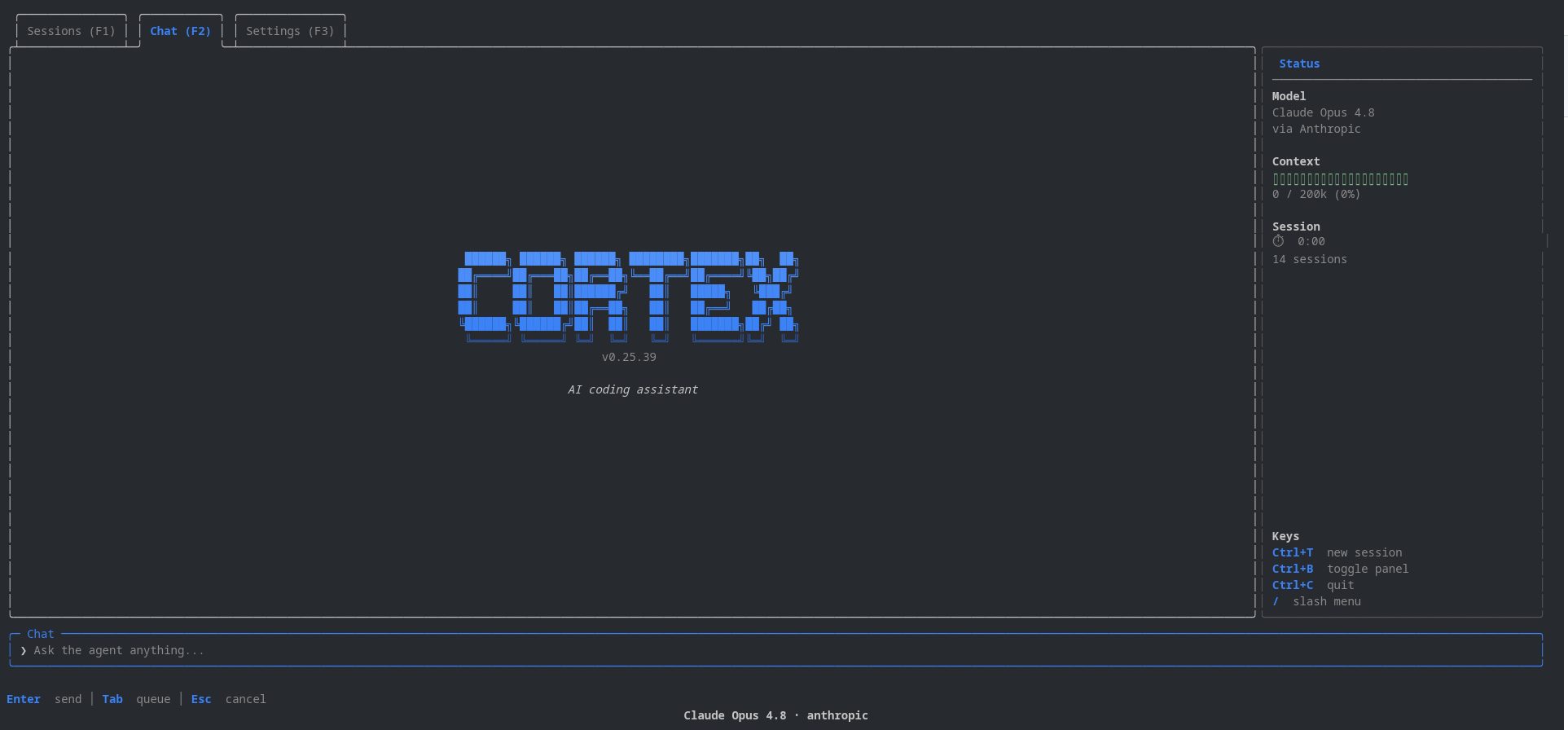
cortex-cli is a fast, token-efficient coding agent you run in the terminal. Describe what you want in plain language — it reads your repo, edits files, runs commands, searches the web, and keeps working until the job is done. Everything runs locally as a single Go binary with a polished Bubble Tea interface: no daemon, no Docker, no separate cloud agent.
See it in action
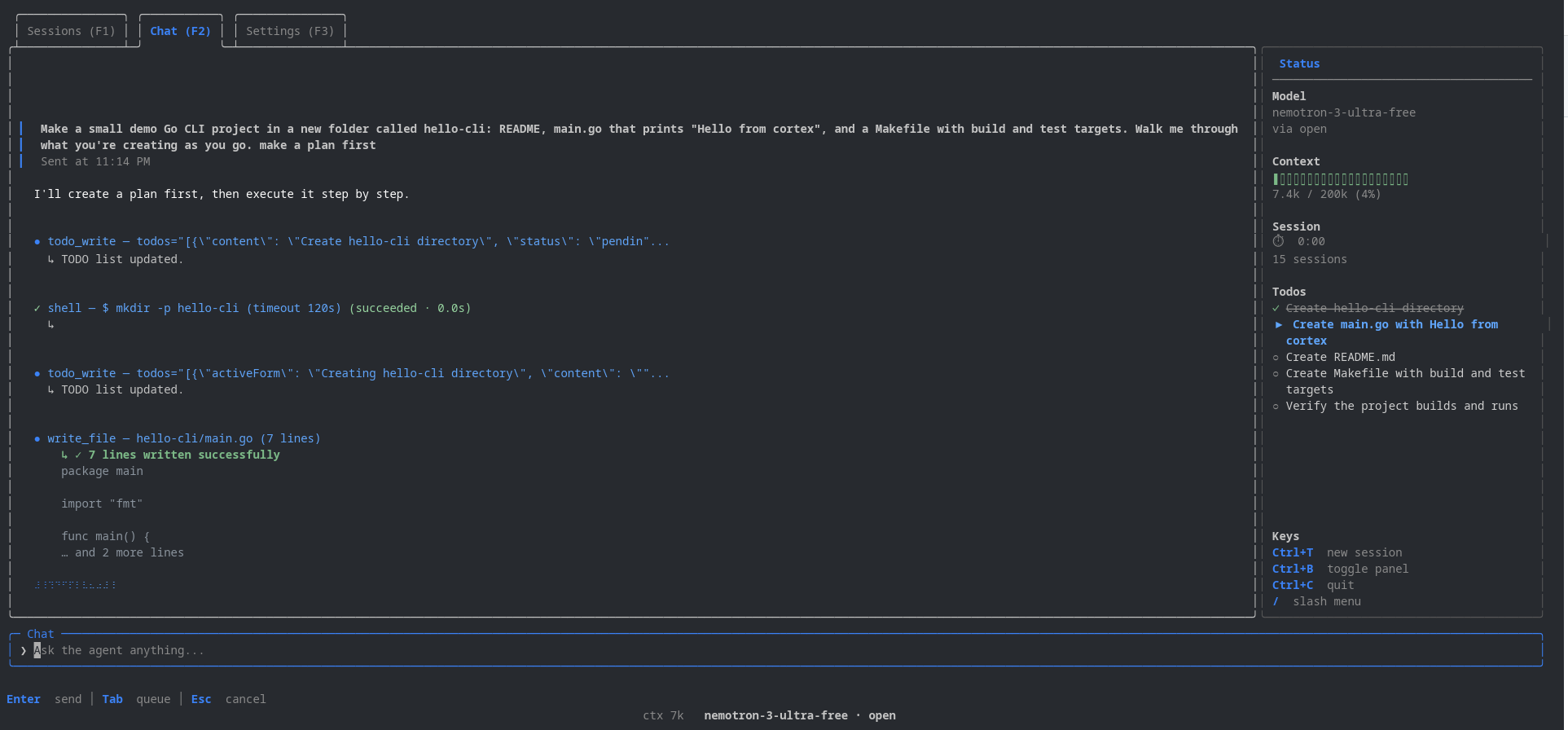
Plans, tool calls, file edits, shell commands, and live todos — all in one terminal window.
Table of contents
- See it in action
- Installation
- Quick start
- Features
- Authentication
- Using it
- Project memory
- Development
- Contributing
Installation
npm
macOS, Linux, and Windows:
npm install -g @mateooo93/cortex@latest --registry=https://npm.pkg.github.com
cortex
If npm returns E401 Unauthorized, use the curl installer below, or add to ~/.npmrc:
@mateooo93:registry=https://npm.pkg.github.com
//npm.pkg.github.com/:_authToken=YOUR_GITHUB_TOKEN
curl
macOS and Linux — no npm auth:
curl -fsSL https://raw.githubusercontent.com/Mateooo93/cortex-cli/main/script/install.sh | bash
cortex --version
Manual download
Linux:
curl -fsSL -o cortex https://github.com/Mateooo93/cortex-cli/releases/latest/download/cortex-linux-amd64
chmod +x cortex && mv cortex ~/.local/bin/
Windows (PowerShell):
irm https://raw.githubusercontent.com/Mateooo93/cortex-cli/main/script/install.ps1 | iex
Other platforms and tarballs are on the latest release. Build from source: git clone, go build -o cortex ./cmd/cortex, ./cortex.
npm note: Install
@mateooo93/cortex@latestfrom GitHub Packages (command above). The packagecortex-clion npmjs.org is a different product. Ifcortexopens the wrong CLI, runnpm uninstall -g cortex-cli, remove stale binaries like~/.local/bin/cortex, thenhash -rand checkwhich -a cortex.
Quick start
cd your-project
cortex
One-shot without the TUI:
cortex -p "explain this repo"
cortex -m anthropic/claude-sonnet -p "fix the failing test"
cortex --list-models
Features
Terminal experience
- One native binary — instant startup, in-process session, and less overhead around every agent turn. No daemon, no Docker, no Node wrapper.
- Polished Bubble Tea TUI — markdown chat, live tool-call cards with diffs, todo list, thinking trace, and a context panel (
Ctrl+B). - Multi-session workspace — run parallel chats (
Ctrl+T), switch withF1/F2, and resume after restart. - Stay in flow — queue follow-ups with
Tab, see context usage and turn timer in the status bar, copy chat with/copyor drag-select. - Command palette —
Ctrl+Pfor history search, scroll jumps, and quick actions without memorizing shortcuts.
Models and auth
- Bring your own model — OpenAI, Anthropic, Ollama, Groq, OpenRouter, and more via YAML presets.
- Subscription sign-in — ChatGPT (Codex), Claude, Copilot, and xAI Grok OAuth; tokens live in the OS keychain.
- Fast model switching —
/modelpicker, provider search in Settings,cortex --list-modelsfor headless use. - Reasoning effort —
/effortlevels from low through ultracode for harder tasks (session-scoped).
Agent capabilities
- Full tool belt —
read_file,write_file,edit_file(multi-block patches),bash,grep/glob_files,web_search,web_fetch, background shells, andtodo_write. - Sub-agents —
spawn_agent+task_outputdispatch parallel specialists (explore, developer, tester, reviewer) without bloating your main context. - Autonomous goals —
/goal <condition>keeps the agent working until a fast evaluator confirms success (e.g. “all tests pass”). - Context management —
/compactsummarizes long threads; auto-compact at 80% context (toggle in Settings). - Project memory — durable repo knowledge under
.cortex/; browse with/memory, save viamemory_write(details). - Custom agents — drop specialist prompts in
.cortex/agents/and.cortex/skills/; layered with~/.cortexdefaults.
Safety and config
- Safe by default —
deny_listblocks sensitive paths and URLs; out-of-scope reads/writes prompt for confirmation. - Layered config —
~/.cortexuser defaults +./.cortexproject overrides (settings.json,AGENTS.md, agents, skills). - Headless mode —
cortex -p "…"runs the same agent stack without the TUI (scripts, CI, one-shots). - Self-update —
/updatepulls the latest release from GitHub.
Authentication
Subscription sign-in — run cortex, open Settings (F3) or type /login, and sign in with ChatGPT (Codex), Claude, or Copilot. Tokens are stored in the OS keychain.
API keys — set OPENAI_API_KEY, ANTHROPIC_API_KEY, CORTEX_API_KEY, or point at a local Ollama install. Keys can also be saved from Settings.
Choose a model — /model or the Settings tab. List configured options with cortex --list-models.
Using it
Tabs: Sessions F1 · Chat F2 · Settings F3
Shortcuts:
| Key | Action |
|---|---|
Ctrl+B |
Right panel (context, model, keys) |
Ctrl+P |
Command palette |
Ctrl+T |
New session |
Enter |
Send now |
Tab |
Queue for after the current turn |
/ |
Slash menu |
Slash commands: /model · /goal · /effort · /compact · /update · /login · /memory · /copy · /clear
Config lives in ~/.cortex/ (Windows: %USERPROFILE%\.cortex\). Project overrides go in ./.cortex/. See AGENTS.md for architecture, deny-list semantics, and contributor conventions.
Project memory
Cortex can persist durable project knowledge (preferences, conventions, architecture notes) under each repo's .cortex/ directory. Browse and search with /memory, or let the agent save via the memory_write tool. Toggle in Settings.
Full details: docs/memory.md.
Development
make build && make test
./bin/cortex
./bin/cortex -test    # TUI with fake data
Contributing
Bug reports, feature ideas, and pull requests are welcome. See CONTRIBUTING.md for setup and conventions.
If cortex-cli helps you ship faster, a star on GitHub goes a long way.
License
AGPL-3.0 — see LICENSE.
Yorumlar (0)
Yorum birakmak icin giris yap.
Yorum birakSonuc bulunamadi