tempest
agent
Warn
Health Warn
- License — License: MIT
- Description — Repository has a description
- Active repo — Last push 0 days ago
- Low visibility — Only 6 GitHub stars
Code Pass
- Code scan — Scanned 12 files during light audit, no dangerous patterns found
Permissions Pass
- Permissions — No dangerous permissions requested
No AI report is available for this listing yet.
Tempest is a macOS Desktop Application for Claude, Codex, and Pi that helps maintain your focus
README.md
Tempest
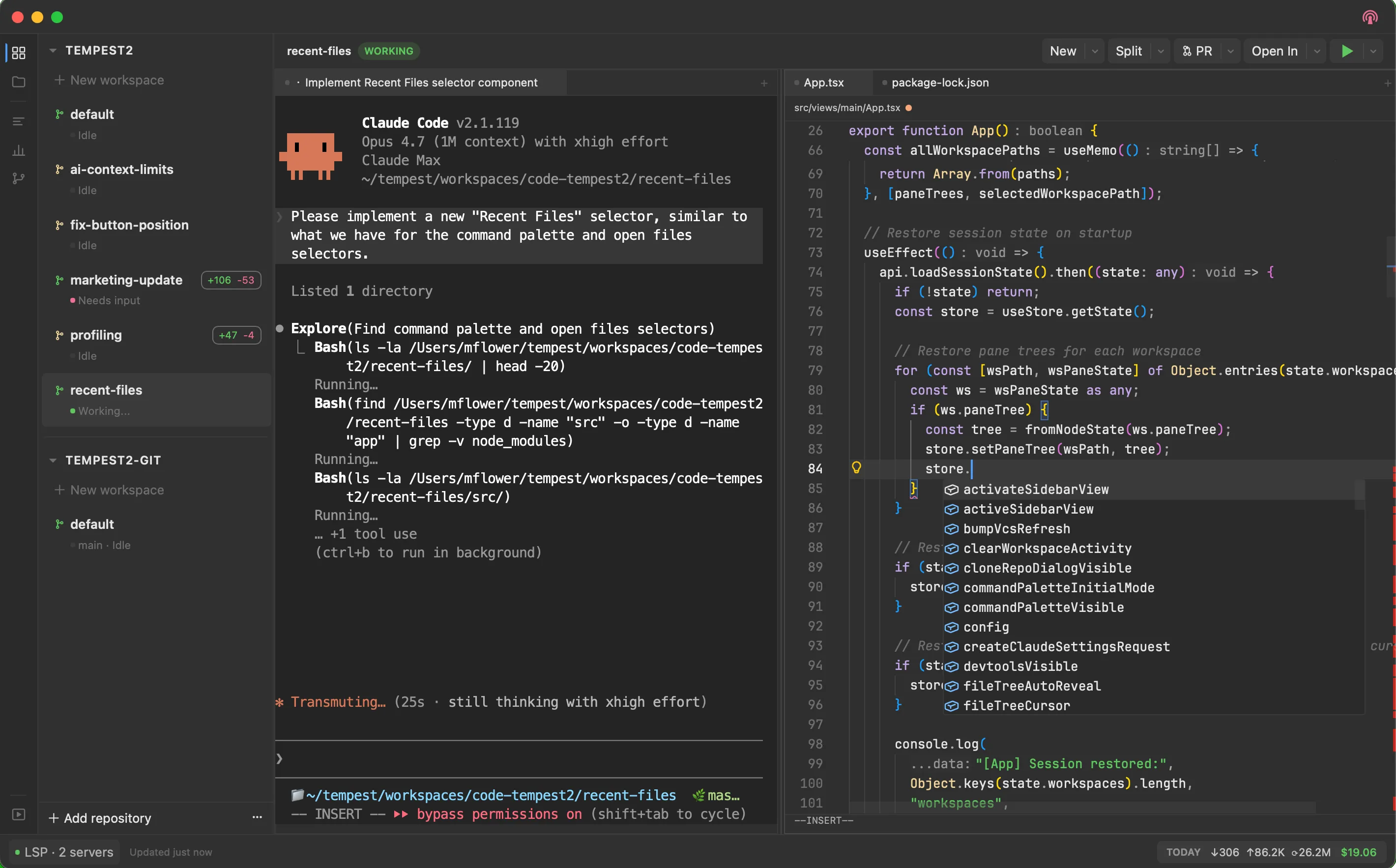
A native macOS workspace for developers working alongside AI coding agents. Tempest puts your terminal, editor, browser, language servers, and Git/Jujutsu tools in a single window -- and treats Claude, Codex, and Pi as first-class tabs with session resume, activity indicators, history search, and inline diff context. Built with Electrobun (Bun + native WebView).
Install
Homebrew (recommended)
brew tap MattFlower/recipes
brew install --cask tempest
Manual download
Grab the latest Tempest.dmg or Tempest.zip from the GitHub Releases page.
Features
Coding agents
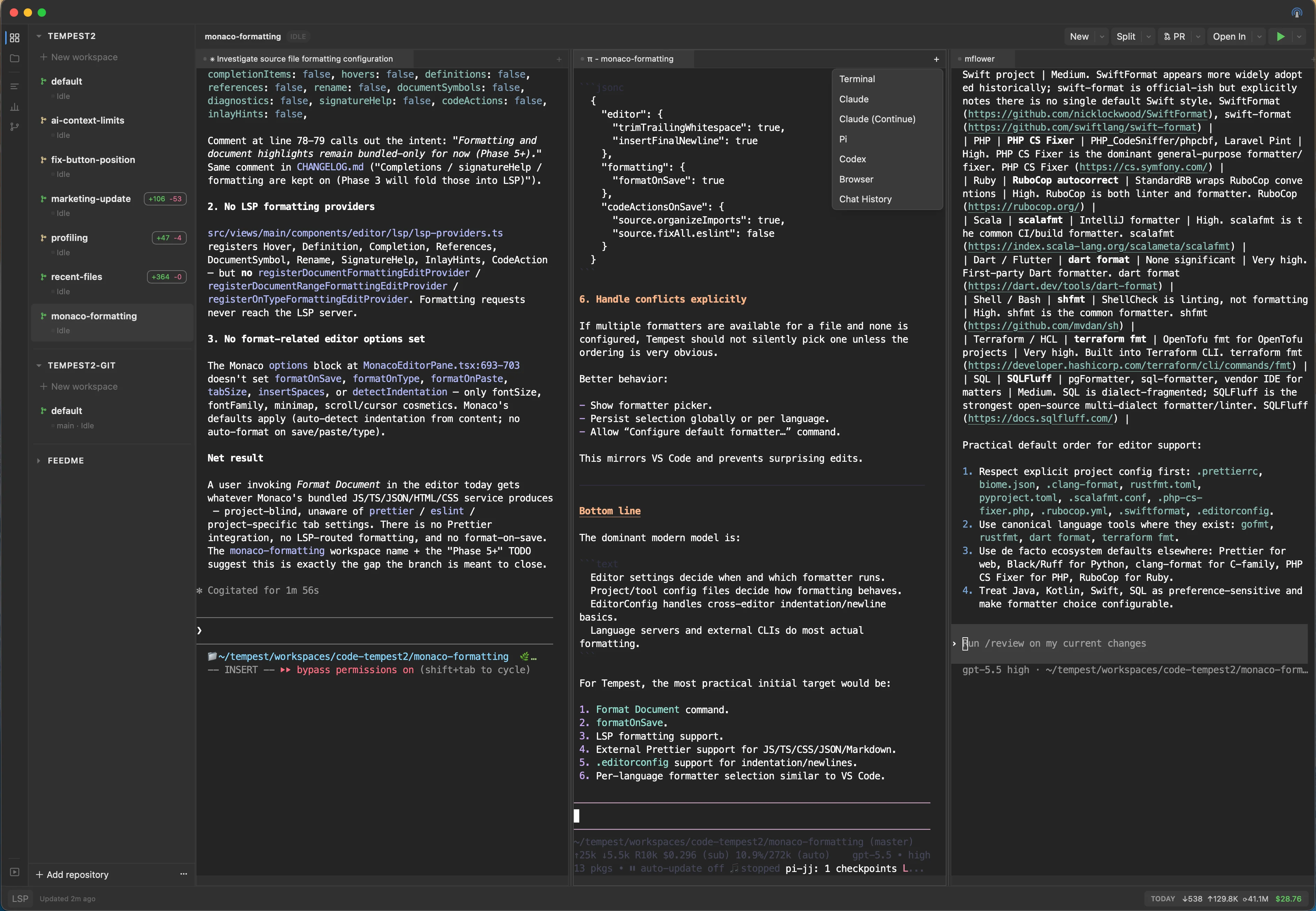
- Three agents, one window -- Claude Code, OpenAI Codex, and Pi all run as native tabs. Launch from the
+menu, command palette, or split toolbar. - Auto-resume -- Tempest reattaches each agent to its prior session on restart (PID/hook for Claude, session-id watcher for Codex, hook socket for Pi).
- Activity indicators -- Per-workspace dots show whether an agent is Working, Needs Input, or Idle so you know when to come back.
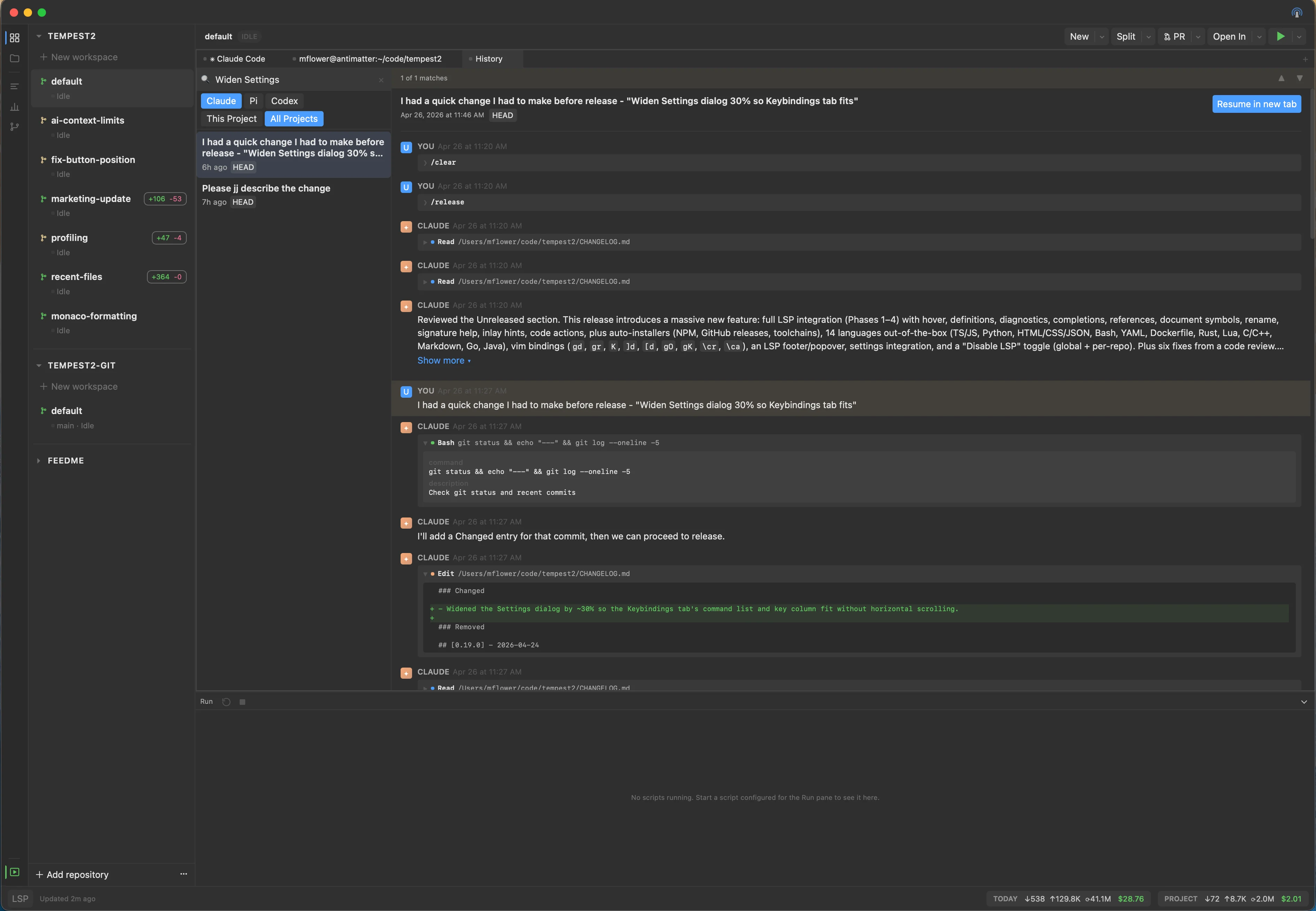
- Chat history viewer -- List, full-text search (ripgrep), and view past sessions across Claude / Codex / Pi. "Resume in new tab" relaunches any session in place.
- AI Context in VCS -- Diff panel shows which agent edited each file and why, fanned out across all three providers.
- Plan mode + permission prompts for Claude; per-session MCP injection (
show_webpage,show_mermaid_diagram,show_markdown) lets agents render visuals into a side pane.
Editor with managed LSP
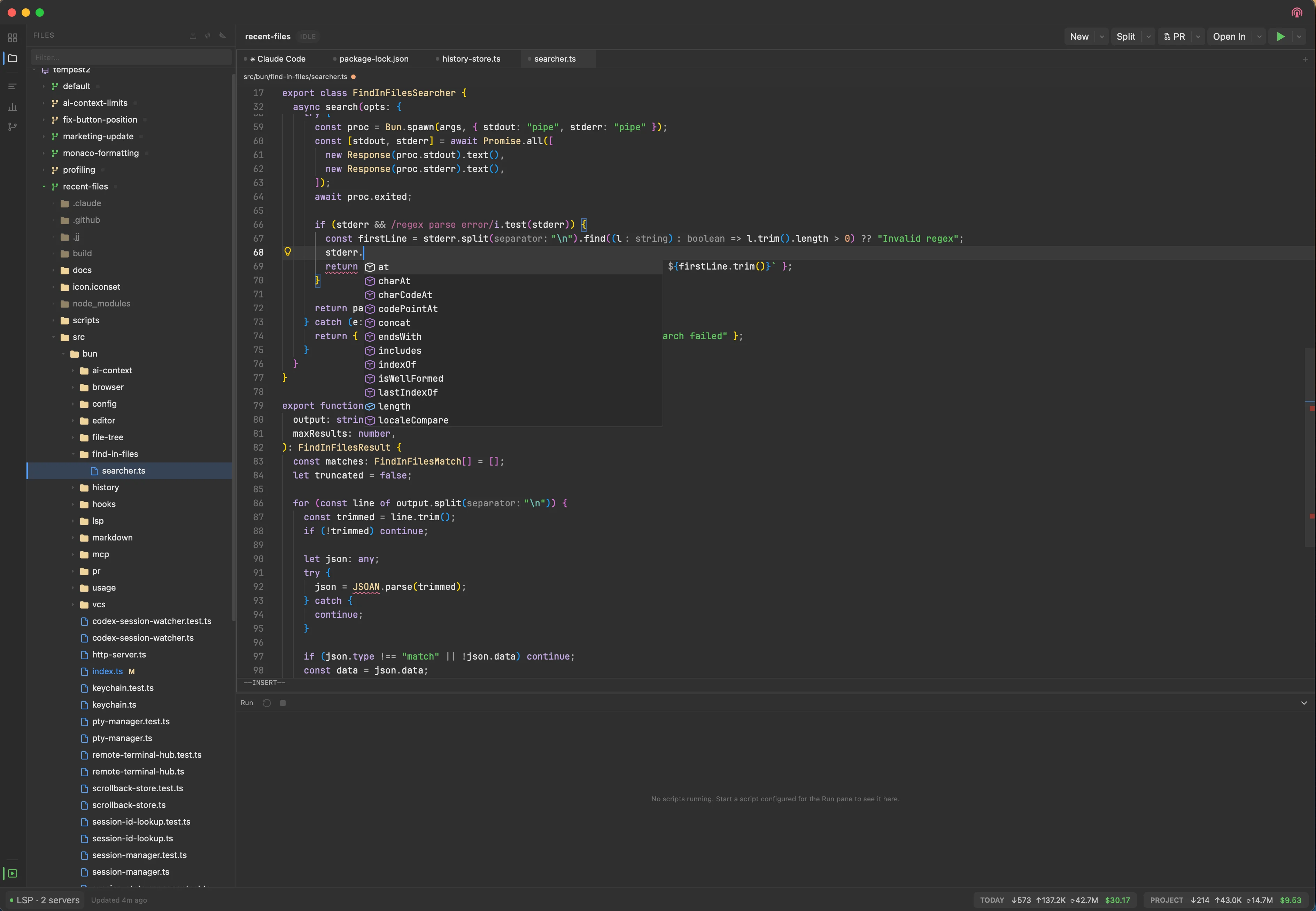
- Monaco + Vim bindings with workspace-relative path headers and persistent state.
- Auto-installed language servers for 14+ languages -- TypeScript/JavaScript, Python, HTML/CSS/JSON, Bash, YAML, Dockerfile, Rust, Lua, C/C++, Markdown, Go, and Java. Tempest installs them on first open into
~/.config/tempest/lsp/and shows install progress in the footer. - Full LSP feature set -- hover, go-to-definition, find references, diagnostics, rename, completions, signature help, inlay hints, code actions, and document symbols. Vim bindings (
gd,gr,K,gO,gK,]d/[d,<leader>cr,<leader>ca) ship out of the box. - Per-repo LSP toggle in repository settings; global toggle in Settings → LSP.
Workspace tools
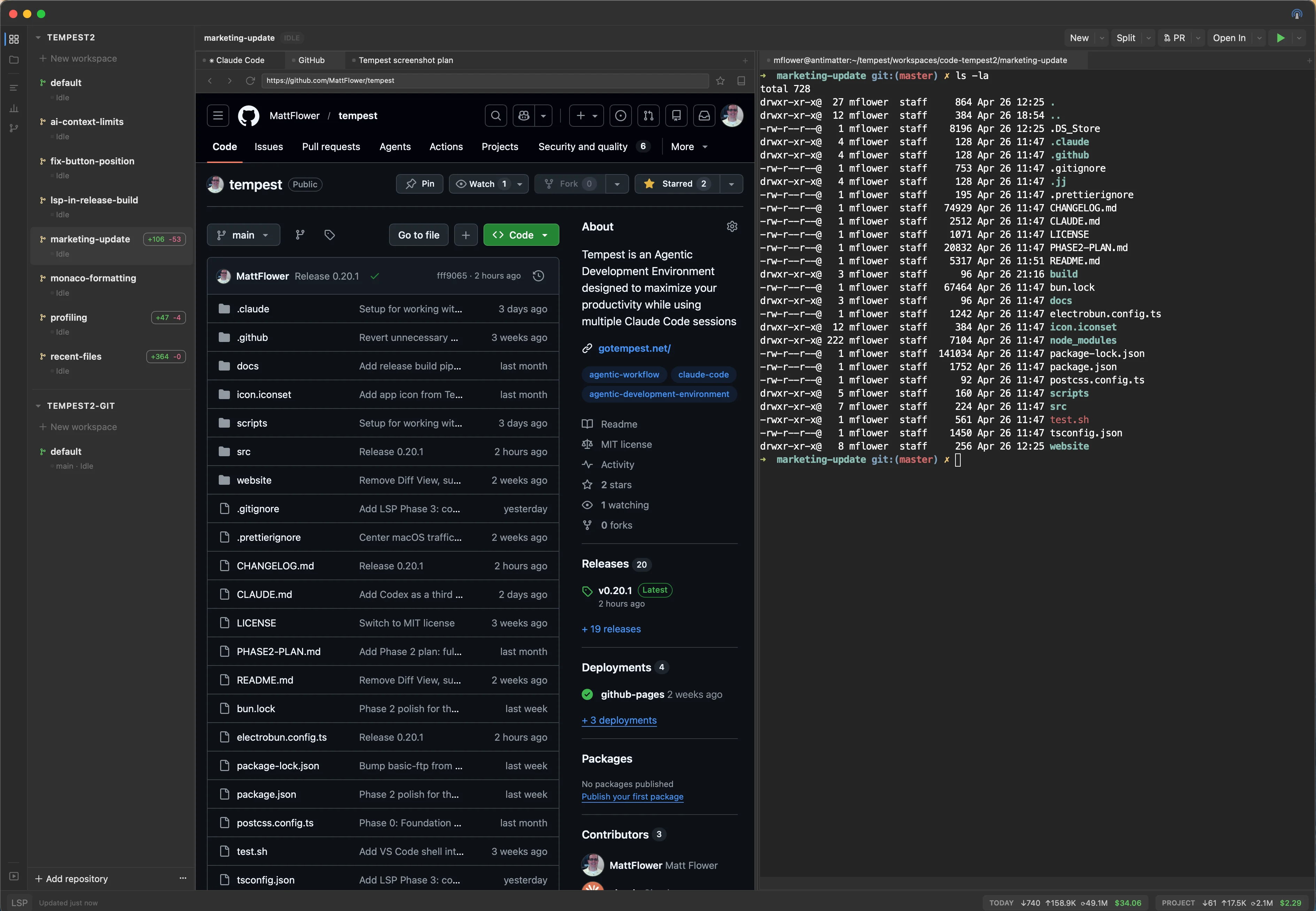
- Terminal -- xterm.js with WebGL rendering, backed by Bun.Terminal PTY. Cmd+click URLs to open them in a side Browser pane.
- Browser -- Tabbed system WKWebView with bookmarks, zoom shortcuts, and split-with-terminal layouts.
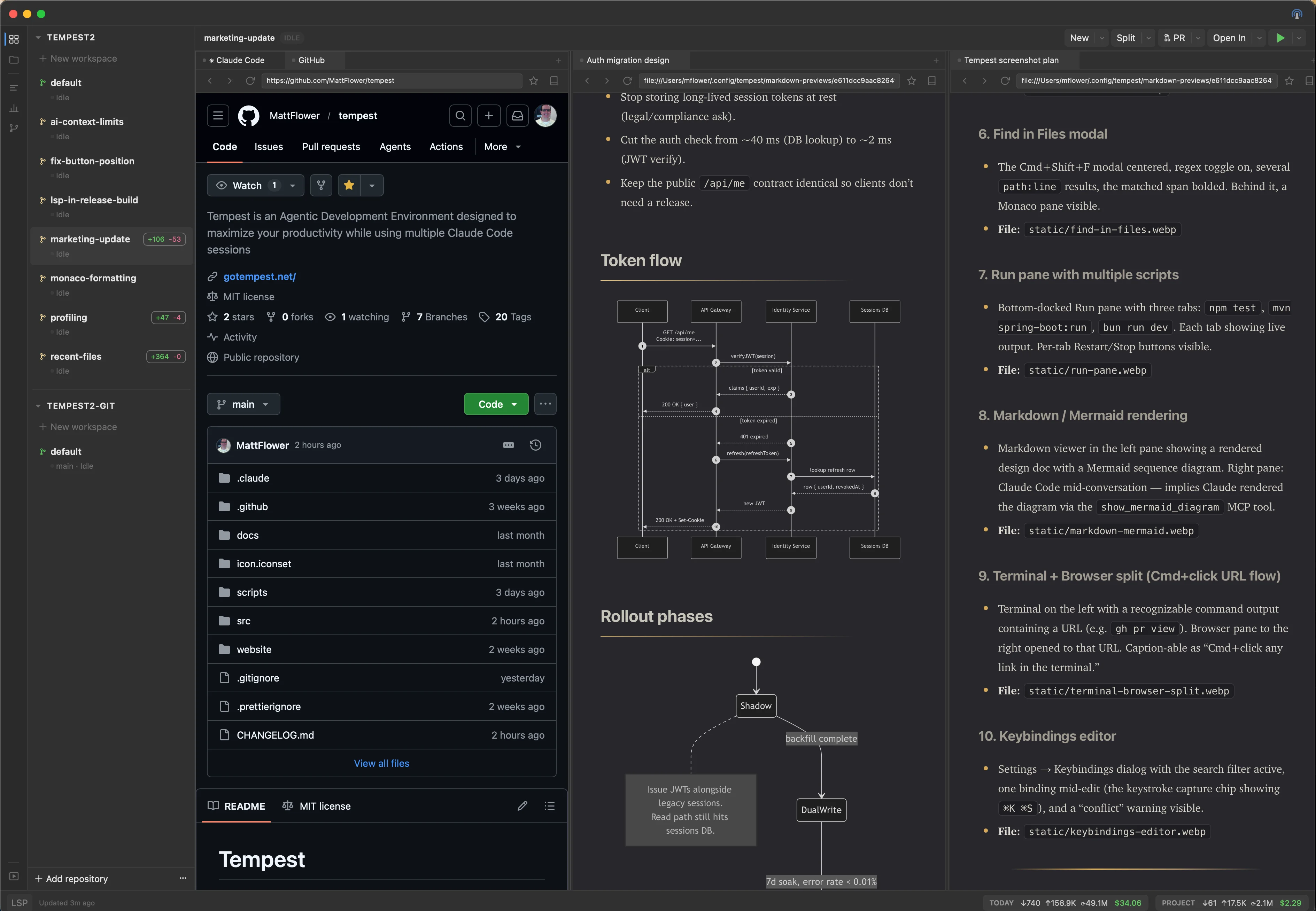
- Markdown viewer -- Live-rendered with Mermaid diagram support and Cmd+F find-in-page.
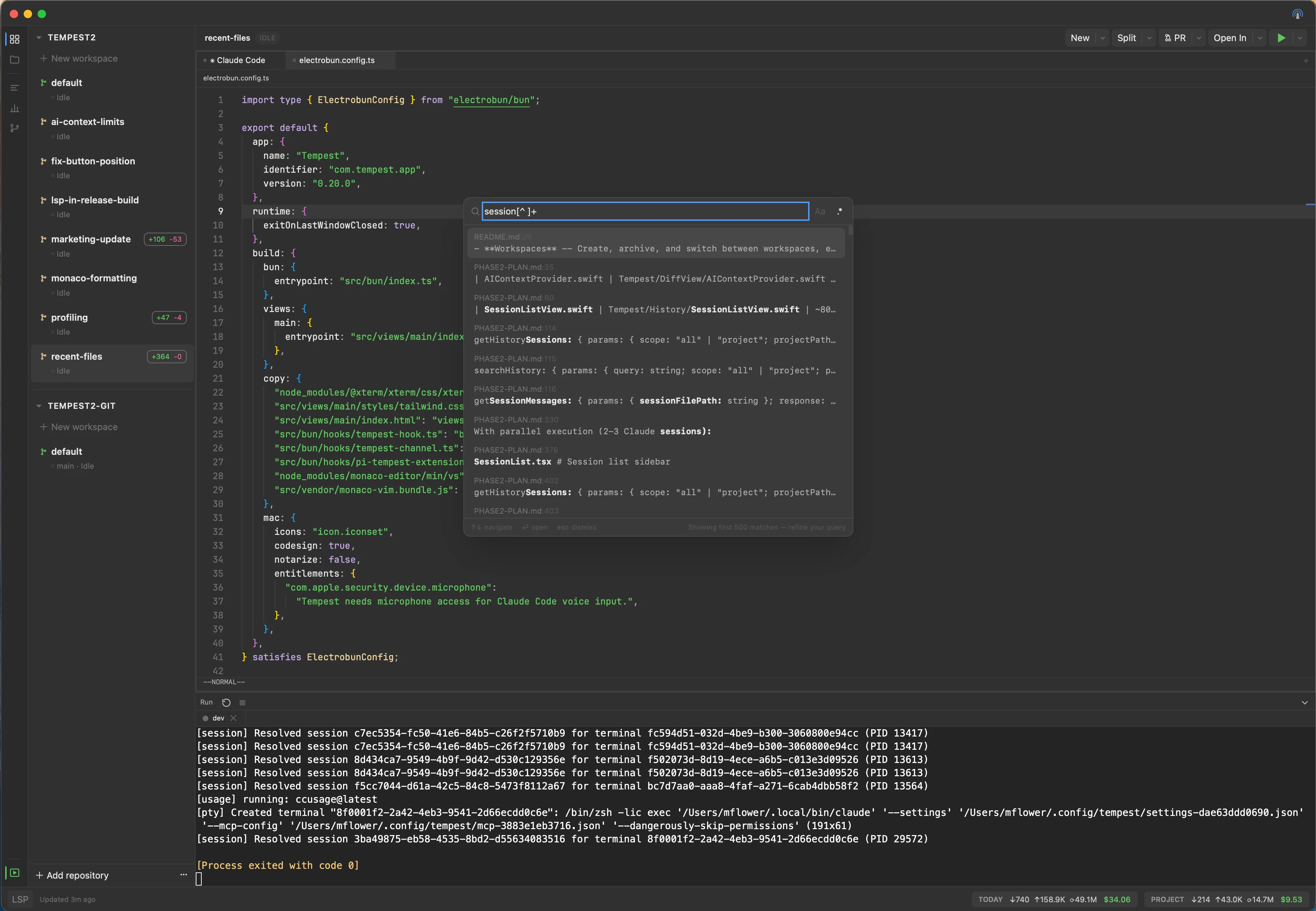
- Find in Files --
Cmd+Shift+Fopens a ripgrep-backed modal with regex/case toggles. Enter jumps to the match.
- Run pane -- Dockable bottom pane for long-running scripts. Each script runs in its own PTY-backed tab with Restart/Stop controls; stays alive across workspace switches.
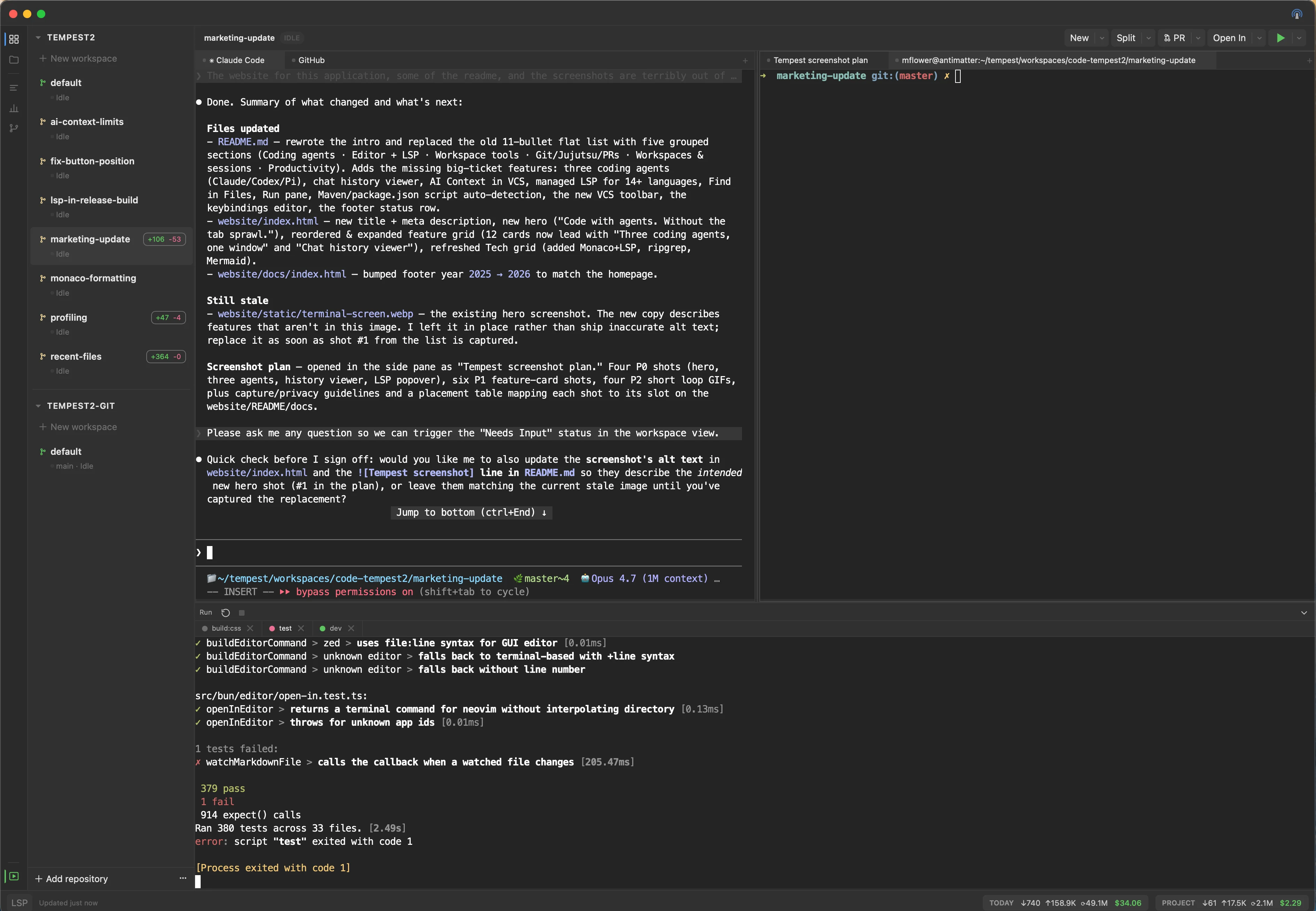
- Custom scripts + auto-detected
package.jsonandpom.xmlscripts runnable from the green-arrow menu (modal or Run pane).
Git, Jujutsu, and PRs
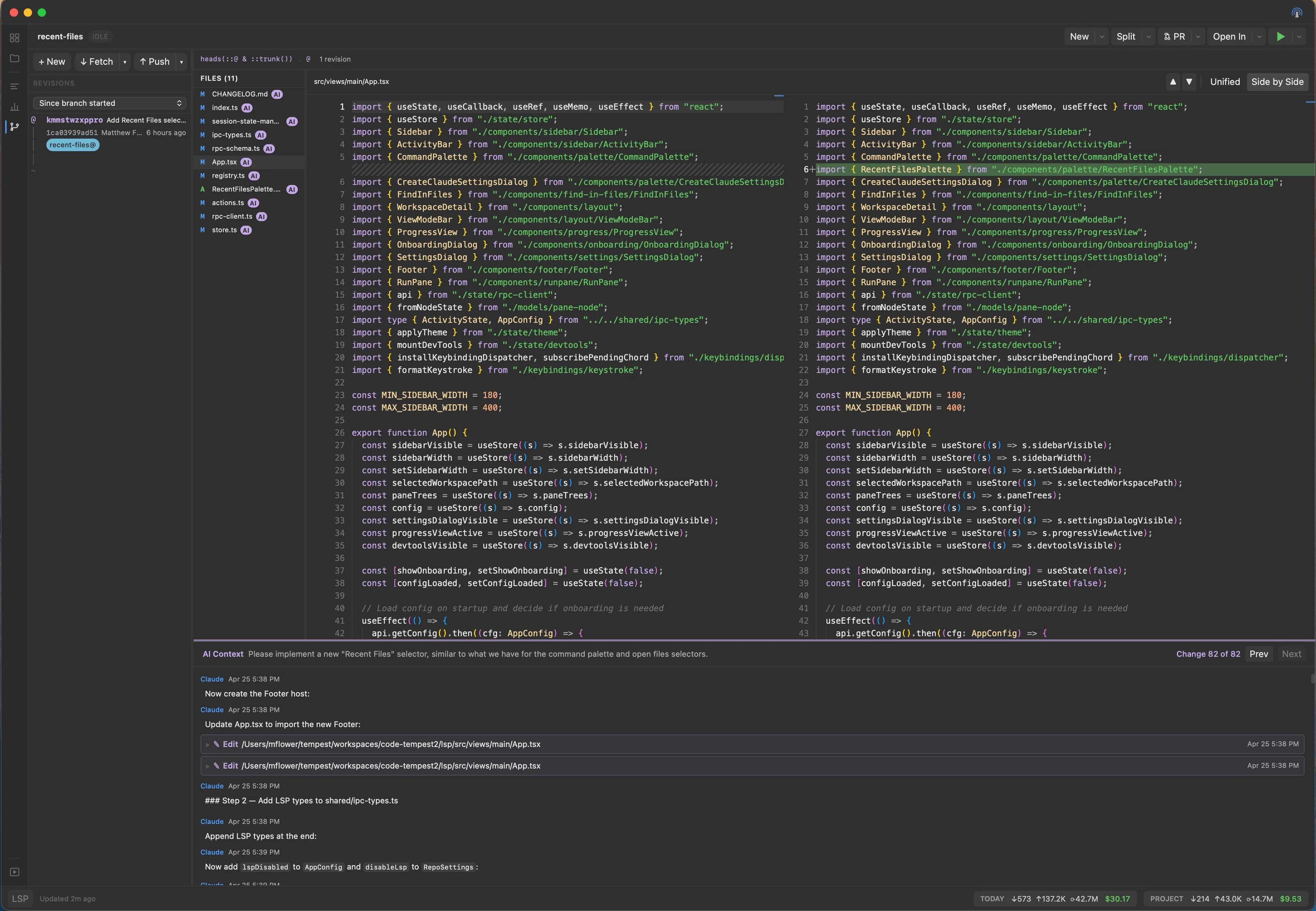
- VCS view for both Git and Jujutsu -- diffs, status, staging, file scoping, and
Cmd+Rrefresh. - Pull / Push / Merge / Rebase toolbar with searchable branch dropdowns and remote pickers.
- Revert changes from the Files sidebar context menu.
- PR monitor -- track, review, and open pull requests directly in the workspace.
Workspaces and sessions
- Workspace-per-task -- Each workspace has its own terminals, browser tabs, agents, and sessions. Create, archive, and switch with persistent state.
- Session restore -- Tempest reopens exactly where you left off, including terminal scrollback (stored per-terminal under
~/.config/tempest/scrollback/).
Productivity
- Command palette --
Cmd+Shift+Pfor commands,Cmd+Pfor files. Arrow keys target left/right pane. - Reassignable keybindings -- Settings → Keybindings rebinds anything, including chord sequences (
⌘K ⌘S).
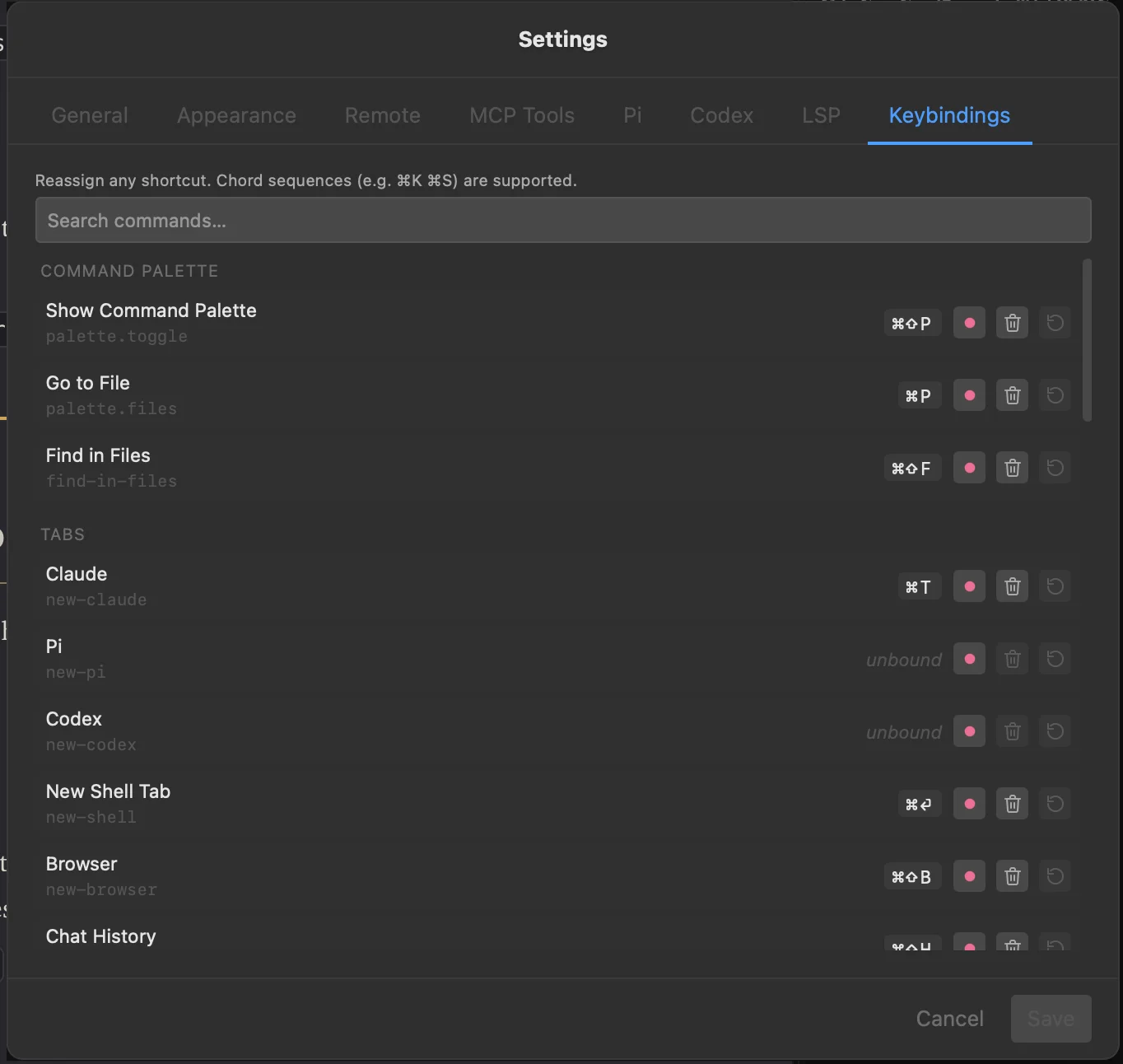
- Help → Keymap lists every shortcut with a filter input.
- Footer status row for LSP server health (restart/stop, stderr tail) and token usage.
- Remote control server -- Optional HTTP server with bearer token auth, web dashboard, and QR code for mobile access.
Building Locally
Prerequisites
- macOS
- Bun >= 1.3.11
Setup
# Install dependencies
bun install

# Start in development mode
bun run dev
Common Commands
| Command | Description |
|---|---|
bun run dev |
Build CSS and start the app in dev mode |
bun run build:release |
Build a release (stable) bundle |
bun run build:css |
Rebuild Tailwind CSS only |
bun test |
Run tests |
Architecture
Two-process model:
- Bun process (
src/bun/) -- Backend: PTY management, session state, file I/O, git operations, RPC handlers - React webview (
src/views/main/) -- Frontend: UI components, state management (Zustand), terminal/browser/editor rendering
The processes communicate over Electrobun's typed RPC bridge.
Tech Stack
- Electrobun 1.16.0
- React 19
- Tailwind CSS 4
- Zustand
- xterm.js 6
- Monaco Editor
Reviews (0)
Sign in to leave a review.
Leave a reviewNo results found