claude-code-agent-smith
Health Warn
- License — License: MIT
- Description — Repository has a description
- Active repo — Last push 0 days ago
- Low visibility — Only 5 GitHub stars
Code Pass
- Code scan — Scanned 8 files during light audit, no dangerous patterns found
Permissions Pass
- Permissions — No dangerous permissions requested
This tool provides slash commands for the Claude Code CLI that analyze, validate, and optimize your AI agent configurations. It helps developers rate their setups across several pillars, identify issues, and automatically apply fixes.
Security Assessment
The tool scores a Low overall risk. A light code scan of 8 files found no dangerous patterns, hardcoded secrets, or malicious code. It does not request any dangerous system permissions. Because it is a Claude Code slash command, it operates within the sandbox of your existing CLI session. However, because its primary function is to analyze and modify your project files, you should still review the generated execution plan before allowing it to apply changes to your repository.
Quality Assessment
The project is actively maintained, with its most recent push happening today. It uses the highly permissive and standard MIT license. The main drawback is its low community visibility; it currently only has 5 GitHub stars. This means the codebase has not been broadly vetted by the open-source community, though the clean automated scan mitigates some of this concern.
Verdict
Safe to use, but review all proposed configuration changes manually before applying them, as the project is new and lacks widespread community vetting.
Slash commands for Claude Code that analyze, validate, and optimize your AI agents. Rate across 8 pillars, find issues, auto-fix problems.
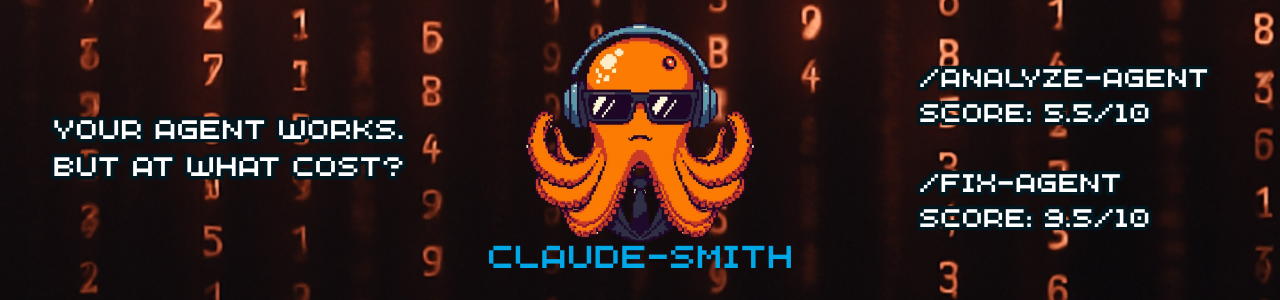



Claude Code Agent Smith
Slash commands for Claude Code that analyze, validate, and optimize your configuration.
Requires Claude Code CLI — Run these commands inside a Claude Code session
What is Claude Code? Claude Code is Anthropic's official agentic coding CLI. Agent Smith adds slash commands that help you check and improve your Claude Code configuration.
What It Does
Agent Smith analyzes, validates, and fixes your Claude Code configuration in one interactive workflow:
- Analyze — Full 7-pillar evaluation with token metrics, instruction quality, and extension ratings
- Track — Score history with trend indicators and regression detection
- Triage — Interactive walkthrough of findings by effort level
- Fix — Apply accepted changes with an execution plan
- Create — Scaffold new configurations with best practices
Quick Start
# Add the marketplace (one-time)
claude plugin marketplace add maxencemeloni/claude-code-agent-smith

# Install the plugin
claude plugin install agent-smith

# Use (in any project)
cd your-project
claude
/analyze-agent
Update:
claude plugin marketplace update agent-smith-marketplace && claude plugin update agent-smith@agent-smith-marketplace
Commands
| Command | Purpose |
|---|---|
/analyze-agent |
Full configuration analysis, interactive triage, and guided fixes |
/create-agent |
Scaffold new configuration with best practices |
/analyze-agent Workflow
- Analyze — Validates structure, scores all 7 pillars, measures tokens, rates instructions and extensions
- Save Report — Writes full report to
AGENT_SMITH_REPORT.md - Triage — Pick a category: Quick Wins, Recommended, or Advanced
- Decide — For each finding: Yes (apply) / No (skip) / Custom instruction
- Execute — Review the execution plan, confirm, and apply all changes
Sample Output
/analyze-agent
# Agent Smith Analysis

**Project:** your-project
**Type:** Node.js
**Score:** 7.8/10

## Pillar Scores

| Pillar | Score | Notes |
|--------|:-----:|-------|
| Security Posture | 7/10 | Could add more deny rules |
| Instruction Clarity | 8/10 | Well-structured CLAUDE.md |
| Configuration Quality | 8/10 | Good structure |
| Context Efficiency | 6/10 | Missing .claudeignore patterns |
| Command & Extension Design | 9/10 | Clear, well-documented |
| Hook Safety | N/A | No hooks configured |
| MCP Integration | 7/10 | 3 servers configured |

## Content Overview

| Category | Files | Est. Tokens |
|----------|------:|------------:|
| Instructions | 1 | ~4,800 |
| Commands | 5 | ~8,600 |
| Agents | 6 | ~10,500 |
| **Total user content** | | **~23,900** |

## Limitations

This analysis covers user-configurable components only.
Claude Code's system prompt and tool schemas are outside this scope.
Interactive Triage
Which category do you want to address?
  A) Quick Wins     — 3 low-effort fixes
  B) Recommended    — 2 medium-effort improvements
  C) Advanced       — 1 high-effort optimization
  D) All categories — Walk through everything
  E) Done           — Just the report, no changes
After choosing, you walk through each item one by one and decide what to do. Then Agent Smith builds an execution plan and applies your choices.
See
examples/reports/for a full real-world report from Agent Smith's self-analysis, andexamples/configs/for starter configurations for Node.js, Python, and generic projects.
The 7 Evaluation Areas
| Area | Weight | What's Checked |
|---|---|---|
| Security Posture | 20% | Sensitive file protection, dangerous patterns |
| Instruction Clarity | 20% | CLAUDE.md quality, structure, contradictions |
| Configuration Quality | 15% | settings.json structure, allow rules |
| Context Efficiency | 15% | .claudeignore coverage, duplication, references |
| Command & Extension Design | 15% | Commands, agents, skills: quality, naming, structure |
| Hook Safety | 10% | hooks.json validity, dangerous commands |
| MCP Integration | 5% | MCP server configuration quality |
What Issues It Finds
| Issue Type | Example |
|---|---|
| Missing .claudeignore | No context filtering → node_modules scanned |
| Missing .git/ pattern | Git history gets indexed |
| Missing deny rules | No protection for .env, secrets/, *.pem |
| Dangerous Bash patterns | Bash(*) allows any command |
| Unsafe hook commands | rm -rf or sudo in hooks |
| Hardcoded personal paths | /Users/name/ in shared configs |
| --no-verify bypasses | Git safety hooks disabled |
| Unscoped agents | Missing model or tools in agent frontmatter |
| Unstructured skills | Missing SKILL.md or frontmatter |
| Too many active MCPs | >10 servers shrinks context window |
| Duplicated content | Same text in multiple files |
| Embedded content | File contents copied instead of referenced |
Honest About Limitations
This tool measures what you can control:
| Can Measure | Cannot Measure |
|---|---|
| Your instruction files | Claude Code's system prompt |
| Your commands and agents | Built-in tool schemas |
| Your .claudeignore coverage | Runtime context usage |
| Duplicated content | Conversation history |
We provide real measurements with honest scope, not inflated claims.
Security: Deny Rules
Prevent Claude from reading sensitive files:
{
  "permissions": {
    "deny": [
      "Read(./.env)",
      "Read(./.env.*)",
      "Read(./secrets/)",
      "Read(./**/*.pem)",
      "Read(./**/*.key)",
      "Read(./**/*_rsa)"
    ]
  }
}
/create-agent includes these by default. /analyze-agent checks for missing rules.
Install
# 1. Add the marketplace (one-time)
claude plugin marketplace add maxencemeloni/claude-code-agent-smith

# 2. Install the plugin
claude plugin install agent-smith
Works on all platforms.
# Update (refresh marketplace first, then update)
claude plugin marketplace update agent-smith-marketplace
claude plugin update agent-smith@agent-smith-marketplace

# Uninstall
claude plugin uninstall agent-smith@agent-smith-marketplace
Upgrading from v1.x? The install script (
install.sh/install.ps1) method was removed in v2.0. To migrate:
- Run the old uninstall script:
bash uninstall.sh(or.\uninstall.ps1on Windows)- Install fresh using the plugin commands above
If you no longer have the uninstall script, manually delete the Agent Smith commands from
~/.claude/commands/and the~/.claude/agent-smith-repofile, then install the plugin.
Contributing
- Fork the repo
- Add/modify commands in
commands/ - Validate with
claude plugin validate . - Submit a PR
See IMPROVEMENTS.md for the full changelog and the wiki Roadmap for planned features.
Development
When working on Agent Smith with Claude Code, the CLAUDE.md file at the project root provides development context including:
- Design principles — Honesty over hype, scope clarity, evidence required
- 7-pillar system — Rationale for each evaluation area
- Out of scope — What we explicitly don't measure (system prompt, model routing, etc.)
- Version management — How to bump versions and update documentation
- Repository structure — Where everything lives
This context is only loaded when developing Agent Smith itself, not when users run the commands in their projects.
Release Checklist
When releasing a new version:
| Step | Files |
|---|---|
| 1. Update version badge | README.md |
| 2. Add changelog entry | IMPROVEMENTS.md |
| 3. Update wiki | Roadmap.md (version + history) |
| 4. Commit with format | Release vX.Y.Z — Description |
| 5. Push main + wiki | Both repositories |
Wiki
The GitHub Wiki is maintained as a separate repository. When making changes that affect documentation, update both the README and relevant wiki pages.
License
MIT
More Claude Code Plugins
Tools built by the same developer to enhance your Claude Code experience.
| Plugin | Description | Command |
|---|---|---|
| Prompt Smith | Optimizes rough prompts into cleaner, more executable versions. Four modes: default, agentic, compact, and strict. | /prompt |
Check out Prompt Smith for more details
Reviews (0)
Sign in to leave a review.
Leave a reviewNo results found