vcupid-plugin
Health Uyari
- License — License: NOASSERTION
- Description — Repository has a description
- Active repo — Last push 0 days ago
- Low visibility — Only 9 GitHub stars
Code Gecti
- Code scan — Scanned 4 files during light audit, no dangerous patterns found
Permissions Gecti
- Permissions — No dangerous permissions requested
Bu listing icin henuz AI raporu yok.
Claude Code plugin — AI fundraising toolkit: VC pipeline, fund matching, partner profiling, outreach, pitch prep, debriefs, and term sheet analysis
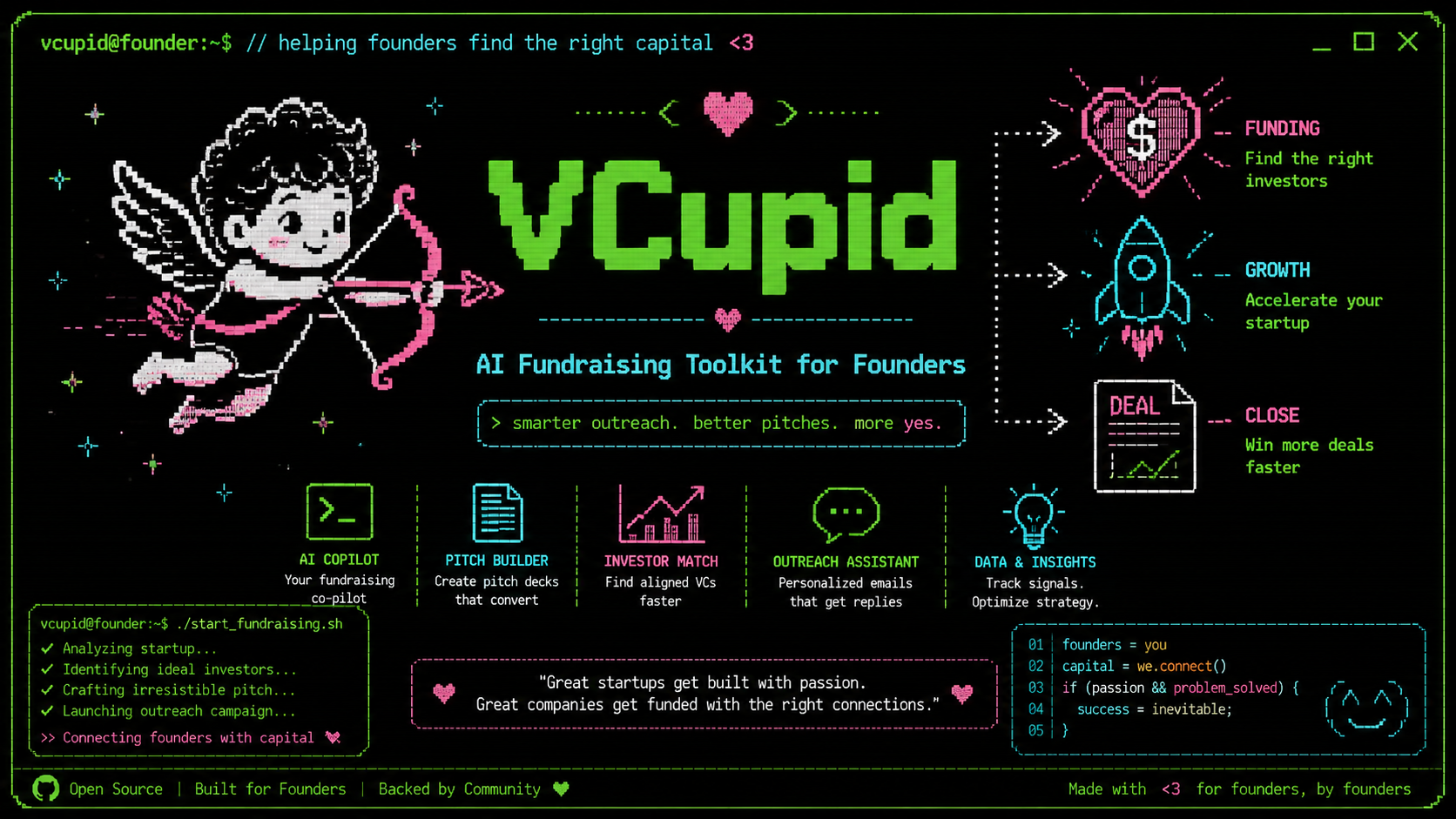
VCupid Skills — AI Fundraising Toolkit for Founders
A set of Skills that turn your startup profile into a full VC fundraising workflow: pipeline research, fund matching, partner profiling, outreach drafting, meeting prep, post-meeting debrief, term sheet analysis, and strategy.
Full Fundraising Workflow
Run commands in this order for a complete fundraising campaign:
# 0. Create your STARTUP_PROFILE.md
# Use the example file with your information.

# 1. Build the strategy
/vcraise

# 2. Research the landscape
/vclist

# 3. For each Tier 1 fund — legitimacy check first:
/vcposer <fund name>              # Is this fund real and active? Drop if score < 40.

# 4. For each fund that passes vcposer (score 60+):
/vcmatch <fund name>              # Does their mandate fit your startup?
/vcmatch <fund name> <profile.md> # Optional: use an alternate profile file
/vcperks <fund name>              # What do they offer beyond the check?

# 5. Stress-test your pitch against the funds you're pursuing:
/vcdevil                          # 10 lethal questions — know what to defend
/vcangel                          # 10 strongest signals — know what to lead with

# 6. For each fund with a vcmatch Pursue or Warm Up verdict:
/vcpartner <fund> <partner name>
/vcintro vcmatch-<fund>.md        # send outreach
/vclp vcmatch-<fund>.md           # attach the one-pager

# 7. When a meeting is booked:
/vcprep vcmatch-<fund>.md

# 8. After the meeting:
/vcdebrief vcmatch-<fund>.md        # signal read, follow-up email, next step

# 9. When you receive a term sheet:
/vcterm termsheet-<fund>.md         # clause analysis, score, negotiation priority list

# Anytime — review your full pipeline:
/vctrack
File naming convention:
| File | Purpose |
|---|---|
STARTUP_PROFILE.md |
Your startup data — update as traction grows |
vclist.md |
Master fund pipeline |
vcposer-<fund>.md |
Poser check — fund vitality, thesis authenticity, lead capacity |
vcmatch-<fund>.md |
Deep analysis per fund |
vcperks-<fund>.md |
Perks breakdown — value beyond capital, scored by relevance |
vcpartner-<fund>-<name>.md |
Partner brief |
vcintro-<fund>.md |
Outreach drafts |
vclp-<fund>.md |
Fund-specific one-pager |
vcprep-<fund>.md |
Meeting prep |
vcdebrief-<fund>.md |
Post-meeting debrief — signals, follow-up email, next step |
vcterm-<fund>.md |
Term sheet analysis — clause scores, negotiation priority list |
vctrack.md |
Pipeline dashboard — status of all funds at a glance |
vcraise.md |
Fundraising strategy |
vcdevil.md |
Adversarial stress-test — 10 lethal questions |
vcangel.md |
Champion's brief — 10 strongest signals to lead with |
Installation
VCupid is a Claude Code plugin made only of skills (Markdown prompt files). It ships no scripts, hooks, or MCP servers.
Privacy: VCupid has no server of its own and collects nothing. Your STARTUP_PROFILE.md and every generated report stay as local files in your working directory, and are processed by Claude under your existing Claude account terms. /vclist, /vcmatch, /vcpartner, /vcperks, /vcposer and /vcterm use Claude's built-in web search and web fetch to research public information about funds, partners and market terms; the search queries can include details such as your sector, stage, location or a fund's name. /vcraise and /vctrack only list files in your working directory. Nothing else leaves your machine.
From the Claude plugin directory: add VCupid from claude.ai/directory. It is then available on claude.ai, in Cowork, and in Claude Code.
From this repository's marketplace (Claude Code):
claude plugin marketplace add maxoliverbr/vcupid-plugin
claude plugin install vcupid@vcupid
To update later: claude plugin update vcupid@vcupid.
All /vc* commands work in any directory that contains a STARTUP_PROFILE.md.
From a clone of the repo, load the plugin for one session:
claude --plugin-dir ~/dev/vcupid-plugin
Edits to skill files are picked up the next time a session starts, or right away with /reload-plugins.
Tips
- Keep
STARTUP_PROFILE.mdcurrent. Every new traction milestone (signed LOI, new partnership, first revenue) changes what funds you can approach and what you can say. Update it and re-run/vcraisemonthly. - Run
/vcposerbefore/vcmatch. Vcmatch auto-checks your vcposer report and stops on scores below 40. A fit score below 50 is a no-go for outreach — don't write the email. - Use Variant B (
/vcintro) over cold email whenever a warm path exists. A forwarded intro converts at 5–10x the rate of cold outreach. - The vcprep is for rehearsal, not for the room. Print it, rehearse it, then leave it behind — the meeting is a conversation, not a recital.
- Run
/vcdebriefthe same day as the meeting. Memory fades fast and the follow-up email loses impact after 24 hours. Don't wait until the next morning. - Share
/vctermoutput with your attorney, not instead of one. The term sheet analysis tells you what to fight for — your lawyer tells you how to fight for it without blowing the deal. - Run
/vctrackbefore every weekly review. If you're working 5+ funds in parallel, the pipeline table is the only way to see what's stale and what needs a nudge. - Want to add or change a skill? See Contributing below.
Prerequisites
All commands read STARTUP_PROFILE.md from your current working directory. Create this file before running any command. /vcmatch also accepts an optional profile file argument (e.g. /vcmatch a16z SALES_PROFILE.md) if you maintain multiple profiles.
Setting Up STARTUP_PROFILE.md
Create a markdown file in your project root with the following structure. The more detail you provide, the more specific and accurate every command output will be. Vague inputs produce generic outputs.
# Startup Profile: [Company Name]

## I. Company Overview
| Field | Detail |
|-------|--------|
| **Startup Name** | [Legal company name] |
| **One-Liner** | [One sentence: what you do and for whom] |
| **Core Problem** | [The specific problem you solve — include scale/urgency] |
| **Solution** | [What you built and how it works — be technical if relevant] |
| **Key Value Prop** | [The headline outcome you deliver: time saved, cost reduced, etc.] |
| **Category** | [e.g., Deep Tech / Infrastructure / Climate / SaaS] |
| **Location & Founded** | [City, State, Country. Month Year.] |
| **Website** | [URL] |

## II. Market & Business Model
| Field | Detail |
|-------|--------|
| **Target Customer** | [Specific buyer — not "enterprises", but "grid operators at electric cooperatives"] |
| **Market Opportunity** | [Beachhead TAM with source. Expansion path.] |
| **Business Model** | [How you charge: SaaS, value-based, usage, marketplace, etc.] |

## III. Traction & Milestones
| Field | Detail |
|-------|--------|
| **Product Stage** | [Idea / MVP / MVBP / Revenue / Growth] |
| **Product Launch** | [Target date or "Live as of [date]"] |
| **Traction** | [Be specific: design partners, LOIs, revenue, pilots, grants, gov partnerships] |
| **Referral** | [Any warm contacts who can open VC doors — Name, email, relationship] |

## IV. Team
| Role | Name | Key Highlights |
|------|------|---------------|
| **CEO** | [Name] | [3–5 most relevant credentials for investors] |
| **CTO** | [Name] | [3–5 most relevant credentials for investors] |
| [Other] | [Name] | [Credentials] |

## V. Fundraise
| Field | Detail |
|-------|--------|
| **Raise Amount** | [$XM] |
| **Instrument** | [SAFE / Priced Seed / TBD] |
| **Use of Funds** | [Top 3 line items] |
| **Milestone this raise funds** | [What you'll have accomplished when the money runs out] |
Tips for a strong profile:
- Use specific numbers everywhere: "$5M DOE proposal", "38,000-member LinkedIn group", "$30.2M transmission project" — not "large DOE proposal"
- Name your referrals with contact info — the outreach commands use them
- Describe the problem with the urgency a VC would feel, not just the solution you built
- List credentials that matter to investors, not your full resume
Commands
/vcraise — Fundraising Strategy Memo
Start here. Synthesizes your profile and any existing vcmatch/vclist files into a full strategy.
/vcraise
Reads: STARTUP_PROFILE.md + any vclist.md and vcmatch-*.md in the current directory
Saves: vcraise.md
Output sections:
- Current State — honest assessment of what you have and what's missing
- Raise Parameters — recommended amount, instrument, valuation cap, timeline
- Sequencing Strategy — who first, parallel vs. sequential, how to create urgency
- Milestone Map — which proof points unlock which tier of investors
- Month-by-Month Timeline — from today through close
- Risk Factors & Contingencies — what derails the raise and the fallback for each
- This Week — Next 3 Actions — concrete, specific, doable in 7 days
/vclist — VC Target Pipeline
Research the VC landscape and produce a ranked list of 15–20 funds to target.
/vclist
Reads: STARTUP_PROFILE.md
Saves: vclist.md
Output: Three tiers of funds with rationale and suggested contact angle per fund:
- Tier 1 — Pursue Now: Strong fit, correct stage, warm path exists
- Tier 2 — Warm Up First: Good thesis fit, missing proof point or intro
- Tier 3 — Monitor: Stage mismatch or unclear path — revisit later
Run this before /vcmatch to know which funds are worth the deep analysis.
/vcposer — VC Poser Detector
Pre-filter funds from your pipeline before committing to a full match analysis. Runs 8 evidence-based checks on whether a fund is actually active and writing checks — independent of whether their thesis fits your startup.
/vcposer <VC Fund Name>
Example: /vcposer "Slow Ventures" or /vcposer a16z
Reads: STARTUP_PROFILE.md (for stage/sector calibration)
Saves: vcposer-<fund>.md
Output — Poser Score (0–100) across 8 checks:
- Fund Vitality — Last investment date. >18 months silent = zombie risk.
- Fund Health — Active fund with dry powder? Key partner departures?
- Thesis Authenticity — Does their portfolio actually match their stated sector thesis?
- Lead vs. Follow — Evidence of leading rounds, not just co-investing.
- Stage Honesty — Stated stage vs. actual entry stage of recent investments.
- Check Size Reality — Stated range vs. observable deal sizes.
- Signal-to-Check Ratio — Conference/content volume vs. actual new deals.
- Founder Sentiment — Public feedback patterns — ghosting, slow decisions, reneging.
Verdict tiers:
- Legit (80–100): Active fund, real checks. Proceed to
/vcmatch. - Probable (60–79): Yellow flags — prioritize if fit is strong, clarify open questions.
- Watch List (40–59): Material poser signals. De-prioritize unless a warm intro exists.
- Likely Poser (0–39): Don't waste cycles. Move to the next fund.
vcposer ≠ vcmatch. Poser Score answers "is this fund real and active?" Vcmatch answers "does their mandate fit our startup?" You need both. A fund can be fully legit but wrong for your stage — and a fund can claim a perfect thesis but be a zombie. Run
/vcposerfirst, then/vcmatchonly for funds that score 60+.
/vcmatch — Fund Fit Analysis
Deep research on a single fund against your startup profile. Spawns 4 parallel domain research sub-agents, synthesizes the results into a structured report, and scores the match across 8 dimensions summing to /100.
/vcmatch <VC Fund Name> [profile-file.md]
Argument order is flexible — if any argument ends in .md, it is treated as the profile file; all other arguments form the fund name.
Examples:
/vcmatch a16z→ funda16z, profileSTARTUP_PROFILE.md/vcmatch "Lowercarbon Capital"→ fundLowercarbon Capital, profileSTARTUP_PROFILE.md/vcmatch a16z SALES_PROFILE.md→ funda16z, profileSALES_PROFILE.md/vcmatch SALES_PROFILE.md Y Combinator→ fundY Combinator, profileSALES_PROFILE.md
Reads: STARTUP_PROFILE.md by default, or the profile file you pass
Saves: vcmatch-<fund>.md
How it works (5 steps):
- Load startup context — reads the resolved profile file and extracts company, team, traction, and raise details
- Poser pre-check — looks for
vcposer-<fund>.mdin the current directory. Stops if score is below 40; warns if 40–59; proceeds normally at 60+ or if no vcposer file exists - Parallel research — four sub-agents run simultaneously: Thesis & Mandate, Portfolio Intelligence, People & Network, and Deal & Process
- Synthesize and score — reconciles sub-agent returns and scores 8 fit dimensions (see table below)
- Write report — saves a 16-section report with
Fit Score:andRecommended Action:fields downstream skills parse by exact match
8-dimension fit scoring:
| Dimension | Max Points | Evidence Source |
|---|---|---|
| Sector Fit | 20 | Thesis: sector clusters, de facto focus |
| Stage Fit | 20 | Thesis stage focus + portfolio entry stage |
| Thesis Alignment | 20 | Stated mandate, de facto focus, thesis quotes |
| Team-Fund Fit | 10 | People: team-fund fit signals |
| Traction Signal Fit | 10 | Portfolio: traction bar |
| Check Size / Terms Fit | 10 | Deal: check size reality, instrument preference |
| Geographic Fit | 5 | Thesis geography + deal sub-agent |
| Network / Warm Path | 5 | People: warm intro paths, referral overlap |
Output sections:
- Firm Snapshot — founded, model, key GPs, standard deal, fund size, notable portfolio
- Investment Thesis & Current Focus — table with Theme / Signal / Verbatim Quote
- Portfolio Pattern Analysis — what the last 24 months of investments reveal about actual deployment priorities
- Key People — partner roster with background, sector focus, and access dynamics
- Fit Assessment — 8-dimension score table summing to /100
- Why It Works — positive signals with named portfolio analogs
- Key Risks & Objections — material mismatches with specific math
- Deal Process Intel — decision timeline, diligence style, known pass triggers
- Best Approach — intro strategy, lead-with bullets, avoid list
- Warm Intro Path — named intermediaries and specific actions, ranked by likelihood
- Diligence Questions to Prepare — 5–8 fund-specific questions
- Cold Email — subject + 4-sentence body with fund-specific hook
- LinkedIn Message — ≤150 chars
- Gaps / Things to Verify
- Sources
- Verdict — table including Recommended Action
Fit Score thresholds: 75–100 → Pursue · 50–74 → Warm Up First · 0–49 → No-Go
Run /vcposer first (score 60+), then /vcmatch before /vcpartner, /vcintro, /vclp, or /vcprep.
/vcperks — Fund Perks Researcher
Understand what a fund delivers beyond the check before you sign. Researches the full value a fund delivers beyond the check — credits and services, but also brand signal, strategic expertise, media reach, policy access, and follow-on capital pathway — scored by relevance to your startup.
/vcperks <VC Fund Name>
Example: /vcperks a16z or /vcperks "First Round Capital"
Reads: STARTUP_PROFILE.md (for stage/sector calibration)
Saves: vcperks-<fund>.md
Part A — Financial Value (dollar estimates, [Confirmed]/[Reported] labels):
- Cloud & Infrastructure — AWS/GCP/Azure credits, API platform discounts
- Legal & Finance — discounted counsel, accounting, cap table tools (Carta, Pulley)
- Talent & Recruiting — job boards, ATS discounts, executive recruiting relationships
- Go-to-Market — PR/comms support, CRM and sales tool discounts
- Network & Introductions — portfolio co. intros, LP relationships, co-investor paths
- Operational Support — office space, co-working, founder summits
- Formal Programs — structured accelerator tracks, office hours, mentorship
Part B — Non-Financial Value (impact ratings, qualitative assessment):
- Brand & Signal Value — what the fund's name does for customer credibility, talent attraction, and future round momentum
- Strategic Guidance & Pattern Recognition — named GP expertise, comparable investments they've led, operating partners
- Content & Media Amplification — publishing access, newsletter reach, event speaking, social amplification
- Policy & Regulatory Access — government relations team, compliance guidance, agency relationships
- Follow-on Capital Pathway — pro rata appetite, reserve pool, bridge capacity, Series A syndication partners, fund lifecycle
Closes with a Gaps section (benchmarked against named peer funds) and a Questions to Ask the Fund Directly section from unresolved research.
For most seed-stage companies, the non-financial value — brand signal, strategic depth, follow-on pathway — is worth more over a 5-year relationship than the credits.
/vcperkscovers both.
/vcpartner — Partner Deep Profile
Know who's in the room before you walk in. Research a specific GP's personal thesis, deals they've led, public writing, and how they map to your startup.
/vcpartner <fund> <partner name>
Example: /vcpartner a16z "Erin Price-Wright"
Reads: STARTUP_PROFILE.md
Saves: vcpartner-<fund>-<lastname>.md
Output sections:
- Background — career path and pre-VC experience
- Personal Thesis — what they personally care about, with direct quotes
- Deals They've Led — companies, stage, sector, why they backed them
- Public Writing & Key Quotes — specific essays and clips relevant to your startup
- Personal Touchpoints — conferences, topics they post about, shared background
- Fit Assessment — how this partner specifically maps to your team and problem
- Conversation Starters — 3 specific, sourced things to bring up in the meeting
/vcintro — Outreach Drafter
Turn a vcmatch report into ready-to-send outreach. Three variants for every situation.
/vcintro <vcmatch-report.md>
Example: /vcintro vcmatch-a16z.md
Reads: STARTUP_PROFILE.md + vcmatch report
Saves: vcintro-<fund>.md
Output — three variants:
- Variant A — Cold Email: 4-sentence direct email to the target partner. Subject line references their thesis.
- Variant B — Warm Intro Request: A note to your referral contact (from your profile), ready to forward to the partner.
- Variant C — LinkedIn DM: 3 sentences. No deck link. Opens with the fund-specific hook.
Each variant uses the verbatim opening hook from the vcmatch report — never generic. The skill recommends which variant to use based on your available warm paths.
⚠️ If the vcmatch Recommended Action is No-Go, this command will stop and tell you — don't send outreach to a no-go fund.
/vclp — Fund-Specific One-Pager
A one-page executive summary written entirely in the fund's language and framed around their thesis. Not a generic company description.
/vclp <vcmatch-report.md>
Example: /vclp vcmatch-a16z.md
Reads: STARTUP_PROFILE.md + vcmatch report
Saves: vclp-<fund>.md
Output sections (≤500 words total):
- Headline — one-liner reframed in the fund's thesis language
- The Problem — uses the fund's own published framing
- The Solution — mapped to their portfolio language
- Traction — only the proof points that scored highest for this fund
- Market — sized in terms this fund cares about
- Team — only the credentials that matter to this fund
- The Ask — amount + milestone unlocked + timeline
- Why Now — fund-specific urgency tied to their thesis
⚠️ Each one-pager is fund-specific. Do not send to other funds without running
/vcmatch <fund>first.
Attach this to Variant A or B of /vcintro.
/vcprep — 15-Minute Pitch Meeting Prep
Full prep for a pitch meeting: timed agenda, verbatim talking points per segment, preemptive answers to every diligence question from the vcmatch report, red flag rebuttals, and the exact ask.
/vcprep <vcmatch-report.md>
Example: /vcprep vcmatch-a16z.md
Reads: STARTUP_PROFILE.md + vcmatch report
Saves: vcprep-<fund>.md
Output:
- 15-minute timed agenda (8 segments)
- Segment scripts: what to say, what to show, what NOT to say — for each segment
- Preemptive answers to every diligence question from the vcmatch report (with "if they push" follow-ups)
- Red flag rebuttals — one-liner responses for each vcmatch red flag
- The Ask — exact amount, 90-day plan, leave-behind action
- Meeting discipline — 3 rules for controlling the room
/vcdevil — The Startup Destroyer
Before you pitch anyone, get destroyed first. A cocky, arrogant VC partner who's seen a thousand pitches like yours tears your startup apart with the 10 hardest questions he can find in your profile.
/vcdevil
Reads: STARTUP_PROFILE.md
Saves: vcdevil.md
Output: 10 lethal questions derived from your actual profile — not generic diligence, but the specific traps your startup walks into. Each question includes:
- A setup line in character (bored, contemptuous, or mocking)
- The question itself, phrased to sting
- Why this kills you — the exact vulnerability it exposes
- What a real answer looks like — the framework for a rebuttal that shuts him up
Run this before any outreach. The questions you can't answer in 30 seconds are the gaps to close first.
/vcangel — The Startup Champion
The other side of /vcdevil. A seasoned VC partner who champions deals in the partner meeting surfaces the 10 strongest signals in your profile — not cheerleading, but pattern recognition. The things that make skeptics go quiet and interested.
/vcangel
Reads: STARTUP_PROFILE.md
Saves: vcangel.md
Output: 10 insights derived from your actual profile — the specific assets most investors would overlook or underweight. Each insight includes:
- A setup line in character (warm, perceptive, strategically excited)
- The insight itself, phrased as the angel would say it in the partner meeting
- Why this wins the room — the specific strength it names, with evidence from your profile
- How to amplify this — a coaching prompt for making the point land harder
Run this alongside /vcdevil. Together they give you full-spectrum pitch prep: know what to defend, know what to lead with.
/vcdebrief — Post-Meeting Debrief
Turn your raw meeting memory into a structured debrief. Produces a signal read, an open diligence queue, a send-ready follow-up email, and a clear recommended next step.
/vcdebrief <vcmatch-report.md>
Example: /vcdebrief vcmatch-a16z.md
Reads: STARTUP_PROFILE.md + vcmatch report (+ asks you for meeting notes)
Saves: vcdebrief-<fund>.md
Output sections:
- Meeting Summary — attendees, duration, format
- Signal Read — green (interest), yellow (hesitation), red (pushback) signals from the meeting
- Diligence Prediction vs. Reality — which vcmatch questions came up, which didn't, what surprised you
- Open Diligence Queue — every item raised in the meeting with a draft answer and deadline
- Pitch Landing Assessment — what from the vcmatch angle resonated vs. missed
- Follow-Up Email — send-ready, subject line and body, references something specific from the meeting
- Recommended Next Step — one of: Request Second Meeting / Send Deck / Send Data Room / Give Space / Drop Fund
- Updated Fit Signal — revised read on interest level vs. the vcmatch prediction
Run this within 24 hours of every meeting. The follow-up email degrades sharply after that.
/vcterm — Term Sheet Analyzer
Benchmark every clause in a VC term sheet against current market norms, flag founder-unfriendly terms, and produce a ranked negotiation priority list with suggested pushback language.
/vcterm <termsheet-file.md>
Example: /vcterm termsheet-a16z.md
Reads: STARTUP_PROFILE.md + term sheet file
Saves: vcterm-<fund>.md
Output sections:
- Term Sheet at a Glance — instrument, amount, cap, discount, key dates
- Founder-Friendliness Score — /100 with breakdown (–15 per red flag, –5 per yellow flag)
- Clause Analysis Table — each term vs. market norm with 🟢🟡🔴 verdict
- Red Flag Deep Dives — real-world impact for each 🔴 clause
- Negotiation Priority List — ranked by founder harm, with suggested pushback language and likelihood of success
- Questions to Ask Before Signing — 5–8 diligence questions for the fund or your attorney
Verdict tiers:
- 85–100 — Founder-Friendly: Standard or better. Sign with standard review.
- 65–84 — Acceptable: Negotiate the reds.
- 45–64 — Investor-Favorable: Push back on all reds, escalate yellows.
- 0–44 — Aggressive: Get a second legal opinion before proceeding.
⚠️ This skill is informational only — it does not constitute legal advice. Share the output with your attorney before responding to the fund.
/vctrack — Pipeline Dashboard
Scan all vcupid output files in the current directory and generate a single status table showing every fund's stage, scores, and next recommended action.
/vctrack
No argument needed. Reads from the current working directory.
Saves: vctrack.md
Output:
- Summary counts (total, active, no-go, stale)
- Pipeline table: Fund | Poser Score | Fit Score | Recommended Action | Stage Reached | Next Step
- Urgent Actions list — funds with missing follow-through flagged with the specific command to run
Run this any time to get a bird's-eye view of where your pipeline stands. Especially useful before investor update calls or weekly reviews.
Contributing
Contributions are welcome — bug fixes, clearer skill instructions, new commands, and documentation improvements.
Other platforms
We seek help testing the skills in other tools (Opencode, Codex, Cursor...) and llms.
Development setup
- Fork and clone the repo:
git clone https://github.com/<your-username>/vcupid-plugin.git cd vcupid-plugin - Start Claude Code with the plugin loaded from your clone:
claude --plugin-dir . - Skill changes in
skills/take effect on the next session start, or right away with/reload-plugins.
To validate skill structure (optional, requires skills-ref):
skills-ref validate skills/vcmatch/
Repository layout
| Path | Purpose |
|---|---|
skills/<name>/SKILL.md |
Skill definition — frontmatter, invocation, execution steps, output rules |
skills/<name>/references/ |
Optional templates (e.g. output-format.md) linked from the skill |
assets/ |
Shared assets (logo, STARTUP_PROFILE_TEMPLATE.md) |
.claude-plugin/plugin.json |
Plugin metadata for Claude Code |
.claude-plugin/marketplace.json |
Lets Claude Code install the plugin from this repo |
Claude Code discovers skills from every skills/*/SKILL.md file. There is no separate manifest to update when you add a folder.
Editing an existing skill
- Open
skills/<name>/SKILL.md. - Keep the YAML frontmatter consistent with sibling skills (
name,description,license,compatibility,allowed-tools,metadata). - If the skill references an output template, update
skills/<name>/references/output-format.mdin the same change when the on-disk report format changes. - Smoke-test in Claude Code: create a
STARTUP_PROFILE.mdin a test directory, run the/vc*command, and confirm the saved markdown matches the skill’s rules.
Adding a new skill
- Create
skills/<command-name>/SKILL.md(command name should match the folder, e.g.skills/vcmatch/→/vcmatch). - Follow the structure used by existing skills:
- Frontmatter with a one-line
descriptionthat includes usage (Usage: /vcfoo ...) - Invocation — syntax and examples
- Execution Steps — ordered steps the agent must follow
- Output Format / Output Rules — what to write and where to save (
vcfoo-<fund>.md, etc.)
- Frontmatter with a one-line
- Add optional
references/output-format.mdif the report has a fixed section layout. - Document the command in this README under Commands and, if it fits the fundraising flow, in Full Fundraising Workflow.
- Run
skills-ref validate skills/<command-name>/if available.
Pull requests
- Branch from
mainwith a focused change (one skill or one doc area per PR when possible). - Describe what you changed and how you tested it (which
/vc*command you ran, and whether output looked correct). - Open a PR against
mainon GitHub. Issues and ideas are also welcome via GitHub Issues.
By contributing, you agree that your contributions are licensed under the same terms as the project (LICENSE).
Yorumlar (0)
Yorum birakmak icin giris yap.
Yorum birakSonuc bulunamadi