local-agent-viewer
Health Uyari
- License — License: MIT
- Description — Repository has a description
- Active repo — Last push 0 days ago
- Low visibility — Only 5 GitHub stars
Code Gecti
- Code scan — Scanned 12 files during light audit, no dangerous patterns found
Permissions Gecti
- Permissions — No dangerous permissions requested
This tool acts as a local, long-term memory and visualization dashboard for your AI agent interactions. It parses JSONL logs from AI tools like Claude Code and ChatGPT into a searchable SQLite database directly on your machine.
Security Assessment
Overall risk: Low. The tool appears well-designed for local privacy, explicitly avoiding cloud dependencies, user accounts, and external network requests. It runs entirely on the local filesystem using standard Python libraries and SQLite. However, by design, it requires read access to highly sensitive data—your complete AI conversation logs, which often include proprietary source code, debugging secrets, and personal information. The automated code scan checked 12 files and found no dangerous patterns, hardcoded secrets, or dangerous permissions. It does not appear to execute arbitrary shell commands.
Quality Assessment
The project is highly transparent and lightweight. It uses a standard MIT license and is built with zero external dependencies, relying solely on the Python standard library. The repository is actively maintained, with its most recent push occurring today. The primary drawback is its extremely low community visibility; it currently has only 5 GitHub stars. While it is too new to have established community trust, the presence of continuous integration (CI) pipelines suggests professional development practices.
Verdict
Safe to use, provided you are comfortable granting a local script read access to your AI conversation history.
Your local long-term memory for AI agent interactions. Parse, classify, search, and visualize every interaction with Claude Code, Codex CLI, Claude Desktop, and ChatGPT.
Local Agent Viewer
Your local long-term memory for AI agent interactions.
Every interaction you have with Claude Code, Codex CLI, Claude Desktop, and ChatGPT — parsed, classified, searchable, and visualized. Across all your machines.



-brightgreen.svg)

Want to build your own AI agent?
If LocalAgentViewer sparked your curiosity about AI agents, you might want to go deeper.
AI, MAX Academy offers practical AI training born from 200+ real-world workshops with 2000+ professionals. One of the flagship courses is:
Your AI assistant. On your computer.
A hands-on course that walks you through building a personal AI assistant that works on your own files, knows your work, and stays where it belongs — with you. No cloud dependency, no black boxes. You learn how to think with AI, not just how to click buttons.
The course is currently in Italian, but an English version is on the way. First lesson is free.
The problem
You talk to AI agents every day. You solve bugs, design systems, refactor codebases, debug deployments. But those interactions vanish into scattered JSONL files buried in ~/.claude/, ~/.codex/, and platform-specific directories. No search. No analytics. No memory.
What if you could remember everything?
What LAV does
LocalAgentViewer turns your AI agent logs into a persistent, searchable knowledge base — entirely on your machine.
- Parse raw JSONL/JSON logs from multiple agents into a single SQLite database
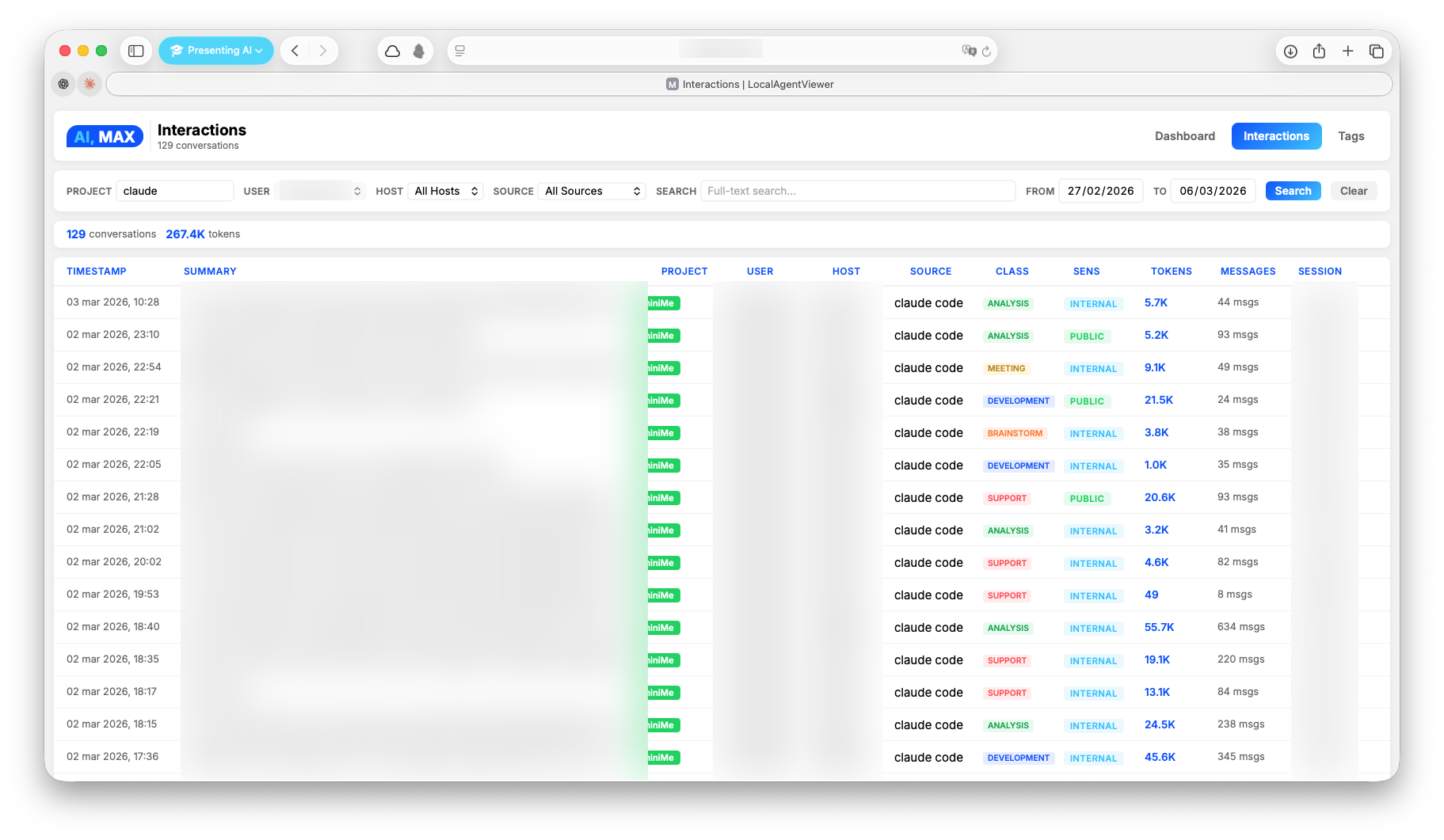
- Classify interactions with AI (topics, sensitivity, people, clients, tags)
- Search by keyword (FTS5) or by meaning (Qdrant vector search)
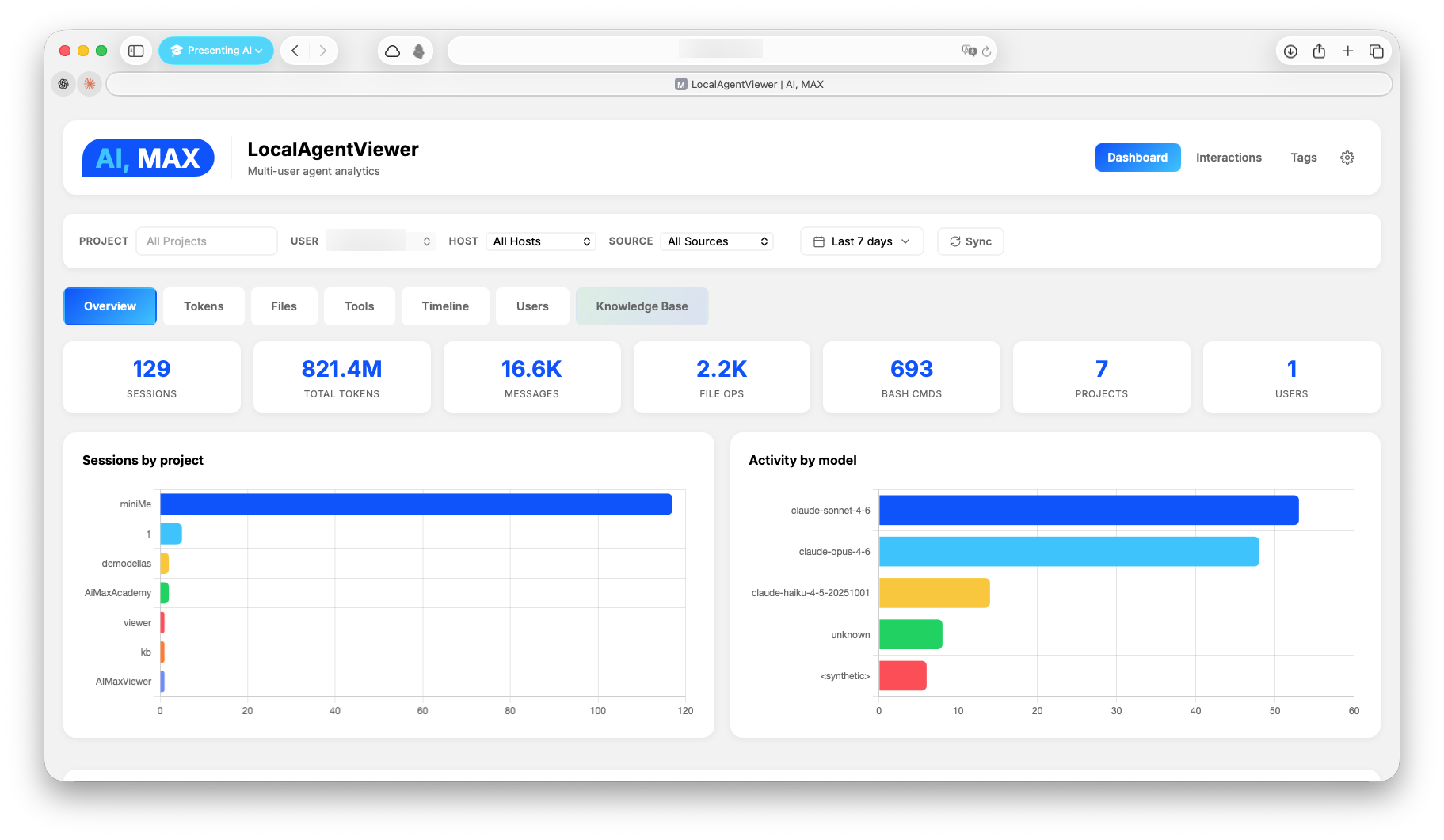
- Visualize tokens, costs, tools, files, and activity patterns in a real-time dashboard
- Distribute across machines — each device parses locally, a central collector unifies everything
No cloud. No accounts. No external dependencies. Just pip install and go.
Supported Agents
| Agent | Source Format | Auto-detected |
|---|---|---|
| Claude Code | JSONL | ~/.claude/projects/ |
| Codex CLI | JSONL | ~/.codex/sessions/ |
| Claude Desktop (Cowork) | JSONL | ~/Library/Application Support/Claude/local-agent-mode-sessions/ |
| ChatGPT | JSON export | Manual (conversations.json from data export) |
Screenshots
Installation
1. Clone and install
git clone https://github.com/maxturazzini/local-agent-viewer.git
cd local-agent-viewer
pip install -e .
This installs the core package (zero external dependencies — stdlib only). All CLI commands become available immediately.
2. (Optional) Install extras
pip install -e ".[classifiers]"   # AI classification (openai)
pip install -e ".[qdrant]"        # Semantic search (qdrant-client, openai, anthropic)
pip install -e ".[mcp]"           # MCP server (fastmcp)
pip install -e ".[all]"           # Everything
3. (Optional) Configure environment
Copy the example and fill in what you need:
cp .env.example .env
# Only needed for optional features — core works without any of these
OPENAI_API_KEY=sk-...            # AI classification (lav-classify) + embeddings (lav-index)
ANTHROPIC_API_KEY=sk-ant-...     # Qdrant KB auto-tagging via Haiku
QDRANT_URL=http://localhost:6333 # Remote Qdrant server (omit for local file storage)
CHATGPT_EXPORT_PATH=             # Path to ChatGPT conversations.json

# Auth for CLI (lav) and MCP server (lav-mcp)
# LAV_API_KEY=your-secret-key        # Required for write operations (sync, kb index, pricing add)
# LAV_READ_API_KEY=your-read-key     # Optional — if set, read operations require this key

# Classification config (optional — defaults work with OpenAI)
# LAV_CLASSIFY_MODEL=gpt-4.1-mini
# LAV_CLASSIFY_BASE_URL=http://localhost:11434/v1  # Ollama, vLLM, Azure, etc.
# LAV_CLASSIFY_SYSTEM_PROMPT=/path/to/prompt.txt   # or inline text
Quick Start
# Parse interactions from this machine
lav-parse

# Start the server
lav-server
Open http://localhost:8764 — that's it.
The database is created automatically at ~/.local/share/local-agent-viewer/local_agent_viewer.db. No configuration required for core functionality.
CLI Commands
| Command | Description | Requires |
|---|---|---|
lav |
Unified CLI — query, search, KB management, sync, pricing | — |
lav-parse |
Parse JSONL interactions (Claude Code, Codex, Desktop) | — |
lav-parse-chatgpt |
Parse ChatGPT export | CHATGPT_EXPORT_PATH |
lav-server |
Start the web server | — |
lav-classify |
Classify interactions via gpt-4.1-mini | OPENAI_API_KEY |
lav-index |
Index interactions into Qdrant | qdrant-client, openai |
lav-mcp |
Start MCP server | fastmcp |
lav-pricing |
Manage model pricing for cost tracking | — |
Unified CLI (lav)
The lav command provides direct access to queries, KB management, sync, and pricing — no server or MCP required.
# Search interactions (SQLite FTS5)
lav search "newsletter pipeline"
lav search "newsletter" --project miniMe --limit 5 --start 2026-03-01

# Show full transcript
lav show <session_id>

# Semantic search (Qdrant KB)
lav kb search "how does the blog publisher work"
lav kb search "debugging MCP" --classification development

# KB management
lav kb status <session_id>
lav kb index <session_id> --tags "blog,newsletter"
lav kb remove <session_id>
lav kb tags <session_id> --set "new,tags"

# Sync & pricing
lav sync
lav sync --scope project --project miniMe --full
lav pricing list
lav pricing add --model gpt-5.4 --input 2.0 --output 8.0 --from-date 2026-04-01
Output formats: JSON (default, for piping/scripting), --format table (human-readable), --format brief (one line per result).
Auth: write operations (sync, kb index/remove/tags, pricing add) require LAV_API_KEY env var. Read operations are open by default, or gated by LAV_READ_API_KEY if set.
Parser options
lav-parse                        # incremental (default, fast)
lav-parse --project myProject    # parse one project only
lav-parse --full                 # force full reparse

lav-parse-chatgpt               # parse ChatGPT export
lav-parse-chatgpt --full        # full reparse
Data Pipeline
Three layers turn raw agent logs into a searchable, classified knowledge base:
JSONL / JSON logs
    │
    ▼
┌─────────────────────────────────────────────────┐
│  1. PARSE → SQLite                              │
│  Raw interactions: sessions, messages, tokens,  │
│  file ops, tool calls, costs, models            │
│  ─ lav-parse / lav-parse-chatgpt                │
└─────────────────┬───────────────────────────────┘
                  │
                  ▼
┌─────────────────────────────────────────────────┐
│  2. CLASSIFY → interaction_metadata (optional)  │
│  AI classification via gpt-4.1-mini:            │
│  summary, topics, people, clients, sensitivity, │
│  process type, tags                             │
│  ─ lav-classify (or auto after sync)            │
└─────────────────┬───────────────────────────────┘
                  │
                  ▼
┌─────────────────────────────────────────────────┐
│  3. INDEX → Qdrant vector DB (optional)         │
│  Semantic embeddings for meaning-based search.  │
│  Reuses SQL metadata when available (no extra   │
│  LLM call). Enables KB search in dashboard.     │
│  ─ lav-index                                    │
└─────────────────────────────────────────────────┘
Each layer is independent — the core works with just layer 1. Classification adds structured metadata. Qdrant adds semantic search on top.
Features
Analytics Dashboard
- Overview — sessions, messages, tokens, costs across time
- Tokens — input/output/cache breakdown by model and day
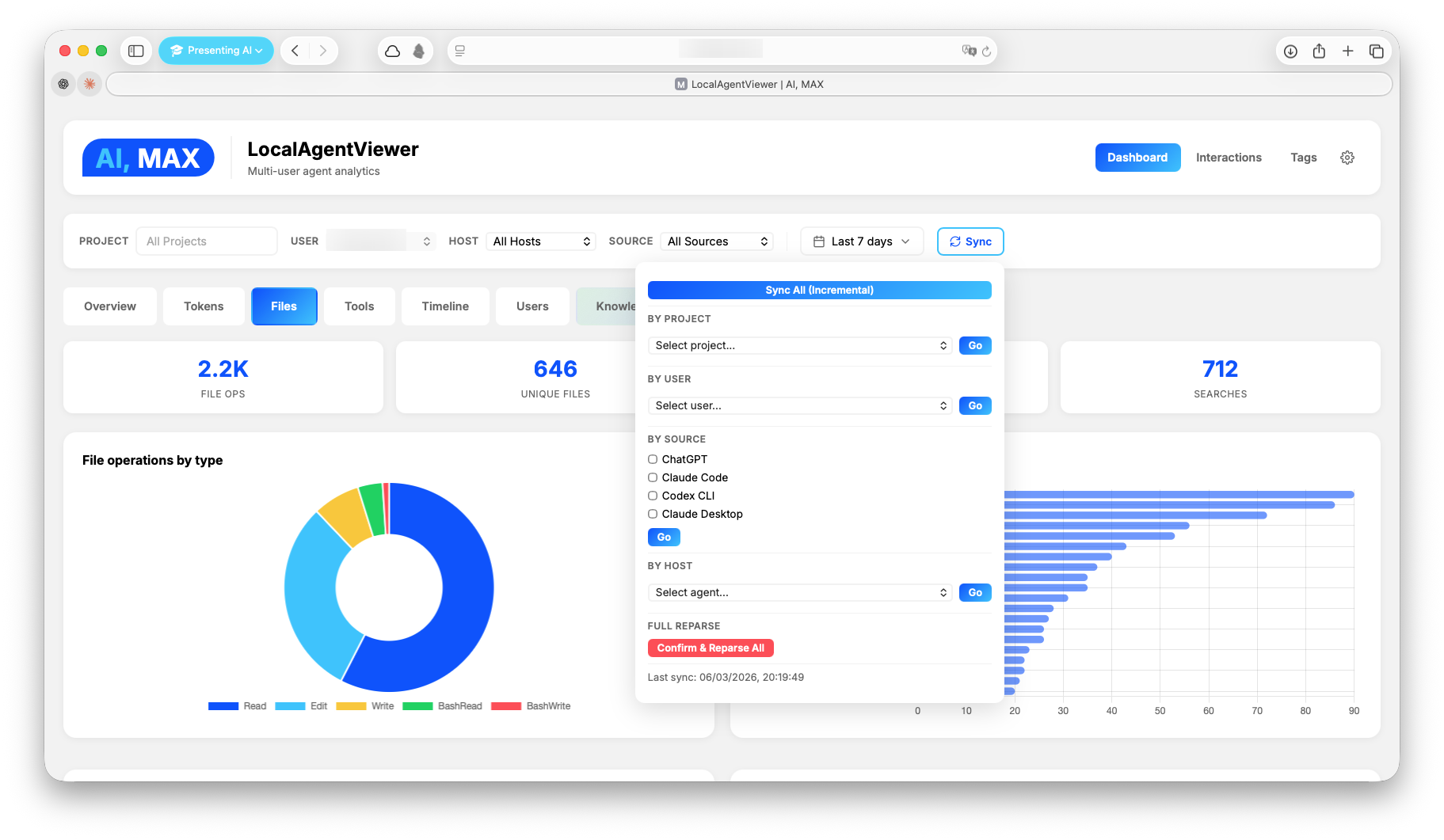
- Files — most-modified files, operations heatmap
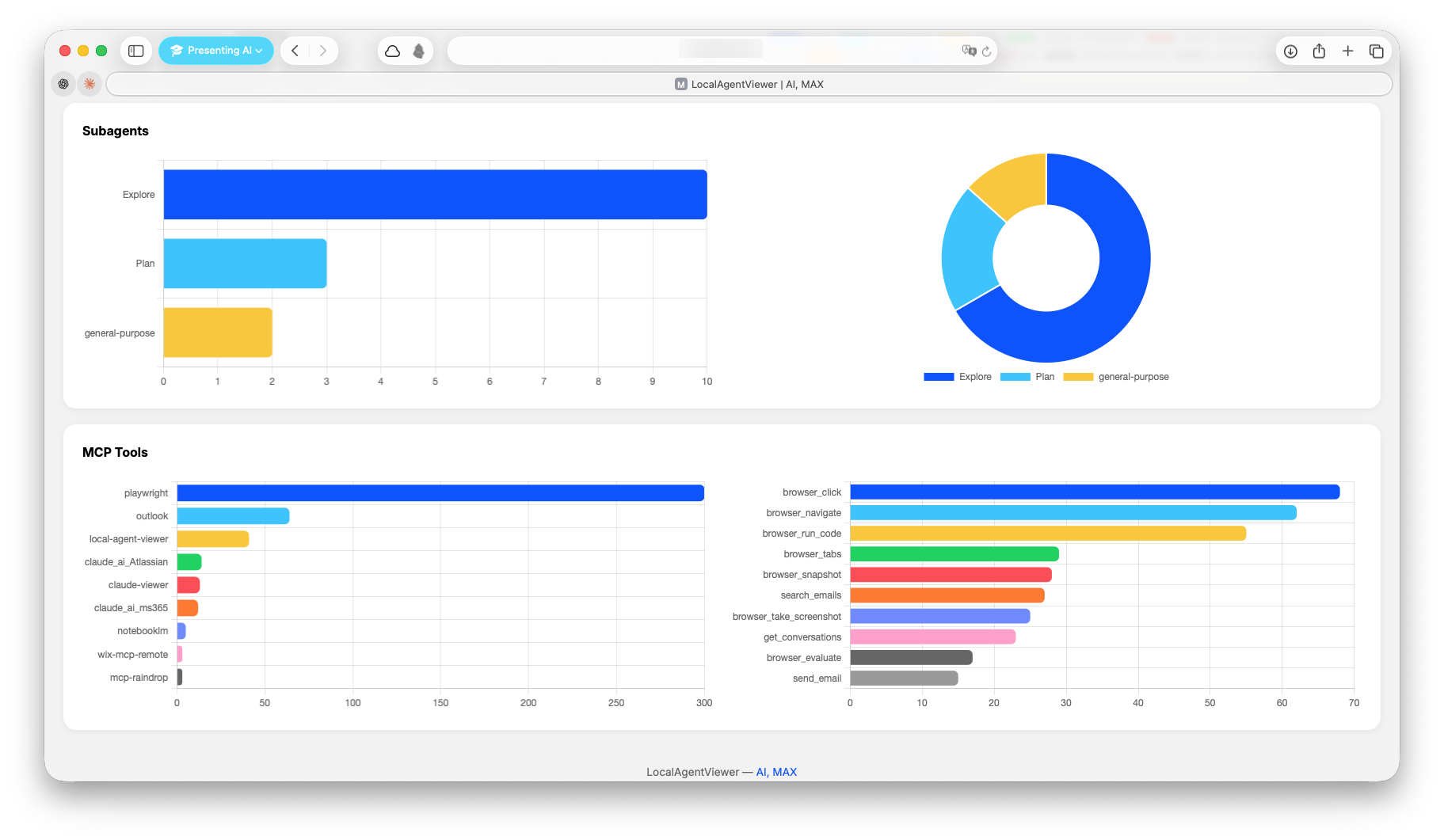
- Tools — tool call frequency and distribution
- Timeline — activity patterns and session duration
- Users — per-user drill-down with 7 views
- Knowledge Base — semantic search across interactions
4D Filtering
Every query supports four independent dimensions:
| Dimension | What it filters |
|---|---|
| Project | Which codebase |
| User | Which person |
| Host | Which machine |
| Source | Which agent (claude_code, codex_cli, cowork_desktop, chatgpt) |
Search
- Full-text search via SQLite FTS5 — fast, no external dependencies
- Semantic search via Qdrant vector DB (optional, layer 3)
- Classification filters — search by topic, sensitivity, process type (layer 2)
AI Classification (optional)
# Requires OPENAI_API_KEY in .env
lav-classify              # classify unclassified interactions
lav-classify --full       # reclassify everything
lav-classify --dry-run    # preview
Also runs automatically after each sync when OPENAI_API_KEY is set.
Configuration — all optional, set in .env:
| Variable | Default | Description |
|---|---|---|
LAV_CLASSIFY_MODEL |
gpt-4.1-mini |
Model name (any OpenAI-compatible model) |
LAV_CLASSIFY_BASE_URL |
(OpenAI default) | API endpoint — e.g. http://localhost:11434/v1 for Ollama |
LAV_CLASSIFY_SYSTEM_PROMPT |
(built-in) | Custom system prompt: inline text or path to a .txt file |
LAV_CLASSIFY_MAX_CHARS |
12000 |
Max chars of interaction text sent to the model |
LAV_CLASSIFY_LANGUAGE |
en |
Language for summary/abstract/process fields (enum fields stay English) |
The --model CLI flag overrides LAV_CLASSIFY_MODEL for a single run.
Note on small models: The built-in prompt is optimized for small local models (phi4-mini, etc.). Avoid uppercase/NOT-heavy custom prompts — some small models enter degenerate repetition loops. See
tests/evals/for model comparison reports.
MCP Server
Expose your analytics to AI tools via the Model Context Protocol. This lets Claude Code, Claude Desktop, or any MCP-compatible client query your interaction history, search the knowledge base, and trigger syncs — all through natural language.
# Requires: pip install fastmcp
lav-mcp
Available tools:
| Tool | Auth | Description |
|---|---|---|
get_interactions |
LAV_READ_API_KEY |
List/search interactions (FTS, filters by project/user/date) |
get_interaction_details |
LAV_READ_API_KEY |
Full transcript by session ID |
semantic_search |
LAV_READ_API_KEY |
Qdrant vector search with classification/tag/project filters |
kb_status |
LAV_READ_API_KEY |
Check if an interaction is indexed |
sync |
LAV_API_KEY |
Trigger data re-parse (all, by project, or by source) |
kb_index |
LAV_API_KEY |
Index an interaction into Qdrant (auto-tag or pre-metadata) |
kb_remove |
LAV_API_KEY |
Remove an interaction from Qdrant |
kb_update_tags |
LAV_API_KEY |
Update tags without re-embedding |
manage_pricing |
LAV_READ_API_KEY / LAV_API_KEY |
List, add, or lookup model pricing |
Claude Code configuration (~/.claude/claude_code_config.json):
{
  "mcpServers": {
    "local-agent-viewer": {
      "command": "lav-mcp",
      "env": {
        "LAV_API_KEY": "your-write-api-key",
        "LAV_READ_API_KEY": "your-read-api-key"
      }
    }
  }
}
Write tools require LAV_API_KEY. Read tools require LAV_READ_API_KEY if set on the server — if not set, read access is open. Both keys are defined in .env and passed to MCP clients via config.
Multi-Machine Setup
Expand for distributed architecture detailsArchitecture
LocalAgentViewer supports a distributed agent/collector model. Each machine parses its own interactions locally. A central collector pulls from all agents into one unified database.
                  GET /api/export
┌──────────────┐◄──────────────────┌──────────────┐
│  Collector    │   (pull sessions) │  Agent       │
│  role: both   │                   │  role: agent │
│               │                   │              │
│  Dashboard    │                   │  Parse local │
│  Unified DB   │                   │  Local DB    │
│  All APIs     │                   │  Thin API    │
└──────────────┘                   └──────────────┘
Roles
| Role | Bind | Function |
|---|---|---|
| agent | 0.0.0.0:8764 |
Parses local interactions, exposes /api/export |
| both (default) | 0.0.0.0:8764 |
Full server: local parse + pull from agents + dashboard |
Configuration
Each machine has a local config at ~/.local/share/local-agent-viewer/config.json (not synced via git):
Collector (the machine with the dashboard) — see config.collector.example.json:
{
  "role": "both",
  "port": 8764,
  "agents": [
    {
      "name": "laptop",
      "url": "http://laptop.local:8764",
      "fallback_url": "http://10.0.0.5:8764",
      "timeout_seconds": 10
    }
  ]
}
Agent (each remote machine) — see config.agent.example.json:
{
  "role": "agent",
  "port": 8764,
  "collector_url": "http://collector.local:8764"
}
Data flow
Agent machine (every 15 min via LaunchAgent)
  → lav-parse parses local ~/.claude/projects
  → notify_collector() → POST http://collector:8764/api/sync
  → Collector pulls from agent via GET /api/export
  → Canonical DB updated
Pull is on-demand (triggered by the agent after each parse), not periodic polling.
Setup
On the agent:
mkdir -p ~/.local/share/local-agent-viewer
cp config.agent.example.json ~/.local/share/local-agent-viewer/config.json
# Edit collector_url to point to your collector machine

lav-parse
lav-server  # or install as a service (see below)
curl http://localhost:8764/api/health
On the collector:
mkdir -p ~/.local/share/local-agent-viewer
cp config.collector.example.json ~/.local/share/local-agent-viewer/config.json
# Edit agents list with your remote machines

lav-parse
lav-server
curl -X POST http://localhost:8764/api/sync -H "Content-Type: application/json" -d '{"scope":"all"}'
What lives where
| What | Path | Synced? |
|---|---|---|
| Code | local-agent-viewer/ |
Yes (git) |
| Runtime config | ~/.local/share/local-agent-viewer/config.json |
No (per-machine) |
| Database | ~/.local/share/local-agent-viewer/local_agent_viewer.db |
No (per-machine) |
| Qdrant data | ~/.local/share/local-agent-viewer/qdrant_data/ |
No (per-machine) |
Running as a Service (macOS)
Expand for LaunchAgent setupRun the server and parser automatically on login with auto-restart:
# Install services
bash utils/services/install.sh

# Activate
launchctl load ~/Library/LaunchAgents/com.aimax.lav-server.plist
launchctl load ~/Library/LaunchAgents/com.aimax.lav-parser.plist

# Verify
launchctl list | grep com.aimax.lav
curl http://localhost:8764/api/health
The parser LaunchAgent runs incremental parsing every 15 minutes.
After code changes:
bash utils/services/install.sh
launchctl unload ~/Library/LaunchAgents/com.aimax.lav-server.plist
launchctl load ~/Library/LaunchAgents/com.aimax.lav-server.plist
Logs: ~/.local/logs/lav-server.log and lav-server-err.log
API Reference
Expand for full API documentationUniversal endpoints (all roles)
| Endpoint | Method | Description |
|---|---|---|
/api/health |
GET | Status, hostname, role, uptime |
/api/info |
GET | Sources, session count, DB size |
/api/export?since=T&limit=N |
GET | Telemetry package for collector pull |
Dashboard endpoints (role: both)
| Endpoint | Method | Description |
|---|---|---|
/api/data |
GET | Full analytics with 4D filters |
/api/projects |
GET | Project list with stats |
/api/users |
GET | User list with stats |
/api/user/{username} |
GET | User detail |
/api/hosts |
GET | Host list |
/api/interactions |
GET | Interaction list (paginated) |
/api/interaction/{id} |
GET | Full interaction transcript |
/api/search?q=term |
GET | Full-text search |
/api/sync |
POST | Trigger sync |
/api/sync/status |
GET | Sync progress |
/api/classifications/stats |
GET | Classification aggregations |
/api/classifications/tagcloud |
GET | Topic/people/client frequencies |
/api/interaction/{id}/metadata |
GET | Classification metadata |
/api/kb/* |
GET/POST | Qdrant knowledge base |
Query filters
All dashboard endpoints accept:
?project=myProject&user=john&host=laptop&client=claude_code&start=2026-01-01&end=2026-03-01
Database Schema
Expand for schema detailsSingle SQLite database with composite primary keys and 4 independent filter dimensions:
| Table | Key | Contents |
|---|---|---|
interactions |
(session_id, project_id) |
Sessions with timestamps, cost, model |
messages |
(session_id, project_id, uuid) |
Individual messages |
token_usage |
(timestamp, session_id, project_id) |
Per-request token counts |
file_operations |
(timestamp, session_id, project_id, tool, file_path) |
File reads/writes |
bash_commands |
Shell commands executed | |
search_operations |
Grep/glob operations | |
skill_invocations |
Skill usage | |
subagent_invocations |
Sub-agent calls | |
mcp_tool_calls |
MCP tool invocations | |
interaction_metadata |
AI classification results | |
parse_state |
(key, project_id, source, host_id) |
Incremental parse cursors |
Reference tables: projects, users, hosts, session_sources.
Anti-duplicate on pull: INSERT OR IGNORE on composite PKs ensures idempotent ingestion across machines.
Project Structure
local-agent-viewer/
├── lav/                           # Main package
│   ├── __init__.py
│   ├── cli.py                     # Unified CLI (lav command)
│   ├── config.py                  # Paths, ports, runtime config
│   ├── queries.py                 # SQL queries with 4D filters
│   ├── pricing.py                 # Model pricing management + lav-pricing CLI
│   ├── server.py                  # HTTP server with role-based gating
│   ├── mcp_server.py              # FastMCP server for AI tool integration
│   ├── parsers/
│   │   ├── jsonl.py               # JSONL parser (Claude Code, Codex, Desktop)
│   │   └── chatgpt.py             # ChatGPT export parser
│   ├── classifiers/
│   │   ├── openai_classifier.py   # OpenAI Structured Outputs classifier
│   │   └── sql_classifier.py      # Batch CLI classifier (gpt-4.1-mini)
│   ├── qdrant/
│   │   ├── store.py               # Qdrant vector store client
│   │   ├── indexer.py              # Interaction indexer
│   │   └── kb_indexer.py           # CLI indexer (reuses SQL metadata)
│   └── static/                    # Frontend
│       ├── dashboard.html         # Analytics dashboard (Chart.js)
│       ├── interactions.html      # Interaction browser
│       └── tags.html              # Tag cloud + stats
├── scripts/
│   └── migrate.py                 # Migration from claude-parser
├── tests/
│   └── evals/
│       ├── eval_classify.py       # Classification model eval (multi-model comparison)
│       └── results/               # Eval reports (markdown)
├── config.agent.example.json      # Example config for agent machines
├── config.collector.example.json  # Example config for collector machine
├── pyproject.toml                 # Package config + CLI entry points
├── utils/services/                # LaunchAgent plists + install script
└── docs/
    └── CHANGELOG.md
Requirements
- Python 3.9+ — core functionality uses stdlib only
- Optional:
openaifor AI classification - Optional:
qdrant-clientfor semantic search - Optional:
fastmcpfor MCP server
Contributing
Contributions are welcome! Please open an issue first to discuss what you'd like to change.
- Fork the repository
- Create your feature branch (
git checkout -b feature/my-feature) - Commit your changes (
git commit -am 'Add my feature') - Push to the branch (
git push origin feature/my-feature) - Open a Pull Request
License
MIT — Max Turazzini
Yorumlar (0)
Yorum birakmak icin giris yap.
Yorum birakSonuc bulunamadi