md.page
Health Gecti
- License — License: MIT
- Description — Repository has a description
- Active repo — Last push 0 days ago
- Community trust — 104 GitHub stars
Code Basarisiz
- exec() — Shell command execution in cli/dist/index.js
- network request — Outbound network request in cli/dist/index.js
- exec() — Shell command execution in cli/src/index.ts
- network request — Outbound network request in cli/src/index.ts
Permissions Gecti
- Permissions — No dangerous permissions requested
Bu listing icin henuz AI raporu yok.
Instantly turn Markdown into a shareable web page. Self-hostable open-source engine of md.page.

Instantly turn Markdown into a shareable web page.
Free anonymous pages expire in 24h. Sign in for permanent pages with your own subdomain.
Website · AI Agents · API · Accounts · Self-Host


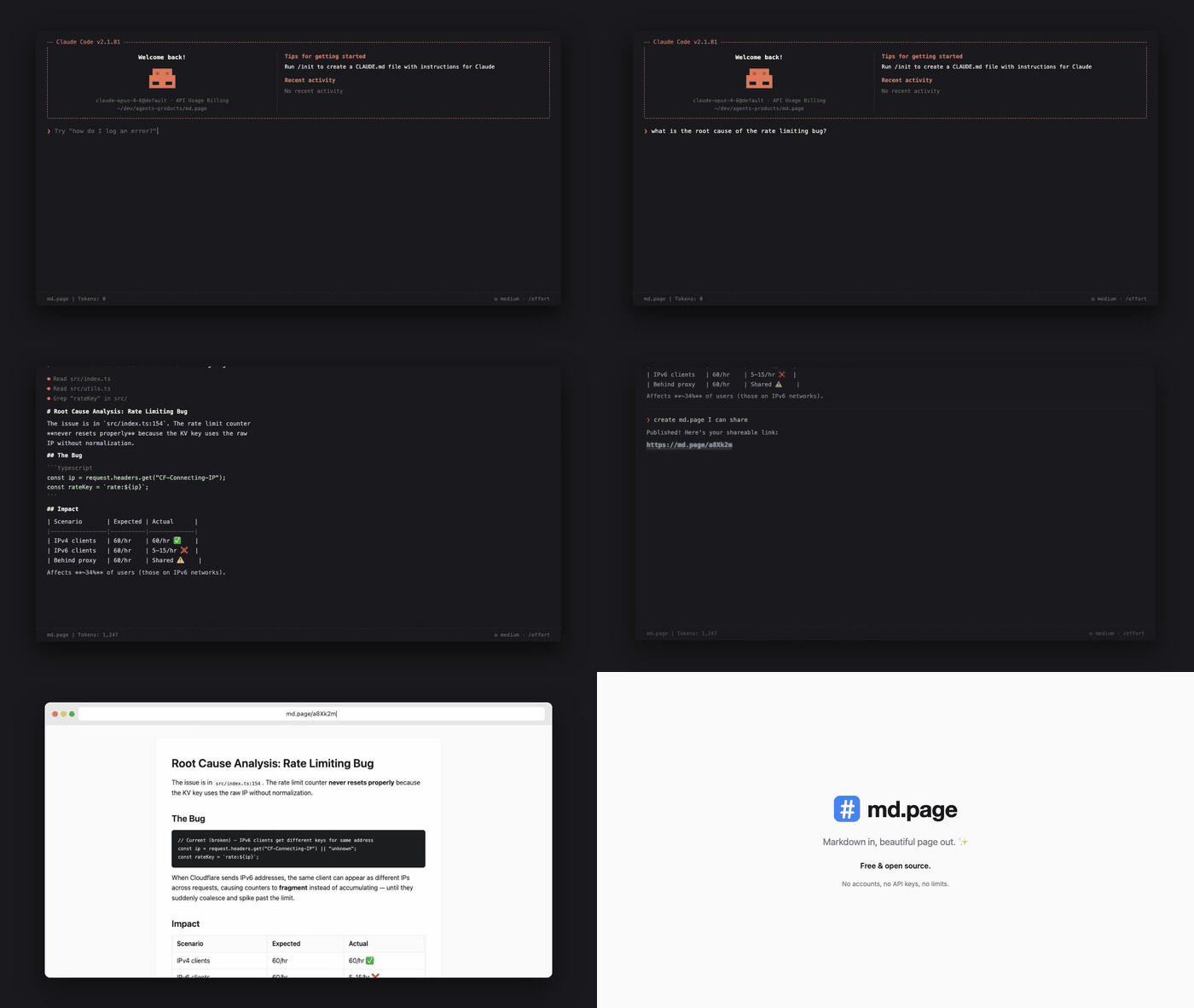
Add to your AI Agent
The easiest way to use md.page is through your AI coding agent. Just ask it to "share this" or "publish this markdown" and it creates a link for you.
Claude Code
Install the md.page skill:
npx skills add maypaz/md.page
OpenClaw
npx clawhub@latest install publish-to-mdpage
MCP Server
For agents that support MCP (Cursor, Claude Desktop, VS Code, and others), add md.page as a tool server:
{
  "mcpServers": {
    "mdpage": {
      "command": "npx",
      "args": ["-y", "mdpage-mcp"]
    }
  }
}
See mcp/README.md for full setup instructions.
Any Agent (Prompt-Based)
Copy this prompt into any AI agent that can make HTTP requests:
From now on, whenever I ask you to share or publish a markdown file, use the md.page API to create a shareable HTML page. Send a POST request to https://md.page/api/publish with the body {"markdown": ""} and return the shareable URL to me.
Use Directly
CLI
npx mdpage-cli README.md
  Published → https://md.page/a8Xk2m
  Expires in 24h
One command, zero setup.
# Publish and copy URL to clipboard
npx mdpage-cli README.md --copy

# Publish and open in browser
npx mdpage-cli notes.md --open

# Pipe from stdin
cat CHANGELOG.md | npx mdpage-cli

# Install globally for faster access
npm i -g mdpage-cli
mdpage-cli README.md
API
POST /api/publish
Create a shareable page from markdown.
curl -X POST https://md.page/api/publish \
  -H "Content-Type: application/json" \
  -d '{"markdown": "# Hello World\nYour markdown here..."}'
{
  "url": "https://md.page/a8Xk2m",
  "expires_at": "2026-03-28T12:00:00.000Z"
}
| Status | Description |
|---|---|
201 |
Created successfully |
400 |
Missing or invalid markdown field |
413 |
Content too large (max 500KB) |
GET /:id
View a published page. Returns rendered HTML.
Features
- One command —
npx mdpage-cli README.mdand you're done - Beautiful — clean typography, code blocks, tables, responsive design
- Short URLs —
md.page/a8Xk2m(6-character IDs) - Private — links are unguessable, only people with the URL can view
- Auto-expiry — anonymous pages self-delete after 24 hours
- Permanent pages — sign in for pages that never expire
- Your subdomain —
username.md.page/slug - API keys — programmatic publishing from any agent or script
- Visibility control — public or private per page
- AI agent friendly — designed to work with any AI agent or LLM
Accounts & Subdomains
Accounts, permanent pages, and API keys are features of the hosted service at md.page. This repository contains the open-source engine — anonymous publishing, rendering, OG images, and the agent-facing API — which you can self-host.
Sign in at md.page/login with Google to get:
- Your own subdomain —
username.md.page - Permanent pages — up to 10 docs that never expire
- API keys — publish from scripts, CI, or AI agents
- Dashboard — manage all your pages from one place
- Visibility control — make pages public or private
Authenticated API
All authenticated endpoints require either a session cookie or an API key (Authorization: Bearer mdp_xxx).
Create API keys from your settings page.
POST /api/pages — create a permanent page
curl -X POST https://md.page/api/pages \
  -H "Authorization: Bearer mdp_YOUR_KEY" \
  -H "Content-Type: application/json" \
  -d '{"markdown": "# Hello", "title": "hello", "slug": "hello", "visibility": "public"}'
{
  "id": "a8Xk2m",
  "url": "https://username.md.page/hello",
  "slug": "hello",
  "visibility": "public"
}
PUT /api/pages/:id — update a page
curl -X PUT https://md.page/api/pages/a8Xk2m \
  -H "Authorization: Bearer mdp_YOUR_KEY" \
  -H "Content-Type: application/json" \
  -d '{"markdown": "# Updated content"}'
DELETE /api/pages/:id — delete a page
curl -X DELETE https://md.page/api/pages/a8Xk2m \
  -H "Authorization: Bearer mdp_YOUR_KEY"
GET /api/pages — list your pages
curl https://md.page/api/pages \
  -H "Authorization: Bearer mdp_YOUR_KEY"
GET /api/me — current user info
curl https://md.page/api/me \
  -H "Authorization: Bearer mdp_YOUR_KEY"
API Key Management
| Method | Endpoint | Description |
|---|---|---|
POST |
/api/keys |
Create a new API key (max 5) |
GET |
/api/keys |
List your API keys |
PATCH |
/api/keys/:id |
Rename a key |
DELETE |
/api/keys/:id |
Revoke a key |
Self-Hosting
md.page runs on Cloudflare Workers with KV storage. A self-hosted instance gives you anonymous publishing (24h expiry), the full agent-facing surface (OpenAPI, llms.txt, MCP discovery), and auto-generated OG images. The only required binding is a single KV namespace.
Prerequisites
- Cloudflare account (free tier works)
- Node.js 18+
Setup
# Clone the repo
git clone https://github.com/maypaz/md.page.git
cd md.page

# Install dependencies
npm install

# Create your config
cp wrangler.toml.example wrangler.toml

# Create a KV namespace and put its id in wrangler.toml
npx wrangler kv namespace create PAGES

# Deploy
npx wrangler deploy
Analytics, the landing-page video bucket, and publish rate limiting are optional — see the comments in wrangler.toml.example.
Local Development
npm run dev
# → http://localhost:8787
Tech Stack
- Runtime: Cloudflare Workers (Hono framework)
- Storage: Cloudflare KV (page content), R2 (assets, optional)
- Markdown: markdown-it
Contributing
Contributions are welcome! See CONTRIBUTING.md for guidelines.
License
Yorumlar (0)
Yorum birakmak icin giris yap.
Yorum birakSonuc bulunamadi