milo
Health Uyari
- License — License: MIT
- Description — Repository has a description
- Active repo — Last push 0 days ago
- Low visibility — Only 5 GitHub stars
Code Basarisiz
- rm -rf — Recursive force deletion command in install.sh
- rm -rf — Recursive force deletion command in site/public/install.sh
Permissions Gecti
- Permissions — No dangerous permissions requested
Bu listing icin henuz AI raporu yok.
Small additions for the Rex terminal: a Git-aware file tree, commit history, diffs, agent usage, and pane layouts that remember your preferences.

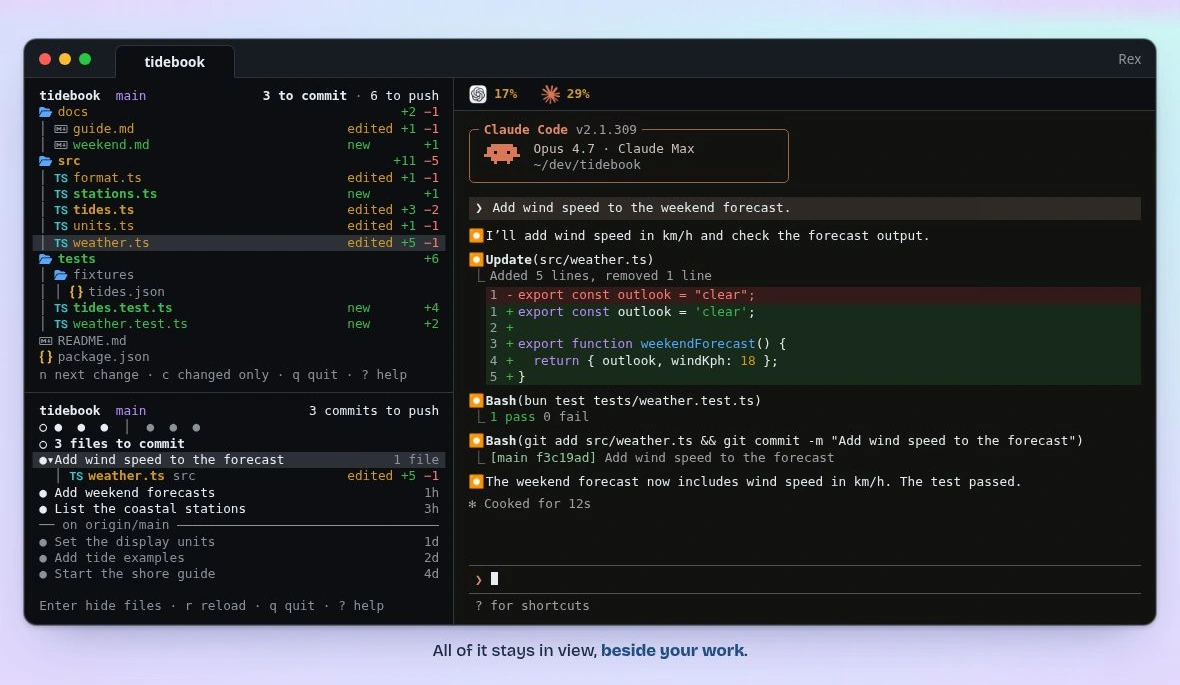
Watch the demo cycle through Claude Code, Codex and omp in Rex. The project and usage figures are examples.
Install
The v0.1.3 release is available for Apple Silicon Macs. Install it with Homebrew:
brew install mcc0x/milo/milo
Without Homebrew, download and run the installer from the release tag:
curl -fsSLo milo-install.sh https://github.com/mcc0x/milo/releases/download/v0.1.3/install.sh &&
  sh milo-install.sh
The script verifies the release binary against its SHA-256 checksum and installs it to ~/.local/bin by default. It does not need Rust or Git. See setup and removal for source installation and uninstall instructions.
Run milo inside Rex to choose your panes and save your workspace preferences.
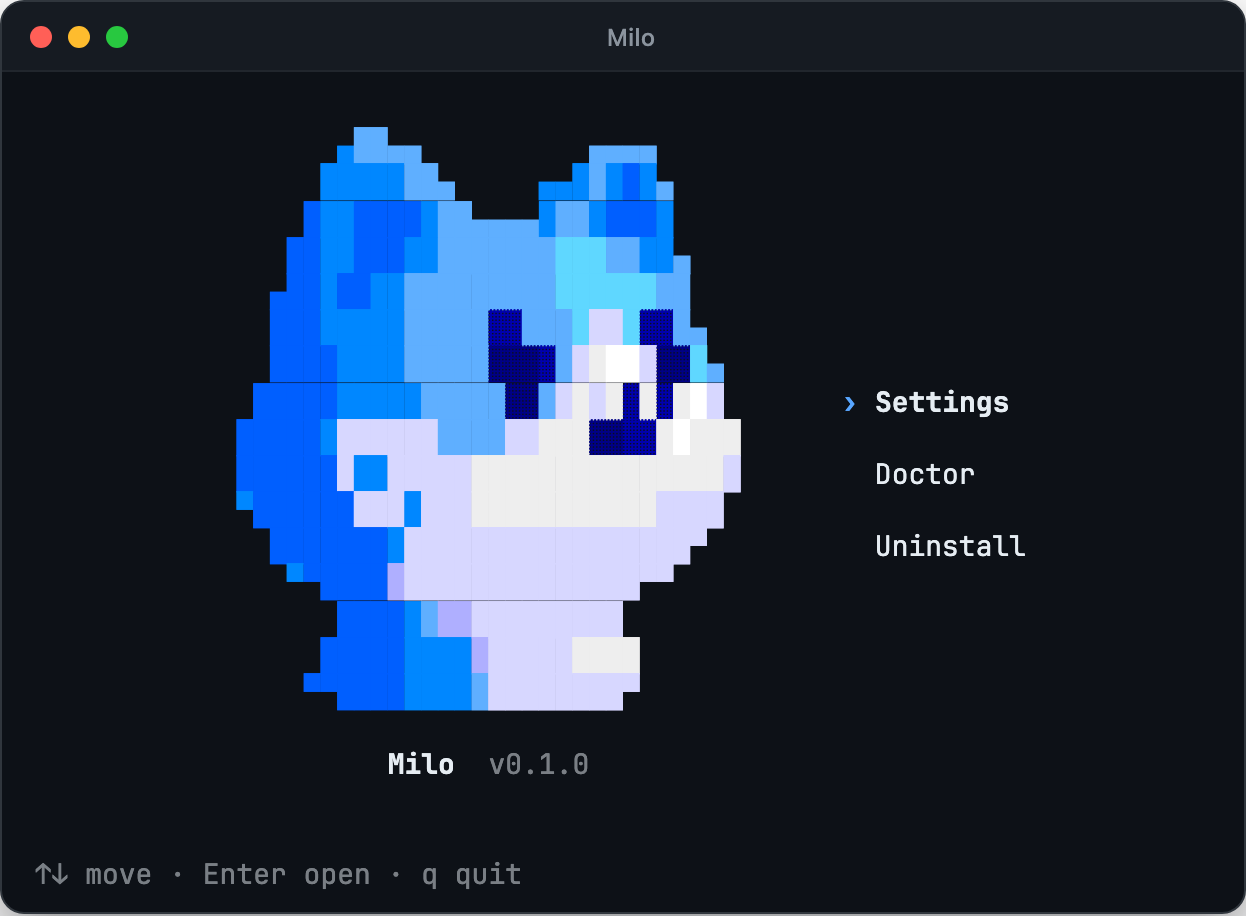
Choose a tree or a project sidebar, try it in this tab, then save it globally or just for this Git worktree. Drag a divider in an installed Milo sidebar and Milo remembers the proportions for that worktree. With Arrange new shell tabs enabled, the next shell tab restores them; command tabs and existing layouts are left alone. With Title Rex tabs enabled, tabs you have not named show their project, worktree and agent.
You can also run each pane on its own.
Outline
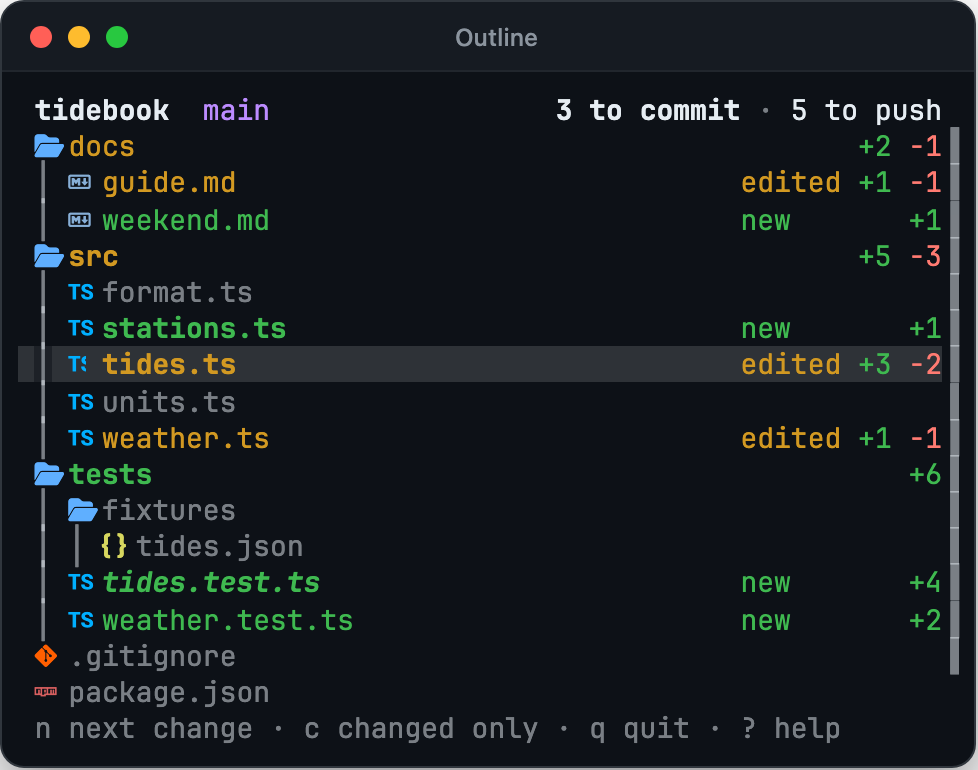
See changed files in the project tree as you work. Bold colours mark changes to commit; regular colours mark changes to push. Press Enter on a file to read it.
History
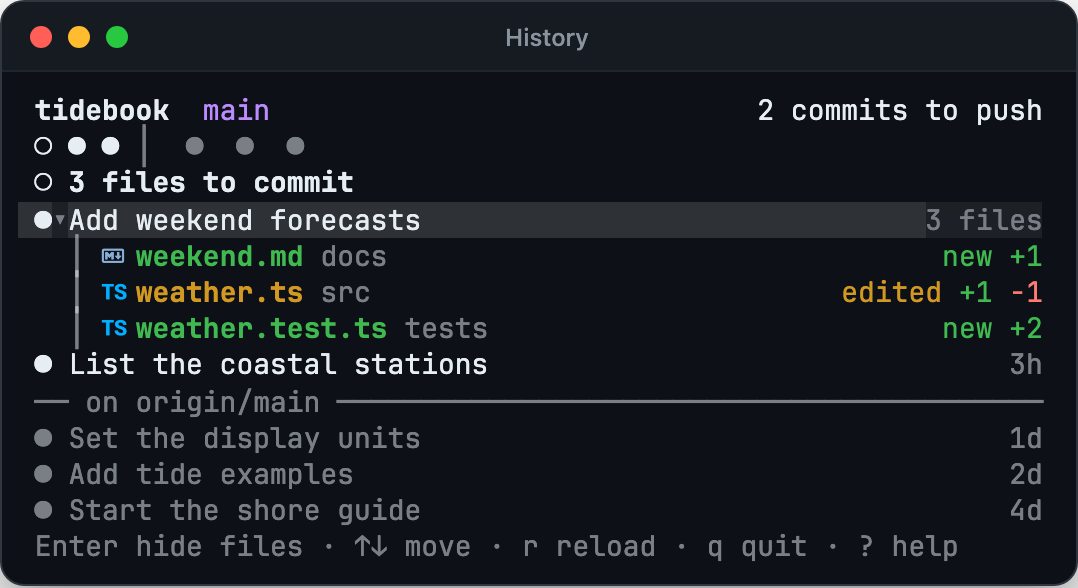
See recent commits and, when the branch tracks a remote branch, how many still need to be pushed. Press Enter on a commit to see the files it touched, then on a file to read that version.
Usage

See how much of each reported limit you have left. Milo reads local reports saved by oh-my-pi, Codex and Claude Code. Where the terminal can show pictures, such as in Rex, the pane can draw the logos and large figures as pictures.
Reader
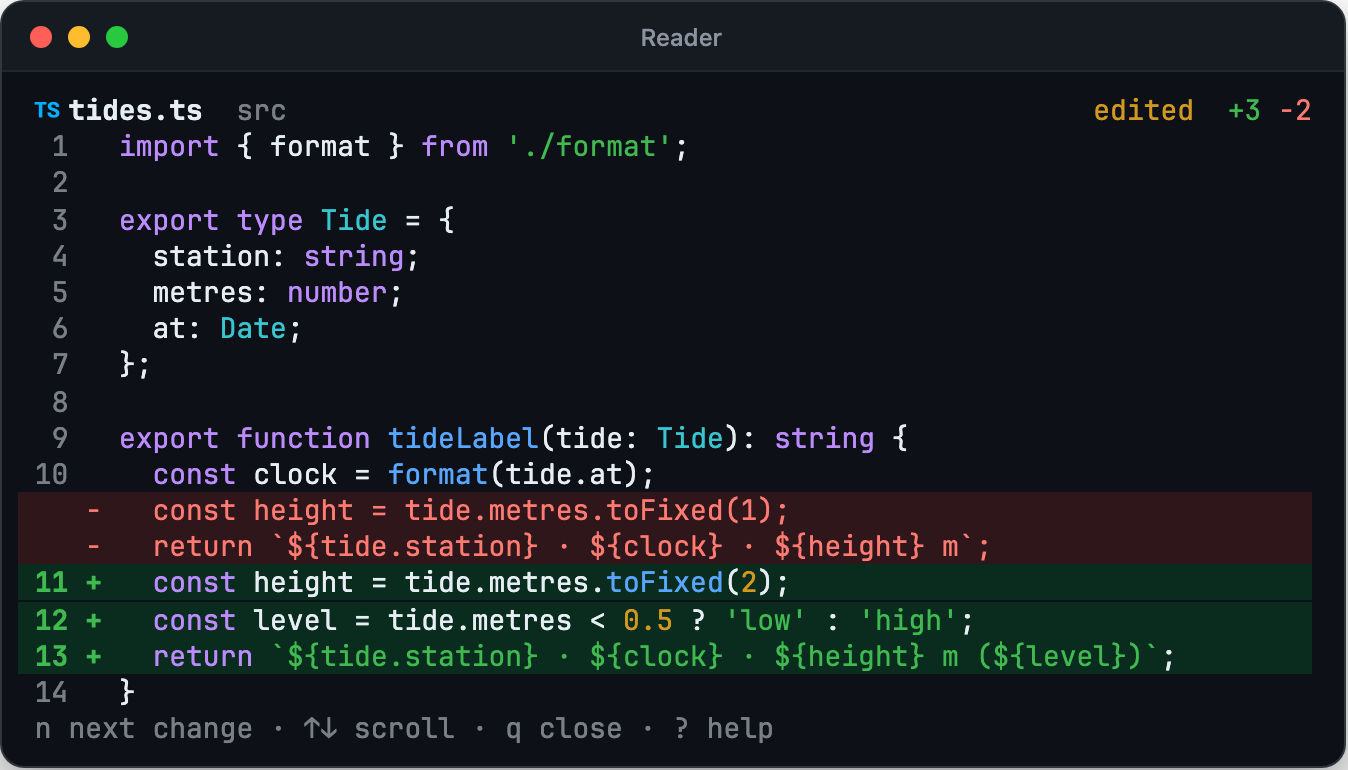
Read a file with added and removed lines marked, or open it as it was at a commit. Press n or N to jump between changed blocks.
Commands
| Command | Opens |
|---|---|
milo |
Milo Home: Settings, Doctor, browser editor and Uninstall |
milo outline [PATH] |
File tree |
milo history [PATH] |
Recent commits |
milo usage |
Usage limits |
milo view FILE [--commit ID] |
File reader |
milo setup |
Setup screen |
milo web [--port PORT] [--no-open] |
Local browser settings editor |
milo doctor |
Read-only preference and integration report |
milo PATH opens Outline at that path. On a fresh install, milo and milo setup share a short welcome guide. For unattended installs, milo setup --skip-onboarding dismisses it and exits without opening a TUI or applying settings. Direct pane commands never start the guide.
Documentation
Setup and removal · Keys and marks · Usage limits · Pane behaviour · How it works
Yorumlar (0)
Yorum birakmak icin giris yap.
Yorum birakSonuc bulunamadi